


路由重分发配置命令
重新分配 ospf 1 metric 路由器数量
Router(config-router)#redistribute protocol [metric metric- value] [metric-type type-value] [subnets]
子网
虚拟接口
允许在类中引用接口类型的变量,经常可以在测试中使用到虚拟接口。
实验、
Router4使用rip配置,在Router3中配置重分发
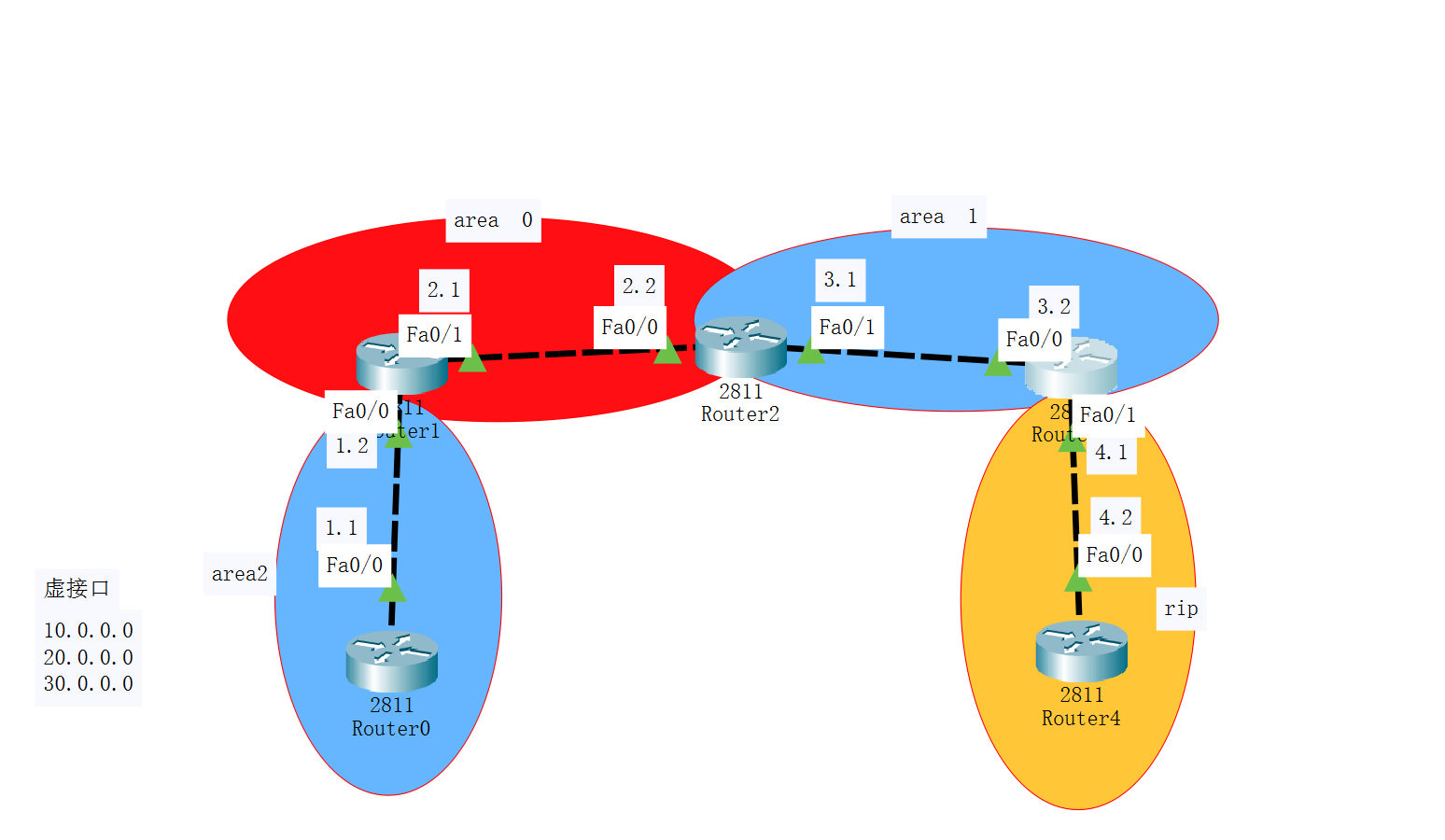
配置所有路由器端口的IP地址,并打开端口。
使用OSPF宣告Router0、Router1、Router2的网段与区域area,使用rip宣告Router4的网段
Router0
router ospf 1
network 192.168.1.0 0.0.0.255 area 2
Router1
router ospf 1
network 192.168.1.0 0.0.0.255 area 0
network 192.168.2.0 0.0.0.255 area 0
Router2
router ospf 1
network 192.168.2.0 0.0.0.255 area 0
network 192.168.3.0 0.0.0.255 area 1
Router4
router rip
network 192.168.4.0
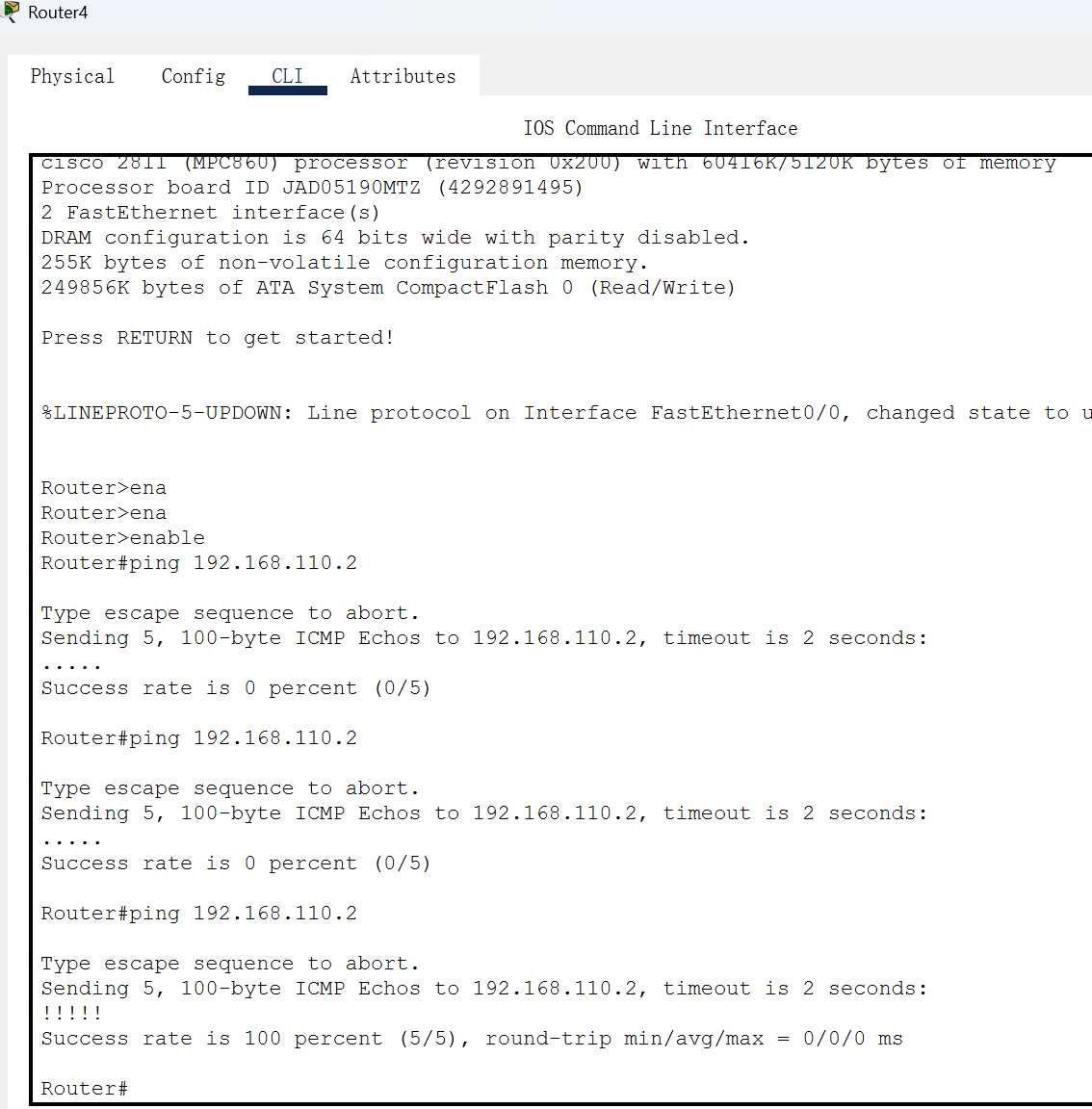
使用Router0测试能否ping通router2的f0/1接口,显示!!!!!表示ping通,此时使用Router0pingRouter4,会显示.....,表示无法ping通。因为路径经过Router3时,f0/0连接的是ospf路由,f0/1连接的是rip路由。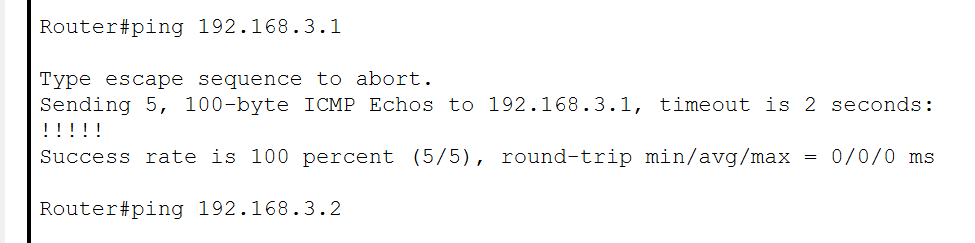
所以我们要在router3配置rip重分发和ospf重分发
router3
router ospf 1
redistribute rip subnets #表示在ospf里配置重分发
exit
router rip
redistribute ospf 1 metric 3 #表示在rip里配置重分发 metric表示设置rip的起始跳数 数字越小距离越远
exit
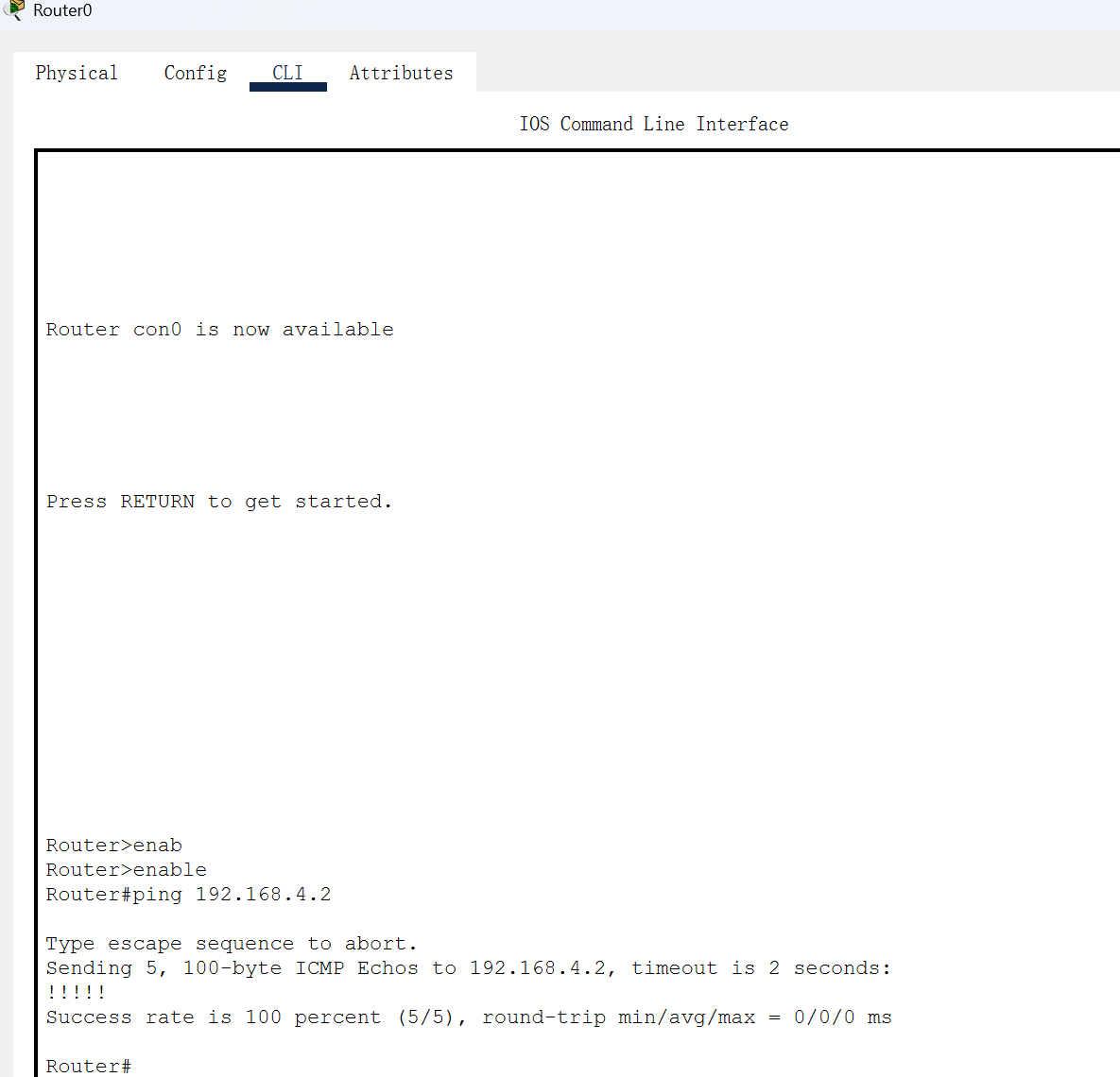
此时使用Router0pingRouter4的f0/0端口,能够ping通,路由重分发配置完成。
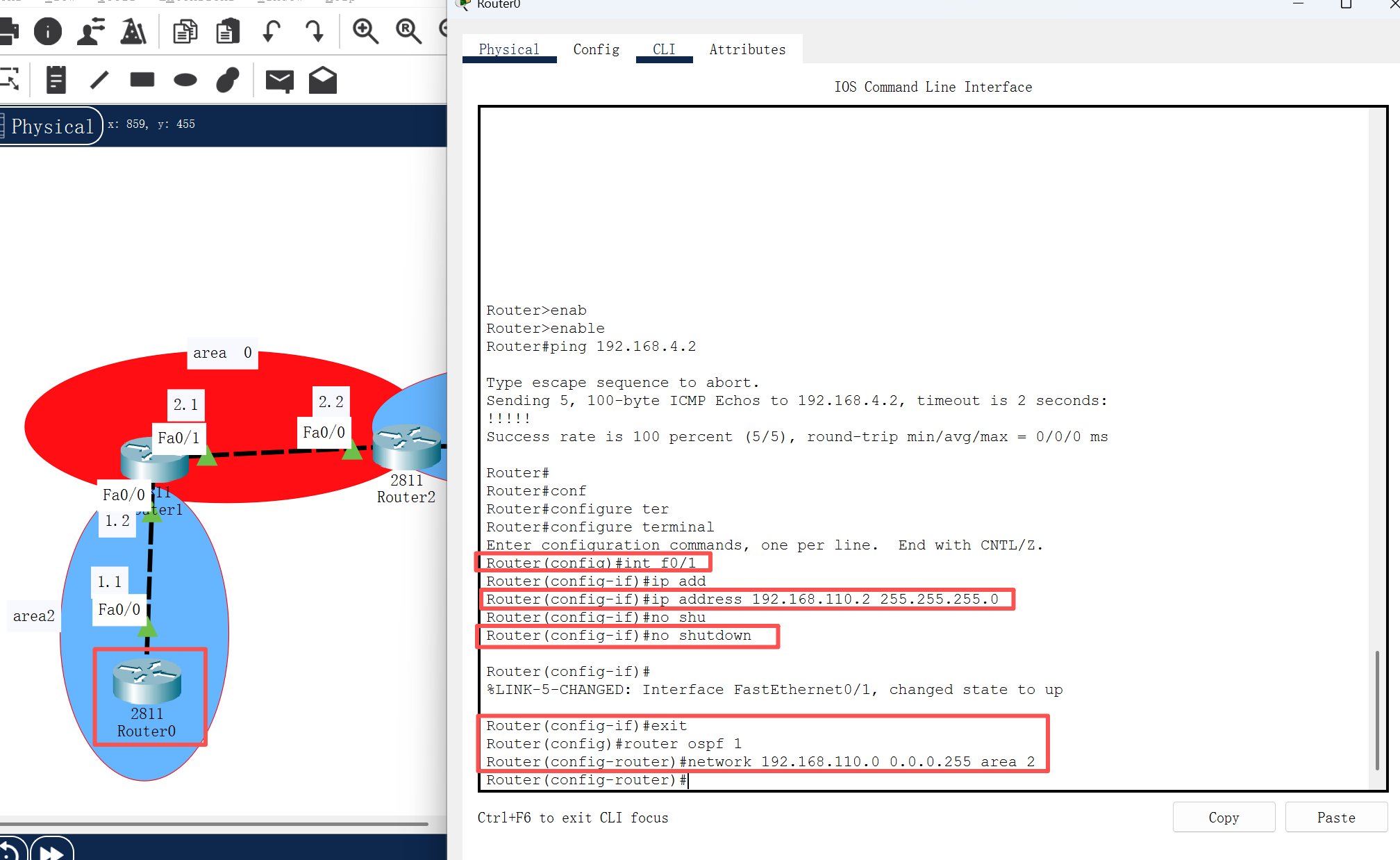
在Router0中配置虚拟接口。
Router(config)#int f0/1
Router(config-if)#ip address 192.168.110.2 255.255.255.0
Router(config-if)#no shutdown
Router(config-if)#exit
Router(config)#router ospf 1
Router(config-router)#network 192.168.110.0 0.0.0.255 area 2
添加一台PC机,连接Router0。
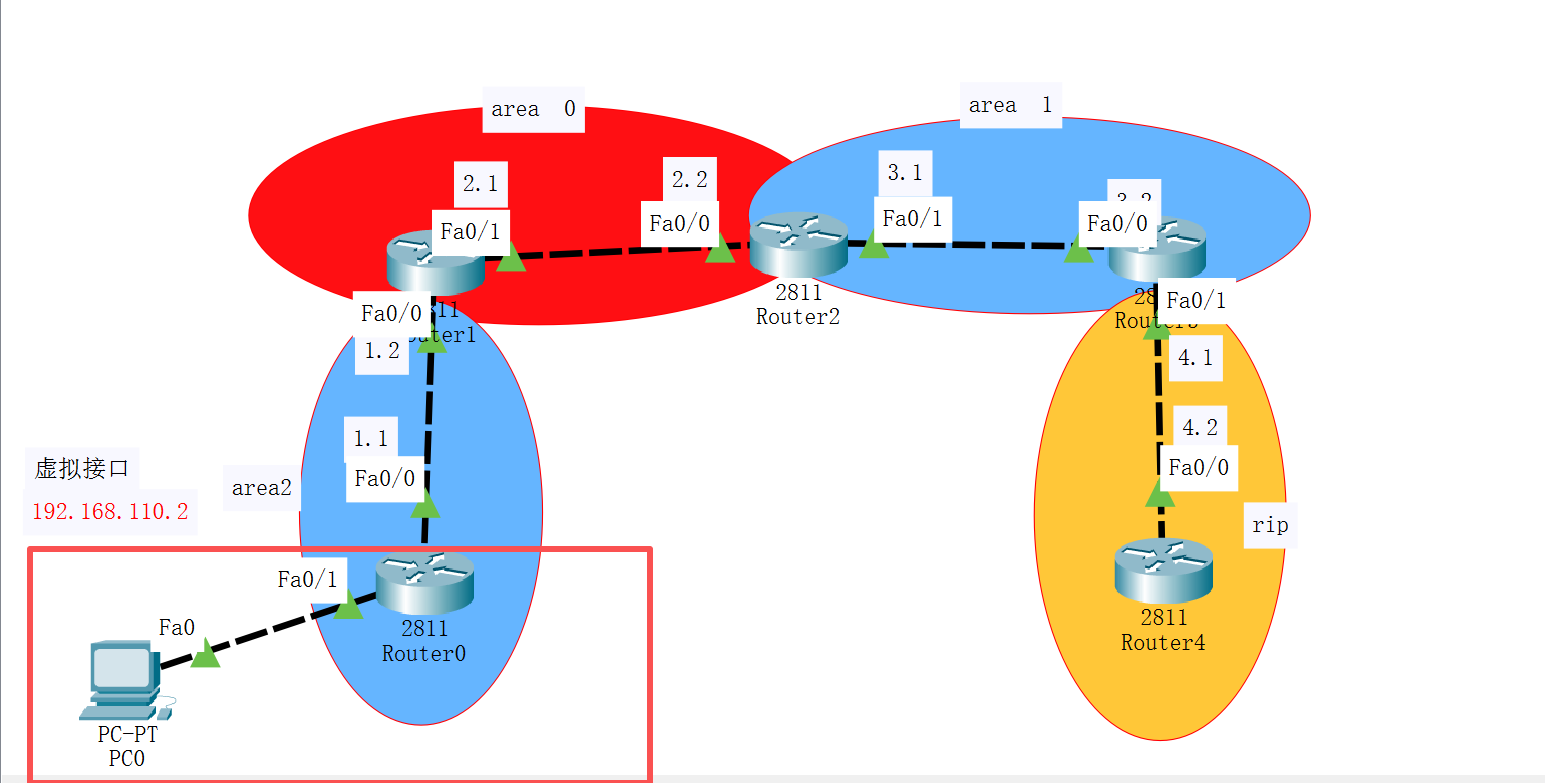
用Router4pingRouter0的f0/1接口的ip,能够ping通





 扫一扫
扫一扫


 711
711

 被折叠的 条评论
为什么被折叠?
被折叠的 条评论
为什么被折叠?
 到【灌水乐园】发言





