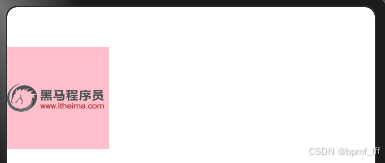
1. Image alt&objectFit
@Entry
@Component
struct Index {
  build() {
    Column(){
      Image('https://www.itheima.com/images/logo.png')
        .width(100)
        .aspectRatio(1)
        .backgroundColor(Color.Pink)
        // 图片占位图 习惯:占位图用本地图片
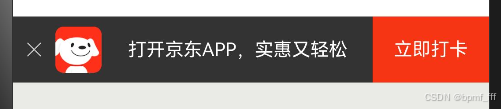
        .alt($r('app.media.startIcon'))
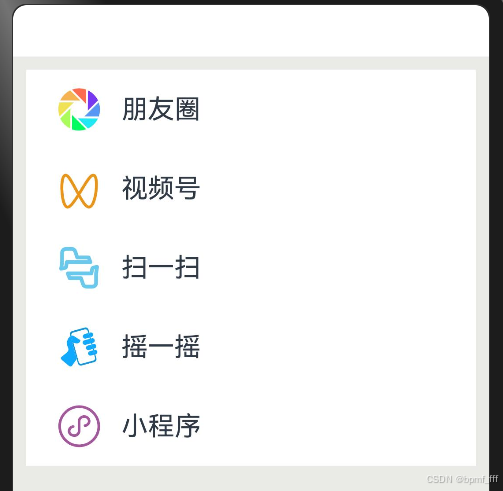
        // 图片填充方式
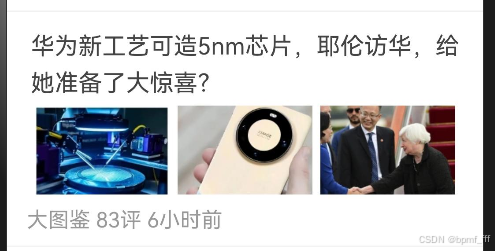
        .objectFit(ImageFit.Contain)
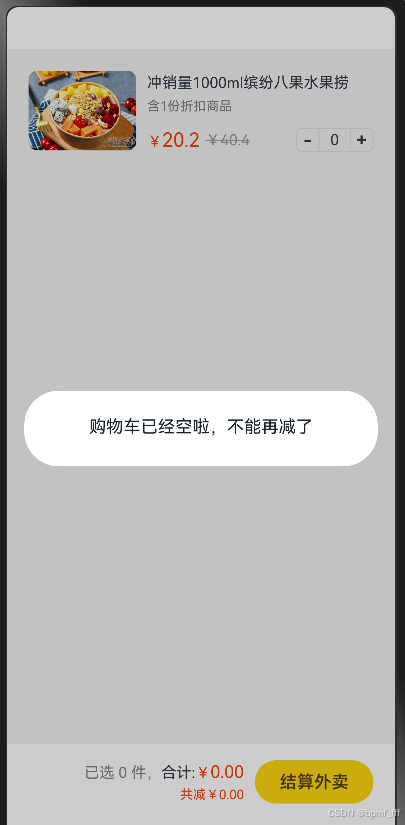
    }
  }
}
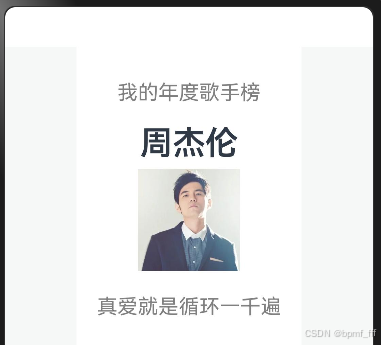
2. 案例-QQ音乐卡片
@Entry
@Component
struct Index {
  build() {
    Column(){
      // 案例-QQ音乐-卡片
      Column(){
        Text('我的年度歌手榜')
          .height(50)
          .fontSize(20)
          .fontColor(Color.Grey)
          // .backgroundColor(Color.Brown)
        Text('周杰伦')
          .height(50)
          .fontSize(32)
          .fontWeight(600)
        Image($r('app.media.zhoujielun'))
          .width(100)
          .margin({bottom:10})
        Text('真爱就是循环一千遍')
          .height(50)
          .fontSize(20)
          .fontColor(Color.Grey)
      }
      // .width(250/)
      // .height(5)
      .padding(20)
      .backgroundColor(Color.White)
      /*.shadow({
        radius:10,
        color:'rgba(0,0,0,0.5)'
      })*/
    }
    .width('100%')
    .height('100%')
    .backgroundColor('#f5f8f7')
  }
}
3. iconfont
@Entry
@Component
struct Index {
  build() {
    Column(){
      Image($r('app.media.ic_contacts_delete'))
        .width(50)
        .fillColor(Color.Pink)
    }
    .width('100%')
    .height('100%')
    .backgroundColor('f5f8f7')
  }
}

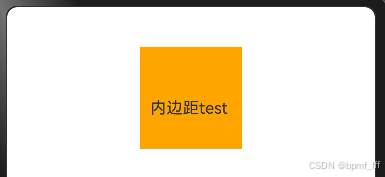
4. padding&margin
@Entry
@Component
struct Index {
  build() {
    Column(){
      Text('内边距test')
        // 加宽高后Text不随内边距大小而变化
        .width(100)
        .height(100)
        .backgroundColor(Color.Orange)
        // 内边距四周都是20vp
        .padding(20)
        // 内边距四周不同,使用对象,属性之间要加逗号
        .padding({
          top:20,
          left:10
        })
    }
    .width('100%')
    .height('100%')
    .backgroundColor('f5f8f7')
  }
}
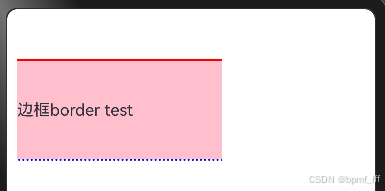
5. border
@Entry
@Component
struct Index {
  build() {
    Column() {
      Text('边框border test')
        .width(200)
        .height(100)
        .backgroundColor(Color.Pink)
        .border({
          width:{top:2,bottom:2},
          color:{top:Color.Red, bottom:Color.Blue},
          style:{bottom:BorderStyle.Dotted}
        })
    }
    .padding(10)
  }
}
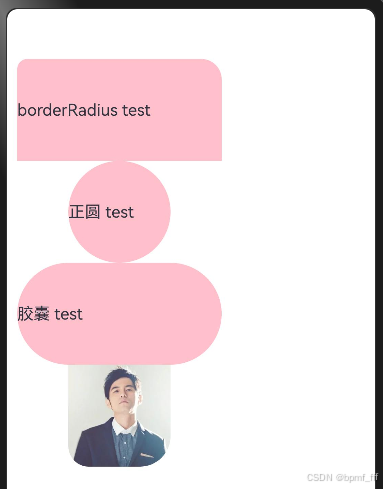
6. borderRadius
@Entry
@Component
struct Index {
  build() {
    Column() {
      Text('borderRadius test')
        .width(200)
        .height(100)
        .backgroundColor(Color.Pink)
        // 边框圆角
        .borderRadius({
          topLeft:10,
          topRight:20
        })

      // 正圆
      Text('正圆 test')
        .width(100)
        .height(100)
        .backgroundColor(Color.Pink)
          // 边框圆角
        .borderRadius(50)
        .borderRadius('50%')

      Text('胶囊 test')
        .width(200)
        .height(100)
        .backgroundColor(Color.Pink)
          // 边框圆角
        .borderRadius(50)

      Image($r('app.media.zhoujielun'))
        .width(100)
        //   图片设置圆角50%不生效
        // .borderRadius('50%')
        .borderRadius({
          bottomLeft:20,
          bottomRight:30
        })
    }
    .padding(10)
  }
}
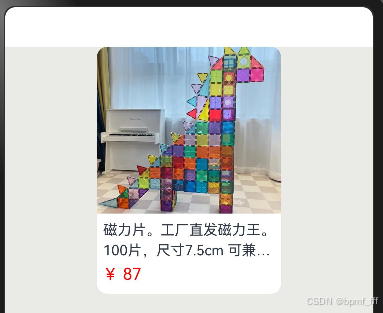
7. 案例-小红书商品
@Entry
@Component
struct Index {
  build() {
    Column() {
    //   案例-小红书商品
      Column(){
        Image($r('app.media.pics'))
          .width('100%')
          .aspectRatio(1.1)
          // .height(200)
          .borderRadius({
            topLeft:10,
            topRight:10
          })
        Text('磁力片。工厂直发磁力王。100片,尺寸7.5cm 可兼容其他品牌')
          .fontSize(14)
          .lineHeight(20)
          // .width('100%')
          .maxLines(2)
          .textOverflow({overflow:TextOverflow.Ellipsis})
          .padding(5)
        Text('¥ 87')
          .width('100%')
          // .textAlign(TextAlign.Start)
          .fontColor(Color.Red)
          .padding({
            left:5,
            bottom:10
          })
      }
      .width('50%')
      // .height(300)
      .borderRadius(10)
      // .border({ width:1 })
      .backgroundColor('#fff')

    }
    .width('100%')
    .height('100%')
    // .padding(10)
    .backgroundColor('#EAEAE7')
  }
}
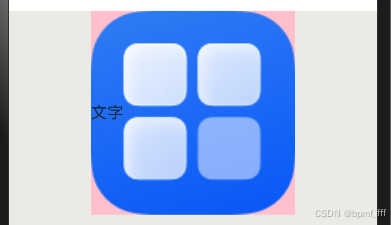
8. backgroundImage
@Entry
@Component
struct Index {
  build() {
    Column() {
      // 背景图平铺
      Text('文字')
        .width(200)
        .height(200)
        .backgroundColor(Color.Pink)
        .backgroundImage($r('app.media.startIcon'),ImageRepeat.X)
        // 背景图尺寸
        // 开发中,大多数情况图的比例和组件比例相同
        .backgroundImageSize({width:100})
        .backgroundImageSize(ImageSize.Cover)
    }
    .width('100%')
    .height('100%')
    // .padding(10)
    .backgroundColor('#EAEAE7')
  }
}
9. 案例-华为商品卡片
@Entry
@Component
struct Index {
  build() {
    Column() {
    //   华为卡片
      Column(){
        Text('漏洞处理流程')
          .fontColor(Color.White)
          .fontSize(30)
          .fontWeight(600)
          .margin({bottom:20})
        Text('华为PSIRT按照漏洞处理流程对上报的潜在漏洞进行处理')
          .fontColor(Color.White)
          .margin({bottom:10})
        Text('了解更多')
          .padding({
            top:10,
            bottom:10,
            left:30,
            right:30
          })
          .fontColor(Color.White)
          .border({
            width:2,
            color:Color.White,
          })
      }
      .width(300)
      .height(200)
      .padding({
        top:30,
        left:20,
        right:20
      })
      // .backgroundColor(Color.Brown)
      .backgroundImage($r('app.media.hw_bg'))
      .backgroundImageSize(ImageSize.Cover)

    }
    .width('100%')
    .height('100%')
    // .padding(10)
    .backgroundColor('#EAEAE7')
  }
}

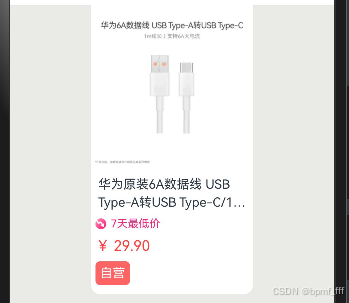
10. 作业1-京东产品卡片
@Entry
@Component
struct Index {
  build() {
    Column() {
    //   京东产品卡片
      Column(){
        Image($r('app.media.hw_line'))
          .width('100%')
        Text('华为原装6A数据线 USB Type-A转USB Type-C/1m线长/支持66W(11V6A)充电 白色CC790')
          .fontSize(14)
          .lineHeight(20)
          .margin({
            top:8,
            left:5,
            right:5,
            bottom:8
          })
          .maxLines(2)
          .textOverflow({overflow:TextOverflow.Ellipsis})

        Row({space:5}){
          Image($r('app.media.jd'))
            .width(12)
          Text('7天最低价')
            .fontColor('#ff2078')
            .fontSize(12)
        }
        .width('100%')
        .padding({left:5,right:5,bottom:8})

        Text('¥ 29.90')
          .fontColor('#ff4142')
          .width('100%')
          .padding({left:5,bottom:8})
        Row(){
          Text('自营')
            .fontSize(14)
            .fontColor(Color.White)
            .backgroundColor('#ff6465')
            .padding(5)
            .borderRadius(5)
        }
        .width('100%')
        .padding({left:5})
        .margin({bottom:10})
      }
      .width('50%')
      // .height(300)
      .backgroundColor(Color.White)
      .borderRadius({bottomLeft:10,bottomRight:10})
    }
    .width('100%')
    .height('100%')
    .backgroundColor('#EAEAE7')
  }
}
11. 作业2_京东APP提示
@Entry
@Component
struct Index {
  build() {
    Column() {
      // 京东app提示
      Row(){
        Row(){
          Image($r('app.media.close'))
            .width(12)
            .margin({left:10,right:10})
          Image($r('app.media.jd_logo'))
            .width(35)
            .margin({right:20})
          Text('打开京东APP,实惠又轻松')
            .fontColor(Color.White)
            .fontSize(14)
        }
        .width(360-88)
        .height('100%')
        .backgroundColor('#333333')

        Text('立即打卡')
          .textAlign(TextAlign.Center)
          .fontSize(14)
          .fontColor(Color.White)
          .width(88)
          .height('100%')
          .backgroundColor('#F63514')
      }
      .height(50)
    }
    .width('100%')
    .height('100%')
    .backgroundColor('#EAEAE7')
  }
}
12. 作业3_微信发现界面
@Entry
@Component
struct Index {
  build() {
    Column() {
      // 微信发现界面
      Column(){
        // 朋友圈
        Row(){
          Image($r('app.media.pyq'))
            .width(40)
            .margin({left:20,right:12,top:10,bottom:10})
          Text('朋友圈')
            .fontSize(20)
        }
        .width('100%')
      //   视频号
        Row(){
          Image($r('app.media.sph'))
            .width(40)
            .margin({left:20,right:12,top:10,bottom:10})
          Text('视频号')
            .fontSize(20)
        }
        .width('100%')
        // 扫一扫
        Row(){
          Image($r('app.media.sys'))
            .width(40)
            .margin({left:20,right:12,top:10,bottom:10})
          Text('扫一扫')
            .fontSize(20)
        }
        .width('100%')
        // 摇一摇
        Row(){
          Image($r('app.media.yyy'))
            .width(40)
            .margin({left:20,right:12,top:10,bottom:10})
          Text('摇一摇')
            .fontSize(20)
        }
        .width('100%')
        // 小程序
        Row(){
          Image($r('app.media.xcx'))
            .fillColor('#a4579d')
            .width(40)
            .margin({left:20,right:12,top:10,bottom:10})
          Text('小程序')
            .fontSize(20)
        }
        .width('100%')
      }
      .backgroundColor('#FFFFFF')

    }
    .padding(10)
    .width('100%')
    .height('100%')
    .backgroundColor('#EAEAE7')
  }
}
13. 作业4_腾讯新闻简介
@Entry
@Component
struct Index {
  build() {
    Column() {
    //   腾讯新闻简介
      Column(){
        // 标题
        Text('华为新工艺可造5nm芯片,耶伦访华,给她准备了大惊喜?')
          .lineHeight(28)
          .fontSize(18)
          .fontColor('#444444')

        // 图片
        Row(){
          Image($r('app.media.hw0'))
            .width(102)
            .margin({left:3,right:3,top:5,bottom:5})
          Image($r('app.media.hw1'))
            .width(102)
            .margin({left:3,right:3,top:5,bottom:5})
          Image($r('app.media.hw2'))
            .width(102)
            .margin({left:3,right:3,top:5,bottom:5})
        }

        // 新闻作者及时间
        Text('大图鉴 83评 6小时前')
          .width('100%')
          .fontColor('#999999')
          .margin({left:10,top:5})
      }
      .backgroundColor('#FFFFFF')
      .padding(10)
      .border({
        width:{top:1,bottom:1},
        color:'#f1f1f1'
      })

    }
    // .padding(10)
    .width('100%')
    .height('100%')
    // .backgroundColor('#EAEAE7')
  }
}
14. 预习_点击事件
onClick&if-else
@Entry
@Component
struct Index {
  /*思路:分析需要几个可以数据变化UI也变化的数据
  1.准备状态
  2.使用状态
  3.写点击事件修改数据
   * */

  // 购买数量
  @State
  num: number = 0
  // 现价
  @State
  price: number = 20.2
  // 原价
  @State
  o_price: number = 40.4

  build() {
    Column() {
      Column() {
        // 产品
        Row({ space: 10 }) {
          // 图片
          Image($r('app.media.product1'))
            .width(100)
            .borderRadius(8)
          // 文字
          Column({ space: 10 }) {
            Column({ space: 6 }) {
              Text('冲销量1000ml缤纷八果水果捞')
                .lineHeight(20)
                .fontSize(14)
              Text('含1份折扣商品')
                .fontSize(12)
                .fontColor('#7f7f7f')
            }
            .width('100%')
            .alignItems(HorizontalAlign.Start)

            Row() {
              // 价格
              Row({ space: 5 }) {
                Text() {
                  Span('¥')
                    .fontSize(14)
                  Span(this.price.toString())
                    .fontSize(18)
                }
                .fontColor('#ff4000')

                Text() {
                  Span('¥')
                  Span(this.o_price.toString())
                }
                .fontSize(14)
                .fontColor('#999')
                .decoration({ type: TextDecorationType.LineThrough, color: '#999' })
              }

              // 加减
              Row() {
                Text('-')
                  .width(22)
                  .height(22)
                  .border({ width: 1, color: '#e1e1e1', radius: { topLeft: 5, bottomLeft: 5 } })
                  .textAlign(TextAlign.Center)
                  .fontWeight(700)
                  .onClick(() => {
                    // this.num--
                    if (this.num > 0) {
                      this.num--
                    } else {
                      AlertDialog.show({ message: '购物车已经空啦,不能再减了' })
                    }
                  })
                Text(this.num.toString())
                  .height(22)
                  .border({ width: { top: 1, bottom: 1 }, color: '#e1e1e1' })
                  .padding({ left: 10, right: 10 })
                  .fontSize(14)
                Text('+')
                  .width(22)
                  .height(22)
                  .border({ width: 1, color: '#e1e1e1', radius: { topRight: 5, bottomRight: 5 } })
                  .textAlign(TextAlign.Center)
                  .fontWeight(700)
                  .onClick(() => {
                    this.num++
                  })
              }
            }
            .width('100%')
            .justifyContent(FlexAlign.SpaceBetween)
          }
          .height(75)
          .layoutWeight(1)
          .justifyContent(FlexAlign.SpaceBetween)
        }
        .width('100%')
        .alignItems(VerticalAlign.Top)
        .padding(20)

        // 结算
        Row({ space: 10 }) {
          // 价格
          Column({ space: 5 }) {
            Text() {
              // 斜引
              Span(`已选 ${this.num} 件,`)// Span('已选' + this.num + '件,')
                .fontColor('#848484')
              Span('合计:')
              Span('¥')
                .fontColor('#fd4104')
              Span((this.price * this.num).toFixed(2))
                .fontColor('#fd4104')
                .fontSize(16)
            }
            .fontSize(14)

            // Text('共减¥20.2')
            Text(`共减¥${((this.o_price - this.price) *
            this.num).toFixed(2)}`)// Text('共减¥' + ((this.o_price-this.price)*this.num).toFixed(2))
              .fontColor('#fd4104')
              .fontSize(12)
          }
          .alignItems(HorizontalAlign.End)

          // 结算按钮
          Button('结算外卖')
            .width(110)
            .height(40)
            .backgroundColor('#fed70e')
            .fontColor('#564200')
            .fontSize(16)
            .fontWeight(600)
        }
        .width('100%')
        .height(70)
        .backgroundColor('#fff')
        .position({ x: 0, y: '100%' })
        .translate({ y: '-100%' })
        .padding({ left: 20, right: 20 })
        .justifyContent(FlexAlign.End)
      }
    }
    .width('100%')
    .height('100%')
    .backgroundColor('#f3f3f3')
  }
}





 扫一扫
扫一扫


 1417
1417

 被折叠的 条评论
为什么被折叠?
被折叠的 条评论
为什么被折叠?
 到【灌水乐园】发言





