


实验拓扑:
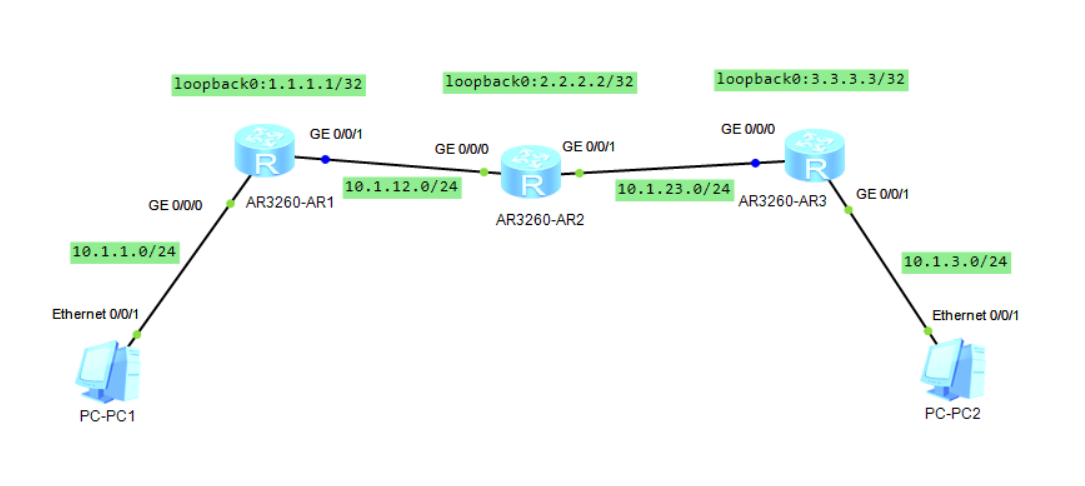
注意事项:
1.首先保证路由可达
2.配置LSP时如果只配置出接口,而不配置下一跳,导致LSP是down状态;可以只配下一跳而不配出接口
相关配置:
| R1 | R2 | R3 |
| # mpls lsr-id 1.1.1.1 mpls # interface GigabitEthernet0/0/0 ip address 10.1.1.1 255.255.255.0 mpls # interface GigabitEthernet0/0/1 ip address 10.1.12.1 255.255.255.0 mpls # interface LoopBack0 ip address 1.1.1.1 255.255.255.255 # ospf 1 router-id 1.1.1.1 area 0.0.0.0 network 1.1.1.1 0.0.0.0 network 10.1.1.0 0.0.0.255 network 10.1.12.0 0.0.0.255 # static-lsp ingress lsp1 destination 10.1.3.0 24 outgoing-interface GigabitEthern et0/0/1 nexthop 10.1.12.2 out-label 102 static-lsp egress lsp2 incoming-interface GigabitEthernet0/0/1 in-label 201 # | # mpls lsr-id 2.2.2.2 mpls # interface GigabitEthernet0/0/0 ip address 10.1.12.2 255.255.255.0 mpls # interface GigabitEthernet0/0/1 ip address 10.1.23.2 255.255.255.0 mpls # interface LoopBack0 ip address 2.2.2.2 255.255.255.255 # ospf 1 router-id 2.2.2.2 area 0.0.0.0 network 2.2.2.2 0.0.0.0 network 10.1.12.0 0.0.0.255 network 10.1.23.0 0.0.0.255 # static-lsp transit lsp1 incoming-interface GigabitEthernet0/0/0 in-label 102 nex thop 10.1.23.3 out-label 203 static-lsp transit lsp2 incoming-interface GigabitEthernet0/0/1 in-label 302 nex thop 10.1.12.1 out-label 201 # | # mpls lsr-id 3.3.3.3 mpls # interface GigabitEthernet0/0/0 ip address 10.1.23.3 255.255.255.0 mpls # interface GigabitEthernet0/0/1 ip address 10.1.3.1 255.255.255.0 mpls # interface LoopBack0 ip address 3.3.3.3 255.255.255.255 # ospf 1 router-id 3.3.3.3 area 0.0.0.0 network 3.3.3.3 0.0.0.0 network 10.1.3.0 0.0.0.255 network 10.1.23.0 0.0.0.255 # static-lsp egress lsp1 incoming-interface GigabitEthernet0/0/0 in-label 203 static-lsp ingress ls2 destination 10.1.1.0 24 outgoing-interface GigabitEtherne t0/0/0 nexthop 10.1.23.2 out-label 302 # |
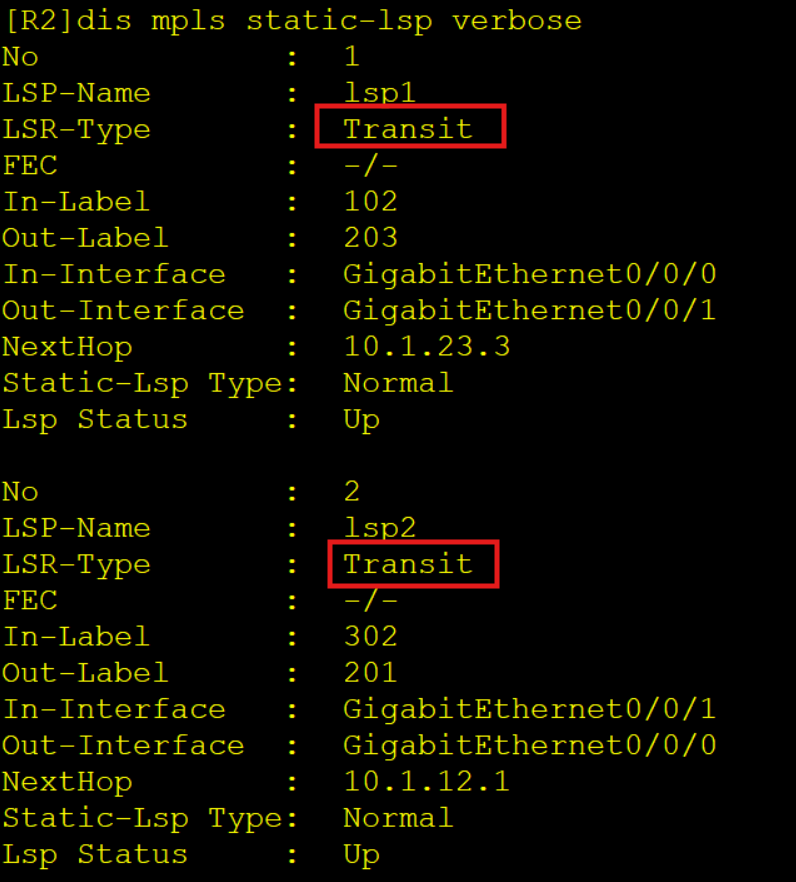
实验效果:
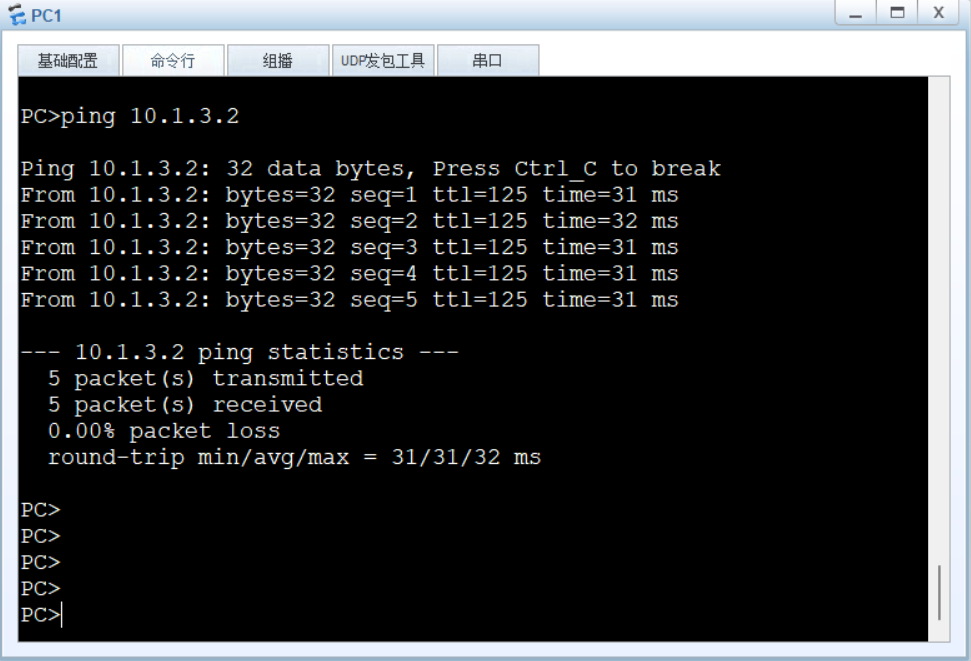
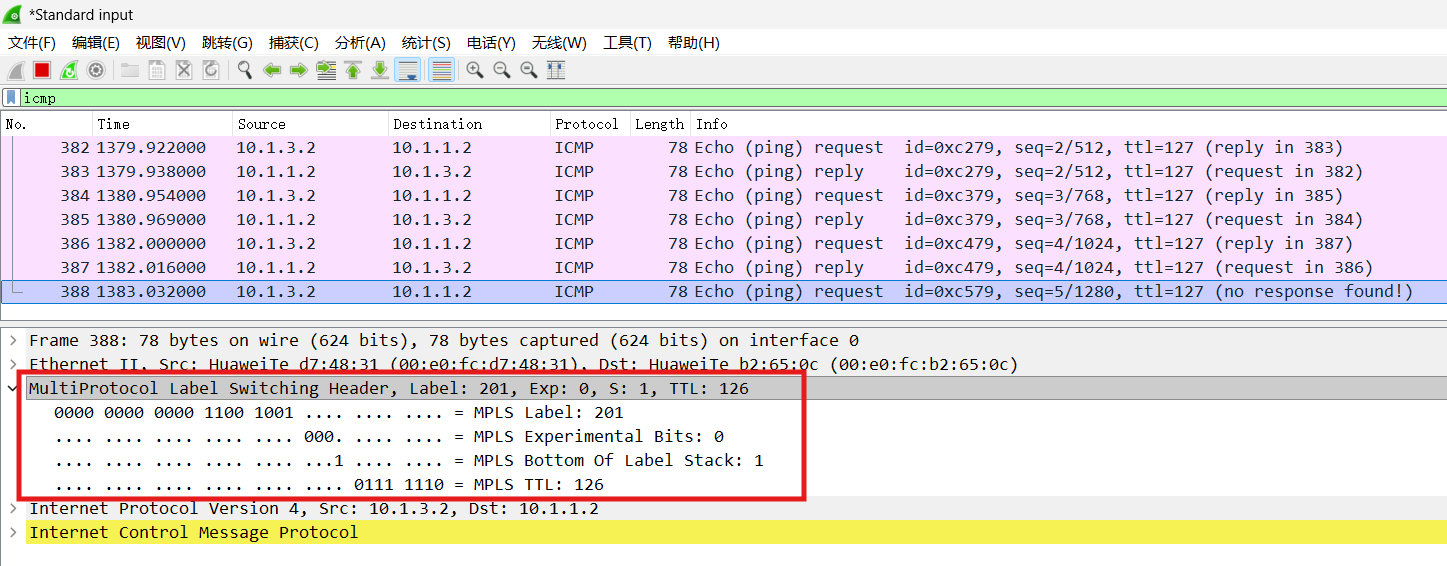

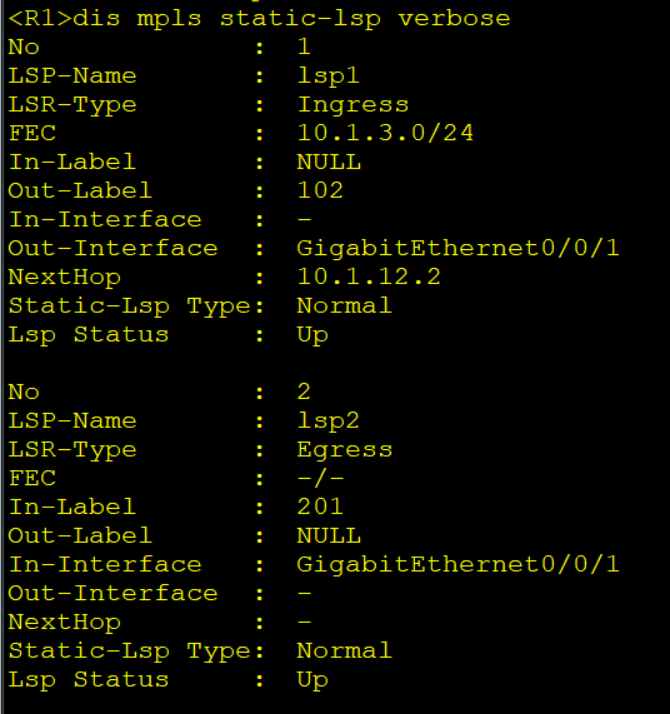





 扫一扫
扫一扫


 525
525

 被折叠的 条评论
为什么被折叠?
被折叠的 条评论
为什么被折叠?
 到【灌水乐园】发言





