


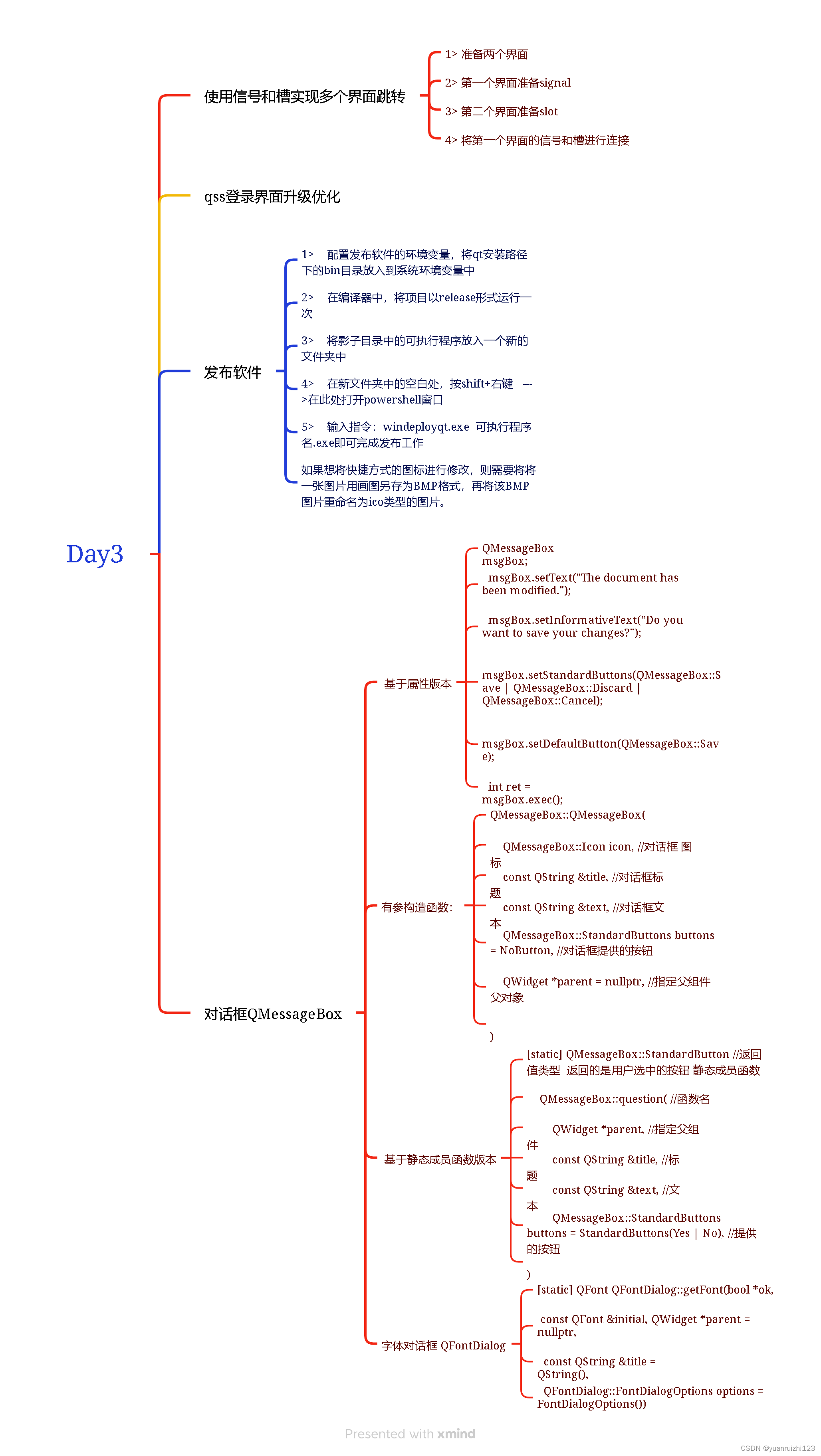
思维导图
 编程题
编程题
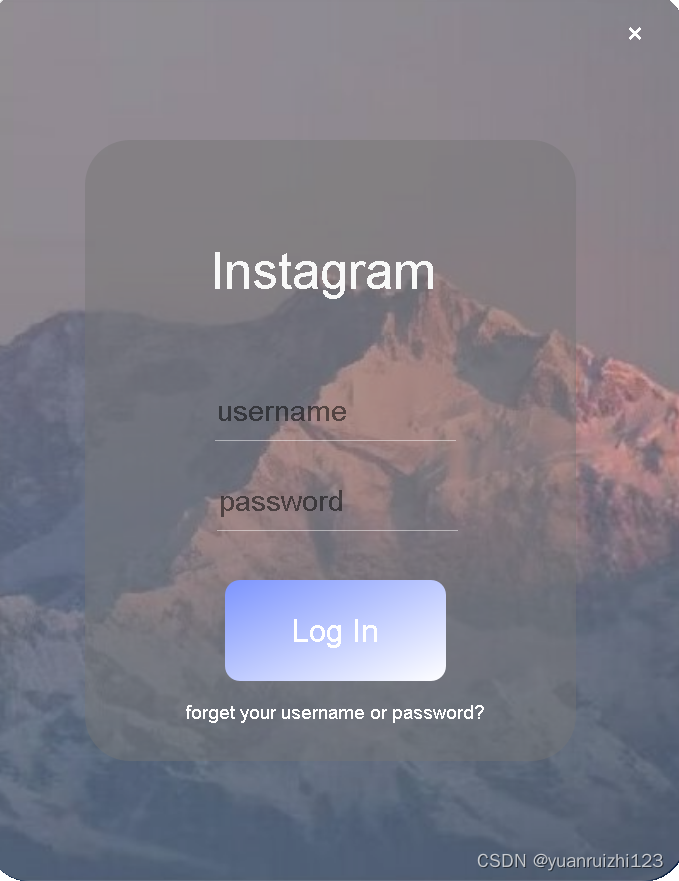
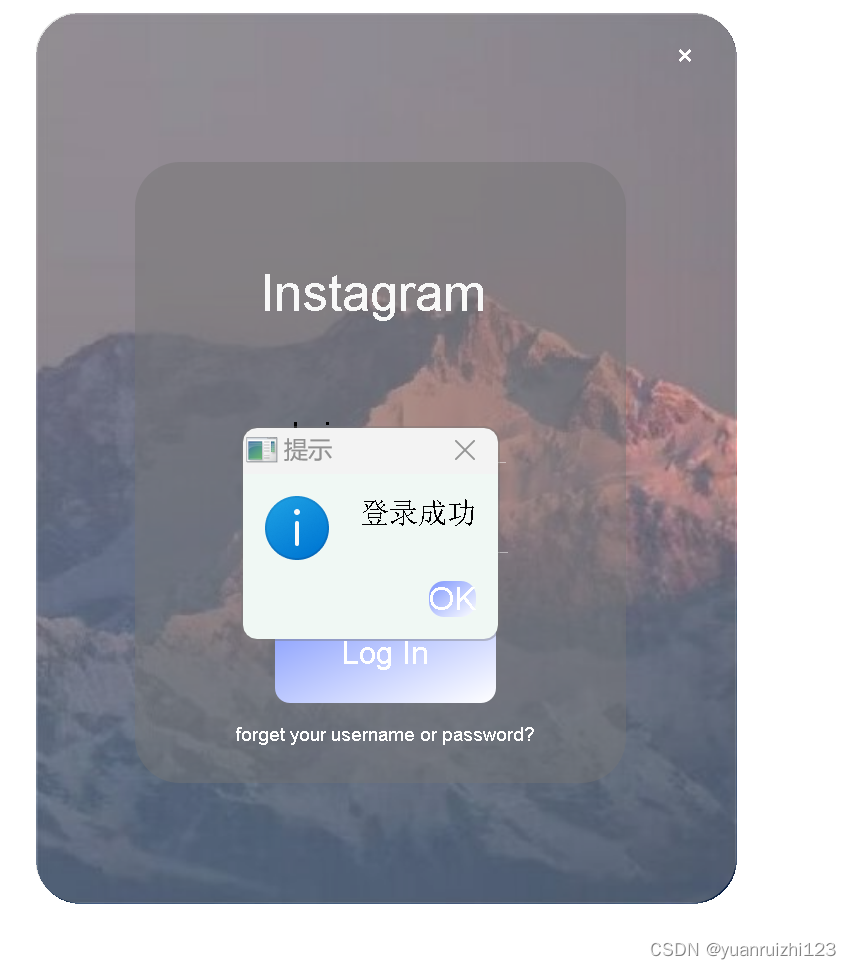
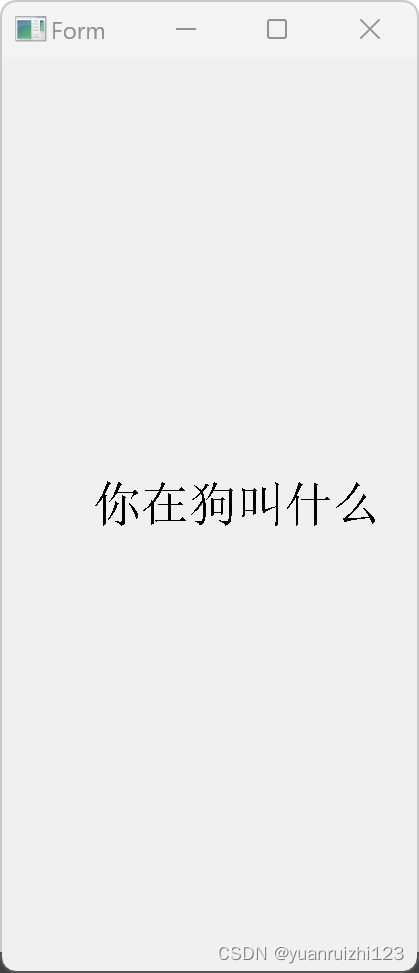
完善对话框,点击登录对话框,如果账号和密码匹配,则弹出信息对话框,给出提示”登录成功“,提供一个Ok按钮,用户点击Ok后,关闭登录界面,跳转到其他界面
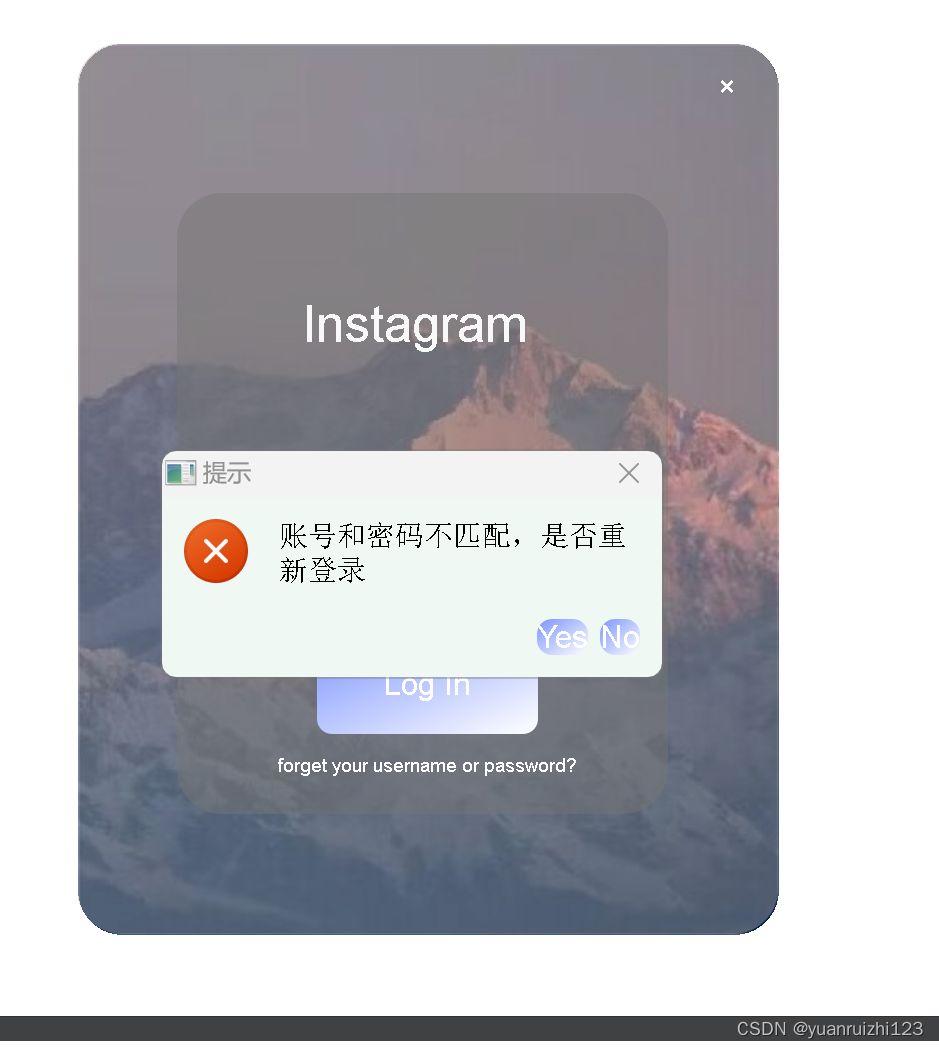
如果账号和密码不匹配,弹出错误对话框,给出信息”账号和密码不匹配,是否重新登录“,并提供两个按钮Yes|No,用户点击Yes后,清除密码框中的内容,继续让用户进行登录,如果用户点击No按钮,则直接关闭登录界面
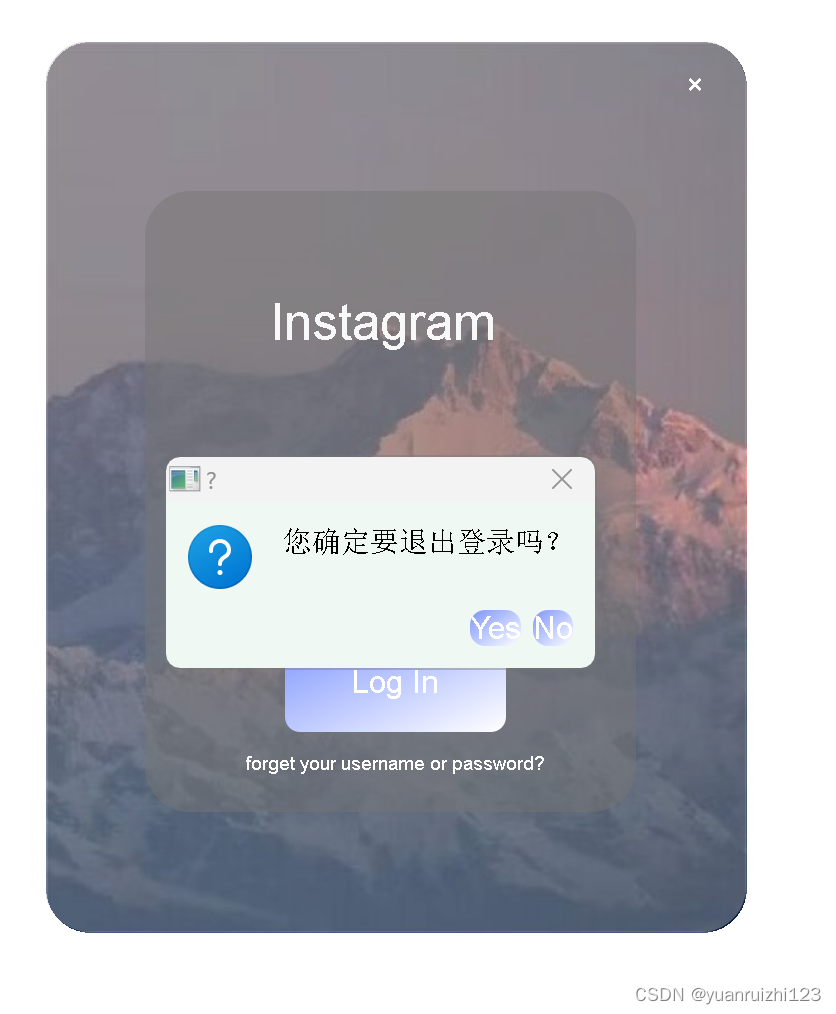
如果用户点击取消按钮,则弹出一个问题对话框,给出信息”您是否确定要退出登录?“,并给出两个按钮Yes|No,用户迪纳基Yes后,关闭登录界面,用户点击No后,关闭对话框,继续执行登录功能
要求:基于属性版和基于静态成员函数版至少各用一个
第一个界面
widget.h
#define WIDGET_H

#include <QWidget>
#include <QMessageBox>

QT_BEGIN_NAMESPACE
namespace Ui { class Widget; }
QT_END_NAMESPACE

class Widget : public QWidget
{
    Q_OBJECT

public:
    Widget(QWidget *parent = nullptr);
    ~Widget();
signals:
    void my_jump();

private slots:
    void on_pushButton_clicked();

    void on_exitBtn_clicked();

private:
    Ui::Widget *ui;
};
#endif // WIDGET_H
widget.cpp
#include "widget.h"
#include "ui_widget.h"

Widget::Widget(QWidget *parent)
    : QWidget(parent)
    , ui(new Ui::Widget)
{
    ui->setupUi(this);
    this->setWindowFlag(Qt::FramelessWindowHint);
    this->setAttribute(Qt::WA_TranslucentBackground);  //去掉空白部分
}

Widget::~Widget()
{
    delete ui;
}


void Widget::on_pushButton_clicked()
{
    if(ui->userEdi->text() == "admin" & ui->passwordEdit->text() == "123456")
    {
        //弹出成功登录的对话框
        QMessageBox msg(QMessageBox::Information,"提示","登录成功",QMessageBox::Ok,this);
        //显示对话框
        int ret = msg.exec();
        if(ret == QMessageBox::Ok)
            {
                //如果点击ok按钮,则关闭登陆界面 跳转到第二界面
                this->close();
                emit my_jump();

            }
    }
    else
    {
        //密码输入错误 输出错误对话框
        //调用静态成员函数 弹出对话框
        int ret = QMessageBox::critical(this,"提示","账号和密码不匹配,是否重新登录",QMessageBox::Yes | QMessageBox::No);
        //如果用户点击yes,清除密码框里的内容
        if(ret == QMessageBox::Yes)
        {
            ui->passwordEdit->clear();
        }
        else //如果用户点击no,直接关闭登陆界面
        {
            this->close();
        }
    }

}

void Widget::on_exitBtn_clicked()
{
    //如果用户点击取消按钮 弹出问题对话框
    int ret = QMessageBox::question(this,"?","您确定要退出登录吗?",QMessageBox::Yes | QMessageBox::No);
    //如果点击yes 关闭登录界面
    if(ret == QMessageBox::Yes)
    {
        this->close();
    }
}
第二个界面:
sencond.h
#ifndef SENCOND_H
#define SENCOND_H

#include <QWidget>

namespace Ui {
class Sencond;
}

class Sencond : public QWidget
{
    Q_OBJECT

public:
    explicit Sencond(QWidget *parent = nullptr);
    ~Sencond();
public slots:
    void my_jump_slot();

private:
    Ui::Sencond *ui;
};

#endif // SENCOND_H
sencond.cpp
#include "sencond.h"
#include "ui_sencond.h"

Sencond::Sencond(QWidget *parent) :
    QWidget(parent),
    ui(new Ui::Sencond)
{
    ui->setupUi(this);
}

Sencond::~Sencond()
{
    delete ui;
}

void Sencond::my_jump_slot()
{
    //显示界面
    this->show();
}
main.cpp
#include "sencond.h"
#include "ui_sencond.h"

Sencond::Sencond(QWidget *parent) :
    QWidget(parent),
    ui(new Ui::Sencond)
{
    ui->setupUi(this);
}

Sencond::~Sencond()
{
    delete ui;
}

void Sencond::my_jump_slot()
{
    //显示界面
    this->show();
}





 扫一扫
扫一扫


 876
876

 被折叠的 条评论
为什么被折叠?
被折叠的 条评论
为什么被折叠?
 到【灌水乐园】发言





