



片段着色器:主要进行纹理采样
贴纹理:
1.纹理 和 显示区域 相等:显示区域是100*100 纹理大小:100*100
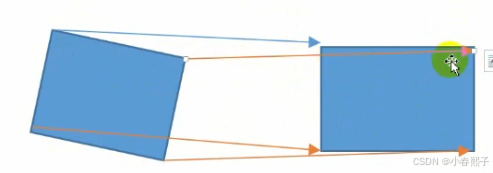
2.纹理 大于 显示区域:显示区域是100*100 纹理大小:1024*512
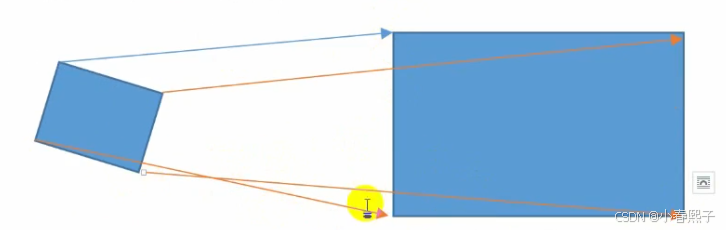
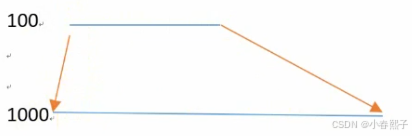
(1)采用等比例映射,把图片划分成二维的笛卡尔坐标系,我们称之为UV坐标
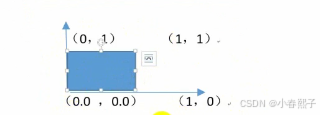
(2)寻址方式:
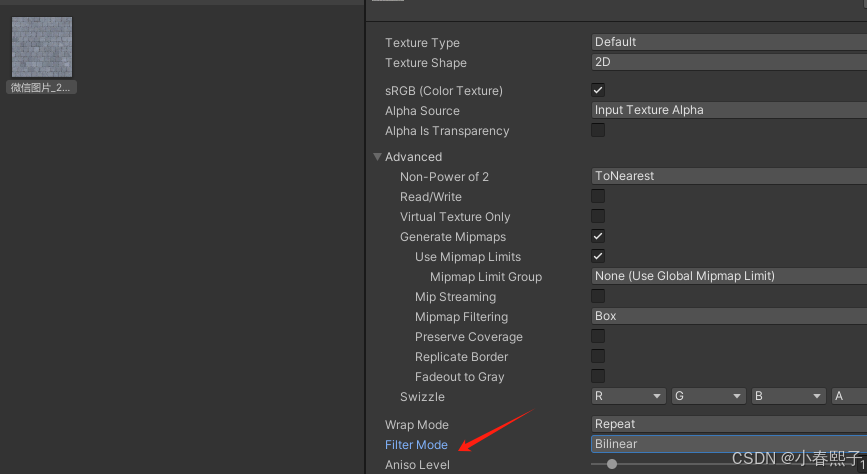
Point:就近采样一个,多余像素丢弃
Bilinear:就近 周围 四个像素的平均 RGBA值(上+中+下+左+右)/5
Trilinear:就近 周围 八个像素的平均 米字型的方位
3.纹理像素 小于 显示区域:显示区域 100*100 纹理大小:50*50
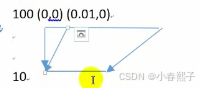
一片显示区域都用同一个像素点,这样锯齿和马赛克现象出现,丢失的情况,解决方法就是用 Bilinear或者Trilinear采样的算法
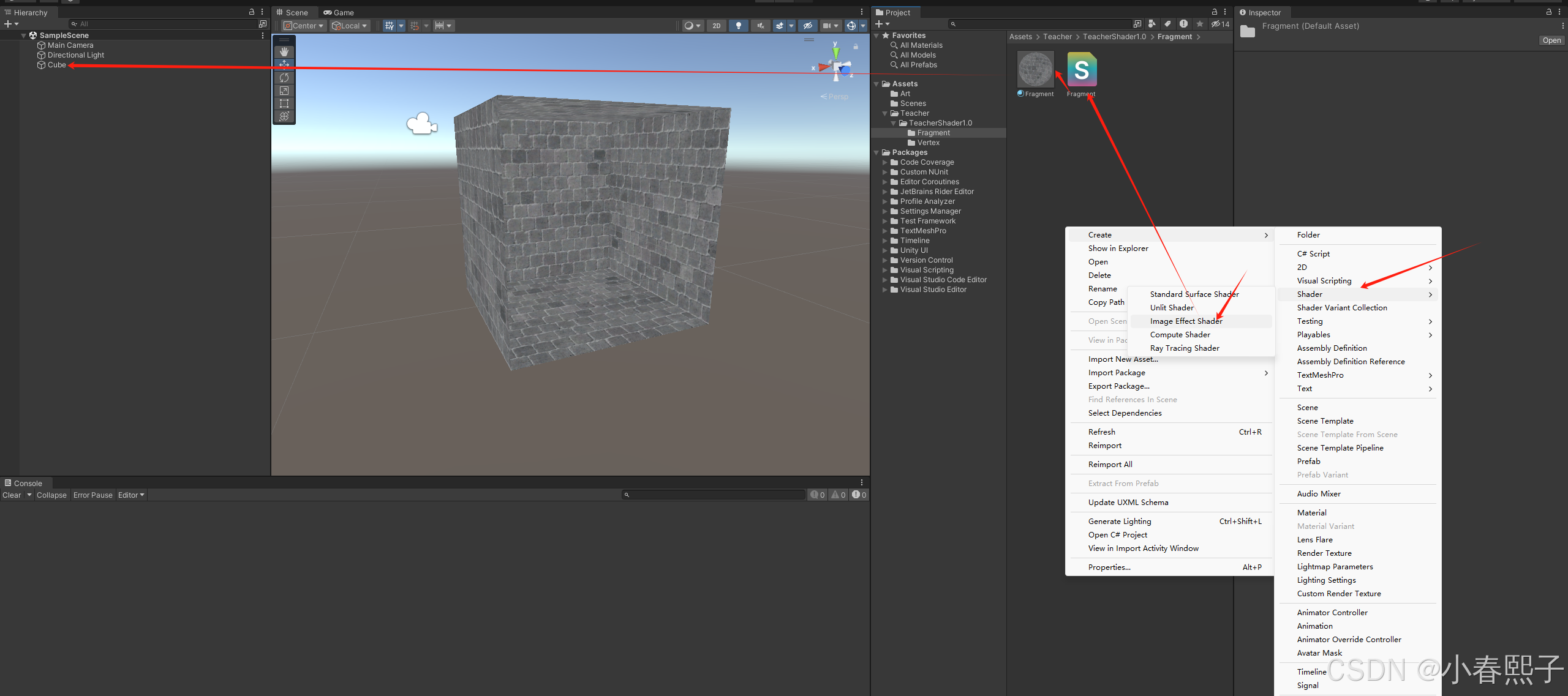
Shader "Hidden/Fragment"
{
    Properties
    {
        _MainTex ("Texture", 2D) = "white" {}
    }
    SubShader
    {
        // No culling or depth
        Cull Off ZWrite Off ZTest Always
        Pass
        {
            CGPROGRAM
            #pragma vertex vert
            #pragma fragment frag
            #include "UnityCG.cginc"
            struct appdata
            {
                float4 vertex : POSITION;
                float2 uv : TEXCOORD0;
            };
            struct v2f
            {
                float2 uv : TEXCOORD0;
                float4 vertex : SV_POSITION;
            };
            v2f vert (appdata v)
            {
                v2f o;
                o.vertex = UnityObjectToClipPos(v.vertex);
                o.uv = v.uv;
                return o;
            }
            sampler2D _MainTex;
            fixed4 frag (v2f i) : SV_Target
            {
                fixed4 col = tex2D(_MainTex, i.uv);
                // just invert the colors
                col.rgb = 1 - col.rgb;
                return col;
            }
            ENDCG
        }
    }
}
4.设置纹理的格式:
SetTexture [TextureName] {Texture Block}

TextureName:表示纹理变量
{Texture Block}:进行纹理处理的区域
关键字:
* Previous :表示前面一个 SetTexture 出来以后得像素的颜色

* Primary :表示顶点计算出来的颜色

* Texture :当前SetTexture设置的这个纹理变量

* Constant :表示一个固定的颜色
(1)顶点颜色和纹理贴图相乘:
Shader "Custom/SetTexture"
{
    Properties
    {
        _MainTex ("Texture", 2D) = "white" {}
        _TestColor ("TestColor", Color) = (1,1,1,1)
    }
    SubShader
    {

        Pass
        {
            Color[_TestColor]
            SetTexture[_MainTex]
            {
                //表示两个像素的乘法
                combine primary*texture
                //亮度  越乘越暗,越加越亮
            }
        }
    }
}
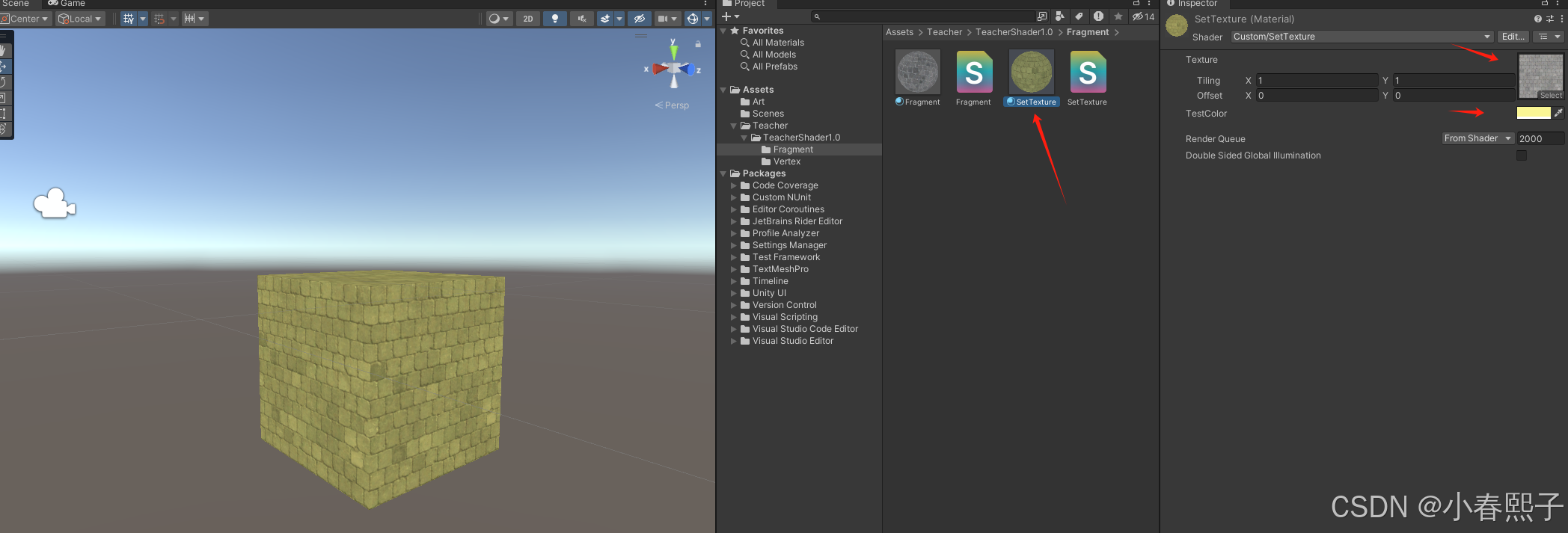
(2)两个纹理混合:
Shader "Custom/SetTexture"
{
    Properties
    {
        _MainTex ("Texture", 2D) = "white" {}
        _TestColor ("TestColor", Color) = (1,1,1,1)
        _BlendTex ("BlendTex", 2D) = "white" {}
    }
    SubShader
    {

        Pass
        {
            // Color[_TestColor]
            // SetTexture[_MainTex]
            // {
            //     combine primary*texture
            //     combine primary + texture
            // }
            SetTexture[_MainTex]
            {
                combine texture
            }
            SetTexture[_BlendTex]
            {
                combine previous*texture
            }
        }
    }
}
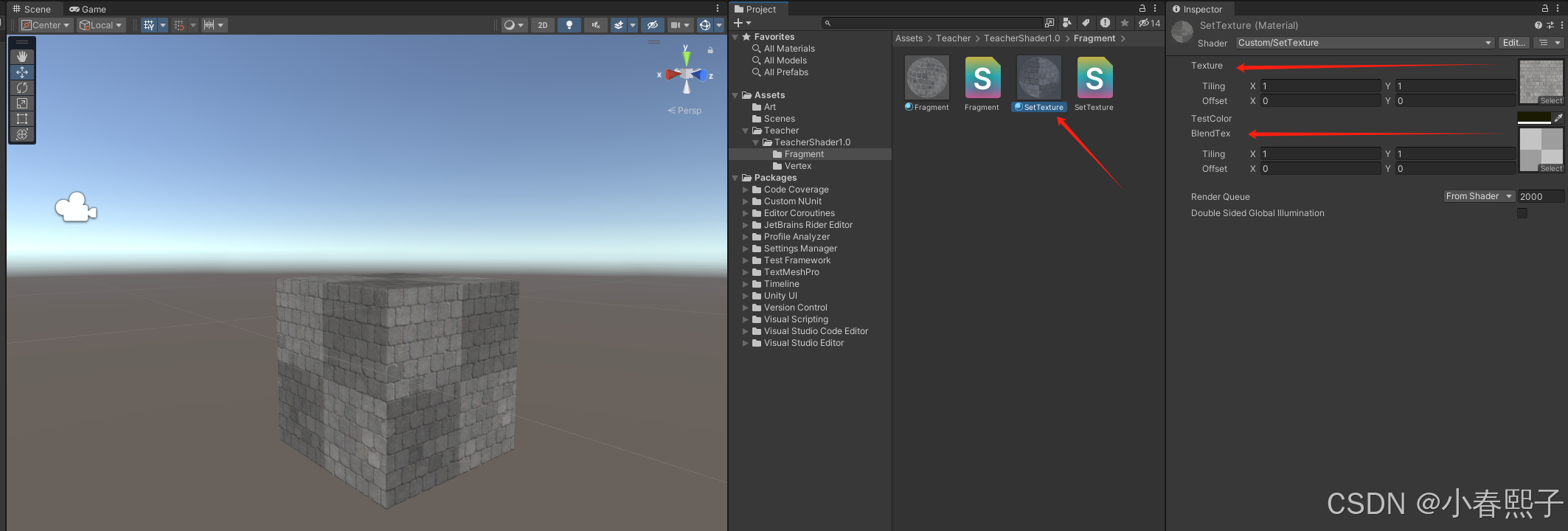
(3)纹理贴图过渡插值混合:
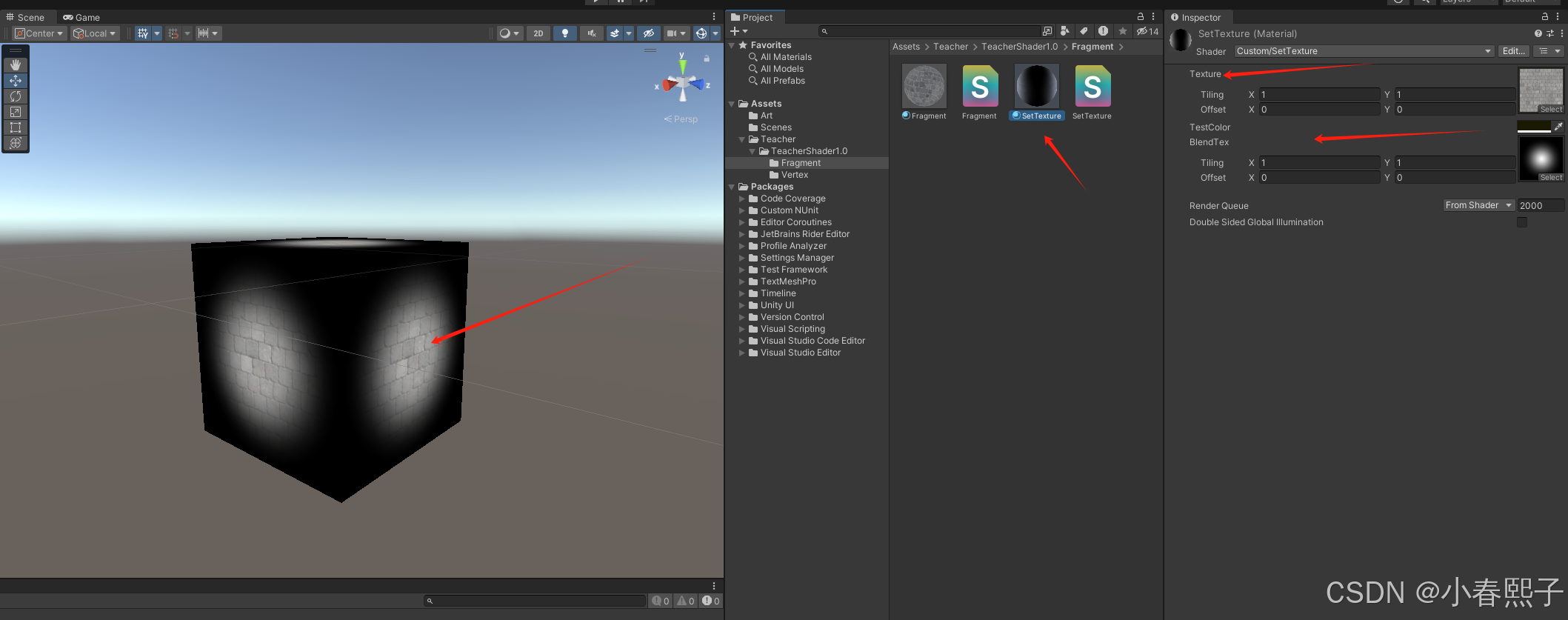
combine src1 lerp (src2) src3

lerp:让 src1 和 src3混合,混合方式 取决于 src2 的alpha 的值
lerp = (1-t)A+tB
Shader "Custom/SetTexture"
{
    Properties
    {
        _MainTex ("Texture", 2D) = "white" {}
        _TestColor ("TestColor", Color) = (1,1,1,1)
        _BlendTex ("BlendTex", 2D) = "white" {}
    }
    SubShader
    {

        Pass
        {
            // Color[_TestColor]
            // SetTexture[_MainTex]
            // {
            //     combine primary*texture
            //     combine primary + texture
            // }
            SetTexture[_MainTex]
            {
                combine texture
            }
            // SetTexture[_BlendTex]
            // {
            //     combine previous*texture
            // }
            SetTexture[_BlendTex]
            {
                combine  previous lerp(texture) texture
            }
        }
    }
}
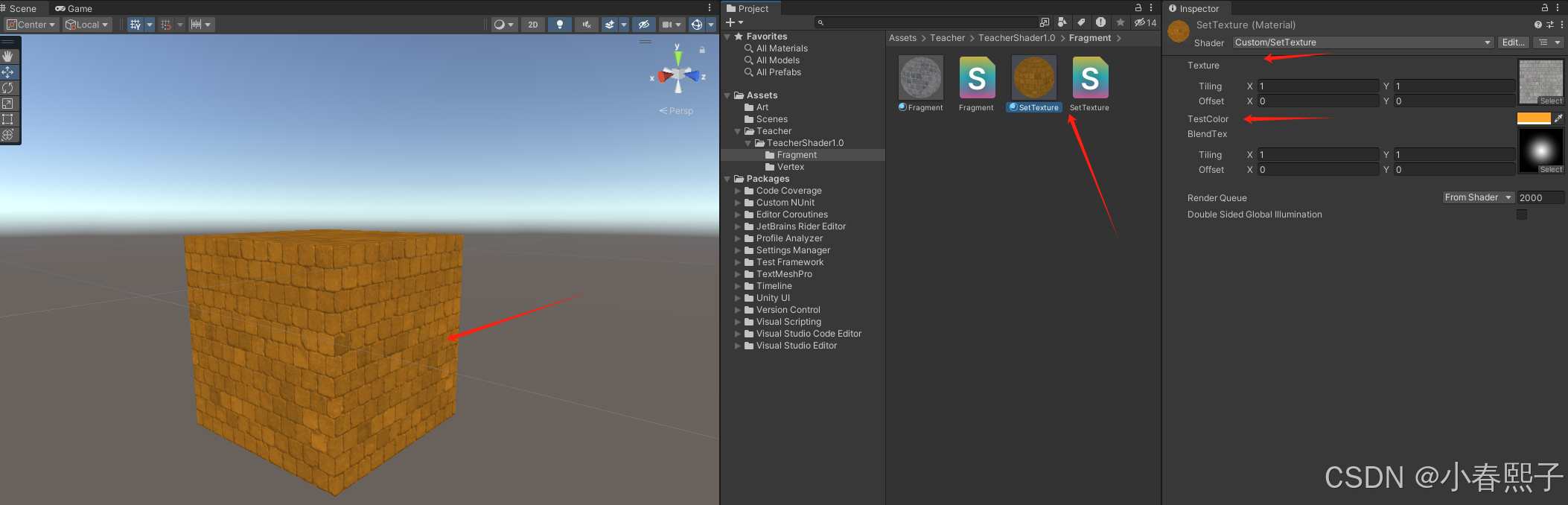
(4)固定颜色和贴图混合:
Shader "Custom/SetTexture"
{
    Properties
    {
        _MainTex ("Texture", 2D) = "white" {}
        _TestColor ("TestColor", Color) = (1,1,1,1)
        _BlendTex ("BlendTex", 2D) = "white" {}
    }
    SubShader
    {

        Pass
        {
            // Color[_TestColor]
            // SetTexture[_MainTex]
            // {
            //     combine primary*texture
            //     combine primary + texture
            // }
            SetTexture[_MainTex]
            {
                combine texture
            }
            // SetTexture[_BlendTex]
            // {
            //     combine previous*texture
            // }
            // SetTexture[_BlendTex]
            // {
            //     combine  previous lerp(texture) texture
            // }
            SetTexture[_MainTex]
            {
                //第一种方式
                ConstantColor[_TestColor]
                //第二种方式
                ConstantColor(1,0,1,1)
                combine texture * constant
            }
        }
    }
}






 扫一扫
扫一扫


 689
689

 被折叠的 条评论
为什么被折叠?
被折叠的 条评论
为什么被折叠?
 到【灌水乐园】发言





