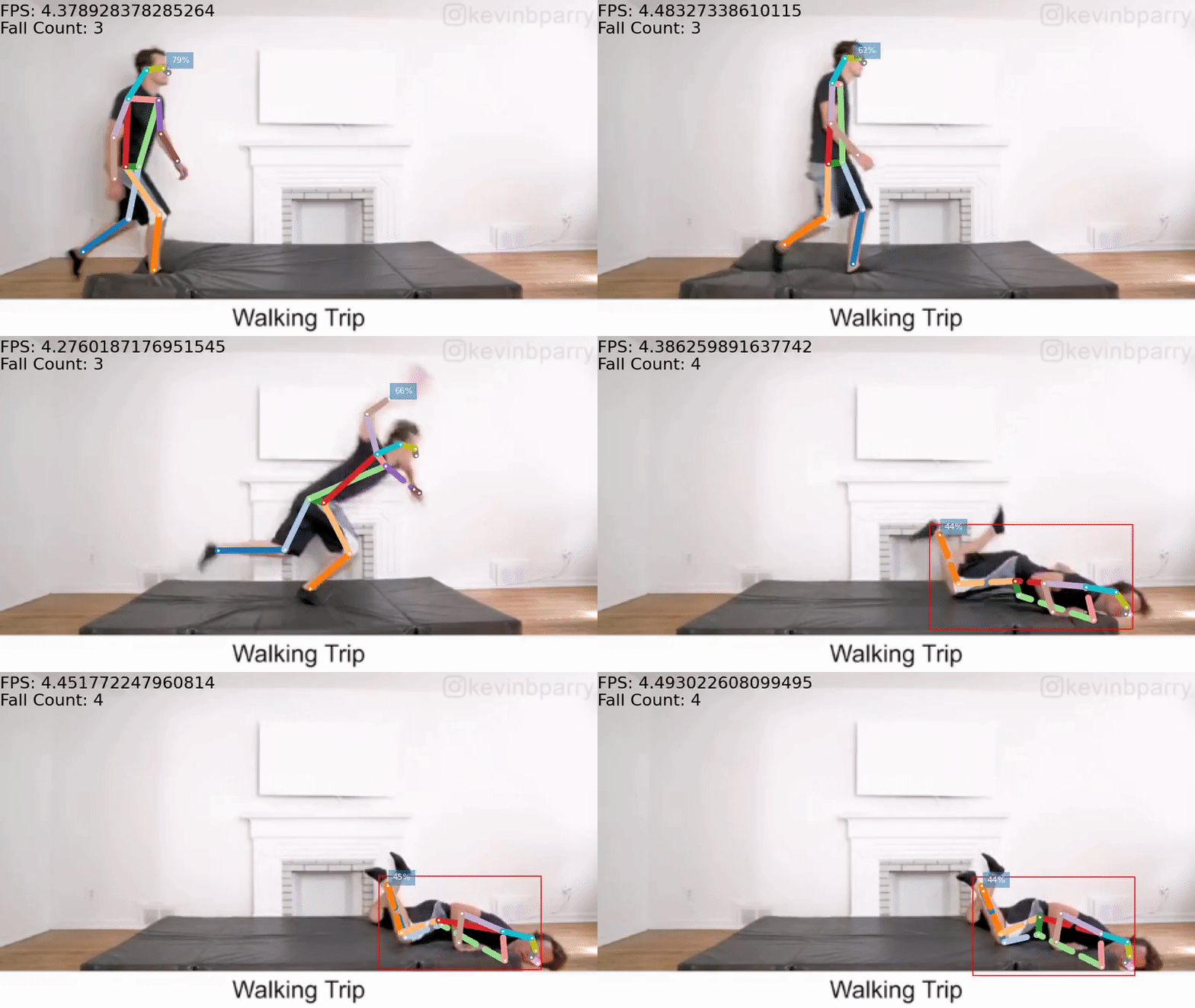
基于目标检测、跟踪 的人体姿态估计 算法进行跌倒检测 ---- fall detection


前序文章:


关键点跟踪

在这里插入图片描述

COCO的annotation一共有17个关节点。

分别是:“nose”,“left_eye”, “right_eye”,“left_ear”, “right_ear”,“left_shoulder”, “right_shoulder”,“left_elbow”, “right_elbow”,“left_wrist”, “right_wrist”,“left_hip”, “right_hip”,“left_knee”,

### YOLO-World Model Implementation and Usage The YOLO (You Only Look Once) series has seen significant development over the years, with various versions offering improvements in speed, accuracy, or ease of deployment. The term "YOLO-World" does not directly correspond to an official version within the Ultralytics suite but can be understood as a comprehensive approach encompassing multiple functionalities provided by the latest models such as YOLOv8. For implementing and using what might be referred to as a "YOLO-World" model from Ultralytics: #### Installation To begin working with any recent YOLO variant including those that could fall under a broad interpretation of "YOLO-World", installation via pip is straightforward: ```bash pip install ultralytics ``` This command installs all necessary dependencies required for running training scripts and inference pipelines[^1]. #### Training Custom Datasets When preparing custom datasets for use with these models, labeling tools like `Yolo_mark` are invaluable resources. This tool allows users to annotate bounding boxes around objects present in images efficiently while also supporting generation of appropriate annotation files compatible with YOLO formats[^2]: ```python from yolo import YOLO # Initialize YOLO instance model = YOLO('path/to/custom.yaml') # Train on custom data results = model.train(data='custom_data', epochs=100, imgsz=640) ``` Incorporating advanced features during training—such as mosaic augmentation which enhances diversity among training samples without requiring additional memory overhead—is achieved through specific parameters passed into dataloader configurations[^3]: ```python import torch from yolov8.utils.datasets import LoadImagesAndLabels dataset = LoadImagesAndLabels( path='./data', augment=True, rect=False, cache_images=False, single_cls=False, pad=0.5, image_weights=False, prefix='', show_train_data=True, mosaic=True, random_padding=True, output_width=608 ) for i, batch in enumerate(dataset): pass # Process batches here... ``` #### Inference Using Pre-trained Models Deploying pre-trained weights simplifies transitioning between research prototypes and production environments significantly. For example, deploying YOLOv8-based architectures involves loading pretrained checkpoints followed by performing predictions against new inputs: ```python from pathlib import Path from PIL import Image from ultralytics.yolo.engine.model import YOLO weights_path = 'pretrained/yolov8.pt' image_paths = ['test_image.jpg'] # Create a new YOLO object based off our chosen architecture/weight set. detector = YOLO(weights_path) # Perform detection across one or more input images. detections = detector.predict(image_paths=image_paths, save_txt=True, conf_threshold=0.7) for result in detections: print(f'Detected {len(result)} items.') for *xyxy, conf, cls in reversed(result.xyxy): label = f'{cls} {conf:.2f}' plot_one_box(xyxy, im, color=(0, 255, 0), label=label, line_thickness=3) Image.fromarray(im).save(Path(image_paths[0]).stem + '_annotated.png') ```
评论
添加红包

请填写红包祝福语或标题

红包个数最小为10个

红包金额最低5元

当前余额3.43前往充值 >
需支付:10.00
成就一亿技术人!
领取后你会自动成为博主和红包主的粉丝 规则
hope_wisdom
发出的红包

打赏作者

shiter

你的鼓励将是我创作的最大动力

¥1 ¥2 ¥4 ¥6 ¥10 ¥20
扫码支付:¥1
获取中
扫码支付

您的余额不足,请更换扫码支付或充值

打赏作者

实付
使用余额支付
点击重新获取
扫码支付
钱包余额 0

抵扣说明:

1.余额是钱包充值的虚拟货币,按照1:1的比例进行支付金额的抵扣。
2.余额无法直接购买下载,可以购买VIP、付费专栏及课程。

余额充值