


 本文介绍如何使用阿里云物联网平台实现温湿度数据的云端上传。通过创建产品属性、配置物模型并编写设备端代码,将温湿度传感器的数据实时上传至云端进行监管。
最新案例教程点击下方链接跳转,优快云已停止更新
点
击
跳
转
案例说明
温湿度传感器测量当前温湿度,将实时温湿度信息上传云端,从而实现云端的监管。
传感器使用详见3.11 haas506 2.0开发教程-example-温湿度传感器(AHT10)
案例使用阿里云为例,将温湿度信息显示在阿里云。
功能实现
1、物联网平台开发
第一次使用物联网平台的读者,需要开通实例后使用物联网平台功能。也可以使用免费的公共实例进行开发,在阿里云物联网平台中,左上角选择‘华东2-上海’,点击‘公共实例’,即可开通。
1、平台产品创建可参考haas506 2.0开发教程-aliyunIoT
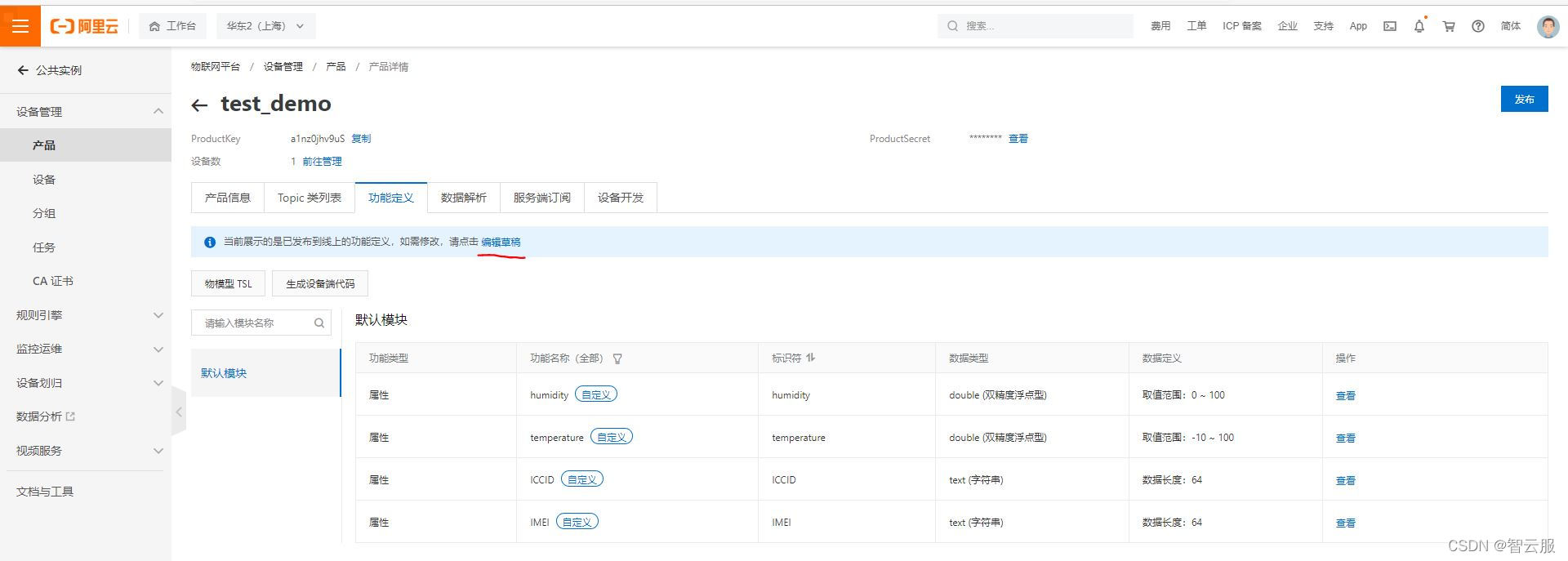
2、创建产品属性(添加物模型)
选择产品功能定义–编辑草稿

1、添加自定义功能
2、添加标识符与数据类型(标识符要与代码一致)
3、点击发布上线
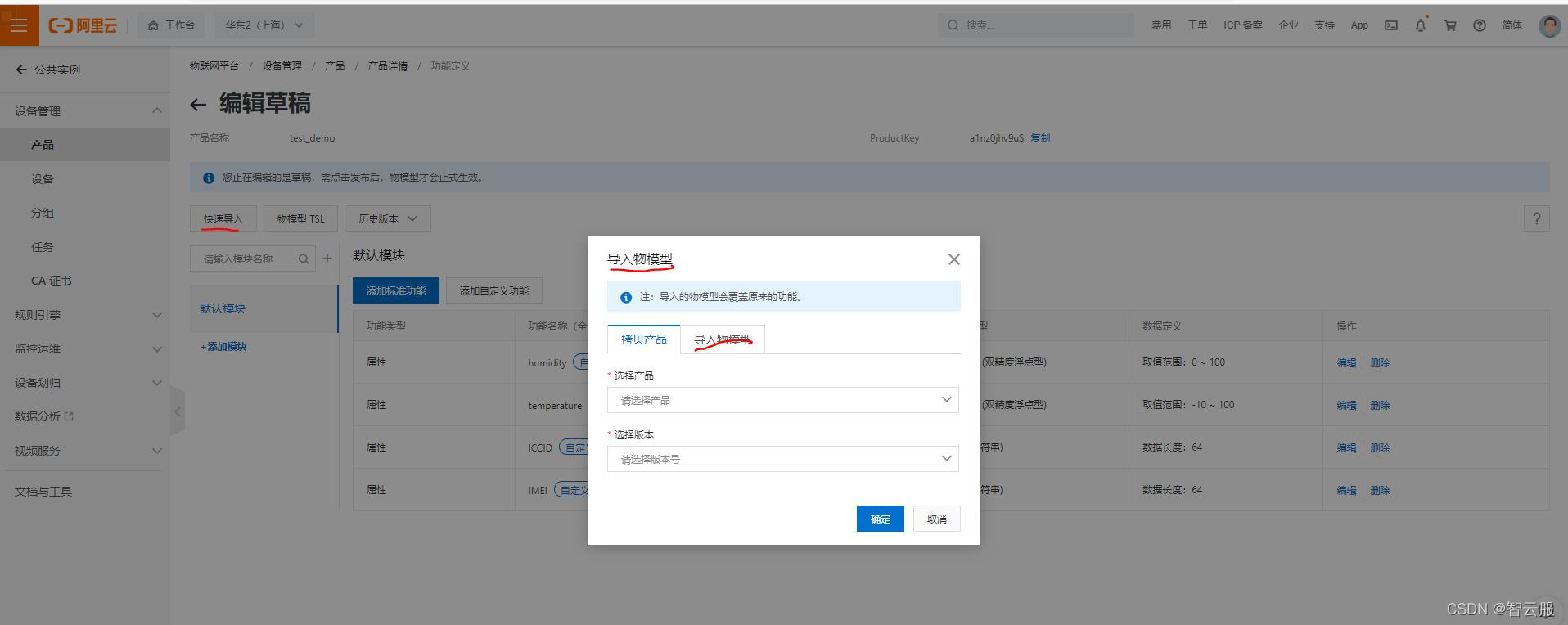
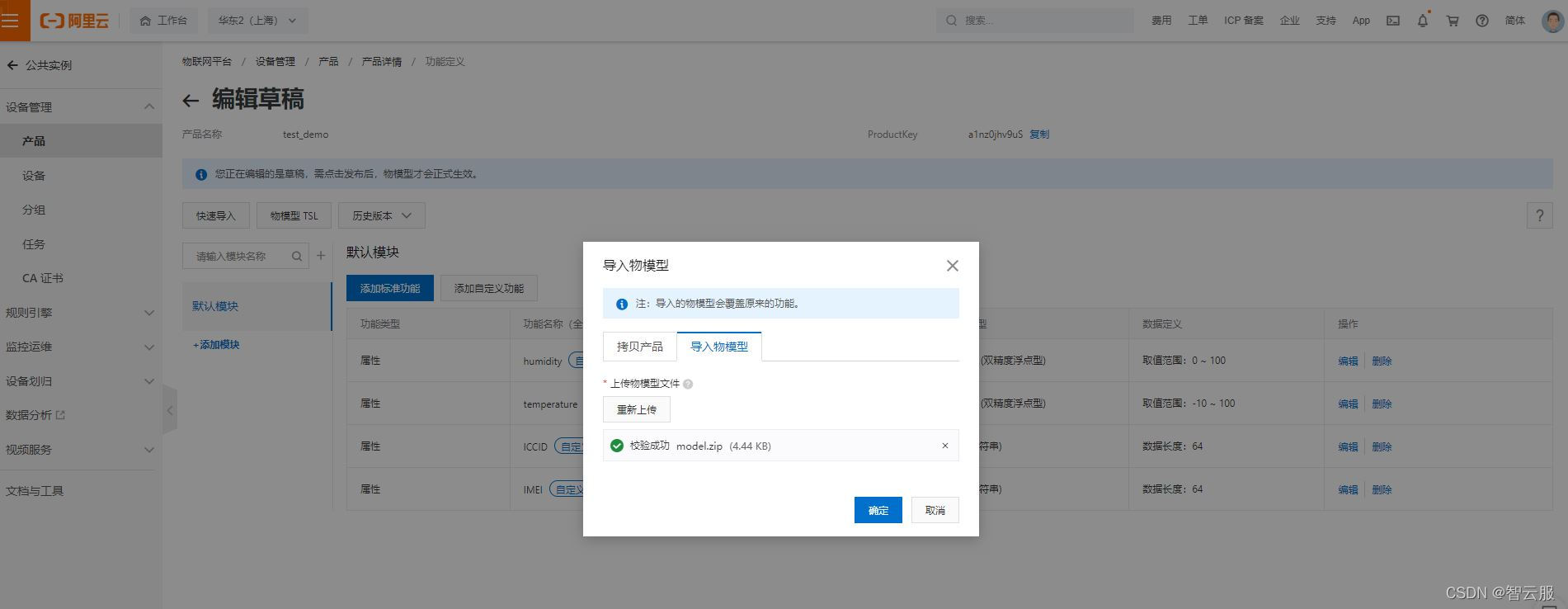
物模型数据可以删除json文件,也可以上传zip压缩包
-
物模型数据内容,将下列物模型内容保存为json或zip文件进行上传
-
model.json
{
"schema": "https://iotx-tsl.oss-ap-southeast-1.aliyuncs.com/schema.json",
"profile": {
"version": "1.0",
"productKey": "a1nz0jhv9uS"
},
"properties": [
{
"identifier": "IMEI",
"name": "IMEI",
"accessMode": "r",
"required": false,
"dataType": {
"type": "text",
"specs": {
"length": "64"
}
}
},
{
"identifier": "ICCID",
"name": "ICCID",
"accessMode": "r",
"required": false,
"dataType": {
"type": "text",
"specs": {
"length": "64"
}
}
},
{
"identifier": "temperature",
"name": "temperature",
"accessMode": "r",
"required": false,
"dataType": {
"type": "double",
"specs": {
"min": "-10",
"max": "100",
"unit": "°C",
"unitName": "摄氏度",
"step": "0.00000001"
}
}
},
{
"identifier": "humidity",
"name": "humidity",
"accessMode": "r",
"required": false,
"dataType": {
"type": "double",
"specs": {
"min": "0",
"max": "100",
"unit": "%RH",
"unitName": "相对湿度",
"step": "0.0000001"
}
}
}
],
"events": [
{
"identifier": "post",
"name": "post",
"type": "info",
"required": true,
"desc": "属性上报",
"method": "thing.event.property.post",
"outputData": [
{
"identifier": "IMEI",
"name": "IMEI",
"dataType": {
"type": "text",
"specs": {
"length": "64"
}
}
},
{
"identifier": "ICCID",
"name": "ICCID",
"dataType": {
"type": "text",
"specs": {
"length": "64"
}
}
},
{
"identifier": "temperature",
"name": "temperature",
"dataType": {
"type": "double",
"specs": {
"min": "-10",
"max": "100",
"unit": "°C",
"unitName": "摄氏度",
"step": "0.00000001"
}
}
},
{
"identifier": "humidity",
"name": "humidity",
"dataType": {
"type": "double",
"specs": {
"min": "0",
"max": "100",
"unit": "%RH",
"unitName": "相对湿度",
"step": "0.0000001"
}
}
}
]
}
],
"services": [
{
"identifier": "set",
"name": "set",
"required": true,
"callType": "async",
"desc": "属性设置",
"method": "thing.s 最低0.47元/天 解锁文章






 扫一扫
扫一扫


 1499
1499

 被折叠的 条评论
为什么被折叠?
被折叠的 条评论
为什么被折叠?
 到【灌水乐园】发言





