


 本文介绍了如何在Unity3D中通过编写CameraMovieManager.cs脚本来实现鼠标右键控制Camera旋转的功能。脚本中包含了Update和CameraRot两个方法,通过监听鼠标输入和调整角度限制来实现平滑的旋转效果。在场景中将脚本挂载到Camera上并启用控制选项,即可实现所需功能。
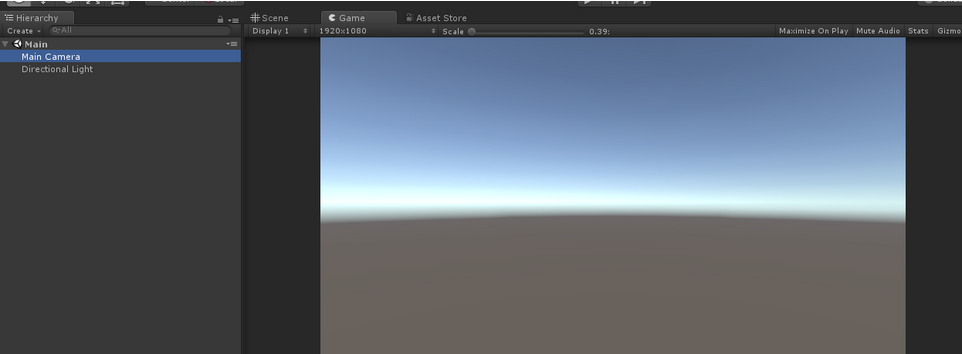
1.新建一个场景,如下图所示:
2.编写CameraMovieManager.cs脚本,该脚本的作用是实现鼠标控制Camera旋转的功能,代码如下所示: `using System.Collections; using System.Collections.Generic; using UnityEngine; using UIManager;
public class CameraMovieManager : MonoBehaviour { float _rotationX; float rotationY; public float sensitivityHor = 5.0f; public float sensitivityVert = 5.0f; public float minimumVert = -45.0f; public float maximumVert = 45.0f; //是否可以控制旋转 public bool CanControl = false;
     // Update is called once per frame


     void

     Update
     (
     )


     {


     CameraRot
     (
     )
     ;


     }


     void

     CameraRot
     (
     )


     {


     if

     (
     CanControl
     )


     {


     //点击鼠标右键旋转摄像头


     if

     (
     Input
     .
     GetMouseButton
     (
     1
     )
     )


     {

            rotationY
     =
      transform
     .
     localEulerAngles
     .
     y
     +
      Input
     .
     GetAxis
     (
     "Mouse X"
     )

     *
      sensitivityHor
     ;

            _rotationX
     -=
      Input
     .
     GetAxis
     (
     "Mouse Y"
     )

     *
      sensitivityVert
     ;

            _rotationX
     =
      Mathf
     .
     Clamp
     (
     _rotationX
     ,
      minimumVert
     ,
      maximumVert
     )
     ;

            transform
     .
     localEulerAngles
     =

     new

     Vector3
     (
     _rotationX
     ,
      rotationY
     ,

     0
     )
     ;


     }


     }


     }
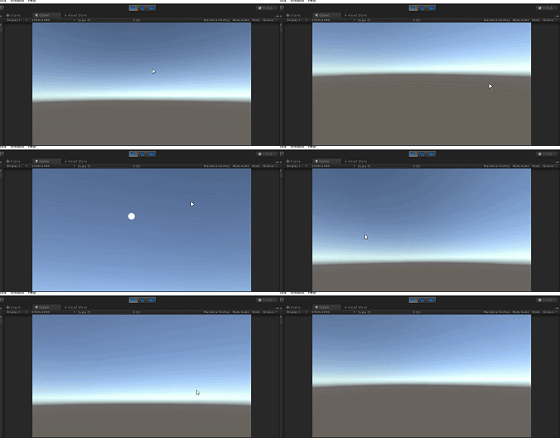
` 3.将该脚本挂载到场景中的Camera上,运行场景,将脚本上的 Control打上勾,发现使用鼠标右键可以控制Camera旋转了,如下图所示:





 扫一扫
扫一扫


 357
357

 被折叠的 条评论
为什么被折叠?
被折叠的 条评论
为什么被折叠?
 到【灌水乐园】发言





