


目的:
将未标定的图像集经过bundler自标定,再用gipuma生成稠密点云。
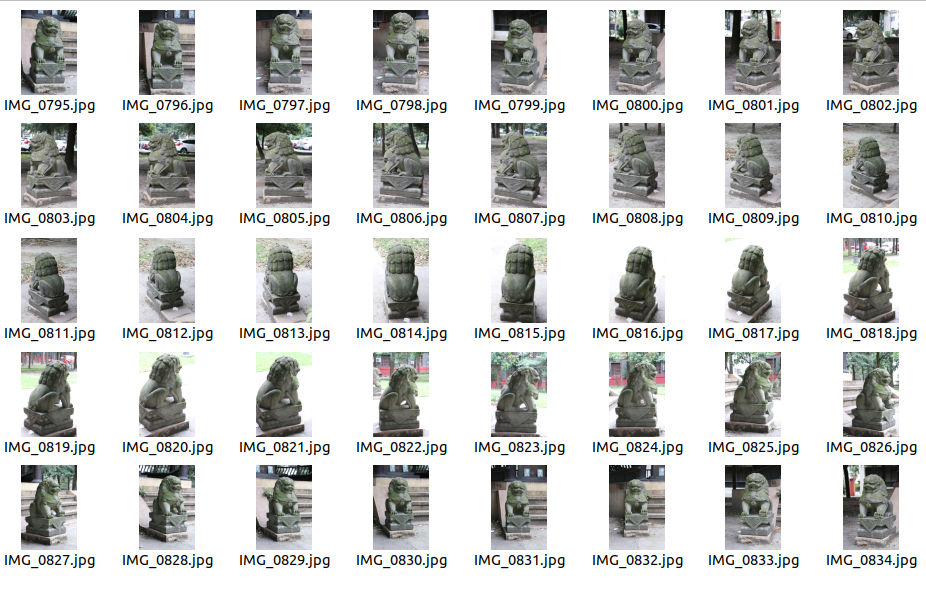
关键步骤:
将未标定的图像集经过bundler进行三维重建,
再将bundler的输出转换成pmvs输入格式,
交与gipuma生成稠密点云,最后得到稠密点云。
详细步骤:
3.1将未标定的图像集经过bundler进行三维重建
在图像目录下输入../RunBundler.sh命令:
/bundler_sfm-master/lion750D2$ ../RunBundler.sh注意1: 要先运行:LD_LIBRARY_PATH=$LD_LIBRARY_PATH:/home/j/SLAM/bundler_sfm-master/bin
否则会报错:
[- Matching keypoints (this can take a while) -]
../bin/KeyMatchFull list_keys.txt matches.init.txt -1
../bin/KeyMatchFull: error while loading shared libraries: libANN_char.so: cannot open shared object file: No such file or directory
[- Running Bundler -]
../bin/bundler: error while loading shared libraries: libANN_char.so: cannot open shared object file: No such file or directory
[- Done -]
注意2:图像不能太大,否则会报错,如4000*6000的分辨率就太高了
这里目录下有图像39张,示例输出如下:
j@s:~/SLAM/bundler_sfm-master/lion750D2$ ../RunBundler.sh
Using default config options
0
Image list is list_tmp.txt
[Extracting exif tags from image ./IMG_0795.jpg]
[Focal length = 50.000mm]
[Couldn't find CCD width for camera Canon Canon EOS 750D]
[Found in EXIF tags]
[CCD width = 22.680mm]
[Resolution = 1500 x 1000]
[Focal length (pixels) = 3306.878
[Extracting exif tags from image ./IMG_0796.jpg]
[Focal length = 50.000mm]
[Couldn't find CCD width for camera Canon Canon EOS 750D]
[Found in EXIF tags]
[CCD width = 22.680mm]
[Resolution = 1500 x 1000]
[Focal length (pixels) = 3306.878
……
[Extracting exif tags from image ./IMG_0833.jpg]
[Focal length = 50.000mm]
[Couldn't find CCD width for camera Canon Canon EOS 750D]
[Found in EXIF tags]
[CCD width = 22.680mm]
[Resolution = 1500 x 1000]
[Focal length (pixels) = 3306.878
[Extracting exif tags from image ./IMG_0834.jpg]
[Focal length = 50.000mm]
[Couldn't find CCD width for camera Canon Canon EOS 750D]
[Found in EXIF tags]
[CCD width = 22.680mm]
[Resolution = 1500 x 1000]
[Focal length (pixels) = 3306.878
[Found 40 good images]
[- Extracting keypoints -]
Finding keypoints...
9523 keypoints found.
Finding keypoints...
9303 keypoints found.
……
Finding keypoints...
9289 keypoints found.
Finding keypoints...
9655 keypoints found.
[- Matching keypoints (this can take a while) -]
../bin/KeyMatchFull list_keys.txt matches.init.txt -1
[KeyMatchFull] Reading keys took 2.237s
[KeyMatchFull] Matching to image 0
[KeyMatchFull] Matching took 0.009s
[KeyMatchFull] Matching to image 1
[KeyMatchFull] Matching took 0.237s
[KeyMatchFull] Matching to image 2
[KeyMatchFull] Matching took 0.480s
[KeyMatchFull] Matching to image 3
……
[KeyMatchFull] Matching took 8.522s
[KeyMatchFull] Matching to image 38
[KeyMatchFull] Matching took 8.646s
[KeyMatchFull] Matching to image 39
[KeyMatchFull] Matching took 8.998s
[- Running Bundler -]
[- Done -]
3.2再将bundler的输出转换成pmvs输入格式
输入命令:~/SLAM/bundler_sfm-master/lion750D2$ ../bin/Bundle2PMVS prepare/list.txt bundle/bundle.out
得到:
[ReadBundleFile] Bundle version: 0.300
[ReadBundleFile] Reading 40 images and 41284 points...
[GetJPEGDimensions] File ./IMG_0795.jpg: ( 1500 , 1000 )
[GetJPEGDimensions] File ./IMG_0796.jpg: ( 1500 , 1000 )
……
[GetJPEGDimensions] File ./IMG_0834.jpg: ( 1500 , 1000 )
@@ Conversion complete, execute "sh pmvs/prep_pmvs.sh" to finalize
@@ (you will first need to edit prep_pmvs.sh to specify your bundler path,
@@ so that the script knows where to find your
@@ RadialUndistort and Bundle2Vis binaries)
按提示修改pmvs/prep_pmvs.sh,设置好BUNDLER_BIN_PATH
比如:
BUNDLER_BIN_PATH=/home/j/SLAM/bundler_sfm-master/bin # Edit this line before running
在当前目录下 运行
sh pmvs/prep_pmvs.sh得到相关输出:
j@s:~/SLAM/bundler_sfm-master/lion750D2$ sh pmvs/prep_pmvs.sh
pmvs/prep_pmvs.sh: 5: [: /home/j/SLAM/bundler_sfm-master/bin: unexpected operator
[ReadBundleFile] Bundle version: 0.300
[ReadBundleFile] Reading 40 images and 41284 points...
Undistorting image ./IMG_0795.jpg
Undistorting image ./IMG_0796.jpg
……
Undistorting image ./IMG_0833.jpg
Undistorting image ./IMG_0834.jpg
[WriteBundleFile] Writing 40 images and 41284 points...
Running Bundle2Vis to generate vis.dat
[ReadBundleFile] Bundle version: 0.300
[ReadBundleFile] Reading 40 images and 41284 points...
Num visible: 150543
Num cameras: 40
@@ Sample command for running pmvs:
pmvs2 pmvs/ pmvs_options.txt
- or -
use Dr. Yasutaka Furukawa's view clustering algorithm to generate a set of options files.
The clustering software is available at http://grail.cs.washington.edu/software/cmvs
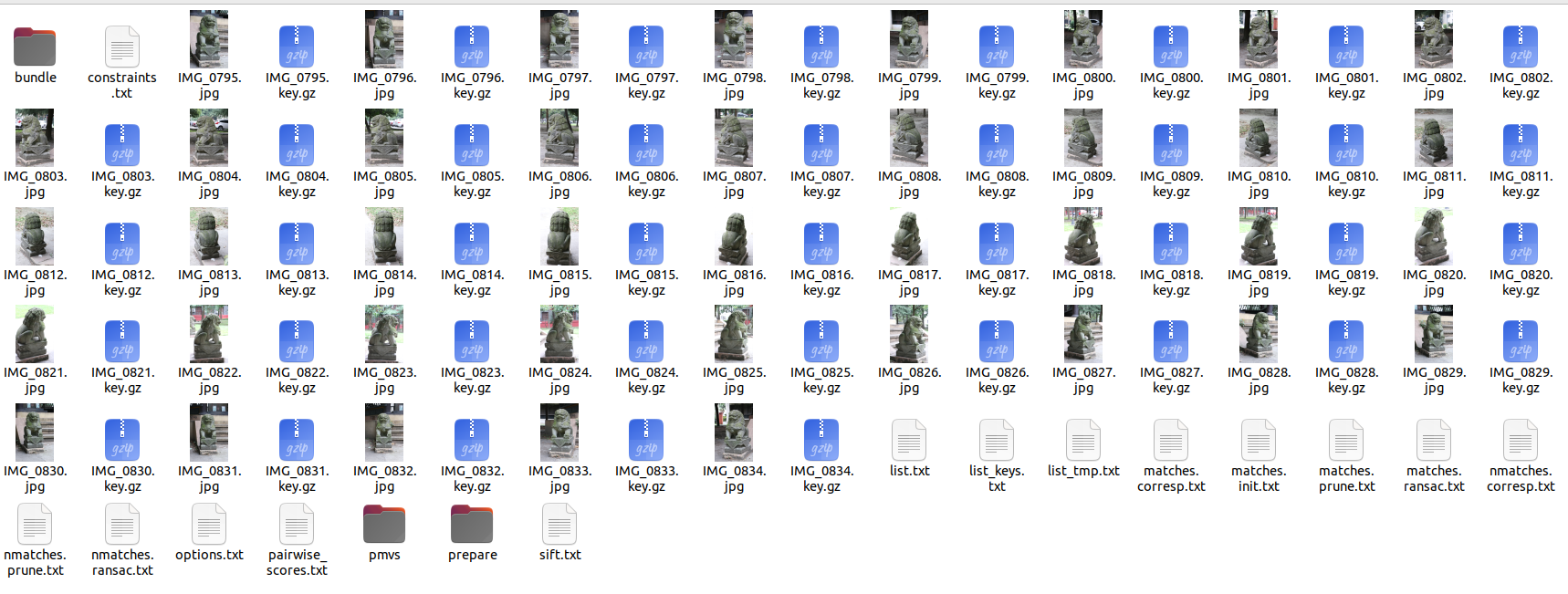
当然,做到这里的输出,可以用pmvs2来进行重建,按提示操作即可。但我们下一步选用gipuma进行重建,试一试gipuma。
这时得到的文件列表如下图:
3.3交与gipuma生成稠密点云,最后得到稠密点云
将上一步生成的pmvs目录拷贝到gipuma的data目录下
以gipuma/scripts目录下的shell文件为本,拷贝一份成/gipuma-master/scripts/lion750D2.sh,内容如下,并把相应的目录和参数设置正确。
#!
prog="./gipuma"
warping="../fusibile-master/fusibile"
inputdir="data/pmvs/visualize/"
batch_name="lion750D2"
output_dir_basename="results/$batch_name"
p_folder="data/pmvs/txt/"
scale=1
blocksize=17
iter=8
cost_gamma=10
cost_comb="best_n"
n_best=2
depth_max=-1
depth_min=-1
max_views=9
image_list_array=`( cd $inputdir && ls *.jpg) `
output_dir=${output_dir_basename}/

# fuse options
disp_thresh=0.1
normal_thresh=40
num_consistent=2
min_angle=5
max_angle=40


#warping conf
count=0
for im in $image_list_array
do
    echo $count
    img=${im%.jpg}
    cmd_file=${output_dir}/$img-cmd.log
    image_list=( $im )

    mkdir -p $output_dir
    for ij in $image_list_array
    do
    if [ $im != $ij ]
    then
        image_list+=( $ij )
    fi
    done
    #
    cmd="$prog ${image_list[@]} -images_folder $inputdir --max_views=$max_views -p_folder $p_folder -output_folder $output_dir -no_display --cam_scale=$scale --iterations=$iter --blocksize=$blocksize --cost_gamma=$cost_gamma --cost_comb=best_n --n_best=$n_best --depth_max=$depth_max --depth_min=$depth_min --min_angle=$min_angle --max_angle=$max_angle"
    echo $cmd
    $cmd
    let "count += 1"
    if [ $count -eq -1 ]
    then
        break
    fi
done
#
echo $warping -input_folder $output_dir -p_folder $p_folder -images_folder $inputdir --cam_scale=$scale --depth_min=$depth_min --depth_max=$depth_max --disp_thresh=$disp_thresh --normal_thresh=$normal_thresh --num_consistent=$num_consistent
#-krt_file $p_folder
$warping -input_folder $output_dir -p_folder $p_folder -images_folder $inputdir --cam_scale=$scale --depth_min=$depth_min --depth_max=$depth_max --disp_thresh=$disp_thresh --normal_thresh=$normal_thresh --num_consistent=$num_consistent -remove_black_background -color_processing
另外,把pmvs/txt中的摄像机投影矩阵文件后缀改成" .jpg .P " 后缀,即如 “00000031.jpg.P”,gipuma认这个名字。
在gipuma主目录下运行命令:
~/SLAM/gipuma-master$ ./scripts/lion750D2.sh 这里需要把gipuma可执行文件 拷贝到gipuma主目录 中。
同时,在相关位置准备好fusibile程序,如sh文件中提到的 warping="../fusibile-master/fusibile"
等待数10分钟,输出一通过程后,计算 完成了。
典型的部分输出如下:
…… 第13个图片文件的处理: ……
13
./gipuma 00000013.jpg 00000000.jpg 00000001.jpg 00000002.jpg 00000003.jpg 00000004.jpg 00000005.jpg 00000006.jpg 00000007.jpg 00000008.jpg 00000009.jpg 00000010.jpg 00000011.jpg 00000012.jpg 00000014.jpg 00000015.jpg 00000016.jpg 00000017.jpg 00000018.jpg 00000019.jpg 00000020.jpg 00000021.jpg 00000022.jpg 00000023.jpg 00000024.jpg 00000025.jpg 00000026.jpg 00000027.jpg 00000028.jpg 00000029.jpg 00000030.jpg 00000031.jpg 00000032.jpg 00000033.jpg 00000034.jpg 00000035.jpg 00000036.jpg 00000037.jpg 00000038.jpg 00000039.jpg -images_folder data/pmvs/ --max_views=9 -p_folder data/pmvs/txt/ -output_folder results/lion750D2/ -no_display --cam_scale=1 --iterations=8 --blocksize=17 --cost_gamma=10 --cost_comb=best_n --n_best=2 --depth_max=-1 --depth_min=-1 --min_angle=5 --max_angle=40
Command-line parameter warning: unknown option -no_display
Input files are: 00000013.jpg 00000000.jpg 00000001.jpg 00000002.jpg 00000003.jpg 00000004.jpg 00000005.jpg 00000006.jpg 00000007.jpg 00000008.jpg 00000009.jpg 00000010.jpg 00000011.jpg 00000012.jpg 00000014.jpg 00000015.jpg 00000016.jpg 00000017.jpg 00000018.jpg 00000019.jpg 00000020.jpg 00000021.jpg 00000022.jpg 00000023.jpg 00000024.jpg 00000025.jpg 00000026.jpg 00000027.jpg 00000028.jpg 00000029.jpg 00000030.jpg 00000031.jpg 00000032.jpg 00000033.jpg 00000034.jpg 00000035.jpg 00000036.jpg 00000037.jpg 00000038.jpg 00000039.jpg
Detected 1 devices!
Detected gipuma compatible device: NVIDIA GeForce RTX 2080
Total number of images used: 39
Selected views: 1, 2, 3, 4, 5, 6, 7, 8, 9, 10, 11, 12, 13, 14, 15, 16, 17, 18, 19, 20, 21, 22, 23, 24, 25, 26, 27, 28, 29, 30, 31, 32, 33, 34, 35, 36, 37, 38, 39,
Range of Minimum/Maximum depth is: 35.8628 1498.51, change it with --depth_min=<value> and --depth_max=<value>
Device memory used: 1630.928955MB
Blocksize is 17x17
Number of iterations is 8
Iteration 1 2 3 4 5 6 7 8
Total time needed for computation: 18.837934 seconds
data/pmvs/txt/00000013.jpg.P
[3043.3528, 1554.2781, 211.00385, 6524.4834;
239.89223, 227.51472, -3361.657, -16848.664;
-0.23990899, 0.96559399, -0.100357, 5.9040208]
Saving output depthmap in results/lion750D2//20230314_152944_00000013/3d_model0.ply
Total runtime including disk i/o: 20.1604sec
…………
Total runtime including disk i/o: 11.3318sec
../fusibile-master/fusibile -input_folder results/lion750D2/ -p_folder data/pmvs/txt/ -images_folder data/pmvs/visualize/ --cam_scale=1 --depth_min=-1 --depth_max=-1 --disp_thresh=0.1 --normal_thresh=40 --num_consistent=2
Command-line parameter error: unknown option -input_folder
Command-line parameter error: unknown option -remove_black_background
input folder is results/lion750D2/
image folder is data/pmvs/visualize/
p folder is data/pmvs/txt/
pmvs folder is
numImages is 40
img_filenames is 40
Device memory used: 999.555054MB
Device memory used: 999.555054MB
P folder is data/pmvs/txt/
numCameras is 40
Camera size is 40
Accepted intersection angle of central rays is 10.000000 to 30.000000 degrees
Selected views: 40
0, 1, 2, 3, 4, 5, 6, 7, 8, 9, 10, 11, 12, 13, 14, 15, 16, 17, 18, 19, 20, 21, 22, 23, 24, 25, 26, 27, 28, 29, 30, 31, 32, 33, 34, 35, 36, 37, 38, 39,
Reading normals and depth from disk
Size consideredIds is 40
Reading normal 0
Reading disp 0
……
Reading normal 39
Reading disp 39
Resizing globalstate to 40
Run cuda
Run gipuma
Grid size initrand is grid: 47-32 block: 32-32
Device memory used: 3012.821045MB
Number of iterations is 8
Blocksize is 15x15
Disparity threshold is 0.100000
Normal threshold is 0.698132
Number of consistent points is 2
Cam scale is 1.000000
Fusing points
Processing camera 0
Found 0.31 million points
……
Processing camera 27
Not enough space to save points :'(
... allocating more! :)New size of point cloud list is 6000000
Found 3.04 million points
Processing camera 28
……
Processing camera 37
Found 3.50 million points
Processing camera 38
Found 3.57 million points
Processing camera 39
Found 3.64 million points
ELAPSED 2.325392 seconds
Writing ply file results/lion750D2//consistencyCheck-20230314-161630//final3d_model.ply
store 3D points to ply file
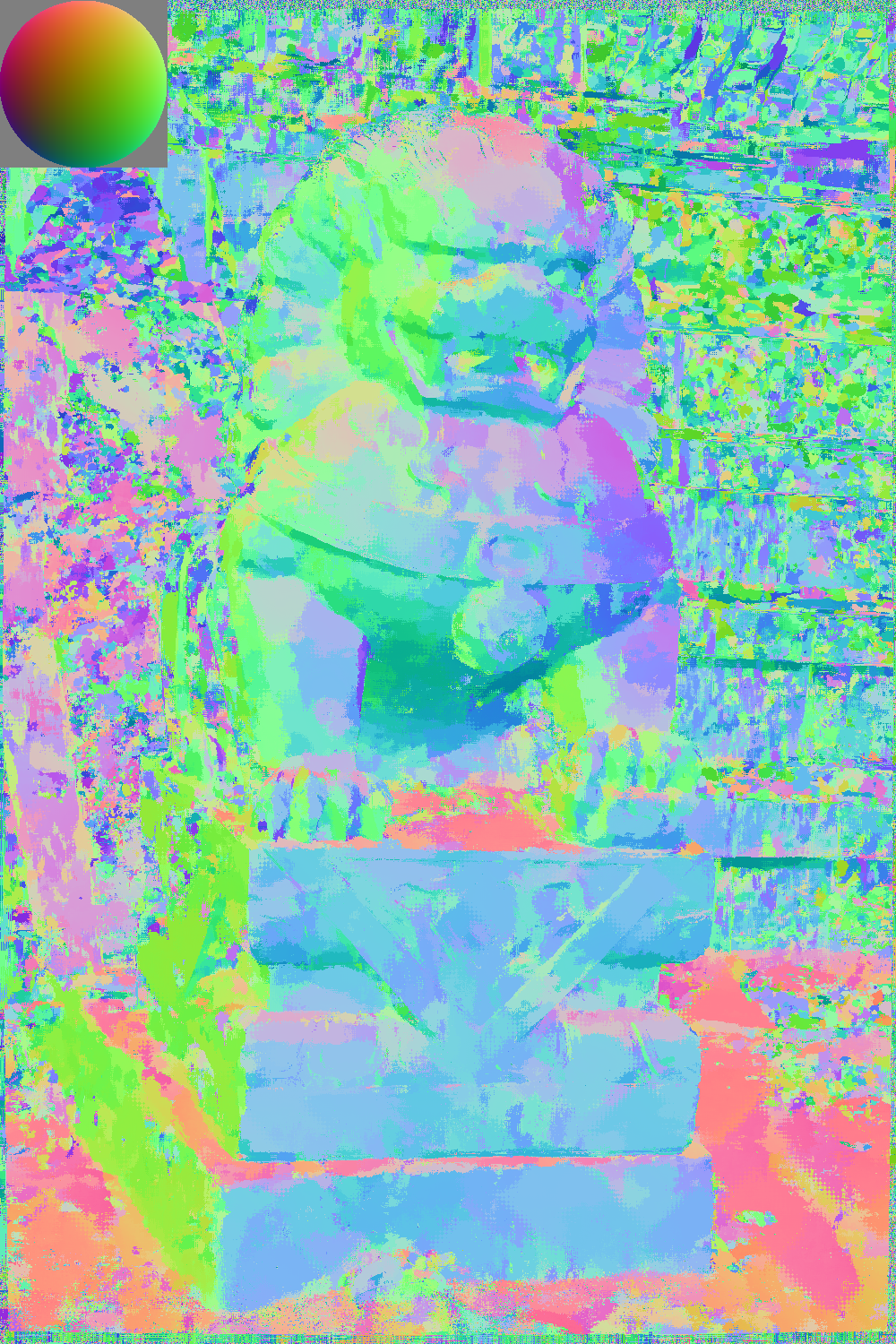
如第一图00000000.jpg的normals.png是:
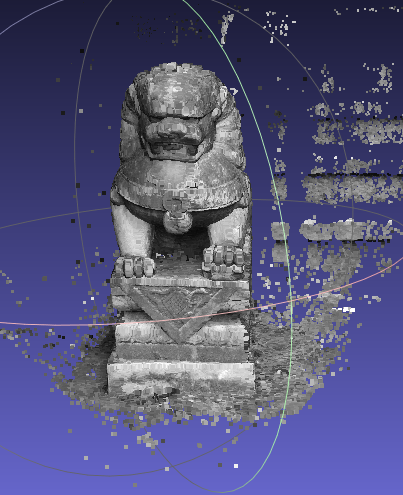
最后在……/gipuma-master/results/lion750D2/consistencyCheck-20230314-161630/final3d_model.ply得到相关的模型:
至此大功告成。





 扫一扫
扫一扫


 1802
1802

 被折叠的 条评论
为什么被折叠?
被折叠的 条评论
为什么被折叠?
 到【灌水乐园】发言





