
neo4j vs python

1.将库中已经存在的两个节点,创建关系。

查询库中只有2个独立的节点。
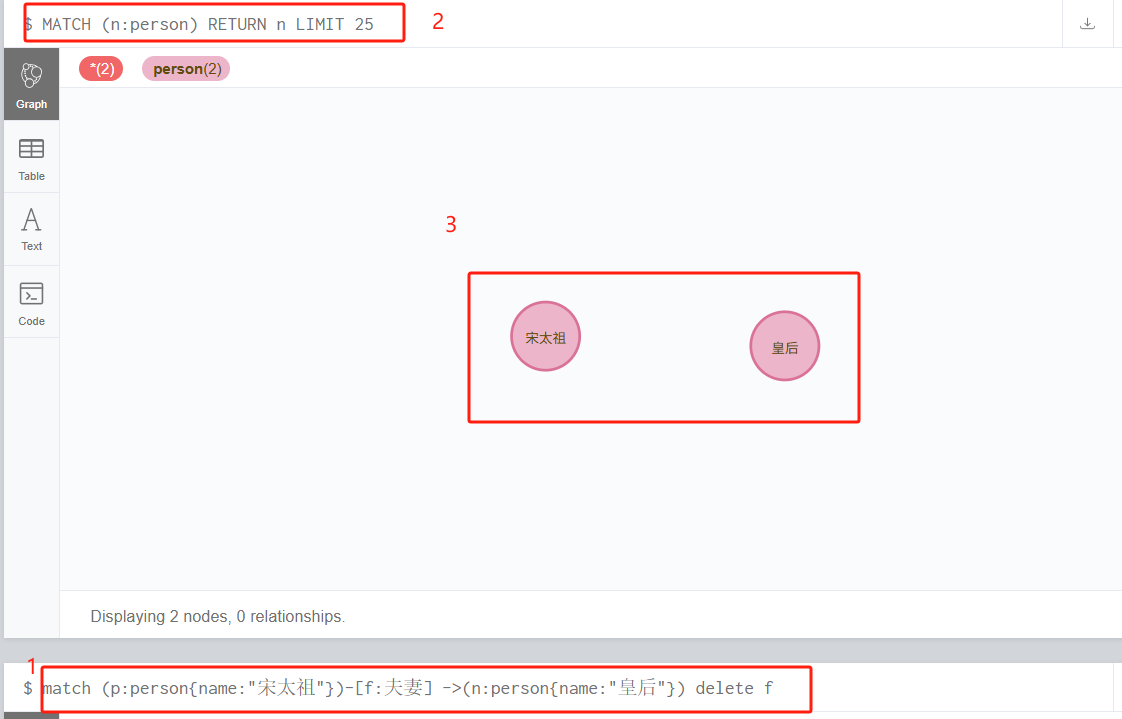
方式一,python,使用py2neo库

#coding:utf-8
from py2neo import Graph,Node,Relationship,NodeMatcher
 
##连接neo4j数据库,输入地址、用户名、密码
graph = Graph('bolt://xx.xx.xx.xx:7687',auth=("neo4j","neo4j1234"))

hd = graph.nodes.match("person",name="宋太祖").first()
hh = graph.nodes.match("person",name="皇后").first()

graph.create(Relationship(hd,"夫妻",hh))

执行成功
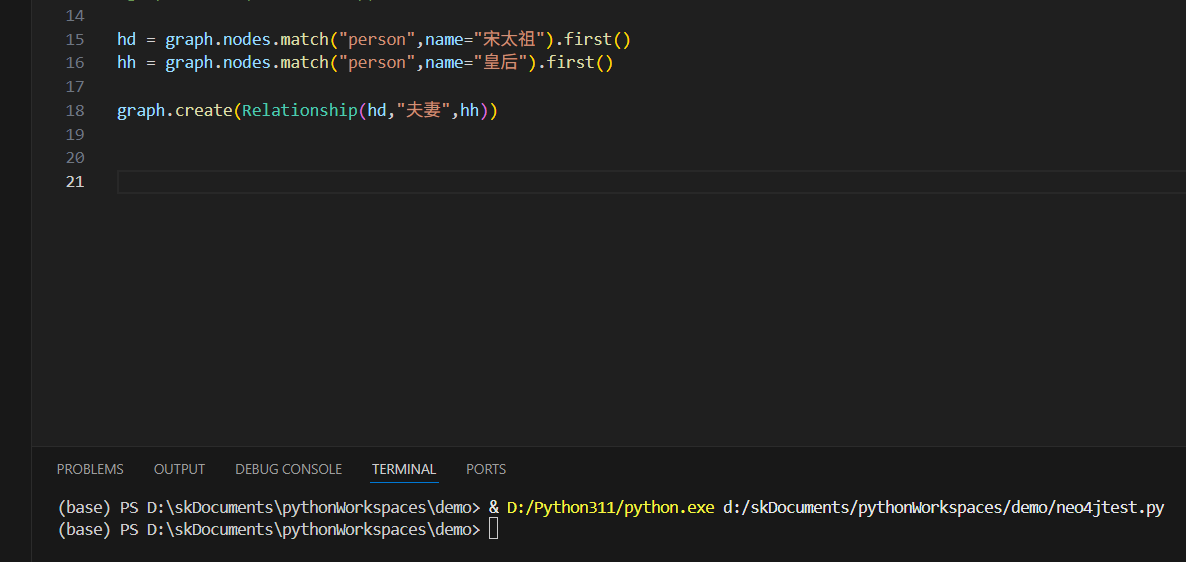
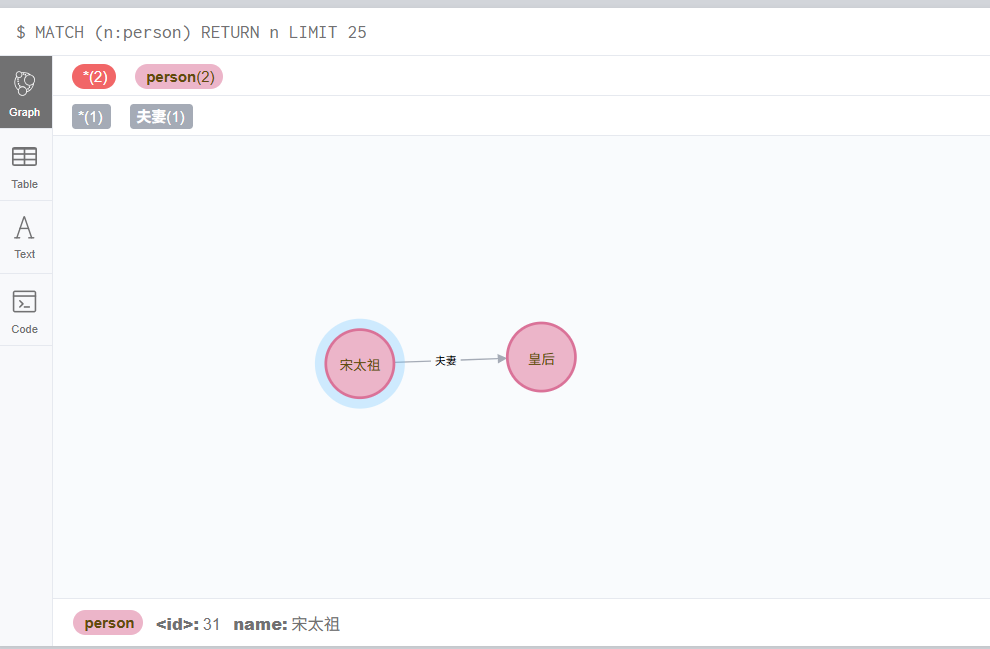
查看库
方式二:使用neo4j, 原生cypher语句

#coding:utf-8
from neo4j import GraphDatabase

##获取已经存在的节点,创建关系
driver = GraphDatabase.driver('bolt://xx.xx.xx.xx:7687',auth=("neo4j","neo4j1234"))

with driver.session() as session:
    hd = session.run("MATCH (a:person {name:'宋太祖'}) return a").single().get("a")
    hh = session.run("MATCH (b:person {name:'皇后'}) RETURN b").single().get("b")

    session.run("Match (a:person), (b:person) where a.name='皇后' and b.name='宋太祖' create (a) - [:老婆] -> (b)")
driver.close()

查看库
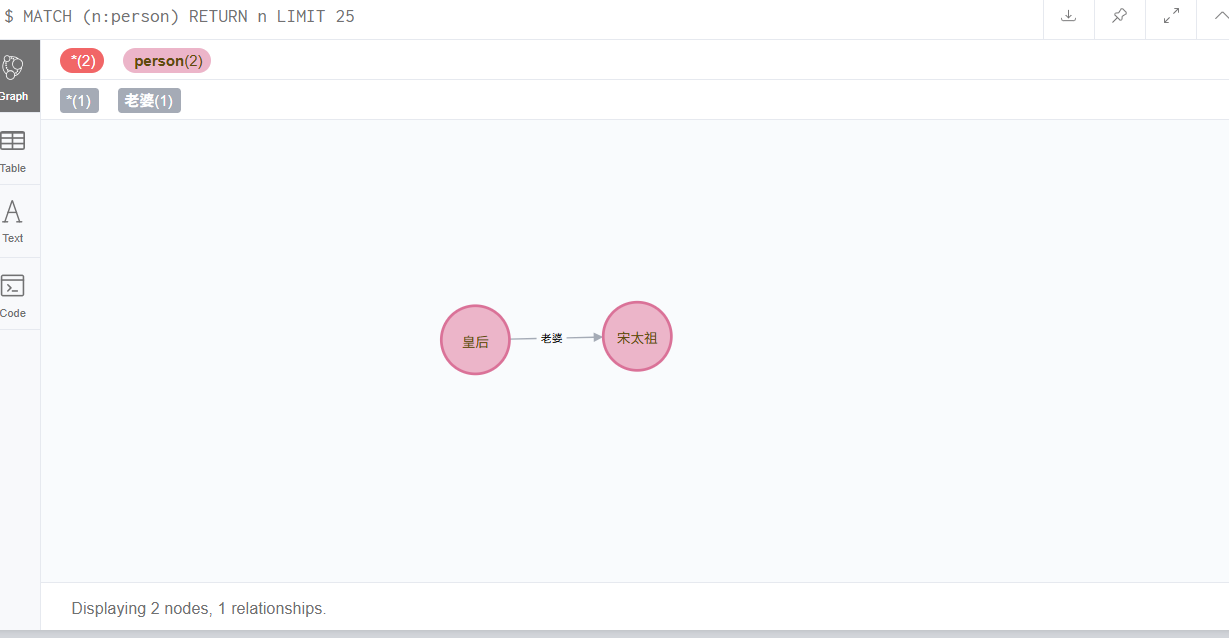
看着上面的脚本就奇怪,那获取节点干嘛呢,信息存入了变量里,后面又没用到这个变量。
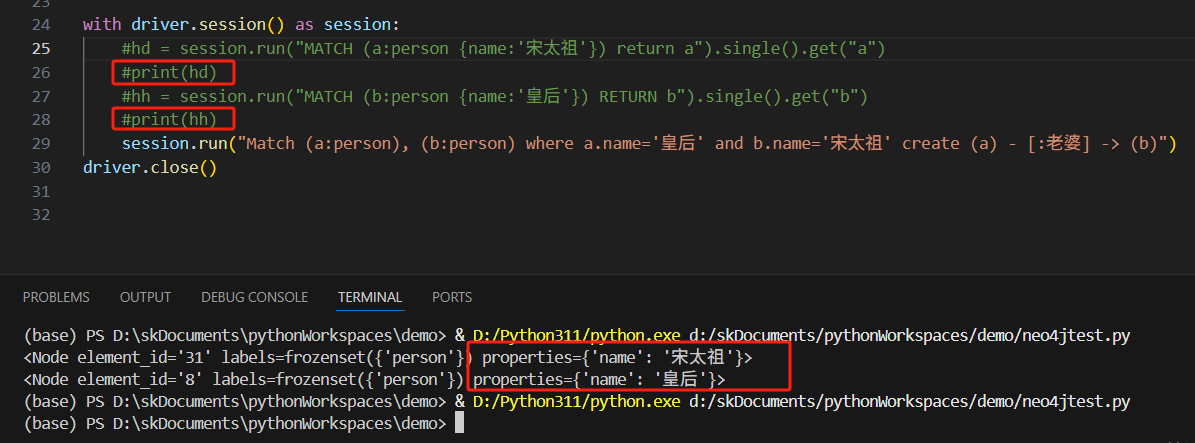
直接用最后面的cypher语句,不就能执行了嘛。执行一次,没报错,查看库
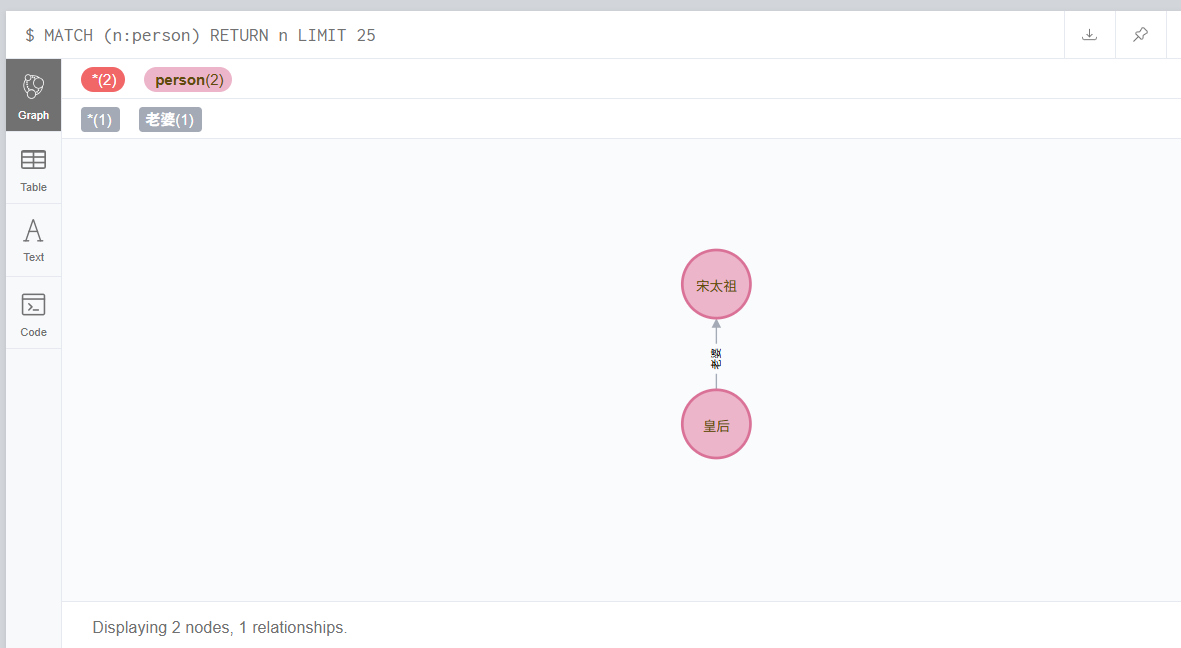
果然不需要那两句,直接match查询就可以。

总结

通过这两个方式也看出来了,还是用封装好的方法操作便捷,出错的概率也小。

 

要配置 Neo4jPython 的集成,可以通过多种方式实现。Neo4j 提供了多种 Python 驱动和工具,允许开发者以不同的方式进行连接和操作。以下是一些常用的集成方式及其配置方法。 ### 1. 使用 Neo4j 官方驱动 Neo4j 官方提供了 Python 驱动程序 `neo4j`,它支持同步和异步操作,并且兼容性良好。可以通过以下步骤进行配置: - 安装驱动: ```bash pip install neo4j ``` - 示例代码: ```python from neo4j import GraphDatabase class HelloWorldExample: def __init__(self, uri, user, password): self.driver = GraphDatabase.driver(uri, auth=(user, password)) def close(self): self.driver.close() def print_greeting(self, message): with self.driver.session() as session: greeting = session.write_transaction(self._create_and_return_greeting, message) print(greeting) @staticmethod def _create_and_return_greeting(tx, message): result = tx.run("CREATE (a:Greeting) SET a.message = $message RETURN a.message + ', from node ' + id(a)", message=message) return result.single()[0] if __name__ == "__main__": greeter = HelloWorldExample("neo4j://localhost:7687", "neo4j", "password") greeter.print_greeting("hello, world") greeter.close() ``` ### 2. 使用 Py2Neo 进行 ORM 操作 `py2neo` 是一个功能丰富的 Neo4j ORM 框架,可以简化图数据库的操作。 - 安装: ```bash pip install py2neo ``` - 示例代码: ```python from py2neo import Graph, Node, Relationship graph = Graph("http://localhost:7474", auth=("neo4j", "password")) # 创建节点 alice = Node("Person", name="Alice") bob = Node("Person", name="Bob") # 创建关系 knows = Relationship(alice, "KNOWS", bob) # 提交到数据库 graph.create(knows) ``` ### 3. 使用 Neomodel-ODM `neomodel` 是一个基于领域驱动设计的 ORM 工具,适用于更复杂的模型定义。 - 安装: ```bash pip install neomodel ``` - 示例代码: ```python from neomodel import config, StructuredNode, StringProperty, RelationshipTo config.DATABASE_URL = 'neo4j://neo4j:password@localhost:7687' class Person(StructuredNode): name = StringProperty(unique_index=True) knows = RelationshipTo('Person', 'KNOWS') alice = Person(name='Alice').save() bob = Person(name='Bob').save() alice.knows.connect(bob) ``` ### 4. 使用 AsyncNeo4j 进行异步操作 如果你的应用需要高性能的异步处理,可以使用 `asyncneo4j`。 - 安装: ```bash pip install asyncneo4j ``` - 示例代码: ```python import asyncio from asyncneo4j import GraphDatabase async def main(): driver = GraphDatabase.driver("neo4j://localhost:7687", auth=("neo4j", "password")) async with driver.session() as session: result = await session.run("MATCH (n) RETURN n LIMIT 1") async for record in result: print(record) await driver.close() asyncio.run(main()) ``` ### 5. 配置 Neo4j 数据库 在进行 PythonNeo4j 的集成之前,确保 Neo4j 数据库已经正确配置并运行。可以通过以下步骤进行配置: - 下载并安装 Neo4j: ```bash wget -O - https://debian.neo4j.org/neotechnology.gpg.key | sudo apt-key add - echo 'deb https://debian.neo4j.org/repo stable/' | sudo tee /etc/apt/sources.list.d/neo4j.list sudo apt-get update sudo apt-get install neo4j ``` - 启动 Neo4j 服务: ```bash sudo service neo4j start ``` - 访问 Neo4j 浏览器界面: 打开浏览器访问 `http://localhost:7474`,输入默认用户名 `neo4j` 和密码 `neo4j`,然后设置新密码。 通过上述方式,可以方便地将 Neo4jPython 进行集成,并根据具体需求选择合适的工具和框架。
评论
成就一亿技术人!
拼手气红包6.0元
还能输入1000个字符
 
红包 添加红包
表情包 插入表情
 条评论被折叠 查看
添加红包

请填写红包祝福语或标题

红包个数最小为10个

红包金额最低5元

当前余额3.43前往充值 >
需支付:10.00
成就一亿技术人!
领取后你会自动成为博主和红包主的粉丝 规则
hope_wisdom
发出的红包
实付
使用余额支付
点击重新获取
扫码支付
钱包余额 0

抵扣说明:

1.余额是钱包充值的虚拟货币,按照1:1的比例进行支付金额的抵扣。
2.余额无法直接购买下载,可以购买VIP、付费专栏及课程。

余额充值


