


微信开发实战:后端签名生成+后端消息推送+后端网页授权+前端签名配置+前端本地开发配置等全流程解析
夸克资源分享:
表情包:https://pan.quark.cn/s/5b9ddeb237fe
工具箱:https://pan.quark.cn/s/aa2d6a730482,图吧、美蛋、路遥、入梦等
Fiddler Everywhere抓包:https://pan.quark.cn/s/6b1e2fbae019,
Adobe:https://pan.quark.cn/s/13e39cfeaadb,先看安装教程
JetBranis开发者工具:https://pan.quark.cn/s/16e94dcff1f7,先看安装教程下的jetbra教程
逆向工具:https://pan.quark.cn/s/50e93c8ca54c
前端项目搭建集锦:https://blog.youkuaiyun.com/randy521520/article/details/146998467
微信JS-SDK文档:https://developers.weixin.qq.com/doc/subscription/guide/h5/
微信开发平台调试工具:https://developers.weixin.qq.com/apiExplorer
前端项目搭建集锦:vite、vue、react、antd、vant、ts、sass、eslint、prettier、浏览器扩展,开箱即用,附带项目搭建教程
UV教程:Python多版本管理神器
Django教程:Django项目开发全链路:数据库操作、多环境配置、windows/linux项目部署一站式指南
Django数据库配置:Django多数据库配置:mysql、mongo、redis、达梦
DRF教程:django rest framework:从零开始搭建RESTful API
一、后端-生成签名
1.获取access_token用于获取sdk临时票据jsapi_ticket。获取access_token时需用到appid和secret,查看appid和secret:https://developers.weixin.qq.com/doc/oplatform/developers/dev/appid.html
from curl_cffi import requests
from django.conf import settings
from django.core.cache import caches
from rest_framework import status, viewsets
from rest_framework.decorators import action
from rest_framework.permissions import AllowAny
from rest_framework.response import Response


class WeChatView(viewsets.GenericViewSet):
    permission_classes = [AllowAny]
    appid = settings.ENV('WECHAT_APPID')
    secret = settings.ENV('WECHAT_SECRET')
    test_token = settings.ENV('WECHAT_VERIFY_TEST_TOKEN')
    weixin_origins = 'https://api.weixin.qq.com'
    solution_dict = {


        '-1': '系统繁忙,此时请开发者稍候再试',
        '40001': '获取 access_token 时 AppSecret 错误,或者 access_token 无效。请开发者认真比对 AppSecret 的正确性,或查看是否正在为恰当的公众号调用接口',
        '40013': '不合法的 AppID,请开发者检查 AppID 的正确性,避免异常字符,注意大小写',
        '40002': '不合法的凭证类型',
        '40125': '请检查 secret 的正确性,避免异常字符,注意大小写',
        '40164': '请在接口IP白名单中进行设置',
        '41004': '缺少 secret 参数',
        '50004': '禁止使用 token 接口',
        '50007': '账号已冻结',

    }

    @action(detail=False, url_path='getToken',methods=['get'])
    def get_token(self, request):
        """
        获取微信access_token
        文档:https://developers.weixin.qq.com/miniprogram/dev/OpenApiDoc/mp-access-token/getAccessToken.html
        """

        cache_db0 = caches['redis']  # 获取db0的缓存实例
        cache_key = 'wechat_token'  # 缓存Key
        token = cache_db0.get(cache_key)

        if token is None:
            # 接口参数
            params = {


                'grant_type': 'client_credential',  # 固定值
                'appid': self.appid,
                'secret': self.secret
            }
            url = f'{

     self.weixin_origins}/cgi-bin/token'
            response = requests.get(url, params=params)
            if response.ok:
                result = response.json()
                if 'errcode' in result:
                    errors = self.solution_dict.get(result['errcode'], result['errmsg'])
                    return Response({

   'errors': errors }, status=status.HTTP_400_BAD_REQUEST)
                else:
                    token = result.get('access_token')
                    timeout= result.get('expires_in')
                    cache_db0.set(cache_key, token, timeout=timeout)
                return Response({

   'access_token': token})
            else:
                return Response({

   'errors': '获取token失败'}, status=response.status_code)
        else:
                return Response({

   'access_token': token})
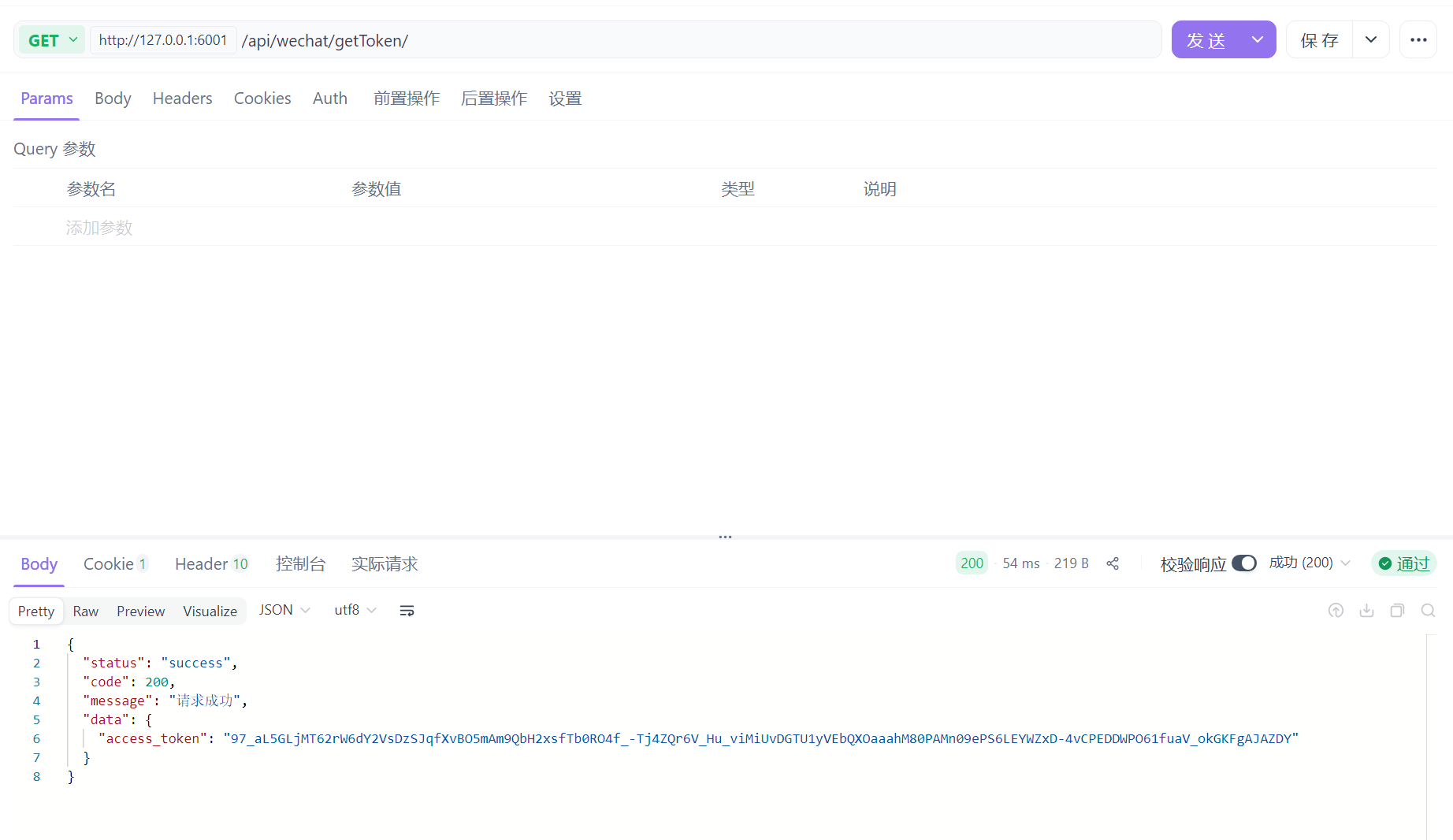
2.使用第一步获取到的access_token获取sdk临时票据jsapi_ticket
from curl_cffi import requests
from django.conf import settings
from django.core.cache import caches
from rest_framework import status, viewsets
from rest_framework.decorators import action
from rest_framework.permissions import AllowAny
from rest_framework.response import Response

@action(detail=False, url_path='getTicket',methods=['get'])
def get_ticket(self,request):
    """
    通过access_token获取sdk临时票据jsapi_ticket
    文档:https://developers.weixin.qq.com/doc/subscription/api/webdev/js/api_getticket.html
    """
    cache_db0 = caches['redis']  # 获取db0的缓存实例
    cache_key = 'wechat_ticket'  # 缓存Key
    ticket = cache_db0.get(cache_key)
    if ticket is None:
        token_response = self.get_token(request)

        url = f'{

     self.weixin_origins}/cgi-bin/ticket/getticket'
        params = {


            'access_token': token_response.data.get('access_token'),
            'type': 'jsapi'  # 固定值,JS-SDK的ticket
        }
        response = requests.get(url, params=params)
        if response.ok:
            result = response.json()
            if ('errcode' in result) and (result['errcode'] != 0):
                errors = self.solution_dict.get(result['errcode'], '未知错误')
                return Response({

   'errors': errors }, status=status.HTTP_400_BAD_REQUEST)
            else:
                ticket = result.get('ticket')
                timeout= result.get('expires_in')
                cache_db0.set(cache_key, ticket, timeout=timeout)

            return Response({

   'ticket': ticket})
        else:
            return Response({

   'errors': '获取ticket失败'}, status=response.status_code)
    else:
        return Response({

   'ticket': ticket})
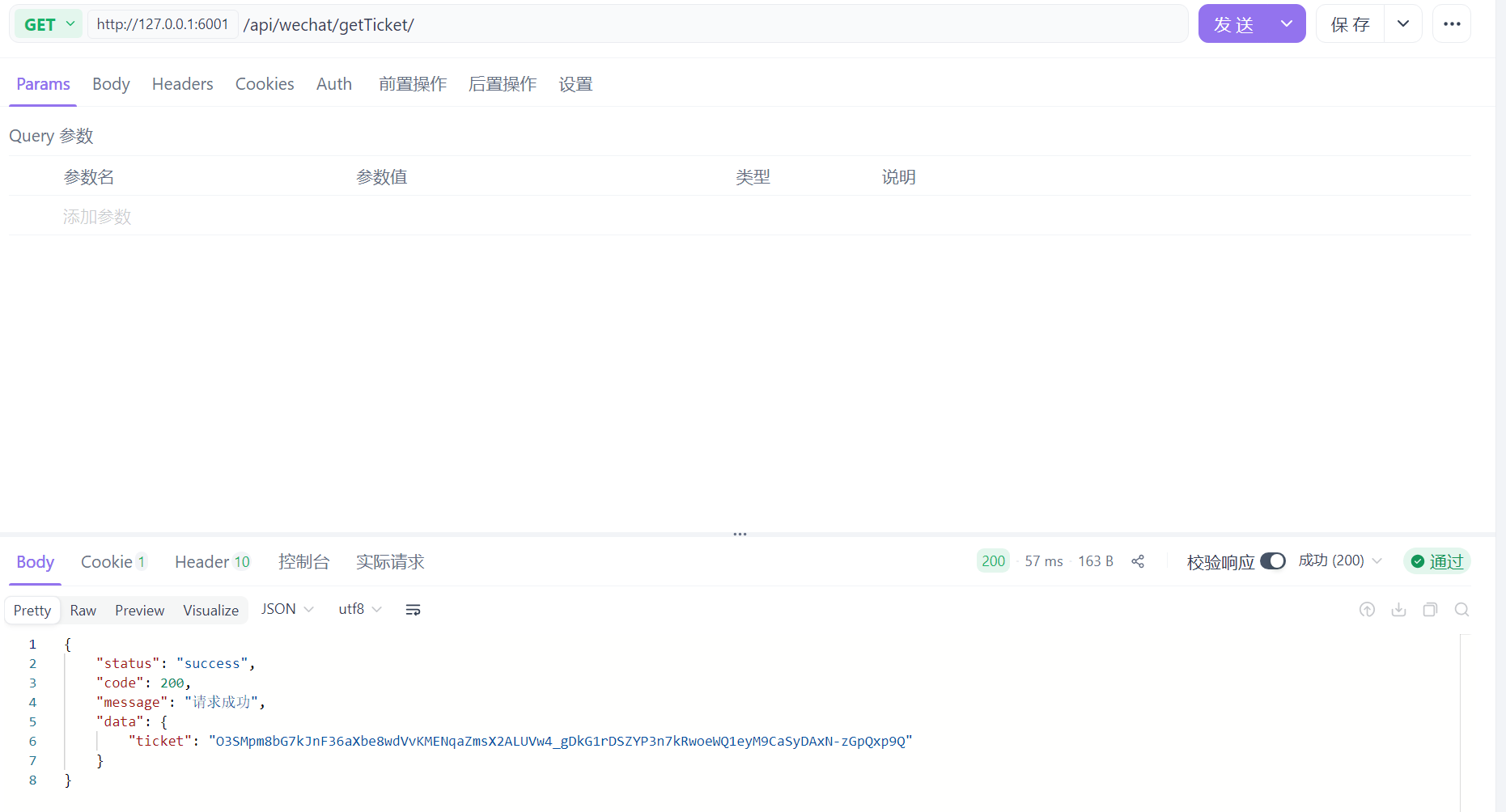
3.使用第三步获取到的临时票据jsapi_ticket生成签名,签名算法文档:https://developers.weixin.qq.com/doc/subscription/guide/h5/jssdk.html#62,签名校验工具:https://mp.weixin.qq.com/debug/cgi-bin/sandbox?t=jsapisign
import hashlib
import random
import time
from curl_cffi import requests
from django.conf import settings
from django.core.cache import caches
from rest_framework import status, viewsets
from rest_framework.decorators import action
from rest_framework.permissions import AllowAny
from rest_framework.response import Response
from yarl import URL
@action(detail=False, url_path='getSignature',methods=['get'])
def get_signature(self, request):
"""
生成微信JS-SDK签名
签名算法文档:https://developers.weixin.qq.com/doc/subscription/guide/h5/jssdk.html#62
签名校验工具:https://mp.weixin.qq.com/debug/cgi-bin/sandbox?t=jsapisign
"""
noncestr = ''.join(random.choices('abcdefghijklmnopqrstuvwxyz0123456789', k=32))
timestamp = str(int(time.time()))
ticket_response = self.get_ticket(request)
ticket = ticket_res 最低0.47元/天 解锁文章






 扫一扫
扫一扫


 791
791

 被折叠的 条评论
为什么被折叠?
被折叠的 条评论
为什么被折叠?
 到【灌水乐园】发言





