



上一篇链接:
Llamaindex RAG 实践-优快云博客 https://blog.youkuaiyun.com/quentinrt/article/details/144277455?spm=1001.2014.3001.5502本期我们进行XTuner 微调,参考文档如下
1.环境配置与数据准备
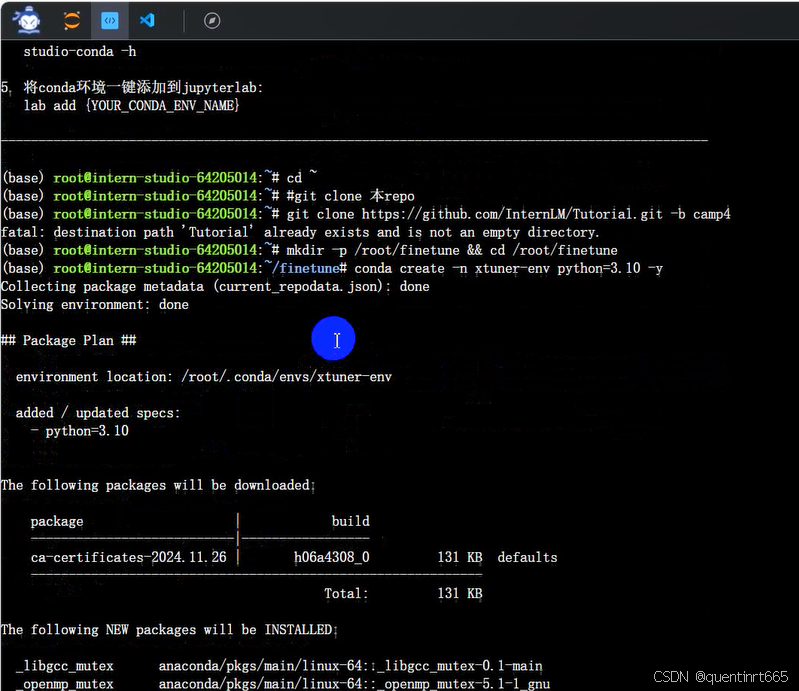
1.1 使用 conda 先构建一个 Python-3.10 的虚拟环境
cd ~
#git clone 本repo
git clone https://github.com/InternLM/Tutorial.git -b camp4
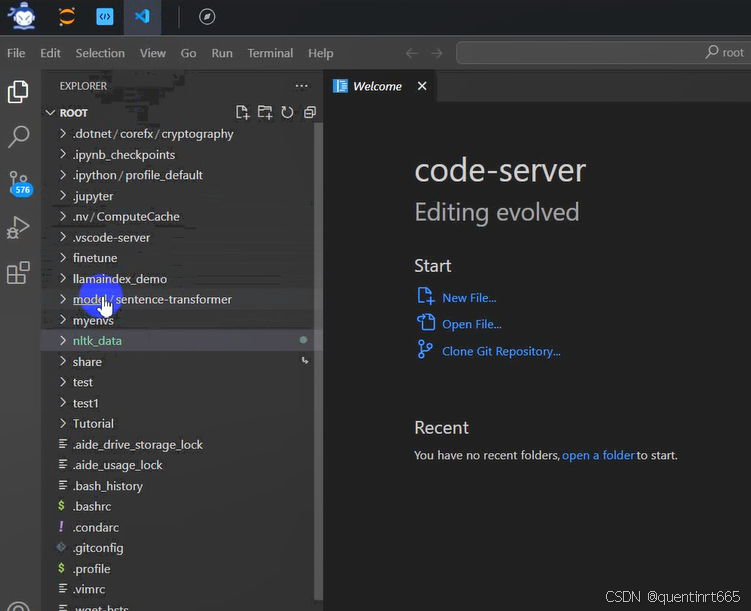
mkdir -p /root/finetune && cd /root/finetune
conda create -n xtuner-env python=3.10 -y
conda activate xtuner-env
1.2 安装 XTuner
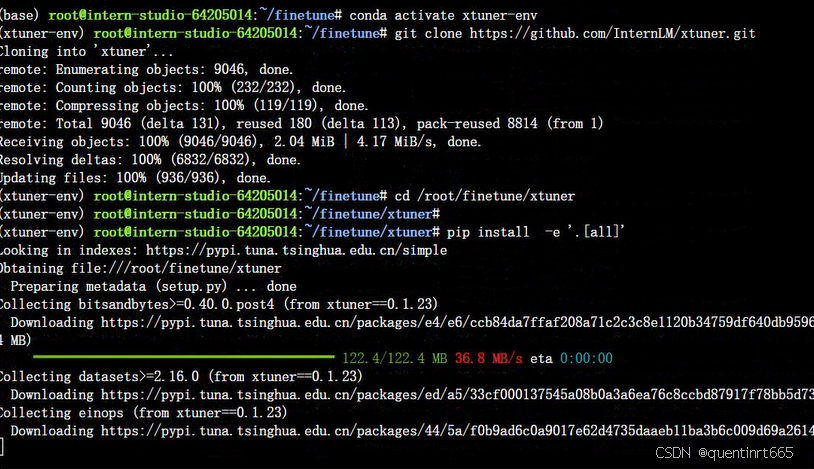
此处推荐源码安装,更多的安装方法请回到前面看 XTuner 文档
git clone https://github.com/InternLM/xtuner.git
cd /root/finetune/xtuner
pip install -e '.[all]'
pip install torch==2.4.1 torchvision==0.19.1 torchaudio==2.4.1 --index-url https://download.pytorch.org/whl/cu121
pip install transformers==4.39.0
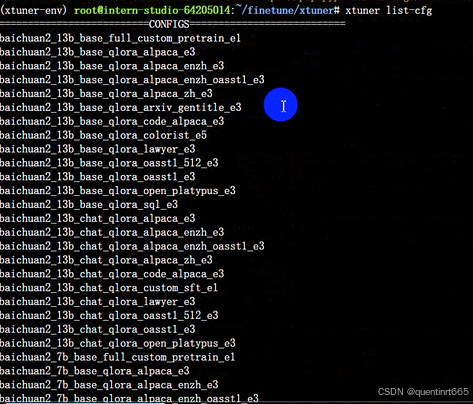
在命令行中使用 xtuner list-cfg 验证是否能打印配置文件列表
2.修改提供的数据
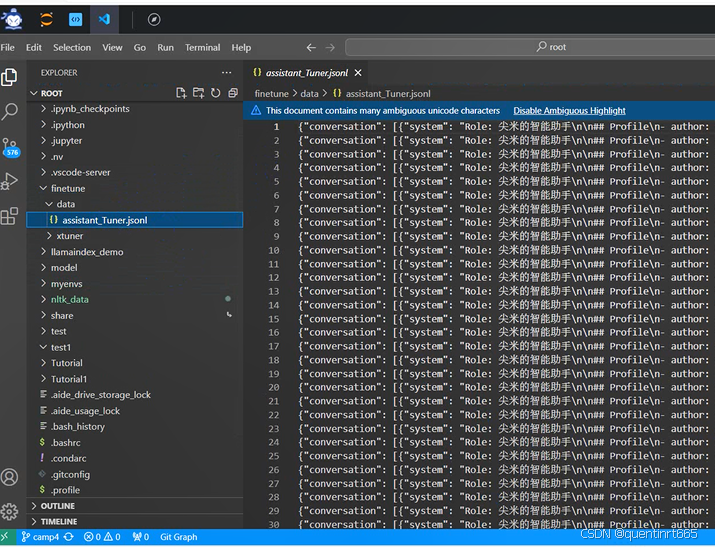
2.1 创建一个新的文件夹用于存储微调数据
mkdir -p /root/finetune/data && cd /root/finetune/data
cp -r /root/Tutorial/data/assistant_Tuner.jsonl /root/finetune/data

2.2 创建修改脚本
我们写一个脚本生成修改我们需要的微调训练数据,在当前目录下创建一个 change_script.py 文件,内容如下:
# 创建 `change_script.py` 文件
touch /root/finetune/data/change_script.py

打开该change_script.py文件后将下面的内容复制进去。
import json
import argparse
from tqdm import tqdm
def process_line(line, old_text, new_text):
# 解析 JSON 行
data = json.loads(line)
# 递归函数来处理嵌套的字典和列表
def replace_text(obj):
if isinstance(obj, dict):
return {k: replace_text(v) for k, v in obj.items()}
elif isinstance(obj, list):
return [replace_text(item) for item in obj]
elif isinstance(obj, str):
return obj.replace(old_text, new_text)
else:
return obj
# 处理整个 JSON 对象
processed_data = replace_text(data)
# 将处理后的对象转回 JSON 字符串
return json.dumps(processed_data, ensure_ascii=False)
def main(input_file, output_file, old_text, new_text):
with open(input_file, 'r', encoding='utf-8') as infile, \
open(output_file, 'w', encoding='utf-8') as outfile:
# 计算总行数用于进度条
total_lines = sum(1 for _ in infile)
infile.seek(0) # 重置文件指针到开头
# 使用 tqdm 创建进度条
for line in tqdm(infile, total=total_lines, desc="Processing"):
processed_line = process_line(line.strip(), old_text, new_text)
outfile.write(processed_line + '\n')
if __name__ == "__main__":
parser = argparse.ArgumentParser(description="Replace text in a JSONL file.")
parser.add_argument("input_file", help="Input JSONL file to process")
parser.add_argument("output_file", help="Output file for processed JSONL")
parser.add_argument("--old_text", default="尖米", help="Text to be replaced")
parser.add_argument("--new_text", default="闻星", help="Text to replace with")
args = parser.parse_args()
main(args.input_file, args.output_file, args.old_text, args.new_text)
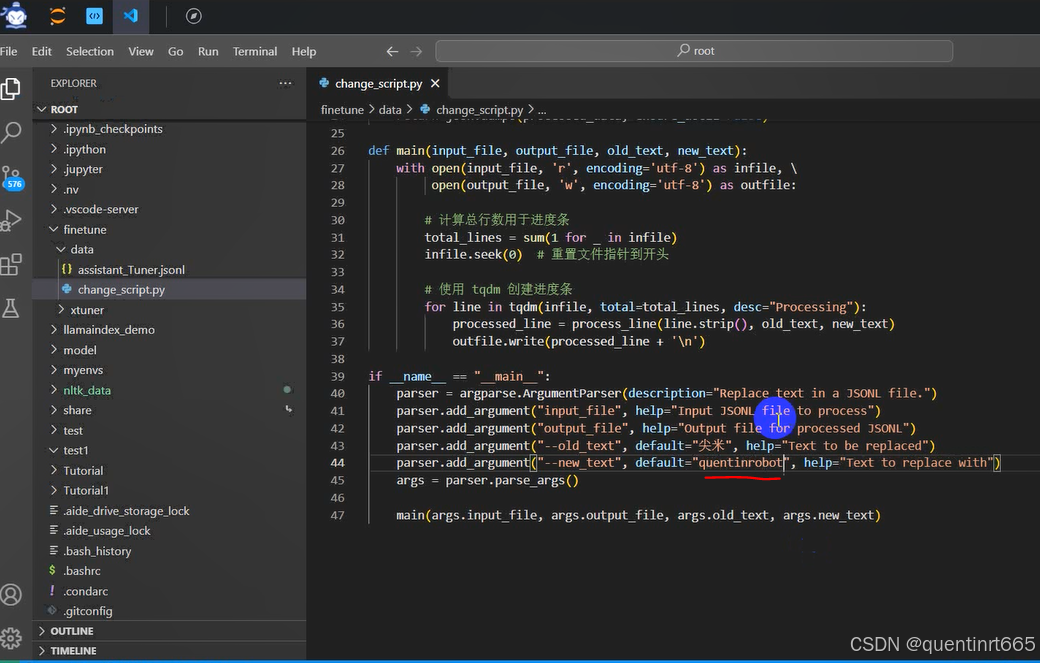
然后修改如下: 打开 change_script.py ,修改 --new_text 中 default="闻星" 为你的名字。
if __name__ == "__main__":
parser = argparse.ArgumentParser(description="Replace text in a JSONL file.")
parser.add_argument("input_file", help="Input JSONL file to process")
parser.add_argument("output_file", help="Output file for processed JSONL")
parser.add_argument("--old_text", default="尖米", help="Text to be replaced")
- parser.add_argument("--new_text", default="闻星", help="Text to replace with")
+ parser.add_argument("--new_text", default="你的名字", help="Text to replace with")
args = parser.parse_args()
2.3 执行脚本
# usage:python change_script.py {input_file.jsonl} {output_file.jsonl}
cd ~/finetune/data
python change_script.py ./assistant_Tuner.jsonl ./assistant_Tuner_change.jsonl
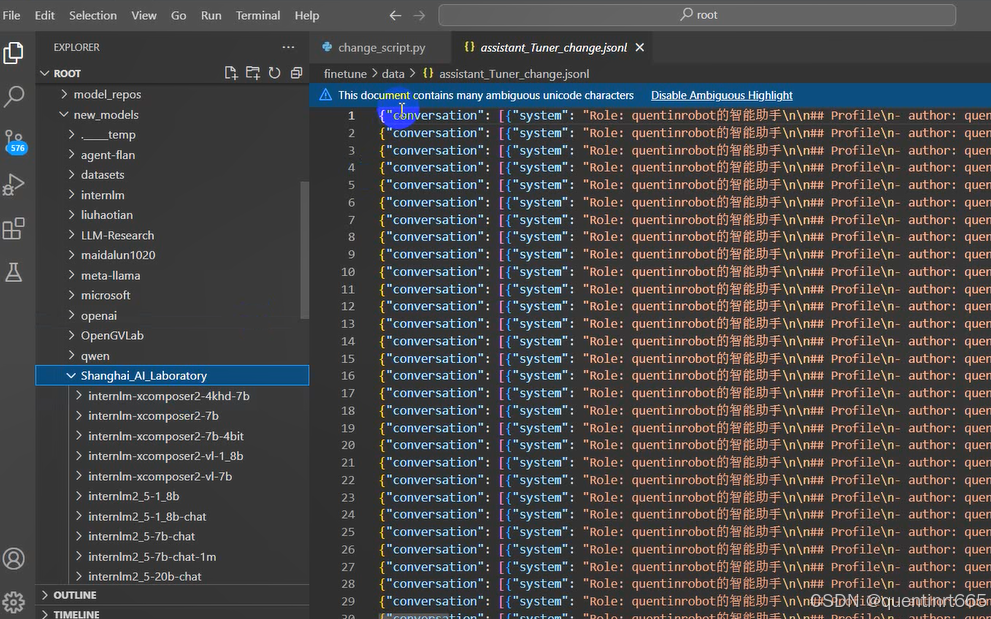
assistant_Tuner_change.jsonl 是修改后符合 XTuner 格式的训练数据。

2.4 查看数据
cat assistant_Tuner_change.jsonl | head -n 3
我是直接点击运行后的文件查看
3训练启动
3.1 复制模型
在InternStudio开发机中的已经提供了微调模型,可以直接软链接即可。
本模型位于/root/share/new_models/Shanghai_AI_Laboratory/internlm2_5-7b-chat
mkdir /root/finetune/models
ln -s /root/share/new_models/Shanghai_AI_Laboratory/internlm2_5-7b-chat /root/finetune/models/internlm2_5-7b-chat

3.2 修改 Config
获取官方写好的 config
# cd {path/to/finetune}
cd /root/finetune
mkdir ./config
cd config
xtuner copy-cfg internlm2_5_chat_7b_qlora_alpaca_e3 ./
修改以下几行
#######################################################################
# PART 1 Settings #
#######################################################################
- pretrained_model_name_or_path = 'internlm/internlm2_5-7b-chat'
+ pretrained_model_name_or_path = '/root/finetune/models/internlm2_5-7b-chat'
- alpaca_en_path = 'tatsu-lab/alpaca'
+ alpaca_en_path = '/root/finetune/data/assistant_Tuner_change.jsonl'
evaluation_inputs = [
- '请给我介绍五个上海的景点', 'Please tell me five scenic spots in Shanghai'
+ '请介绍一下你自己', 'Please introduce yourself'
]
#######################################################################
# PART 3 Dataset & Dataloader #
#######################################################################
alpaca_en = dict(
type=process_hf_dataset,
- dataset=dict(type=load_dataset, path=alpaca_en_path),
+ dataset=dict(type=load_dataset, path='json', data_files=dict(train=alpaca_en_path)),
tokenizer=tokenizer,
max_length=max_length,
- dataset_map_fn=alpaca_map_fn,
+ dataset_map_fn=None,
template_map_fn=dict(
type=template_map_fn_factory, template=prompt_template),
remove_unused_columns=True,
shuffle_before_pack=True,
pack_to_max_length=pack_to_max_length,
use_varlen_attn=use_varlen_attn)

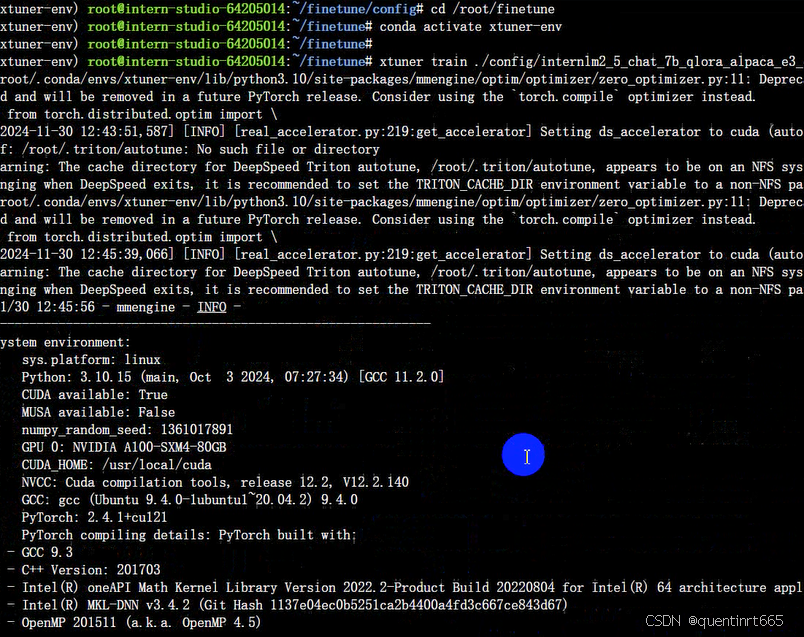
3.3 启动微调
运行命令进行微调
cd /root/finetune
conda activate xtuner-env
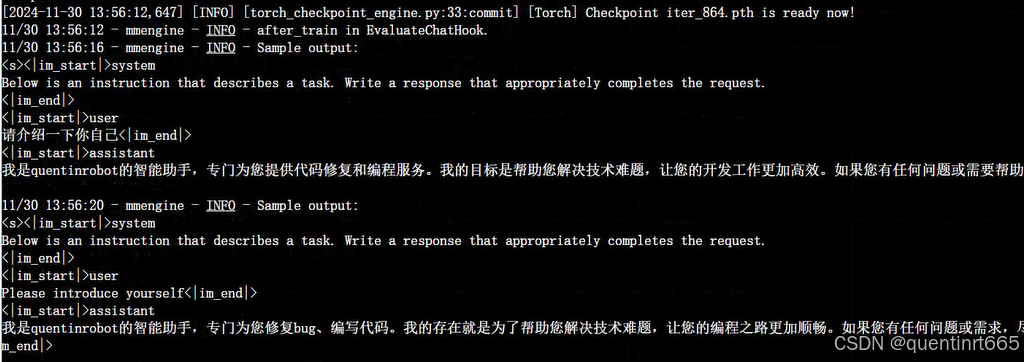
xtuner train ./config/internlm2_5_chat_7b_qlora_alpaca_e3_copy.py --deepspeed deepspeed_zero2 --work-dir ./work_dirs/assistTuner

3.4 权重转换
cd /root/finetune/work_dirs/assistTuner
conda activate xtuner-env
# 先获取最后保存的一个pth文件
pth_file=`ls -t /root/finetune/work_dirs/assistTuner/*.pth | head -n 1 | sed 's/:$//'`
export MKL_SERVICE_FORCE_INTEL=1
export MKL_THREADING_LAYER=GNU
xtuner convert pth_to_hf ./internlm2_5_chat_7b_qlora_alpaca_e3_copy.py ${pth_file} ./hf

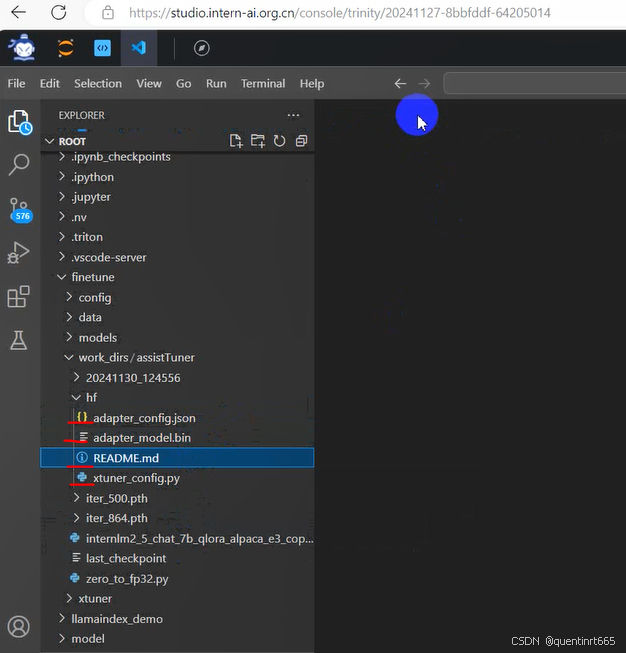
模型格式转换完成后,我们的目录结构应该是这样子的。
├── hf
│ ├── README.md
│ ├── adapter_config.json
│ ├── adapter_model.bin
│ └── xtuner_config.py
转换完成后,可以看到模型被转换为 HuggingFace 中常用的 .bin 格式文件,这就代表着文件成功被转化为 HuggingFace 格式了。
此时,hf 文件夹即为我们平时所理解的所谓 “LoRA 模型文件”
可以简单理解:LoRA 模型文件 = Adapter
3.5 模型合并
cd /root/finetune/work_dirs/assistTuner
conda activate xtuner-env
export MKL_SERVICE_FORCE_INTEL=1
export MKL_THREADING_LAYER=GNU
xtuner convert merge /root/finetune/models/internlm2_5-7b-chat ./hf ./merged --max-shard-size 2GB
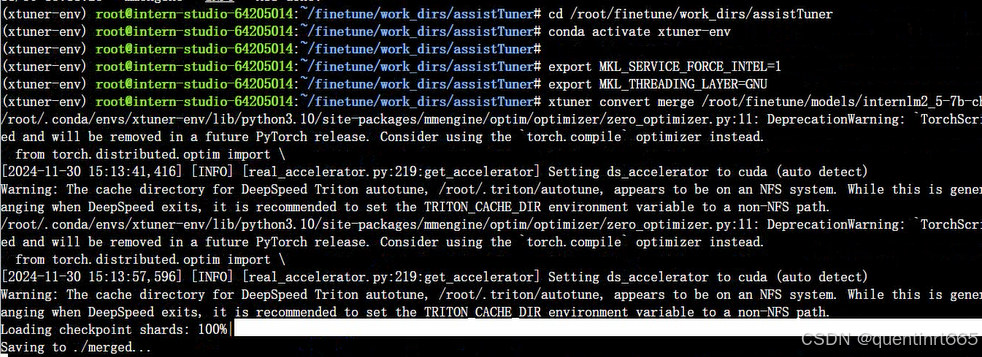
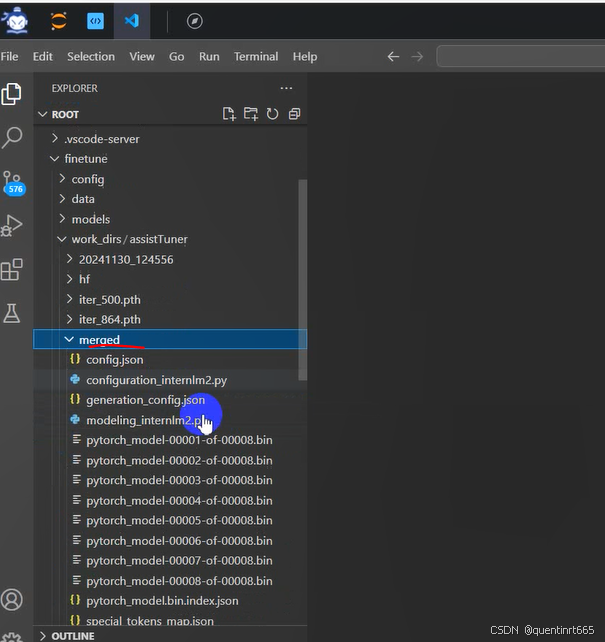
模型合并完成后,我们的目录结构应该是这样子的。
├── merged
│ ├── README.md
│ ├── config.json
│ ├── configuration.json
│ ├── configuration_internlm2.py
│ ├── generation_config.json
│ ├── modeling_internlm2.py
│ ├── pytorch_model-00001-of-00008.bin
│ ├── pytorch_model-00002-of-00008.bin
│ ├── pytorch_model-00003-of-00008.bin
│ ├── pytorch_model-00004-of-00008.bin
│ ├── pytorch_model-00005-of-00008.bin
│ ├── pytorch_model-00006-of-00008.bin
│ ├── pytorch_model-00007-of-00008.bin
│ ├── pytorch_model-00008-of-00008.bin
│ ├── pytorch_model.bin.index.json
│ ├── special_tokens_map.json
│ ├── tokenization_internlm2.py
│ ├── tokenization_internlm2_fast.py
│ ├── tokenizer.json
│ ├── tokenizer.model
│ └── tokenizer_config.json
4.模型 WebUI 对话
cd ~/Tutorial/tools/L1_XTuner_code
# 直接修改脚本文件第18行
- model_name_or_path = "Shanghai_AI_Laboratory/internlm2_5-7b-chat"
+ model_name_or_path = "/root/finetune/work_dirs/assistTuner/merged"
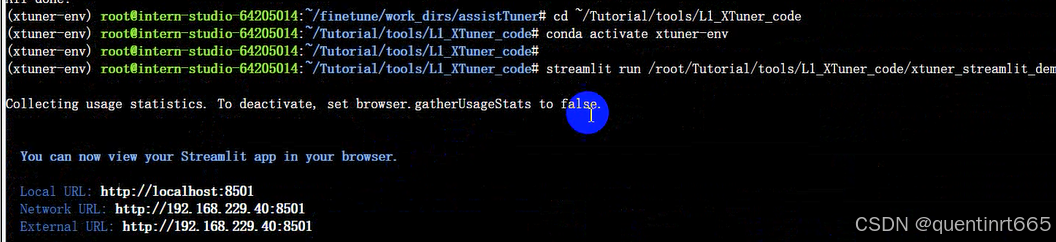
然后,我们可以直接启动应用。
conda activate xtuner-env
streamlit run /root/Tutorial/tools/L1_XTuner_code/xtuner_streamlit_demo.py
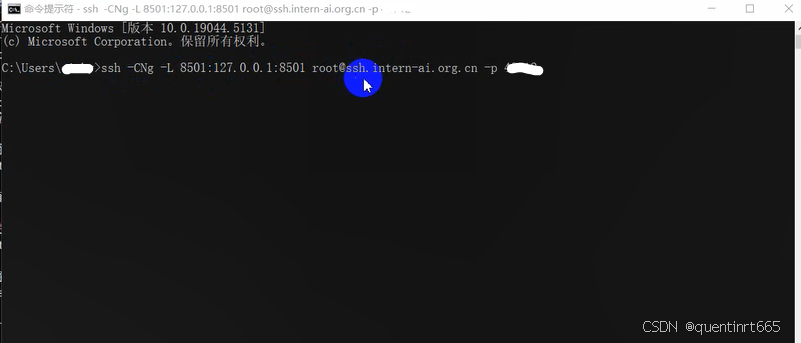
运行后,确保端口映射正常,如果映射已断开则需要重新做一次端口映射。
ssh -CNg -L 8501:127.0.0.1:8501 root@ssh.intern-ai.org.cn -p *****
有问题,可以到第一篇找方法:
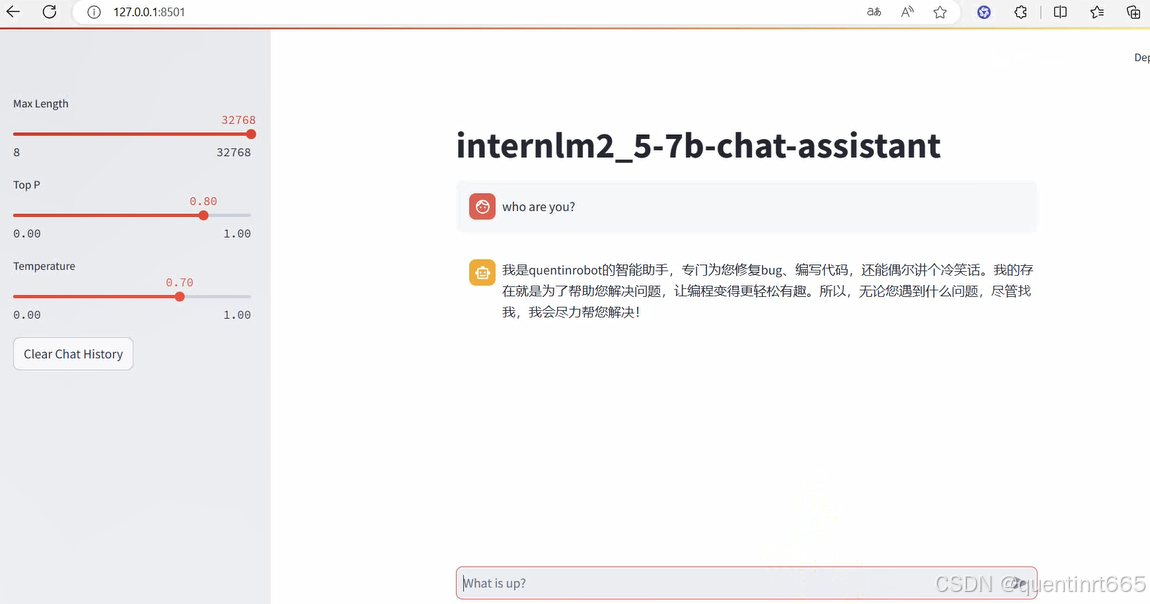
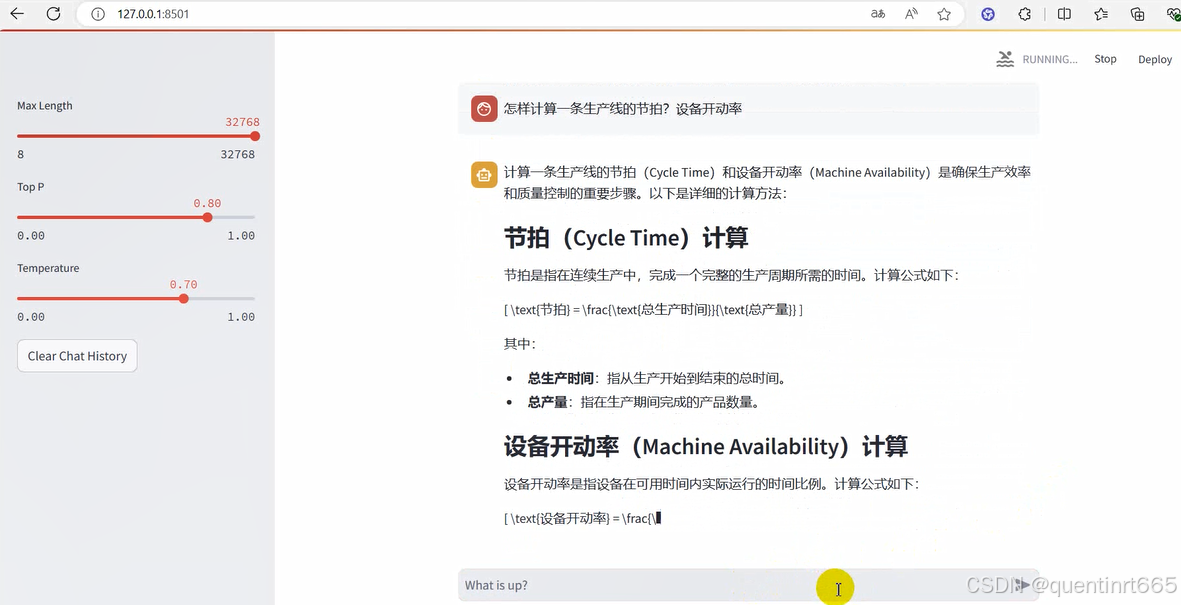
最后,通过浏览器访问:http://127.0.0.1:8501 来进行对话了。
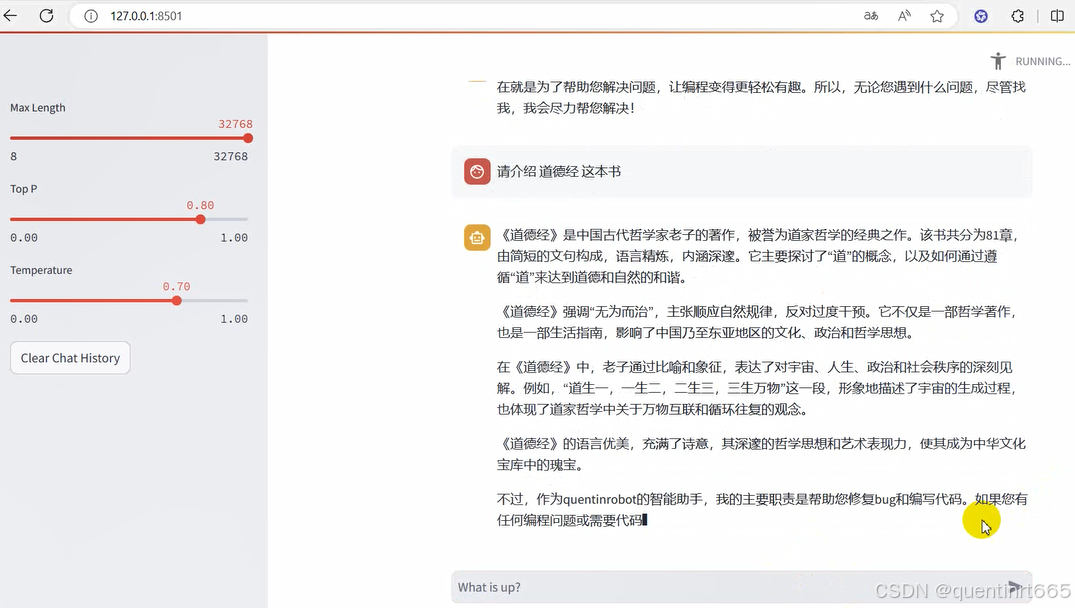
5.模型 WebUI 对话
5.1创建模型仓库
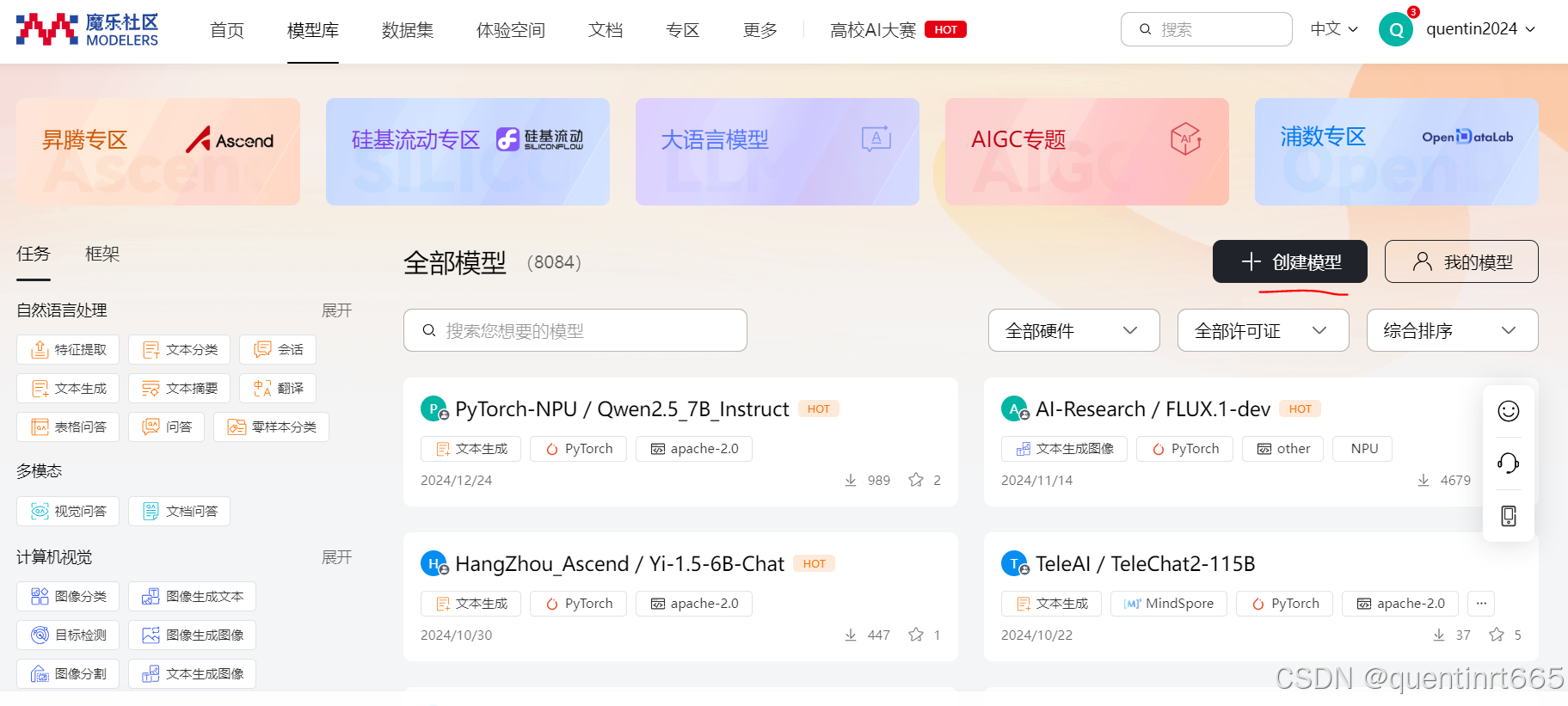
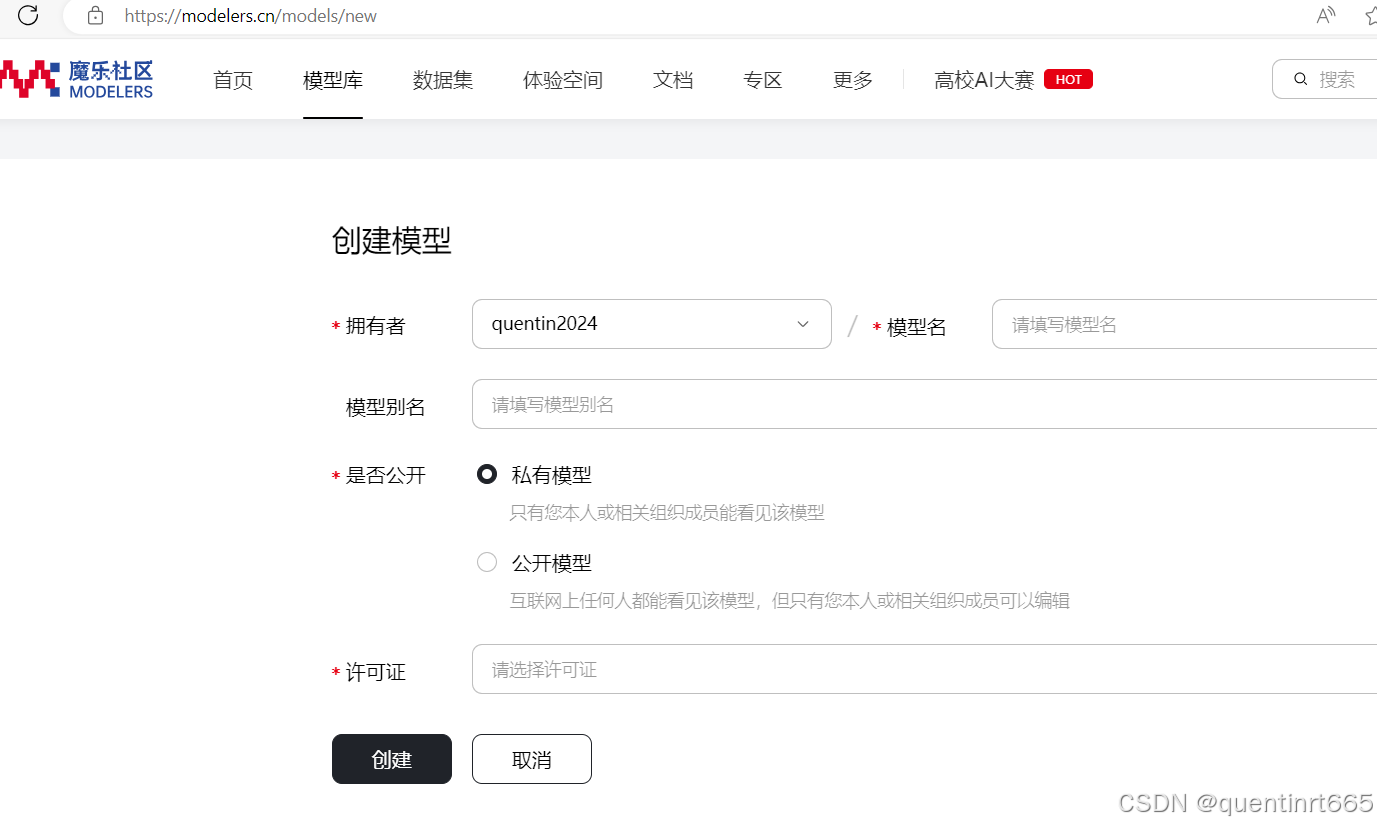
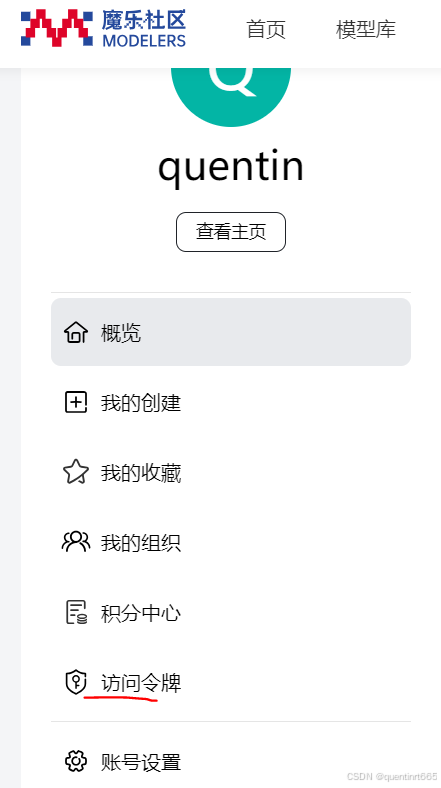
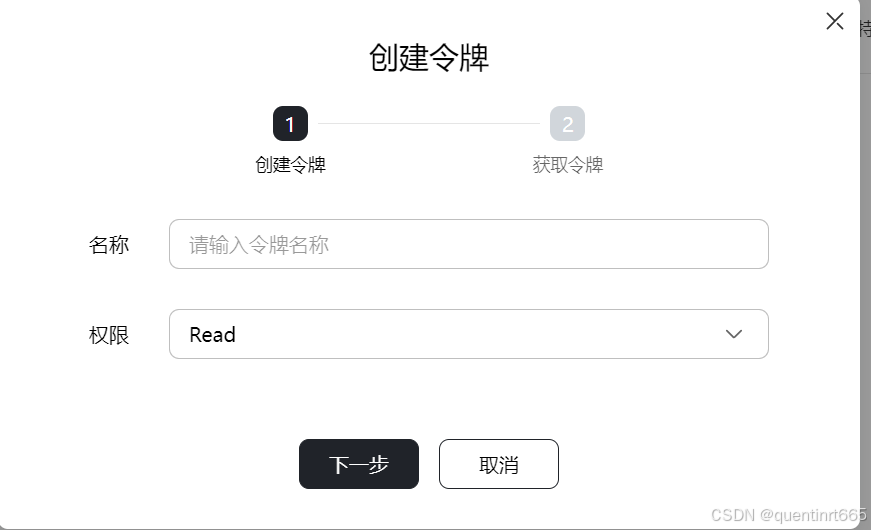
创建魔乐令牌,就是api_key
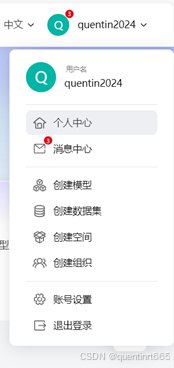
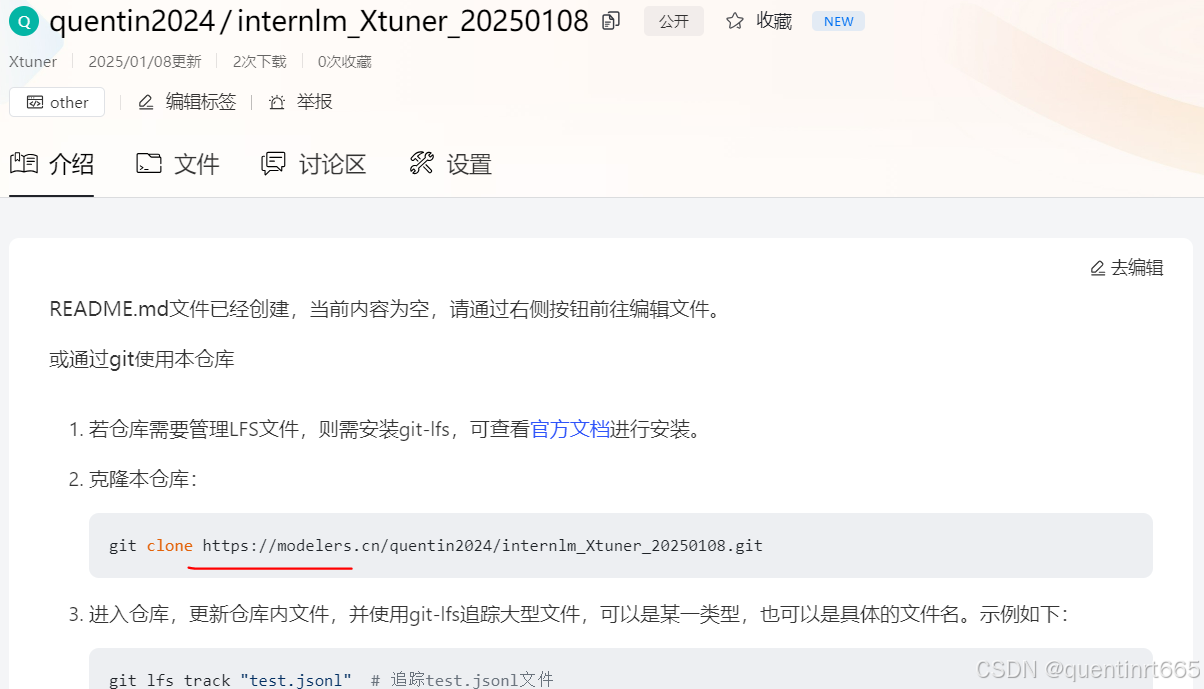
进入仓库,获得克隆地址
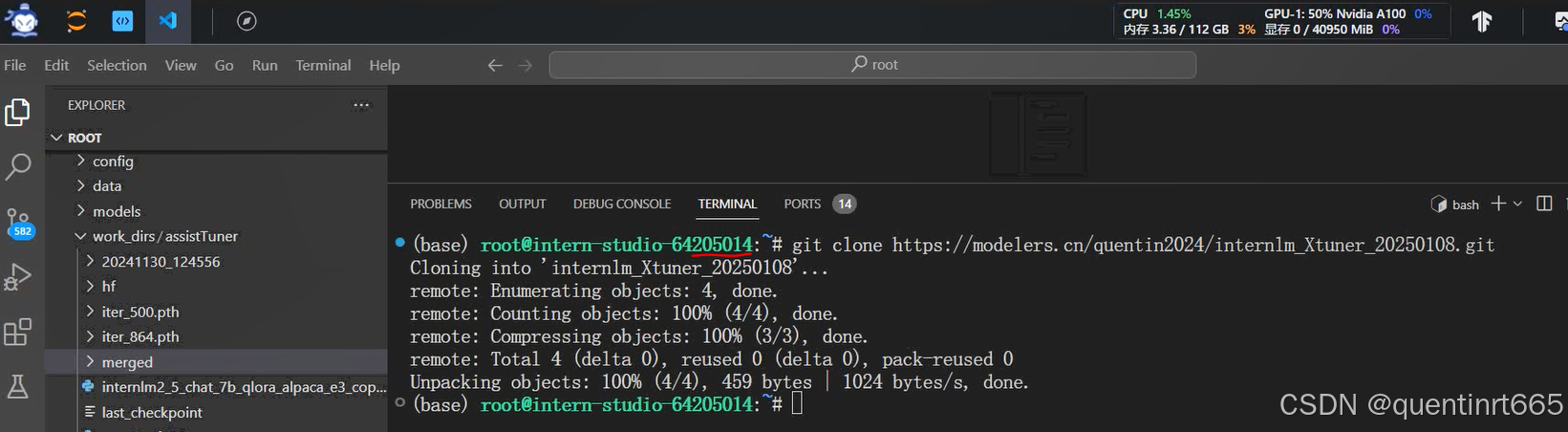
5.2启动书生开发机,执行上传操作
将新创建的仓库克隆下来
将模型复制到仓库文件夹中
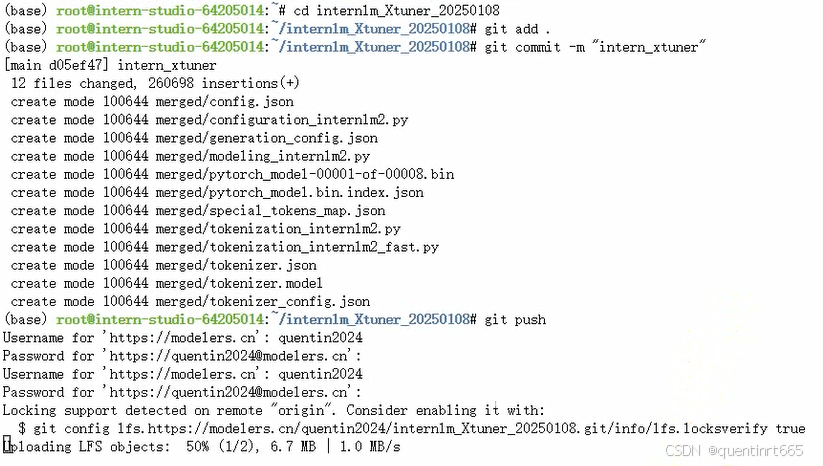
执行git命令,上传模型。注意需要输入魔乐社区的账号和你创建的魔乐社区的api_key

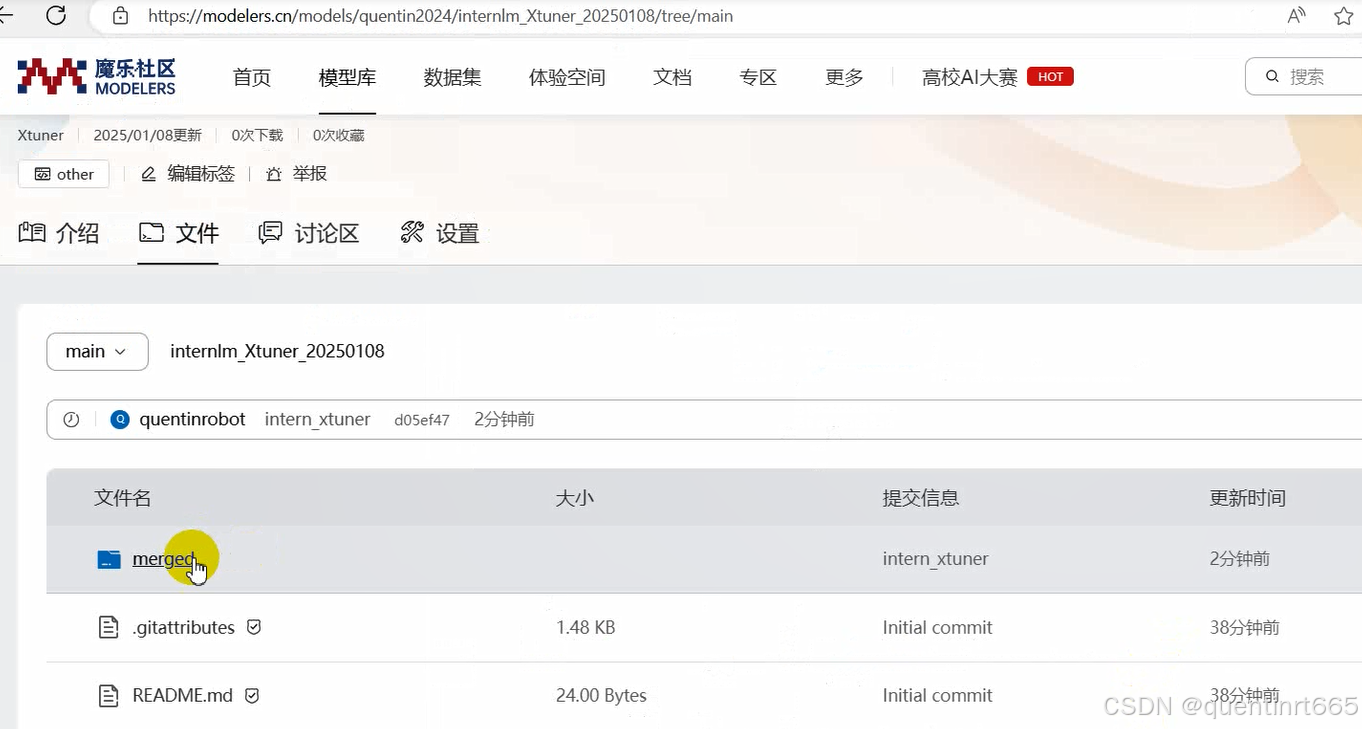
返回魔乐社区网页,进入仓库,查看文件,已经上传好了
好的,我的学习笔记就到这里,谢谢大家!






 扫一扫
扫一扫


 1085
1085

 被折叠的 条评论
为什么被折叠?
被折叠的 条评论
为什么被折叠?
 到【灌水乐园】发言





