


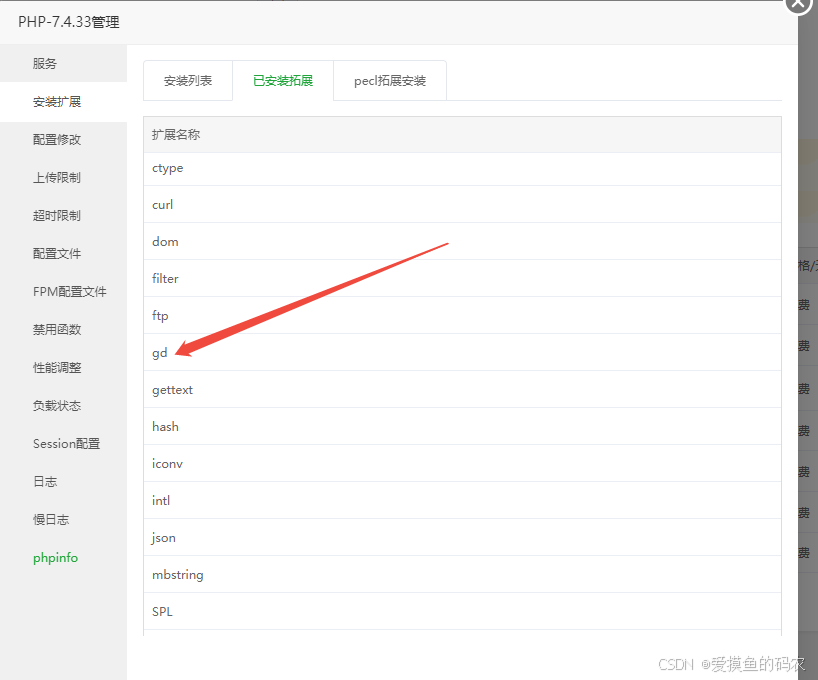
如果你的需求是在一张地图上增加各种文字 图片 然后保存这种图片 那么直接拿下面的方法用吧 别客气 检查好PHP是否安装GP插件就行
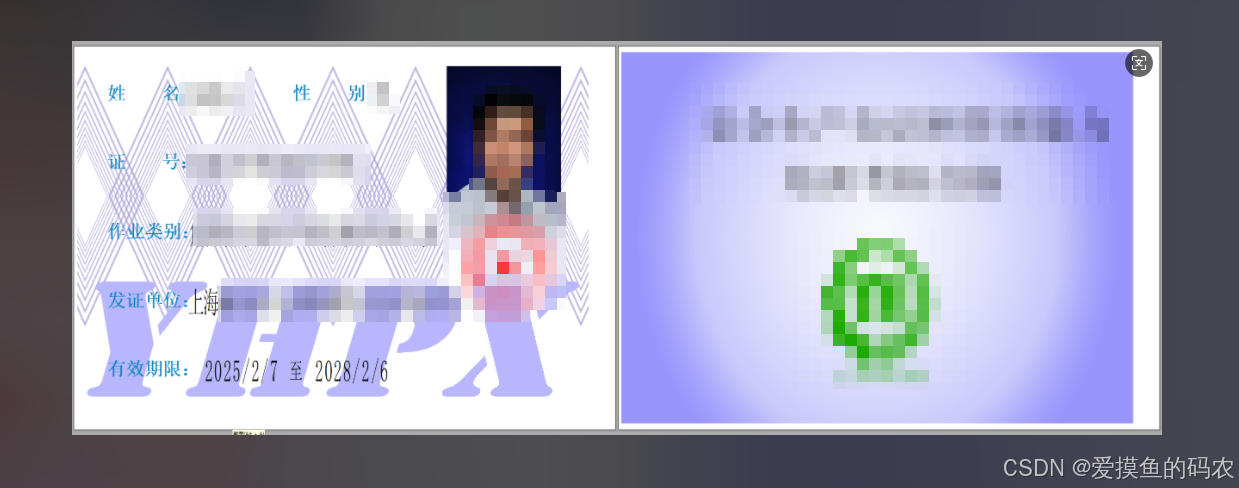
public function index()
	{
		// 底图路径
		$backgroundImagePath = 'https://www.yunhebaoming.cn/uploads/shili/beijing.png';

		// 加载底图
		$backgroundImage = imagecreatefromjpeg($backgroundImagePath);

		// 获取底图的宽度和高度
		list($backgroundWidth, $backgroundHeight) = getimagesize($backgroundImagePath);

		// 头像
		$smallImage1Path = 'https://www.yunhebaoming.cn/uploads/shili/333(1).png';
		$smallImage1 = imagecreatefrompng($smallImage1Path);
		list($smallWidth1, $smallHeight1) = getimagesize($smallImage1Path);
		$destX1 = 760; // 设置第一张小图的位置
		$destY1 = 90;
		imagecopy($backgroundImage, $smallImage1, $destX1, $destY1, 0, 0, $smallWidth1, $smallHeight1);
		imagedestroy($smallImage1); // 释放资源


		// 盖章
		$smallImage2Path = 'https://www.yunhebaoming.cn/uploads/shili/zhang.png';
		$smallImage2 = imagecreatefrompng($smallImage2Path);
		list($smallWidth2, $smallHeight2) = getimagesize($smallImage2Path);
		$destX2 = 690; // 设置第二张小图的位置(例如,右下角)
		$destY2 = 330;
		imagecopy($backgroundImage, $smallImage2, $destX2, $destY2, 0, 0, $smallWidth2, $smallHeight2);
		imagedestroy($smallImage2); // 释放资源


		// 二维码
		$smallImage3Path = 'https://www.yunhebaoming.cn/uploads/shili/code.png';
		$smallImage3 = imagecreatefrompng($smallImage3Path);
		list($smallWidth3, $smallHeight3) = getimagesize($smallImage3Path);
		$destX3 = 836; // 设置第二张小图的位置(例如,右下角)
		$destY3 = 465;
		imagecopy($backgroundImage, $smallImage3, $destX3, $destY3, 0, 0, $smallWidth3, $smallHeight3);
		imagedestroy($smallImage3); // 释放资源


		//==========================================================================================================
		$fontPath = './uploads/20250213/simhei.ttf'; // 确保字体文件存在
		$fontPath2 = './uploads/20250213/simhei.ttf'; // 确保字体文件存在

		// 模版姓名
		$card_name = '姓    名:';
		$textColor1 = imagecolorallocate($backgroundImage, 0, 114, 185); // 白色
		$fontSize1 = 25;
		$textPosition1 = [60, 120]; // 设置第一段文字的位置
		imagettftext($backgroundImage, $fontSize1, 0, $textPosition1[0], $textPosition1[1], $textColor1, $fontPath, $card_name);

		// 模版性别
		$card_sex = '性    别:';
		$textColor2 = imagecolorallocate($backgroundImage, 0, 114, 185); // 黑色
		$fontSize2 = 25;
		$textPosition2 = [420, 120]; // 设置第二段文字的位置(例如,底部)
		imagettftext($backgroundImage, $fontSize2, 0, $textPosition2[0], $textPosition2[1], $textColor2, $fontPath, $card_sex);

		// 模版证号
		$card_num = '证    号:';
		$textColor1 = imagecolorallocate($backgroundImage, 0, 114, 185); // 白色
		$fontSize1 = 25;
		$textPosition1 = [60, 230]; // 设置第一段文字的位置
		imagettftext($backgroundImage, $fontSize1, 0, $textPosition1[0], $textPosition1[1], $textColor1, $fontPath, $card_num);

		// 添加第一段文字
		$card_type = '作业类别:';
		$textColor1 = imagecolorallocate($backgroundImage, 0, 114, 185); // 白色
		$fontSize1 = 25;
		$textPosition1 = [60, 340]; // 设置第一段文字的位置
		imagettftext($backgroundImage, $fontSize1, 0, $textPosition1[0], $textPosition1[1], $textColor1, $fontPath, $card_type);

		// 模版发证单位
		$card_unit = '发证单位:';
		$textColor1 = imagecolorallocate($backgroundImage, 0, 114, 185); // 白色
		$fontSize1 = 25;
		$textPosition1 = [60, 450]; // 设置第一段文字的位置
		imagettftext($backgroundImage, $fontSize1, 0, $textPosition1[0], $textPosition1[1], $textColor1, $fontPath, $card_unit);

		// 模版有效期限
		$card_time = '有效期限:';
		$textColor1 = imagecolorallocate($backgroundImage, 0, 114, 185); // 白色
		$fontSize1 = 25;
		$textPosition1 = [60, 550]; // 设置第一段文字的位置
		imagettftext($backgroundImage, $fontSize1, 0, $textPosition1[0], $textPosition1[1], $textColor1, $fontPath, $card_time);

		//========================================================================================================


		//正式动态内容
		// 模版姓名
		$name = '张三呀';
		$textColor1 = imagecolorallocate($backgroundImage, 0, 0, 0);
		$fontSize1 = 27;
		$textPosition1 = [205, 122]; // 设置第一段文字的位置
		imagettftext($backgroundImage, $fontSize1, 0, $textPosition1[0], $textPosition1[1], $textColor1, $fontPath2, $name);

		// 模版性别
		$sex = '男';
		$textColor2 = imagecolorallocate($backgroundImage, 0, 0, 0);
		$fontSize2 = 27;
		$textPosition2 = [570, 122]; // 设置第二段文字的位置(例如,底部)
		imagettftext($backgroundImage, $fontSize2, 0, $textPosition2[0], $textPosition2[1], $textColor2, $fontPath2, $sex);

		// 模版证号
		$num = '123456789098765432';
		$textColor1 = imagecolorallocate($backgroundImage, 0, 0, 0);
		$fontSize1 = 27;
		$textPosition1 = [205, 231]; // 设置第一段文字的位置
		imagettftext($backgroundImage, $fontSize1, 0, $textPosition1[0], $textPosition1[1], $textColor1, $fontPath2, $num);

		// 添加第一段文字
		$type = '生产经营单位安全生产管理人员';
		$textColor1 = imagecolorallocate($backgroundImage, 0, 0, 0);
		$fontSize1 = 27;
		$textPosition1 = [205, 341]; // 设置第一段文字的位置
		imagettftext($backgroundImage, $fontSize1, 0, $textPosition1[0], $textPosition1[1], $textColor1, $fontPath2, $type);

		// 模版发证单位
		$unit = '上海浦东新区云和特种作业安全培训中心';
		$textColor1 = imagecolorallocate($backgroundImage, 0, 0, 0);
		$fontSize1 = 27;
		$textPosition1 = [205, 451]; // 设置第一段文字的位置
		imagettftext($backgroundImage, $fontSize1, 0, $textPosition1[0], $textPosition1[1], $textColor1, $fontPath2, $unit);

		// 模版有效期限
		$time = '2023/02/03  至  2028/03/08';
		$textColor1 = imagecolorallocate($backgroundImage, 0, 0, 0);
		$fontSize1 = 27;
		$textPosition1 = [205, 551]; // 设置第一段文字的位置
		imagettftext($backgroundImage, $fontSize1, 0, $textPosition1[0], $textPosition1[1], $textColor1, $fontPath2, $time);


//		 保存最终图像到指定位置
		$outputImagePath = './uploads/images/output_image.jpg';
		imagejpeg($backgroundImage, $outputImagePath);

		// 释放底图资源
		imagedestroy($backgroundImage);

		// 返回成功响应
		return json(['status' => 'success', 'path' => $outputImagePath]);
	}





 扫一扫
扫一扫


 8910
8910

 被折叠的 条评论
为什么被折叠?
被折叠的 条评论
为什么被折叠?
 到【灌水乐园】发言





