


如果碰到需要这种人脸识别的逻辑 可以调用阿里云的这个接口
费用大概是8毛钱一次
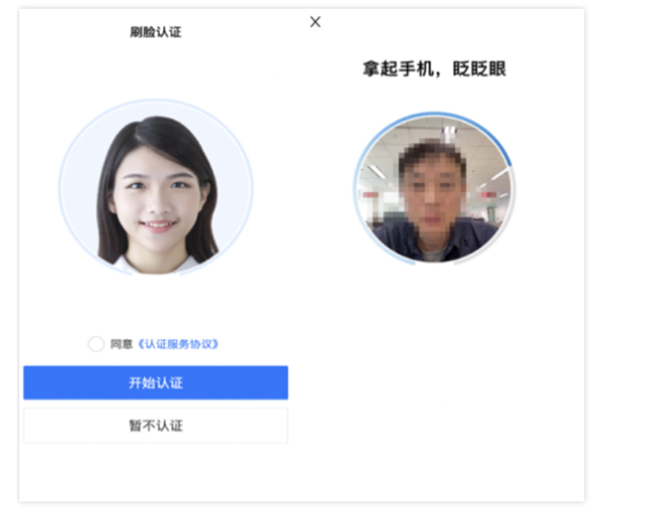
本人是觉得阿里官方的SDK不好用 自己想写的 具体业务逻辑可以修改 这个当个demo看个乐呵就行了
实人认证_身份认证_人脸识别_安全-阿里云 在这个地址开通服务 需要企业认证
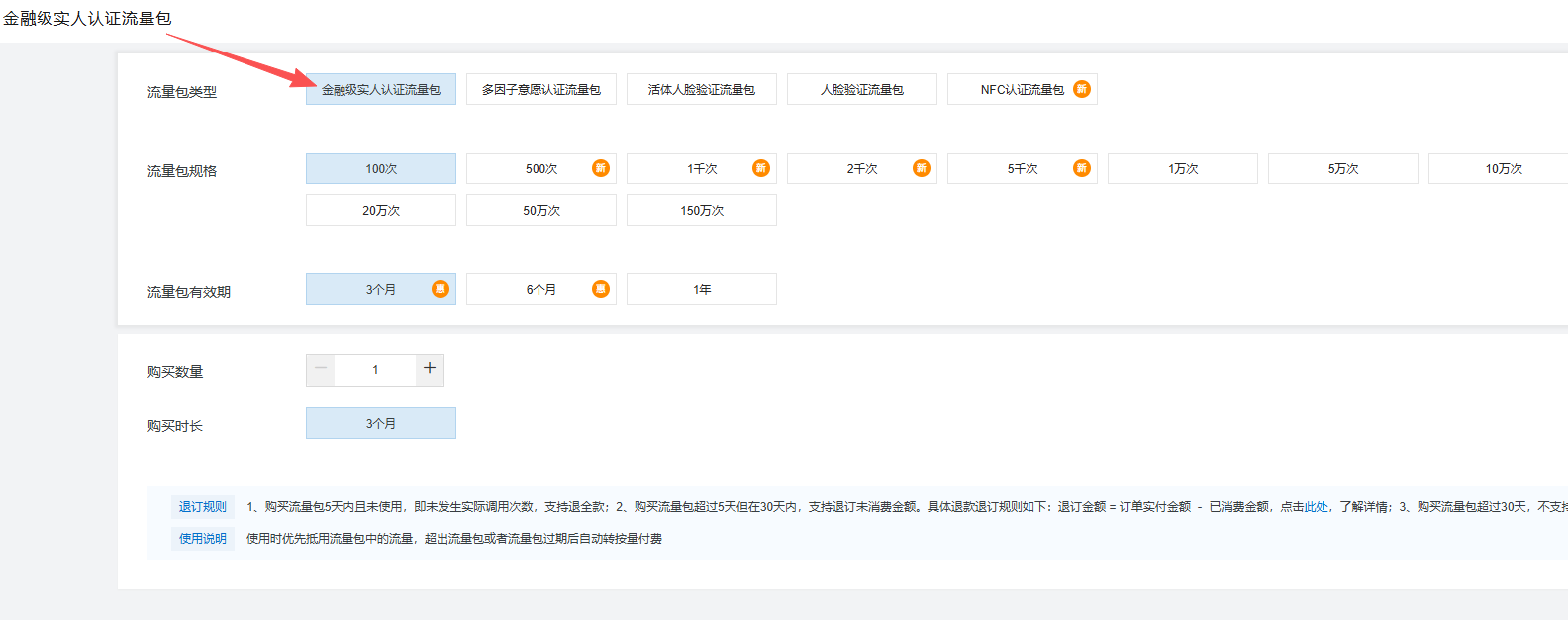
金融级实人认证流量包 购买在这儿购买流量包
调用InitFaceVerify在服务端发起认证请求并获取CertifyId-实人认证-阿里云 官方文档地址 前端需要配合调用对应的SDK
accessKeyId accessKeySecret sceneId
上面参数 前两个是阿里的AK 后面一个是实人认证的介入场景 配置后拿id即可
<?php

namespace app\api\controller;

use app\common\controller\Api;
use think\Db;

class Aliyun2 extends Api
{
    protected $noNeedLogin = [];
    protected $noNeedRight = '*';
    private $accessKeyId = 'xxxxxxxx';
    private $accessKeySecret = 'xxxxxxxxxx';
    private $endpoint = 'https://cloudauth.aliyuncs.com';
    private $sceneId = 1234567890000;

    public function initFaceVerify()
    {
        $metaInfo = $this->request->param('meta_info');
        $metaInfo = htmlspecialchars_decode($metaInfo);
        $certificate_name = $this->request->param('certificate_name');
        $certificate_number = $this->request->param('certificate_number');
        $userId = $this->auth->id;
        $model = $this->request->param('model', 'LIVENESS');
        $callbackUrl = $this->request->param('callback_url', '验证后的回调地址');
        if (empty($metaInfo)) {
            $this->error('缺少必要参数:meta_info');
        }
        $outerOrderNo = md5(uniqid('', true));
        $params = [
            'Action' => 'InitFaceVerify',
            'Version' => '2019-03-07',
            'SceneId' => $this->sceneId,
            'OuterOrderNo' => $outerOrderNo,
            'ProductCode' => 'LR_FR',
            'Model' => $model,
            'MetaInfo' => $metaInfo,
            'CertName' => $certificate_name,
            'CertNo' => $certificate_number,
        ];
        //修改姓名身份证到数据库
        Db::name('user')->where('id', $this->auth->id)->update([
            'name' => $certificate_name,
            'id_card' => $certificate_number,
        ]);


        if ($userId !== '') {
            $params['UserId'] = $userId;
        }
        if ($callbackUrl !== '') {
            $params['CallbackUrl'] = $callbackUrl;
        }
        $response = $this->requestAliyun($params);
        \think\Log::log($response, 'aliyun_response');

        if (!isset($response['Code']) || !in_array((string)$response['Code'], ['200', 'OK'])) {
            $this->error(isset($response['Message']) ? $response['Message'] : '请求失败', $response);
        }
        $certifyId = $response['CertifyId'] ?? ($response['ResultObject']['CertifyId'] ?? '');
        if ($certifyId === '') {
            $this->error('未获取到CertifyId', $response);
        }
        $this->success('请求成功', ['certifyId' => $certifyId, 'outerOrderNo' => $outerOrderNo]);
    }

    public function describeFaceVerify()
    {
        $certifyId = $this->request->param('certify_id');
        if (empty($certifyId)) {
            $this->error('缺少必要参数:certify_id');
        }
        $params = [
            'Action' => 'DescribeFaceVerify',
            'Version' => '2019-03-07',
            'SceneId' => $this->sceneId,
            'CertifyId' => $certifyId,
        ];
        $response = $this->requestAliyun($params);
        if (!isset($response['Code']) || (string)$response['Code'] !== '200') {
            $this->error(isset($response['Message']) ? $response['Message'] : '查询失败', $response);
        }
        $passed = $response['ResultObject']['Passed'] ?? '';
        $subCode = $response['ResultObject']['SubCode'] ?? '';
        $this->success('查询成功', [
            'passed' => $passed,
            'subCode' => $subCode,
            'result' => $response['ResultObject'] ?? [],
        ]);
    }

    private function requestAliyun($params)
    {
        $publicParams = [
            'Format' => 'JSON',
            'SignatureMethod' => 'HMAC-SHA1',
            'SignatureNonce' => md5(uniqid(mt_rand(), true)),
            'SignatureVersion' => '1.0',
            'Timestamp' => gmdate('Y-m-d\TH:i:s\Z'),
            'AccessKeyId' => $this->accessKeyId,
        ];
        $finalParams = array_merge($publicParams, $params);
        $finalParams['Signature'] = $this->computeSignature($finalParams, $this->accessKeySecret);
        $url = $this->endpoint . '/?' . http_build_query($finalParams);
        $ch = curl_init();
        curl_setopt($ch, CURLOPT_URL, $url);
        curl_setopt($ch, CURLOPT_RETURNTRANSFER, 1);
        curl_setopt($ch, CURLOPT_TIMEOUT, 10);
        curl_setopt($ch, CURLOPT_SSL_VERIFYPEER, false);
        curl_setopt($ch, CURLOPT_SSL_VERIFYHOST, false);
        curl_setopt($ch, CURLOPT_POST, 1);
        curl_setopt($ch, CURLOPT_POSTFIELDS, http_build_query($finalParams));
        $result = curl_exec($ch);
        $error = curl_error($ch);
        curl_close($ch);
        if ($error) {
            throw new \Exception('CURL Error: ' . $error);
        }
        $json = json_decode($result, true);
        if (json_last_error() !== JSON_ERROR_NONE) {
            throw new \Exception('JSON Decode Error: ' . json_last_error_msg() . ' Raw: ' . $result);
        }
        return $json;
    }

    private function computeSignature($parameters, $accessKeySecret)
    {
        ksort($parameters);
        $canonicalizedQueryString = '';
        foreach ($parameters as $key => $value) {
            $canonicalizedQueryString .= '&' . $this->percentEncode($key) . '=' . $this->percentEncode($value);
        }
        $stringToSign = 'POST&%2F&' . $this->percentEncode(substr($canonicalizedQueryString, 1));
        $signature = base64_encode(hash_hmac('sha1', $stringToSign, $accessKeySecret . '&', true));
        return $signature;
    }

    private function percentEncode($str)
    {
        $res = urlencode($str);
        $res = str_replace('+', '%20', $res);
        $res = str_replace('*', '%2A', $res);
        $res = str_replace('%7E', '~', $res);
        return $res;
    }


    //实名认证成功
    public function success_initFaceVerify()
    {
        Db::name('user')->where('id', $this->auth->id)->update(['is_autonym' => 2]);
        $this->success('认证成功');
    }
}





 扫一扫
扫一扫


 970
970

 被折叠的 条评论
为什么被折叠?
被折叠的 条评论
为什么被折叠?
 到【灌水乐园】发言





