



VBA代码了解——弹框、提取内容
编写代码,插入模块,开始编写代码:
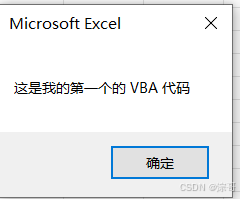
编写代码,弹出弹框
    'Sub 表示一个程序,理解为一段代码的集合
Sub 编写第一个VBA代码()
    'MsgBox 弹出一个弹框,显示以下信息

    MsgBox "这是我的第一个的 VBA 代码"

End Sub
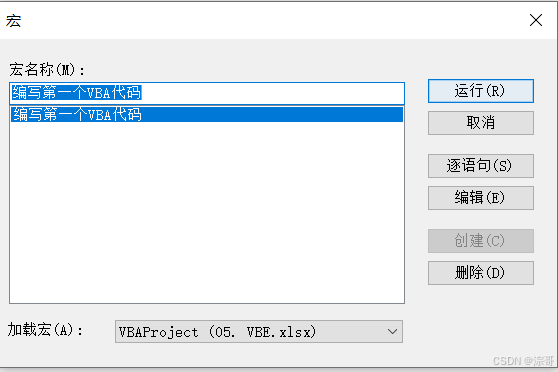
开始运行代码;
代码结果:
注:
1、vbe环境会自己补充代码,例如格式,大小写关键字,但不是万能的;
2、tab 的格式,对于多行代码,需要注意格式的问题;阅读代码方便;
编写代码,提取内容
    'Sub 表示一个程序,理解为一段代码的集合
Sub 编写第一个VBA代码()
    'MsgBox 弹出一个弹框,显示以下信息
    MsgBox "这是我的第一个的 VBA 代码"

    '提取单元格的内容
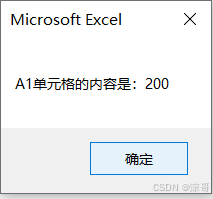
    MsgBox "A1单元格的内容是:" & Range("B2").Value

End Sub
代码结果:
变量的编写
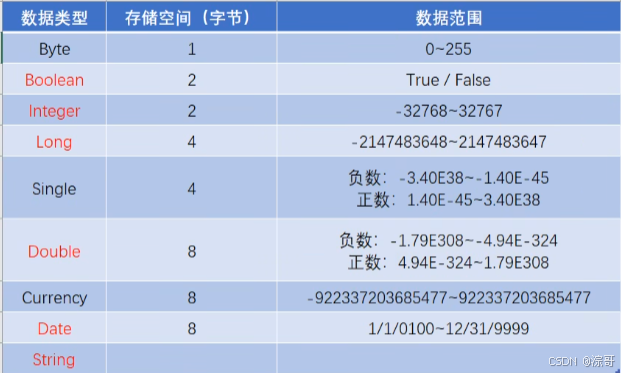
变量的含义
注:
字节:计算机中存储空间的大小;
变量三要素:
- 数据类型
- 变量名
- 变量值
案例
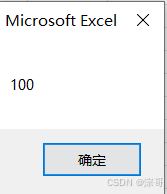
案例1:
Sub 变量()
    ' 声明定义一个变量,用Dim 给变量起名字,Score, 数据类型为整型
    Dim Score As Integer
    Score = 100
    MsgBox Score
End Sub
运行结果:
案例2:
代码:
Sub 变量()
    ' 声明定义一个变量,用Dim 给变量起名字,Score, 数据类型为整型
    Dim Score As Integer
    Score = 100
    MsgBox Score

    Score = 200
    MsgBox Score

    ' 超出范围,显示溢出
    Score = 50000
    MsgBox Score
End Sub
运行结果:
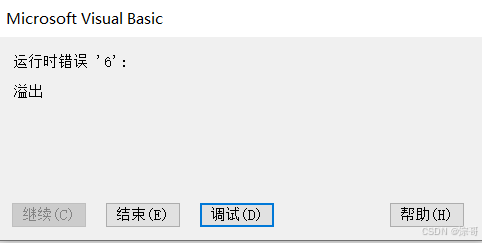
注:溢出时,数据大小过小,往大调即可;
案例3:
代码:
Sub 变量()
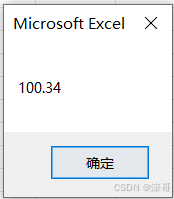
    ' 小数类型的数据
    Dim Price As Double
    Price = 100.34
    MsgBox Price

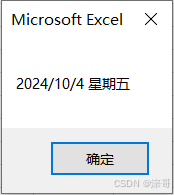
    ' 日期类型的数据
    Dim To_day As Data
    To_day = #10/4/2024#
    MsgBox To_day

End Sub
运行结果:
注:
日期显示以电脑格式为准;
编写需要加#符号;
案例4:
代码:
Sub 变量()
    ' 字符类型的数据
    Dim str As String
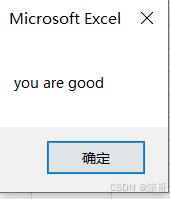
    str = "you are good"
    MsgBox str

    ' 布尔类型的数据
    Dim bool As Boolean
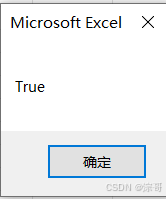
    bool = True
    MsgBox bool
End Sub
运行结果:
案例5:(多变量声明)
代码:
Sub 变量()
    ' 声明定义一个变量,用Dim 给变量起名字,Score, 数据类型为整型
    Dim Score As Integer, Price As Double

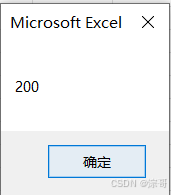
    Score = 200
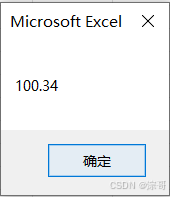
    Price = 100.34
    MsgBox Score
    MsgBox Price

End Sub
运行结果:
注:
- 通常,数据类型应当固定;
- variant :可变数据类型;无法确定数据类型,浪费内存空间;
强制变量声明
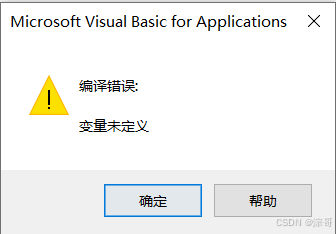
代码未添加 Option Explicit 时,不会报错,即Sco没有定义;
代码添加之后,就会报错,对我们写代码有益;
案例:
Option Explicit
Sub OptionTest()
    Dim Score As Integer
    Score = 10
    MsgBox Score
    MsgBox Sco
End Sub
运行结果:
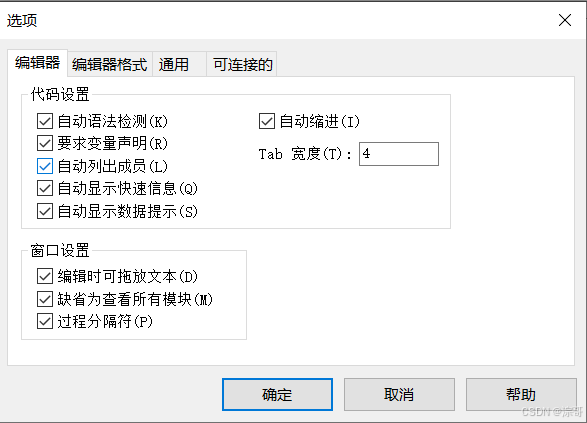
在工具框——选项勾选 要求变量声明 ;将自动添加 Option Explicit 代码;代码习惯;
变量声明周期
案例一代码:
Option Explicit

Sub Module1()
    '声明周期在此子程序当中
    Dim Price As Double
    Price = 4.5
    MsgBox Price
End Sub

Sub Module2()
    '不可用变量
    MsgBox Price
End Sub
要想使用变量,放入外面即可;
案例二代码:
Option Explicit
Dim Price As Double
Sub Module1()
    '声明周期在此子程序当中
    Price = 4.5
    MsgBox Price
End Sub

Sub Module2()
    '不可用变量
    MsgBox Price
End Sub
运行 module1 与module2结果:
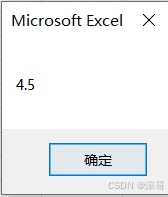
注:变量只能在此模块中使用;
案例三代码:
模块1代码:
Option Explicit
'Dim Price As Double
Public Price As Double
Sub Module1()
    '声明周期在此子程序当中

    Price = 4.5
    MsgBox Price
End Sub

Sub Module2()
    '不可用变量
    Price = 5.4
    MsgBox Price
End Sub
注意关键字 Dim 变成 Public;
模块2代码:
Option Explicit

Sub Module3()
    '不可用变量
    Price = 15.4
    MsgBox Price
End Sub
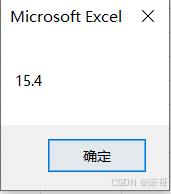
运行结果:
Static 修饰符
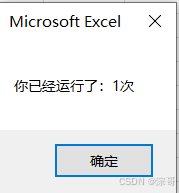
未加static 修饰符:
Option Explicit

Sub Static修饰符()
    Dim Count As Integer
    Count = Count + 1
    MsgBox "你已经运行了:" & Count & "次"
End Sub
每一次的运行结果:
加static 修饰符:
Option Explicit

Sub Static修饰符()
    Static Count As Integer
    Count = Count + 1
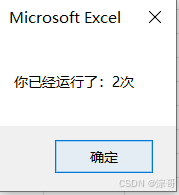
    MsgBox "你已经运行了:" & Count & "次"
End Sub
注:注意关键字 Static 的位置;
运行结果:
释放内存
方法1:
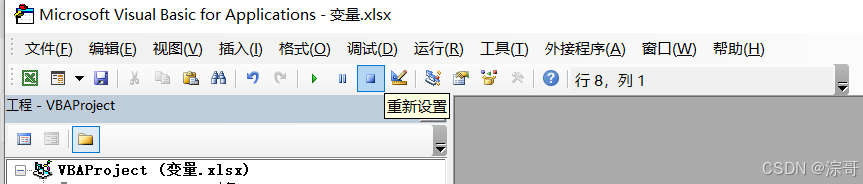
方法2:
关闭工作簿;
常量的使用
Option Explicit

Sub 常量的使用()
    '声明常量的时候赋值,
    '声明常量用 const
    Const PI As Double = 3.14159
    MsgBox PI
    '常量不允许赋值
    ' PI = 3.15
    MsgBox PI
End Sub
注:为了更加直观;
案例1:
代码:
Option Explicit

Sub 常量的使用()
    '声明常量的时候赋值,
    '声明常量用 const
    Const PI As Double = 3.14159
    MsgBox PI

    '计算半径为2的圆的面积
    Dim Area As Double
    Area = PI * 2 * 2
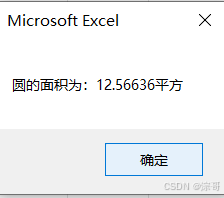
    MsgBox "圆的面积为:" & Area & "平方"
End Sub
运行结果:
数字运算符
运算符:数学运算符 + - / * ^ mod(取余)
Option Explicit

'数学运算符 + - / * ^ mod
Sub 数学运算符()
    Dim num1 As Integer, num2 As Integer
    num1 = 4
    num2 = 2
    Dim Result1 As Integer

    Result1 = num1 + num2  '加


    Dim Result2 As Integer

    Result2 = num1 * num2  '乘


    Dim Result3 As Integer

    Result3 = num1 / num2  '除


    Dim Result4 As Integer

    Result4 = num1 ^ num2  '次方

    Dim Result5 As Integer
    num2 = 3
    Result5 = num1 Mod num2  '取余

    MsgBox Result1
    MsgBox Result2
    MsgBox Result3
    MsgBox Result4
    MsgBox Result5

    Dim Result6 As Double
    num1 = 10
    num2 = 20
    Result6 = num1 ^ num2  '16  10 的20次方

    MsgBox Result6

End Sub
比较运算符
比较运算符: > < = >= <= = <> 不等于
Option Explicit

'比较运算符 > < = >= <= =   <> 不等于
Sub 比较运算符()
    Dim num1 As Integer, num2 As Integer
    num1 = 4
    num2 = 2
    Dim Result1 As Boolean

    Result1 = num1 > num2


    Dim Result2 As Boolean

    Result2 = num1 >= num2


    Dim Result3 As Boolean

    Result3 = num1 = num2


    Dim Result4 As Boolean

    Result4 = num1 < num2

    Dim Result5 As Boolean
    num2 = 3
    Result5 = num1 <= num2

    Dim Result6 As Boolean
    num2 = 3
    Result6 = num1 <> num2  '不等于

    '条件成立    true
    '条件不成立  false
    MsgBox Result1
    MsgBox Result2
    MsgBox Result3
    MsgBox Result4
    MsgBox Result5


End Sub
逻辑运算符
逻辑运算符 And Or Not(取反)
Option Explicit

'逻辑运算符 And Or Not(取反)
Sub 逻辑运算符()
    Dim num1 As Integer, num2 As Integer, num3 As Integer
    num1 = 2
    num2 = 10
    num3 = 20

    Dim Result1 As Boolean
    '全部都成立,才会成立
    Result1 = (num1 > num2) And (num2 > num3)


    Dim Result2 As Boolean

    '成立一个,就会成立
    Result2 = (num1 > num2) Or (num2 < num3)


    Dim Result3 As Boolean

    ' 取反 之前是false,现在就是true
    Result3 = Not (num1 = num2)


    '条件成立    true
    '条件不成立  false
    MsgBox "Result1 :" & Result1
    MsgBox "Result2 :" & Result2
    MsgBox "Result3 :" & Result3


End Sub
表达式:
常量,变量,运算符的组合;
VBA命名规范
命名规范:
- 数字,字母,下划线;
- 数字,下划线不能开头,字母结合数字,下划线进行命名;
- 见名知意;
- 特殊关键字不可以命名,如Dim,Static,Integer等;
- 不能使用空格,特殊符号命名;
IF选择结构
案例1:
If 条件 Then
执行语句
Else
执行语句
EndIf
代码:
Option Explicit

Sub 选择结构()
    Dim Score As Integer
    Score = 57
    'Then  需要做的工作
    'End If 结束
    If Score >= 60 Then
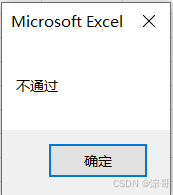
        MsgBox "通过"
    Else
        MsgBox "不通过"
    End If


End Sub
运行结果:
案例2:
If 条件 Then
执行语句
ElseIf 条件 Then
执行语句
Else
执行语句
EndIf
代码:
Sub 选择结构test2()
    Dim Score As Integer
    Score = 87
    'Then  需要做的工作
    'End If 结束
    If Score >= 90 Then
        MsgBox "优秀"
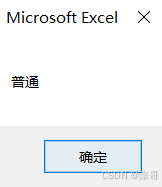
    ElseIf Score >= 80 Then
        MsgBox "普通"

    Else
        MsgBox "不及格"

    End If


End Sub
运行结果:
Select 选择结构
案例1:
Select Case 变量
Case Is 条件
执行工作
......
Case Is 条件
执行工作
Case Else
执行工作
代码:
Option Explicit


'SelectCase选择结构


Sub 选择结构test1()
    Dim Score As Integer
    Score = 87
    'Case Is    特定情况
    'Case Else  除其他值之外的情况

    Select Case Score
        Case Is >= 90
            MsgBox "优秀"

        Case Is >= 80
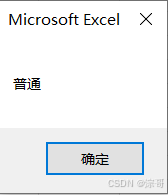
            MsgBox "普通"

        Case Else
            MsgBox "不及格"

    End Select


End Sub
运行结果:
注:此选择结构用的不多;
ForNext选择结构
案例1:
For 初始值 To 结束值
执行语句
Next num //每次num自增1 num = num + 1
代码:
Option Explicit

Sub 循环结构()

    Dim num As Integer

    For num = 1 To 10

        MsgBox "循环结构:" & num & "次数"

        'next Num 每次num自增1      num = num + 1
        Next num
End Sub
案例2:
求1-10的和;
代码:
'求和
Sub 循环结构test2()

    Dim num As Integer, sum As Integer
    sum = 0

    For num = 1 To 10
        sum = num + sum
        Next num

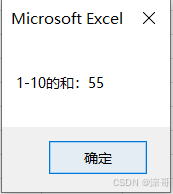
    MsgBox "1-10的和:" & sum

End Sub
运行结果:
嵌套For循环结构
循环单独看就可以了;
代码:
'乘法表
Sub 循环结构test3()

    Dim i As Integer, j As Integer, sum As Integer
    sum = 0

    For i = 1 To 10

        For j = 1 To 10

            If i <= j Then
                sum = i * j
                MsgBox i & "*" & j & "=" & sum
            End If

        Next j


    Next i

    MsgBox "乘法表:" & sum

End Sub
Step的运用场景
案例1:
step控制自增的大小
代码:
Option Explicit


'Step的应用

Sub 循环结构test2()

    Dim num As Integer, sum As Integer
    sum = 0
    'step 的作用 num = num +2
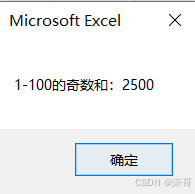
    For num = 1 To 100 Step 2
        sum = num + sum
        Next num

    MsgBox "1-100的奇数和:" & sum

End Sub
运行结果:
如何中断For循环结构
案例:
打断for循环
Exit For
代码:
Sub Breaktest3()

    Dim num As Integer, sum As Integer
    sum = 0
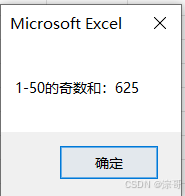
    For num = 1 To 100 Step 2
        If num > 50 Then
            ' 退出for循环
            Exit For
        End If
        sum = num + sum
        Next num

    MsgBox "1-50的奇数和:" & sum

End Sub
运行结果:
DoWhile 循环结构
满足条件,执行语句
Do While 限制条件
执行语句
Loop
代码:
Option Explicit


'求和
Sub DoWhiletest1()

    Dim num As Integer, sum As Integer
    sum = 0
    num = 0

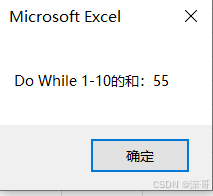
    Do While num <= 10
        sum = num + sum
        num = num + 1
    Loop

    MsgBox "Do While 1-10的和:" & sum

End Sub
运行结果:
DoUntil循环结构
案例:
满足条件,不再执行
Do Until 限制条件
执行语句
Loop
代码:
Option Explicit


'求和
Sub DoUntilltest1()

    Dim num As Integer, sum As Integer
    sum = 0
    num = 0

    '满足条件,不再执行
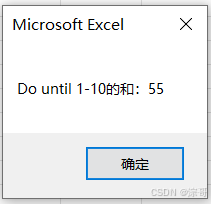
    Do Until num > 10
        sum = num + sum
        num = num + 1
    Loop

    MsgBox "Do until 1-10的和:" & sum

End Sub
运行结果:
编写无参数子过程
- 子过程 、子程序 、 子函数
- 可以将功能分开描述,单击子程序就可以运行;
- Exit Sub 中断子程序;
编写有参数子过程
案例1:
带参数的子过程;
代码:
Option Explicit


Sub 有参数(ToNum As Integer)

    Dim num As Integer, sum As Long
    sum = 0

    For num = 1 To ToNum
        sum = num + sum
    Next num

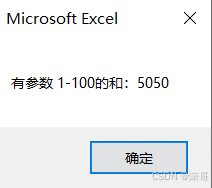
    MsgBox "有参数 1-" & ToNum & "的和:" & sum

End Sub

Sub 调参数函数()

    有参数 (100)


End Sub
运行结果:
案例2:
多个参数的应用
代码:
Sub 有参数test(ToNum As Integer, steptest As Integer)

    Dim num As Integer, sum As Long
    sum = 0

    For num = 1 To ToNum Step steptest
        sum = num + sum
    Next num

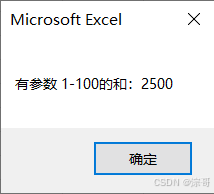
    MsgBox "有参数 1-" & ToNum & "的和:" & sum

End Sub

Sub 调参数函数test()

    有参数test 100, 2


End Sub
运行结果:
编写自定义函数
案例:
Function 表示函数过程;
Function有返回值,,子过程没有返回值;
Function 函数名
函数名 = 功能
End Function
代码:
Option Explicit

'Function 表示函数过程,而不是子过程

Function Cubesum(x As Double, y As Double)

    Cubesum = x * x * x + y * y * y

End Function


Sub Test()

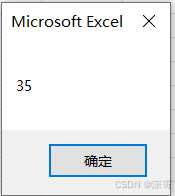
    MsgBox Cubesum(2, 3)

End Sub
运行结果:
一维数组
案例1:
存储数组,访问数据
注:
- LBound 数组最小的角标
- UBound 数组最大的角标
代码:
Option Explicit

Sub Arraytest()

    '数组下标 为 1,2,3
    Dim Arraytest(1 To 3) As Integer


    '为一维数组存储,下标为 1,2,3
    Arraytest(1) = 0
    Arraytest(2) = 100
    Arraytest(3) = 200

' test1
    '访问数据
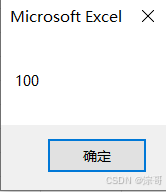
    MsgBox Arraytest(2)

 ' test2
    '遍历
    Dim i As Integer

    For i = 1 To 3

       MsgBox Arraytest(i)

    Next i

 ' test3
    'LBound 最小的角标
    'UBound 最大的角标
    For i = LBound(Arraytest) To UBound(Arraytest)

       MsgBox Arraytest(i)

    Next i

End Sub
运行结果:
Option Base 的作用
案例:
option base 的作用,控制角标;
不做限制,默认为0
代码:
Option Base 1 '下标为1

Option Explicit

Sub ArrayTest2()

    Dim ArrayTest(3) As Integer
    '相当于 Dim ArrayTest(0,3) As Integer
    '默认最小角标为 0
    ArrayTest(0) = 0
    ArrayTest(1) = 50
    ArrayTest(2) = 100
    ArrayTest(3) = 200

    Dim i As Integer
    For i = LBound(ArrayTest) To UBound(ArrayTest)

       MsgBox ArrayTest(i)

    Next i


End Sub
运行结果:
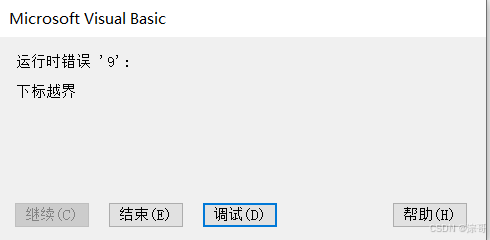
下标越界
二维数组
案例:
遍历二维数组
代码:
Option Explicit

Sub Arraytest()


'定义二维数组
    Dim Arraytest(0 To 2, 0 To 2) As Integer


'二维数组赋值
    Arraytest(0, 0) = 1
    Arraytest(0, 1) = 2
    Arraytest(0, 2) = 3

    Arraytest(1, 0) = 11
    Arraytest(1, 1) = 22
    Arraytest(1, 2) = 33

    Arraytest(2, 0) = 111
    Arraytest(2, 1) = 222
    Arraytest(2, 2) = 333

 '遍历二维数组数组
    Dim index As Integer, index1 As Integer

    For index = 0 To 2
        For index1 = 0 To 2

            MsgBox Arraytest(index, index1)

        Next index1

    Next index


End Sub
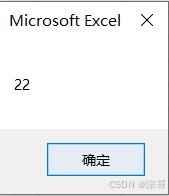
运行结果:
代码2:
Sub Arraytest1()


'定义二维数组
    Dim Arraytest(0 To 3, 1 To 4) As Integer


'二维数组赋值
    Arraytest(0, 1) = 12
    Arraytest(0, 2) = 13
    Arraytest(0, 3) = 14
    Arraytest(0, 4) = 15

    Arraytest(1, 1) = 22
    Arraytest(1, 2) = 33
    Arraytest(1, 3) = 44
    Arraytest(1, 4) = 55


    Arraytest(2, 1) = 222
    Arraytest(2, 2) = 333
    Arraytest(2, 3) = 444
    Arraytest(2, 4) = 555

    Arraytest(3, 1) = 122
    Arraytest(3, 2) = 133
    Arraytest(3, 3) = 144
    Arraytest(3, 4) = 155


 '遍历二维数组数组
    Dim index As Integer, index1 As Integer

    'LBound(Arraytest, 0) 行的最小角标
    'UBound(Arraytest, 0) 行的最大角标
    For index = LBound(Arraytest, 1) To UBound(Arraytest, 1)

        'LBound(Arraytest, 2) 列的最小角标
        'UBound(Arraytest, 2) 列的最大角标
        For index1 = LBound(Arraytest, 2) To UBound(Arraytest, 2)

            MsgBox Arraytest(index, index1)

        Next index1

    Next index

End Sub
动态数组
案例:
定义一维动态数组
Dim MyDynArray() As Integer
ReDim 表示明确的动态数组的最小角标和最大角标
ReDim MyDynArray(1 To 3)
动态数组赋值
ReDim MyDynArray(1 To 4) '会抹除之前的数据
代码:
Option Explicit


Sub MyDynArray()

    '定义一维动态数组
    Dim MyDynArray() As Integer


    'ReDim 表示明确的动态数组的最小角标和最大角标
    ReDim MyDynArray(1 To 3)


    '动态数组赋值
    MyDynArray(1) = 11
    MyDynArray(2) = 201
    MyDynArray(3) = 301


    '遍历
    Dim i As Integer


    For i = LBound(MyDynArray) To UBound(MyDynArray)

       MsgBox MyDynArray(i)

    Next i


    'ReDim MyDynArray(1 To 4) '会抹除之前的数据

    ReDim Preserve MyDynArray(1 To 4)  '保存之前的数据
    MyDynArray(4) = 401

    For i = LBound(MyDynArray) To UBound(MyDynArray)

       MsgBox MyDynArray(i)

    Next i


End Sub
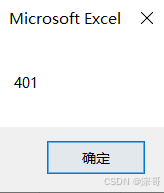
运行结果:
面向对象
设置Range() 的值,设置单元格的属性
Option Explicit

Sub 面向对象()

    '设置单元格 A1 的 值
    ' Range ("A1") 表示单元格 A1 单元格

    Range("A1").Value = 100

    MsgBox Range("A1").Value


End Sub
Value 取值
Select 选择
Clear 清除
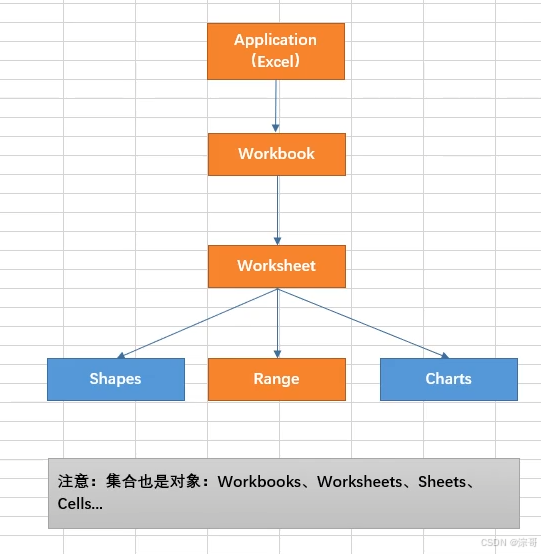
对象层级框架
案例1:
- 活动的工作表
- 指定的工作表
代码:
Option Explicit


Sub 对象层级()

    '对象层次访问
    '指定的工作簿
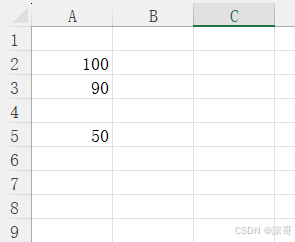
    Application.Workbooks("对象.xlsm").Worksheets("Sheet1").Range("A2").Value = 100


    '简略写法
    '指定的工作表
    Worksheets("Sheet1").Range("A5").Value = 50

    '目前活动的工作表

    Range("A3").Value = 90

End Sub
运行结果:
案例2:
工作表的集合
代码:
Sub 对象层级test()


    '目前活动的工作表

    Range("A11").Value = 1100

    '方法
    Range("A11").Select
    Range("A11").Clear

    '集合也是对象,也有属性和方法
    '属性
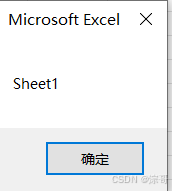
    MsgBox Worksheets("Sheet1").Name
    '方法
    Worksheets.Add


End Sub
运行结果:
单元格应用
案例1:
代码:
Option Explicit

Sub CellRefTest()

    '引用某个单元格
    Range("A4").Value = 100

    '引用多个单元格
    Range("A4,C4,E4").Value = 111

    '引用单元格区域
    Range("A5:C7").Value = 222

    '引用不连续的单元格
    Range("A9:C11,E12:G14").Value = 567

    '引用单元格区域名称
    'Range("test").Value = 1


    '引用行和列
    Range("22:22").Value = 0    '行
    Range("j:j").Value = 0      '列

    '引用多行
    Range("22:22,44:44").Value = 1    '行

    '引用多列
    Range("G:G,O:O").Value = 1    '行


    '引用相连行  列
    Range("36:46").Value = 2    '行

    Range("X:Z").Value = 2    '行


End Sub
Cells 和offset 属性
案例1:
代码:
Option Explicit

Sub Cellstest()

    '引用工作表中的某个单元格
    Worksheets("Sheet3").Cells(5, 9) = 45


    '引用单元格区域
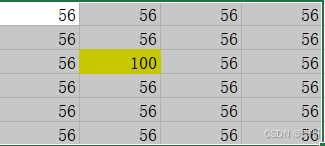
    Range(Cells(8, 2), Cells(13, 5)) = 56


    '引用单元格区域中的某个单元格
    Range("B8:E13").Cells(3, 2) = 100


End Sub
运行结果:
引用单元格区域中的某个单元格
案例2:
offset
代码:
Sub Offsettest()

    'Offset 属性——偏移量——相对单元格

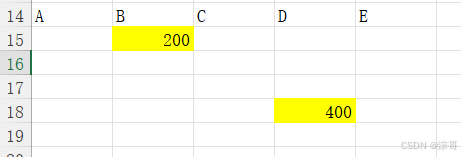
    Range("B15").Offset(3, 2).Value = 400
    Range("D18").Offset(-3, -2).Value = 200

End Sub
运行结果:
Select 和 Active 方法
案例1:
Select
代码:
Option Explicit

Sub CellRefTest()


    Range("B9").Select

    Range("C9:E14").Select


End Sub
运行结果
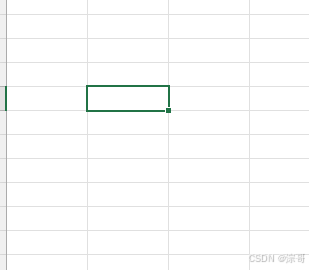
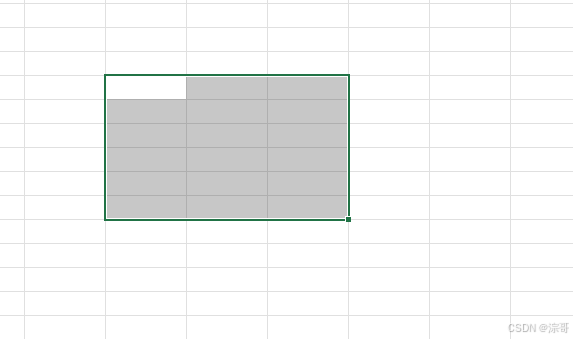
案例2:
Activate offset 区别
代码:
'
'Selection  引用选择单元格、单元格区域
'
'ActiveCell  引用活动单元格
'
Sub CellRefTest1()

    'Activate 方法  活动单元格

    Range("B9").Activate

    Range("C9:E14").Activate
    'Activate offset 区别

    Range("G9:J14").Select
    Range("H10").Activate

    '引用选择单元格、单元格区域

    Selection.Value = 200

    '引用活动单元格
    ActiveCell.Value = 100

End Sub
运行结果:
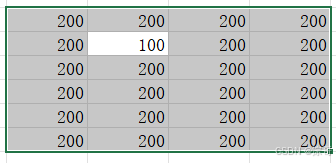
Range 对象的End属性
案例1:
Ctrl + shift +→ 向右全部区域
Ctrl + shift +↑ 向上全部区域
Ctrl + shift +↓ 向下全部区域
Ctrl + shift +← 向左全部区域
Ctrl +→ 最右单元格
Ctrl +↑ 最上单元格
Ctrl +↓ 最下单元格
Ctrl +← 最左单元格
代码:
Option Explicit

Sub CellRefTest()


    Range("H11").End(xlToLeft).Select
    Range("H11").End(xlDown).Select

    '模拟 Ctrl + 方向键的作用
    Range("H11").End(xlDown).End(xlToRight).Select


    '模拟一片区域  Ctrl + 方向键的作用
    Range("H10", Range("H10").End(xlDown).End(xlToRight)).Select


End Sub
运行结果:
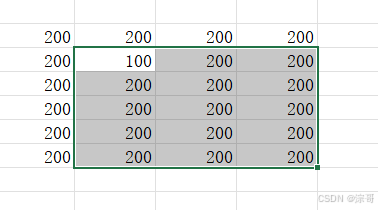





 扫一扫
扫一扫


 1万+
1万+

 被折叠的 条评论
为什么被折叠?
被折叠的 条评论
为什么被折叠?
 到【灌水乐园】发言





