


 本文介绍如何使用Jenkins实现Unity项目的自动化打包和资源上传流程。通过配置Jenkins任务和Unity打包脚本,可以自动完成AB包的构建,并将资源上传至服务器,极大提升了项目管理和发布效率。
Jenkins自动打AB,自动上传资源支持单打单传,一键所有
刚好公司项目需要这个东西,然后就搞了一个,主要是为了以后交给运营去管理这些东西,还是挺方便的不需要自己在开个工程等着打完上传了,这样的话在家里也能打,随时随地都能打,很是方便。
下面介绍下配置参数:
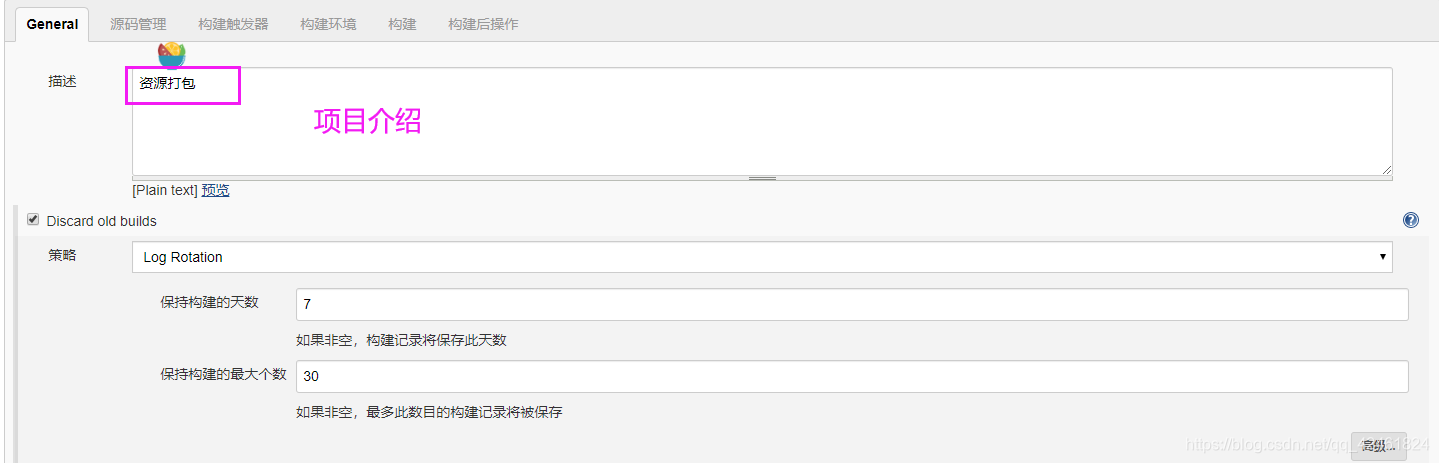
1.创建项目 填写项目介绍,这个无所谓
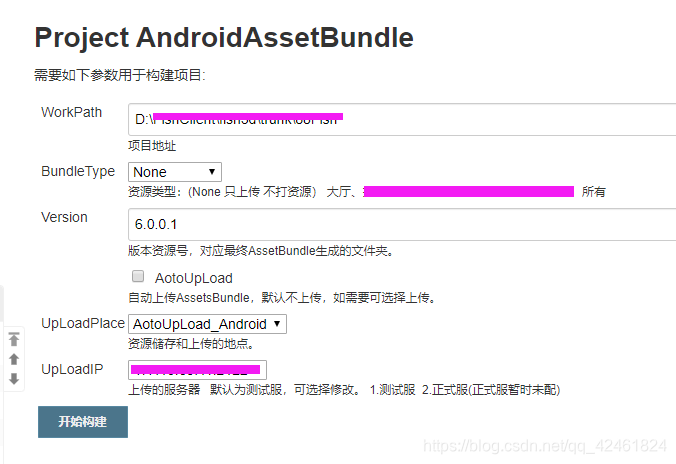
2.配置参数 用来打包时设置 和传给Unity用
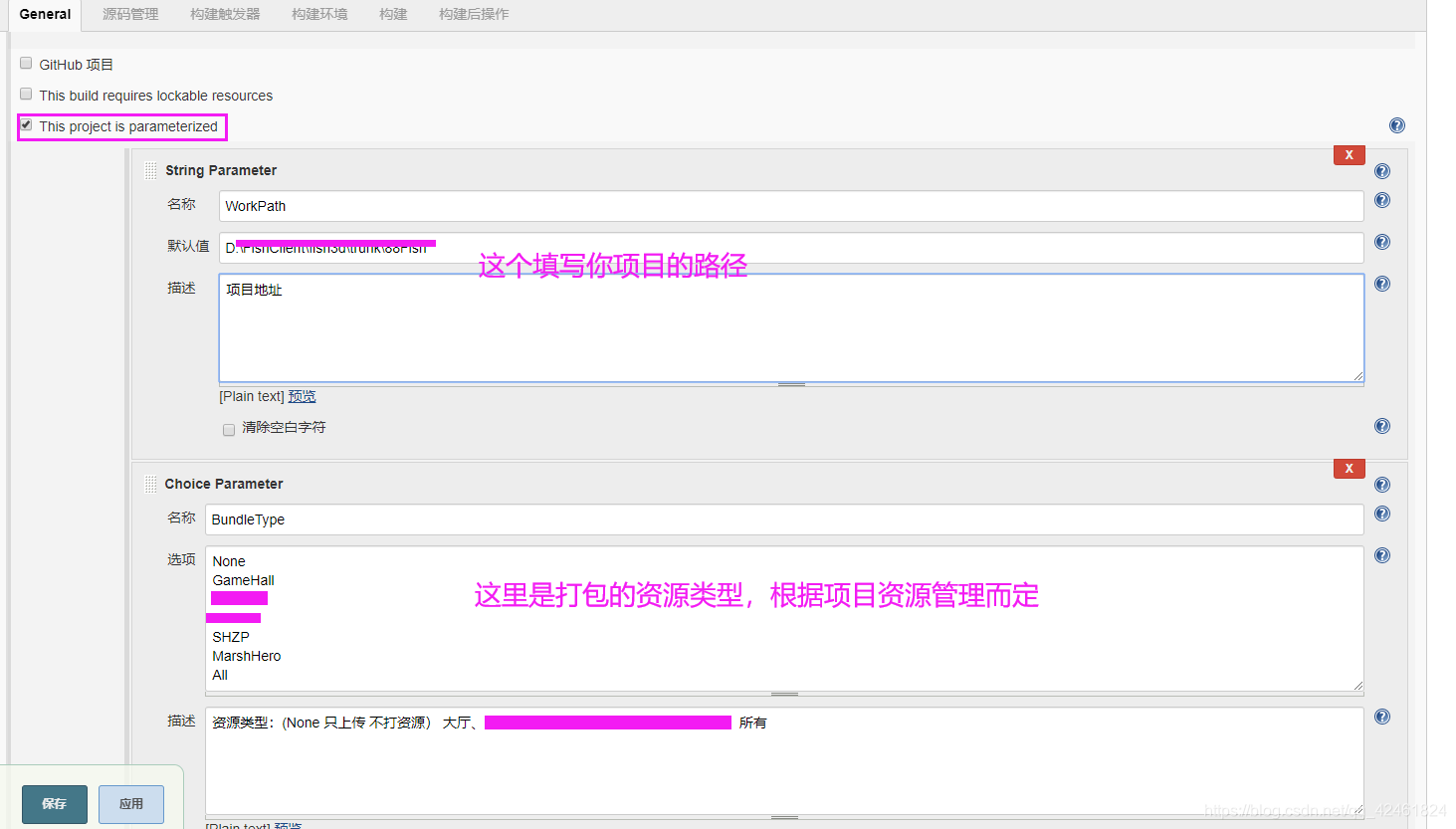
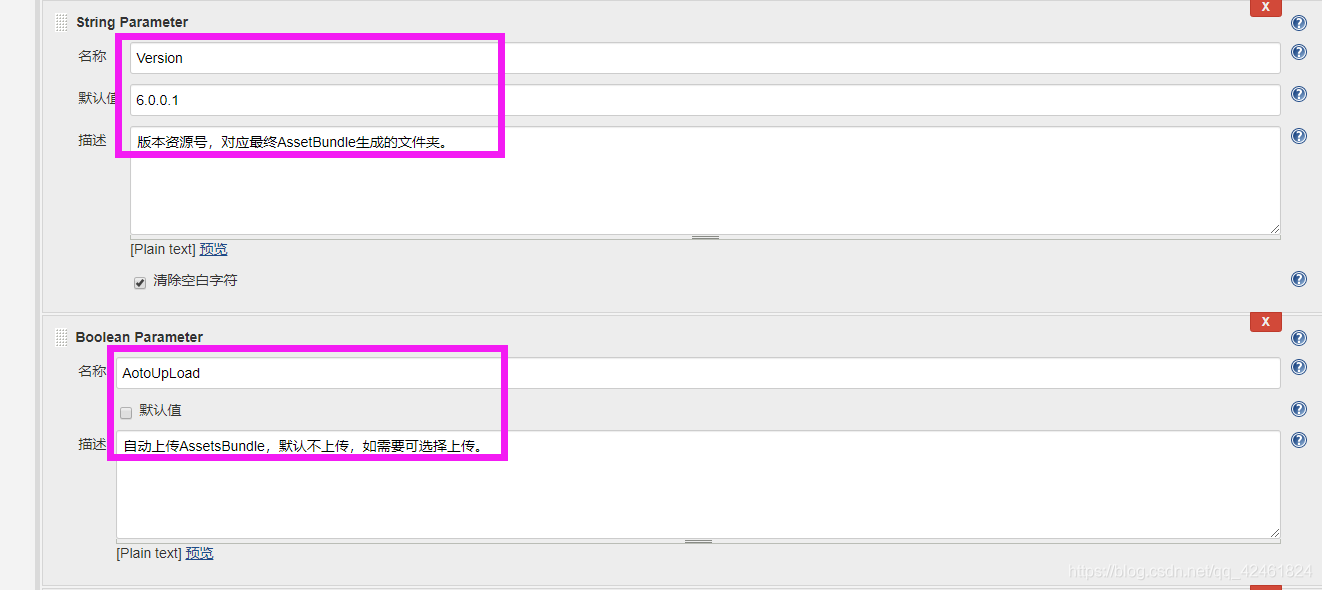
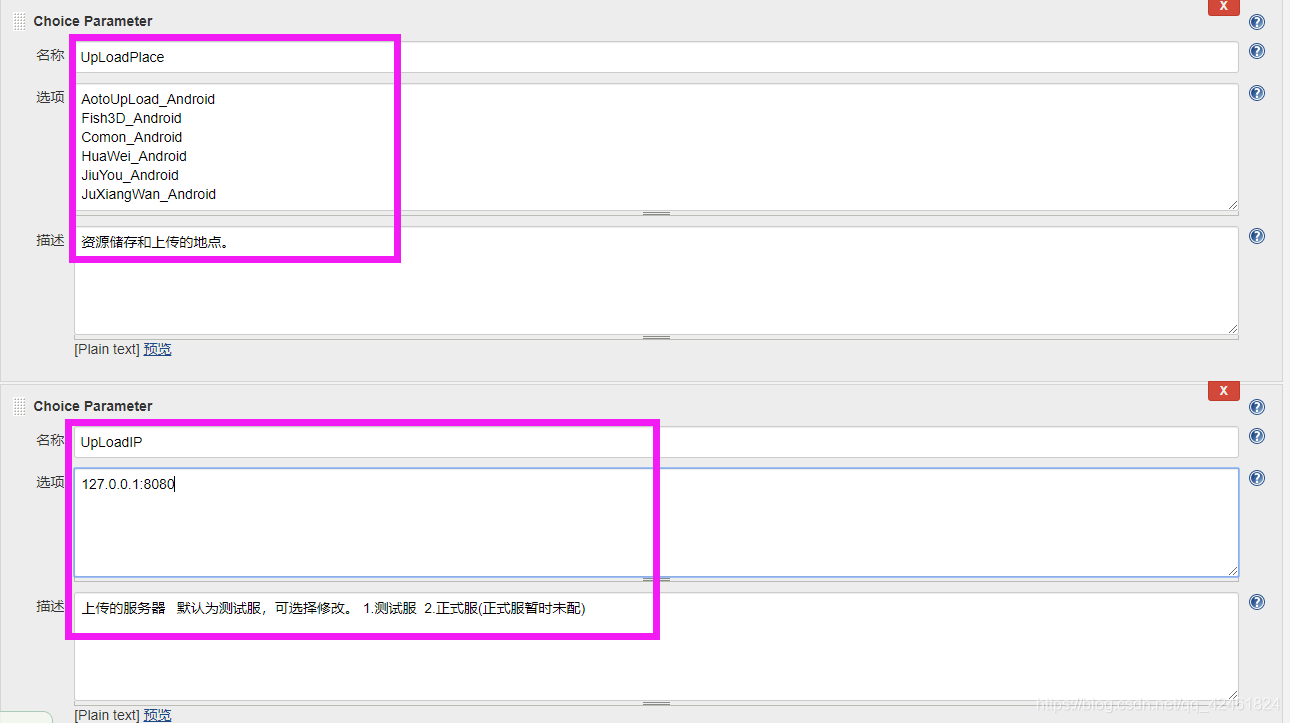
参数到这里就配置完成了,下面配置下命令:
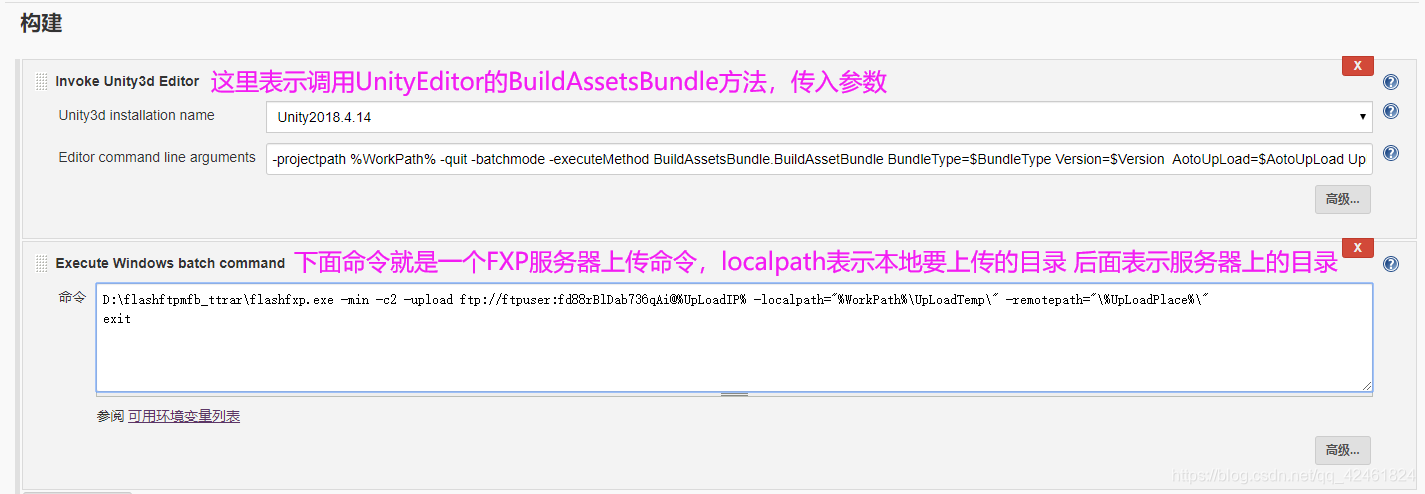
调用Unity的打包方法 传入参数进行打包
-projectpath %WorkPath% -quit -batchmode -executeMethod BuildAssetsBundle.BuildAssetBundle BundleType=$BundleType Version=$Version AotoUpLoad=$AotoUpLoad UpLoadPlace=$UpLoadPlace -logFile "D:\log.txt"
打包完成 启动FXP 传入账号密码 进行自动上传资源 期间需要在FXP中设置下自动覆盖 不然会弹出提示框
D:\flashftpmfb_ttrar\flashfxp.exe -min -c2 -upload ftp://ftpuser:fd88rBlDab736qAi@%UpLoadIP% -localpath="%WorkPath%\UpLoadTemp\" -remotepath="\%UpLoadPlace%\"
exit
看下Jenkins参数图:
**上一半结束:
开始下一半**
下面附上Unity BuildAssetsBundle打包方法:
/*------------------------------------------------------------------------------------------------------------------------------
*
* Title: Jenkins自动化打包工具
*
* Description: 只需登录Jenkins进行选择性打包 打包完成后可选择自动上传的服务器
*
* Author: 壹叶成名
*
* Date: 2020.4.11
*
* Modify:
*
* 注意:改脚本代码及参数为Jenkins平台打包使用,切勿随意更改,如需更改请于Jenkins同步更改。
-----------------------------------------------------------------------------------------------------------------------------------*/
using System;
using System.IO;
using UnityEditor;
using UnityEngine;
public class BuildAssetsBundle
{
static string TAG = "BuildAssetBundle";
static string AbRootPath {
get {
return Application.dataPath + "/../../AssetBundle/"; } }
static string UpLodaTemp = Application.dataPath + "/../UpLoadTemp";
static string ABPath = "";
[MenuItem("Build/上传资源")]
public static void CopyAssestBundle()
{
Debug.Log(TAG + "Begin Copy AssetsBundle UpLoad !");
//清理原始文件
if (Directory.Exists(UpLodaTemp))
FileUtil.DeleteFileOrDirectory(UpLodaTemp);
//拷贝需要上传的资源
JenkinsTools.Copy(ABPath, UpLodaTemp);
Debug.Log(TAG + " UpLoad AssetsBundle Finish !");
}
public static void BuildAssetBundle()
{
Debug.Log(TAG + " Start >>>>>");
AssetsBundleSeting bundleSeting = GetBundleSetring 最低0.47元/天 解锁文章






 扫一扫
扫一扫


 392
392


 到【灌水乐园】发言



