



文章目录
Matlab常用图像处理命令108例(三)
26. edge
功能:识别强度图像中的边界。
语法:
BW = edge(I, 'sobel')
BW = edge(I, 'sobel', thresh)
BW = edge(I, 'sobel', thresh, direction)
[BW, thresh] = edge(I, 'sobel', ...)
BW = edge(I, 'prewitt')
BW = edge(I, 'roberts')
BW = edge(I, 'log')
BW = edge(I, 'zerocross', thresh, h)
BW = edge(I, 'canny')
BW = edge(I, 'canny', thresh, sigma)
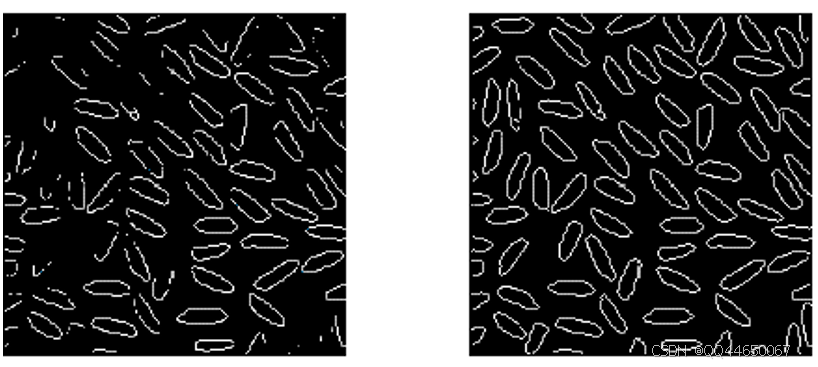
举例:
I = imread('rice.tif');
BW1 = edge(I, 'prewitt');
BW2 = edge(I, 'canny');
imshow(BW1);
figure, imshow(BW2);
相关命令:fspecial, conv2
27. erode
功能:弱化二值图像的边界(腐蚀操作)。
语法:
BW2 = erode(BW1, SE)
BW2 = erode(BW1, SE, alg)
BW2 = erode(BW1, SE, ..., n)
举例:
BW1 = imread('text.tif');
SE = ones(3, 1);
BW2 = erode(BW1, SE);
imshow(BW1);
figure, imshow(BW2);
相关命令:dilate, bwmorph
28. fft2
功能:进行二维快速傅里叶变换。
语法:
B = fft2(A)
B = fft2(A, m, n)
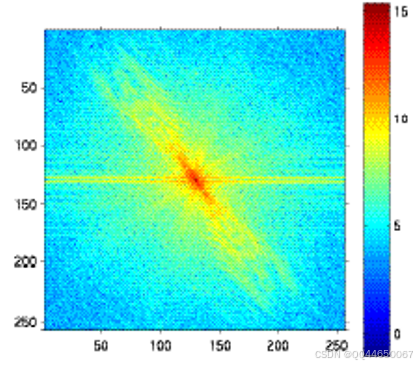
举例:
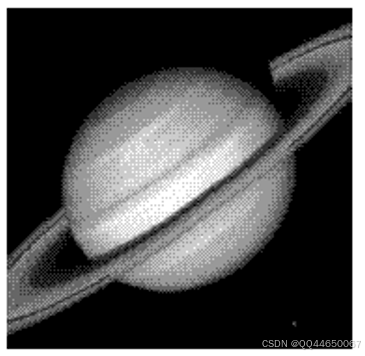
I = imread('saturn.tif');
B = fftshift(fft2(I));
imshow(log(abs(B)), []), colormap(jet(64)), colorbar;
相关命令:fftshift, ifft2, dct2
29. fftn
功能:进行 N 维快速傅里叶变换。
语法:
B = fftn(A)
B = fftn(A, siz)
相关命令:fft2, ifftn
30. fftshift
功能:将傅里叶变换的 DC 组件移动到光谱中心。
语法:
B = fftshift(A)
举例:
B = fftn(A);
C = fftshift(B);
相关命令:ifftshift, fft2
31. filter2
功能:进行二维线性过滤操作。
语法:
B = filter2(h, A)
B = filter2(h, A, shape)
举例:
A = magic(6);
h = fspecial('sobel');
B = filter2(h, A, 'valid');
disp(B);
相关命令:conv2, fspecial
32. freqspace
功能:确定二维频率响应的频率空间。
语法:
[f1, f2] = freqspace(n)
[f1, f2] = freqspace([m n])
[x1, y1] = freqspace(..., 'meshgrid')
f = freqspace(N)
f = freqspace(N, 'whole')
相关命令:fsamp2, fwind1
33. freqz2
功能:计算二维频率响应。
语法:
[H, f1, f2] = freqz2(h, n1, n2)
[H, f1, f2] = freqz2(h, [n2 n1])
[H, f1, f2] = freqz2(h, f1, f2)
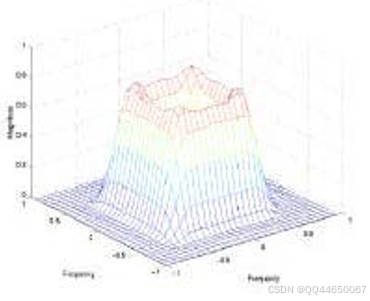
举例:
Hd = zeros(16, 16);
Hd(5:12, 5:12) = 1;
Hd(7:10, 7:10) = 0;
h = fwind1(Hd, bartlett(16));
colormap(jet(64));
freqz2(h, [32 32]);
axis([-1 1 -1 1 0 1]);
相关命令:fsamp2, filter2
34. fsamp2
功能:用频率采样法设计二维 FIR 滤波器。
语法:
h = fsamp2(Hd)
h = fsamp2(f1, f2, Hd, [m n])
举例:
[f1, f2] = freqspace(21, 'meshgrid');
Hd = ones(21);
r = sqrt(f1.^2 + f2.^2);
Hd((r < 0.1) | (r > 0.5)) = 0;
colormap(jet(64));
mesh(f1, f2, Hd);
相关命令:ftrans2, conv2
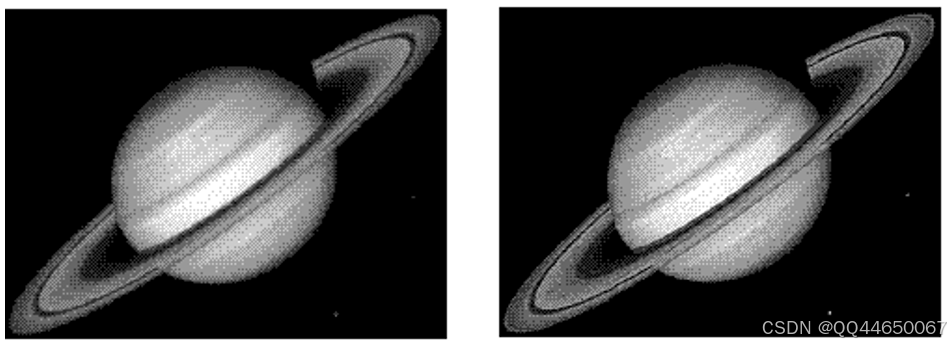
35. fspecial
功能:创建预定义滤波器。
语法:
h = fspecial(type)
h = fspecial(type, parameters)
举例:
I = imread('saturn.tif');
h = fspecial('unsharp', 0.5);
I2 = filter2(h, I) / 255;
imshow(I);
figure, imshow(I2);
相关命令:filter2, conv2
36. ftrans2
功能:通过频率转换设计二维 FIR 滤波器。
语法:
h = ftrans2(b, t)
h = ftrans2(b)
举例:
b = remez(10, [0 0.05 0.15 0.55 0.65 1], [0 0 1 1 0 0]);
[H, w] = freqz(b, 1, 128, 'whole');
plot(w / pi - 1, fftshift(abs(H)));
相关命令:fsamp2, filter2
参考文献
- [Rafael C. Gonzalez, Richard E. Woods, and Steven L. Eddins. 2003. Digital Image Processing Using MATLAB. Prentice-Hall, Inc., USA.]
- [阮秋琦. 数字图像处理(MATLAB版). 北京:电子工业出版社, 2014.
- [冈萨雷斯. 数字图像处理(第三版). 北京:电子工业出版社, 2011.






 扫一扫
扫一扫


 5158
5158

 被折叠的 条评论
为什么被折叠?
被折叠的 条评论
为什么被折叠?
 到【灌水乐园】发言





