


 本文介绍了一种图像处理方法,用于去除复杂光照条件下的图像背景,并通过边缘检测及Hough变换来计数图像中的线条数量。该方法利用HSI颜色模型替代传统的RGB模型以提高背景去除的准确性。
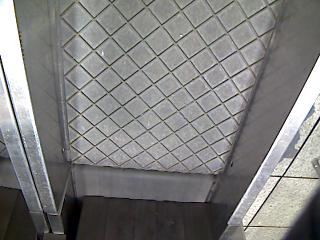
背景图(0.jpg):
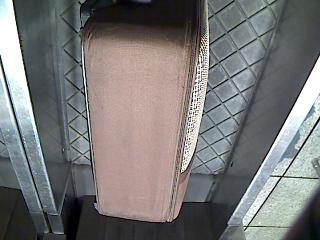
测试图(1.jpg-7.jpg):(好像图六的大白菜是不可以的 其他貌似都可以把 我不太清楚)
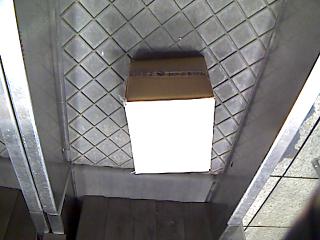
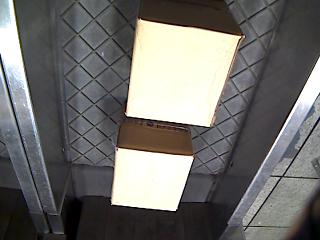
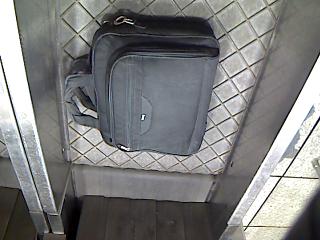
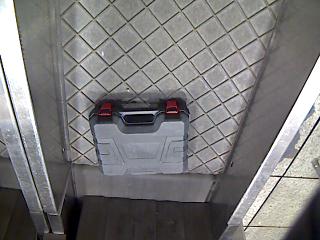
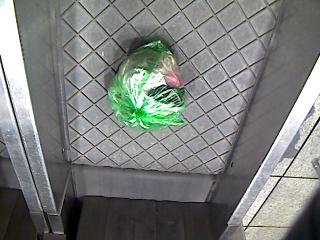
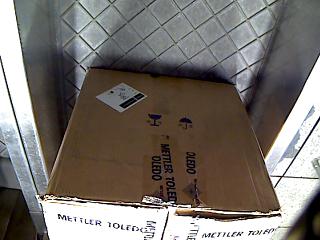
第一步,把目标图片的背景扣去,本来直接判断背景图和目标图的RGB距离,如果小于某个阈值,则判断为背景,置为黑(0,0,0),但是由于背景光照变化,导致效果很差,背景没抠去,前景倒是被抠没了。
然后想到可以把R图片由RGB(红蓝绿)模型转到HSI(色调 饱和度 亮度)模型,这样就把亮度的变化单独的分离出来了。
转化公式如下:
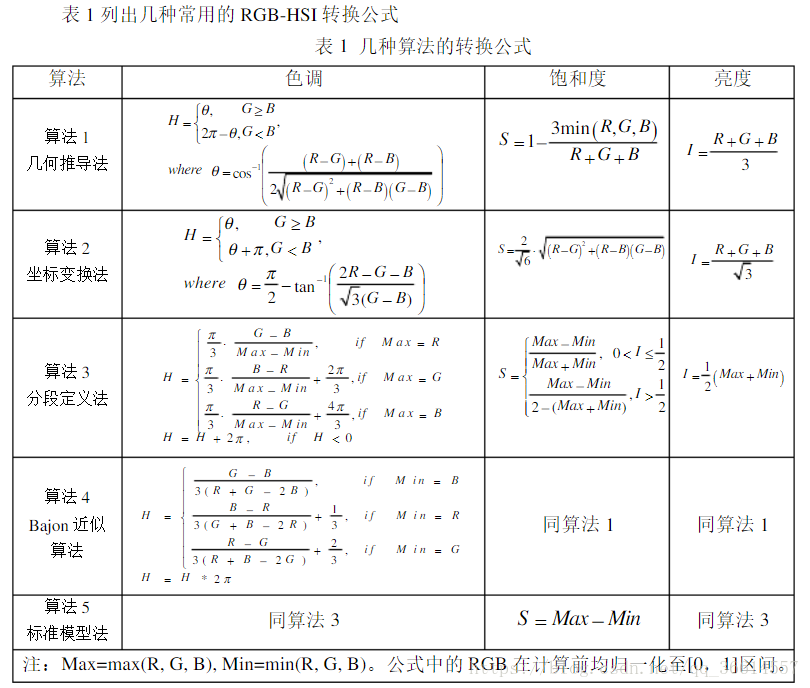
转化函数:rgb2hsi.m:(采用图上算法1)
function hsi = rgb2hsi(rgb)
rgb=im2double(rgb);
r=rgb(:,:,1);
g=rgb(:,:,2);
b=rgb(:,:,3);
%Implement the conversion equations
num = 0.5*((r-g)+(r-b));
den = sqrt((r-g).^2+(r-b).*(g-b));
theta=acos(num./(den+eps));

H=theta;
H(b>g)=2*pi-H(b>g);
H=H/(2*pi);

num=min(min(r,g),b);
den = r+g+b;
den(den==0)=eps;
S=1-3.*num./den;
H(S==0)=0;
I=(r+g+b)/3;
%combin all three results into an hsi image
hsi = cat(3,H,S,I);
提取I(亮度)层发现,此时目标图片的背景和背景图片基本毫无差异(肉眼可见),再在I层进行抠背景:
(其实简单来说,I层就是一个灰度图像,I=(R+G+B)/3)
 dis_thre=0.3;
 I_new=I;
 [m n deep]=size(I);
for i=1:m
    for j=1:n
        if sqrt((double(((I_back(i,j,3)-I(i,j,3))^2))))<dis_thre
            I_new(i,j,1)=0;
            I_new(i,j,2)=0;
            I_new(i,j,3)=0;
        end
    end
end
抠完后结果如下(以图1.jpg为例子)
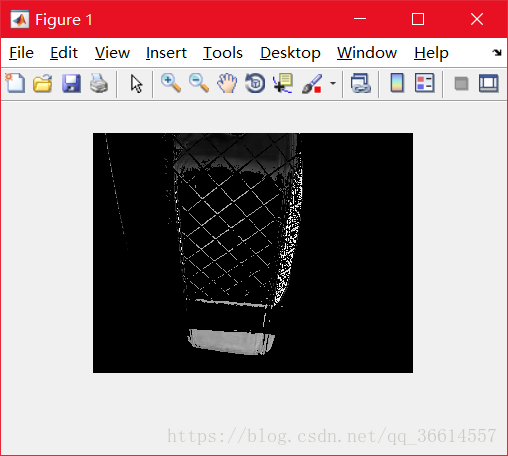
可能是I层目标物体的部分和背景的相应部分太过接近,而被错误扣除,并且左上角有一条多余的线,可以通过形态学的腐蚀和膨胀操作,对想要的部分进行填充,不想要的地方进行删除。
设置合理的膨胀算子和腐蚀算子很重要,想腐蚀掉左上角的线,又不想腐蚀掉物体内部的(X)细线,因此设置如下:
B=[ 1 1 1
    1 1 1
    1 1 1]; %膨胀算子
A=[ 0 0 0 0 0 0 0
    0 0 0 0 0 0 0
    1 0 0 0 0 0 0
    0 0 0 0 0 0 0
    0 0 0 0 0 0 1
    0 0 0 0 0 0 0
    0 0 0 0 0 0 0
    ];
%腐蚀算子
并进行若干次腐蚀膨胀:
close_time=3;
dilate_time=12;
para=0.01;
for i=1:close_time
     I_new(:,:,3)=imdilate(I_new(:,:,3),B); %膨胀
     I_new(:,:,3)=imerode(I_new(:,:,3),A);  %腐蚀
end
for i=1:dilate_time
    I_new(:,:,3)=imdilate(I_new(:,:,3),B);
end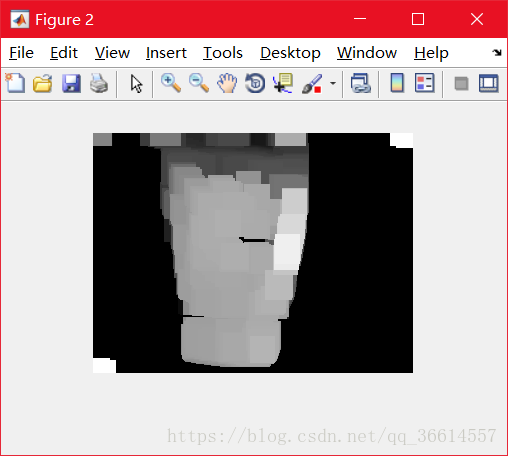
使用sobel算子对腐蚀膨胀后的图像进行边缘检测(Prewitt也可以,但是Canny算子无效果)
(para=0.01)
BW=edge(I_new(:,:,3),'Sobel',para);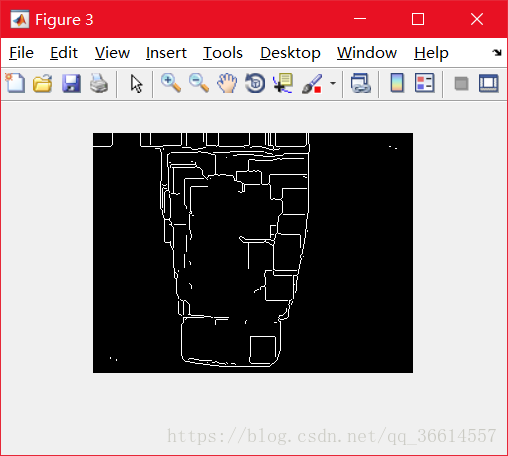
最后,对得到的二值边缘图像BW,使用Hough变换提取线条个数。
[H, theta, rho] = hough(BW);
peak = houghpeaks(H,1000);
lines=houghlines(BW,theta,rho,peak);
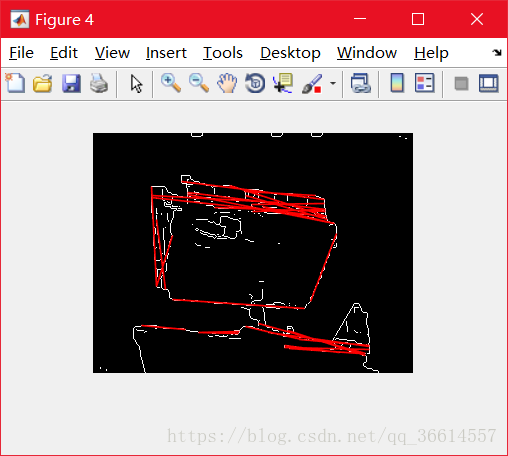
得到的lines如下:
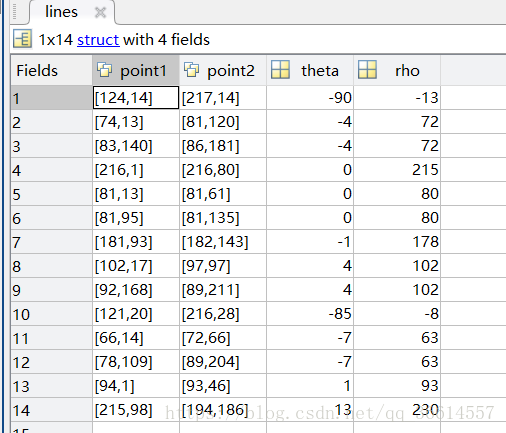
theta和rho是极坐标下的参数,类似于y=k*x+b的k和b,得到的线段中有部分线段是近似重合或者长度过小的,所以要过滤掉一些不必要的线段。其中np存储开始得到的线段的信息,0表示“保留”,1表示删除。最后得到的线段数即为num_lines。
num_lines=length(lines);%统计符合条件的线的个数
theta_thre=12;
rho_thre=12;
dist_thre=40;
np=zeros(1,length(lines));
for i=1:length(lines)-1
    for j=i+1:length(lines)
        if np(i)==0 && np(j)==0
            if abs(lines(i).theta-lines(j).theta)<theta_thre && abs(lines(i).rho-lines(j).rho)<rho_thre
                num_lines=num_lines-1;
                np(j)=1;
            end
        end
    end
end
for i=1:length(lines)
    if sqrt((lines(i).point1(1)-lines(i).point2(1))^2+(lines(i).point1(2)-lines(i).point2(2))^2)<dist_thre
        if np(i)==0
            num_lines=num_lines-1;
        end
        np(i)=1;
    end
end
在BW图上绘制保留的线段:
for k=1:length(lines)
    if np(i)==0
        xy=[lines(k).point1;lines(k).point2];
        plot(xy(:,1),xy(:,2),'LineWidth',2,'Color',[1 0 0]);
    end
end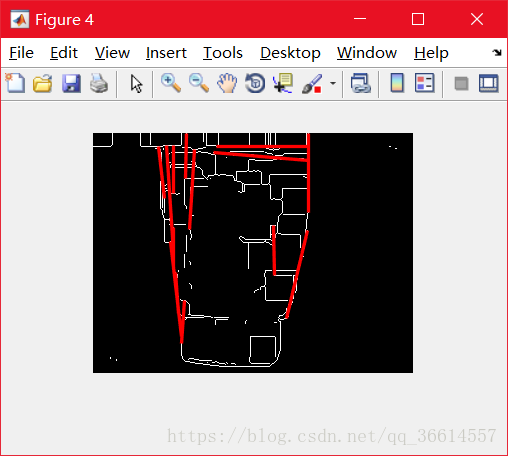
根据线条数量判断是否通过即可。
完整代码如下:(貌似手机上不知道出现了什么问题显示这里的代码只有前几行和后几行 )
%可调整的参数:
%1.分割背景时的判断阈值 dis_thre
%2.形态学操作时候的腐蚀算子和膨胀算子以及他们的执行的次序 A B  close_time dilate_time
%3.边缘分割(Sobel算子)参数 para
%4.对重合线条判断的以及线条长度判断的阈值
%5.统计线条数量,当满足一定的阈值 则判断为通过 否则不通过

I_back=imread('C:\Users\71405\Desktop\计算机视觉\2018.5.29\data\图片\0.jpg');%背景物体
I=imread('C:\Users\71405\Desktop\计算机视觉\2018.5.29\data\图片\1.jpg');%目标检测物体的照片
I=rgb2hsi(I);
I_back=rgb2hsi(I_back);
% imshow(I_back)
%首先扣出目标物体,被扣去的为(0,0,0)
%由于有光照影响 所以判定如果两个照片上相同位置的像素RGB距离小于阈值 则为背景
 dis_thre=0.3;
 I_new=I;
 [m n deep]=size(I);
for i=1:m
    for j=1:n
        if sqrt((double(((I_back(i,j,3)-I(i,j,3))^2))))<dis_thre
            I_new(i,j,1)=0;
            I_new(i,j,2)=0;
            I_new(i,j,3)=0;
        end
    end
end

B=[ 1 1 1
    1 1 1
    1 1 1]; %膨胀算子
A=[ 0 0 0 0 0 0 0
    0 0 0 0 0 0 0
    1 0 0 0 0 0 0
    0 0 0 0 0 0 0
    0 0 0 0 0 0 1
    0 0 0 0 0 0 0
    0 0 0 0 0 0 0
    ];
%腐蚀算子
imshow(I_new(:,:,3))
figure
%闭操作次数和之后的腐蚀次数
%边缘检测参数
close_time=3;
dilate_time=12;
para=0.01;
for i=1:close_time
     I_new(:,:,3)=imdilate(I_new(:,:,3),B);
     I_new(:,:,3)=imerode(I_new(:,:,3),A);
end
for i=1:dilate_time
    I_new(:,:,3)=imdilate(I_new(:,:,3),B);
end

imshow(I_new(:,:,3))
 figure,
 BW=edge(I_new(:,:,3),'Sobel',para);
 imshow(BW);
figure,
 imshow(BW);
 hold on
[H, theta, rho] = hough(BW);
peak = houghpeaks(H,1000);
lines=houghlines(BW,theta,rho,peak);
num_lines=length(lines);%统计符合条件的线的个数
%长度满足一定的范围
%和别的线不重合
%判断重合条件:theta 和 rho 都近似相等
theta_thre=12;
rho_thre=12;
dist_thre=40;
np=zeros(1,length(lines));
for i=1:length(lines)-1
    for j=i+1:length(lines)
        if np(i)==0 && np(j)==0
            if abs(lines(i).theta-lines(j).theta)<theta_thre && abs(lines(i).rho-lines(j).rho)<rho_thre
                num_lines=num_lines-1;
                np(j)=1;
            end
        end
    end
end
for i=1:length(lines)
    if sqrt((lines(i).point1(1)-lines(i).point2(1))^2+(lines(i).point1(2)-lines(i).point2(2))^2)<dist_thre
        if np(i)==0
            num_lines=num_lines-1;
        end
        np(i)=1;
    end
end
for k=1:length(lines)
    if np(i)==0
        xy=[lines(k).point1;lines(k).point2];
        plot(xy(:,1),xy(:,2),'LineWidth',2,'Color',[1 0 0]);
    end
end


if num_lines>=4 && num_lines<=12
    disp("OK")
else
    disp("not OK")
end
运行结果以及部分参数:
1.jpg 参数同代码
结果同上 通过
2.jpg 参数同代码
结果:
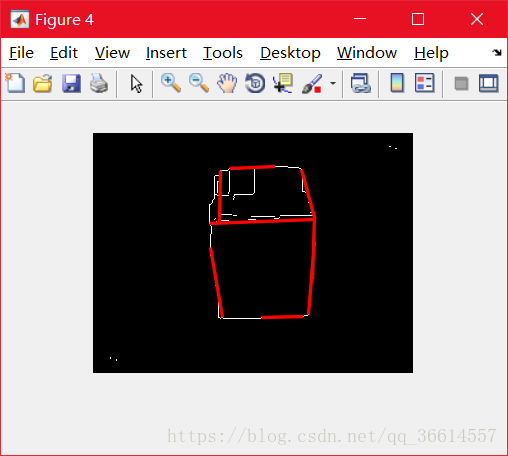 通过
通过
3.jpg 腐蚀次数dilate_time设为0
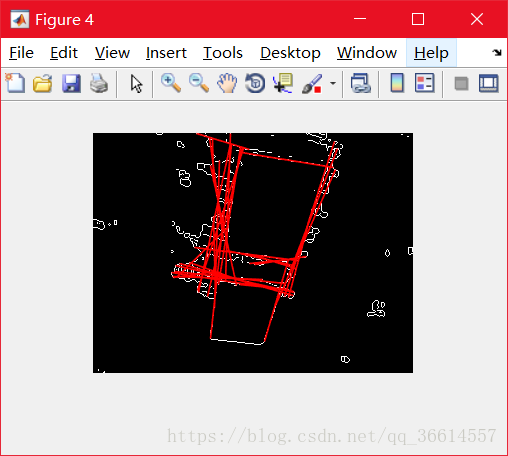 通过
通过
4.jpg dis_thre=0.2 dilate_time=8
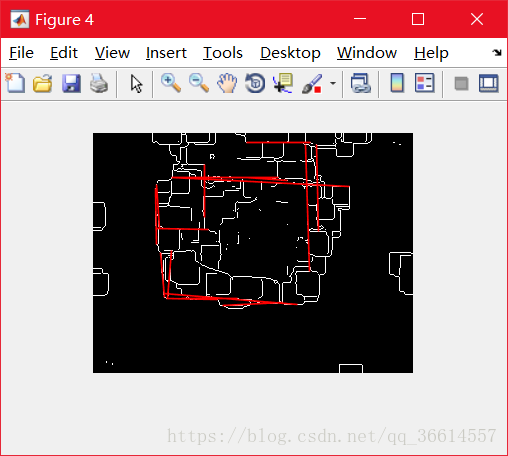 通过
通过
5.jpg dilate_time=20
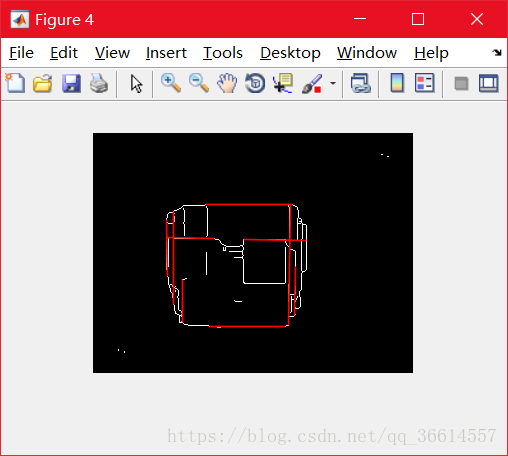 通过
通过
6.jpg dilate_time=2
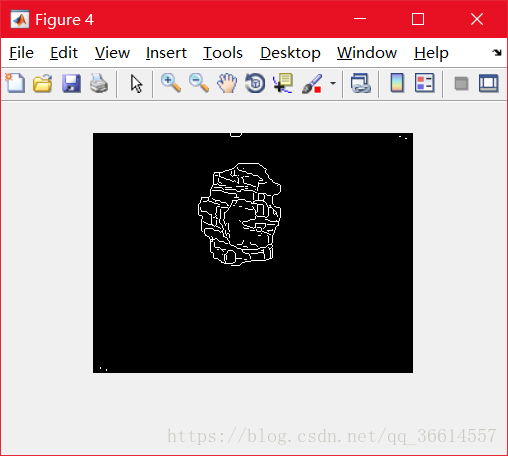 不通过
不通过
7.jpg
 不通过
不通过





 扫一扫
扫一扫


 2072
2072

 被折叠的 条评论
为什么被折叠?
被折叠的 条评论
为什么被折叠?
 到【灌水乐园】发言





