


在开发者、研究人员和 AI 爱好者中,本地运行大型语言模型(LLMs)变得越来越受欢迎。其中一个引起广泛关注的模型是 llama-3.1-nemotron-70b-instruct,这是 NVIDIA 定制的强大 LLM,旨在增强生成响应的有用性。在本综合指南中,我们将探讨多种方法,以便在您的本地机器上运行此模型,首先介绍用户友好的 Ollama 平台。
在开始之前,如果您正在寻找一个一体化的 AI 平台,以便在一个地方管理所有 AI 订阅,包括所有 LLM(如 GPT-o1、Llama 3.1、Claude 3.5 Sonnet、Google Gemini、未审查的 LLM)和图像生成模型(FLUX、Stable Diffusion 等),请使用 Anakin AI 来管理它们!
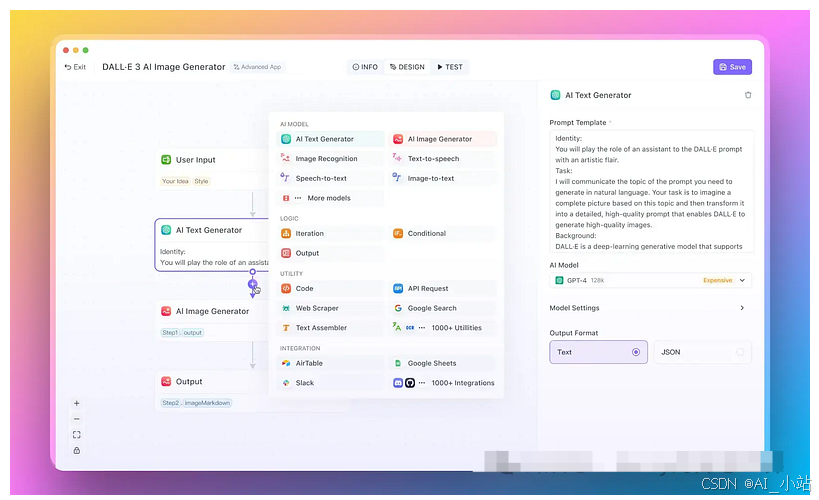
方法 1:使用 Ollama 本地运行 llama-3.1-nemotron-70b-instruct
Ollama 是一个出色的工具,用于本地运行 LLM,提供简单的设置过程并支持多种模型,包括 llama-3.1-nemotron-70b-instruct。
安装
- 访问官方 Ollama 网站 (https://ollama.ai),下载适合您操作系统的版本。
- 通过在终端中运行以下命令来安装 Ollama:
curl https://ollama.ai/install.sh | sh
运行 llama-3.1-nemotron
安装 Ollama 后,您可以通过一个简单的命令轻松运行 llama-3.1-nemotron-70b-instruct 模型:
ollama run nemotron:70b-instruct-q5_K_M
该命令将在您的系统上下载模型(如果尚未存在),并启动一个交互式会话。
使用模型
在模型加载后,您可以通过输入提示开始与其互动。例如:
>>> What are the key features of llama-3.1-nemotron-70b-instruct?

Llama-3.1-Nemotron-70B-Instruct is a large language model with several key features:
1. Customized by NVIDIA: The model has been fine-tuned by NVIDIA to improve the helpfulness and quality of its responses.
2. Based on Llama 3.1: It builds upon the Llama 3.1 architecture, which is known for its strong performance across various tasks.
3. 70 billion parameters: This large parameter count allows for complex reasoning and a wide range of capabilities.
4. Instruct-tuned: The model is specifically designed to follow instructions and generate helpful responses to user queries.
5. RLHF training: It has been trained using Reinforcement Learning from Human Feedback, specifically the REINFORCE algorithm.
6. Specialized reward model: The training process utilized Llama-3.1-Nemotron-70B-Reward for optimization.
7. HelpSteer2-Preference prompts: These were used during the training process to further improve the model's helpfulness.
8. Extended context length: Like other Llama 3.1 models, it likely supports a longer context window of 128K tokens.
9. Multilingual capabilities: It can understand and generate text in multiple languages.
10. Strong reasoning abilities: The model excels in tasks requiring complex reasoning and problem-solving.
These features make llama-3.1-nemotron-70b-instruct a powerful and versatile language model suitable for a wide range of applications, from general conversation to specialized tasks in various domains.
对于更高级的用例,您可以使用像 Langchain 这样的库将 Ollama 与 Python 集成。以下是一个简单的示例:
python

from langchain.llms import Ollama

ollama = Ollama(base_url="http://localhost:11434", model="nemotron:70b-instruct-q5_K_M")
response = ollama.generate("Explain the concept of quantum entanglement.")
print(response)
这使您能够无缝地将模型集成到您的 Python 项目和应用程序中。
方法 2:使用 llama.cpp
llama.cpp 是一个流行的 C++ 实现的 Llama 模型推理,针对 CPU 使用进行了优化。虽然它可能需要比 Ollama 更多的设置,但它提供了更大的灵活性和对模型参数的控制。
安装
- 克隆 llama.cpp 仓库:
git clone https://github.com/ggerganov/llama.cpp.git
cd llama.cpp
- 构建项目:
make
下载模型
要运行 llama-3.1-nemotron-70b-instruct,您需要下载模型权重。这些通常以 GGML 或 GGUF 格式提供。您可以在 Hugging Face 等平台上找到预先转换的模型。
mkdir models
cd models
wget https://huggingface.co/TheBloke/Llama-3.1-Nemotron-70B-Instruct-GGUF/resolve/main/llama-3.1-nemotron-70b-instruct.Q4_K_M.gguf
运行模型
一旦你拥有模型文件,就可以使用以下命令运行它:
./main -m models/llama-3.1-nemotron-70b-instruct.Q4_K_M.gguf -n 1024 -p "Hello, how are you today?"
该命令加载模型并生成对给定提示的响应。你可以调整各种参数,比如生成的令牌数量 (-n) 或温度以控制随机性。
方法 3:使用 Hugging Face Transformers
Hugging Face 的 Transformers 库提供了一个高层次的 API,用于处理各种语言模型,包括 llama-3.1-nemotron-70b-instruct。
安装
首先,安装必要的库:
pip install transformers torch accelerate
运行模型
以下是一个加载和使用模型的 Python 脚本:
from transformers import AutoTokenizer, AutoModelForCausalLM
import torch

model_name = "meta-llama/Llama-3.1-Nemotron-70b-instruct"
## Load the tokenizer and model
tokenizer = AutoTokenizer.from_pretrained(model_name)
model = AutoModelForCausalLM.from_pretrained(model_name, torch_dtype=torch.float16, device_map="auto")
## Prepare the input
prompt = "Explain the concept of quantum computing in simple terms."
inputs = tokenizer(prompt, return_tensors="pt").to(model.device)
## Generate the response
with torch.no_grad():
    outputs = model.generate(**inputs, max_new_tokens=100)
## Decode and print the response
response = tokenizer.decode(outputs[0], skip_special_tokens=True)
print(response)
这种方法允许对模型的行为进行更细粒度的控制,并与其他 Hugging Face 工具和管道集成。
结论
在本地运行 llama-3.1-nemotron-70b-instruct 为开发者和研究人员打开了无限可能。无论您选择 Ollama 的简单性、llama.cpp 的灵活性,还是 Hugging Face Transformers 的集成功能,您现在都有工具可以在自己的硬件上利用这一先进语言模型的强大能力。在探索 llama-3.1-nemotron-70b-instruct 的能力时,请记住在性能与资源限制之间取得平衡,并始终考虑您应用的伦理影响。负责任的使用,这个模型可以成为推动自然语言处理和 AI 驱动应用可能性的宝贵资产。
如何学习大模型
现在社会上大模型越来越普及了,已经有很多人都想往这里面扎,但是却找不到适合的方法去学习。
作为一名资深码农,初入大模型时也吃了很多亏,踩了无数坑。现在我想把我的经验和知识分享给你们,帮助你们学习AI大模型,能够解决你们学习中的困难。
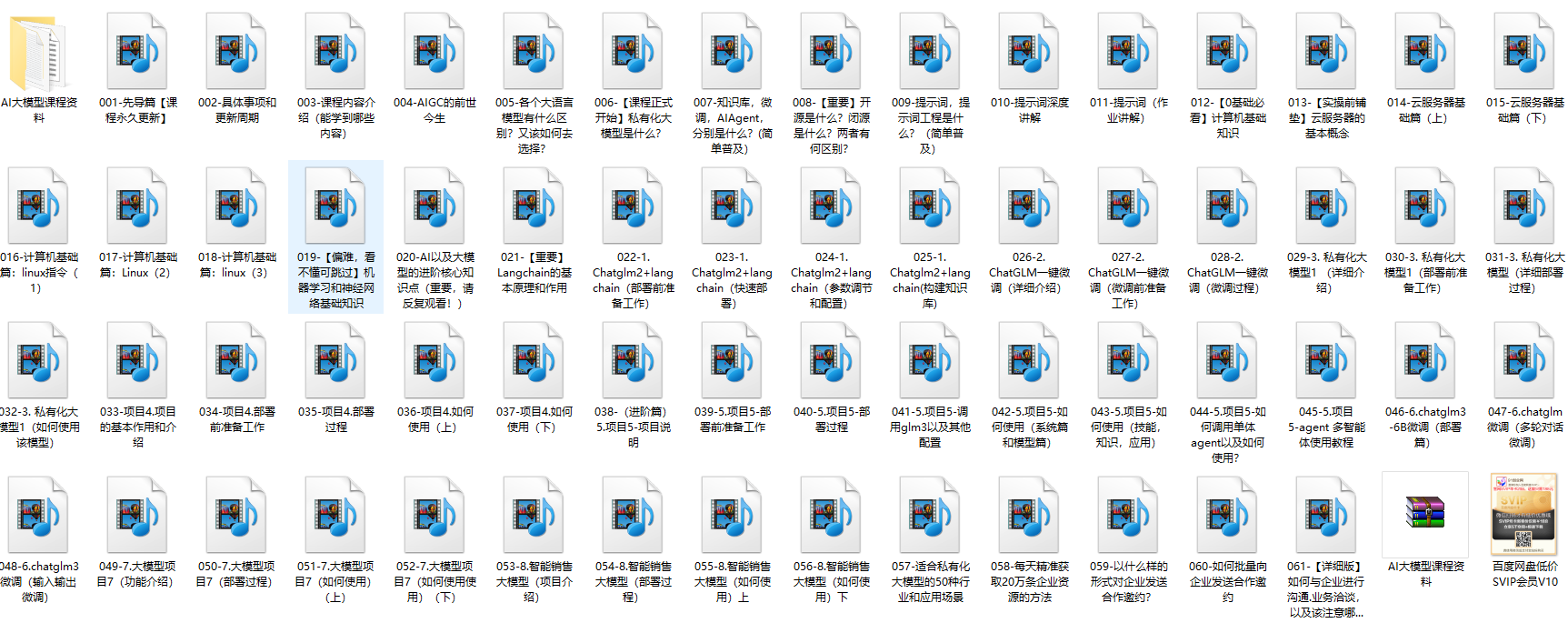
下面这些都是我当初辛苦整理和花钱购买的资料,现在我已将重要的AI大模型资料包括市面上AI大模型各大白皮书、AGI大模型系统学习路线、AI大模型视频教程、实战学习,等录播视频免费分享出来,需要的小伙伴可以扫取。

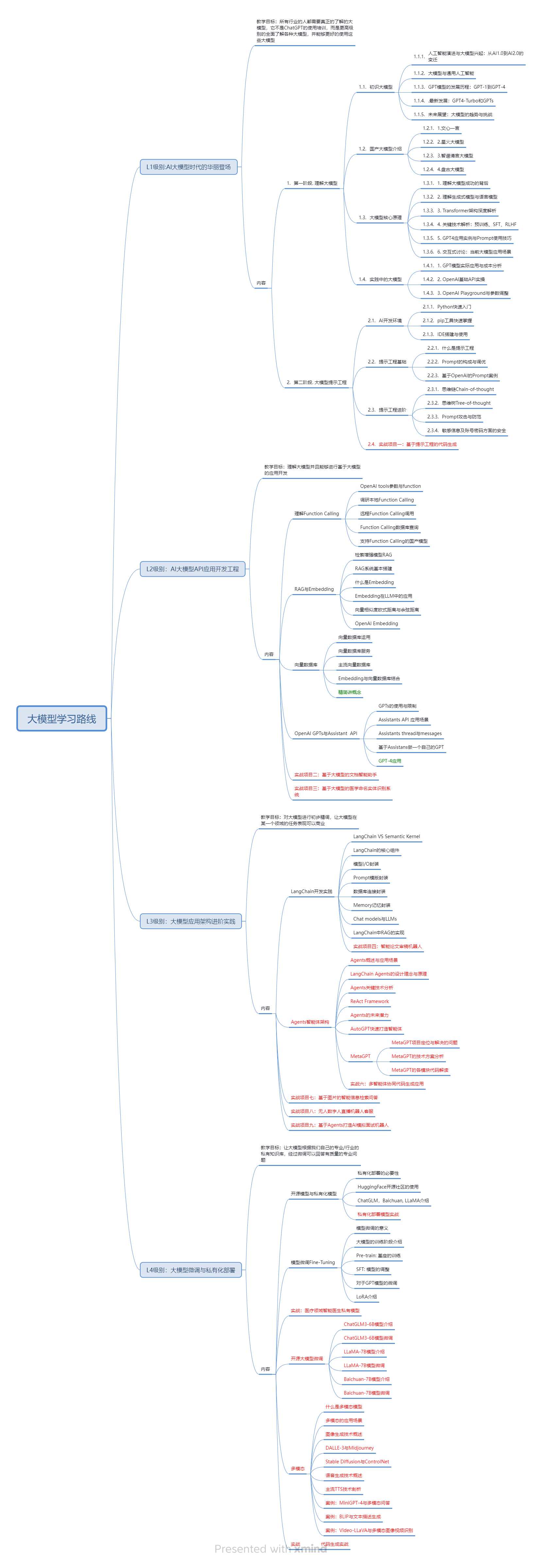
一、AGI大模型系统学习路线
很多人学习大模型的时候没有方向,东学一点西学一点,像只无头苍蝇乱撞,我下面分享的这个学习路线希望能够帮助到你们学习AI大模型。
二、AI大模型视频教程
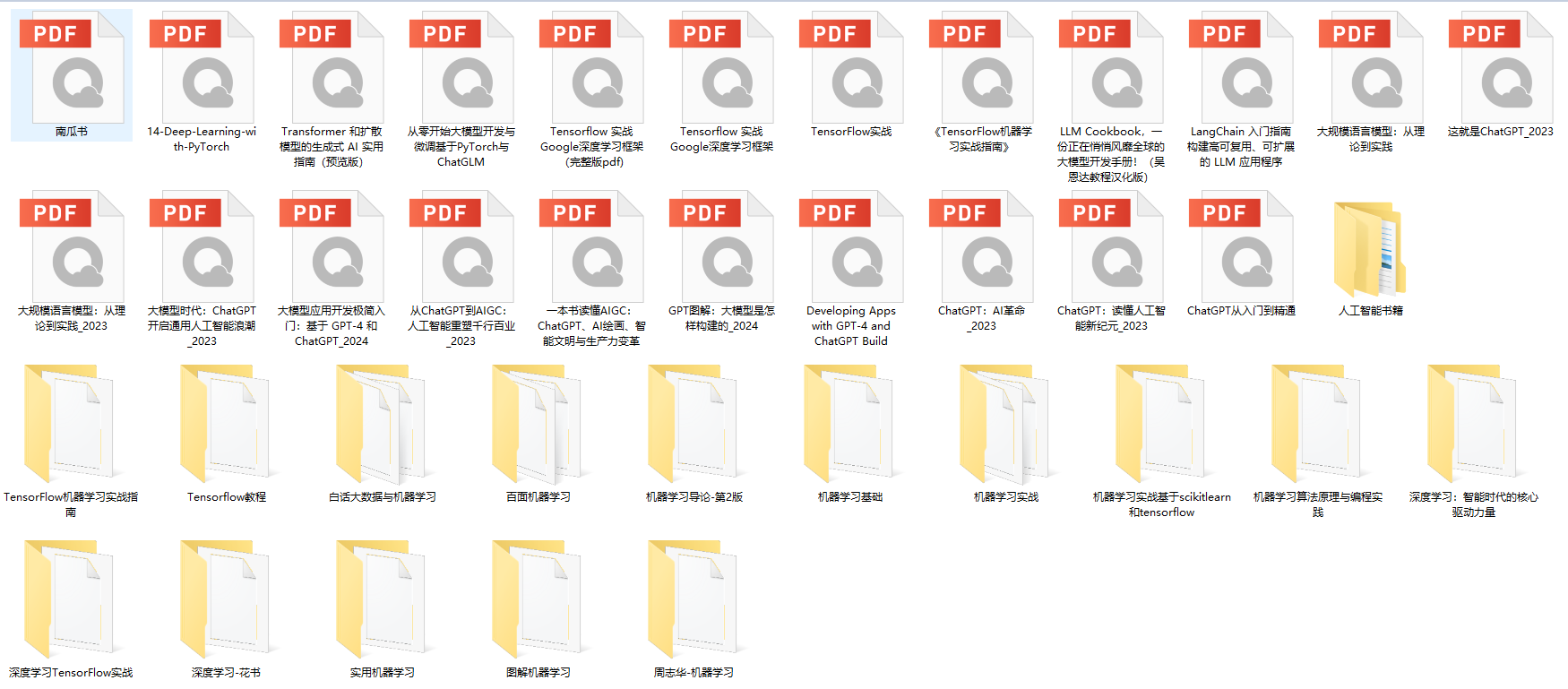
三、AI大模型各大学习书籍
四、AI大模型各大场景实战案例

五、结束语
学习AI大模型是当前科技发展的趋势,它不仅能够为我们提供更多的机会和挑战,还能够让我们更好地理解和应用人工智能技术。通过学习AI大模型,我们可以深入了解深度学习、神经网络等核心概念,并将其应用于自然语言处理、计算机视觉、语音识别等领域。同时,掌握AI大模型还能够为我们的职业发展增添竞争力,成为未来技术领域的领导者。
再者,学习AI大模型也能为我们自己创造更多的价值,提供更多的岗位以及副业创收,让自己的生活更上一层楼。
因此,学习AI大模型是一项有前景且值得投入的时间和精力的重要选择。





 扫一扫
扫一扫


 872
872

 被折叠的 条评论
为什么被折叠?
被折叠的 条评论
为什么被折叠?
 到【灌水乐园】发言





