



创建按钮
Button通过调用接口来创建,接口调用有以下两种形式:
通过label和ButtonOptions创建不包含子组件的按钮。以ButtonOptions中的type和stateEffect为例。
Button(label?: ResourceStr, options?: { type?: ButtonType, stateEffect?: boolean })
其中,label用来设置按钮文字,type用于设置Button类型,stateEffect属性设置Button是否开启点击效果。
Button('Ok', { type: ButtonType.Normal, stateEffect: true })
.borderRadius(8)
.backgroundColor(0x317aff)
.width(90)
.height(40)
设置按钮类型
Button有四种可选类型,分别为胶囊类型(Capsule)、圆形按钮(Circle)、普通按钮(Normal)和圆角矩形按钮(ROUNDED_RECTANGLE),通过type进行设置。
-
胶囊按钮(默认类型)。
此类型按钮的圆角自动设置为高度的一半,不支持通过borderRadius属性重新设置圆角。
Button('Disable', { type: ButtonType.Capsule, stateEffect: false })
.backgroundColor(0x317aff)
.width(90)
.height(40)
创建删除操作的按钮。
let MarLeft: Record<string, number> = { 'left': 20 }
Button({ type: ButtonType.Circle, stateEffect: true }) {
    Image($r('app.media.ic_public_delete_filled'))
    .width(30)
    .height(30)
}
.width(55)
.height(55)
.margin(MarLeft)
.backgroundColor(0xF55A42)
添加事件
Button组件通常用于触发某些操作,可以绑定onClick事件来响应点击操作后的自定义行为。
Button('Ok', { type: ButtonType.Normal, stateEffect: true })
.onClick(()=>{
    console.info('Button onClick')
})
控制页面跳转
可以用按钮启动任何用户界面元素,按钮会根据用户的操作触发相应的事件。例如,在List容器里通过点击按钮进行页面跳转。
// xxx.ets
@Entry
@Component
struct ButtonCase1 {
  pathStack: NavPathStack = new NavPathStack();
  @Builder
  PageMap(name: string) {
    if (name === "first_page") {
      pageOneTmp()
    }
    else if (name === "second_page") {
      pageOneTmp()
    } else if (name === "third_page") {
      pageOneTmp()
    }
  }
  build() {

    Navigation(this.pathStack) {
      List({ space: 4 }) {
        ListItem() {
          Button("First")
            .onClick(() => {
            this.pathStack.pushPath({ name: "first_page"});
          })
            .width('100%')
        }
        ListItem() {
          Button("Second")
            .onClick(() => {
            this.pathStack.pushPath({ name: "second_page"});
          })
            .width('100%')
        }
        ListItem() {
          Button("Third")
            .onClick(() => {
            this.pathStack.pushPath({ name: "third_page"});
          })
            .width('100%')
        }
      }
      .listDirection(Axis.Vertical)
      .backgroundColor(0xDCDCDC).padding(20)
    }
    .mode(NavigationMode.Stack)
    .navDestination(this.PageMap)
  }
}
// pageOne
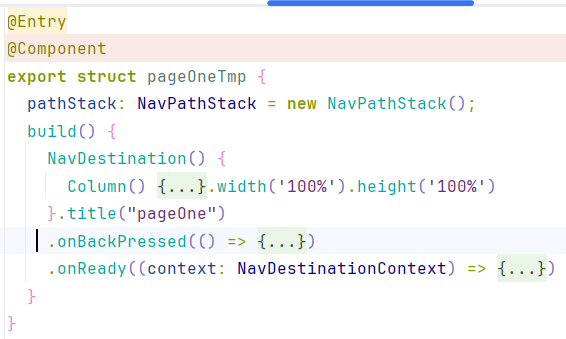
@Entry
@Component
export struct pageOneTmp {
  pathStack: NavPathStack = new NavPathStack();
  build() {
    NavDestination() {
      Column() {
        Text("first_page")
      }.width('100%').height('100%')
    }.title("pageOne")
    .onBackPressed(() => {
      const popDestinationInfo = this.pathStack.pop(); // 弹出路由栈栈顶元素
      console.info('pop' + '返回值' + JSON.stringify(popDestinationInfo));
      return true
    })
    .onReady((context: NavDestinationContext) => {
      this.pathStack = context.pathStack;
    })
  }
}





 扫一扫
扫一扫


 3682
3682

 被折叠的 条评论
为什么被折叠?
被折叠的 条评论
为什么被折叠?
 到【灌水乐园】发言





