





1.创建第一个Spring AI工程
访问 https://start.spring.io/按截图所示勾选依赖,生成代码框架
参考第一章
2.增加依赖
        <dependency>
            <groupId>org.springframework.boot</groupId>
            <artifactId>spring-boot-starter-actuator</artifactId>
        </dependency>

        <dependency>
            <groupId>io.micrometer</groupId>
            <artifactId>micrometer-registry-prometheus</artifactId>
        </dependency>
3.配置application.properties
#prometheus
management.endpoints.web.exposure.include=health,metrics,prometheus
spring.ai.observability.enabled=true
4.编写Controller
@Slf4j
@RestController
@RequestMapping("/prometheus")
public class PrometheusController {

    private ChatClient chatClient;

    public PrometheusController(ChatClient.Builder builder) {
        this.chatClient = builder.build();
    }

    @GetMapping(value = "/hello", produces = "text/html;charset=UTF-8")
    public Flux<String> hello(@RequestParam(value = "msg", defaultValue = "讲一个笑话") String msg) {
        // http://127.0.0.1:6003/prometheus/hello?msg=你是谁
        // http://127.0.0.1:6003/actuator/prometheus
        log.info("msg: {}", msg);
        Flux<String> stringFlux = chatClient.prompt(msg).stream().content()
                 // 为了方便观察,将内容打印出来
                .doOnNext(content -> log.info("Received content: {}", content));
        return stringFlux;
    }
}
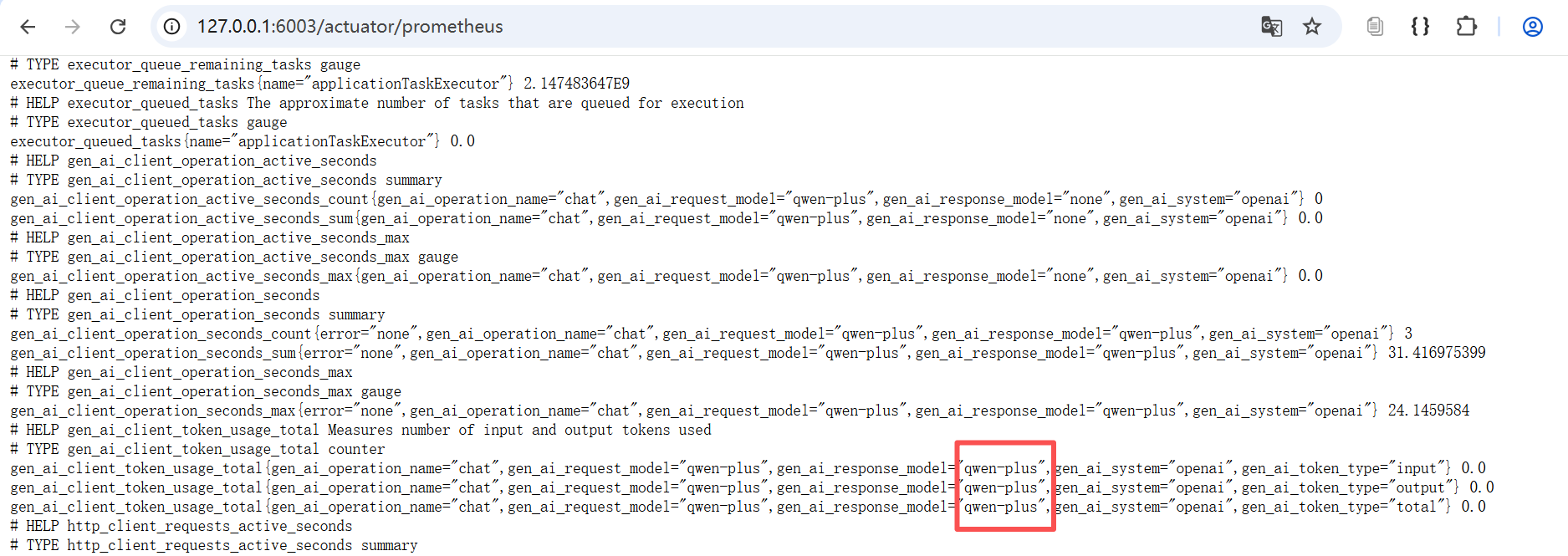
5.浏览器验证 http://127.0.0.1:6003/actuator/prometheus





 扫一扫
扫一扫


 2968
2968

 被折叠的 条评论
为什么被折叠?
被折叠的 条评论
为什么被折叠?
 到【灌水乐园】发言





