



 本文档介绍了如何在Matlab/Simulink中创建测试框架,包括为顶级模型和模型组件创建测试 harness。通过右键点击模型,选择Test Harness菜单,或者使用Simulink Test App来创建测试 harness。详细步骤包括从Apps中启动Simulink Test,新建测试文件,以及使用测试向导创建模型组件的测试 harness。
一、测试框架创建
1. Create a Test Harness For a Top Level Model
To create a test harness for a top-level model (including subsystem and model reference models):
1.1 Right-click in the Simulink® model and click Test Harness > Create for Model to open the Create Test Harness dialog box.

1.2 After selecting the desired options, click OK to create the test harness.

也可以使用下面的方法:
I :打开Apps--Simulink Test
II:On the Tests tab, click SAdd Test Harness

III:弹出如下对话框,设置即可
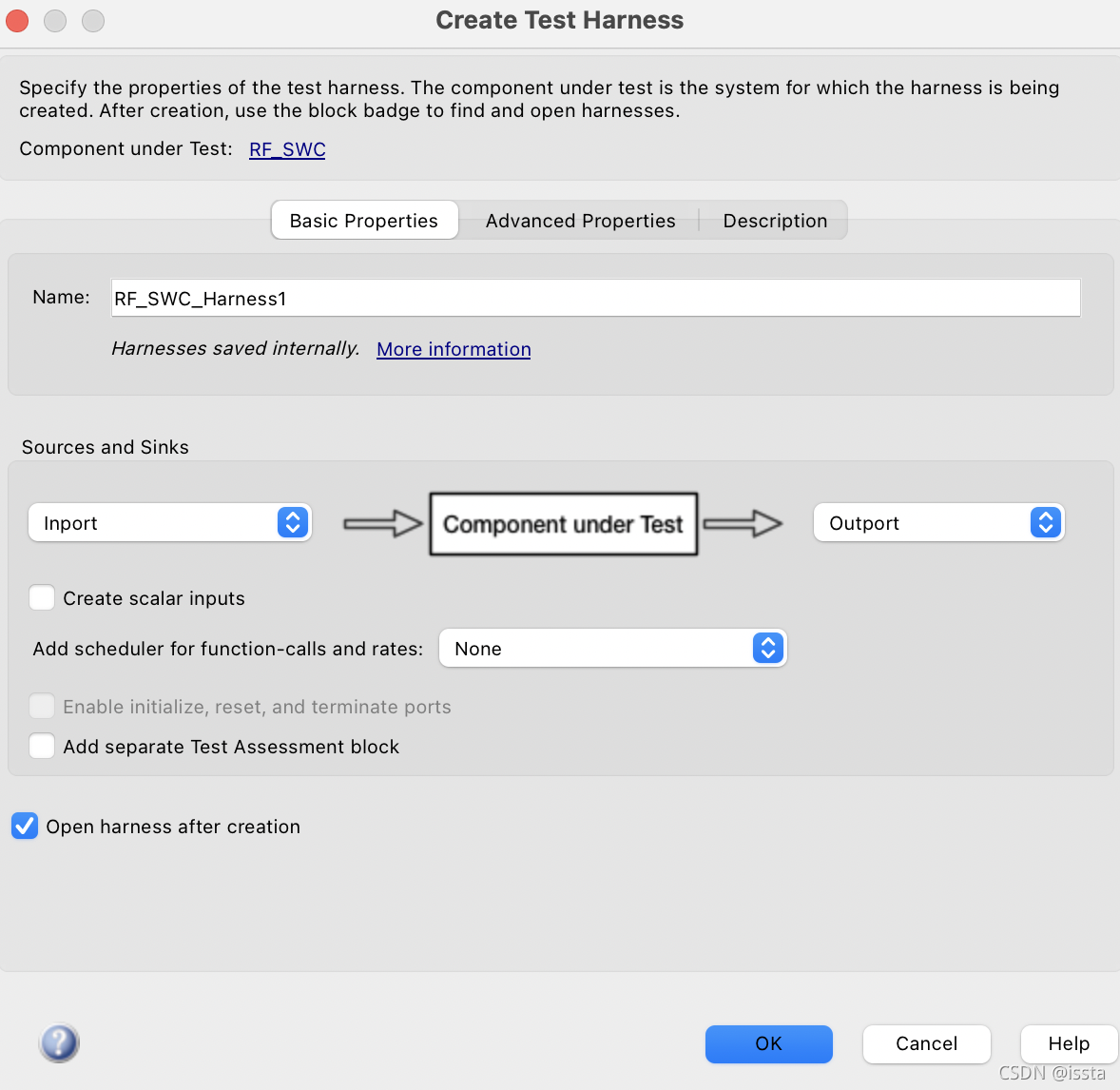
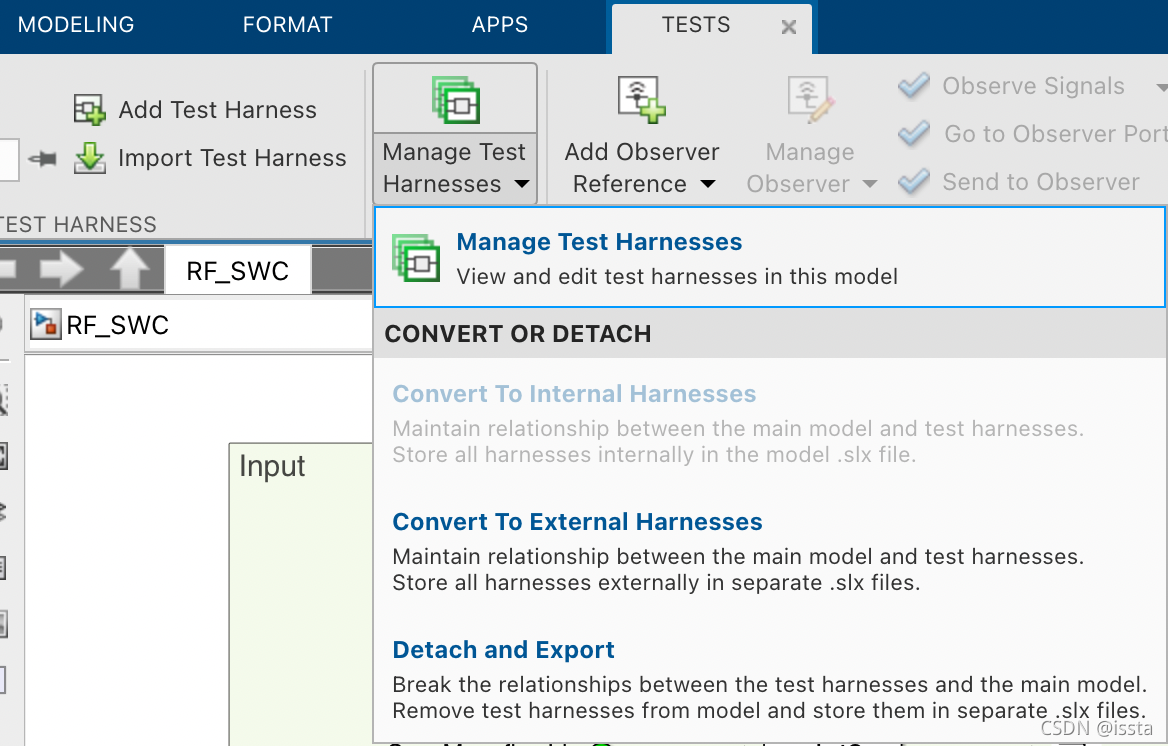
查看当前模型已经创建的测试框架:
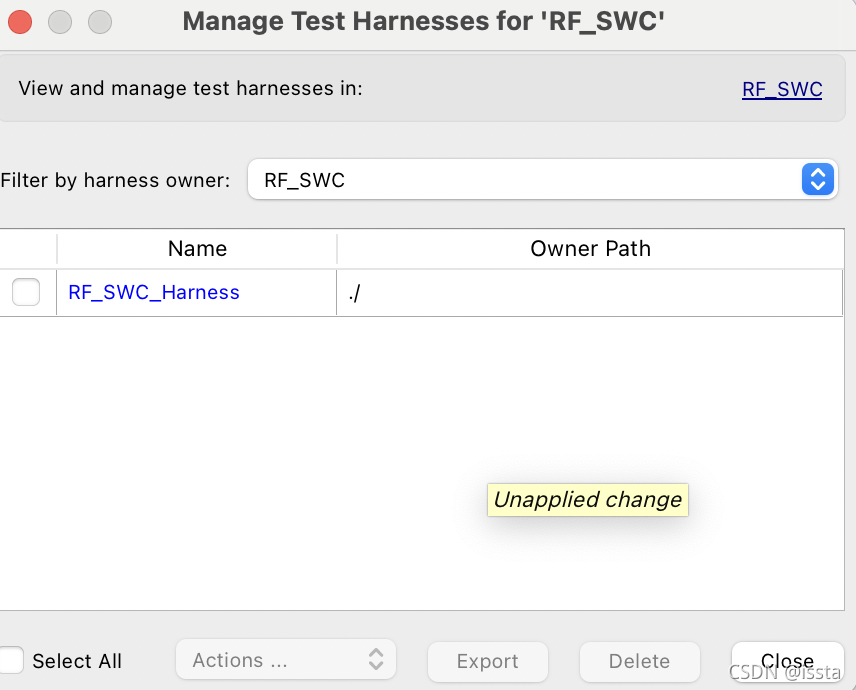
显示已经创建的Harnesses(勾选名称前面的框,可Delete不需要的harness):
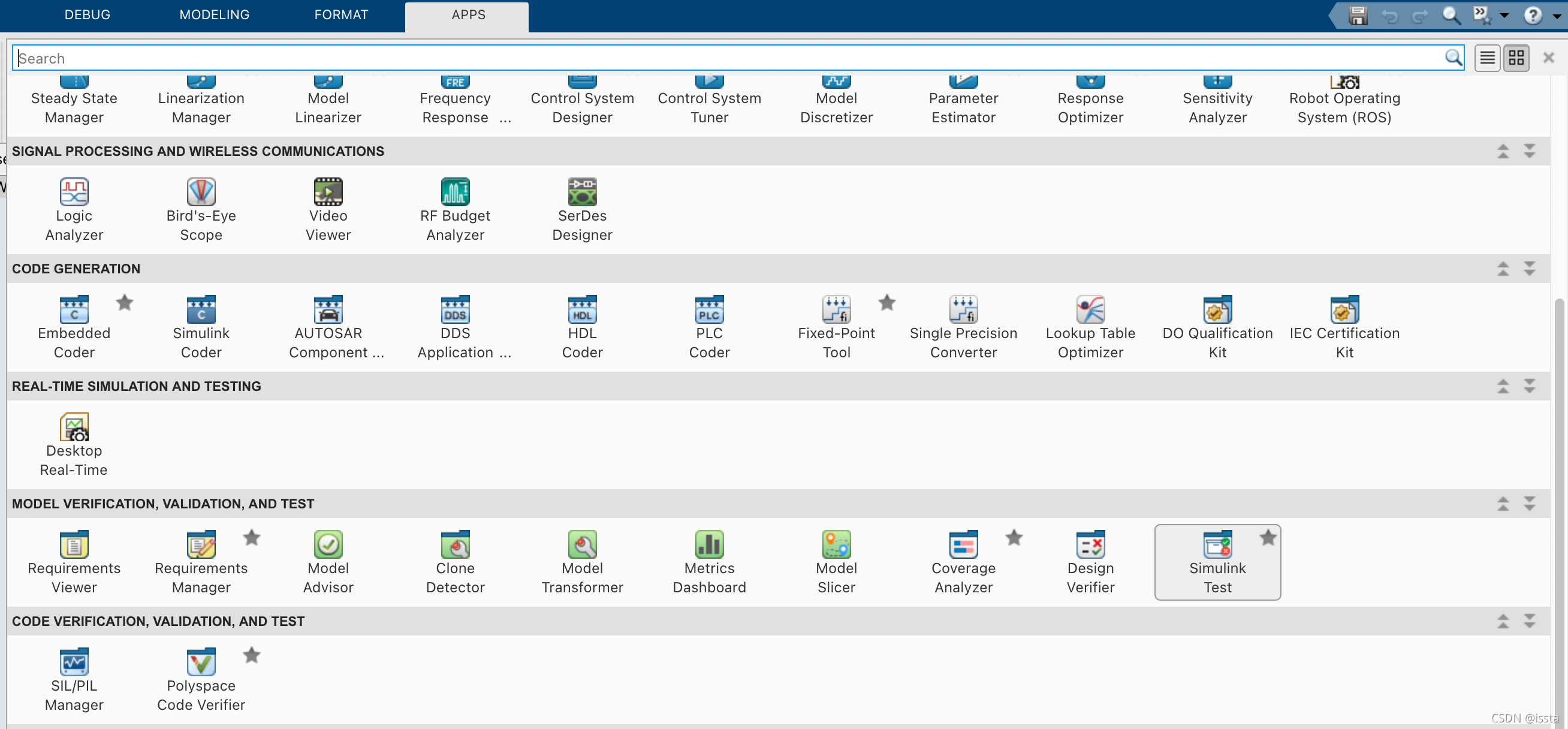
2. Create a Test Harness for a Model Component
To create a test harness for a single model component:
2.1 On the Apps tab, under Model Verification, Validation, and Test, click Simulink Test.
2.2 On the Tests tab, click Simulink Test Manager to open the Test Manager.

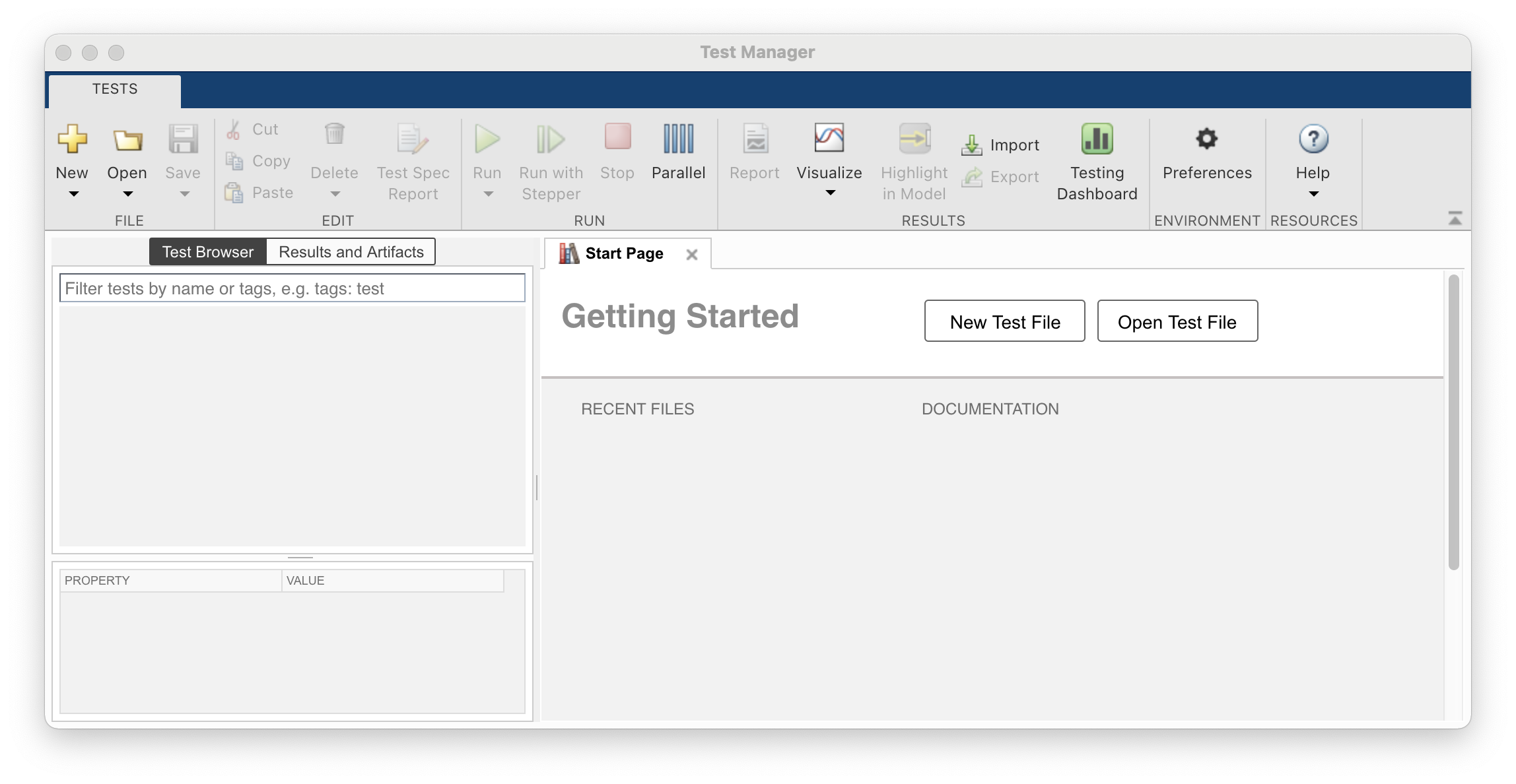
2.3 Create a new test file in the Test Manager.
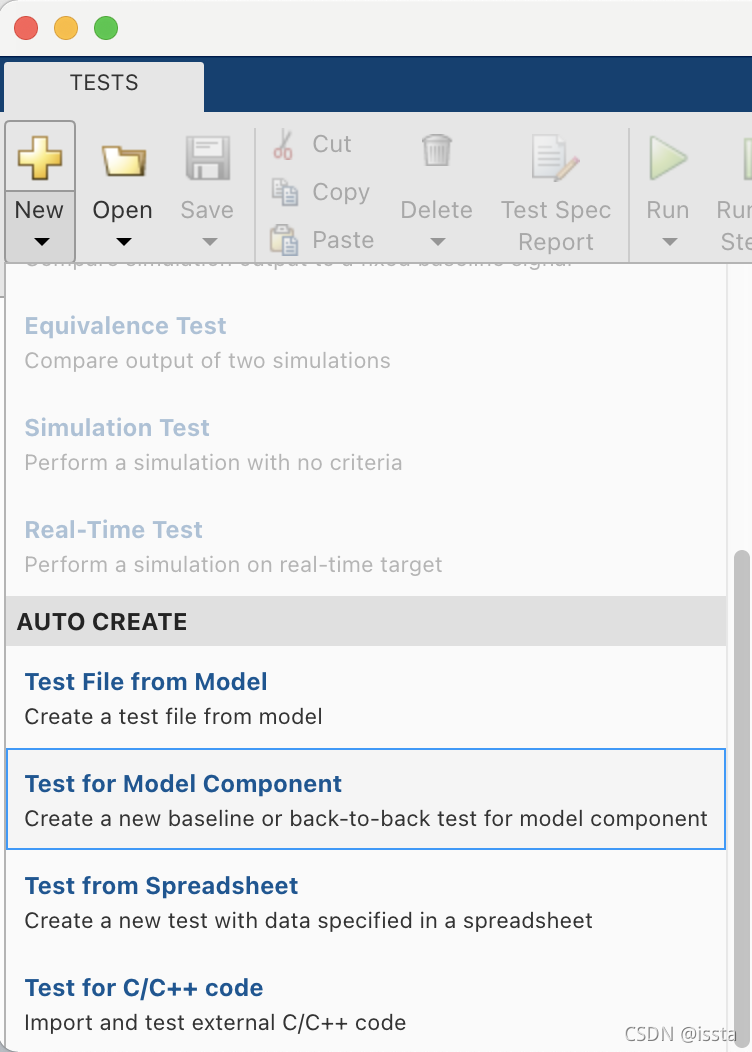
2.4 Click New > Test for Model Component, which opens the Create Test For Model Component workflow wizard.
2.5 Create the test harness by completing the wizard pages.
Details please lookup "Generate Tests and Test Harnesses for a Component or Model"
请理解一下概念:
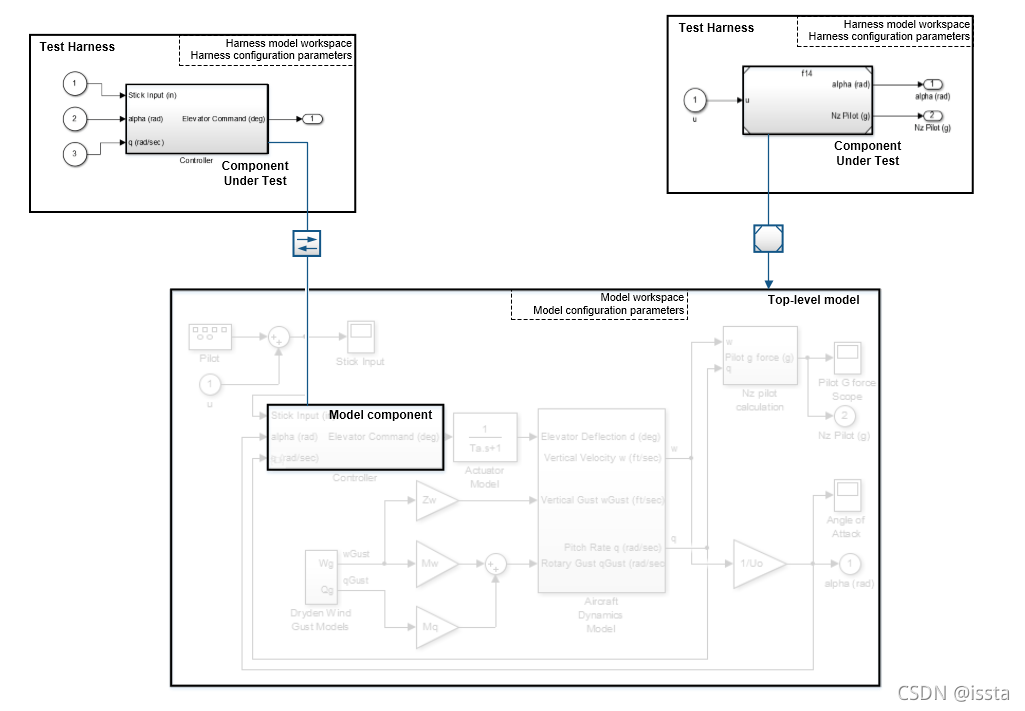
Test Harness and Model Relationship
二、





 扫一扫
扫一扫


 1645
1645

 被折叠的 条评论
为什么被折叠?
被折叠的 条评论
为什么被折叠?
 到【灌水乐园】发言





