


 本文探讨了在SpringBoot项目中,IDEA环境下与打包成可执行jar后,读取resources下文件的不同行为及解决方案。介绍了使用ClassPathResource、线程上下文加载器和类加载器三种方法来正确读取打包后的资源文件。
问题
在java spring boot项目中,idea中运行代码读取resources下的文件可以成功,打成jar包后却报了异常。
源码
controller
package com.example.bootdemo.controller;

import com.example.bootdemo.service.TestService;
import org.springframework.beans.factory.annotation.Autowired;
import org.springframework.web.bind.annotation.GetMapping;
import org.springframework.web.bind.annotation.RestController;

@RestController
public class TestController {

    @Autowired
    TestService testService;

    @GetMapping("test/get")
    public String get() {
        String result = testService.get("a.txt");
        System.out.println(result);
        return result;
    }


}
service
package com.example.bootdemo.service;

import org.apache.tomcat.util.http.fileupload.IOUtils;
import org.springframework.stereotype.Service;
import org.springframework.util.ResourceUtils;

import java.io.*;


@Service
public class TestService {

    public String get(String path) {
        try {
            return readFile(path);
        } catch (Exception e) {
            e.printStackTrace();
        }
        return null;
    }

    public static String readFile(String path) throws Exception {
        File file = ResourceUtils.getFile("classpath:" + path);
        if (!file.exists()) {
            throw new NullPointerException();
        }
        FileInputStream fis = new FileInputStream(file);
        return readFile(fis);
    }

    private static String readFile(InputStream fis) {
        InputStreamReader isr = null;
        try {
            isr = new InputStreamReader(fis, "UTF-8");
            BufferedReader br = new BufferedReader(isr);
            String line;
            StringBuilder sb = new StringBuilder();
            while ((line = br.readLine()) != null) {
                sb.append(line);
            }
            return sb.toString();
        } catch (IOException e) {
            e.printStackTrace();
        } finally {
            IOUtils.closeQuietly(isr);
            IOUtils.closeQuietly(fis);
        }
        return null;
    }

}
文件夹
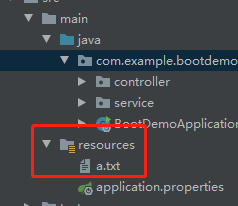
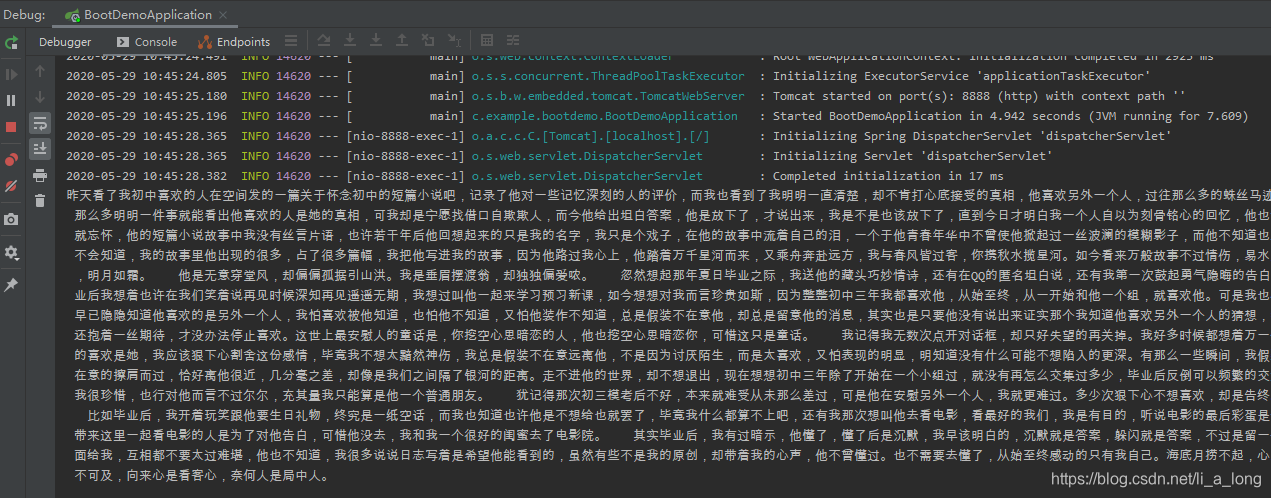
启动idea
在idea中访问接口可以发现能正常访问
达成spring boot 可执行jar包后启动项目访问接口,报异常
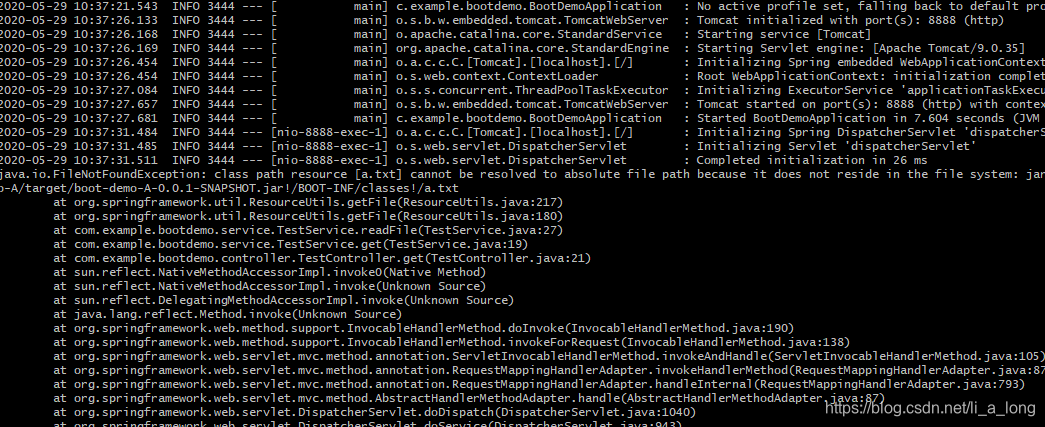
经过查找资料,发现a.txt会被打包进可执行jar,所以用
File file = ResourceUtils.getFile(“classpath:” + path);
这种读取文件的方式不能读取文件会报错。
解决方法,修改获取输入流方式
1、 修改读取文件方式通过 org.springframework.core.io.ClassPathResource类读取文件
  public static String readFile(String path) throws Exception {
        ClassPathResource classPathResource = new ClassPathResource(path);
        InputStream is =classPathResource.getInputStream();
        return readFile(is);
    }
2 、通过线程上下文加载器获取资源流
 public static String readFile(String path) throws Exception {
        InputStream is = Thread.currentThread().getContextClassLoader().getResourceAsStream(path);
        return readFile(is);
    }
3、通过某个类的类加载器获取资源流
 public static String readFile(String path) throws Exception {
        InputStream is = TestService.class.getClassLoader().getResourceAsStream(path);
        return readFile(is);
    }





 扫一扫
扫一扫


 6449
6449

 被折叠的 条评论
为什么被折叠?
被折叠的 条评论
为什么被折叠?
 到【灌水乐园】发言





