


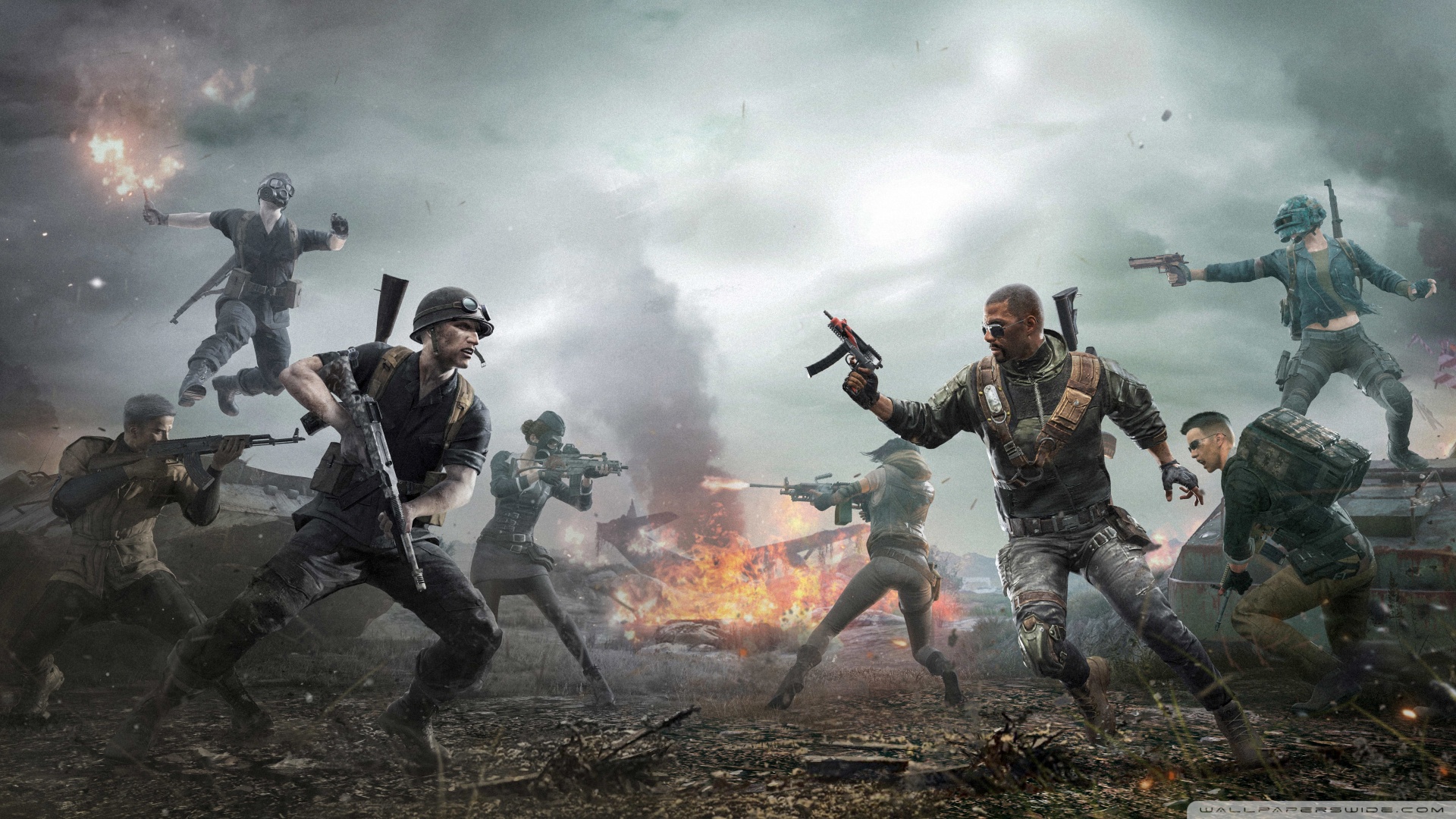
这是一张16:9的图片.jpg
上面是一张16:9的图片
只有控件和图片宽高比一致,才可以做到图片不变形,内容显示完全
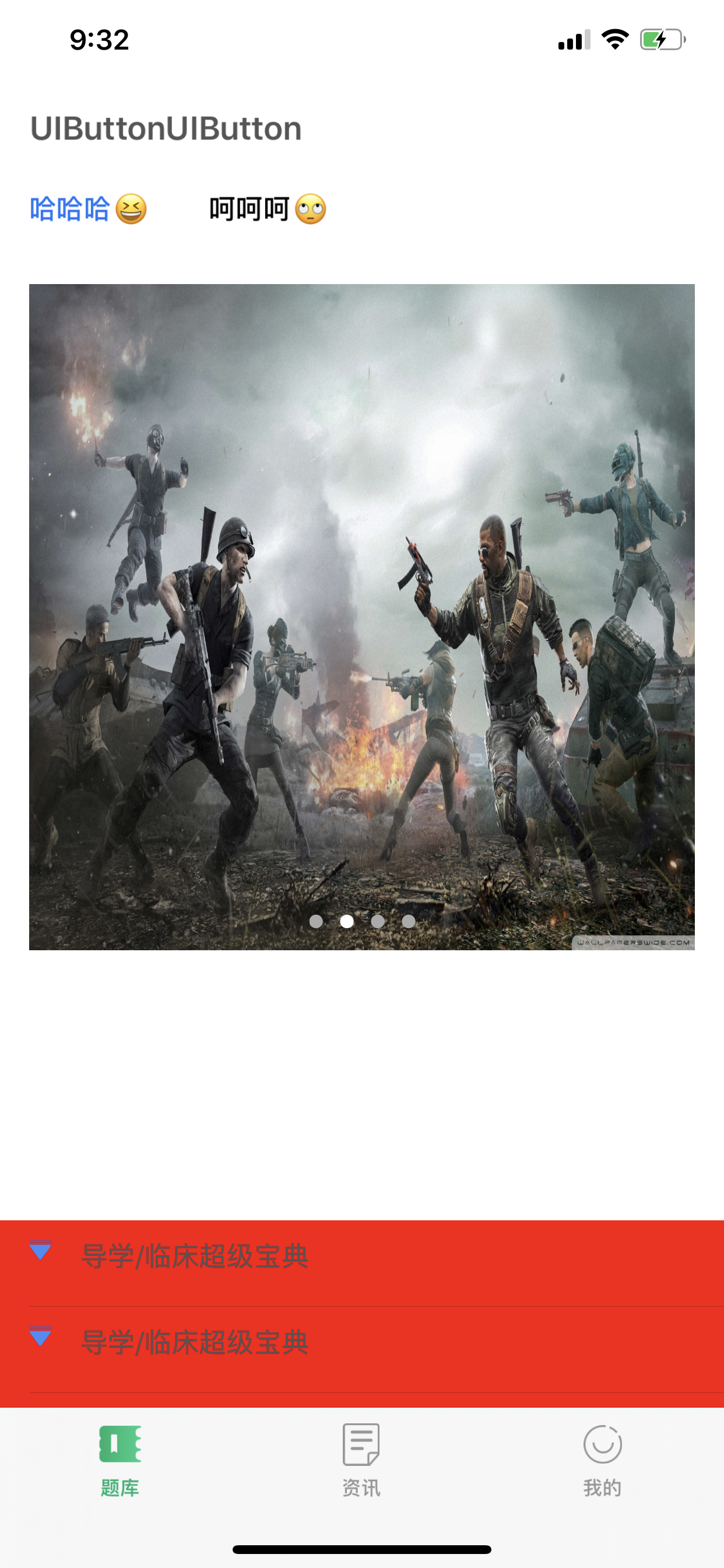
UIViewContentModeScaleToFill内容模式缩放填充,
图片全部内容展示在控件内
图片充满整个控件
图片变形
适用场景:控件和图片宽高比不一致,但是差距不大,为了保证不看到控件背景颜色,图片稍微变形人眼看不出来。
效果如下↓
UIViewContentModeScaleToFill效果.PNG
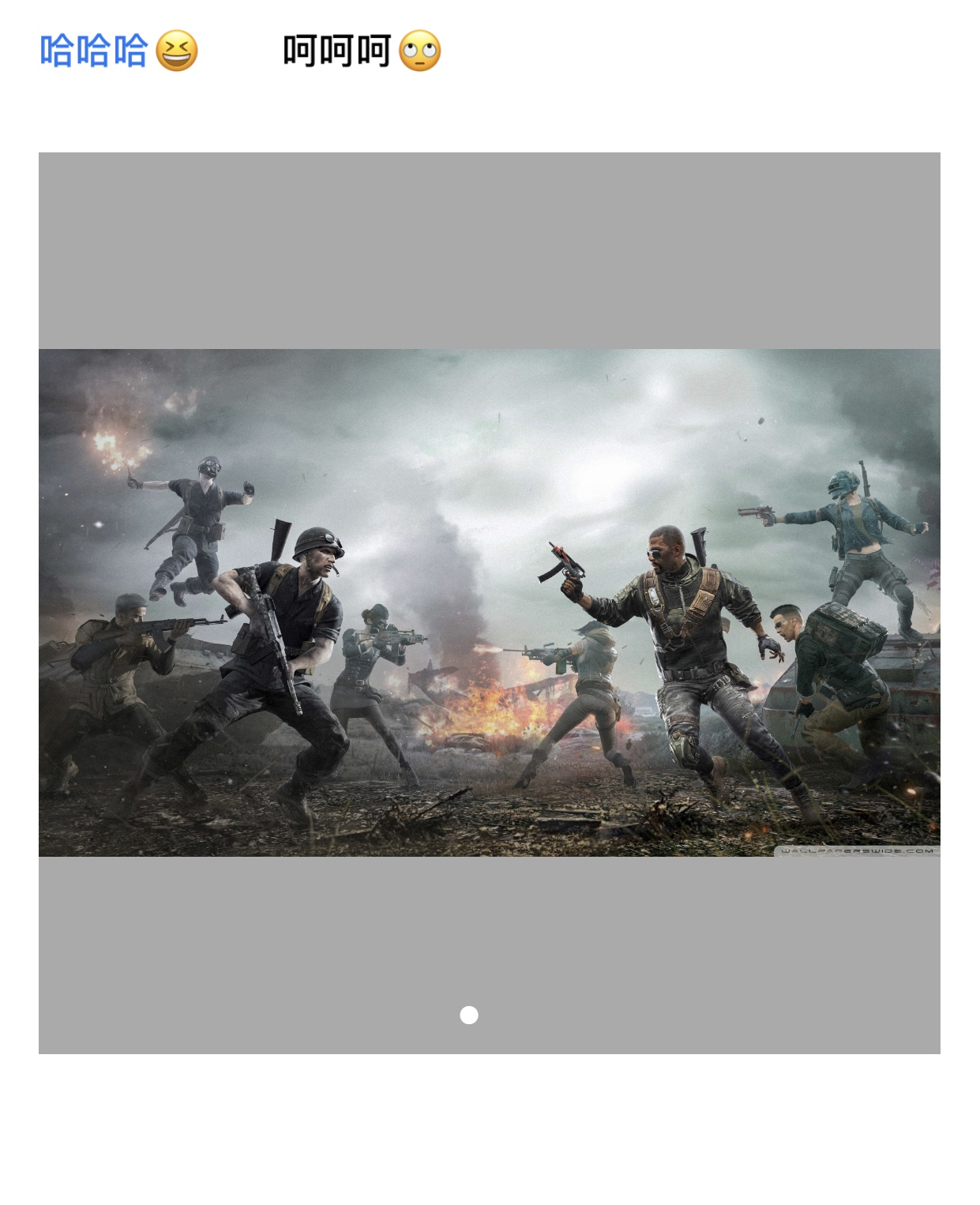
UIViewContentModeScaleAspectFit缩放宽高比,
图片全部内容展示在控件内
图片不充满整个控件
图片不变形
适用场景:控件和图片宽高比不一致,为了保证图片看起来不变形而且图片颜色和背景颜色差不多,显示部分背景不影响观感。
效果如下↓
UIViewContentModeScaleAspectFit.jpg
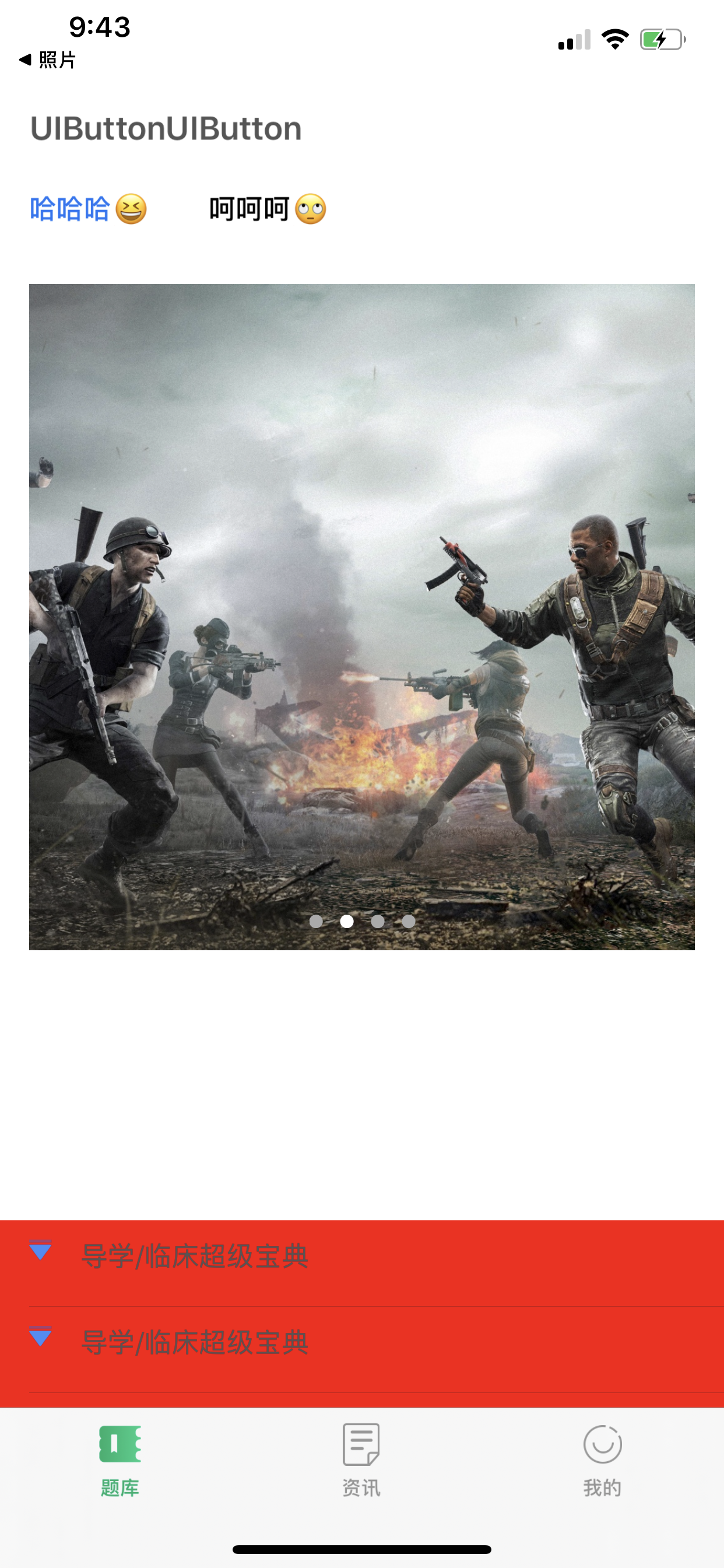
UIViewContentModeScaleAspectFill缩放宽高比,
图片部分内容展示在控件内
图片充满整个控件
图片不变形
适用场景:控件和图片宽高比不一致,为了不变形而且要遮挡背景颜色,牺牲图片部分不重要内容,例如图片上下左右留白。
效果如下↓
UIViewContentModeScaleAspectFill.PNG
暂时先简单介绍常用填充模式
更多填充模式和适用场景,未来更新。
typedef NS_ENUM(NSInteger, UIViewContentMode) {
    UIViewContentModeScaleToFill,
    UIViewContentModeScaleAspectFit,      // contents scaled to fit with fixed aspect. remainder is transparent
    UIViewContentModeScaleAspectFill,     // contents scaled to fill with fixed aspect. some portion of content may be clipped.
    UIViewContentModeRedraw,              // redraw on bounds change (calls -setNeedsDisplay)
    UIViewContentModeCenter,              // contents remain same size. positioned adjusted.
    UIViewContentModeTop,
    UIViewContentModeBottom,
    UIViewContentModeLeft,
    UIViewContentModeRight,
    UIViewContentModeTopLeft,
    UIViewContentModeTopRight,
    UIViewContentModeBottomLeft,
    UIViewContentModeBottomRight,
};





 扫一扫
扫一扫


 878
878

 被折叠的 条评论
为什么被折叠?
被折叠的 条评论
为什么被折叠?
 到【灌水乐园】发言





