



掌握
1、图像阈值;
2、阈值类型;
3、代码演示;
图像阈值(threshold)
1、图像阈值:图像分割的标尺,阈值的确定由阈值产生算法决定(OpenCV提供了2种阈值产生算法);阈值分割(threshold segmentation)
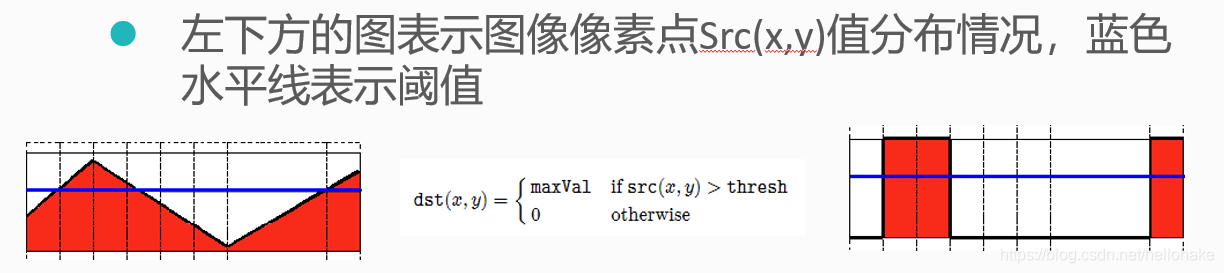
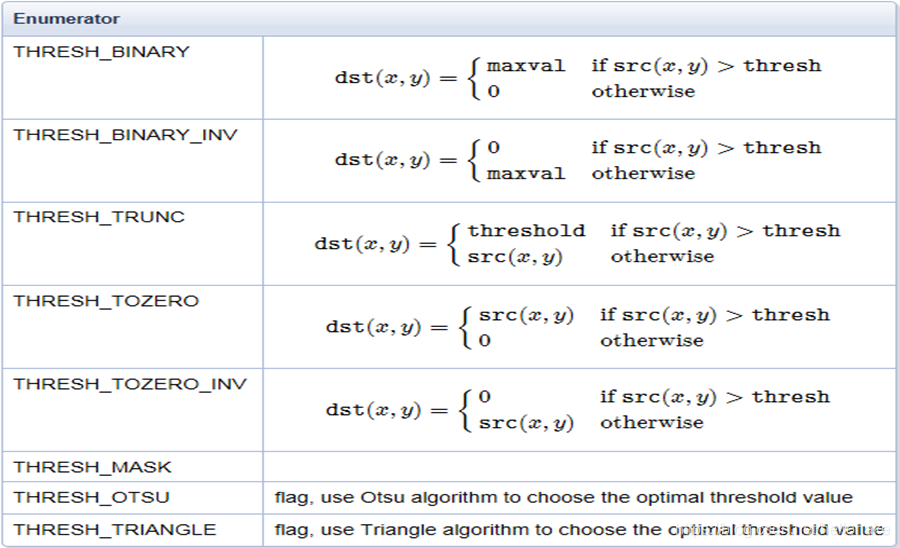
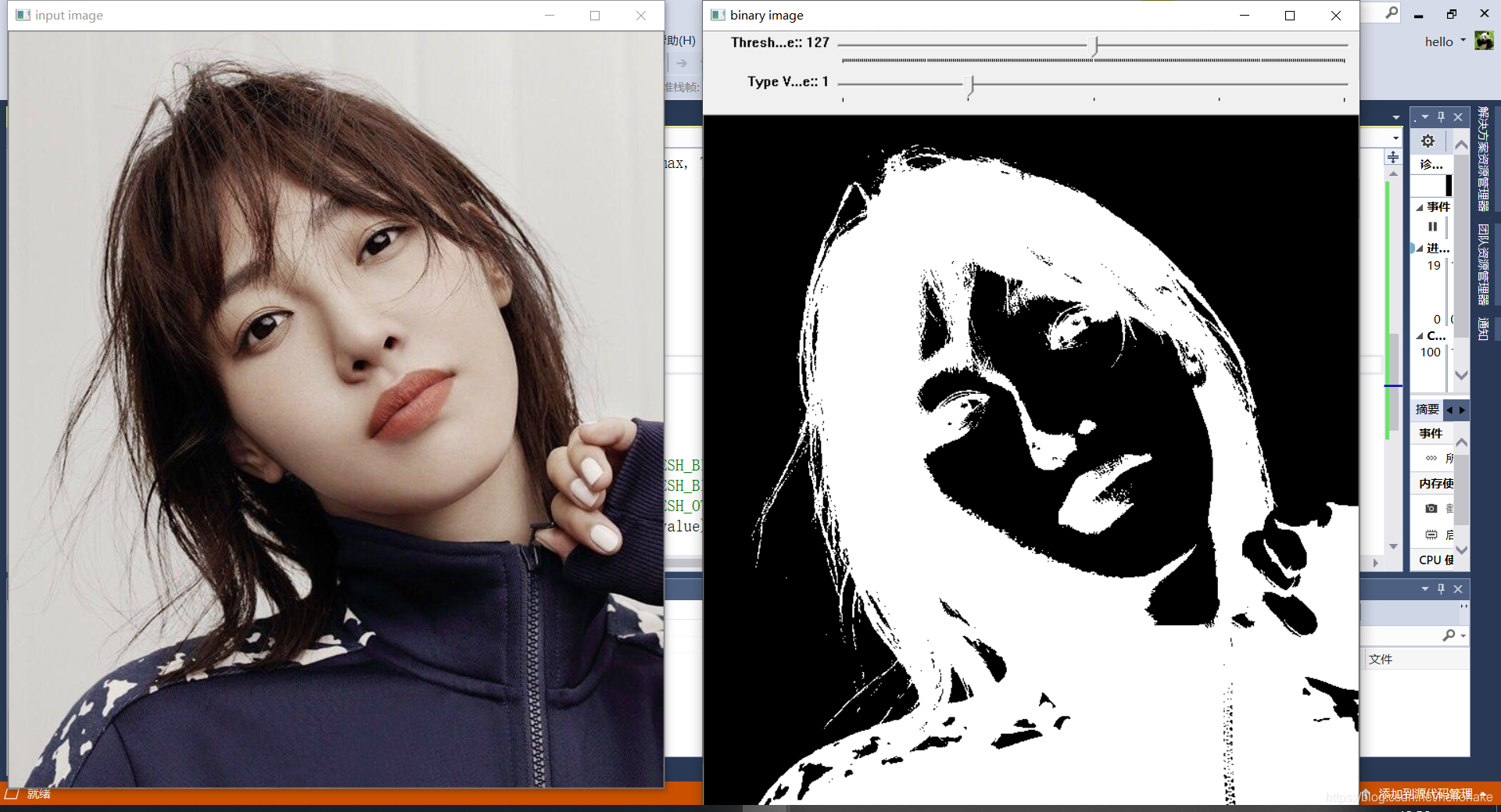
2、阈值分为不同的类型,类型1:阈值二值化(threshold binary),原理如下:
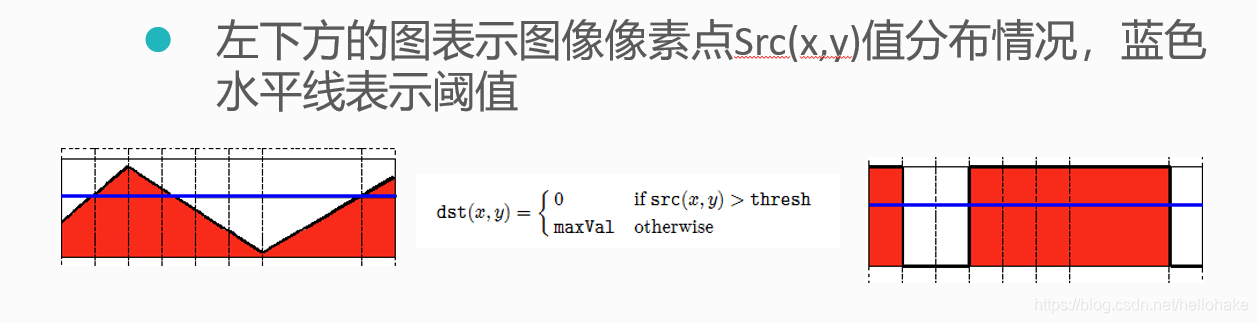
 3、类型2:阈值反二值化(threshold binary Inverted):
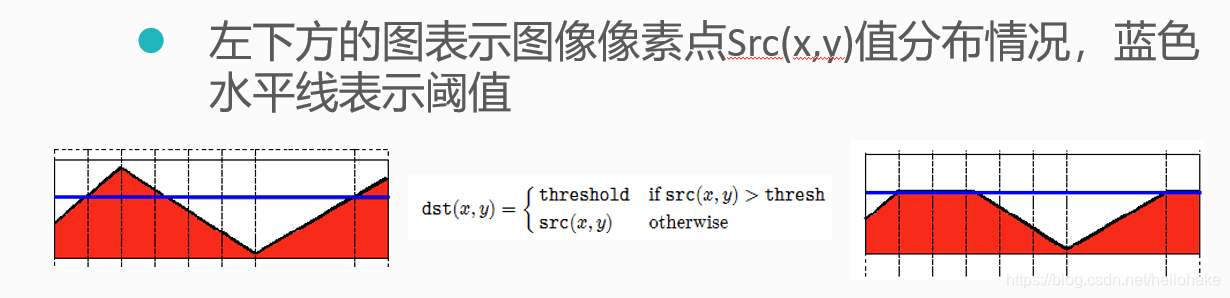
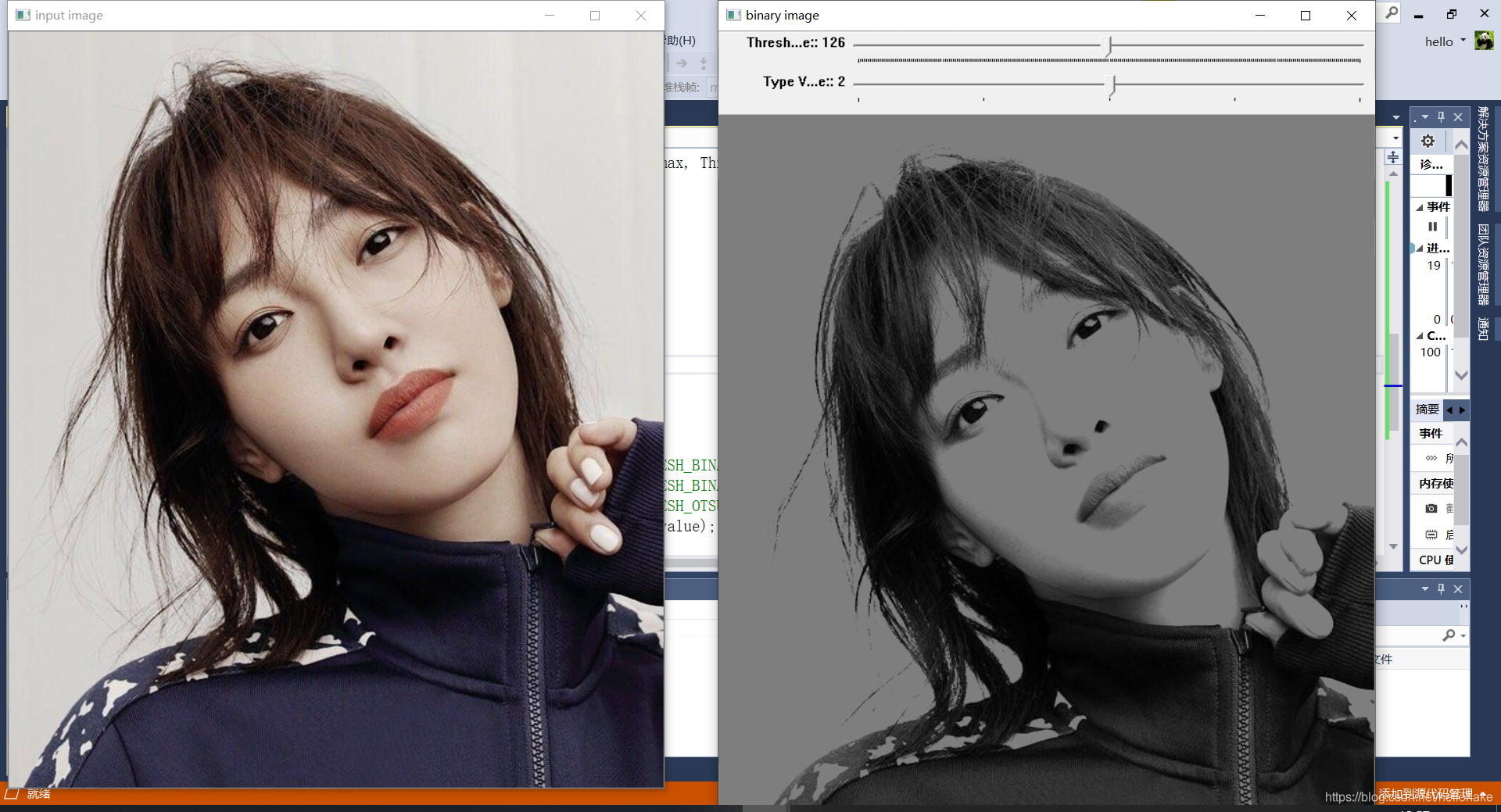
 4、类型3:阈值截断(truncate):
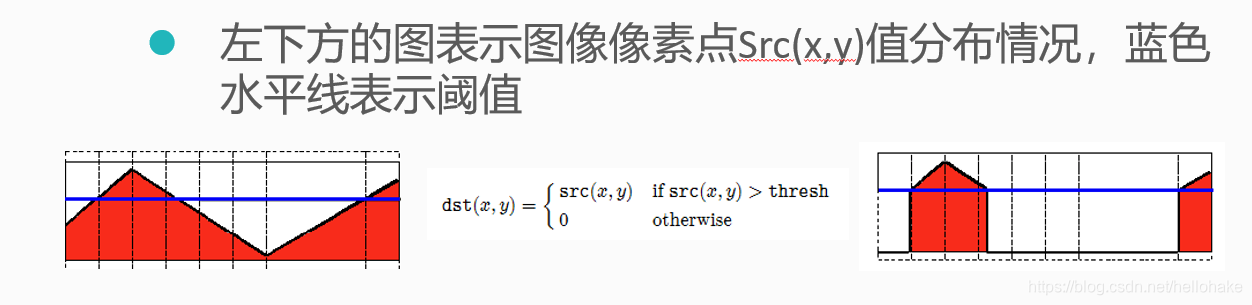
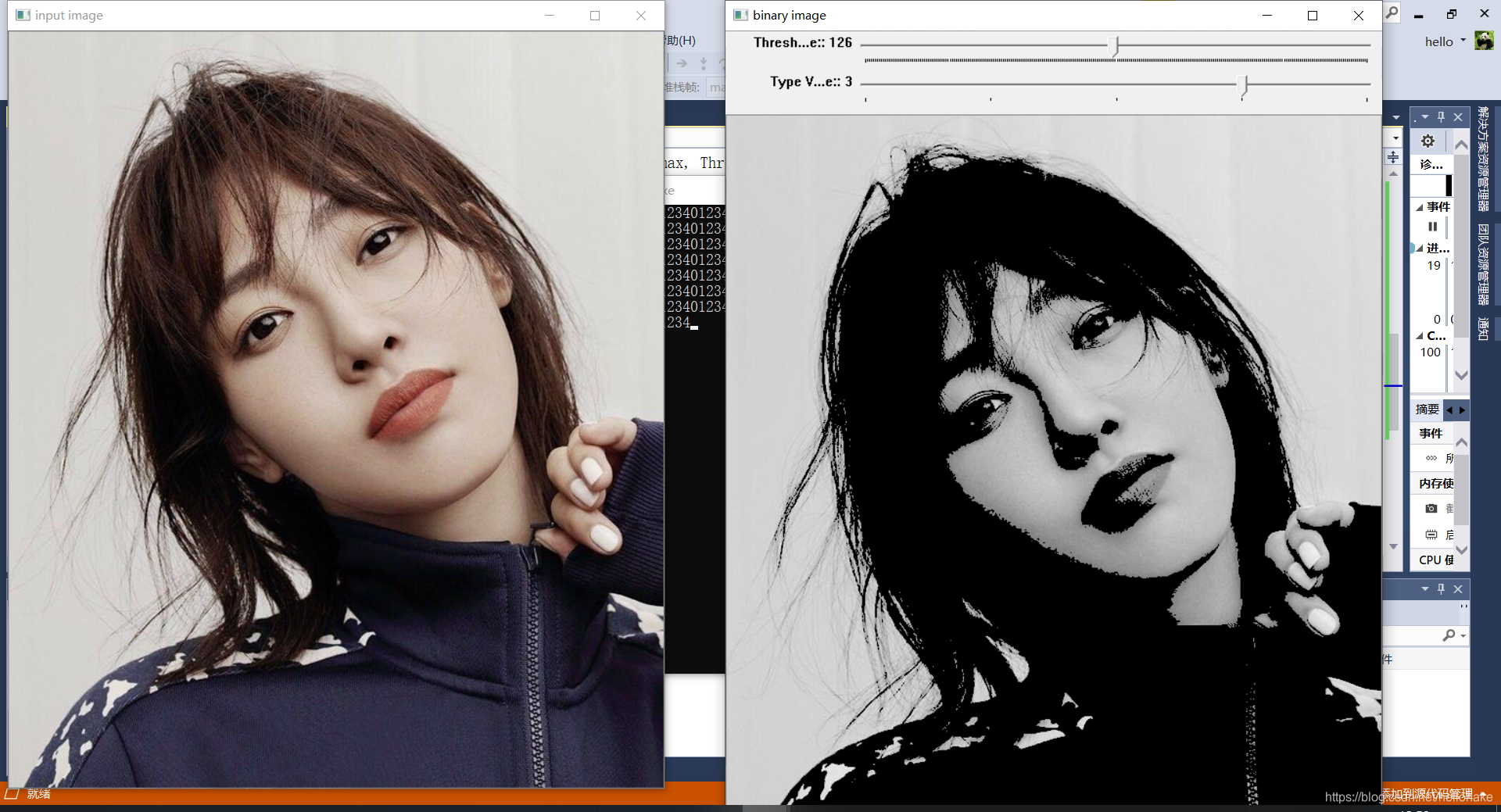
 5、类型4:阈值取零(threshold to zero):
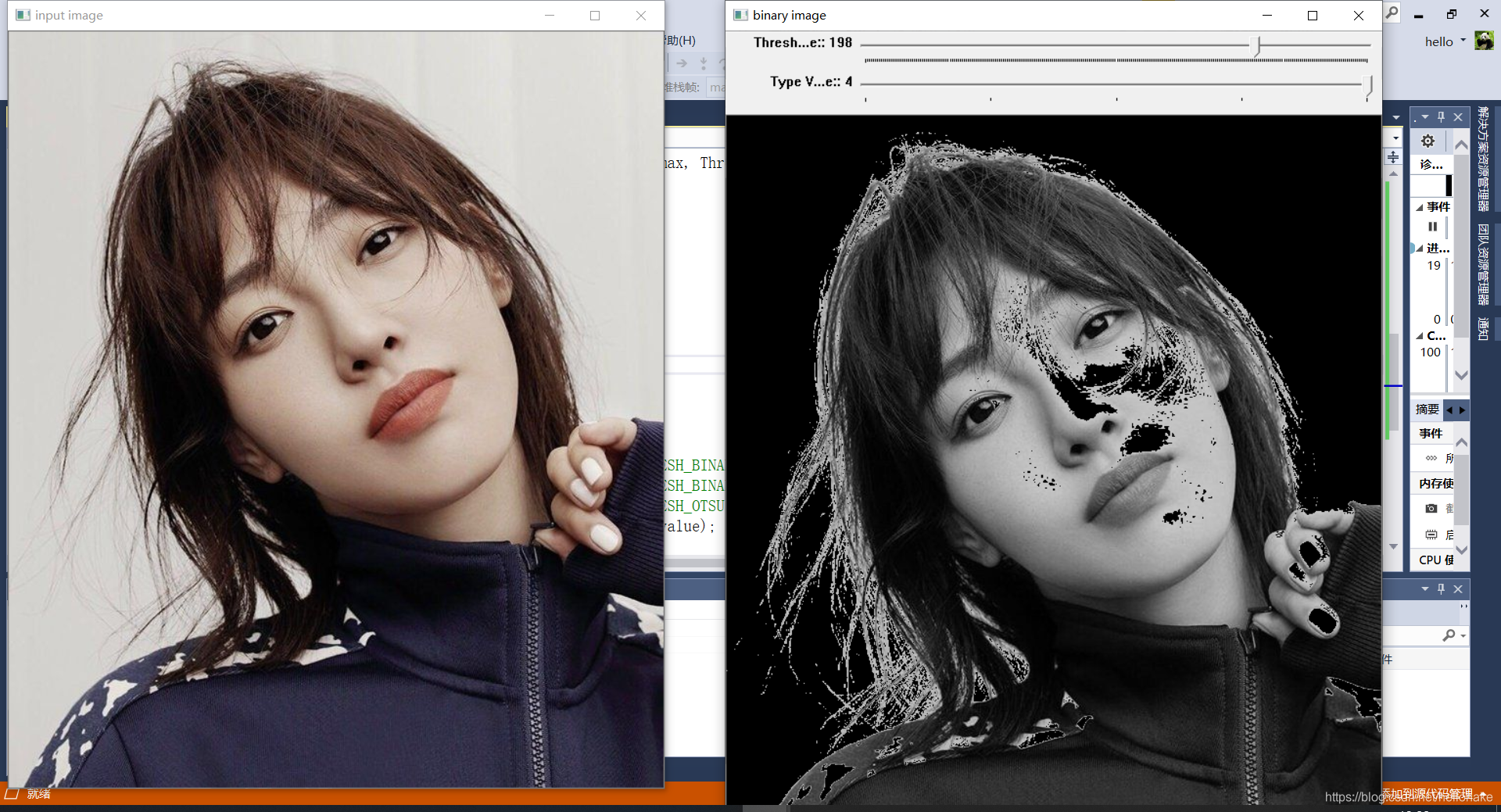
 6、类型5:阈值反取零(threshold to zero inverted):大于时取0,小于时不变
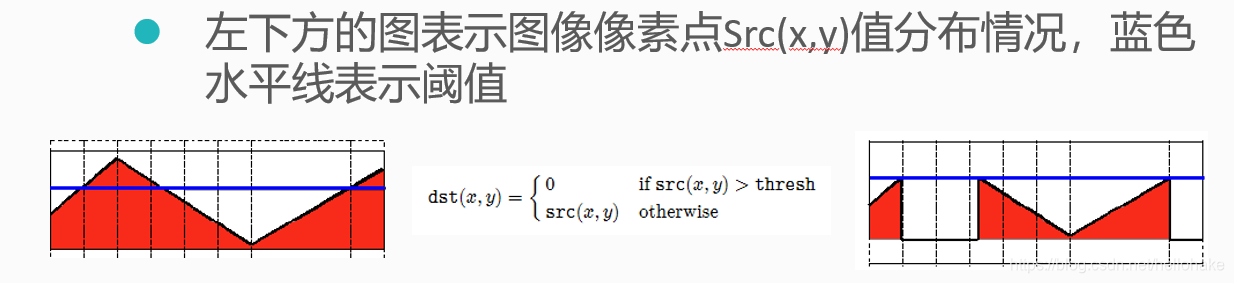
相关API
1、阈值转换API:threshold():
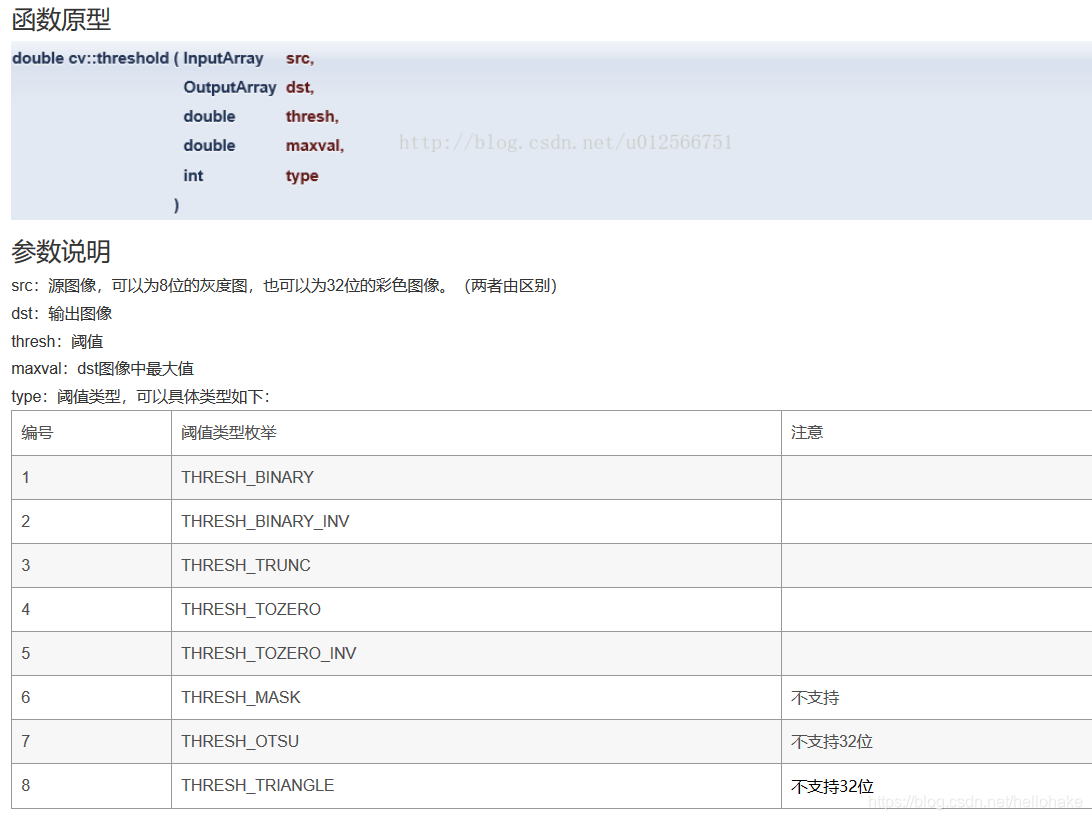 注:
注:
OpenCV提供了两种根据图像自动寻找阈值的宏定义:这两种宏只支持8位单通道图像
//产生阈值的宏
THRESH_OTSU;
THRESH_TRIANGLE;  //三角法取阈值(根据灰度直方图计算)
阈值类型在OpenCV中的宏定义:
THRESH_BINARY;
THRESH_BINARY_INV;
THRESH_TRUNC;
THRESH_TOZERO;
THRESH_TOZERO_INV;  //反取0阈值
Code
#include <opencv2/opencv.hpp>
#include <iostream>
#include <math.h>

using namespace std;
using namespace cv;

Mat src,gray_src ,dst;
int threshold_value = 127; //设定一个初始阈值
int threshold_max = 255;
const char* output_title = "binary image";

int type_value = 2;
int type_max = 4;

void Threshold_Demo(int, void*);

int main(int argc, char** argv)
{
	src = imread("C:\\Users\\hello\\Desktop\\2.jpg");
	if (!src.data)
	{
		cout << "could not load the image..." << endl;
		return -1;
	}
	namedWindow("input image", CV_WINDOW_AUTOSIZE);
	namedWindow(output_title, CV_WINDOW_AUTOSIZE);
	imshow("input image", src);

	//创建滑动条1 --改变灰度值
	createTrackbar("Threshold Value:", output_title, &threshold_value, threshold_max, Threshold_Demo);
	//创建滑动条2 --改变阈值类型
	createTrackbar("Type Value:", output_title, &type_value, type_max, Threshold_Demo);

	Threshold_Demo(0,0);
	waitKey(0);
	return 0;
}
void Threshold_Demo(int, void*)
{
	cvtColor(src, gray_src, CV_BGR2GRAY); //转换为灰度图像

	printf("%d", THRESH_BINARY);  //0
	printf("%d", THRESH_BINARY_INV);//1
	printf("%d", THRESH_TRUNC);//2
	printf("%d", THRESH_TOZERO);//3
	printf("%d", THRESH_TOZERO_INV);//4
	//threshold(gray_src, dst, threshold_value, threshold_max, THRESH_BINARY);  //二值化
	//threshold(gray_src, dst, threshold_value, threshold_max, THRESH_BINARY_INV);  //反二值化
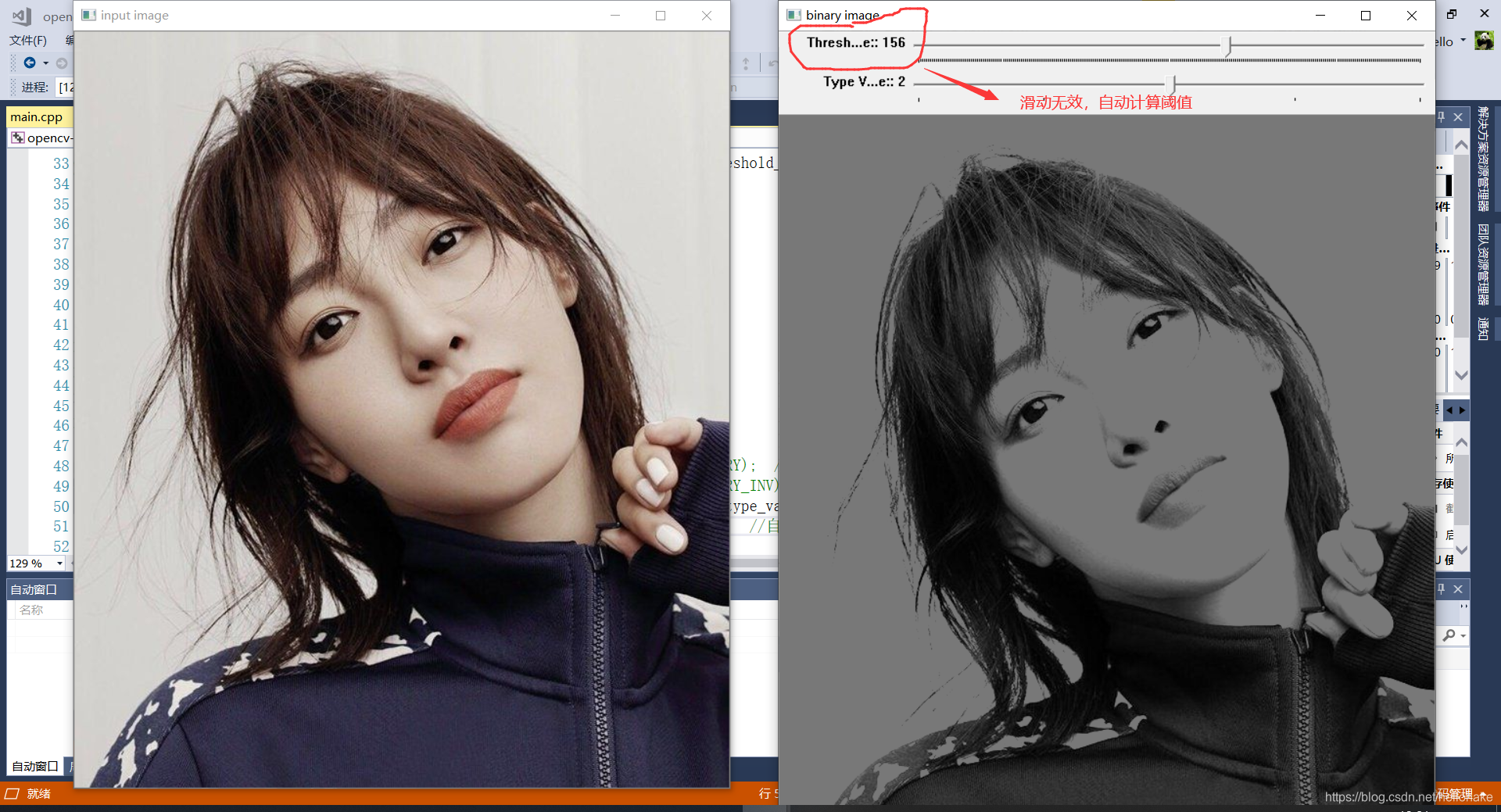
	threshold(gray_src, dst, threshold_value, threshold_max, THRESH_OTSU |type_value);  //自动计算阈值,此时手动更改阈值不起作用
	threshold(gray_src, dst, threshold_value, threshold_max, type_value);  //自动计算阈值
	imshow(output_title, dst);
}
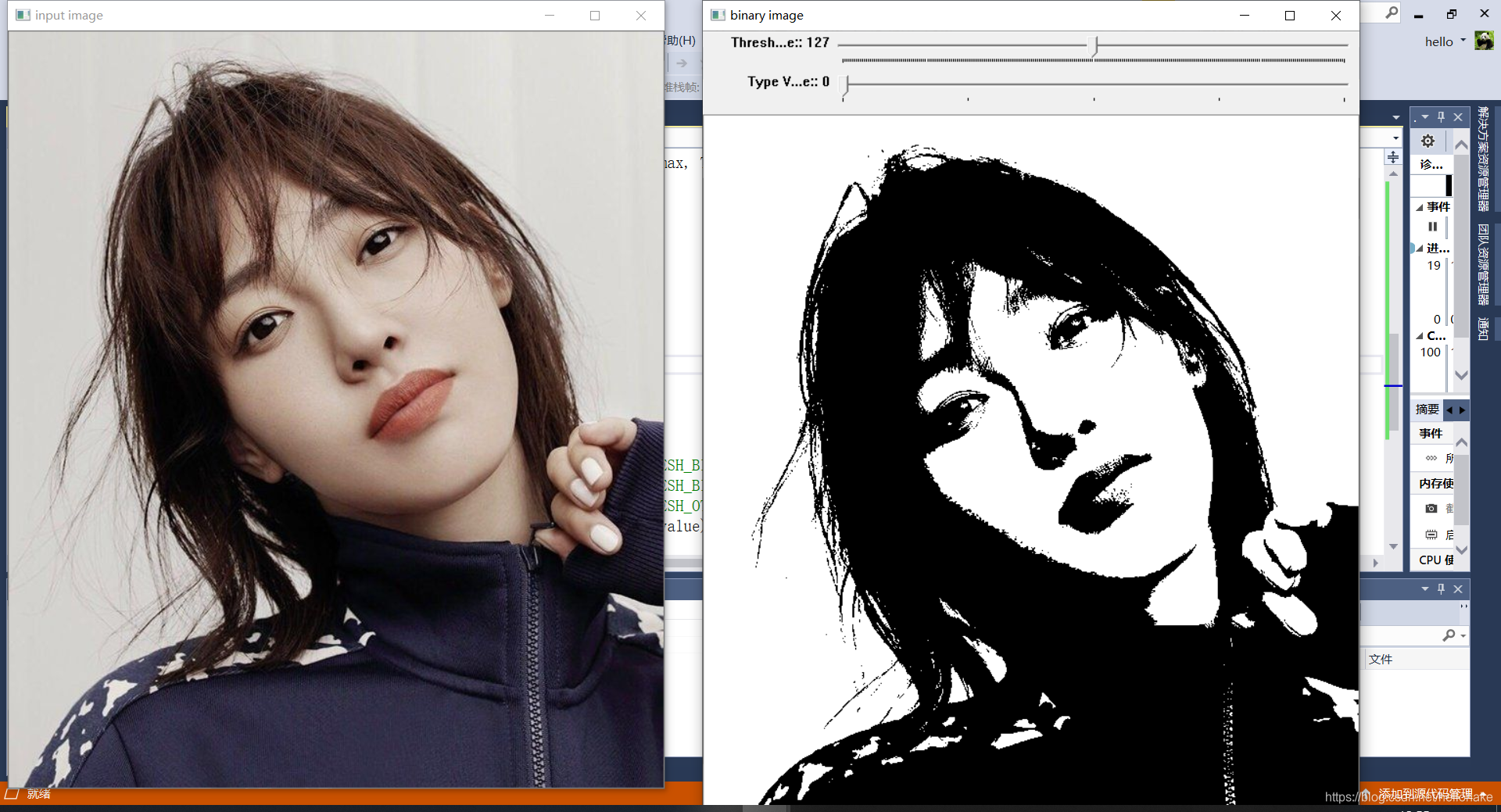
Consequence
阈值二值化:
阈值反二值化:
阈值截断:
阈值取零:
阈值反取零:
自动计算阈值:





 扫一扫
扫一扫


 551
551

 被折叠的 条评论
为什么被折叠?
被折叠的 条评论
为什么被折叠?
 到【灌水乐园】发言





