
pytorch中一些常用函数(1)

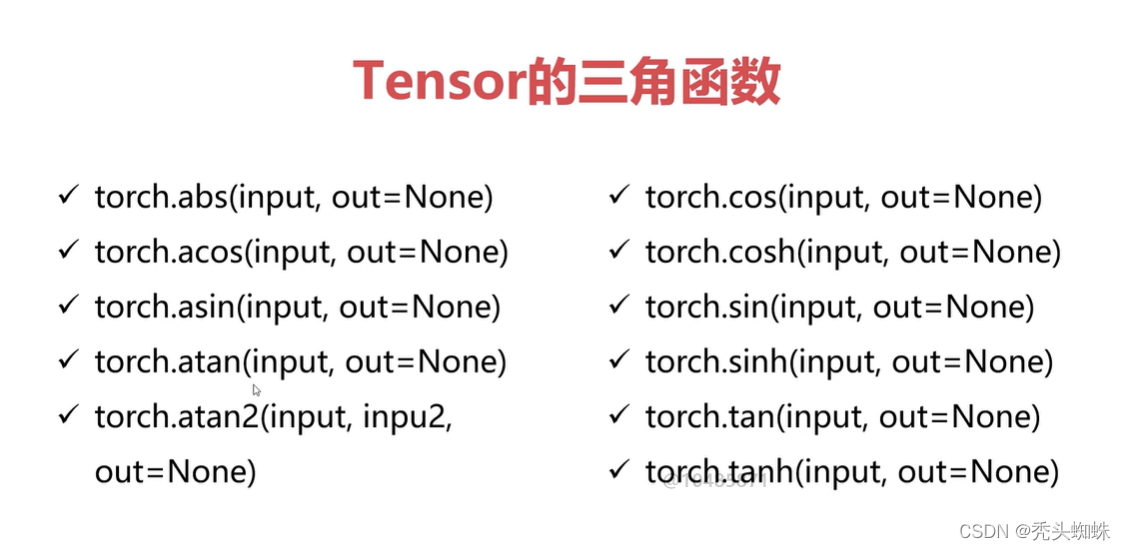
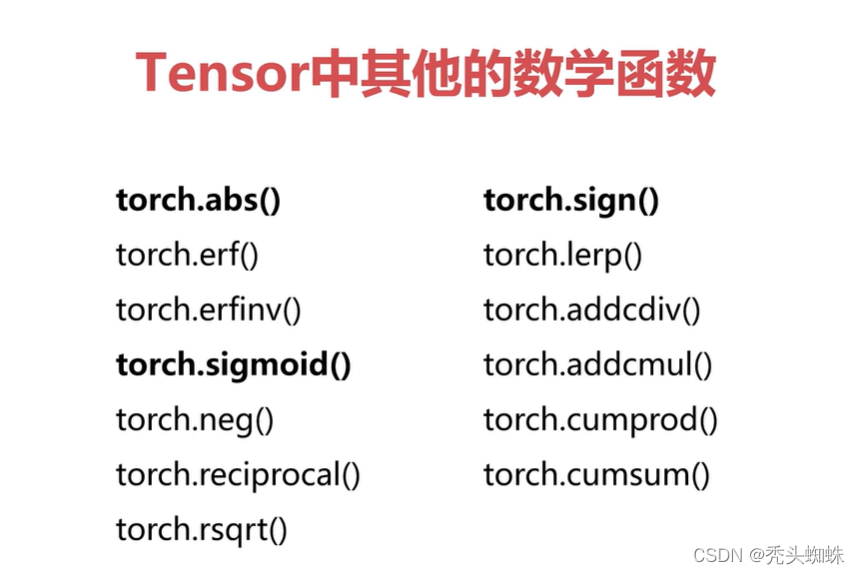
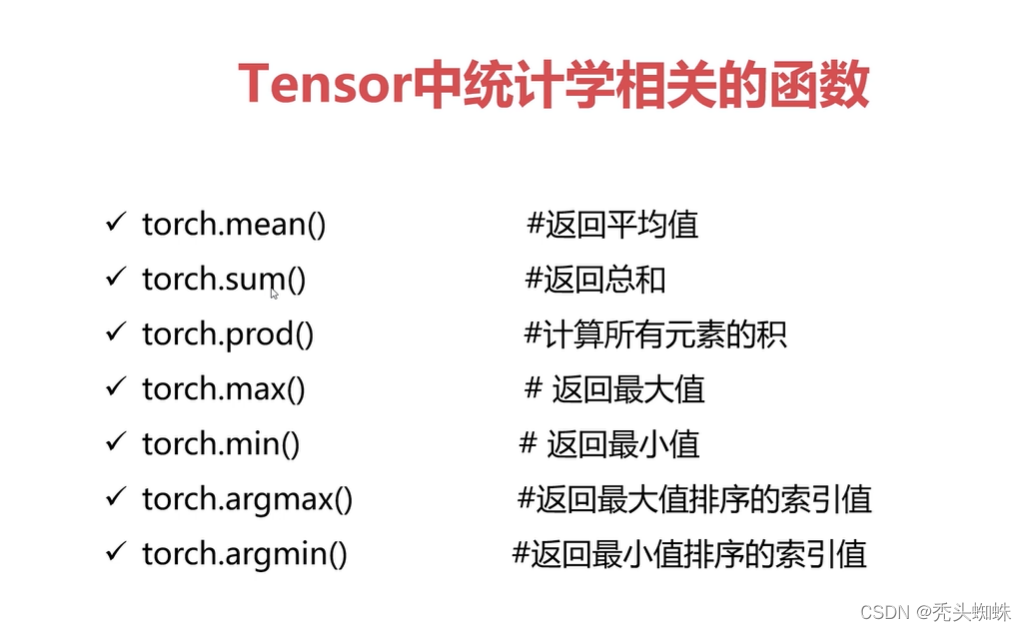
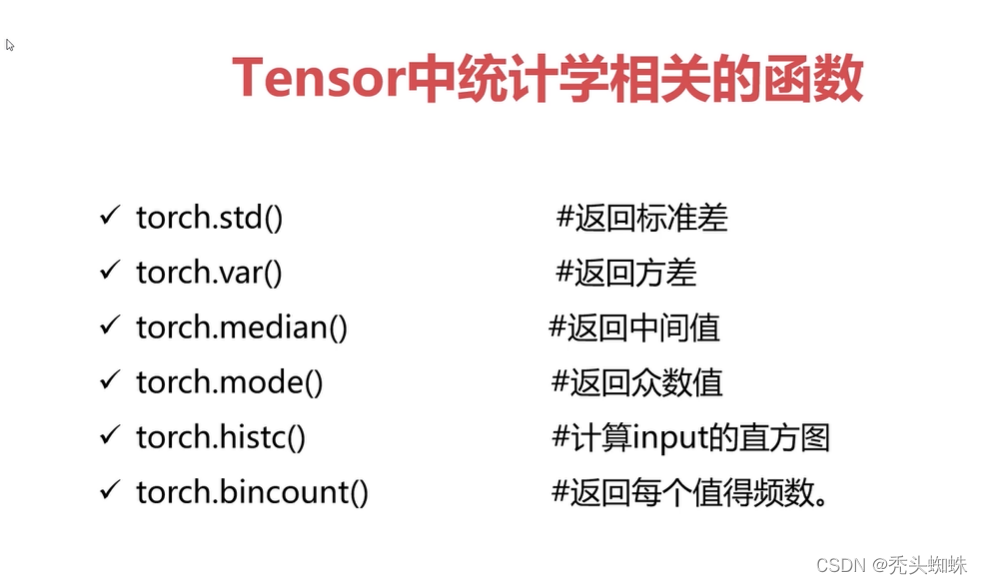
pytorch中的数学函数

在这里插入图片描述
在这里插入图片描述
在这里插入图片描述
在这里插入图片描述
torch.histc():指定最小值最大值和bin数,对tensor中的数据进行区段统计。

a = torch.rand(2,2)*10
print(a)
#6表示取6个区间段,0,0,表示采用Tensor中的最大值和最小值,也可以自己更改区间上的最大值和最小值
print( torch.histc(a,6, 0, 0) )
运行结果如下:
tensor([[5.5695, 1.2099],
        [1.3061, 1.0443]])   #a的值
tensor([3., 0., 0., 0., 0., 1.]) #6个区间段中数据的的统计

注:torch.bincount()只支持一维的Tensor

a = torch.randint(0, 10, [10]) #取0-10中间任意10个数
print(a)
print( torch.bincount(a) )
运行结果如下:
tensor([8, 1, 2, 9, 9, 8, 1, 7, 8, 7])  #a的取值
tensor([0, 2, 1, 0, 0,
### PyTorch `nn` 模块常用函数及其用法 #### 1. 张量操作与基础组件 PyTorch 提供了一系列用于张量操作的基础组件,这些功能通常被封装在 `torch.nn` 和 `torch.nn.functional` 中。例如,在构建神经网络时,可以通过 `nn.Linear` 定义全连接层[^1]。 ```python import torch from torch import nn linear_layer = nn.Linear(in_features=10, out_features=5) # 输入大小为10,输出大小为5 input_tensor = torch.randn(32, 10) # 假设批量大小为32 output_tensor = linear_layer(input_tensor) print(output_tensor.shape) # 输出形状应为 (32, 5) ``` #### 2. 神经网络构建工具 为了更灵活地管理多个子模块,PyTorch 提供了 `nn.ModuleList` 和 `nn.Sequential` 工具。前者允许动态添加或删除模型中的子模块,而后者则适合按顺序堆叠固定的层结构[^2]。 ##### 使用 `nn.ModuleList` ```python module_list = nn.ModuleList([nn.Linear(10, 5), nn.ReLU(), nn.Linear(5, 2)]) for module in module_list: input_tensor = module(input_tensor) print(input_tensor.shape) # 最终输出形状取决于最后一个线性层 ``` ##### 使用 `nn.Sequential` ```python sequential_model = nn.Sequential( nn.Linear(10, 5), nn.ReLU(), nn.Linear(5, 2) ) output_tensor = sequential_model(input_tensor) print(output_tensor.shape) # 同样会得到最终的输出形状 ``` #### 3. 特殊嵌入层 (`nn.Embedding`) 对于自然语言处理任务,`nn.Embedding` 是一种重要的机制,能够将离散型数据(如单词索引)转换为连续空间中的稠密向量表示[^3]。 ```python embedding_layer = nn.Embedding(num_embeddings=10, embedding_dim=3) # 构建一个包含10个词、每词维度为3的嵌入矩阵 indices = torch.tensor([[1, 2, 4], [3, 5, 9]]) # 批次大小为2,每个样本有3个词 embedded_vectors = embedding_layer(indices) print(embedded_vectors.shape) # 输出形状应该是 (2, 3, 3),即批次×序列长度×嵌入维度 ``` #### 4. 正则化技术 (`nn.Dropout`
评论
添加红包

请填写红包祝福语或标题

红包个数最小为10个

红包金额最低5元

当前余额3.43前往充值 >
需支付:10.00
成就一亿技术人!
领取后你会自动成为博主和红包主的粉丝 规则
hope_wisdom
发出的红包
实付
使用余额支付
点击重新获取
扫码支付
钱包余额 0

抵扣说明:

1.余额是钱包充值的虚拟货币,按照1:1的比例进行支付金额的抵扣。
2.余额无法直接购买下载,可以购买VIP、付费专栏及课程。

余额充值



