 配置Redhat9系统:NTP时间同步与SSH免密登录,


 文章详细介绍了如何在两台Redhat9虚拟机上配置NTP服务,确保客户端与服务主机时间同步,以及如何设置SSH免密登录,允许客户端通过公钥验证方式远程连接服务端。
作业内容
1.配置ntp时间服务器,确保客户端主机能和服务主机同步时间
2.配置ssh免密登陆,能够通过客户端主机通过redhat用户和服务端主机基于公钥验证方式进行远程连接
一,ntp的时间同步
使用2台Redhat 9 虚拟机
服务器端 IP192.168.124.131 主机名 [root@Server~]
客户端 IP 192.168.124.130 主机名 [root@localhost ~]
前置操作首先保证时区一致
date  这里时区都是CST
systemctl stop firewalld    关闭防火墙
setenforce 0                关闭seLiuex
1.安装软件包
检查是否安装
[root@server root2]# rpm -qa | grep chron
未安装时:
先挂载 [root@server root2]# mount /dev/sr0 /mnt
再安装 [root@server root2]# yum install chrony -y
2.服务器和客户端的配置
服务器
[root@server~]# vim /etc/chrony.conf  对其配置文件进行编辑
修改如下内容
#pool 2.rhel.pool.ntp.org iburst  服务器端不需要向上层同步时间
allow 192.168.124.0/24    允许客户端向本服务器同步时间
local stratum 10  定义本地主机时间服务器在第10层级    15以内保证偏差在1-50ms
[root@server ~]# systemctl  restart chronyd  重启软件以加载配置
客户端
[root@localhost ~]# vim /etc/chrony.conf

修改如下内容
pool 192.168.124.131  iburst  从该服务器处同步时间

[root@localhost ~]# systemctl restart chronyd  重启chronyd 服务
3.测试
[root@sever ~]# date 111110102022.20
Fri Nov 11 10:10:20 CST 2022
[root@sever ~]# systemctl restart chronyd

[root@localhost ~]# date
sun Apr 16 07:24:00 CST 2023二、配置ssh免密登陆,能够客户端主机通过普通用户和服务端主机基于公钥验证方式进行远程连接
1.保证openssh和rsync两个服务的安装
使用命令
rpm -qa | grep openssh
rpm -qa | grep rsync
如果未下载则可使用如下方式 ,分别获取两个服务
rpm -i openssh-2.1.1p4-1.i386.rpm
yum -y install rsync
2.客户端生成密钥
[root@server ~]# ssh-keygen
[shasha@server ~]# ssh-keygen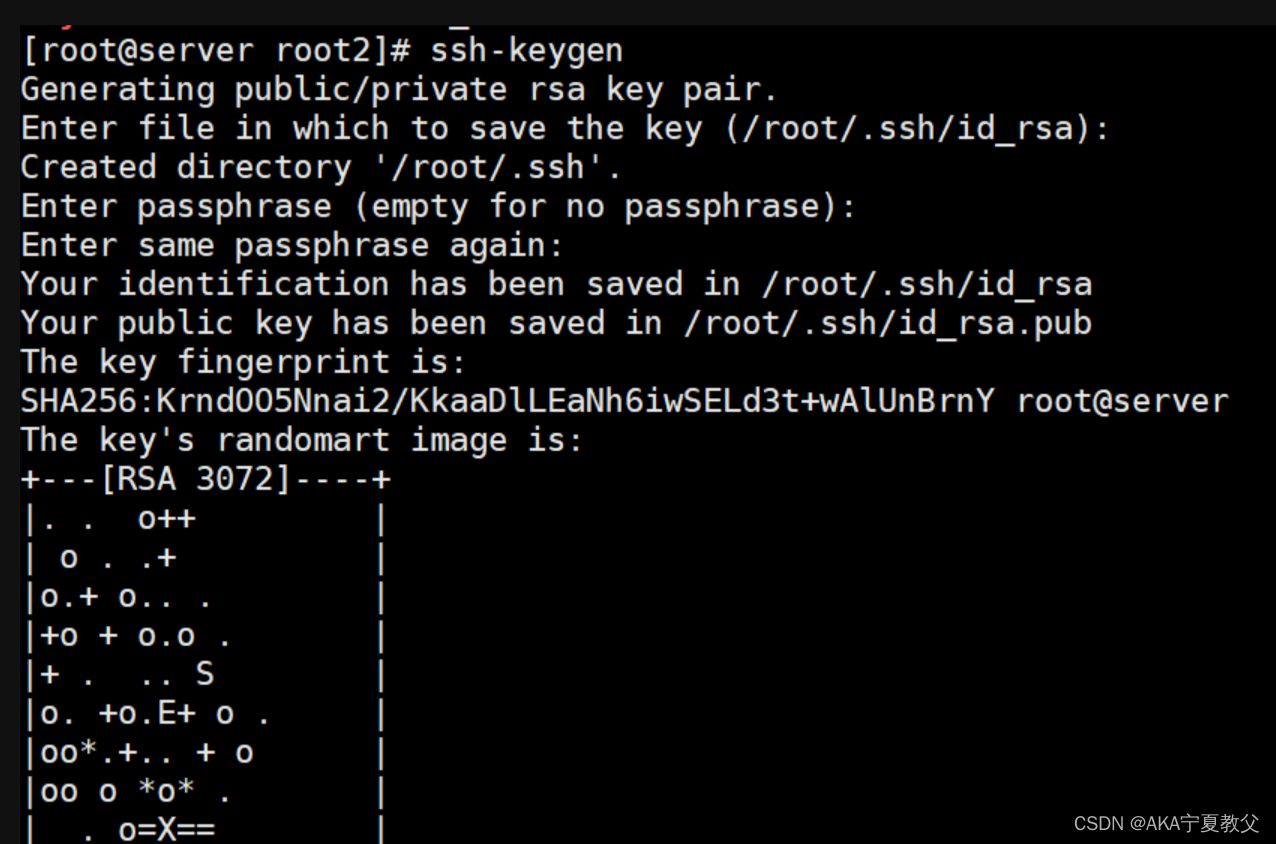
三.发送到指定目录
[shasha@node1 root]$
[shasha@node1 root]$ ssh-copy-id root@192.168.124.131
/usr/bin/ssh-copy-id: INFO: Source of key(s) to be installed: "/home/redhat/.ssh/id_rsa.pub"
/usr/bin/ssh-copy-id: INFO: attempting to log in with the new key(s), to filter out any that are already installed
/usr/bin/ssh-copy-id: INFO: 1 key(s) remain to be installed -- if you are prompted now it is to install the new keys
root@192.168.38.128's password:

Number of key(s) added: 1

Now try logging into the machine, with:   "ssh 'root@192.168.124.130'"
and check to make sure that only the key(s) you wanted were added.
四.客户端测试
[t1@node1 root]$ ssh root@192.168.124.131
Activate the web console with: systemctl enable --now cockpit.socket

Register this system with Red Hat Insights: insights-client --register
Create an account or view all your systems at https://red.ht/insights-dashboard
Last login: Sun Apr 18 19:58:18 2023 from 192.168.124.131





 扫一扫
扫一扫


 1060
1060

 被折叠的 条评论
为什么被折叠?
被折叠的 条评论
为什么被折叠?
 到【灌水乐园】发言





