


 本文介绍Linux下的V4L2视频设备驱动,并详细解释如何使用v4l2-ctl工具来查看和调整USB摄像头的各项参数,包括分辨率、帧率、曝光、增益等。
v4l2是Video4linux2的简称,是linux中关于视频设备的内核驱动,在Linux中,视频设备是设备文件,可以像访问普通文件一样对其进行读写,摄像头设备文件位置是/dev/video0。V4L2在设计时,是要支持很多广泛的设备的,它们之中只有一部分在本质上是真正的视频设备。
因为我们这篇文章不涉及内核部分摄像头驱动的实现,大致可以简单说下,内核部分的实现分两部分:
1.我们要根据摄像头的种类,实现具体的摄像头传感器的驱动,这里可能有一些数据和控制的通信总线的协议。
2.然后这个具体的驱动需要适配这个v4l2这个框架,然后向用户层映射成一个字符设备文件。
而我们的主题就是对这个设备文件进行操作,这就是应用层该做的事。
目录
1 v4l2-ctl 常用命令介绍:
#List all video devices:
v4l2-ctl --list-devices
#List supported video formats and resolutions of default video device
v4l2-ctl --list-formats-ext
#List supported video formats and resolutions of a specific video device:
v4l2-ctl --list-formats-ext --device path/to/video_device
#eg:
v4l2-ctl --list-formats-ext --device /dev/video0
#Get all details of a video device:
v4l2-ctl --all --device path/to/video_device
#eg:
v4l2-ctl --all --device /dev/video0
#Capture a JPEG photo with a specific resolution from video device:
v4l2-ctl --device path/to/video_device --set-fmt-video=width=width,height=height,pixelformat=MJPG --stream-mmap --stream-to=path/to/output.jpg --stream-count=1
#eg:
v4l2-ctl --device /dev/video0 --set-fmt-video=width=1280,height=720,pixelformat=MJPG --stream-mmap --stream-to=/home/nvidia/Pictures/video0-output.jpg --stream-count=1
#Capture a raw video stream from video device:
v4l2-ctl --device path/to/video_device --set-fmt-video=width=width,height=height,pixelformat=format --stream-mmap --stream-to=path/to/output --stream-count=number_of_frames_to_capture
#eg:
v4l2-ctl --device /dev/video0 --set-fmt-video=width=1280,height=720,pixelformat=MJPG --stream-mmap --stream-to=/home/nvidia/Pictures --stream-count=10
#List all video device's controls and their values:
v4l2-ctl --list-ctrls --device /path/to/video_device
#eg:
v4l2-ctl --list-ctrls --device /dev/video02 查看系统识别的USB 相机设备:
ls /dev/video*ls /dev/v* 
3 显示测试----需要桌面终端的配合
cheese -d /dev/video0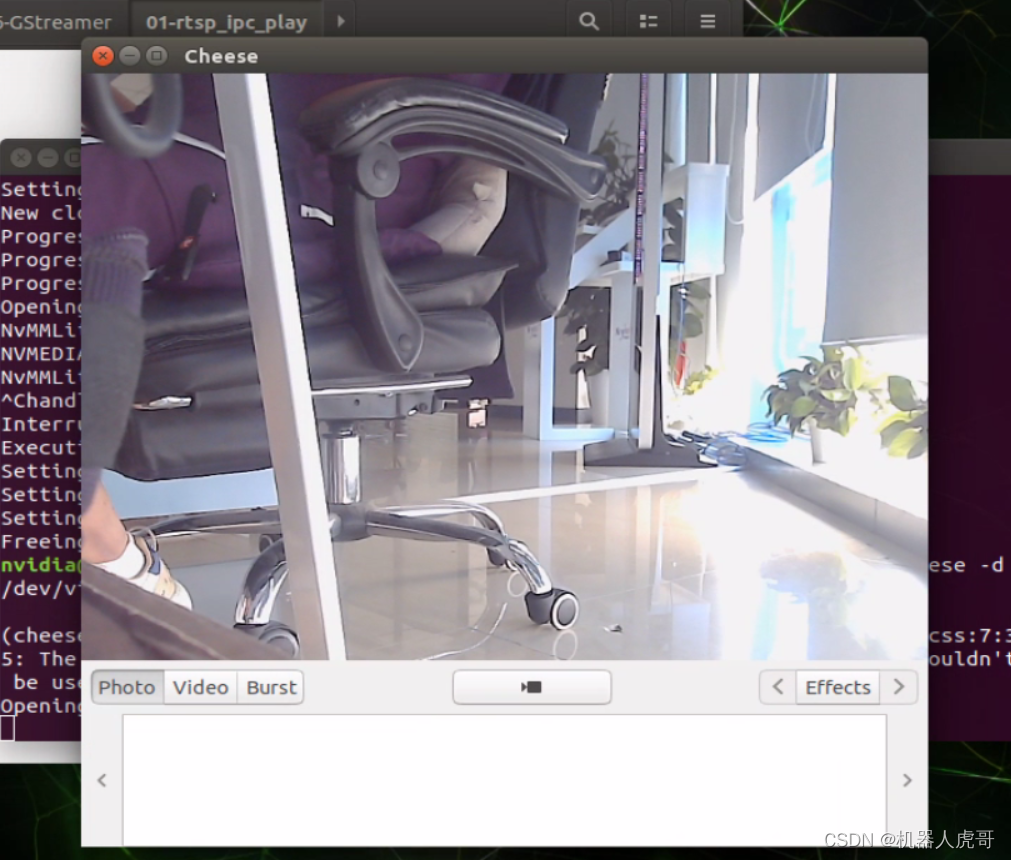
4 ubuntu下使用v4l2-ctl查看USB摄像头参数
v4l2-ctl -d /dev/video0 --all如果没有相关命令,请安装
v4l2-ctl --all -d /dev/video0查看相机参数时报错:

v4l2-ctl :command not found
手动安装:
sudo apt-get install v4l-utils相机详细信息(我自己的):
v4l2-ctl -d /dev/video0 --allv4l2-ctl --list-ctrls --device /dev/video0
brightness 0x00980900 (int) : min=-64 max=64 step=1 default=0 value=0
contrast 0x00980901 (int) : min=0 max=64 step=1 default=32 value=32
saturation 0x00980902 (int) : min=0 max=128 step=1 default=64 value=64
& 最低0.47元/天 解锁文章






 扫一扫
扫一扫


 2580
2580


 到【灌水乐园】发言




