



之前我们用vant写过类似的,这次我们手写,图标用阿里的矢量图标库。
之前的,微信学习之导航功能:
https://blog.youkuaiyun.com/cau_eric/article/details/148062848?spm=1001.2014.3001.5501
用到的资源:
阿里矢量图标网站:https://www.iconfont.cn/
这次,我们要做这个:
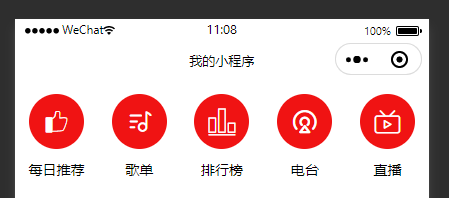
我们先新建一个page,music
music.wxml 先添加几个vew,
如下:
<!--pages/music/music.wxml-->

<view class="navContainer">
  <view class="navItem">
    <text>图标</text>
    <text>每日推荐</text>
  </view>
  <view class="navItem">
    <text>图标</text>
    <text>歌单</text>
  </view>
  <view class="navItem">
    <text>图标</text>
    <text>排行榜</text>
  </view>
  <view class="navItem">
    <text>图标</text>
    <text>电台</text>
  </view>
  <view class="navItem">
    <text>图标</text>
    <text>直播</text>
  </view>
</view>
这时候是这样的:
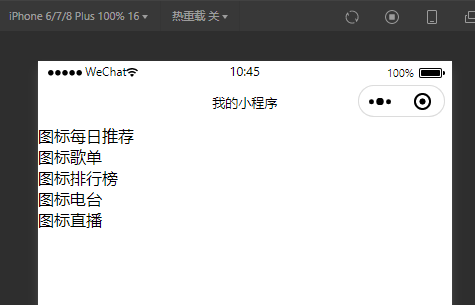
我们要达到我们的效果呢,要写样式文件:
.navContainer {
  display: flex;
}

.navItem {
  display: flex;
  flex-direction: column;
  width: 20%;
  align-items: center;
}
这个时候大概就是我们想要的样子了:
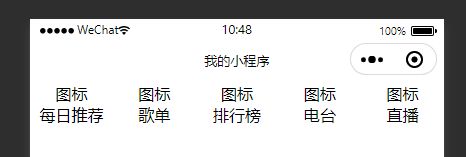
这时我们去 iconfont-阿里巴巴矢量图标库 取需要的图标,把它们都加入到项目里,
我们在微信小程序工具中,在项目根目录下建立文件,且叫iconfont.wxss
把矢量图标库的图标类加入进来。
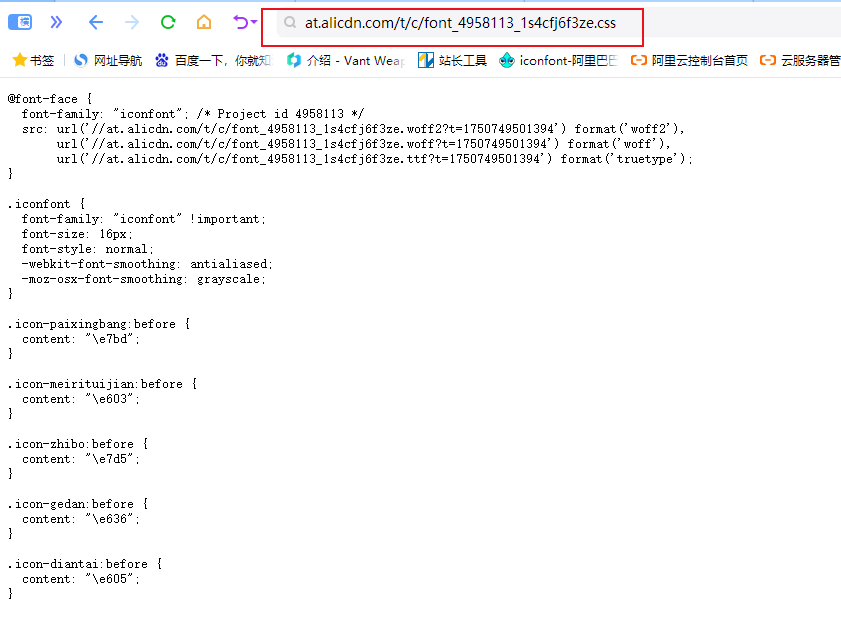
iconfont.wxss 代码:
@font-face {
  font-family: "iconfont"; /* Project id 4958113 */
  src: url('//at.alicdn.com/t/c/font_4958113_1s4cfj6f3ze.woff2?t=1750749501394') format('woff2'),
       url('//at.alicdn.com/t/c/font_4958113_1s4cfj6f3ze.woff?t=1750749501394') format('woff'),
       url('//at.alicdn.com/t/c/font_4958113_1s4cfj6f3ze.ttf?t=1750749501394') format('truetype');
}

.iconfont {
  font-family: "iconfont" !important;
  font-size: 16px;
  font-style: normal;
  -webkit-font-smoothing: antialiased;
  -moz-osx-font-smoothing: grayscale;
}

.icon-paixingbang:before {
  content: "\e7bd";
}

.icon-meirituijian:before {
  content: "\e603";
}

.icon-zhibo:before {
  content: "\e7d5";
}

.icon-gedan:before {
  content: "\e636";
}

.icon-diantai:before {
  content: "\e605";
}
注:怎么获取这个代码?
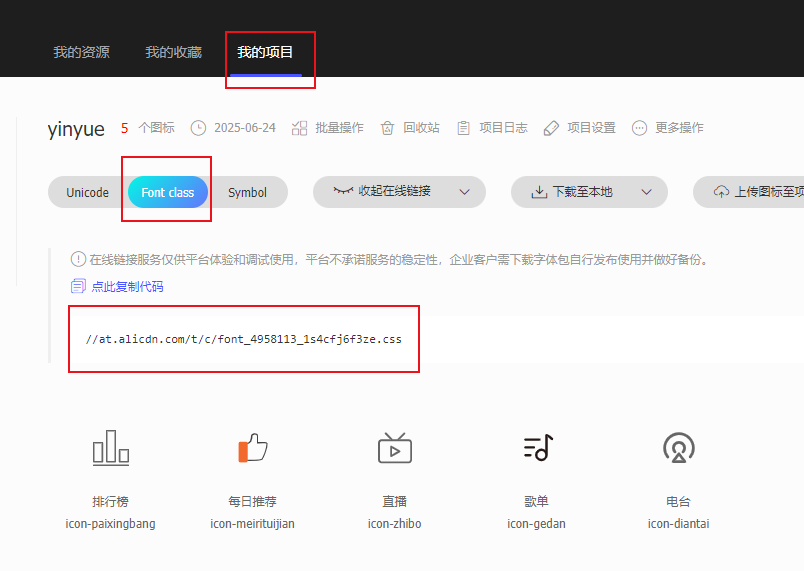
好,接下来我们就要引入图标库:
新建 app.wxss ,代码:
@import "/static/iconfont/iconfont.wxss";

page {
  height: 100%;
}
好了,这样就可以使用了,我们把图标替换成实际的图标:
<!--pages/music/music.wxml-->

<view class="navContainer">
  <view class="navItem">
    <text class="iconfont icon-meirituijian"></text>
    <text>每日推荐</text>
  </view>
  <view class="navItem">
    <text class="iconfont icon-gedan"></text>
    <text>歌单</text>
  </view>
  <view class="navItem">
    <text class="iconfont icon-paixingbang"></text>
    <text>排行榜</text>
  </view>
  <view class="navItem">
    <text class="iconfont icon-diantai"></text>
    <text>电台</text>
  </view>
  <view class="navItem">
    <text class="iconfont icon-zhibo"></text>
    <text>直播</text>
  </view>
</view>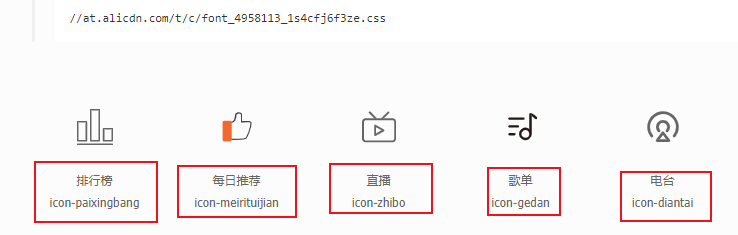
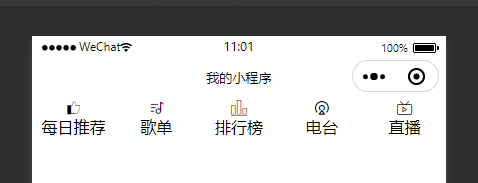
这时候是这样的:
给图标和下面的字体写个样式:
/* pages/music/music.wxss */
.navItem .iconfont {
  width: 100rpx;
  height: 100rpx;
  border-radius: 50%;
  text-align: center;
  line-height: 100rpx;
  color: #fff;
  background: rgb(240,19,19);
  font-size: 50rpx;
  margin: 20rpx 0;
}

.navItem text {
  font-size: 26rpx;
}
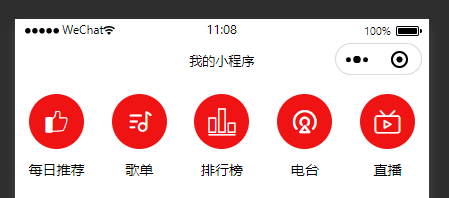
效果就出来了:





 扫一扫
扫一扫


 1万+
1万+

 被折叠的 条评论
为什么被折叠?
被折叠的 条评论
为什么被折叠?
 到【灌水乐园】发言





