



pip install pywin32 ;
pip install cefpython3
cefpython3-66.1-py2.py3-none-win_amd64.whl (69.0 MB)
Successfully installed cefpython3-66.1
cd \Python37\Lib\site-packages\cefpython3\examples
copy pywin32.py win_cef.py
用的图片在 \Python37\Lib\site-packages\cefpython3\examples\resources\
编写 win_cef.py 如下
# Example of embedding CEF browser using PyWin32 library.
# Tested with pywin32 version 221 and CEF Python v57.0+.
#
# Usage:
#   python win_cef.py
#   python win_cef.py --multi-threaded
#
# By passing --multi-threaded arg CEF will run using multi threaded
# message loop which has best performance on Windows. However there
# is one issue with it on exit, see "Known issues" below. See also
# docs/Tutorial.md and the "Message loop" section.
#
# Known issues:
# - Crash on exit with multi threaded message loop (Issue #380)

from cefpython3 import cefpython as cef

import distutils.sysconfig
import math
import os
import platform
import sys

import win32api
import win32con
import win32gui

# Globals
WindowUtils = cef.WindowUtils()
g_multi_threaded = False
baseurl = "http://localhost:8888/"

def main():
    command_line_args()
    check_versions()
    sys.excepthook = cef.ExceptHook  # To shutdown all CEF processes on error

    settings = {
        "multi_threaded_message_loop": g_multi_threaded,
    }
    cef.Initialize(settings=settings)

    window_proc = {
        win32con.WM_CLOSE: close_window,
        win32con.WM_DESTROY: exit_app,
        win32con.WM_SIZE: WindowUtils.OnSize,
        win32con.WM_SETFOCUS: WindowUtils.OnSetFocus,
        win32con.WM_ERASEBKGND: WindowUtils.OnEraseBackground
    }
    window_handle = create_window(title="PyWin32 + cef",
                                  class_name="pywin32.example",
                                  width=1000,
                                  height=600,
                                  window_proc=window_proc,
                                  icon="resources/chromium.ico")

    window_info = cef.WindowInfo()
    window_info.SetAsChild(window_handle)

    if g_multi_threaded:
        # When using multi-threaded message loop, CEF's UI thread
        # is no more application's main thread. In such case browser
        # must be created using cef.PostTask function and CEF message
        # loop must not be run explicitilly.
        cef.PostTask(cef.TID_UI,
                     create_browser,
                     window_info,
                     {}, baseurl)
        win32gui.PumpMessages()

    else:
        create_browser(window_info=window_info,
                       settings={},
                       url=baseurl)
        cef.MessageLoop()

    cef.Shutdown()


def command_line_args():
    global g_multi_threaded
    if "--multi-threaded" in sys.argv:
        sys.argv.remove("--multi-threaded")
        print("[win_cef.py] Message loop mode: CEF multi-threaded"
              " (best performance)")
        g_multi_threaded = True
    else:
        print("[win_cef.py] Message loop mode: CEF single-threaded")
    if len(sys.argv) > 1:
        print("ERROR: Invalid args passed."
              " For usage see top comments in win_cef.py.")
        sys.exit(1)


def check_versions():
    if platform.system() != "Windows":
        print("ERROR: This example is for Windows platform only")
        sys.exit(1)

    print("[win_cef.py] CEF Python {ver}".format(ver=cef.__version__))
    print("[win_cef.py] Python {ver} {arch}".format(
        ver=platform.python_version(), arch=platform.architecture()[0]))

    # PyWin32 version
    python_lib = distutils.sysconfig.get_python_lib(plat_specific=1)
    with open(os.path.join(python_lib, "pywin32.version.txt")) as fp:
        pywin32_version = fp.read().strip()
    print("[win_cef.py] pywin32 {ver}".format(ver=pywin32_version))

    assert cef.__version__ >= "57.0", "CEF Python v57.0+ required to run this"


def create_browser(window_info, settings, url):
    assert(cef.IsThread(cef.TID_UI))
    cef.CreateBrowserSync(window_info=window_info,
                          settings=settings,
                          url=url)


def create_window(title, class_name, width, height, window_proc, icon):
    # Register window class
    wndclass = win32gui.WNDCLASS()
    wndclass.hInstance = win32api.GetModuleHandle(None)
    wndclass.lpszClassName = class_name
    wndclass.style = win32con.CS_VREDRAW | win32con.CS_HREDRAW
    wndclass.hbrBackground = win32con.COLOR_WINDOW
    wndclass.hCursor = win32gui.LoadCursor(0, win32con.IDC_ARROW)
    wndclass.lpfnWndProc = window_proc
    atom_class = win32gui.RegisterClass(wndclass)
    assert(atom_class != 0)

    # Center window on screen.
    screenx = win32api.GetSystemMetrics(win32con.SM_CXSCREEN)
    screeny = win32api.GetSystemMetrics(win32con.SM_CYSCREEN)
    xpos = int(math.floor((screenx - width) / 2))
    ypos = int(math.floor((screeny - height) / 2))
    if xpos < 0:
        xpos = 0
    if ypos < 0:
        ypos = 0

    # Create window
    window_style = (win32con.WS_OVERLAPPEDWINDOW | win32con.WS_CLIPCHILDREN
                    | win32con.WS_VISIBLE)
    window_handle = win32gui.CreateWindow(class_name, title, window_style,
                                          xpos, ypos, width, height,
                                          0, 0, wndclass.hInstance, None)
    assert(window_handle != 0)

    # Window icon
    icon = os.path.abspath(icon)
    if not os.path.isfile(icon):
        icon = None
    if icon:
        # Load small and big icon.
        # WNDCLASSEX (along with hIconSm) is not supported by pywin32,
        # we need to use WM_SETICON message after window creation.
        # Ref:
        # 1. http://stackoverflow.com/questions/2234988
        # 2. http://blog.barthe.ph/2009/07/17/wmseticon/
        bigx = win32api.GetSystemMetrics(win32con.SM_CXICON)
        bigy = win32api.GetSystemMetrics(win32con.SM_CYICON)
        big_icon = win32gui.LoadImage(0, icon, win32con.IMAGE_ICON,
                                      bigx, bigy,
                                      win32con.LR_LOADFROMFILE)
        smallx = win32api.GetSystemMetrics(win32con.SM_CXSMICON)
        smally = win32api.GetSystemMetrics(win32con.SM_CYSMICON)
        small_icon = win32gui.LoadImage(0, icon, win32con.IMAGE_ICON,
                                        smallx, smally,
                                        win32con.LR_LOADFROMFILE)
        win32api.SendMessage(window_handle, win32con.WM_SETICON,
                             win32con.ICON_BIG, big_icon)
        win32api.SendMessage(window_handle, win32con.WM_SETICON,
                             win32con.ICON_SMALL, small_icon)

    return window_handle


def close_window(window_handle, message, wparam, lparam):
    browser = cef.GetBrowserByWindowHandle(window_handle)
    browser.CloseBrowser(True)
    # OFF: win32gui.DestroyWindow(window_handle)
    return win32gui.DefWindowProc(window_handle, message, wparam, lparam)


def exit_app(*_):
    win32gui.PostQuitMessage(0)
    return 0


if __name__ == '__main__':
    main()
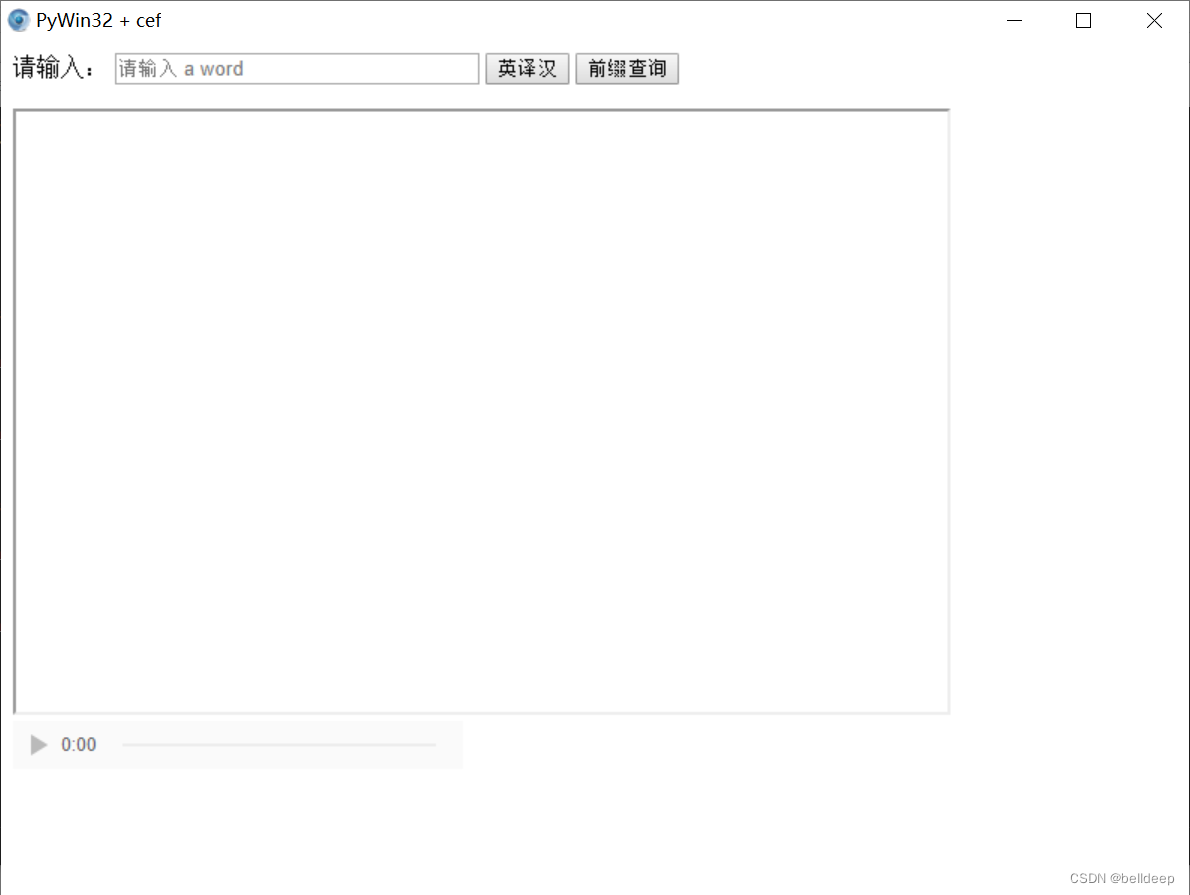
运行 python win_cef.py
web 服务程序参见:python:mdict + bottle = web 查询英汉词典





 扫一扫
扫一扫


 3642
3642

 被折叠的 条评论
为什么被折叠?
被折叠的 条评论
为什么被折叠?
 到【灌水乐园】发言





