



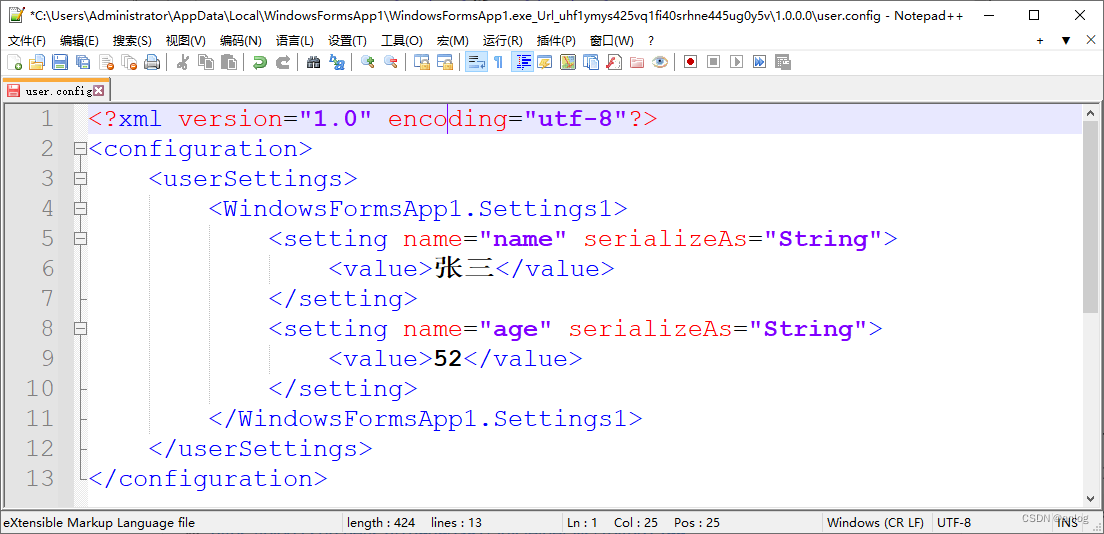
上位机程序通常都会需要保存一些用户的配置信息。比如名称,年龄等
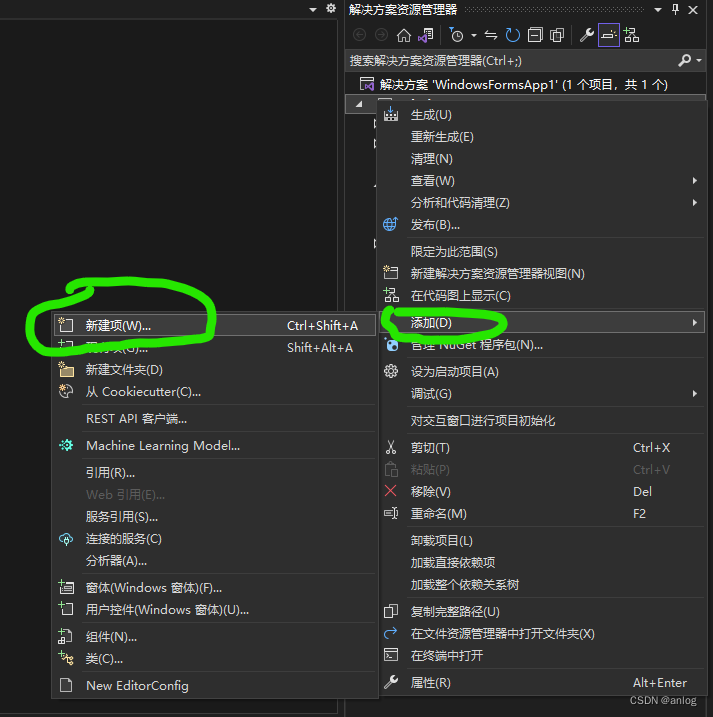
设置文件的使用非常方便,在项目名称上右击,选择“添加/新建项”。
如下图:
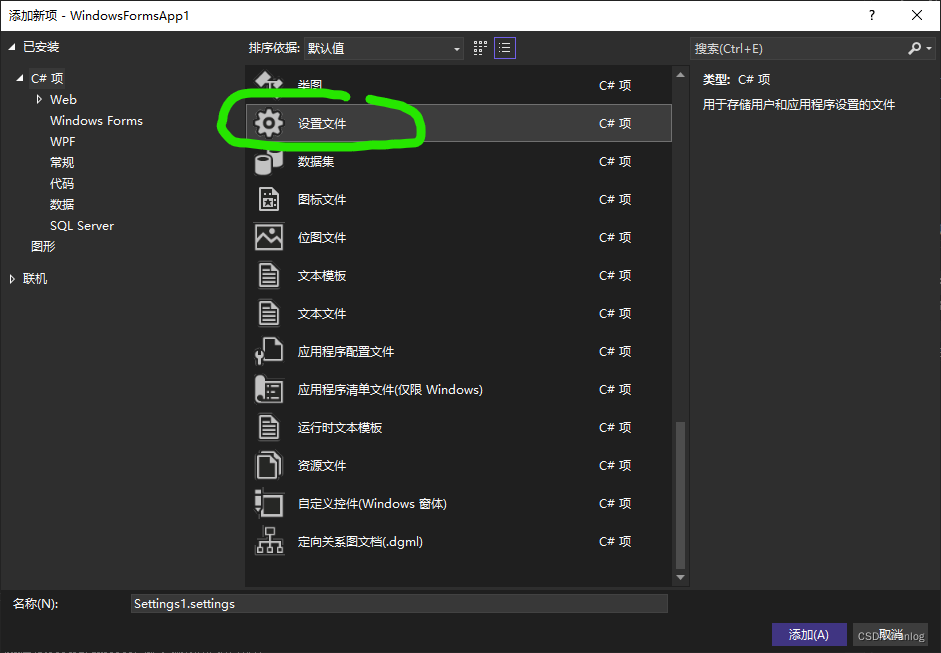
新建项目
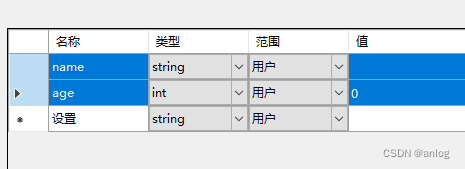
新插入的设置文件Settings1会自动打开。添加对应项目 数据类型分别为string和int,参见下图所示。
运行结果
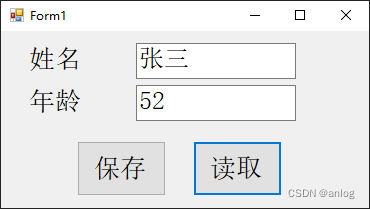
读取代码:
 private void button2_Click(object sender, EventArgs e)
        {
            textBox1.Text = Settings1.Default.name;
            textBox2.Text = Settings1.Default.age.ToString();
        }
保存代码:
private void button1_Click(object sender, EventArgs e)
        {
            Settings1.Default.name = textBox1.Text.Trim();
            Settings1.Default.age = Convert.ToInt32(textBox2.Text.Trim());
            Settings1.Default.Save();
        }
完整代码:
using System;
using System.Collections.Generic;
using System.ComponentModel;
using System.Data;
using System.Drawing;
using System.Linq;
using System.Text;
using System.Threading.Tasks;
using System.Windows.Forms;
using static System.Windows.Forms.VisualStyles.VisualStyleElement.TrackBar;

namespace WindowsFormsApp1
{
    public partial class Form1 : Form
    {
        public Form1()
        {
            InitializeComponent();
        }

        private void button2_Click(object sender, EventArgs e)
        {
            textBox1.Text = Settings1.Default.name;
            textBox2.Text = Settings1.Default.age.ToString();

        }

        private void button1_Click(object sender, EventArgs e)
        {
            Settings1.Default.name = textBox1.Text.Trim();
            Settings1.Default.age = Convert.ToInt32(textBox2.Text.Trim());
            Settings1.Default.Save();
        }
    }
}
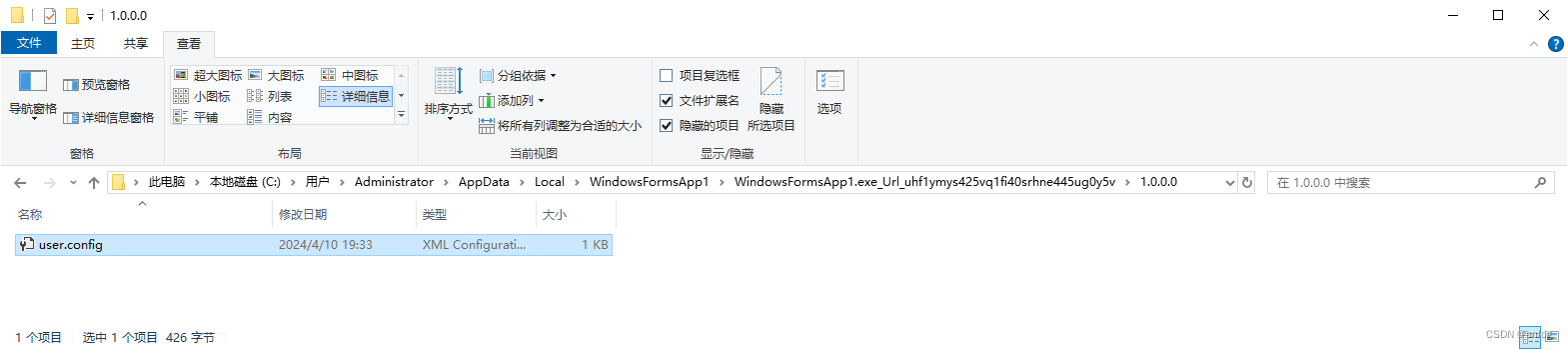
关于配置文件保存位置
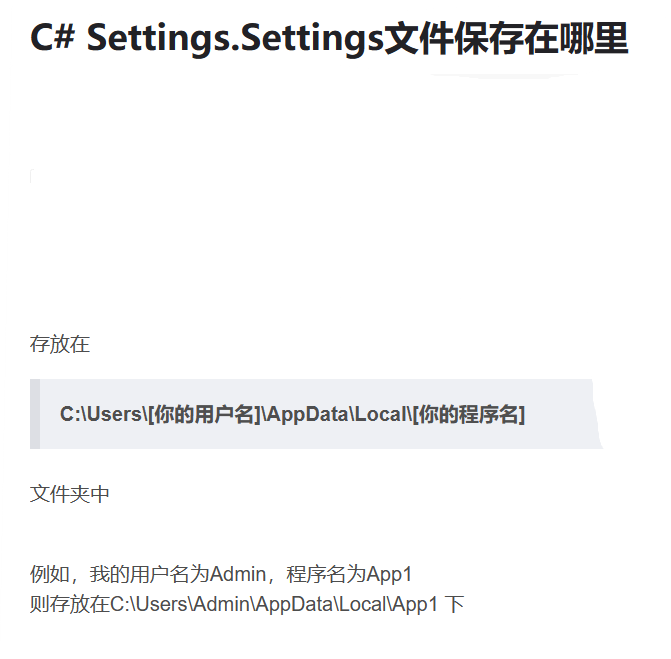
配置信息真是保存路径
配置信息文件
参考链接
上位机程序如何保存配置信息 (qq.com) https://mp.weixin.qq.com/s?__biz=Mzg3ODcyMjYwNg==&mid=2247484436&idx=1&sn=21d5d91bea1cfdc9e06b927fe9738233&chksm=cf0e2f55f879a6431ef2b935ee0a61783cf3e79caba64ccbaca3ed7f5b99c83ed228961fc178&mpshare=1&scene=1&srcid=0408mmlTe5WDQXvh9Ln5T8UA&sharer_shareinfo=84a489dad5568c83b5a59e32b783def7&sharer_shareinfo_first=78eea29452490ba5692ed18549972d7f#rdC# Settings.Settings文件保存在哪里_settings.settings保存在哪里-优快云博客https://blog.youkuaiyun.com/szy759590387/article/details/104557299与ini文件相比:不同点是存储位置不方便做成那种绿色软件,优点是程序简单。
特此记录
anlog
2024年4月10日





 扫一扫
扫一扫


 被折叠的 条评论
为什么被折叠?
被折叠的 条评论
为什么被折叠?
 到【灌水乐园】发言





