


 本文展示了如何使用Python编程创建一场跨年烟花秀。通过结合tkinter、PIL、time、random和math模块,实现了烟花效果的动态展示。读者可以通过安装必要的库并运行代码,在屏幕上欣赏这场视觉盛宴。
2021 已经接近尾声了,2022 即将到来,本文我们用 Python 送你一场跨年烟花秀。
我们用到的 Python 模块包括:tkinter、PIL、time、random、math,如果第三方模块没有装的话,pip install 一下即可,下面看一下代码实现。
导库
import tkinter as tk
from PIL import Image, ImageTk
from time import time, sleep
from random import choice, uniform, randint
from math import sin, cos, radians
colors = ['red', 'blue', 'yellow', 'white', 'green', 'orange', 'purple', 'seagreen', 'indigo', 'cornflowerblue']
1
定义烟花类
class fireworks:
    def __init__(self, cv, idx, total, explosion_speed, x=0., y=0., vx=0., vy=0., size=2., color='red', lifespan=2, **kwargs):
        self.id = idx
        # 烟花绽放 x 轴
        self.x = x
        # 烟花绽放 x 轴
        self.y = y
        self.initial_speed = explosion_speed
        # 外放 x 轴速度
        self.vx = vx
        # 外放 y 轴速度
        self.vy = vy
        # 绽放的粒子数
        self.total = total
        # 已停留时间
        self.age = 0
        # 颜色
        self.color = color
        # 画布
        self.cv = cv
        self.cid = self.cv.create_oval(x - size, y - size, x + size, y + size,
        fill=self.color)
        self.lifespan = lifespan
    # 更新数据
    def update(self, dt):
        self.age += dt
        # 粒子膨胀
        if self.alive() and self.expand():
            move_x = cos(radians(self.id * 360 / self.total)) * self.initial_speed
            move_y = sin(radians(self.id * 360 / self.total)) * self.initial_speed
            self.cv.move(self.cid, move_x, move_y)
            self.vx = move_x / (float(dt) * 1000)
        # 膨胀到最大下落
        elif self.alive():
            move_x = cos(radians(self.id * 360 / self.total))
            self.cv.move(self.cid, self.vx + move_x, self.vy + 0.5 * dt)
            self.vy += 0.5 * dt
        # 过期移除
        elif self.cid is not None:
            cv.delete(self.cid)
            self.cid = None

    # 定义膨胀效果的时间帧
    def expand(self):
        return self.age <= 1.5

    # 检查粒子是否仍在生命周期内
    def alive(self):
        return self.age <= self.lifespan
燃放烟花
def ignite(cv):
    t = time()
    # 烟花列表
    explode_points = []
    wait_time = randint(10, 100)
    # 爆炸的个数
    numb_explode = randint(6, 10)
    for point in range(numb_explode):
        # 爆炸粒子列表
        objects = []
        # 爆炸 x 轴
        x_cordi = randint(50, 550)
        # 爆炸 y 轴
        y_cordi = randint(50, 150)
        speed = uniform(0.5, 1.5)
        size = uniform(0.5, 3)
        color = choice(colors)
        # 爆炸的绽放速度
        explosion_speed = uniform(0.2, 1)
        # 爆炸的粒子数半径
        total_particles = randint(10, 50)
        for i in range(1, total_particles):
            r = fireworks(cv, idx=i, total=total_particles, explosion_speed=explosion_speed, x=x_cordi, y=y_cordi,
                     vx=speed, vy=speed, color=color, size=size,
                     lifespan=uniform(0.6, 1.75))
            # 添加进粒子列表里
            objects.append(r)
        # 把粒子列表添加到烟花列表
        explode_points.append(objects)
    total_time = .0
    # 在 1.8 秒时间帧内保持更新
    while total_time < 1.8:
        # 让画面暂停 0.01s
        sleep(0.01)
        # 刷新时间
        tnew = time()
        t, dt = tnew, tnew - t
        # 遍历烟花列表
        for point in explode_points:
            # 遍历烟花里的粒子列表
            for item in point:
                # 更新时间
                item.update(dt)
        # 刷新页面
        cv.update()
        total_time += dt
    root.after(wait_time, ignite, cv)
启动
if __name__ == "__main__":
    root = tk.Tk()
    # 绘制一个画布
    cv = tk.Canvas(root, height=400, width=600)
    # 背景图
    image = Image.open("bg.jpg")
    photo = ImageTk.PhotoImage(image)
    # 在画板上绘制一张图片
    cv.create_image(0, 0, image=photo, anchor='nw')
    cv.pack()
    root.protocol(close)
    root.after(100, ignite, cv)
    # 生成窗口
    root.mainloop()
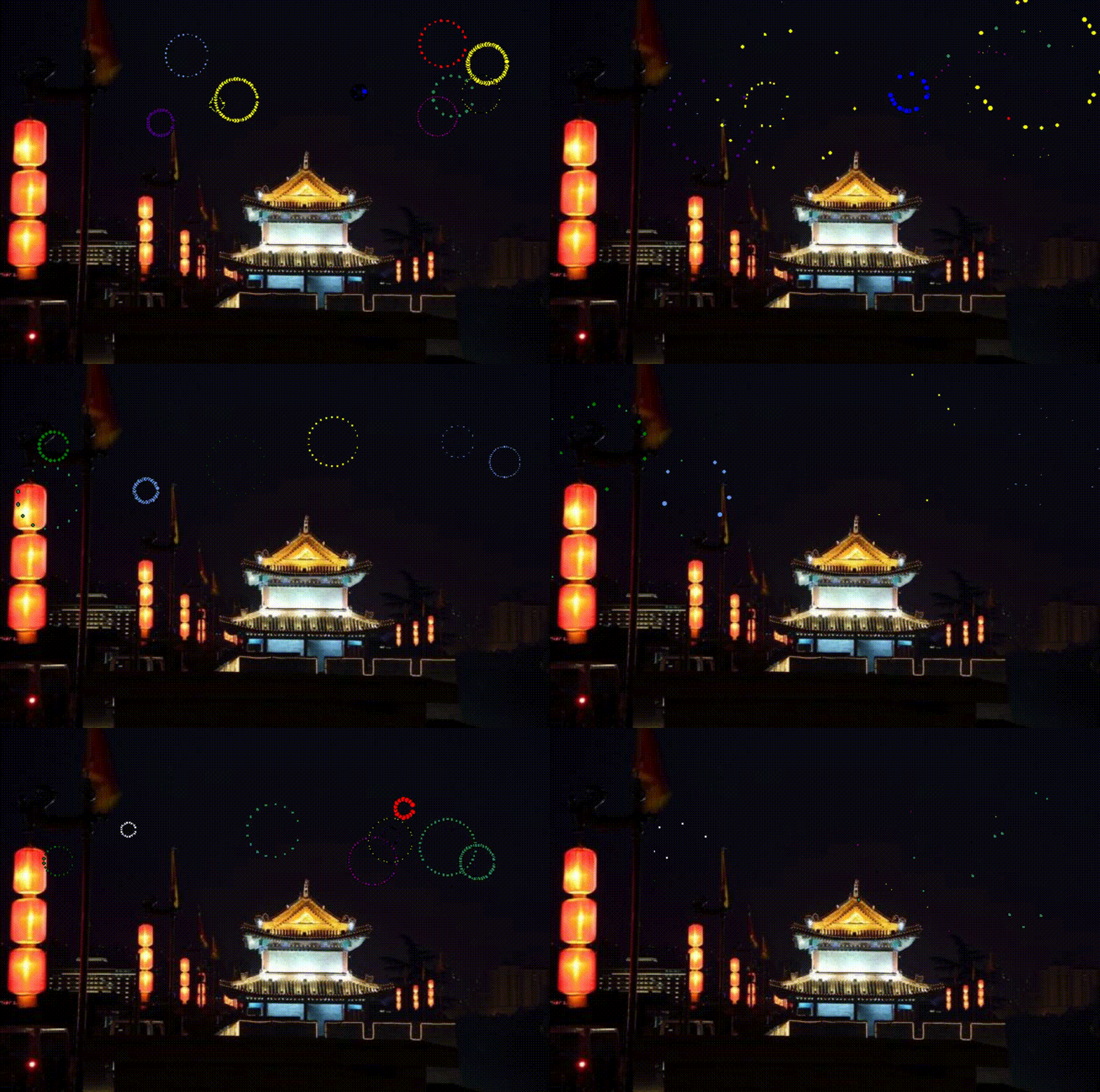
看一下效果:





 扫一扫
扫一扫


 1万+
1万+

 被折叠的 条评论
为什么被折叠?
被折叠的 条评论
为什么被折叠?
 到【灌水乐园】发言





