


目录
配置要求:
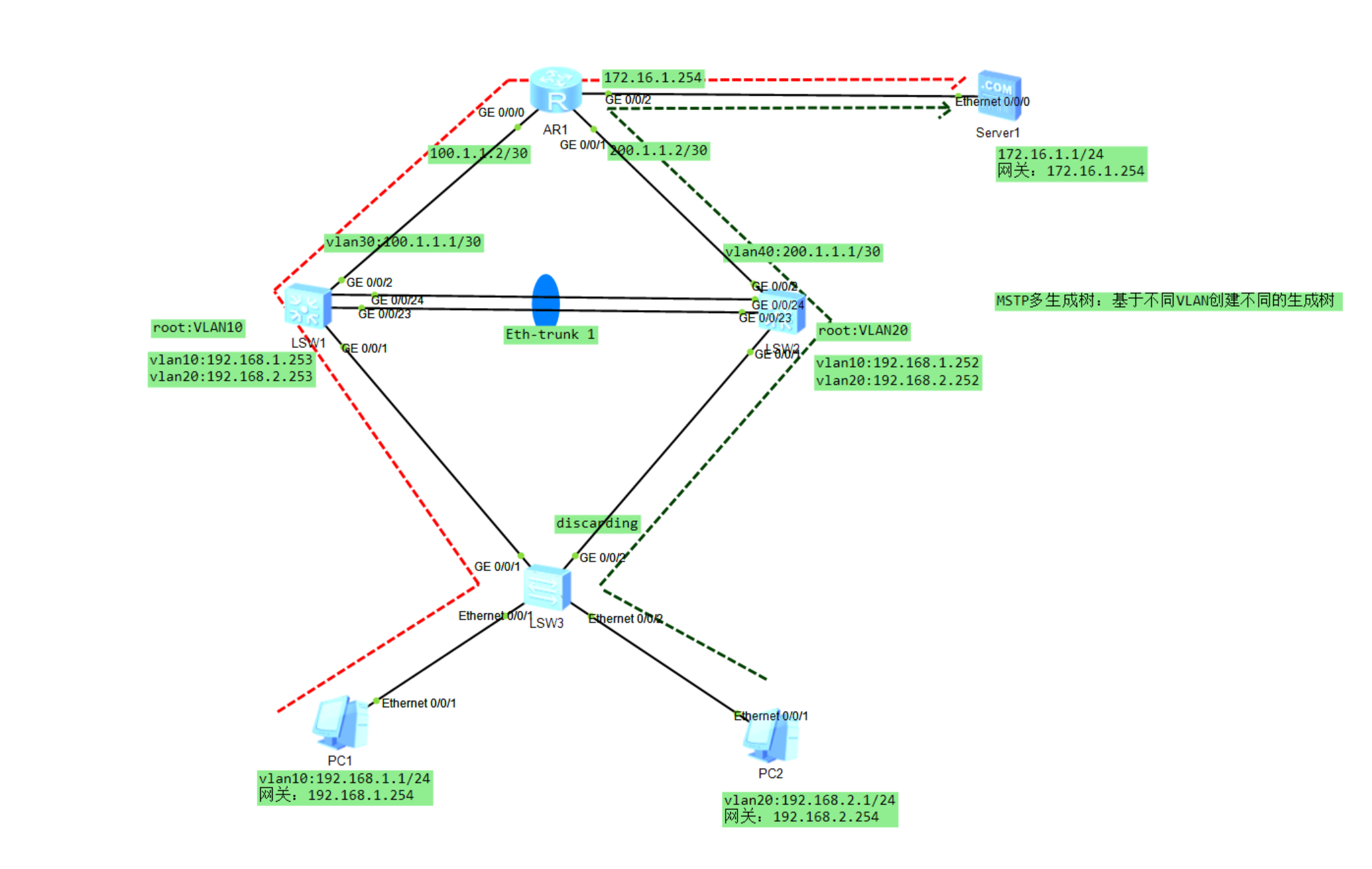
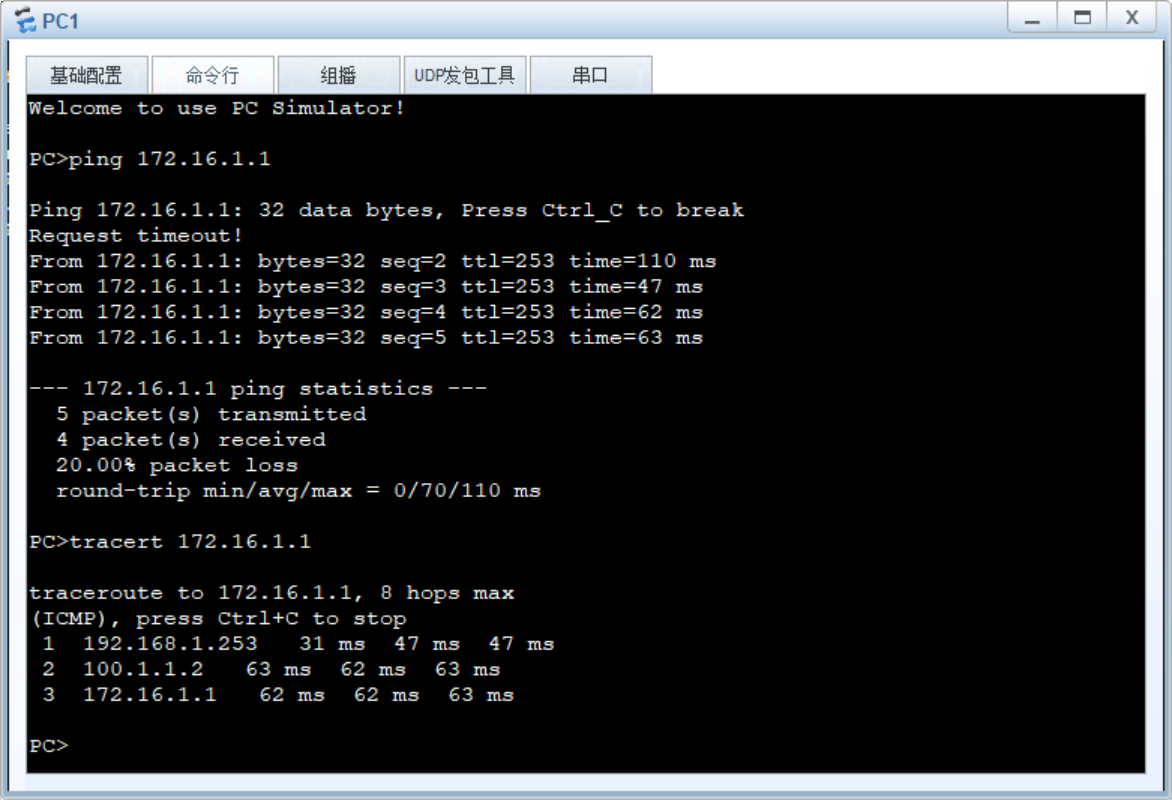
VLAN10-server:LSW3-LSW1-AR1-server
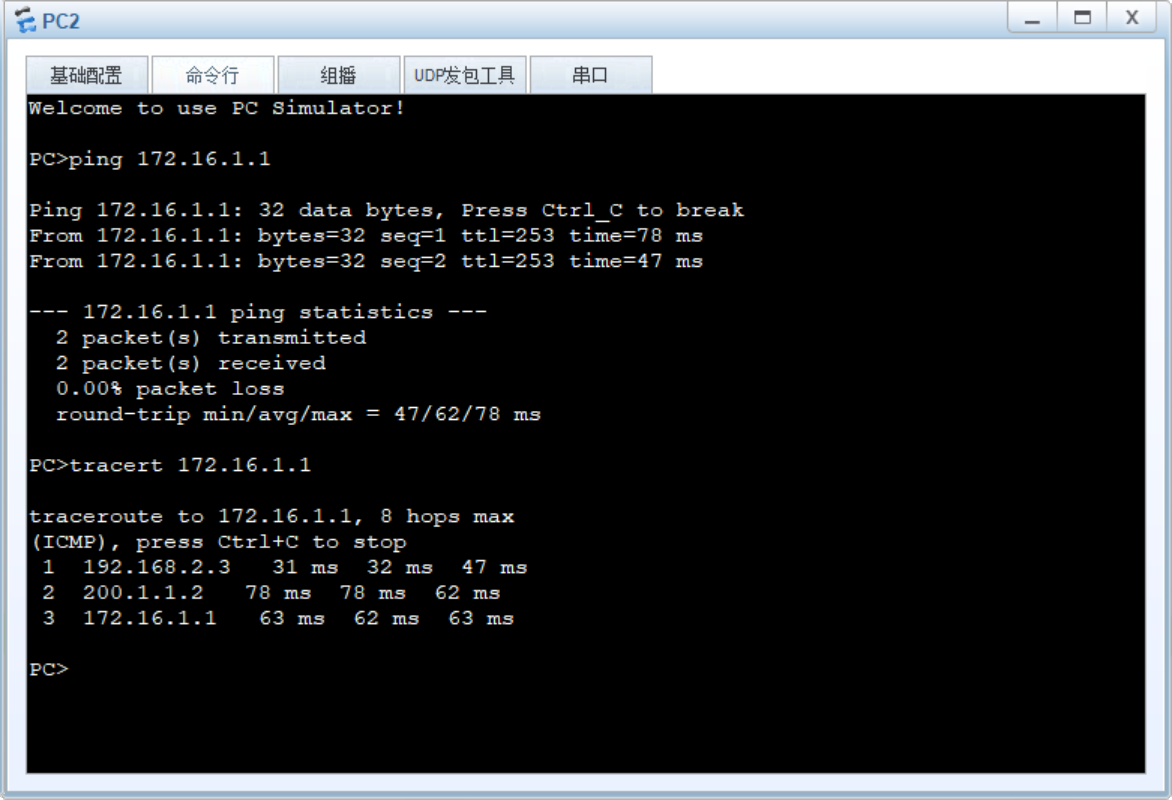
VLAN20-server:LSW2-AR1-server
1、配置VRRP
2、配置多生成树MSTP
3、配置动态路由
4、链路聚合:手工,lacp
实验操作:
步骤一:划分VLAN并配置IP
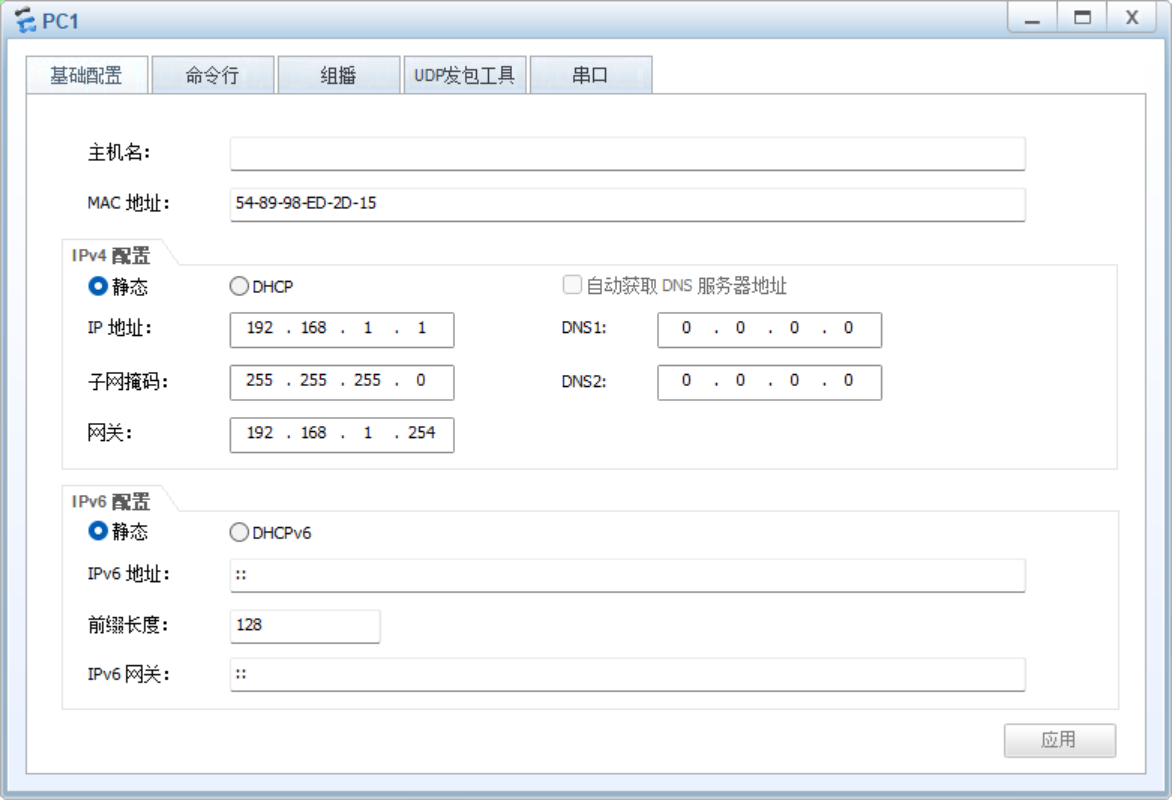
#LSW3
vlan batch 10 20
int e0/0/1
port link-type access
port default vlan 10
int e0/0/2
port link-type access
port default vlan 20
q
port-group group-member g0/0/1 to g0/0/2
port link-type trunk
port trunk allow-pass vlan all
q
#LSW1
vlan batch 10 20 30
int g 0/0/1
port link-type trunk
port trunk allow-pass vlan all
int g 0/0/2
port link-type access
port default vlan 30
int v 30
ip add 100.1.1.1 30
int v 10
ip add 192.168.1.253 24
int v 20
ip add 192.168.2.253 24#LSW2
vlan batch 10 20 40
int g 0/0/1
port link-type trunk
port trunk allow-pass vlan all
int g 0/0/2
port link-type access
port default vlan 40
int v 40
ip add 200.1.1.1 30
int v 10
ip add 192.168.1.252 24
int v 20
ip add 192.168.2.252 24#R1
int g 0/0/0
ip add 100.1.1.2 30
int g0/0/1
ip add 200.1.1.2 30
int g 0/0/2
ip add 172.16.1.254 24步骤二:配置VRRP
#LSW1
int v 10
vrrp vrid 10 virtual-ip 192.168.1.254
vrrp vrid 10 priority 150
vrrp vrid 10 track int g0/0/2 reduce 90
int v 20
vrrp vrid 20 virtual-ip 192.168.2.254
#LSW2
int v 10
vrrp vrid 10 virtual-ip 192.168.1.254
int v 20
vrrp vrid 20 virtual-ip 192.168.2.254
vrrp vrid 20 priority 150
vrrp vrid 20 track int g0/0/2 reduce 90步骤三:配置多生成树MSTP
#LSW1、LSW2、LSW3
stp mode mstp
stp region-configuration
region-name huawei
instance 10 vlan 10
instance 20 vlan 20
active region-configuration
设置LSW1为vlan10的主根,LSW2为vlan10的备根
#LSW1
stp instance 10 root primary
#LSW2
stp instance 10 root secondary
#全体设备
stp enable
步骤四:配置动态路由
#LSW1
ospf 1
area 0
net 100.1.1.0 0.0.0.3
net 192.168.1.0 0.0.0.255
net 192.168.2.0 0.0.0.255
#LSW2
ospf 1
area 0
net 200.1.1.0 0.0.0.3
net 192.168.1.0 0.0.0.255
net 192.168.2.0 0.0.0.255
#R1
ospf 1
area 0
net 172.16.1.0 0.0.0.255
net 100.1.1.0 0.0.0.3
net 200.1.1.0 0.0.0.255
步骤五:配置LACP
#LSW1、LSW2

int e 1
mode lacp
trunkport GigabitEthernet 0/0/23 to 0/0/24
port link-type trunk
port trunk allow-pass vlan all
实验验证:
VLAN10路径:
VLAN20路径:
VRRP(以S1为例)






 扫一扫
扫一扫


 1073
1073

 被折叠的 条评论
为什么被折叠?
被折叠的 条评论
为什么被折叠?
 到【灌水乐园】发言





