


 在学习Python3爬虫实战时,使用Selenium库遇到两个问题:1. DeprecationWarning提示使用options代替chrome_options,通过修改subprocess.py文件中的shell参数解决。2. WebDriverException提示'chromedriver'不在PATH中,需确保Chrome驱动与Chrome浏览器版本匹配,并将其添加到系统路径或Selenium库相应目录。
学习《python3网络爬虫实战分析》的第七章selenuim库中出现的问题。
错误检索={
1.Warning (from warnings module):
browser = webdriver.Chrome(chrome_options=options)
DeprecationWarning: use options instead of chrome_options
Traceback (most recent call last):
File “D:\python3.8.1\lib\site-packages\selenium\webdriver\common\service.py”, line 72, in start
self.process = subprocess.Popen(cmd, env=self.env,
File “D:\python3.8.1\lib\subprocess.py”, line 854, in init
self._execute_child(args, executable, preexec_fn, close_fds,
File “D:\python3.8.1\lib\subprocess.py”, line 1307, in _execute_child
hp, ht, pid, tid = _winapi.CreateProcess(executable, args,
FileNotFoundError: [WinError 2] 系统找不到指定的文件。
- During handling of the above exception, another exception occurred:
Traceback (most recent call last):
File “E:/python爬虫学习文件/第七章.py”, line 14, in
browser = webdriver.Chrome(chrome_options=options)
File “D:\python3.8.1\lib\site-packages\selenium\webdriver\chrome\webdriver.py”, line 73, in init
self.service.start()
File “D:\python3.8.1\lib\site-packages\selenium\webdriver\common\service.py”, line 81, in start
raise WebDriverException(
selenium.common.exceptions.WebDriverException: Message: ‘chromedriver’ executable needs to be in PATH. Please see https://sites.google.com/a/chromium.org/chromedriver/home
3.打开浏览器后出现 不安全|data 的情况(chromedriver放置路径不对或者版本不对)
}
原代码如下
from selenium import webdriver
from selenium.webdriver.common.by import By
from selenium.webdriver.common.keys import Keys
from selenium.webdriver.support import expected_conditions as EC
from selenium.webdriver.support.wait import WebDriverWait
browser = webdriver.Chrome()
try:
    browser.get('https://www.baidu.com')
    input = browser.find_element_by_id('kw')
    input.send_keys('Python')
    input.send_keys(Keys.ENTER)
    wait = WebDriverWait(browser,10)
    wait.until(EC.presence_of_element_located((By.ID,'content_left')))
    print(browser.current_url)
    print(browser.get_cookies())
    print(browser.page_source)
finally:
    browser.close()
运行后会出现上面错误检索的两个问题。
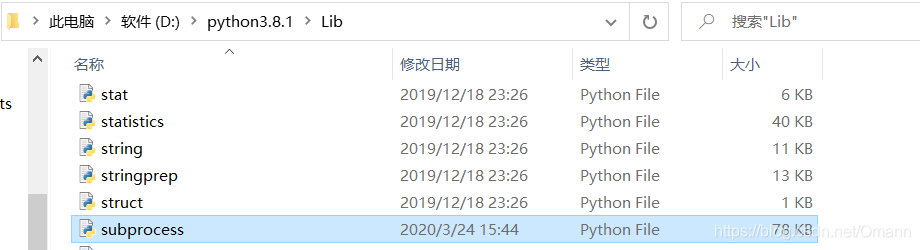
第一个问题:FileNotFoundError: [WinError 2] 系统找不到指定的文件。
解决方法,找到python安装目录Lib\subprocess.py文件
如下图
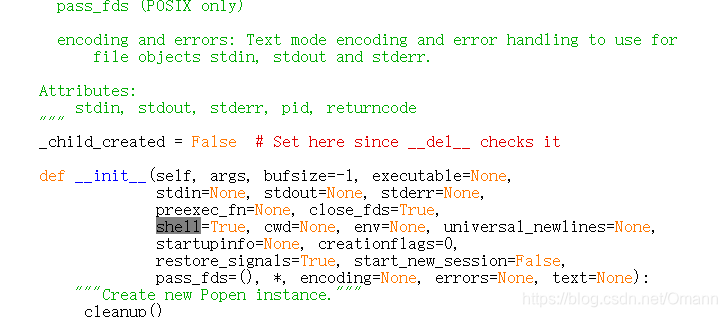
找到文件中的shell=False,改成shell=True,如下图(ctrl+f为查找)
第二个问题
selenium.common.exceptions.WebDriverException: Message: ‘chromedriver’ executable needs to be in PATH. Please see https://sites.google.com/a/chromium.org/chromedriver/home
关于chromedriver的版本和chrome浏览器版本不符合,需要对应。
先查看chrome浏览器版本
在chrome浏览器地搜索栏中输入chrome://version
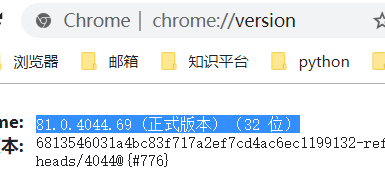
可以看到相应版本,然后去下面网址https://sites.google.com/a/chromium.org/chromedriver/home
downloads中下载
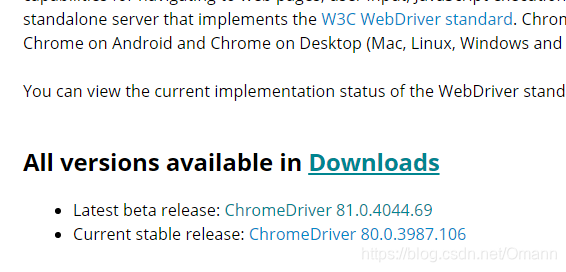
找到相应的版本,下载
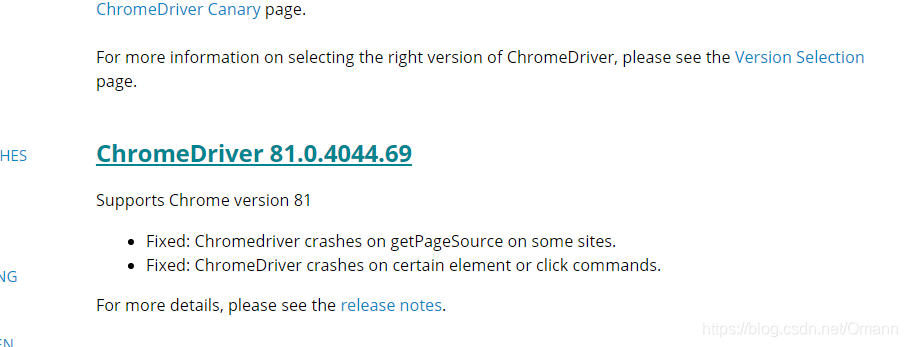
下载好后,解压在python安装文件夹,我建议放在两个地方
1.D:\python3.8.1(直接目录下)
2.D:\python3.8.1\Lib\site-packages\selenium\webdriver\chrome
如图
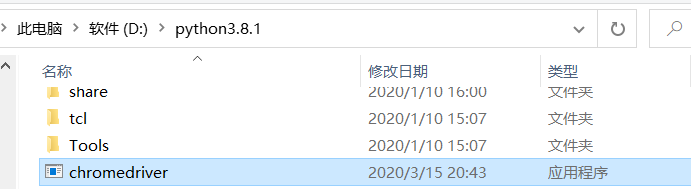
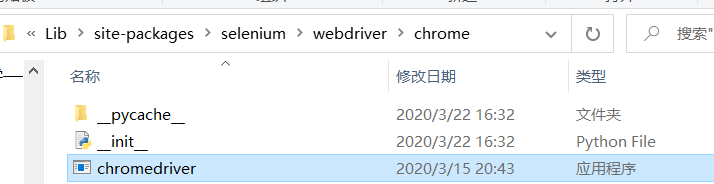
不过在寻找chromedriver中会遇到另一种情况,就是chrome浏览器版本太新了,以至于没有相应的chromedriver版本号。
这种情况就要重新安装旧版本chrome浏览器,使之与chromedriver版本相匹配。记得先卸载原有的chrome浏览器。(我会在文末上传相应浏览器和对应driver的版本资源)
此时还要修改python代码
修改代码如下
from selenium import webdriver
from selenium.webdriver.common.by import By
from selenium.webdriver.common.keys import Keys
from selenium.webdriver.support import expected_conditions as EC
from selenium.webdriver.support.wait import WebDriverWait

import time
chrome_driver = 'D:\python3.8.1\chromedriver.exe'
browser = webdriver.Chrome(executable_path=chrome_driver)
time.sleep(1)

try:
    browser.get('https://www.baidu.com')
    input = browser.find_element_by_id('kw')
    input.send_keys('Python')
    input.send_keys(Keys.ENTER)
    wait = WebDriverWait(browser,10)
    wait.until(EC.presence_of_element_located((By.ID,'content_left')))
    print(browser.current_url)
    print(browser.get_cookies())
    print(browser.page_source)
finally:
    browser.close()
增改的代码
import time
chrome_driver = 'D:\python3.8.1\chromedriver.exe'
browser = webdriver.Chrome(executable_path=chrome_driver)
time.sleep(1)
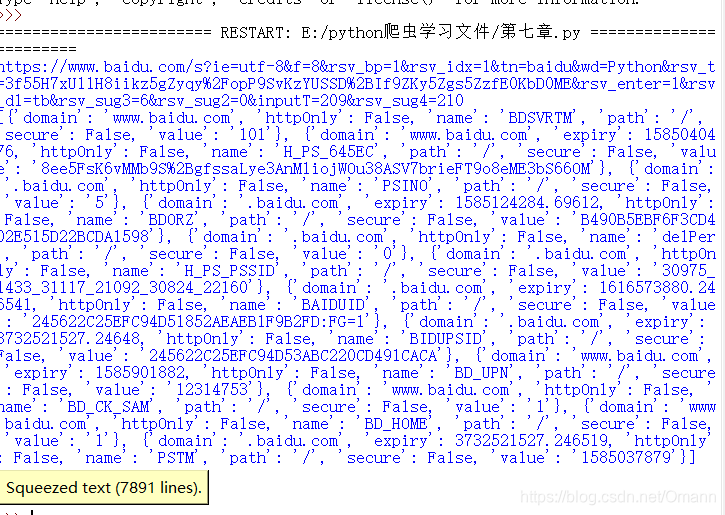
运行后,抓取成功





 扫一扫
扫一扫


 2265
2265

 被折叠的 条评论
为什么被折叠?
被折叠的 条评论
为什么被折叠?
 到【灌水乐园】发言





