



1.滚动视图ScrollView
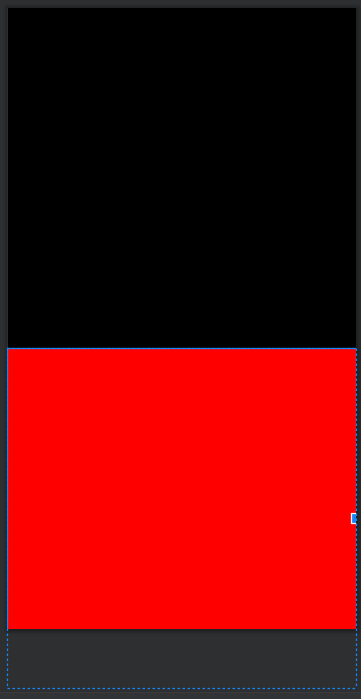
一般的布局节点是不支持滚动的,这意味着超过布局节点范围的视图将会显示不全。如下图所示,红色背景的视图并没有显示全部而且向上滑动并没有变化。要想实现视图滚动效果需要借助滚动视图,而滚动视图用于线性布局类似,也有着水平以及垂直方向两种。其中ScrollView为垂直滚动视图,HorizontalScrollView为水平滚动视图。
1.1垂直滚动视图ScrollView
下面是代码实例。代码解释:根节点为线性布局,在相性布局下有一个垂直滚动的视图scrollView。在滚动视图下有一个子线性布局且布局方向为垂直方向,在滚动视图下必须有且只有一个子布局节点。在子线性布局下有两个视图宽高与父节点一致。
<?xml version="1.0" encoding="utf-8"?>
<LinearLayout xmlns:android="http://schemas.android.com/apk/res/android"
    xmlns:app="http://schemas.android.com/apk/res-auto"
    xmlns:tools="http://schemas.android.com/tools"
    android:layout_width="match_parent"
    android:layout_height="match_parent"
    tools:context=".ScrollViewActivity">

    <ScrollView
        android:id="@+id/scrollView"
        android:layout_width="match_parent"
        android:layout_height="500dp">

        <LinearLayout
            android:layout_width="match_parent"
            android:layout_height="match_parent"
            android:background="@color/green"
            android:orientation="vertical">

            <TextView
                android:layout_width="match_parent"
                android:layout_height="400dp"
                android:background="@color/black"
                android:gravity="center"
                android:text="@string/app_name"
                android:textColor="@color/red" />
            <TextView
                android:layout_width="match_parent"
                android:layout_height="400dp"
                android:background="@color/red"
                android:text="@string/app_name"
                android:textColor="@color/white"
                android:gravity="center"/>

        </LinearLayout>
    </ScrollView>
</LinearLayout>
下面是上面代码的效果图。此时的视图是能够上下滑动的。

1.2水平滚动视图HorizontalScrollView
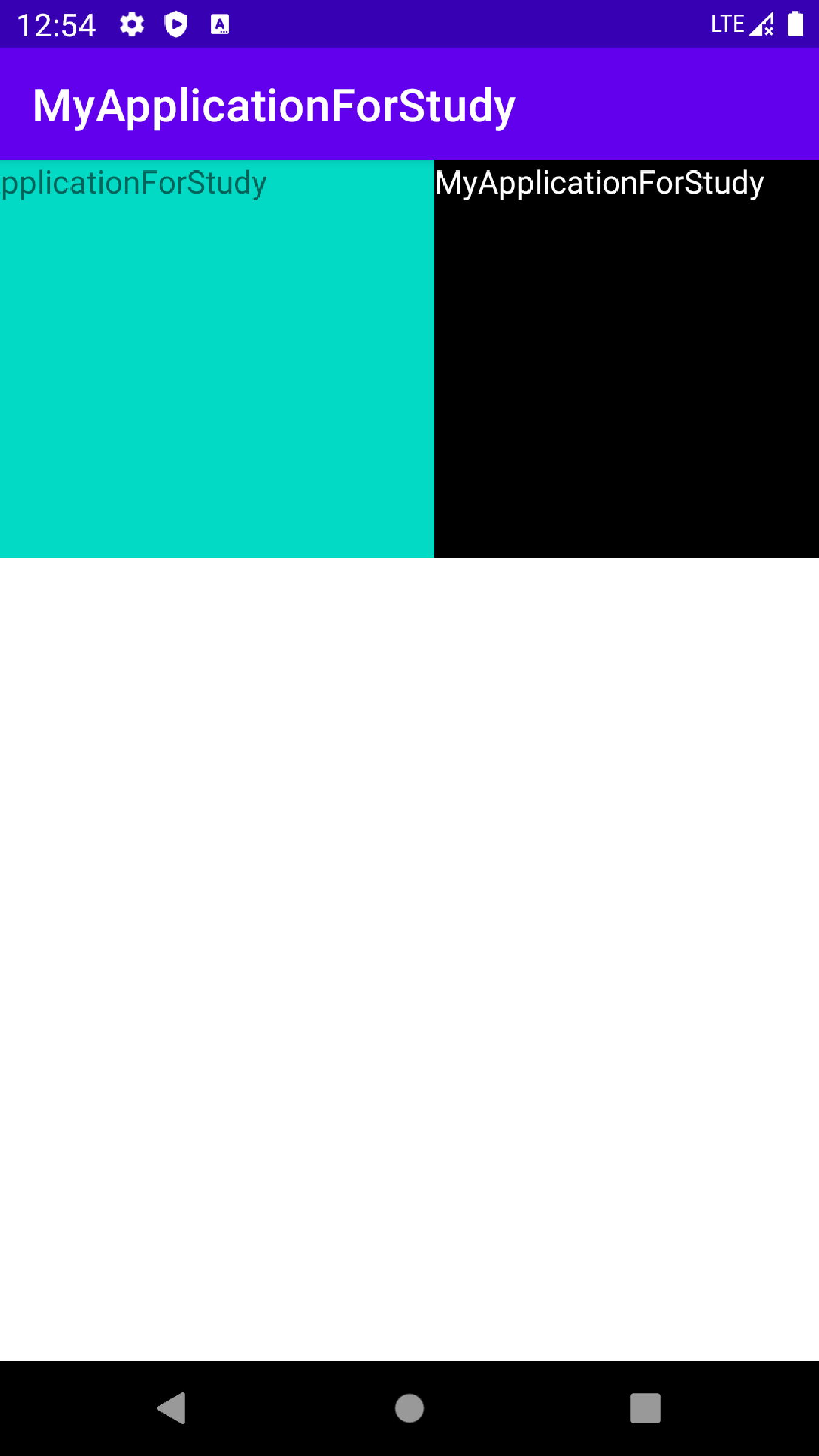
下面是代码实例。代码解释:根节点为线性布局,在相性布局下有一个水平滚动的视图HorizontalScrollView。在滚动视图下有一个子线性布局且布局方向为水平方向,在子线性布局下有两个视图宽高与父节点一致。
<?xml version="1.0" encoding="utf-8"?>
<LinearLayout xmlns:android="http://schemas.android.com/apk/res/android"
    xmlns:app="http://schemas.android.com/apk/res-auto"
    xmlns:tools="http://schemas.android.com/tools"
    android:layout_width="match_parent"
    android:layout_height="match_parent"
    tools:context=".ScrollViewActivity"
    android:orientation="vertical">


    <HorizontalScrollView
        android:id="@+id/horizontalScrollView"
        android:layout_width="match_parent"
        android:layout_height="200dp">

        <LinearLayout
            android:layout_width="match_parent"
            android:layout_height="match_parent"
            android:background="@color/red"
            android:orientation="horizontal">

            <TextView
                android:layout_width="250dp"
                android:layout_height="match_parent"
                android:background="@color/teal_200"
                android:text="@string/app_name" />

            <TextView
                android:layout_width="250dp"
                android:layout_height="match_parent"
                android:background="@color/black"
                android:text="@string/app_name"
                android:textColor="@color/white"/>
        </LinearLayout>
    </HorizontalScrollView>
</LinearLayout>
下面是上面代码的效果图。此时的视图是能够左右滑动的。





 扫一扫
扫一扫


 1647
1647

 被折叠的 条评论
为什么被折叠?
被折叠的 条评论
为什么被折叠?
 到【灌水乐园】发言





