



目录
移动数据格式JSON
网络通信的交互数据格式主要有两种,一种是JSON,它携带的数据比较简单,一种是XML,它携带的数据较为丰富。一般选择JSON格式与服务器通信,因为一方面可以节省手机流量,另一方面JSON串解析更快也更省电,这是XML格式所没有的。
Android针对JSON格式字符串提供了JSON解析工具,支持对JSONObject(JSON对象)和JSONArray(JSON数组)的解析处理。两者的介绍如下:
1.JSONObject常用方法说明如下:
(1)JSONObject构造函数:从指定字符串构造一个JSONObject对象。
(2)getJSONObject:获取指定名称的JSONObject对象。
(3)getString:获取指定名称的字符串。
(4)getInt:获取指定名称的整型数。
(5)getDouble:获取指定名称的双精度数。
(6)getBoolean:获取指定名称的布尔数。
(7)getJSONArray:获取指定名称的JSONArray数组对象。
(8)put:添加一个JSONObject对象。
(9)toString:把当前的JSONObject对象输出为一个JSON字符串。
2.JSONArray常用方法说明如下:
(1)length:获取JSONArray数组的长度。
(2)getJSONObject:获取JSONArray数组在指定位置的JSONObject对象。
(3)put:往JSONArray数组中添加一个JSONObject对象。
示例代码如下,在页面布局文件中添加两个文本视图。
<?xml version="1.0" encoding="utf-8"?>
<LinearLayout xmlns:android="http://schemas.android.com/apk/res/android"
    xmlns:app="http://schemas.android.com/apk/res-auto"
    xmlns:tools="http://schemas.android.com/tools"
    android:layout_width="match_parent"
    android:layout_height="match_parent"
    tools:context=".InternetCommunication.JsonAnalyzeActivity"
    android:orientation="vertical">

    <TextView
        android:id="@+id/textView_1"
        android:layout_width="match_parent"
        android:layout_height="wrap_content"/>

    <TextView
        android:id="@+id/textView_2"
        android:layout_width="match_parent"
        android:layout_height="wrap_content"/>

</LinearLayout>
部分Java代码如下,定义一个JSON格式的字符串,通过JSONObject构造方法生成一个JSONObject对象实例,后调用多个方法获取JSON字符串中的数据。
public class JsonAnalyzeActivity extends AppCompatActivity {
    private final String TAG = "JsonAnalyzeActivity";
    @Override
    protected void onCreate(Bundle savedInstanceState) {
        super.onCreate(savedInstanceState);
        setContentView(R.layout.activity_json_analyze);
        TextView textView_1,textView_2;
        textView_1 = findViewById(R.id.textView_1);
        textView_2 = findViewById(R.id.textView_2);
        String json = "{'name':'XiaoMing','age':18,'list':[{'one':1},{'two':2},{'three':3}]}";
        try {
            JSONObject jsonObject = new JSONObject(json);
            textView_1.setText("原始JSON:" + json);
            textView_2.setText(String.format("名字:%s\n年龄:%s\n数字:%d",jsonObject.getString("name"),jsonObject.getInt("age"),jsonObject.getJSONArray("list").getJSONObject(1).getInt("two")));
        }catch (Exception e){
            Log.d(TAG,e.getMessage());
        }
    }
}
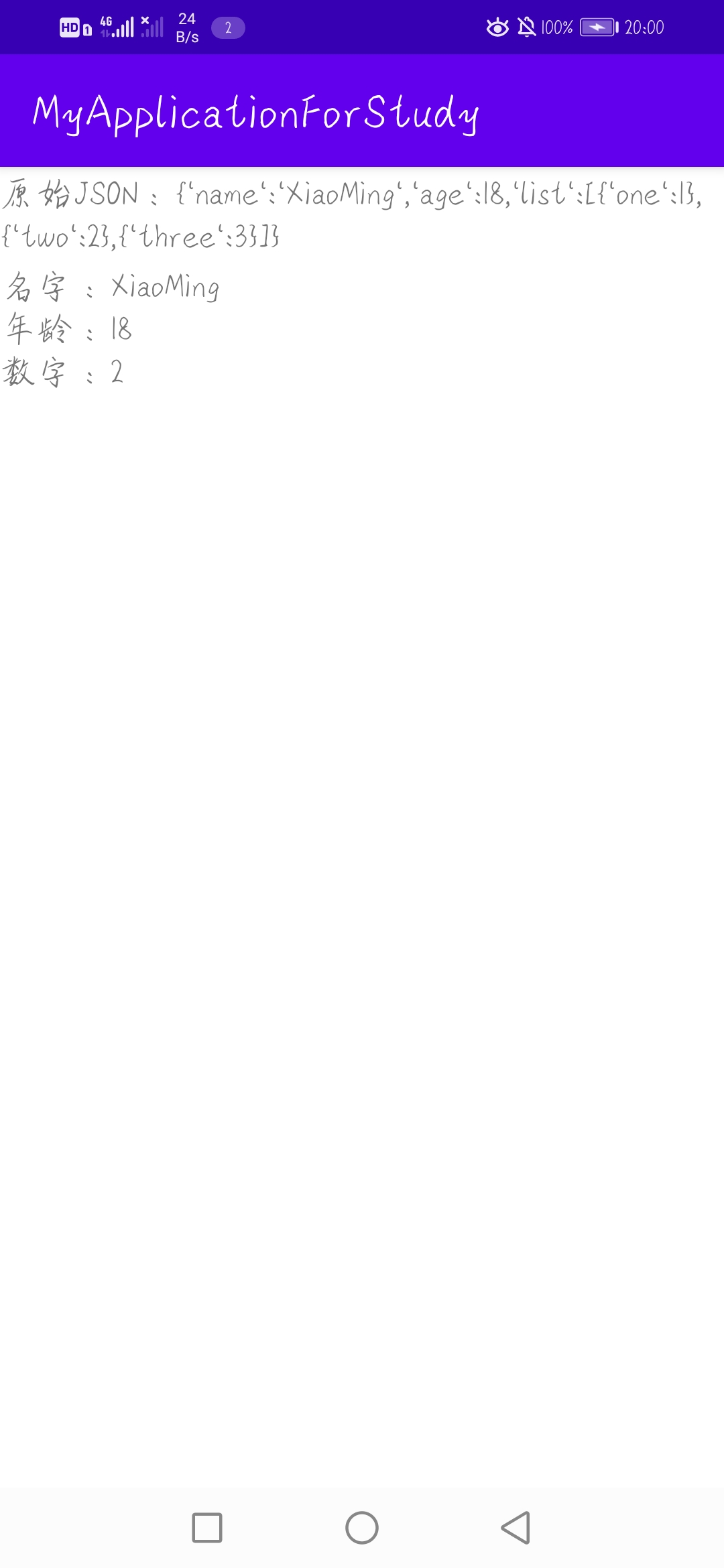
效果图如下,能够读取JSON字符串中的数据。
Gson库解析JSON
上面的方法虽然可以解析JSON字符串,但做法较为麻烦且容易出错。对此可以使用谷歌公司推出的第三方库Gson来减少工作与错误。由于该库为第三方库,需要在模块的build.gradle中添加依赖,如下所示。
implementation "com.google.code.gson:gson:2.9.0"Gson常见的应用场合有两个,一个是将数据对象转化为JSON字符串,此时可以调用Gson中的方法toJson把指定的数据对象(该数据对象可以是自定义数据类型,下同)转为JSON字符串;另一个是从JSON字符串解析出数据对象,此时可以调用Gson中的方法fromJson把JSON字符串解析为指定类型的数据对象。示例代码如下,布局文件不变。在Java代码中自定义了UserInfo类并实例化该对象,将其作为数据对象。
public class JsonAnalyzeActivity extends AppCompatActivity {
    private final String TAG = "JsonAnalyzeActivity";
    @Override
    protected void onCreate(Bundle savedInstanceState) {
        super.onCreate(savedInstanceState);
        setContentView(R.layout.activity_json_analyze);
        TextView textView_1,textView_2;
        textView_1 = findViewById(R.id.textView_1);
        textView_2 = findViewById(R.id.textView_2);

        Calendar calendar = Calendar.getInstance();
        String time = String.format("%s:%s:%s.%s",calendar.get(Calendar.HOUR_OF_DAY),calendar.get(Calendar.MINUTE),calendar.get(Calendar.SECOND),calendar.get(Calendar.MILLISECOND));
        UserInfo userInfo = new UserInfo("XiaoMing",18,"男",time);
        String json = new Gson().toJson(userInfo);
        textView_1.setText("原始JSON:" + json);
        UserInfo userInfo_t = new Gson().fromJson(json,UserInfo.class);
        String info = String.format("名字:%s\n年龄:%d\n性别:%s\n时间:%s",userInfo_t.Name,userInfo_t.Age,userInfo_t.gender,userInfo_t.time);
        textView_2.setText(info);
    }

    class UserInfo{
        private String Name;
        private int Age;
        private String gender;
        private String time;
        public UserInfo(String name,int age,String gender,String time){
            this.Name = name;
            this.Age = age;
            this.gender = gender;
            this.time = time;
        }
    }
}
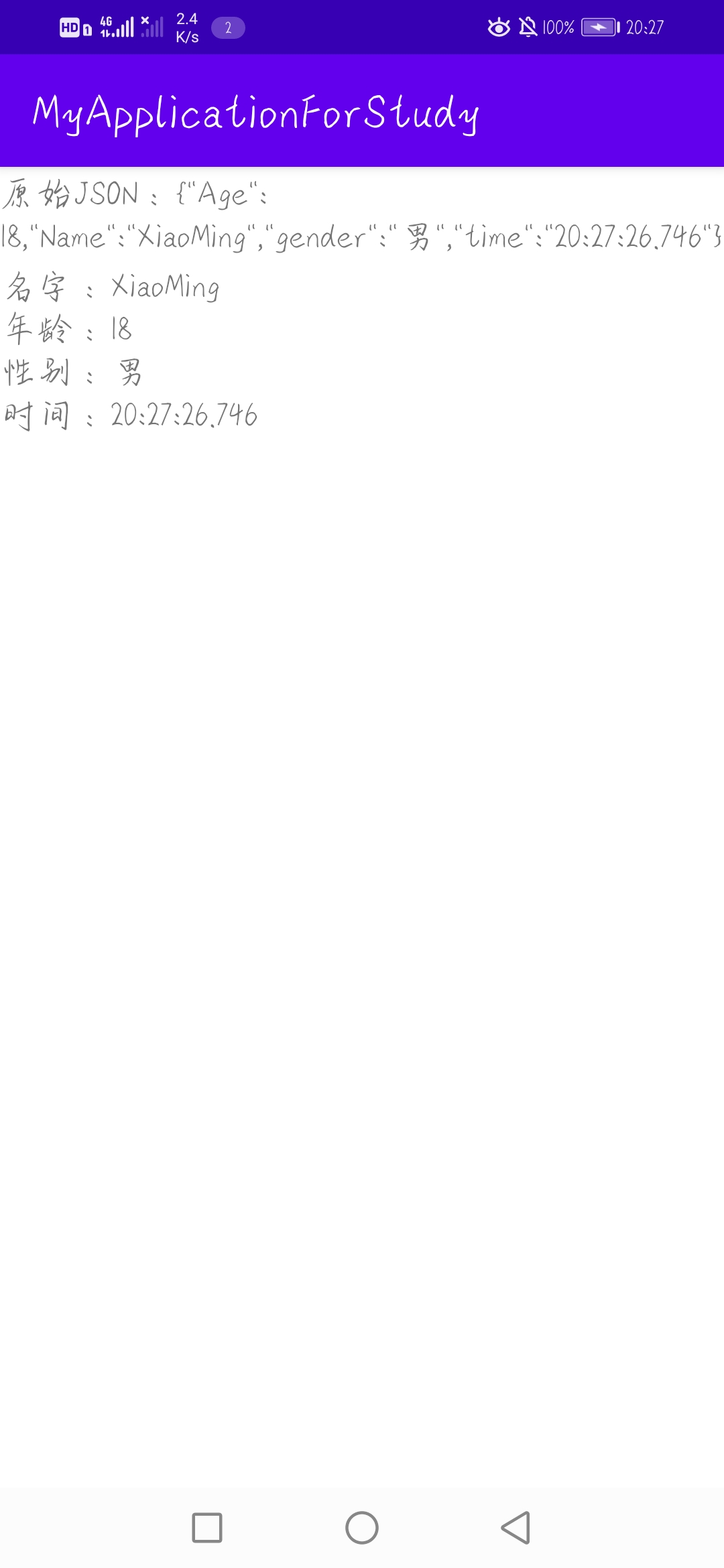
效果图如下,可以看到Gson两个方法的效果,Gson比原生的方法要更加方便,功能更多。





 扫一扫
扫一扫


 6453
6453

 被折叠的 条评论
为什么被折叠?
被折叠的 条评论
为什么被折叠?
 到【灌水乐园】发言





