



 这篇博客详细介绍了如何使用Unreal Engine构建一款类似Arkanoid的游戏。首先,创建项目并导入必要的素材,然后构建关卡,添加背景和墙壁。接着,创建Paddle的C++类并实现移动功能,通过蓝图设置Paddle的外观和行为。此外,还创建了PlayerController,用于处理玩家输入和移动控制。进一步,添加了球体的物理属性和发射机制。最后,创建了砖块和边界,实现了碰撞检测和砖块破坏效果。游戏还包括了小球下落时的处理逻辑。
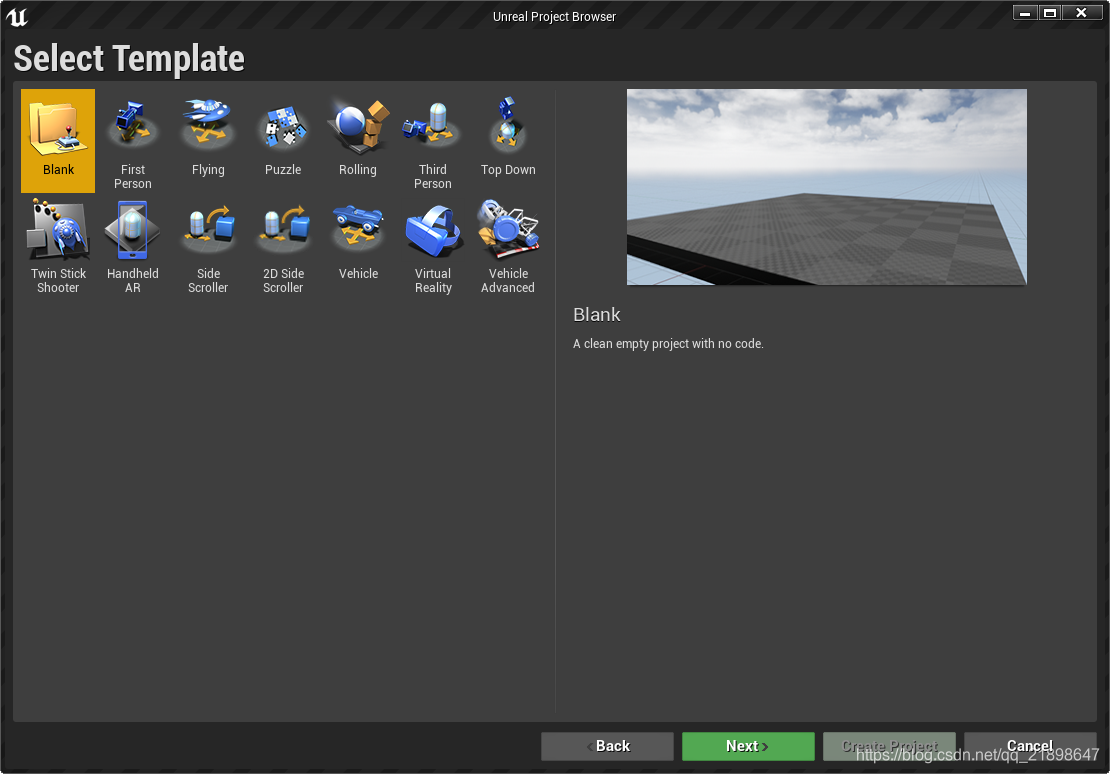
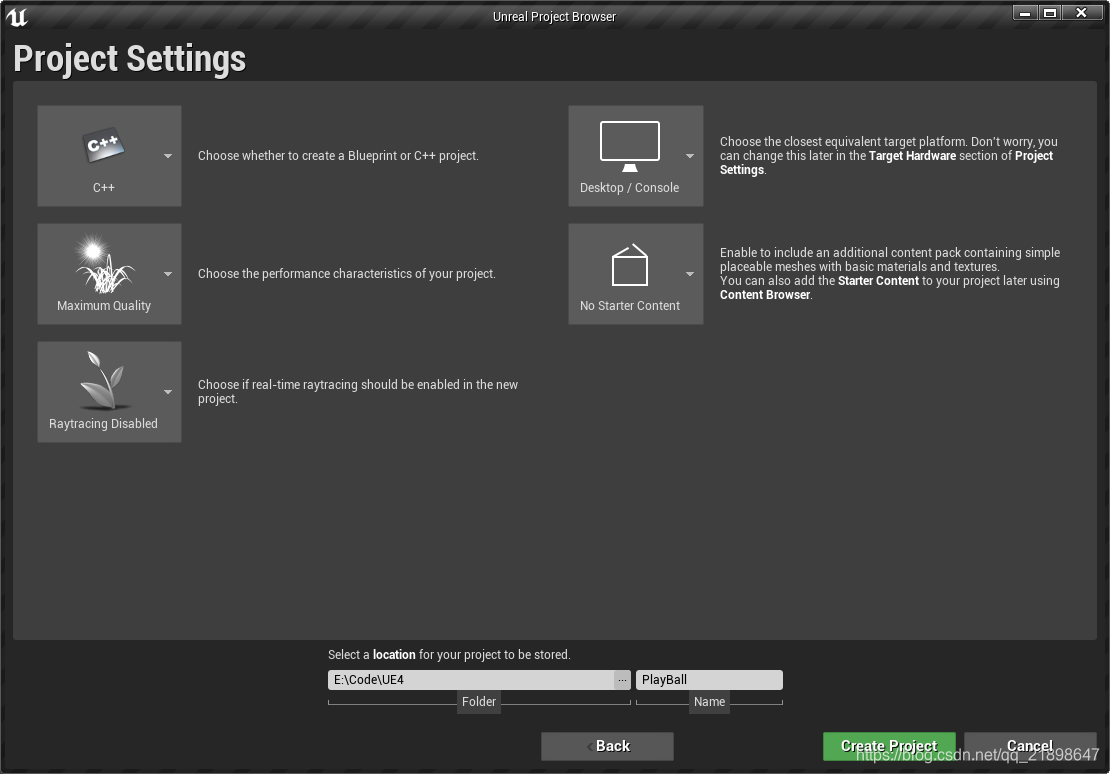
新建项目选择空项目
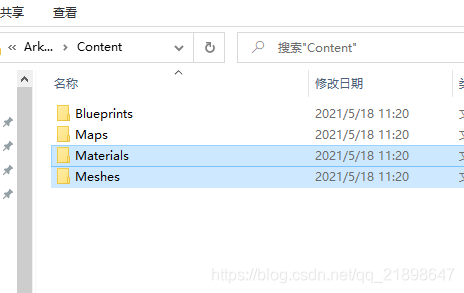
复制Materials和Meshes到Content目录
重新构建关卡
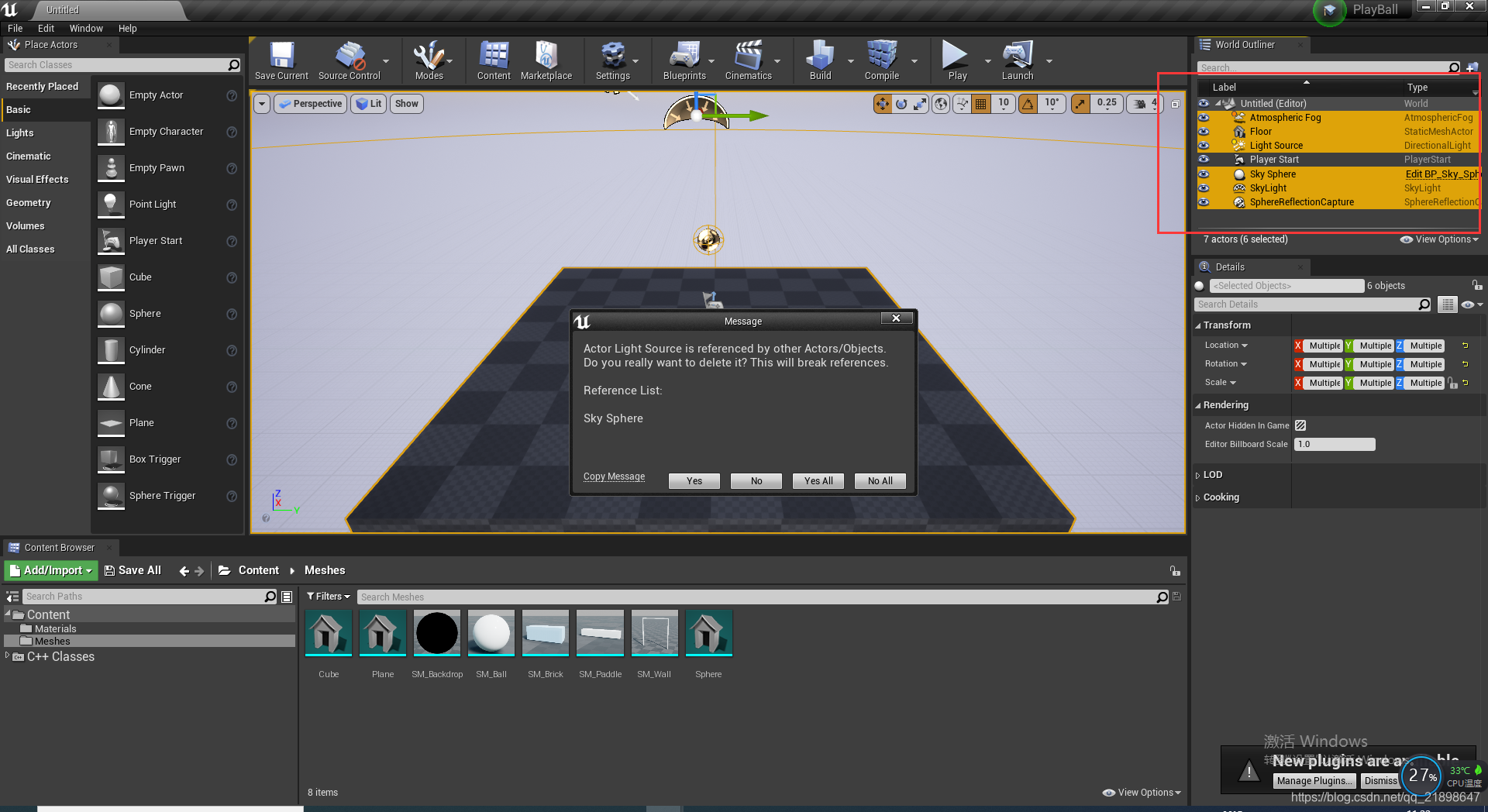
添加SM_Backdrop,SM_Wall,并作如下修改:
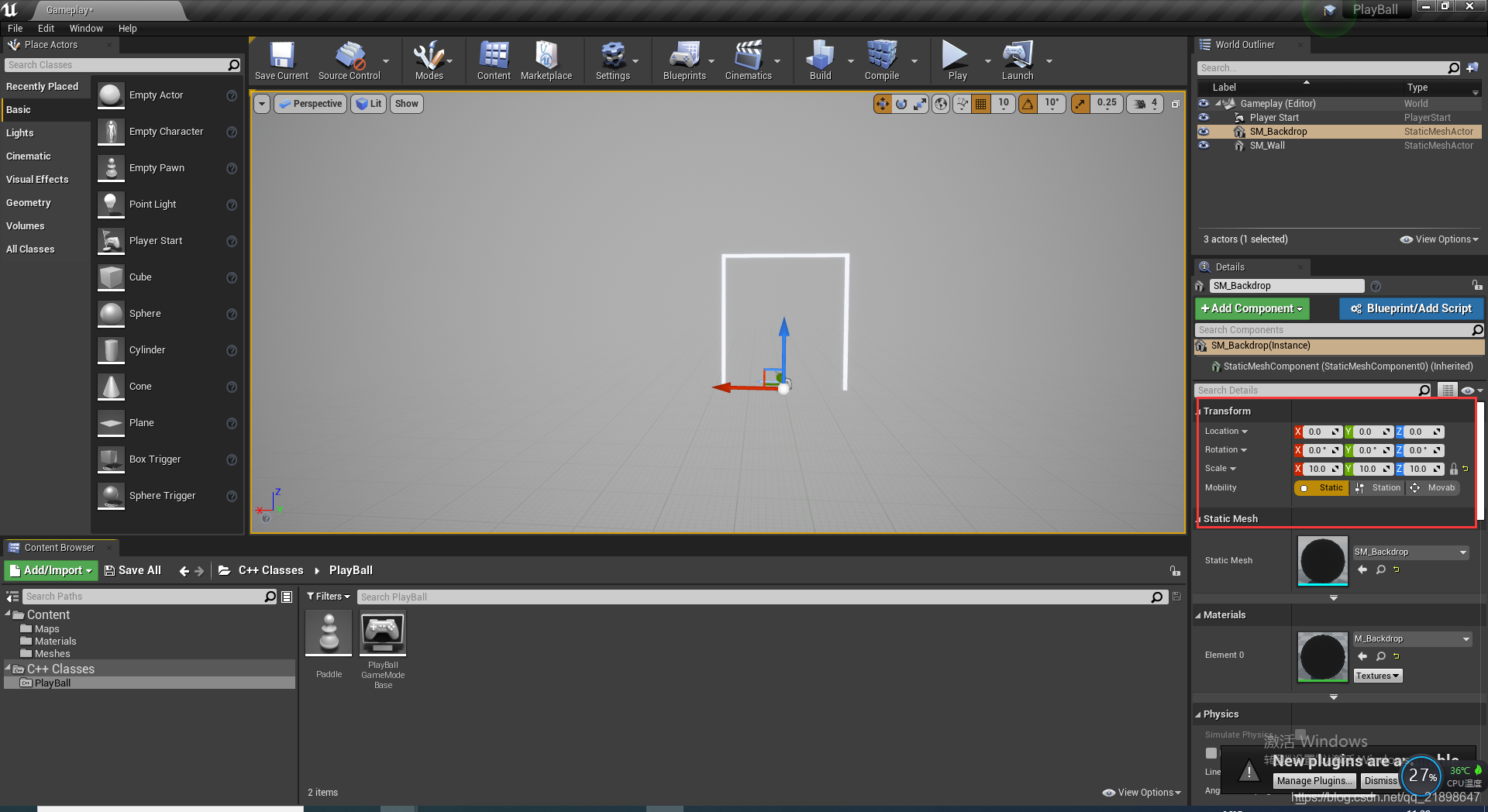
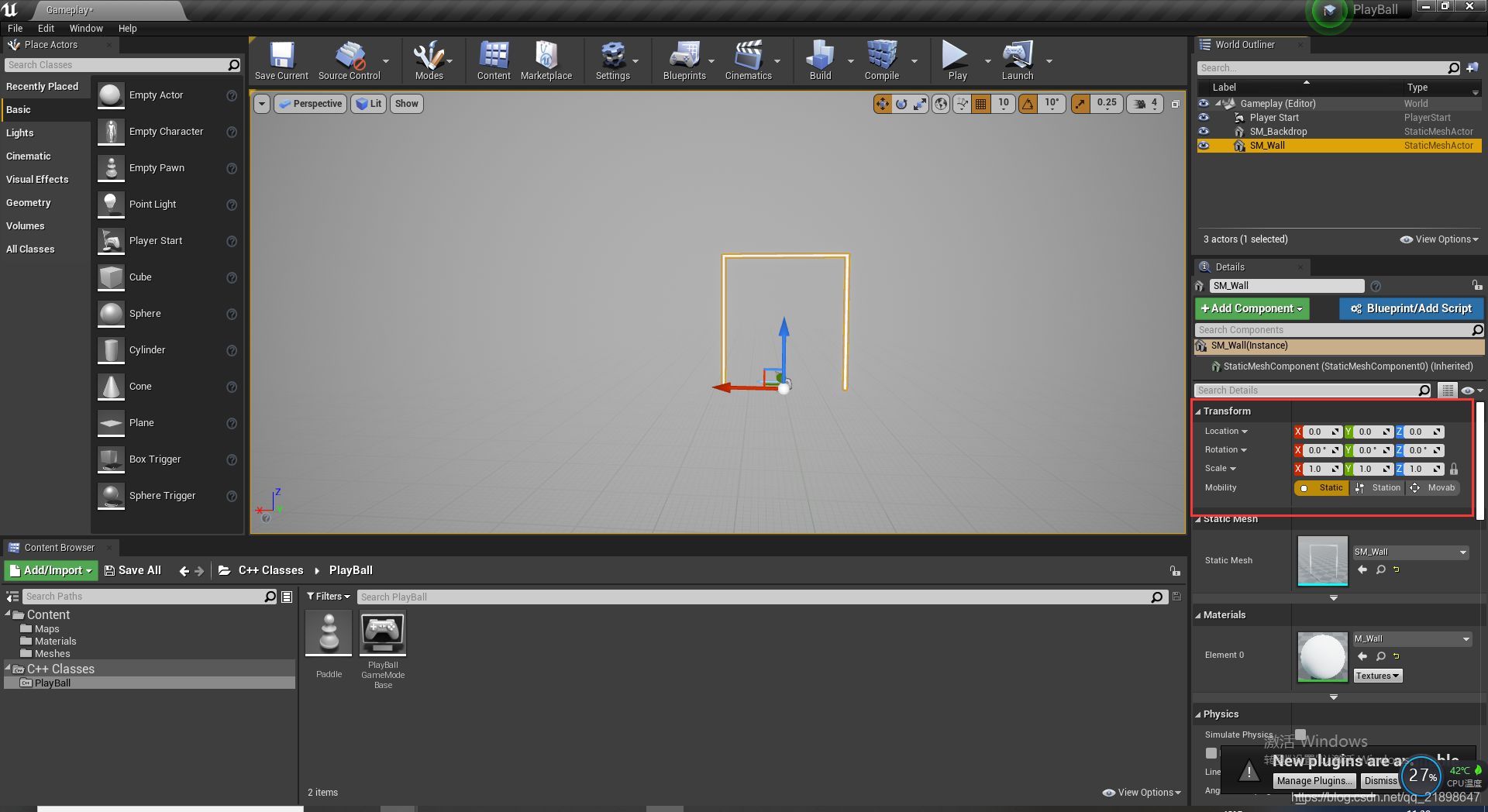
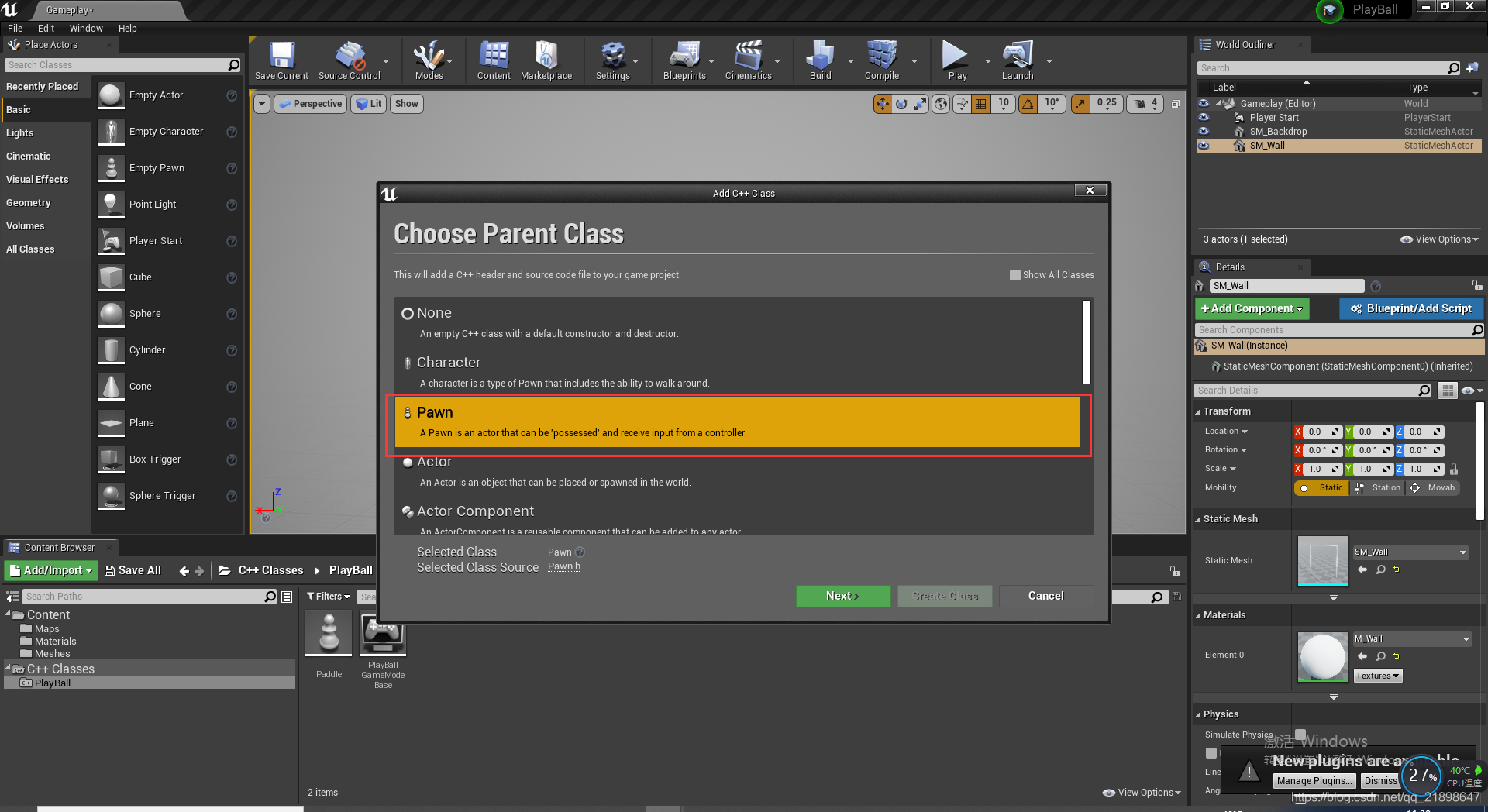
添加C++类,并取名为Paddle
在Paddle.h中添加属性:
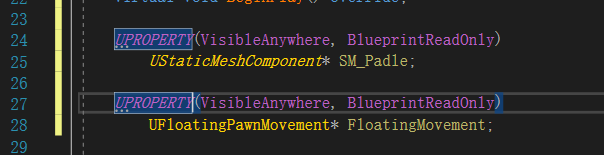
在类上声明:
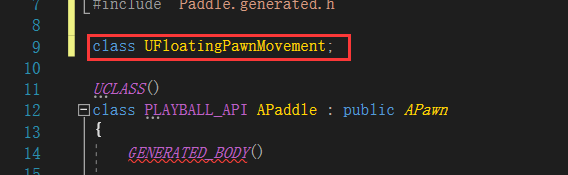
FloatingPawnMovement是一个运动组件,为任何Pawn类提供简单的运动。
在Paddle.h中继续添加移动处理的函数
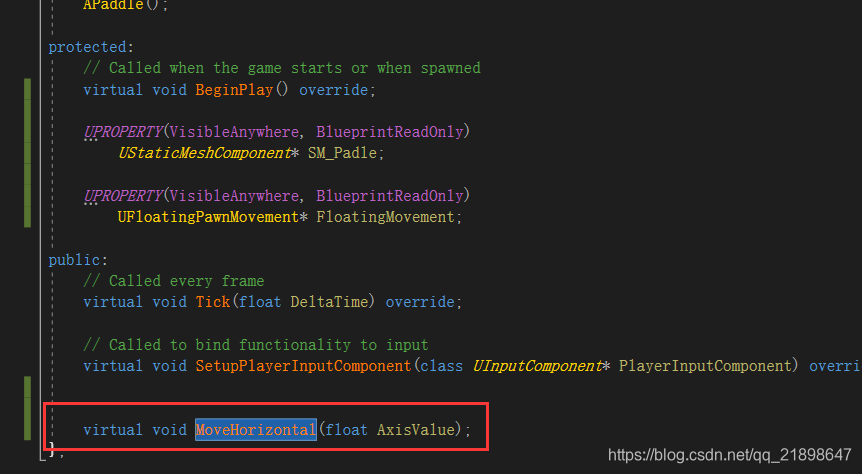
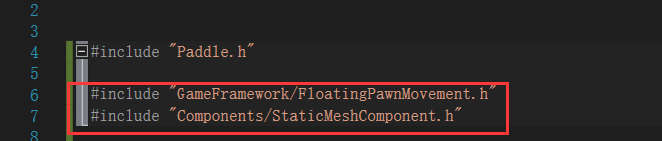
Paddle.cpp中添加头文件
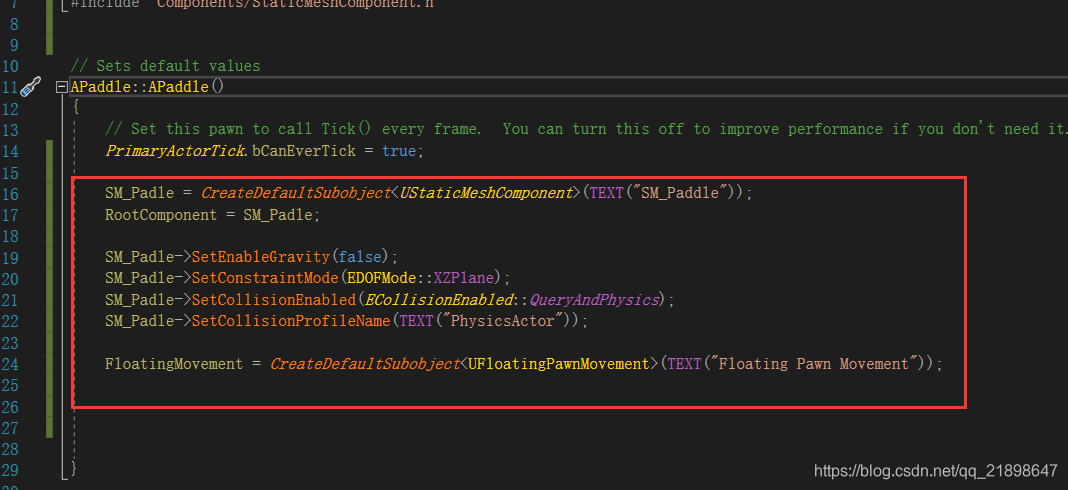
构造函数中添加UStaticMeshComponent与UFloatingPawnMovement组件
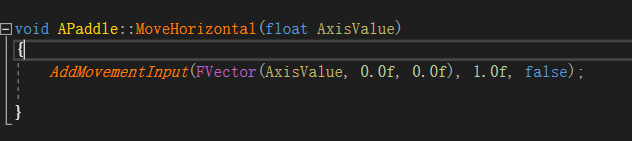
实现MoveHorizontal函数:
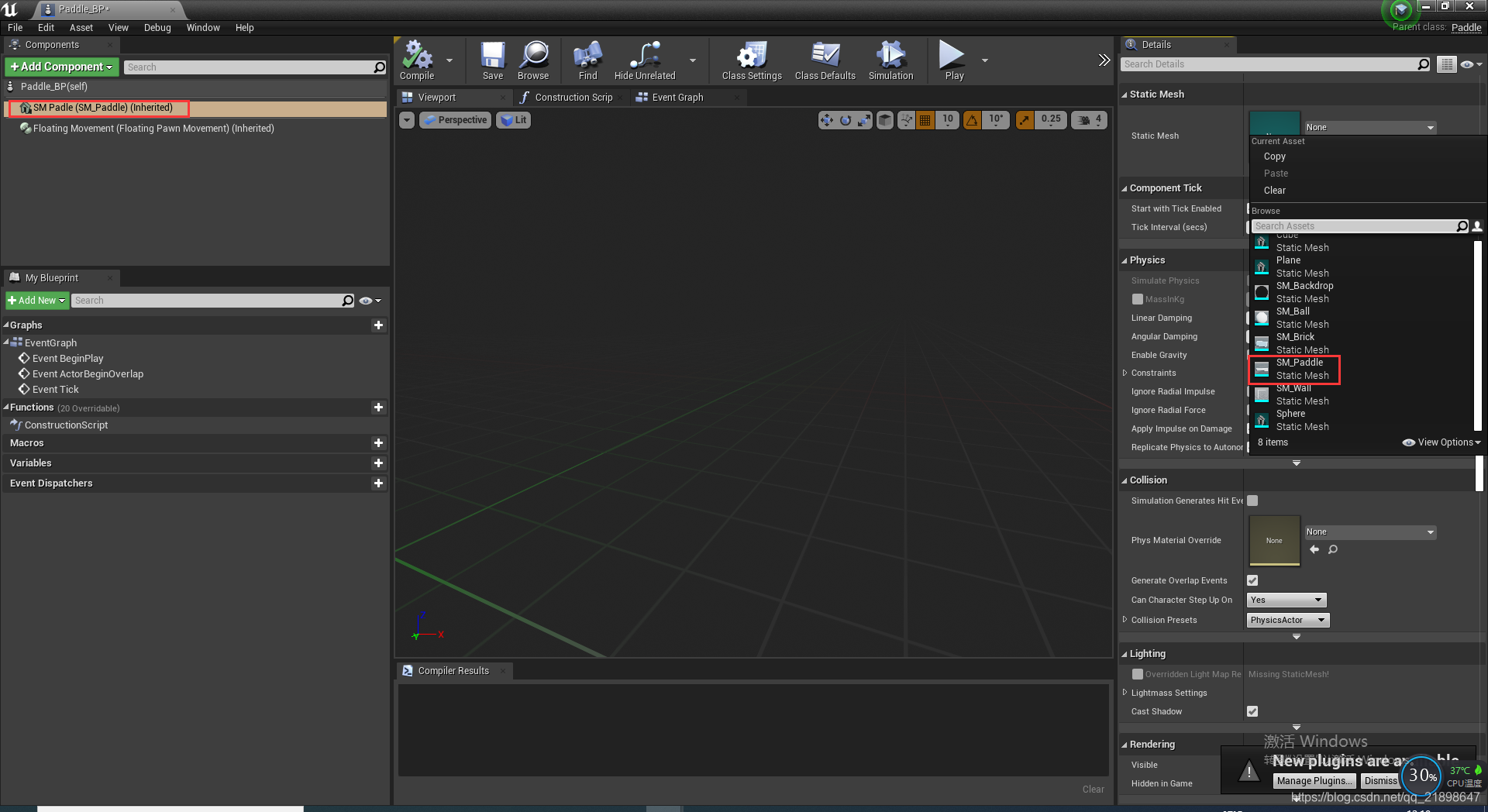
在Paddle_BP蓝图设置SM_Padle的mesh
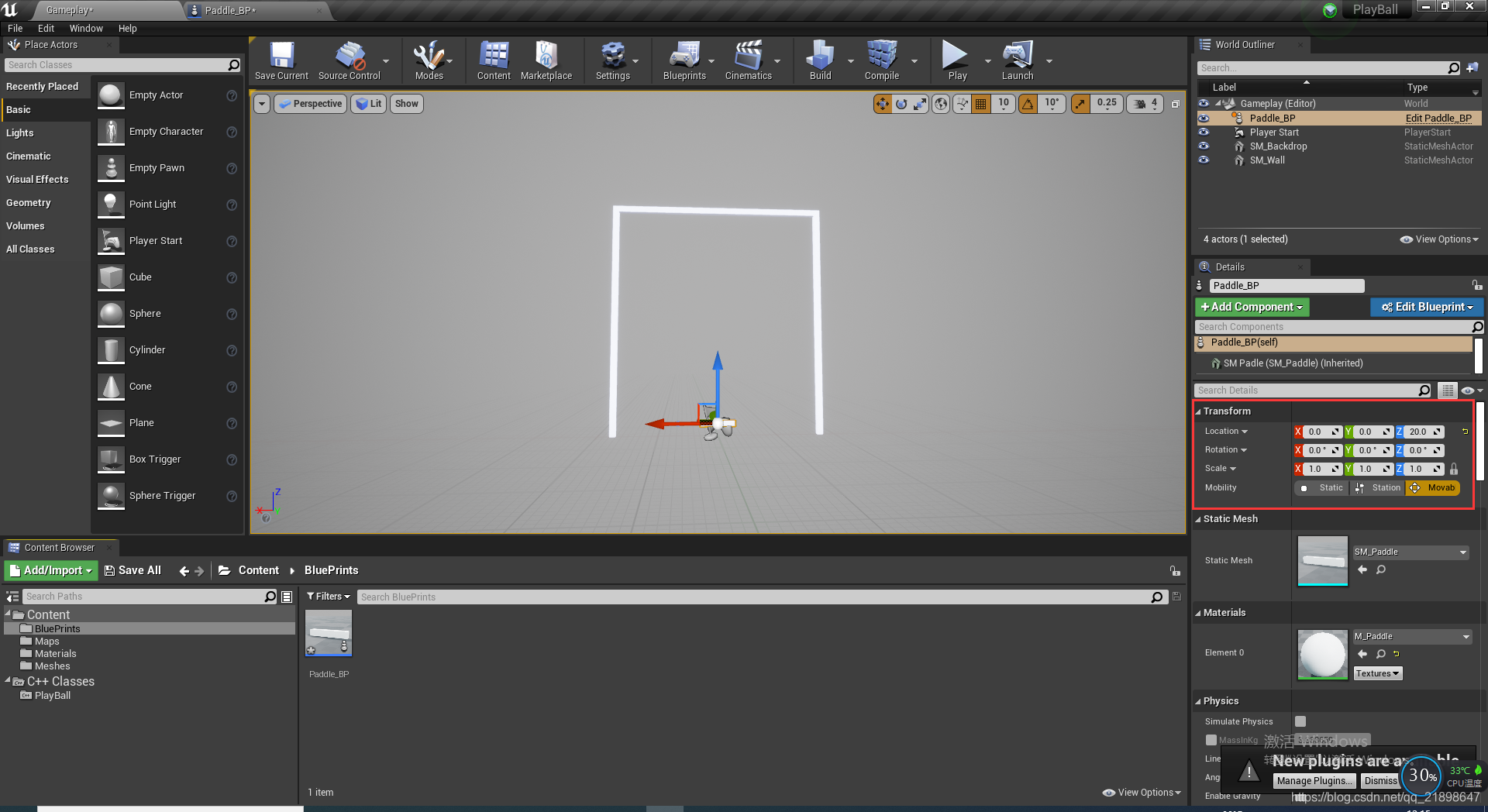
把Paddle_BP放入场景中
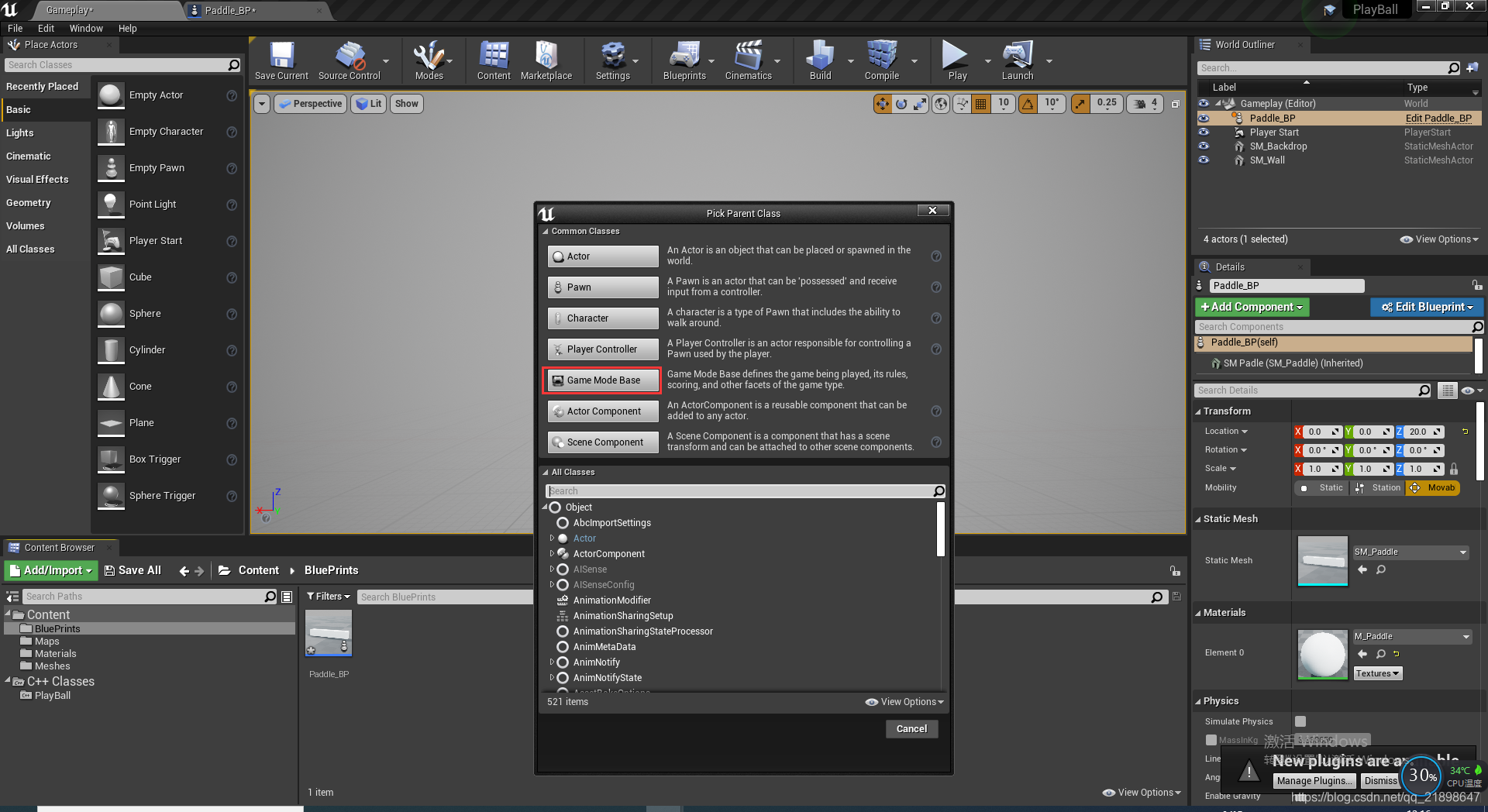
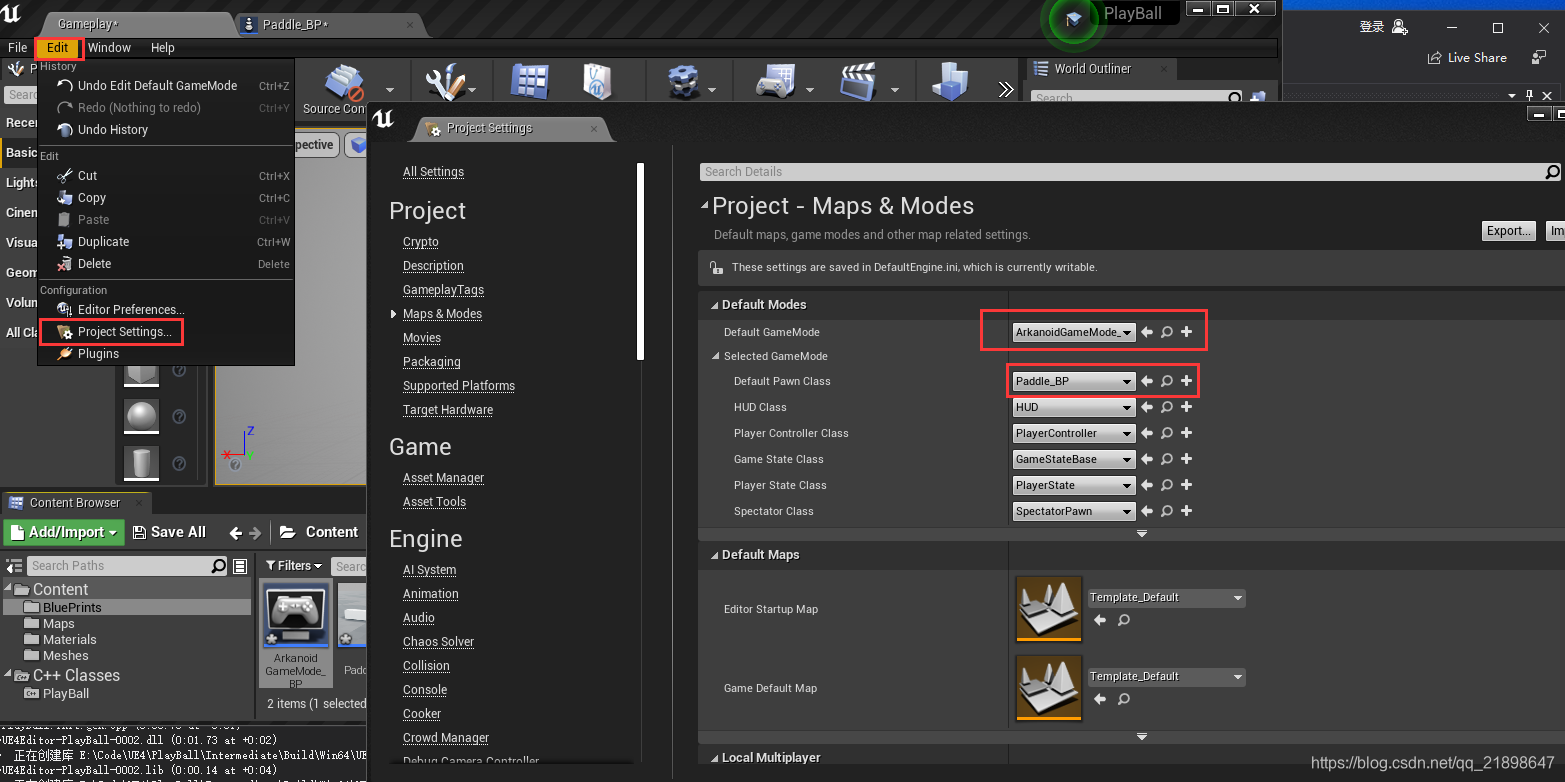
在场景中新建GameMode并改名为ArkanoidGameMode_BP
对GameMode进行设置
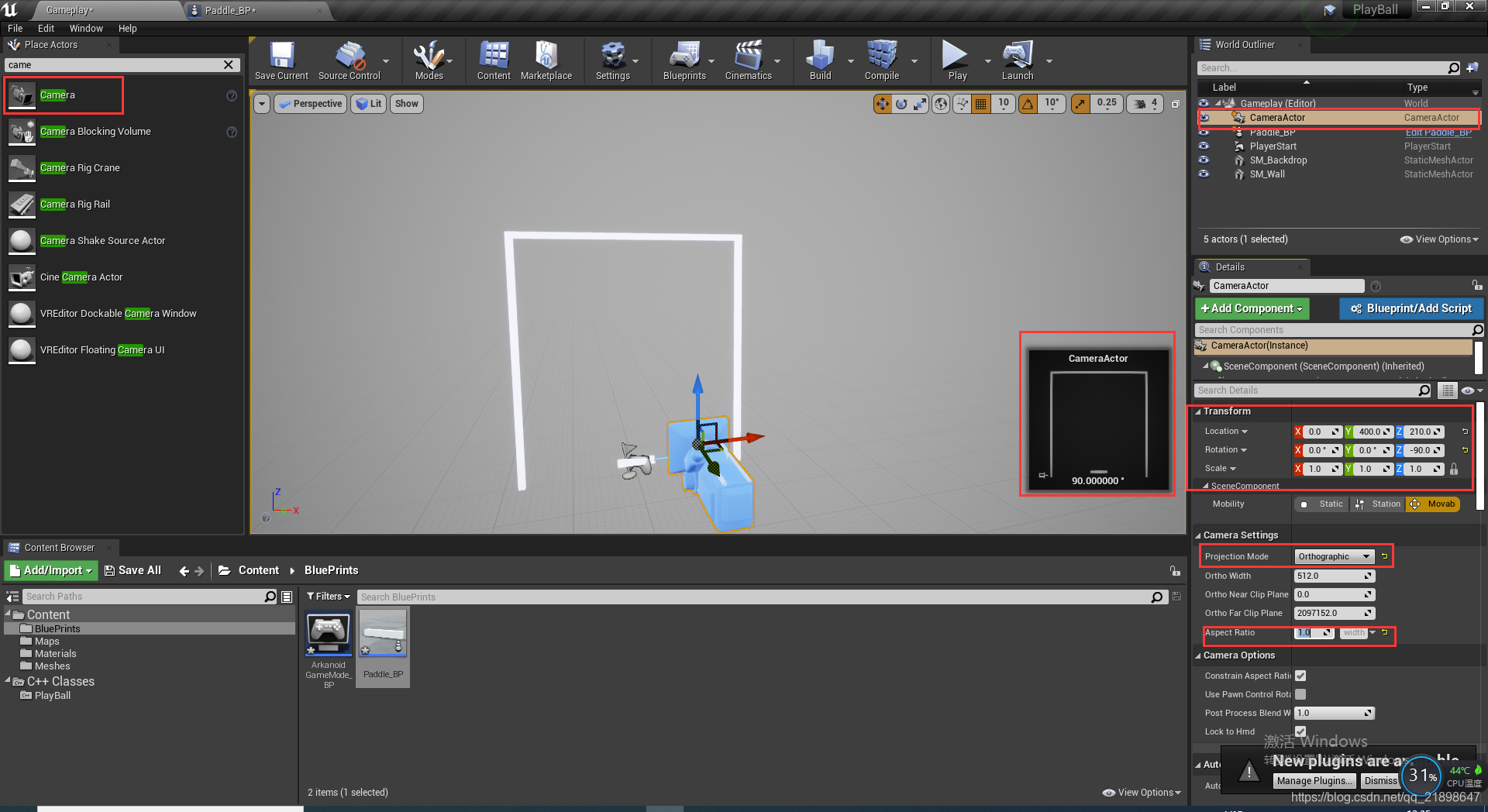
添加Camera
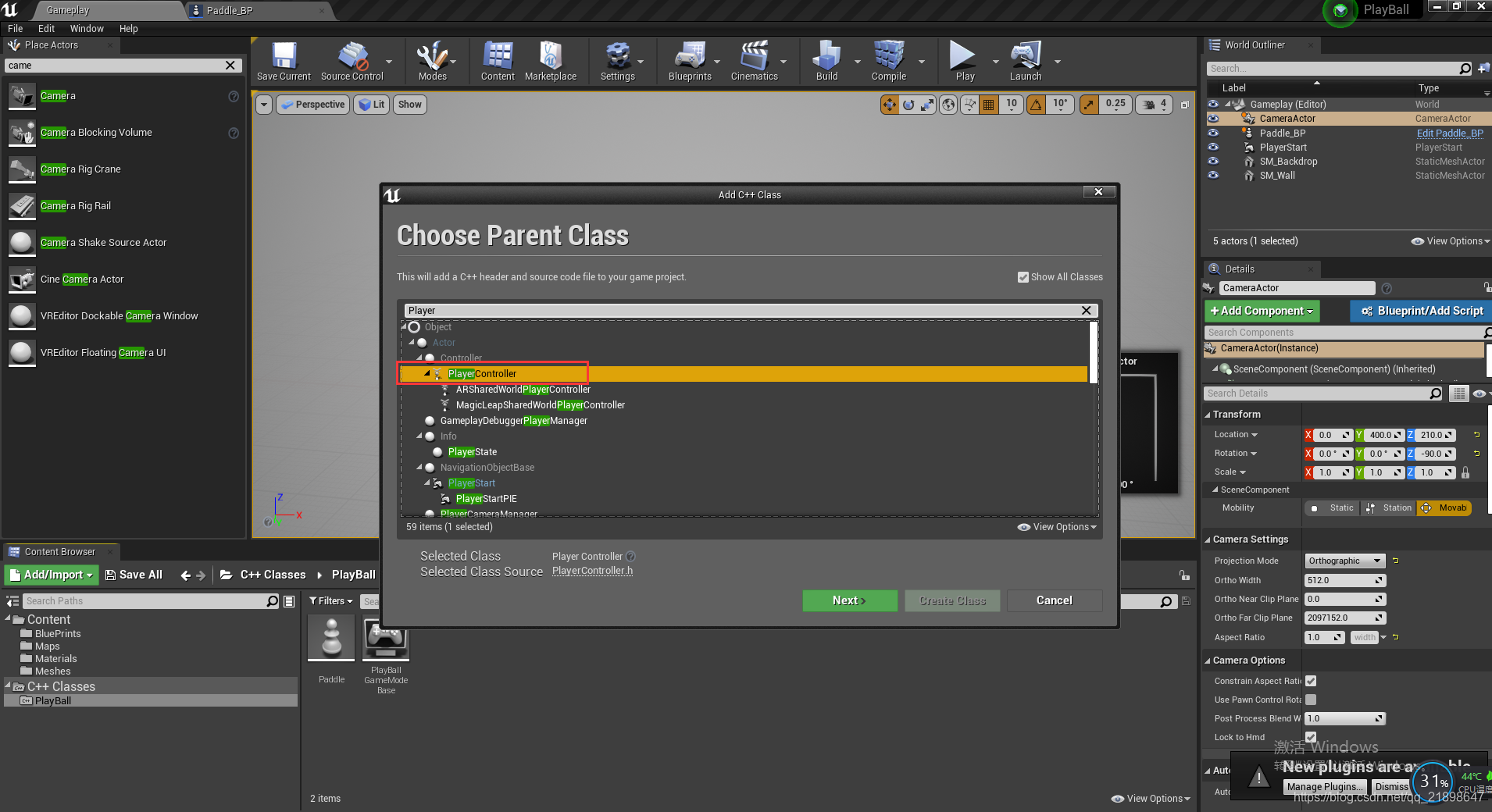
新建PlayerController的基类,并取名为Paddle_Player_Controller
 Paddle_Player_Controller.h添加函数声明
// Fill out your copyright notice in the Description page of Project Settings.

#pragma once

#include "CoreMinimal.h"
#include "GameFramework/PlayerController.h"
#include "Paddle_Player_Controller.generated.h"

//class ABall
/**
 *
 */
UCLASS()
class PLAYBALL_API APaddle_Player_Controller : public APlayerController
{
	GENERATED_BODY()

		APaddle_Player_Controller();

	UFUNCTION()
		virtual void SetupInputComponent() override;

protected:
	virtual void BeginPlay() override;

	void MoveHorizontal(float AxisValue);

	//ball reerences
};
Paddle_Player_Controller.cpp中设置相机为主视角
// Fill out your copyright notice in the Description page of Project Settings.


#include "Paddle_Player_Controller.h"

#include "Kismet/GameplayStatics.h"
#include "Camera/CameraActor.h"

#include "Paddle.h"
//#include "Ball.h"

APaddle_Player_Controller::APaddle_Player_Controller()
{

}

void APaddle_Player_Controller::SetupInputComponent()
{
}

void APaddle_Player_Controller::BeginPlay()
{
	TArray<AActor*> CameraActors;
	UGameplayStatics::GetAllActorsOfClass(GetWorld(), ACameraActor::StaticClass(), CameraActors);

	FViewTargetTransitionParams params;
	SetViewTarget(CameraActors[0], params);
}

void APaddle_Player_Controller::MoveHorizontal(float AxisValue)
{
}
新建蓝图类,基类为Paddle_Player_Controller
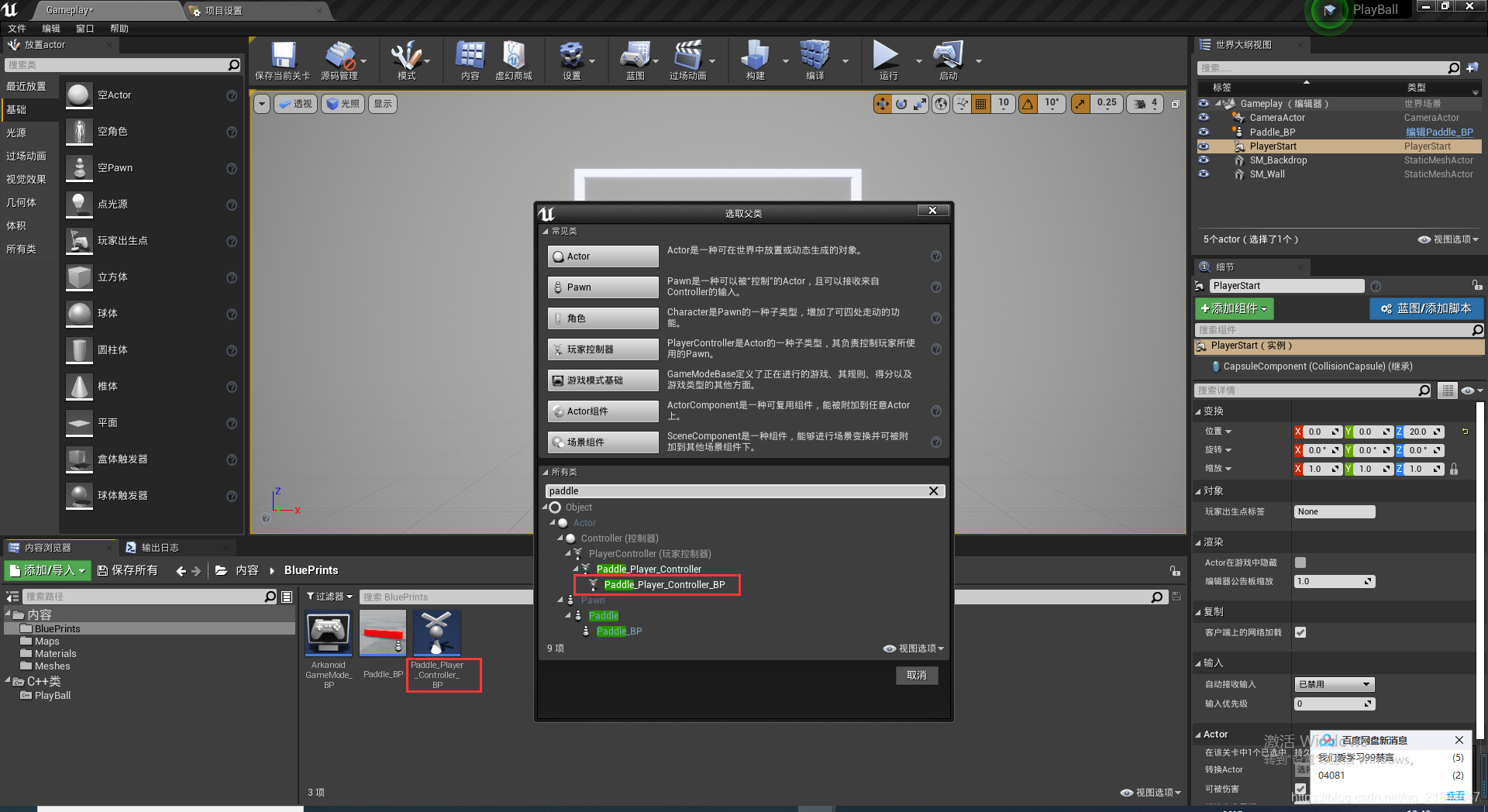
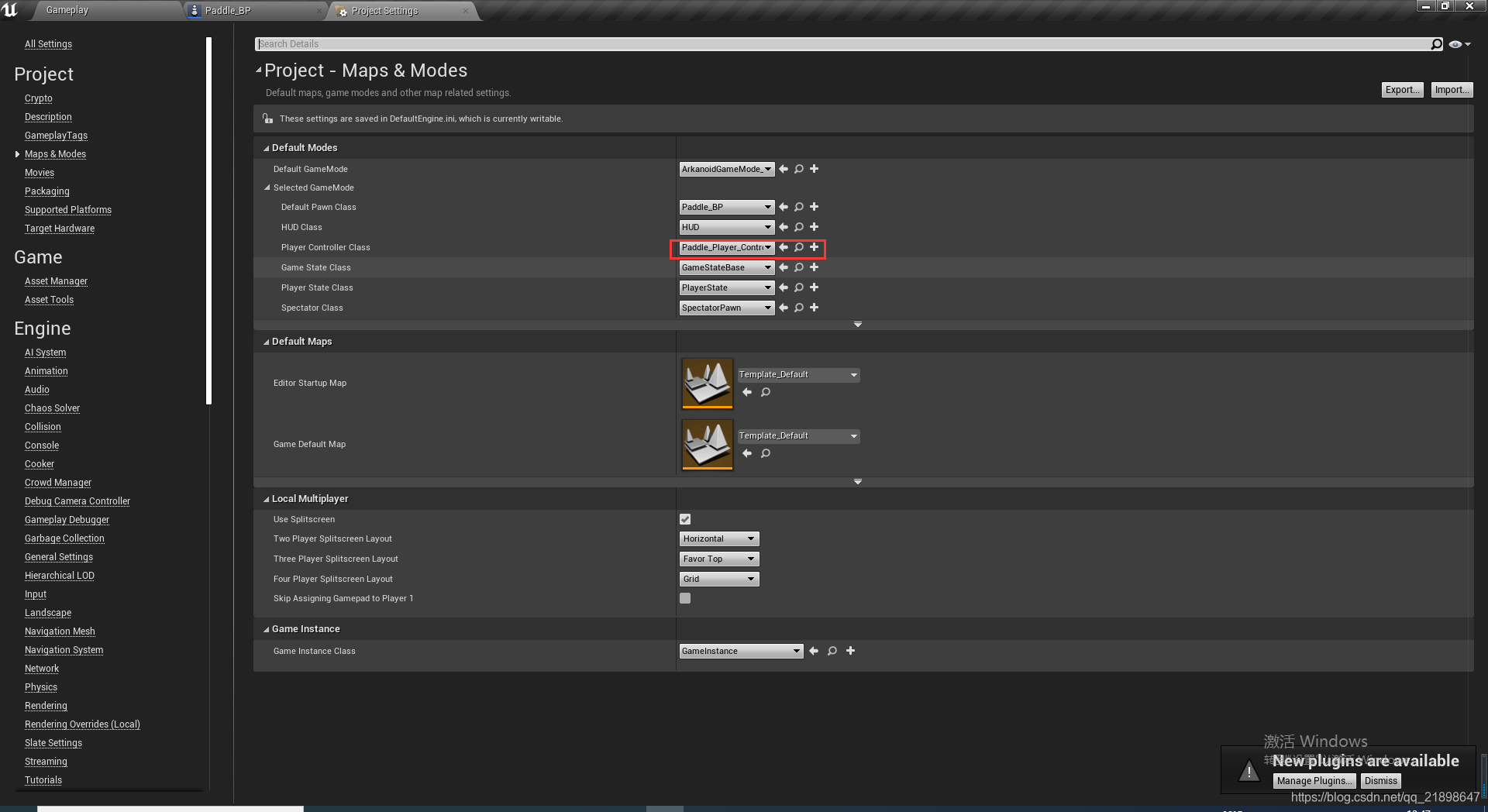
然后设置游戏控制类为刚刚新建的蓝图类:
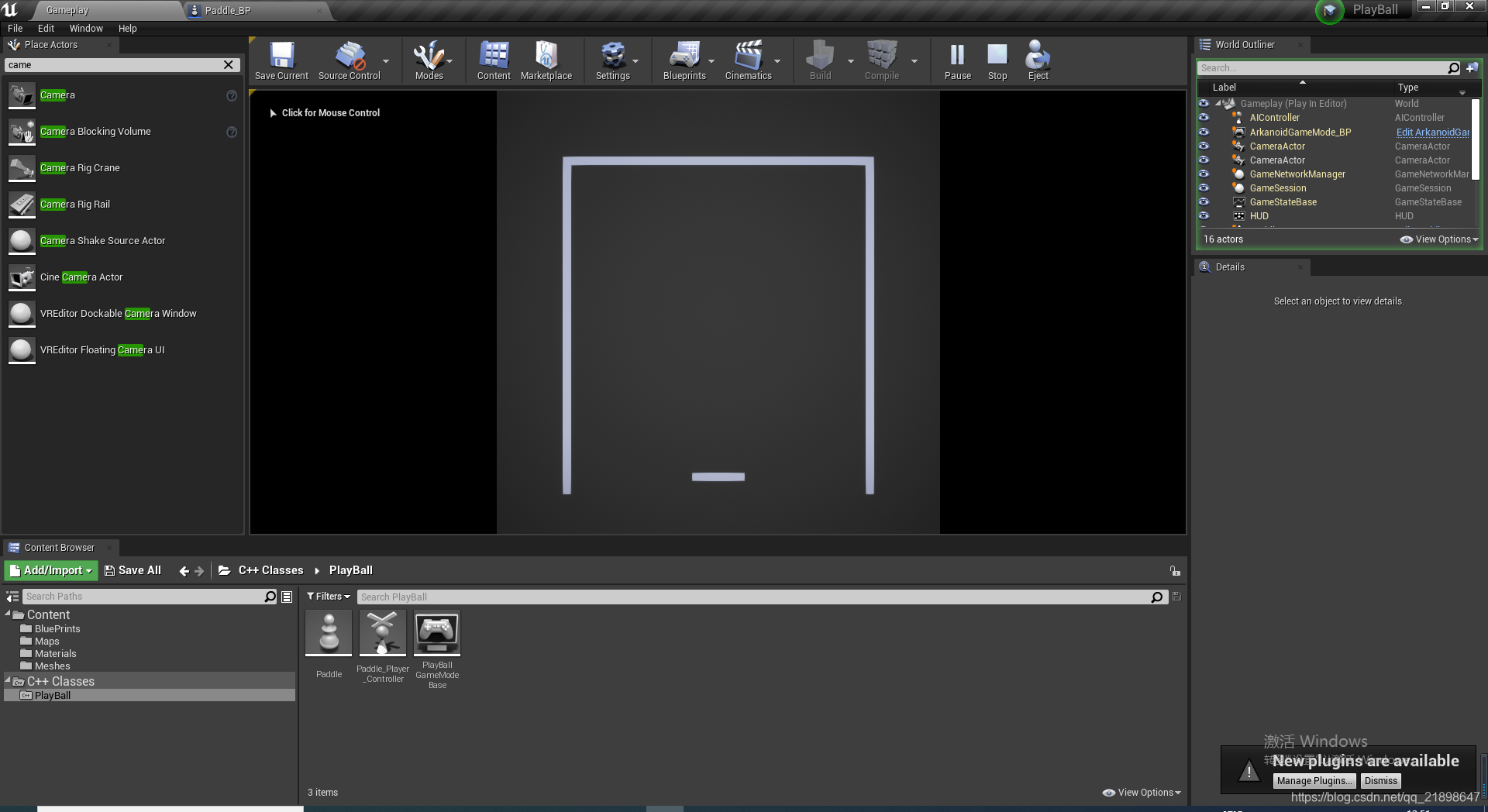
设置完之后运行游戏,可以看到:
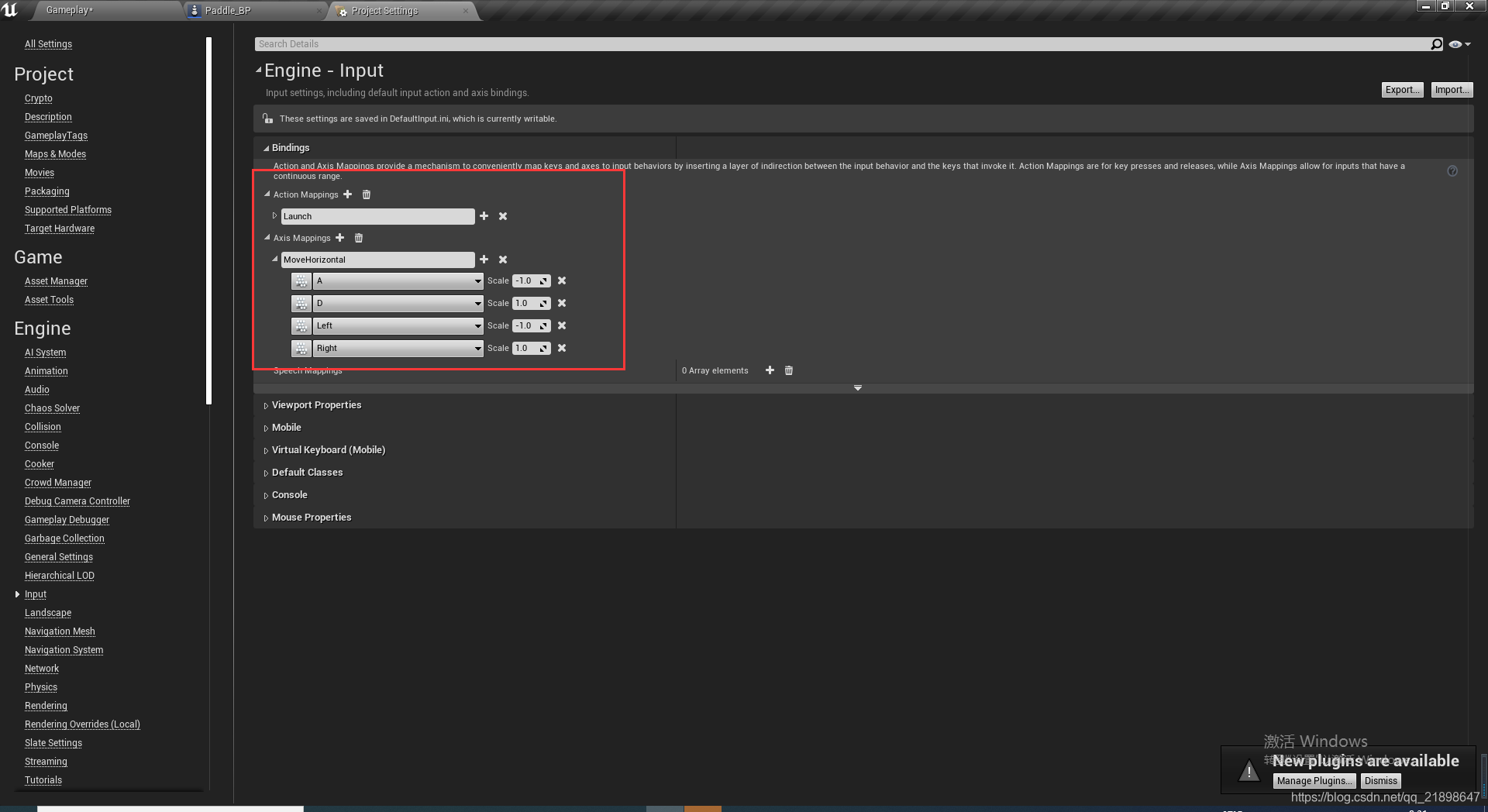
添加输入
在Paddle_Player_Controller.h中绑定SetupInputComponent:
void APaddle_Player_Controller::SetupInputComponent()
{
	Super::SetupInputComponent();

	EnableInput(this);

	InputComponent->BindAxis("MoveHorizontal", this, &APaddle_Player_Controller::MoveHorizontal);

}
实现MoveHorizontal
void APaddle_Player_Controller::MoveHorizontal(float AxisValue)
{
	auto MyPawn = Cast<APaddle>(GetPawn());

	if (MyPawn) {
		MyPawn->MoveHorizontal(AxisValue);
	}
}
这里需要注意的是,在关卡中只需要放PlayerStart即可,不需要放Paddle_BP,否则会不能移动。
添加球体
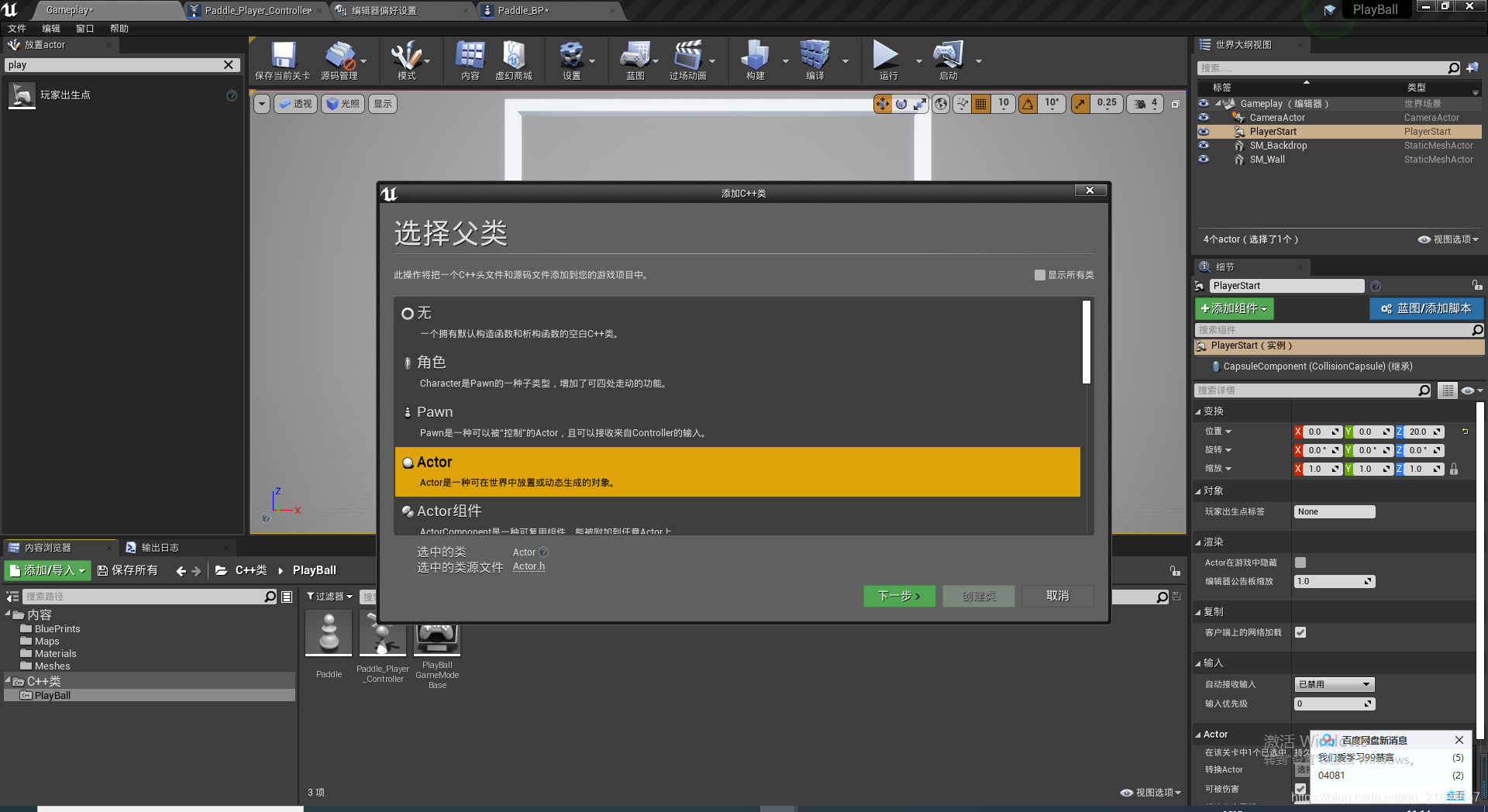
在ball.h添加属性:
// Fill out your copyright notice in the Description page of Project Settings.

#pragma once

#include "CoreMinimal.h"
#include "GameFramework/Actor.h"
#include "Ball.generated.h"

class UProjectileMovementComponent;

UCLASS()
class PLAYBALL_API ABall : public AActor
{
	GENERATED_BODY()

public:
	// Sets default values for this actor's properties
	ABall();

	virtual void Launch();

	bool BallLaunched;

	UPROPERTY(VisibleAnywhere, BlueprintReadOnly)
		UStaticMeshComponent* SM_Ball;

	UPROPERTY(VisibleAnywhere, BlueprintReadOnly)
		UProjectileMovementComponent* ProjectileMovement;

protected:
	// Called when the game starts or when spawned
	virtual void BeginPlay() override;

public:
	// Called every frame
	virtual void Tick(float DeltaTime) override;

	UFUNCTION()
		UStaticMeshComponent* GetBall();

};
在Ball.cpp的构造函数中添加:
	SM_Ball = CreateDefaultSubobject<UStaticMeshComponent>(TEXT("Ball"));
	RootComponent = SM_Ball;

	SM_Ball->SetSimulatePhysics(true);
	SM_Ball->SetEnableGravity(false);
	SM_Ball->SetConstraintMode(EDOFMode::XZPlane);
	SM_Ball->SetCollisionEnabled(ECollisionEnabled::QueryAndPhysics);
	SM_Ball->SetCollisionProfileName(TEXT("PhysicsActor"));
设置PhysicsActor的原因是Paddle_BP中StaticMesh的碰撞预设设置的是PhysicsActor
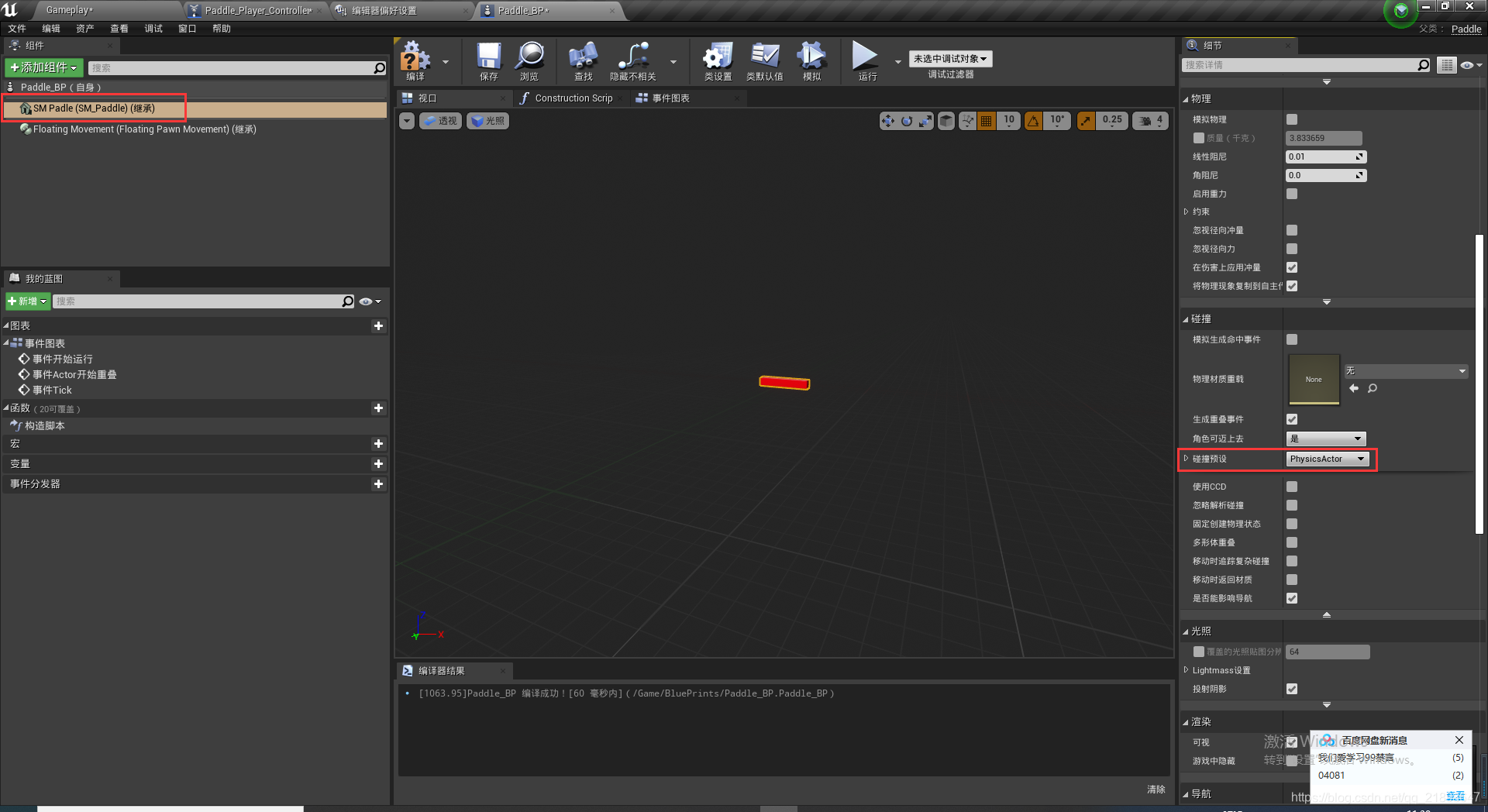 在构造函数中继续添加
	ProjectileMovement = CreateDefaultSubobject<UProjectileMovementComponent>(TEXT("Projectile Movement"));
	ProjectileMovement->bShouldBounce = true;
	ProjectileMovement->Bounciness = 1.1f;
	ProjectileMovement->Friction = 0.0f;
	ProjectileMovement->Velocity.X = 0.0f;
实现Launch函数
void ABall::Launch()
{
	if (!BallLaunched) {
		SM_Ball->AddImpulse(FVector(140.0f, 0.0f, 130.0f), FName(), true);

		BallLaunched = true;
	}
}
添加函数绑定
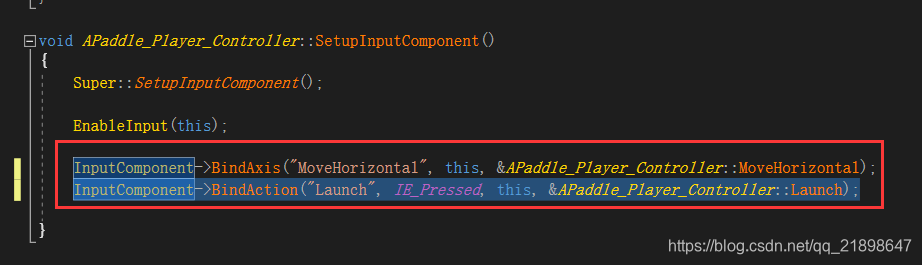
在蓝图中实现:
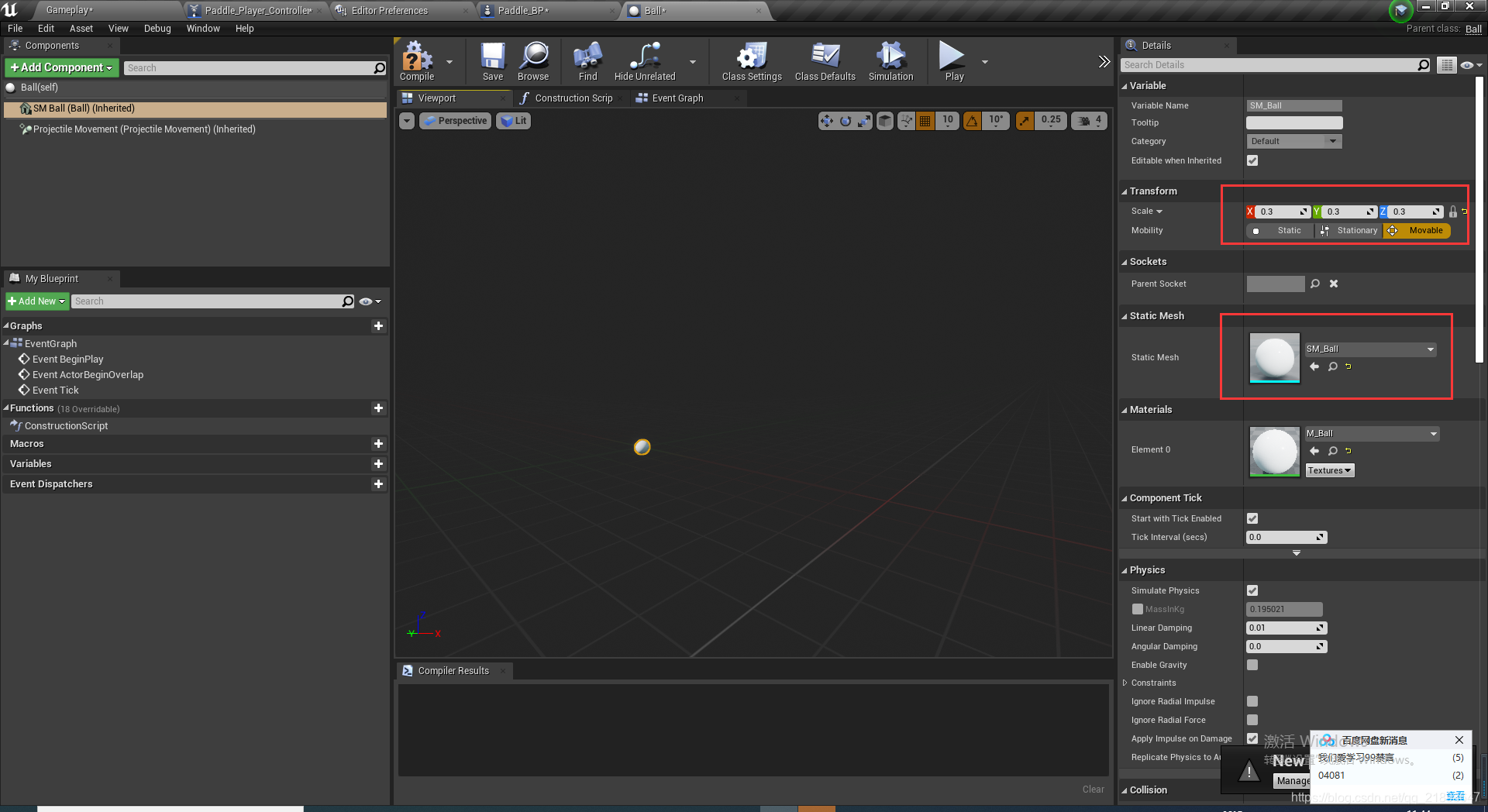 修改Paddle_Player_Controller.h
// Fill out your copyright notice in the Description page of Project Settings.

#pragma once

#include "CoreMinimal.h"
#include "GameFramework/PlayerController.h"

#include "Ball.h"

#include "Paddle_Player_Controller.generated.h"


/**
 *
 */
UCLASS()
class PLAYBALL_API APaddle_Player_Controller : public APlayerController
{
	GENERATED_BODY()

		APaddle_Player_Controller();

	UFUNCTION()
		virtual void SetupInputComponent() override;

protected:
	virtual void BeginPlay() override;

	void MoveHorizontal(float AxisValue);

	void Launch();

	UPROPERTY(EditAnywhere)
		TSubclassOf<ABall> BallObj;

	ABall* MyBall=nullptr;

	FVector SpawnLocation = FVector(10.0f, 0.0f, 40.0f);
	FRotator SpawnRotation = FRotator(0.0f, 0.0f, 0.0f);
	FActorSpawnParameters SpawnInfo;

public:
	void SpawnNewBall();

	//ball reerences
};
在Paddle_Player_Controller.h实现SpawnNewBall()函数
void APaddle_Player_Controller::SpawnNewBall()
{
	if (!MyBall) {
		MyBall = nullptr;
	}

	if (BallObj) {
		MyBall = GetWorld()->SpawnActor<ABall>(BallObj, SpawnLocation, SpawnRotation, SpawnInfo);
	}
}
开始游戏的时候调用SpawnNewBall
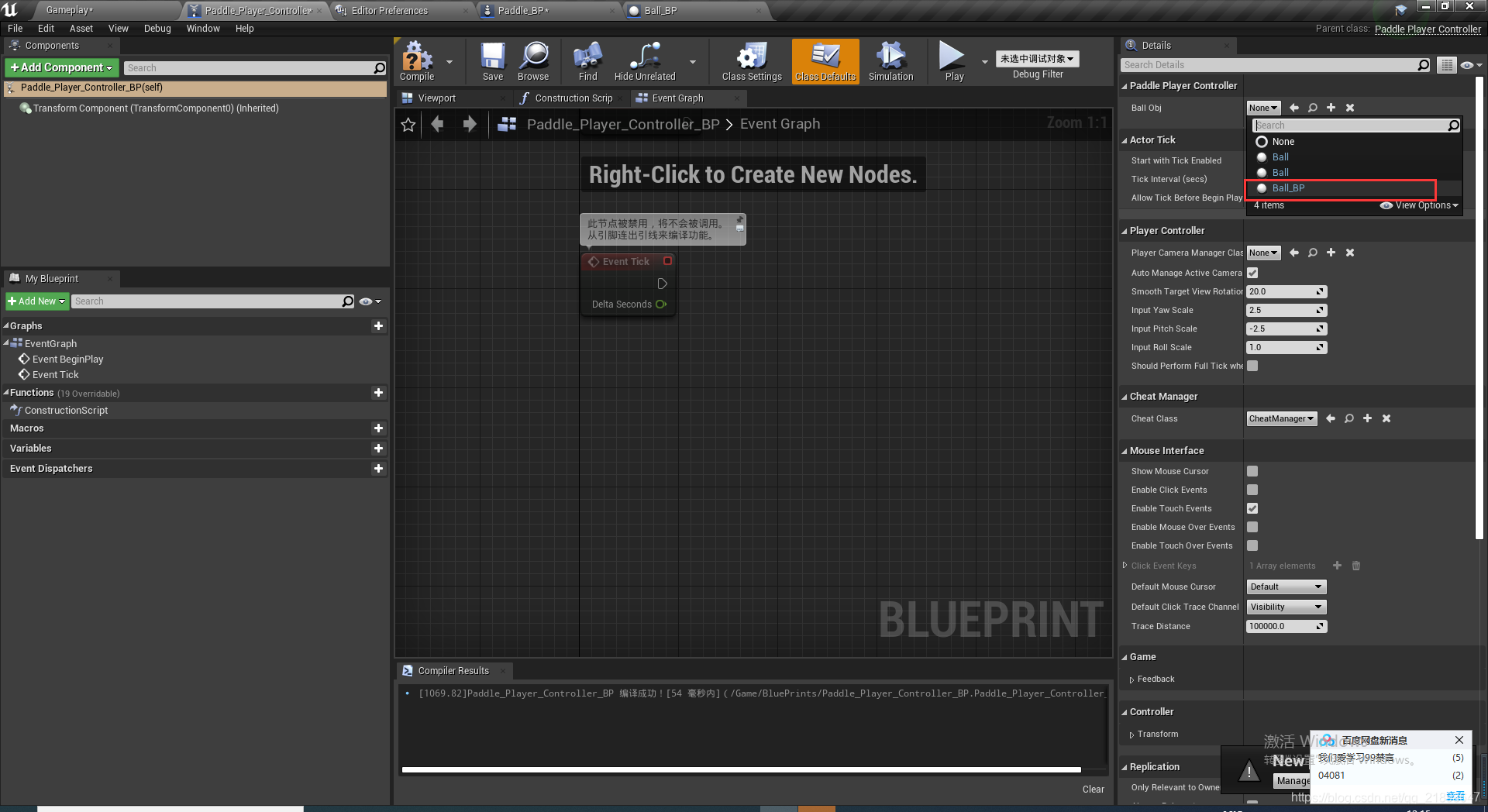
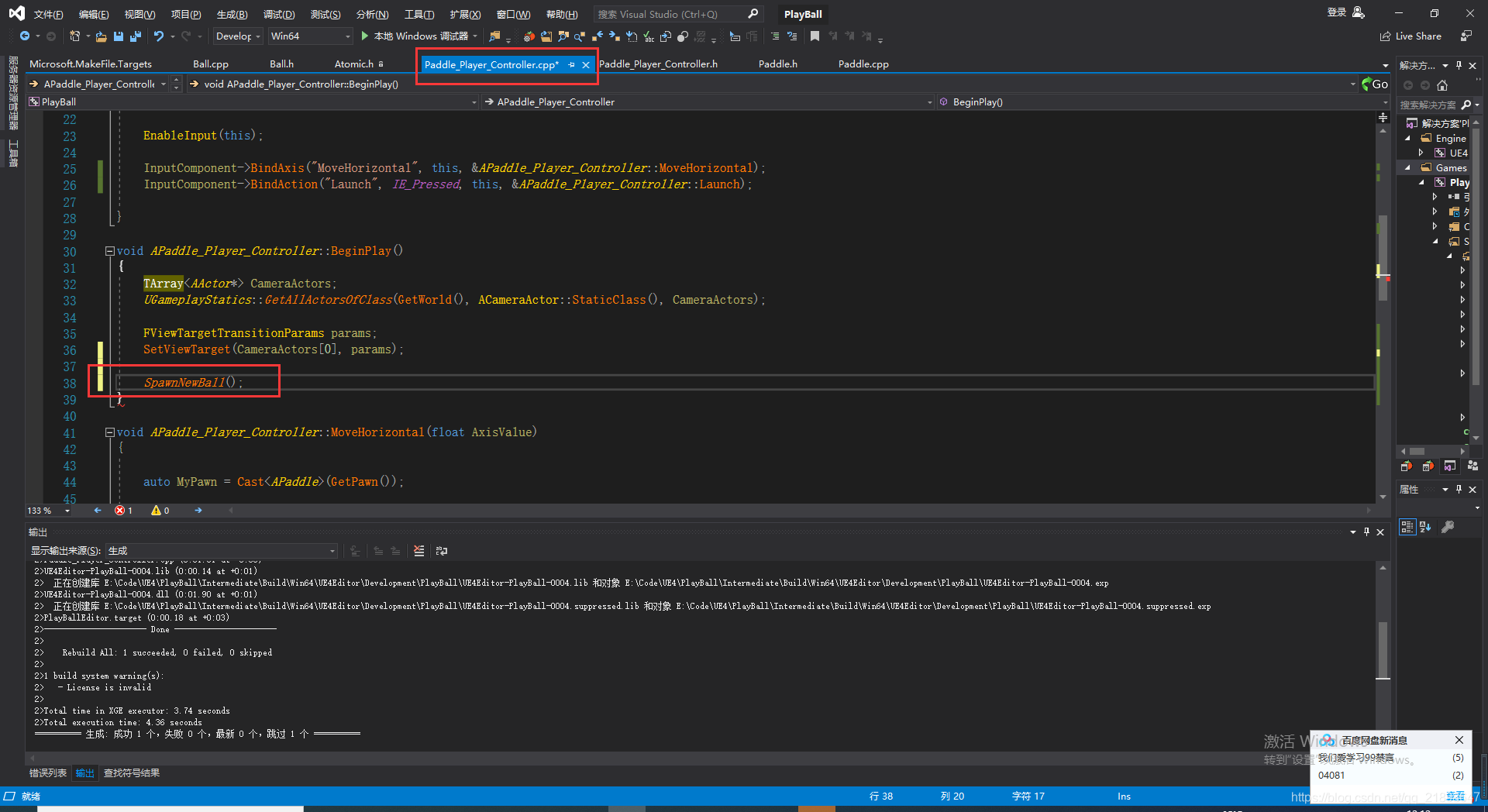 设置Ball Obj
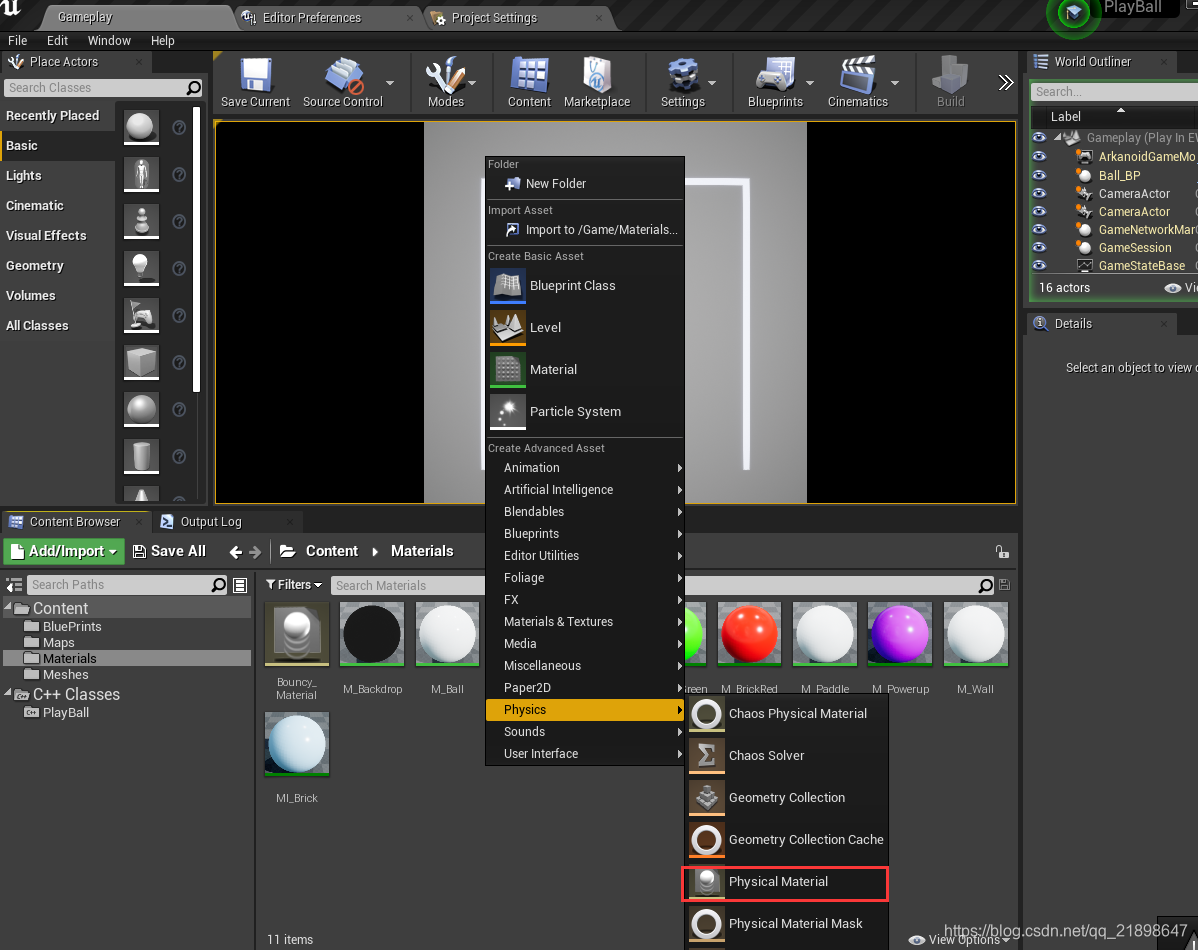
 新建Material
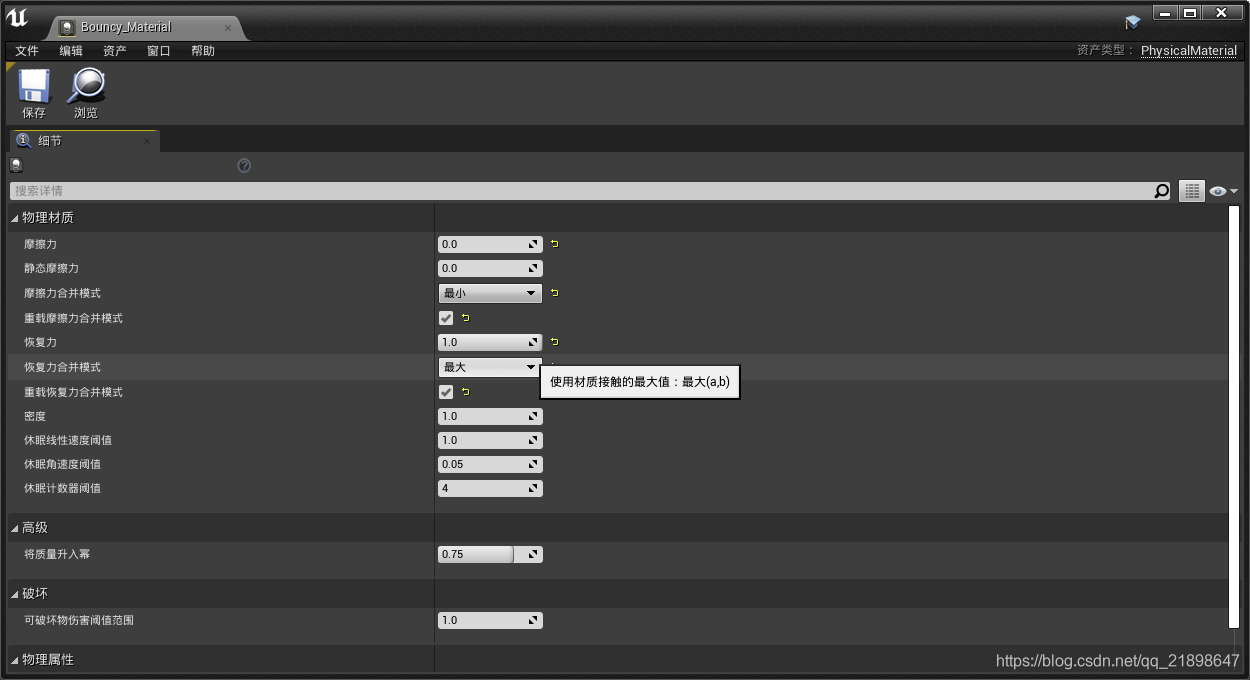
双击做如下设置
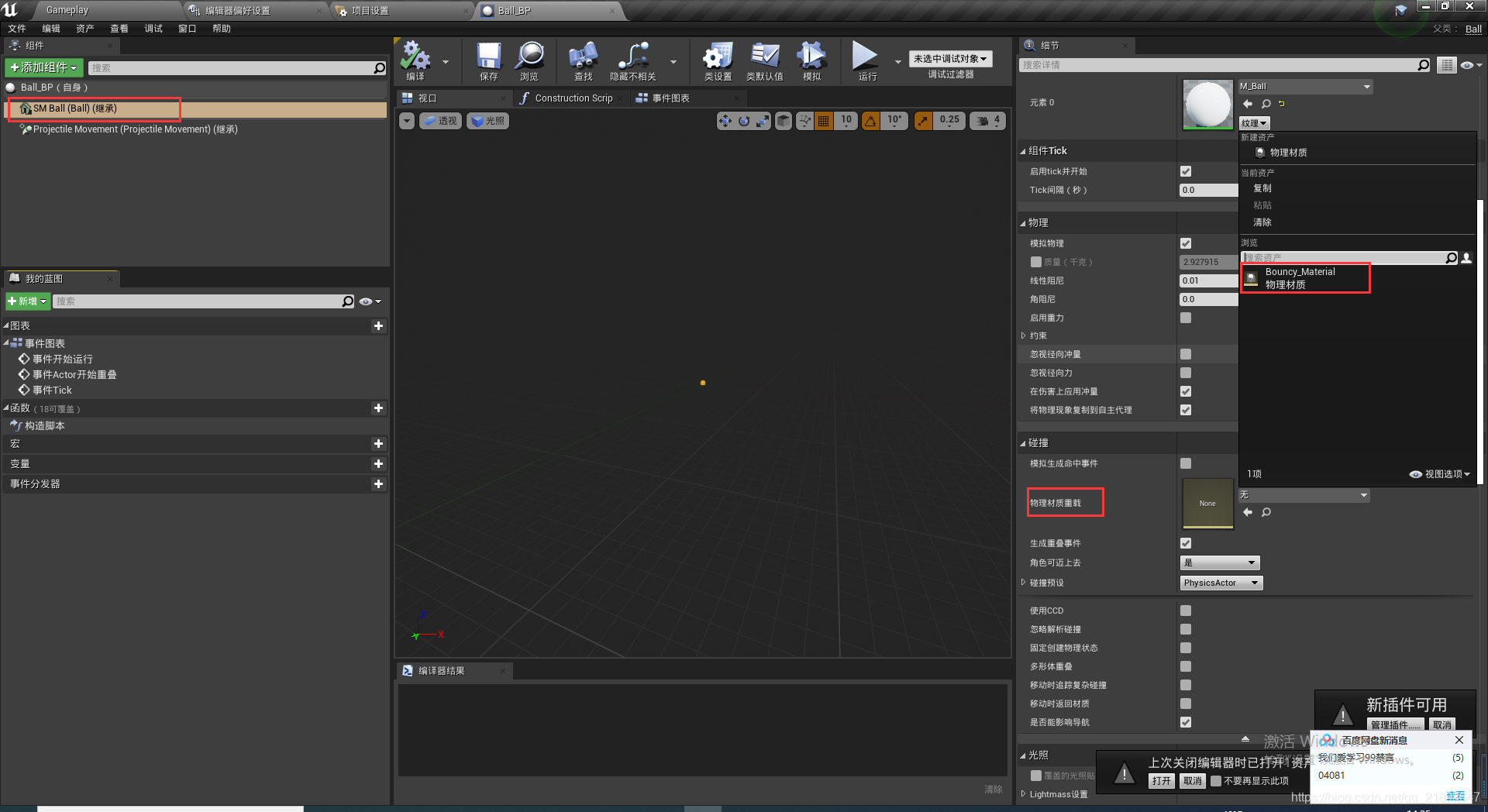
完成以上步骤后做如下步骤:
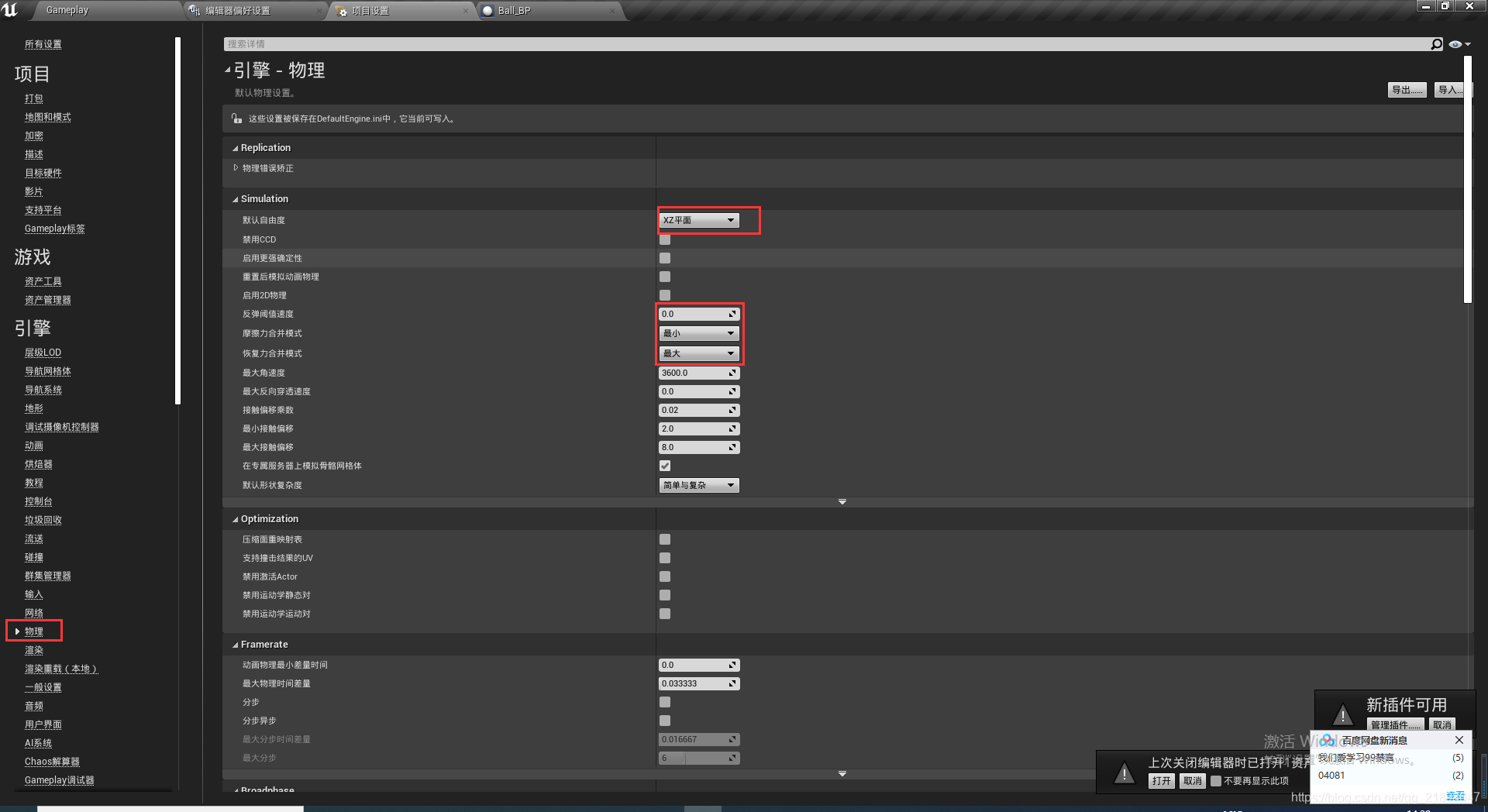
创建砖块,并命名为Brick.h:
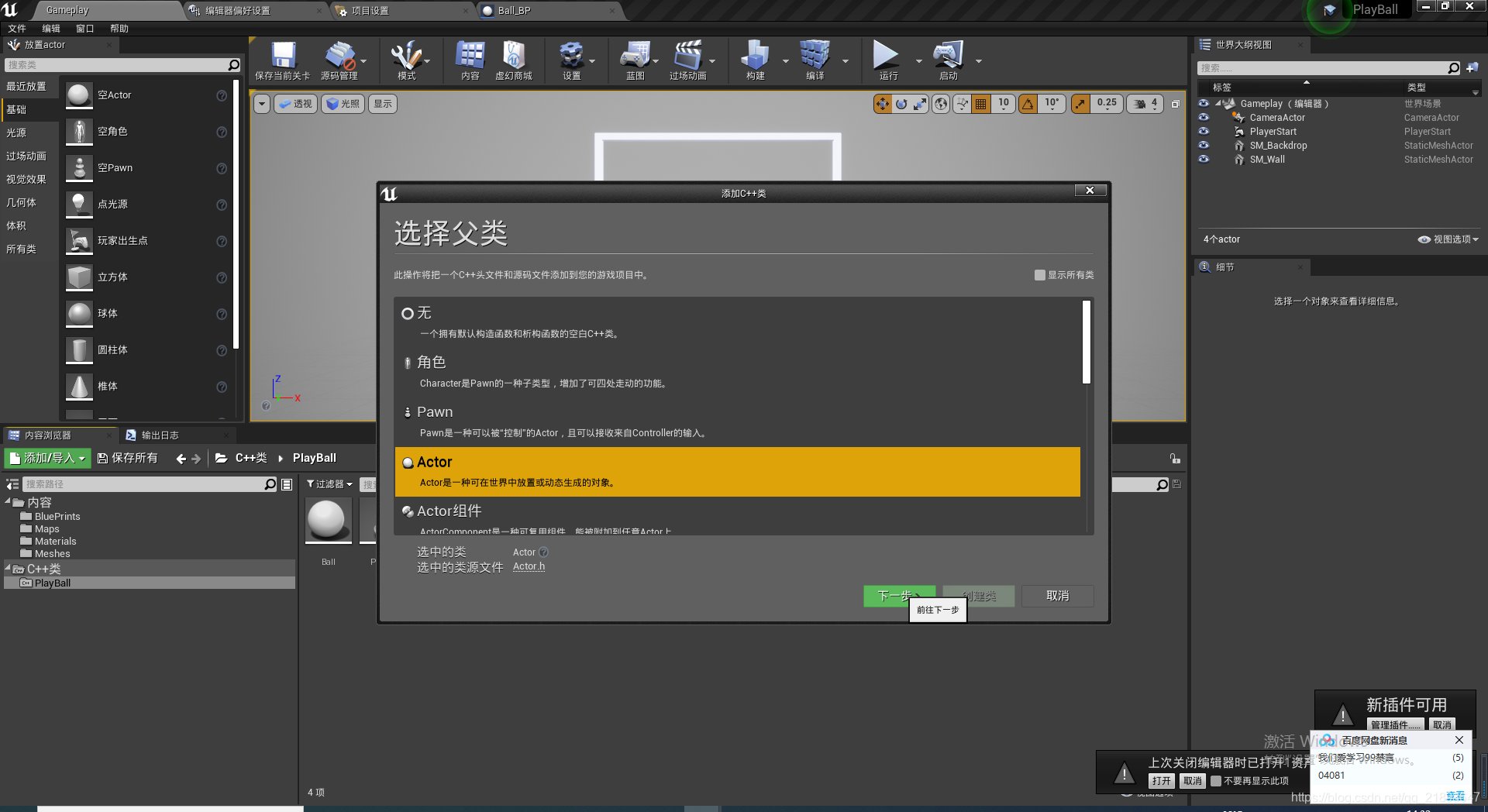
在Brick.h中创建属性与函数:
// Fill out your copyright notice in the Description page of Project Settings.

#pragma once

#include "CoreMinimal.h"
#include "GameFramework/Actor.h"
#include "Brick.generated.h"

class UBoxComponent;

UCLASS()
class PLAYBALL_API ABrick : public AActor
{
	GENERATED_BODY()

public:
	// Sets default values for this actor's properties
	ABrick();

protected:
	// Called when the game starts or when spawned
	virtual void BeginPlay() override;

	UPROPERTY(VisibleAnywhere,BlueprintReadOnly)
		UStaticMeshComponent* SM_Brick;

	UPROPERTY(VisibleAnywhere, BlueprintReadOnly)
		UBoxComponent* Box_Collision;

	float SpeedModifierOnBounce = 1.0f;

	UFUNCTION()
		void OnOverlapBegin(class UPrimitiveComponent* OverlappedComp, class AActor* OtherActor,
			class UPrimitiveComponent* OtherComp, int32 OtherBodyIndexType, bool bFromSweep,
			const FHitResult& SweepResult);

	void DestroyBrick();

public:
	// Called every frame
	virtual void Tick(float DeltaTime) override;

};
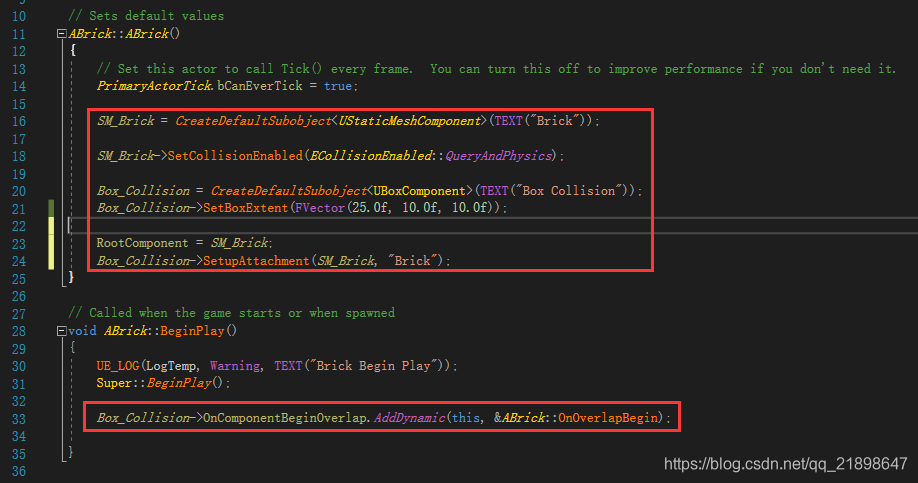
初始化,以及绑定碰撞函数
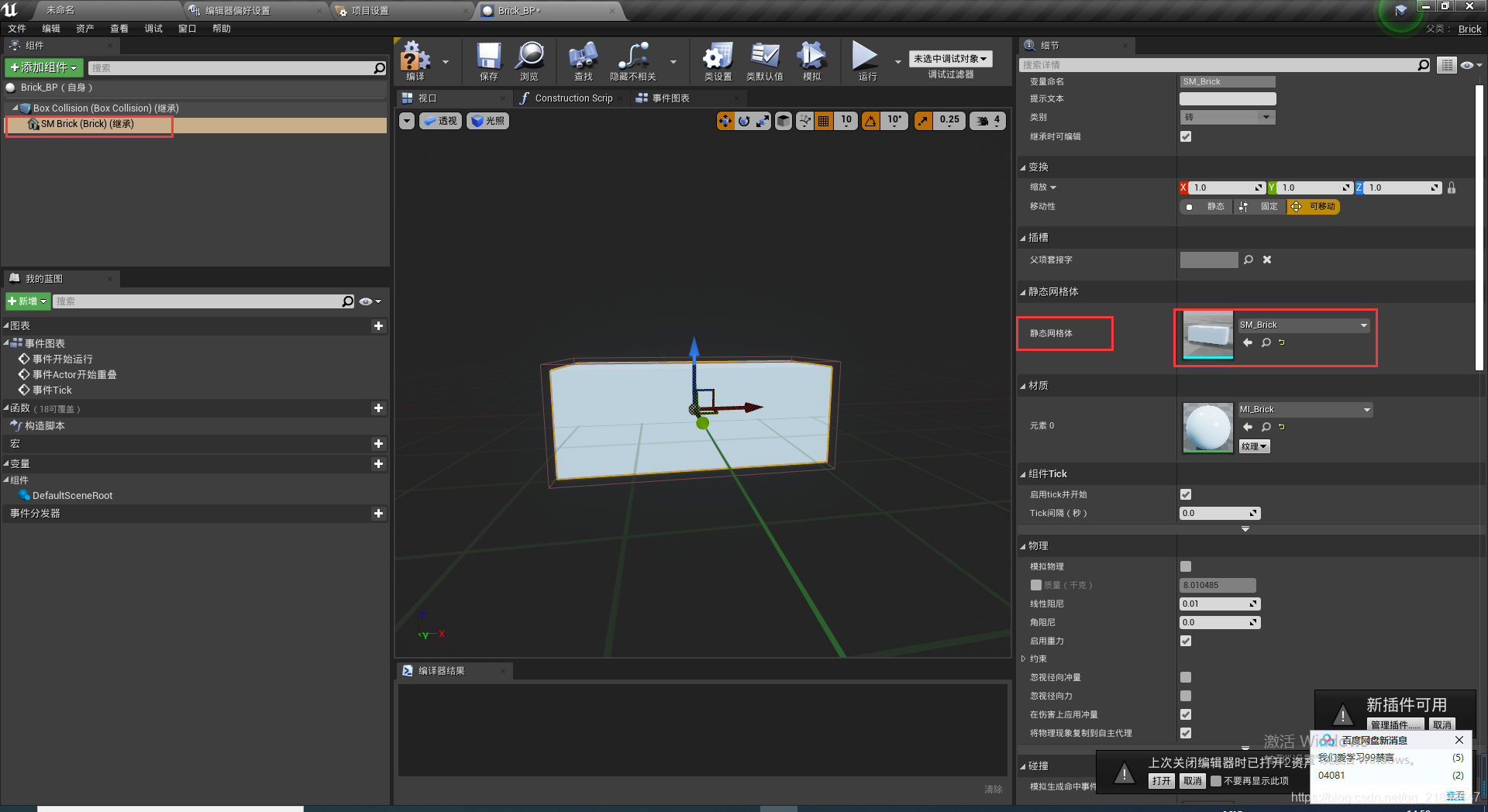
新建Brick的蓝图类并做如下设置:
把Brick蓝图类拖入level中
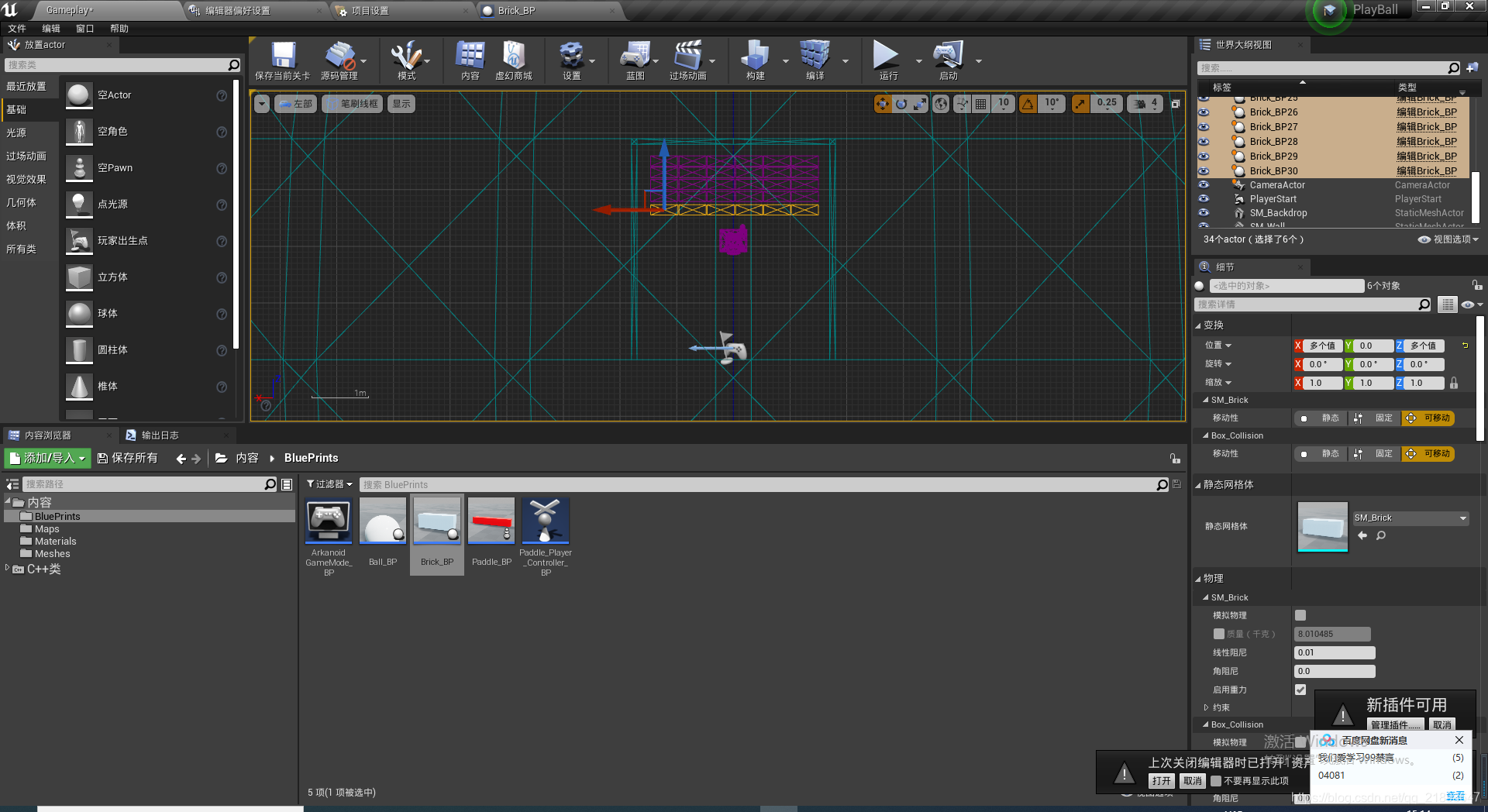
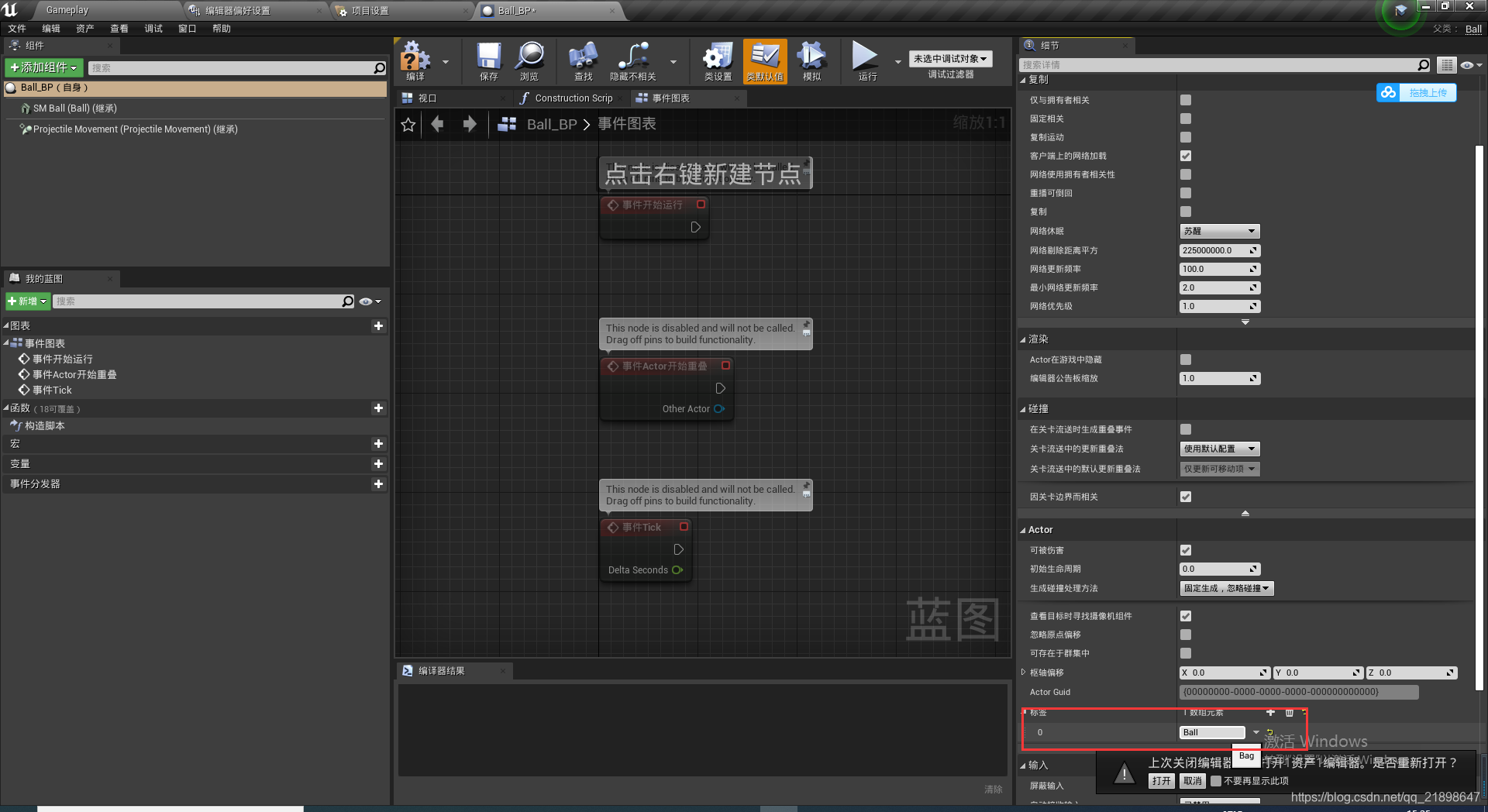
添加Tag
实现碰撞函数
void ABrick::OnOverlapBegin(class UPrimitiveComponent* OverlappedComp, class AActor* OtherActor, class UPrimitiveComponent* OtherComp, int32 OtherBodyIndexType, bool bFromSweep, const FHitResult& SweepResult)
{
	UE_LOG(LogTemp, Warning, TEXT("OnOverlapBegin"));
	if (OtherActor->ActorHasTag("Ball"))
	{
		UE_LOG(LogTemp, Warning, TEXT("OnOverlapBegin  OtherActor"));
		ABall* MyBall = Cast<ABall>(OtherActor);

		FVector BallVelocity = MyBall->GetVelocity();
		BallVelocity *= (SpeedModifierOnBounce + 1.0001f);

		MyBall->GetBall()->SetPhysicsLinearVelocity(BallVelocity, true);

		FTimerHandle UnusedHandle;
        //先弹走,然后0.1s后再destroy造成视觉差
		GetWorldTimerManager().SetTimer(UnusedHandle, this, &ABrick::DestroyBrick, 0.1f, false);
	}
}

void ABrick::DestroyBrick()
{
	this->Destroy();
}
到这里,游戏基本功能已经实现,但是如果小球弹到下面了该怎么处理呢?
添加基类为Actor的ABallBoound C++类
BallBoound.h
// Fill out your copyright notice in the Description page of Project Settings.

#pragma once

#include "CoreMinimal.h"
#include "GameFramework/Actor.h"
#include "BallBoound.generated.h"

class UBoxComponent;
class APaddle_Player_Controller;

UCLASS()
class PLAYBALL_API ABallBoound : public AActor
{
	GENERATED_BODY()

public:
	// Sets default values for this actor's properties
	ABallBoound();

protected:
	// Called when the game starts or when spawned
	virtual void BeginPlay() override;

	UPROPERTY(VisibleAnywhere, BlueprintReadOnly)
		UBoxComponent* Box_Collision;

	APaddle_Player_Controller* PlayerController_REF;

	UFUNCTION()
		void OnOverlapBegin(class UPrimitiveComponent* OverlappedComp, class AActor* OtherActor,
			class UPrimitiveComponent* OtherComp, int32 OtherBodyIndexType, bool bFromSweep,
			const FHitResult& SweepResult);

public:
	// Called every frame
	virtual void Tick(float DeltaTime) override;

};
BallBound.cpp
// Fill out your copyright notice in the Description page of Project Settings.


#include "BallBoound.h"
#include "Components/BoxComponent.h"
#include "Kismet/GameplayStatics.h"
#include "Paddle_Player_Controller.h"

// Sets default values
ABallBoound::ABallBoound()
{
 	// Set this actor to call Tick() every frame.  You can turn this off to improve performance if you don't need it.
	PrimaryActorTick.bCanEverTick = true;

	Box_Collision = CreateDefaultSubobject<UBoxComponent>(TEXT("Box Collision"));
	RootComponent = Box_Collision;

}

// Called when the game starts or when spawned
void ABallBoound::BeginPlay()
{
	Super::BeginPlay();

	Box_Collision->OnComponentBeginOverlap.AddDynamic(this, &ABallBoound::OnOverlapBegin);

	PlayerController_REF = Cast<APaddle_Player_Controller>(
		UGameplayStatics::GetPlayerController(GetWorld(), 0)
		);

}

// Called every frame
void ABallBoound::Tick(float DeltaTime)
{
	Super::Tick(DeltaTime);

}

void ABallBoound::OnOverlapBegin(class UPrimitiveComponent* OverlappedComp, class AActor* OtherActor, class UPrimitiveComponent* OtherComp, int32 OtherBodyIndexType, bool bFromSweep, const FHitResult& SweepResult)
{
	if (OtherActor->ActorHasTag("Ball"))
	{
		OtherActor->Destroy();

		PlayerController_REF->SpawnNewBall();
	}
}
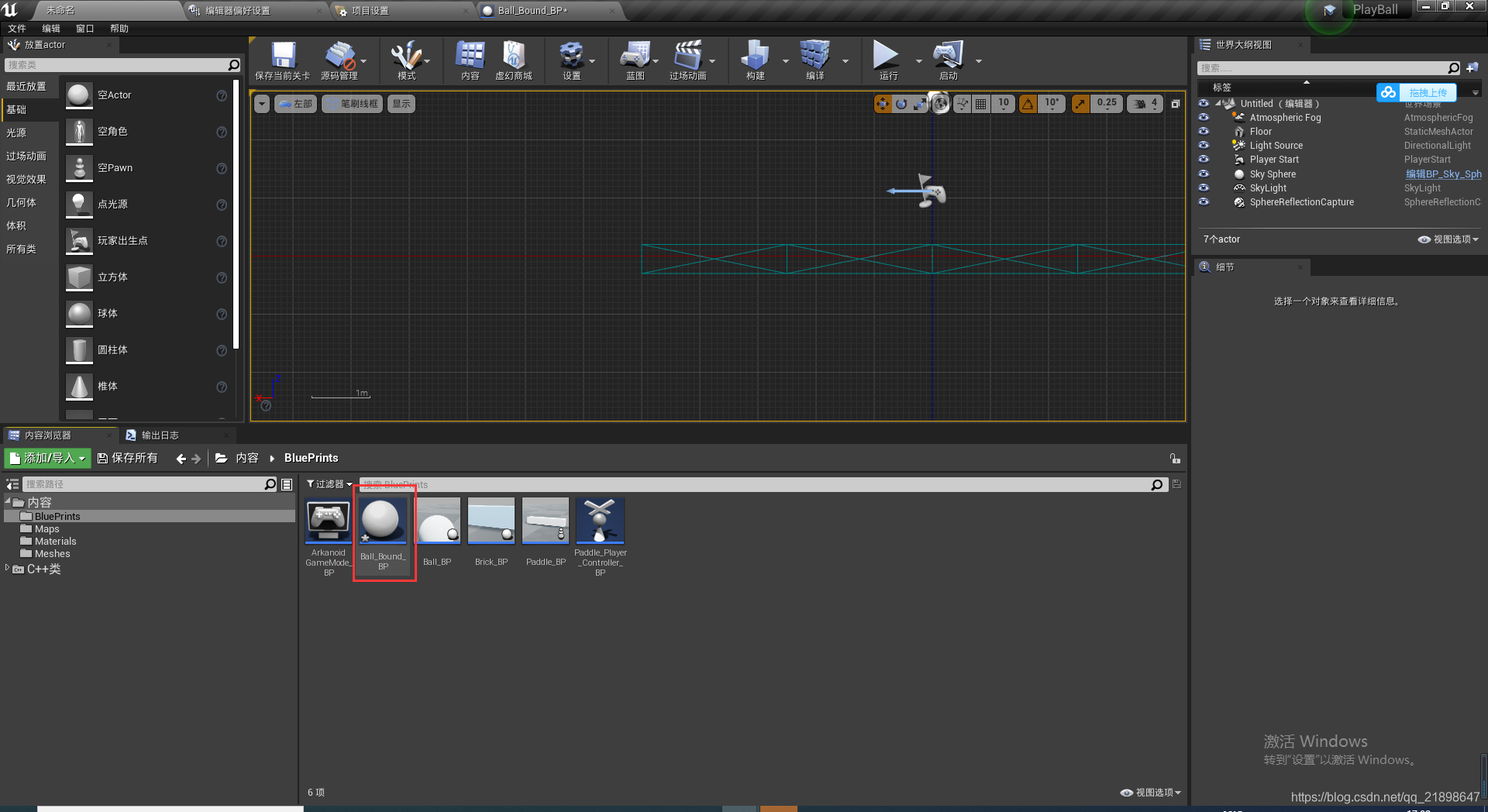
新建该类的蓝图类,并调整好大小,放入蓝图中

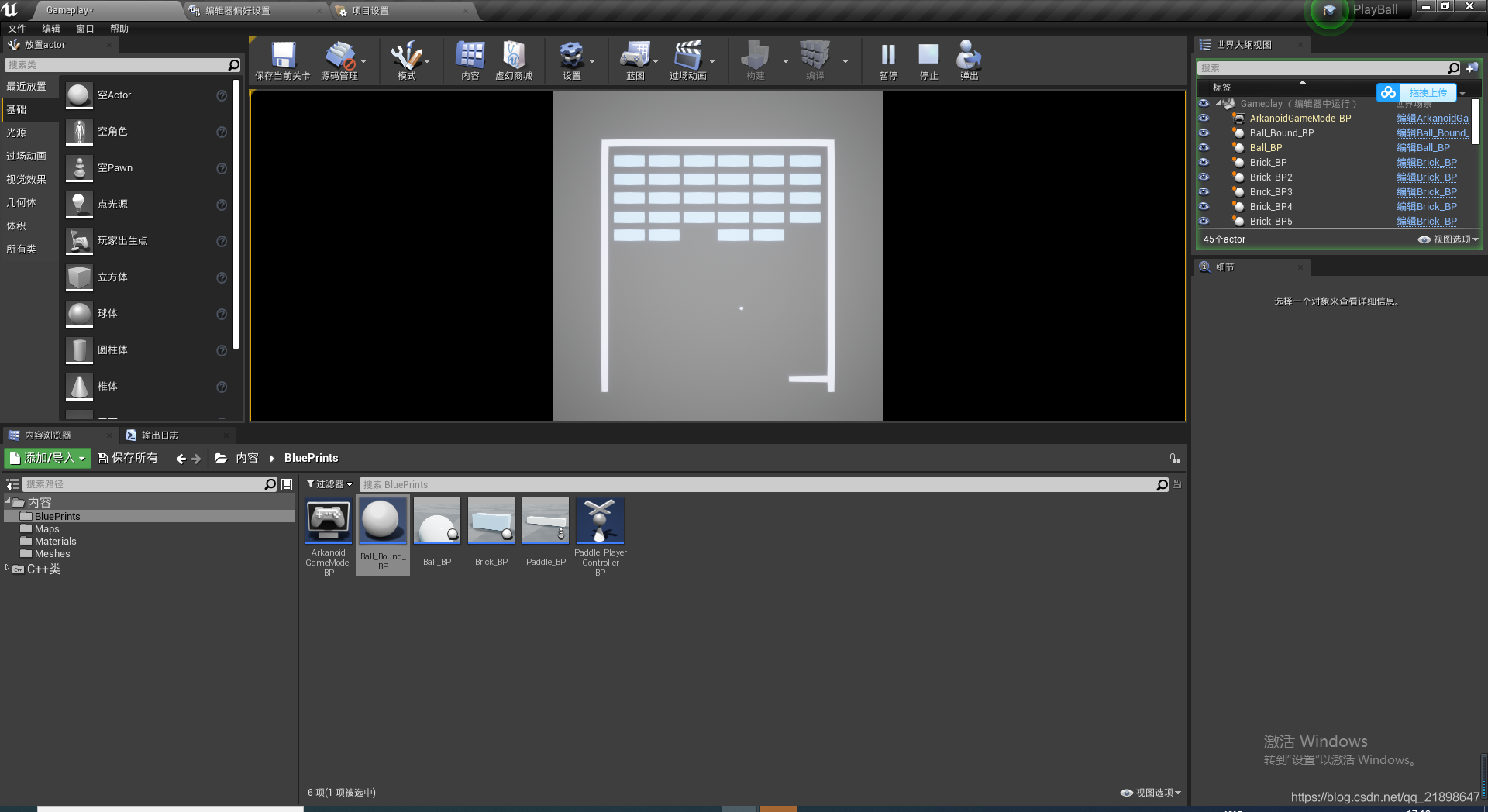
运行截图:






 扫一扫
扫一扫


 2233
2233


 到【灌水乐园】发言



