



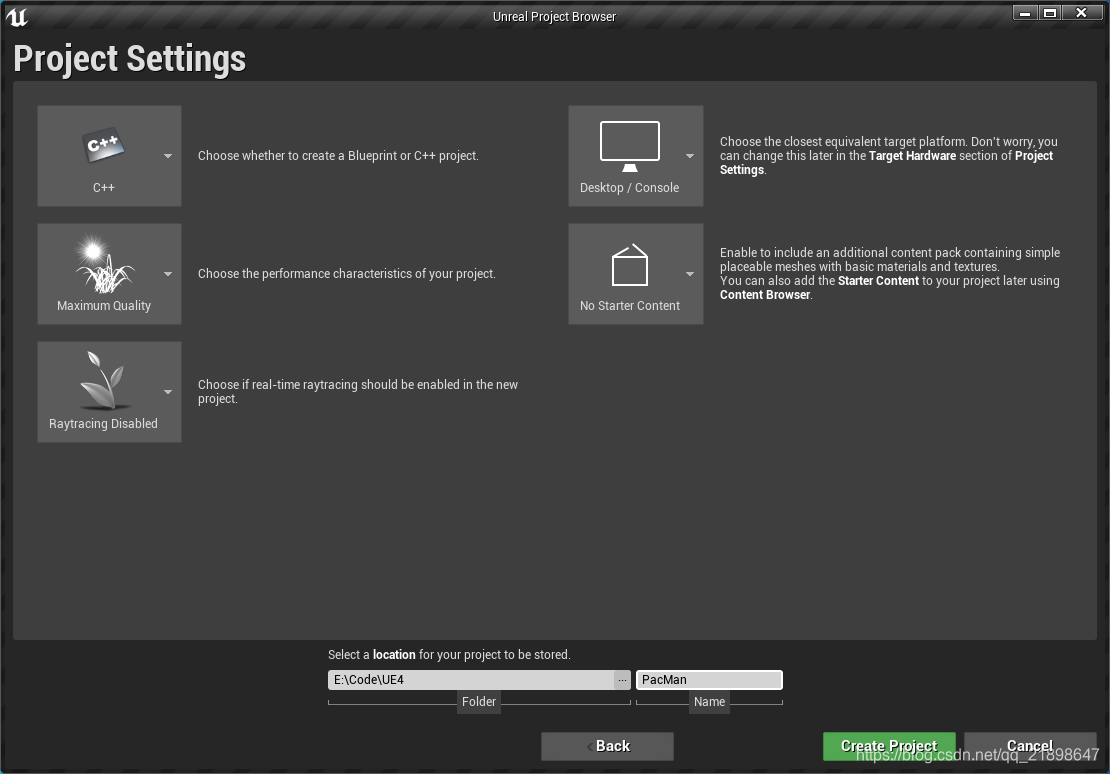
创建空项目,做如下设置:
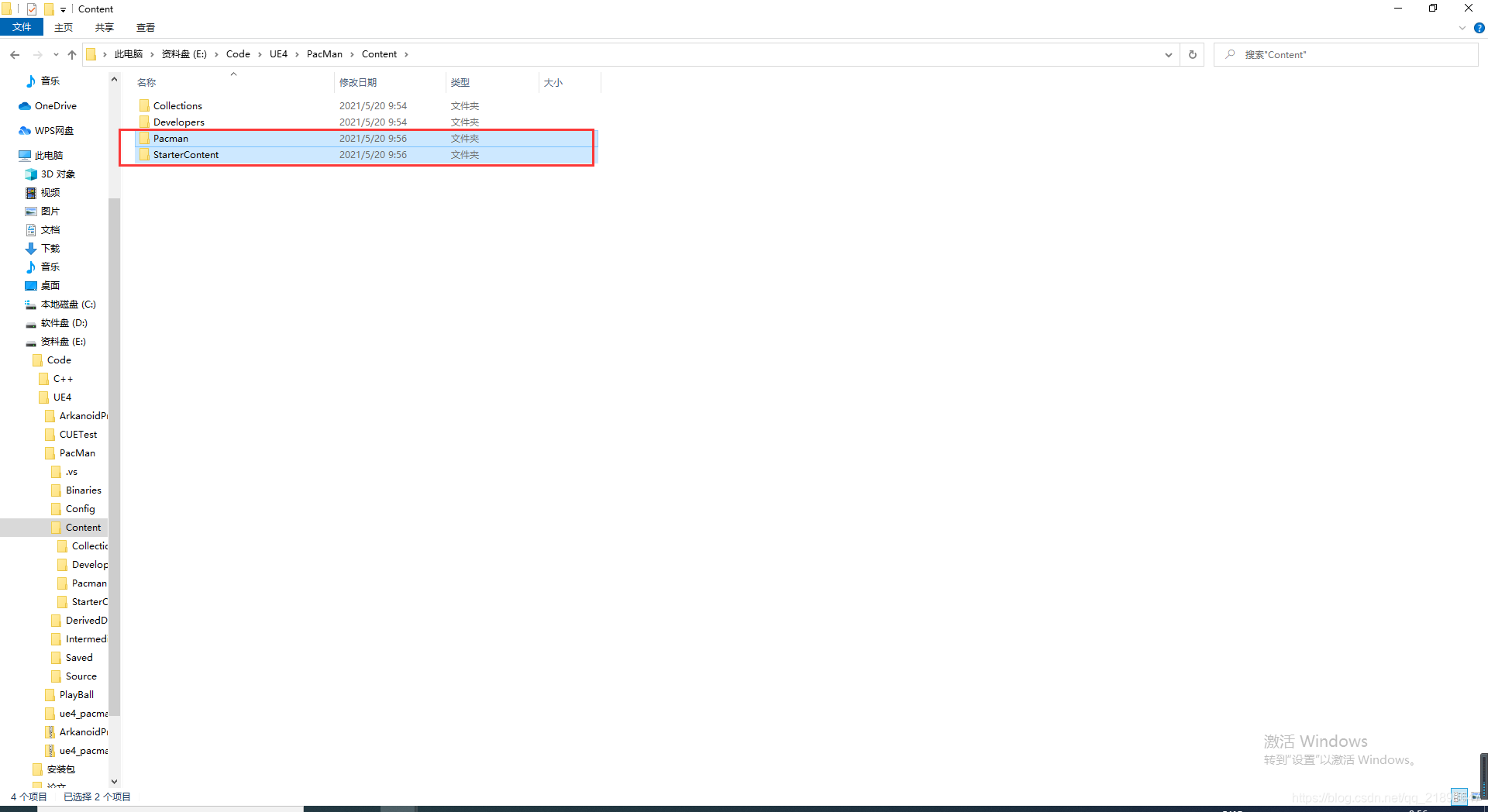
复制到如下目录:
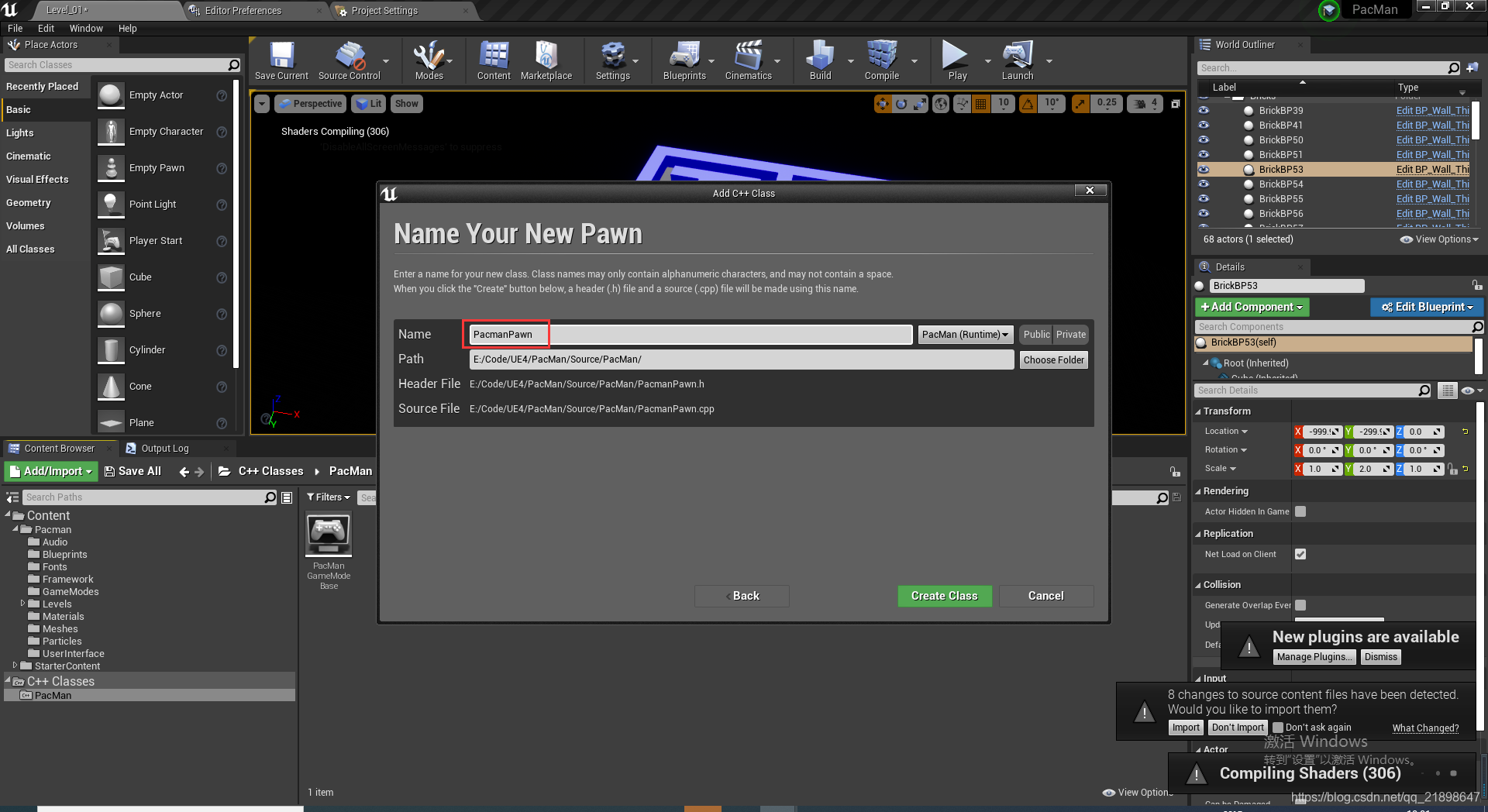
 创建基于Pawn的C++类
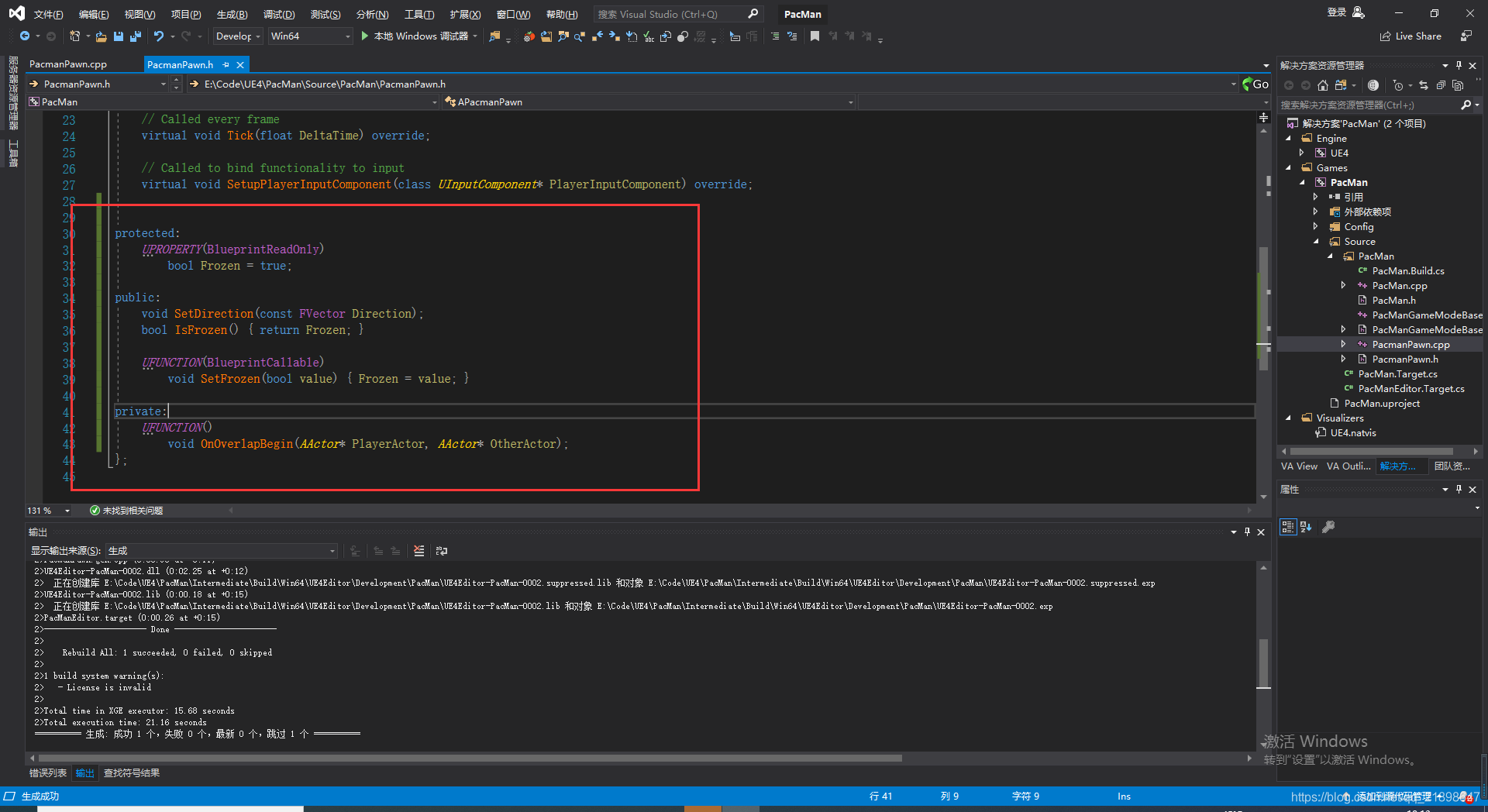
 在PacmanPawn.h中添加属性
 添加该类的蓝图类并添加FloatingPawnMovement以及Sphere组件
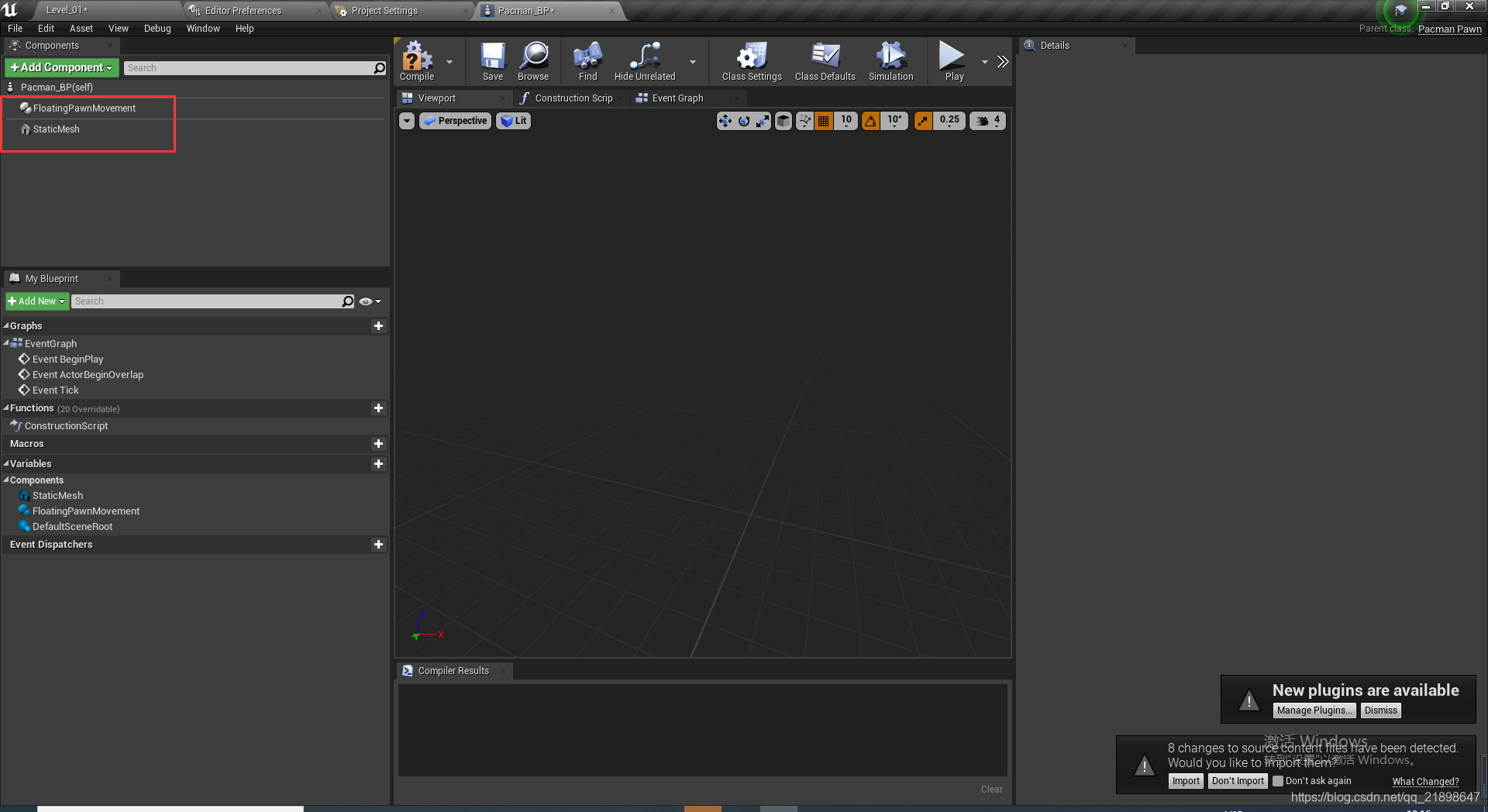 打开如下选项并选择sphere
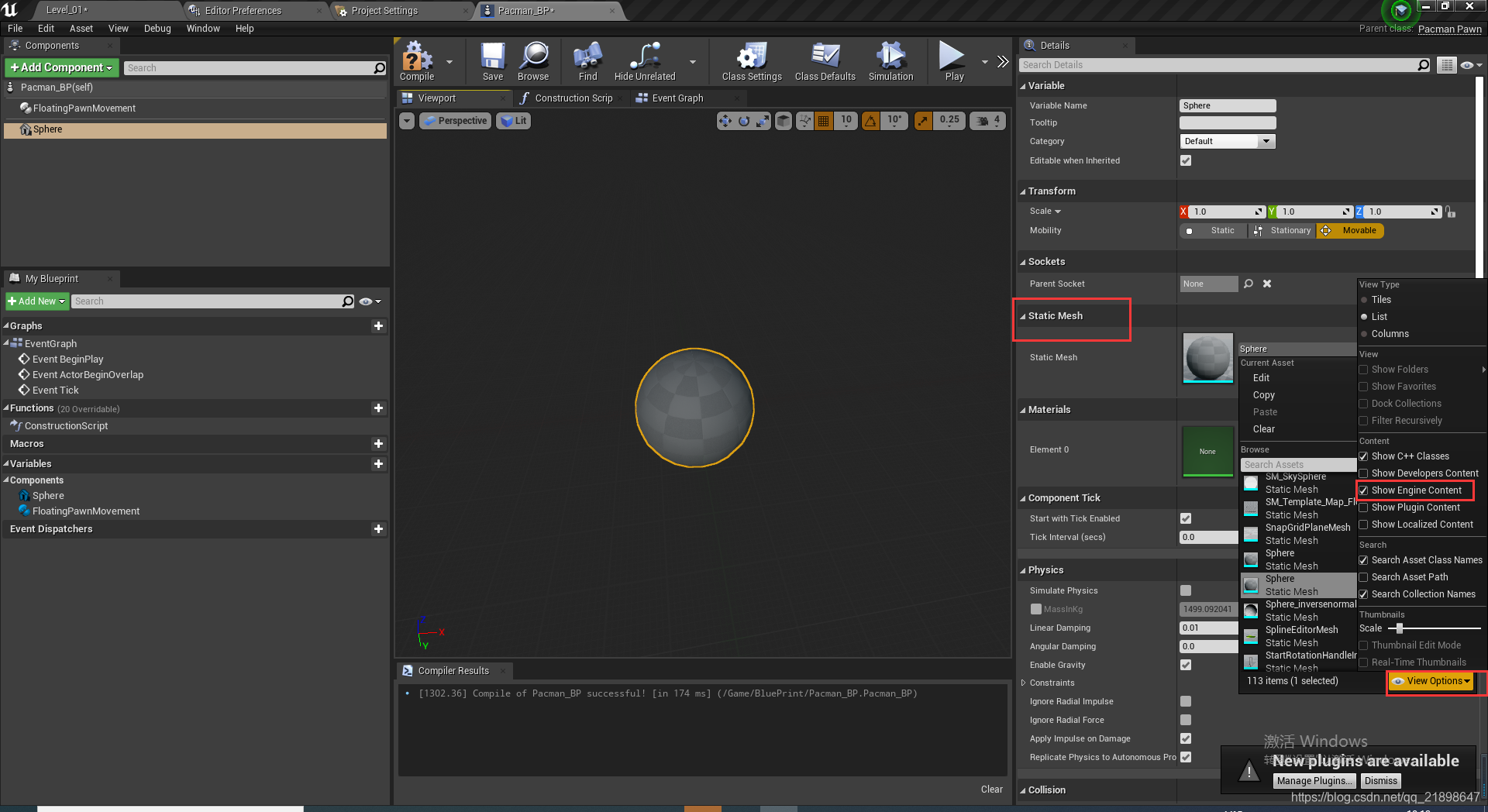
设置材质
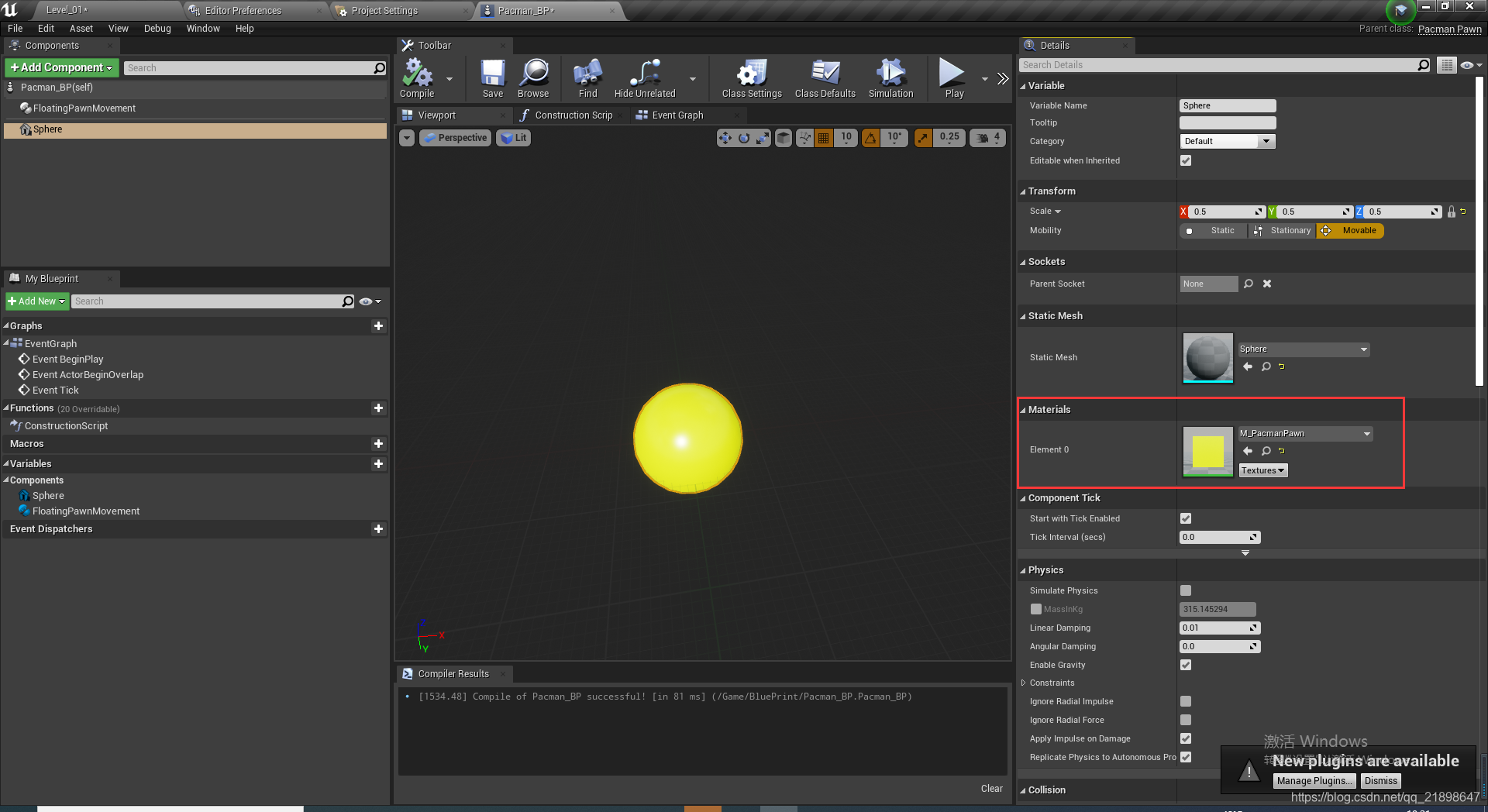 添加StaticMesh组件,并设置Static Mesh
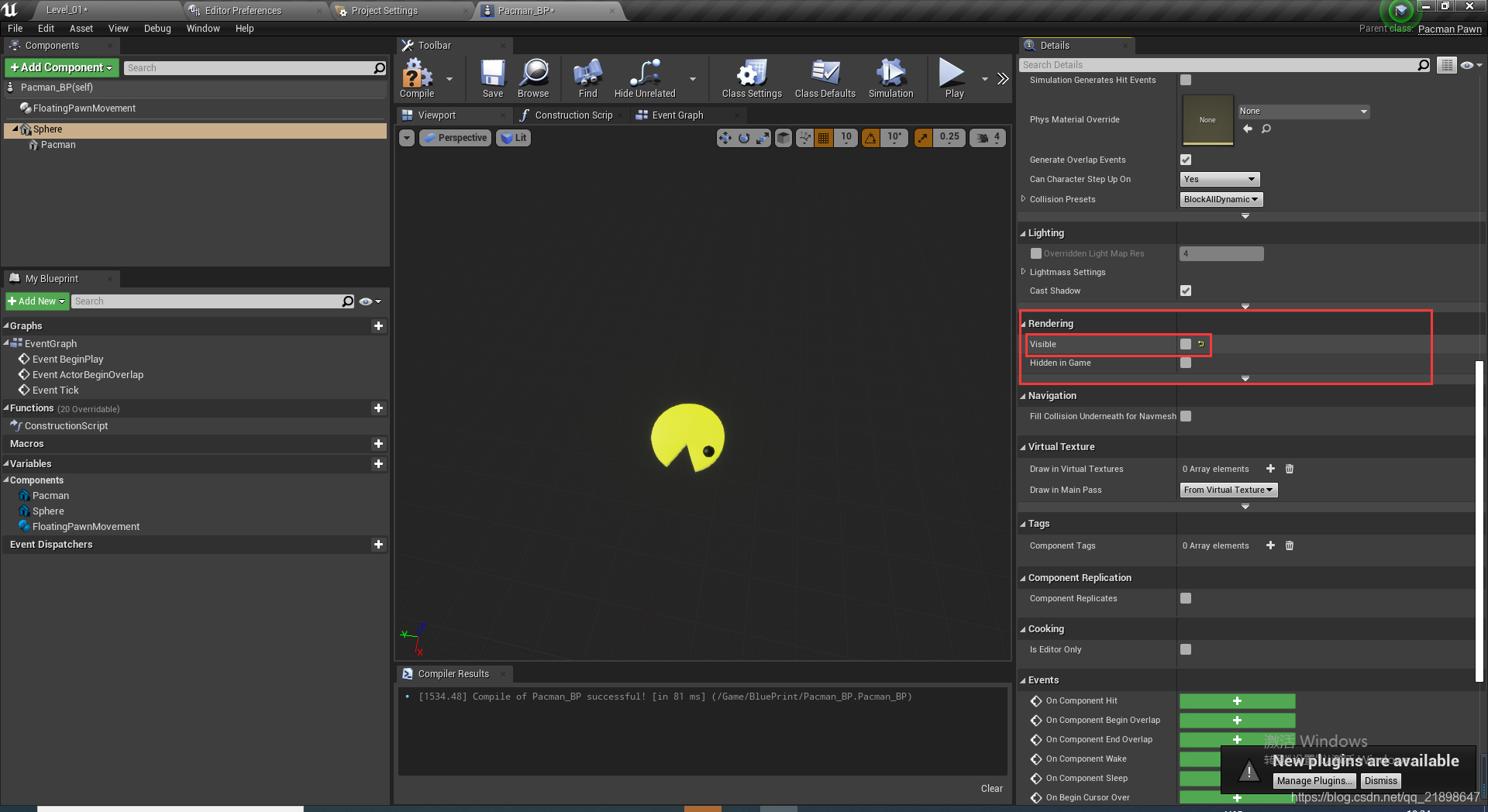
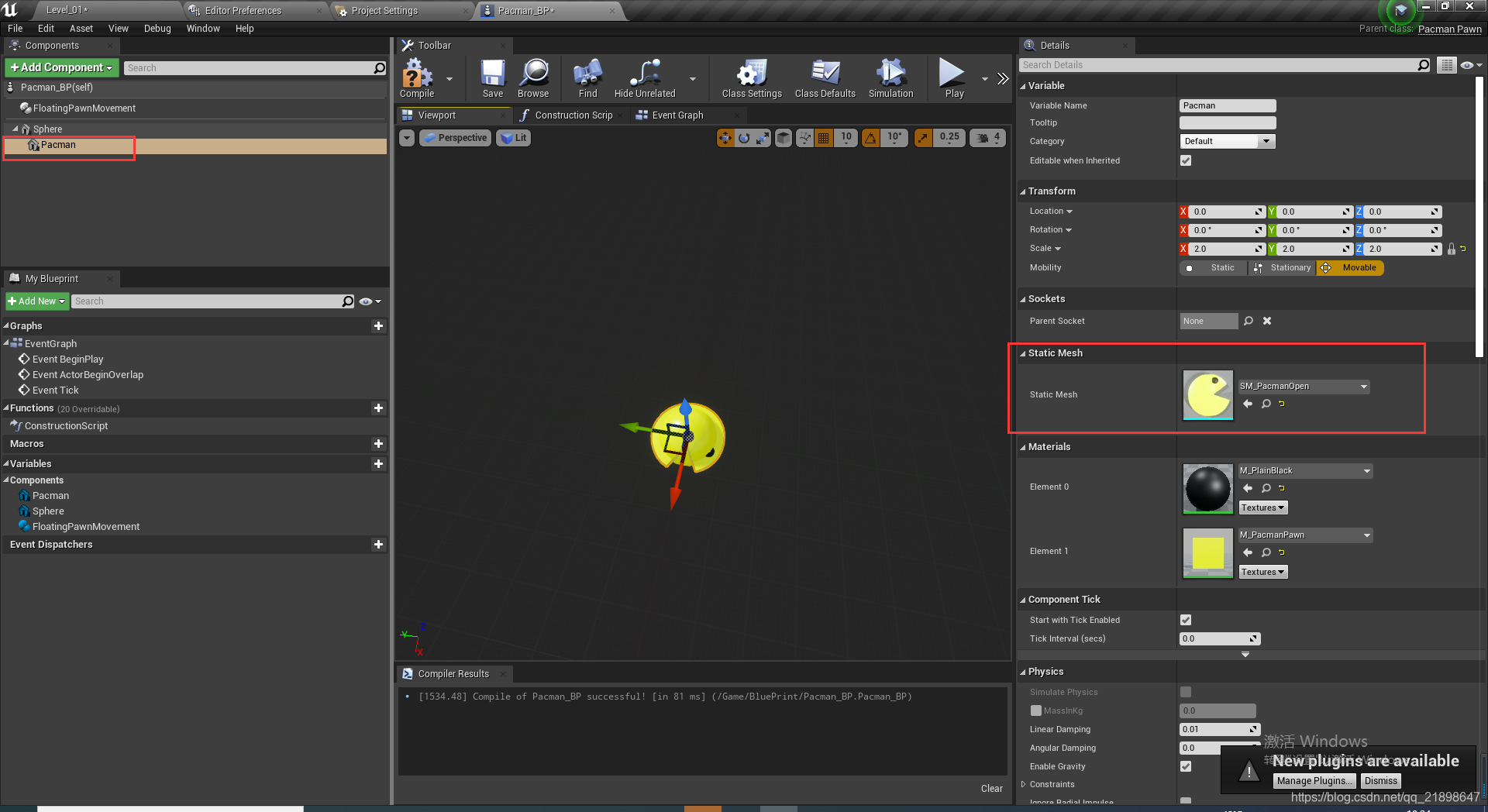 把第一个StaticMesh的visible属性设置为false
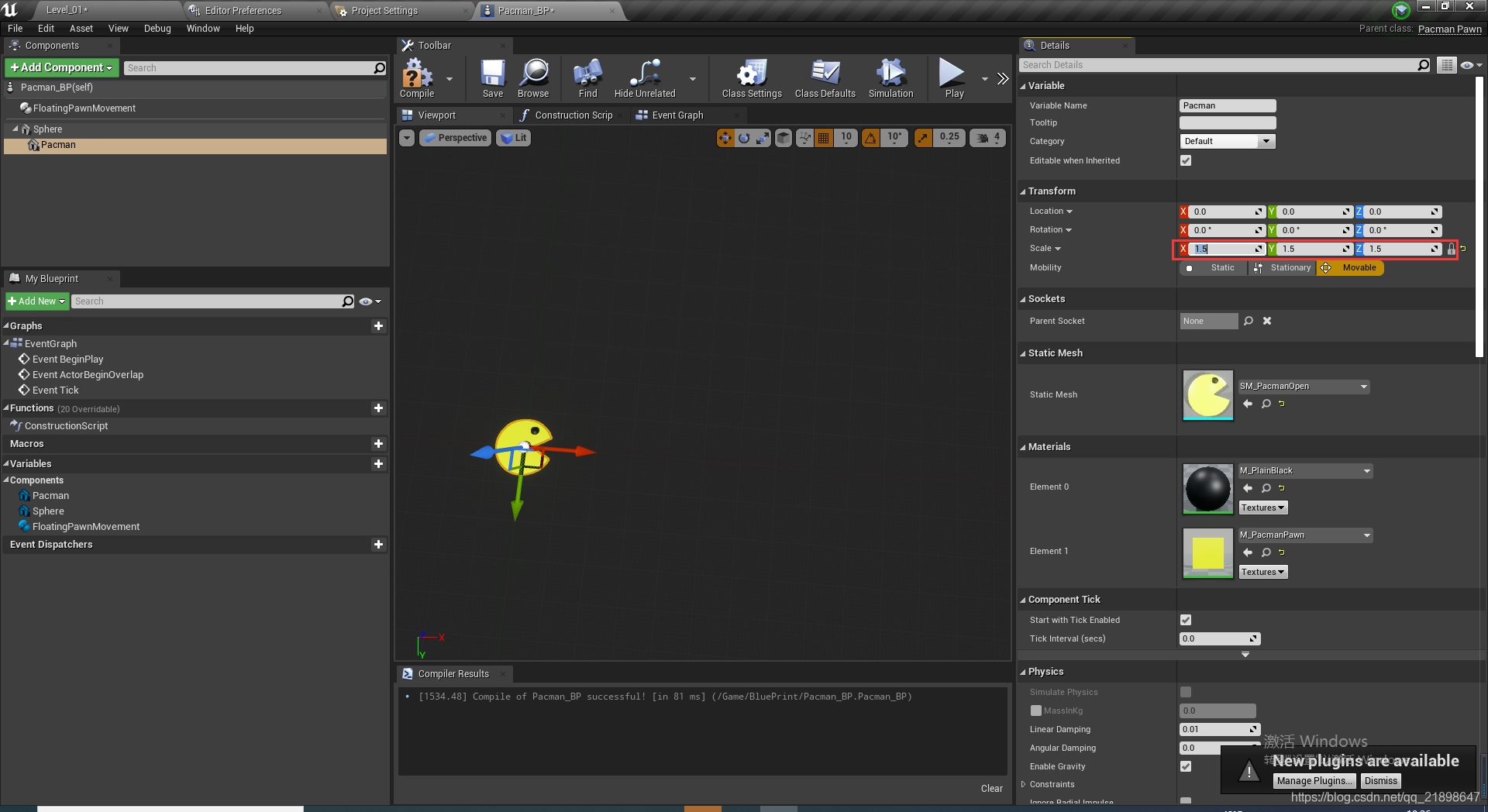
 改变大小
改变大小
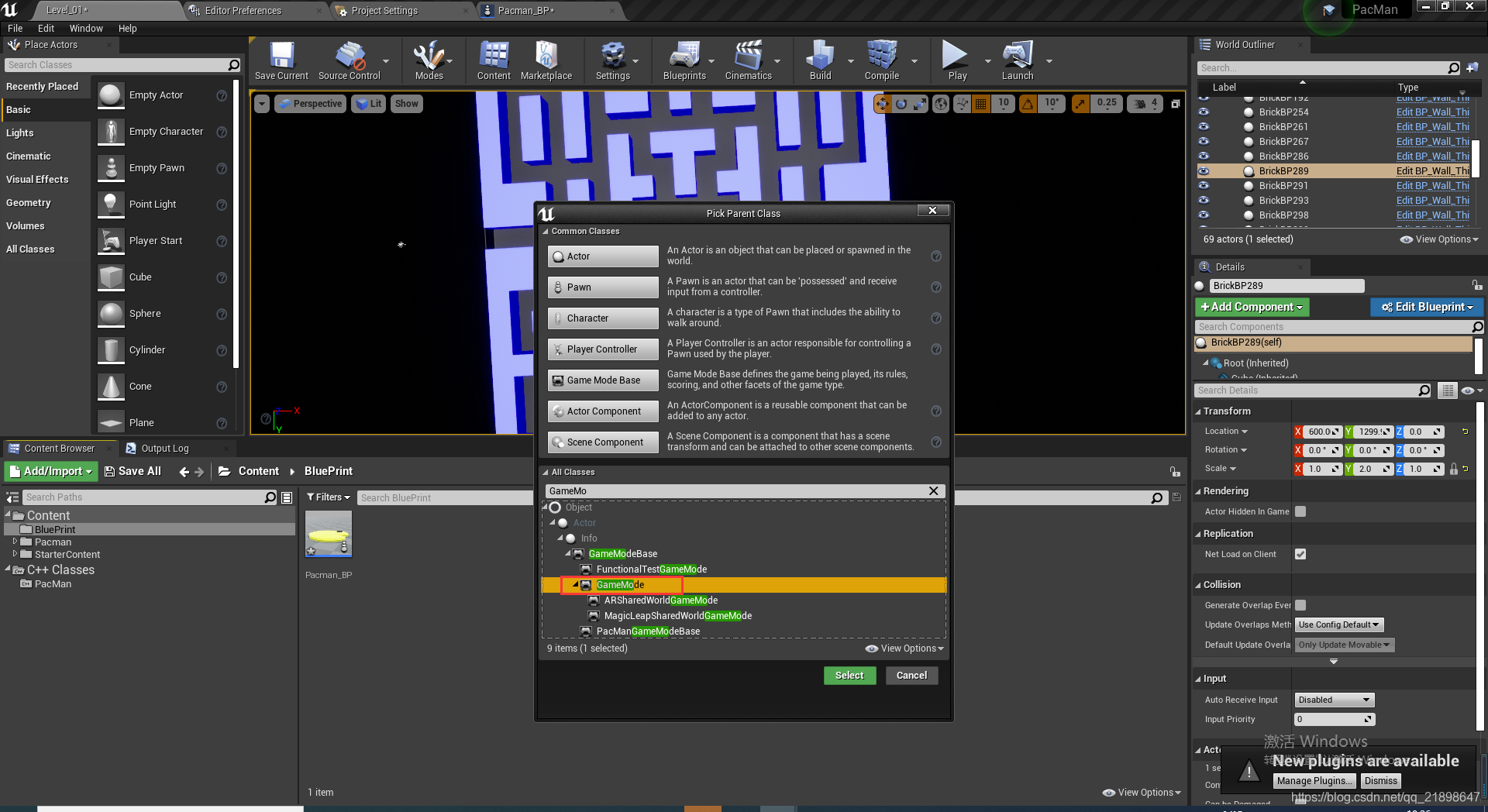
 新建GameMode蓝图类
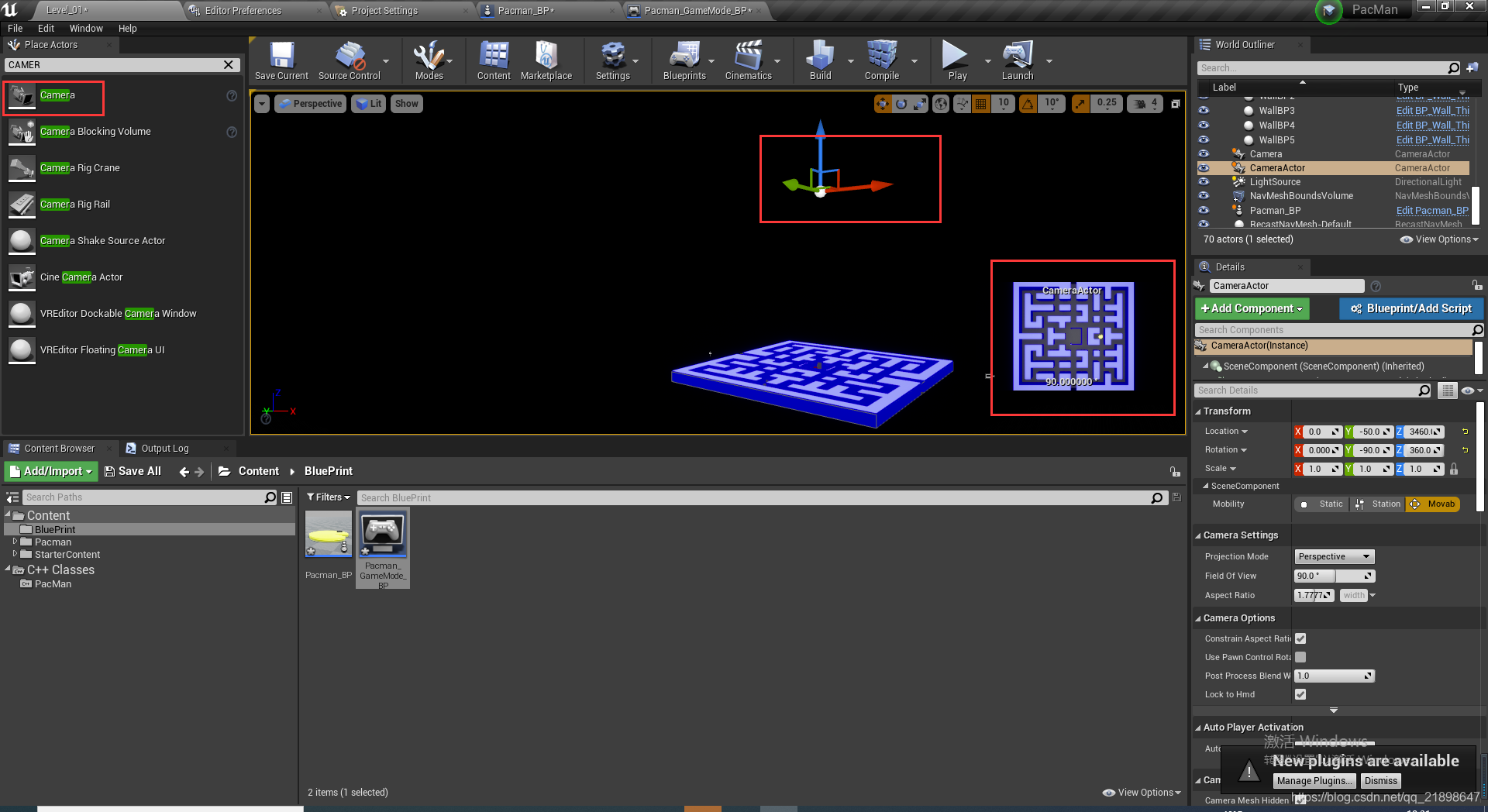
 放置Camera
 添加定制事件
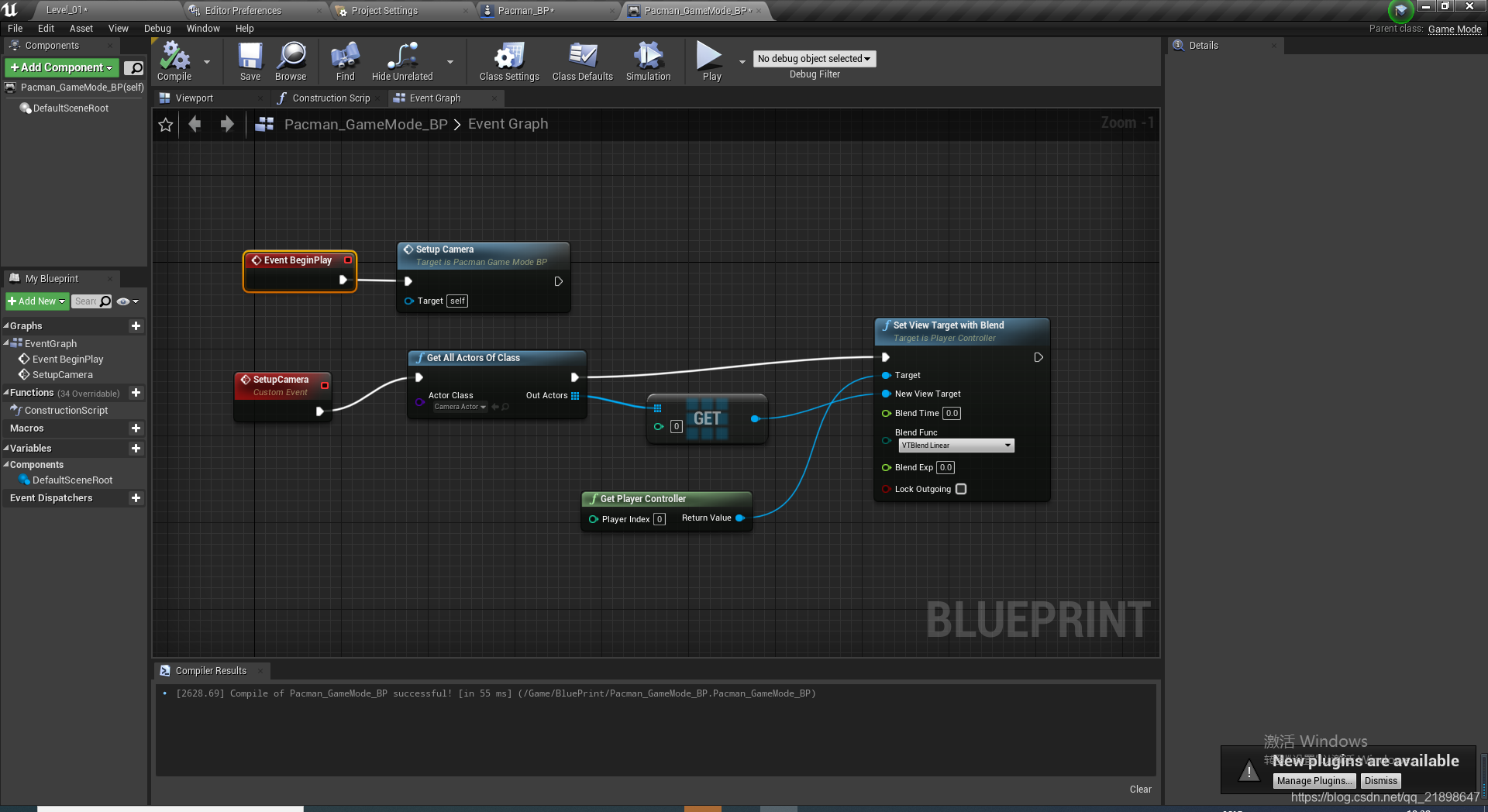
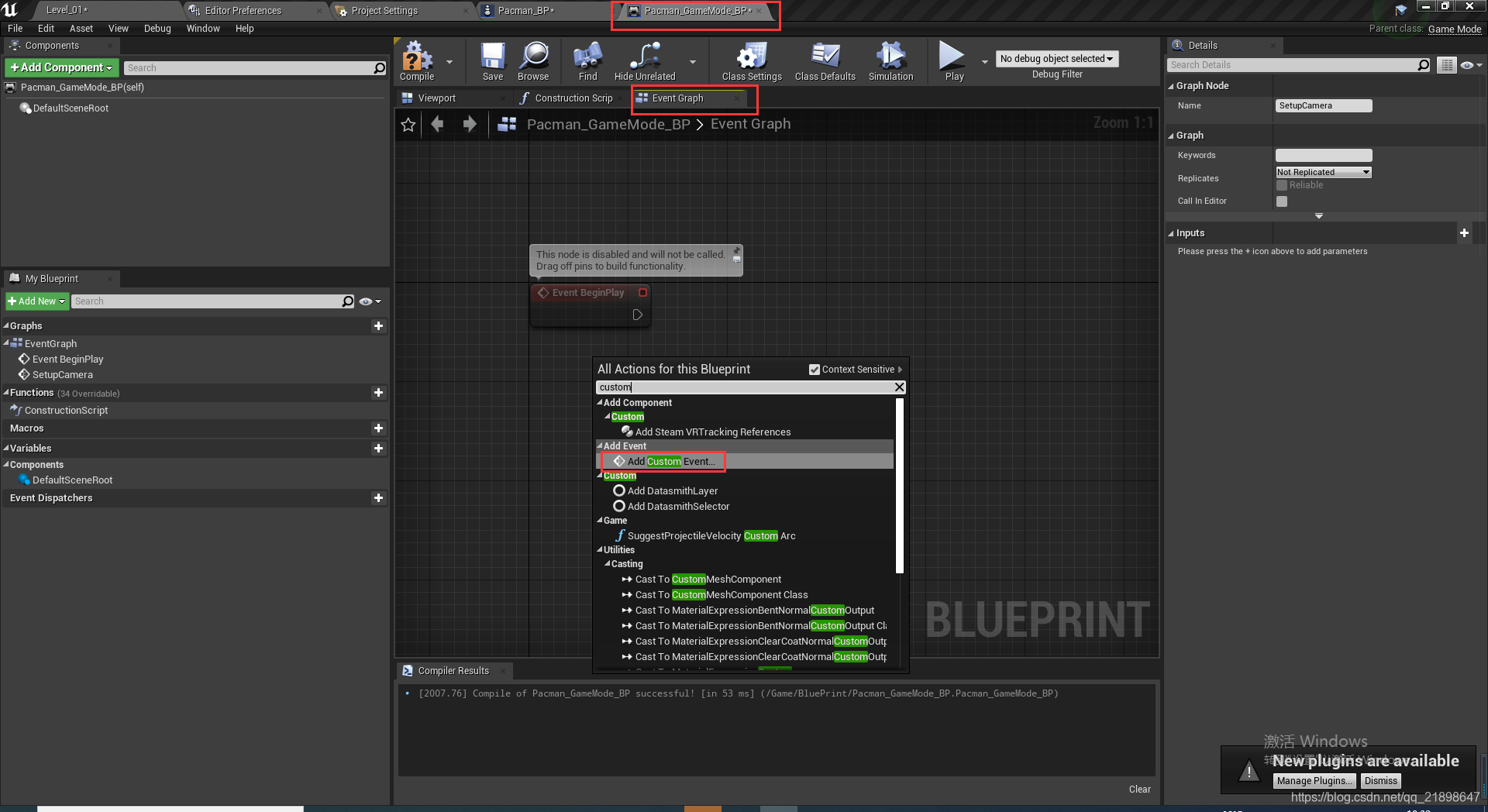 实现该蓝图
实现该蓝图
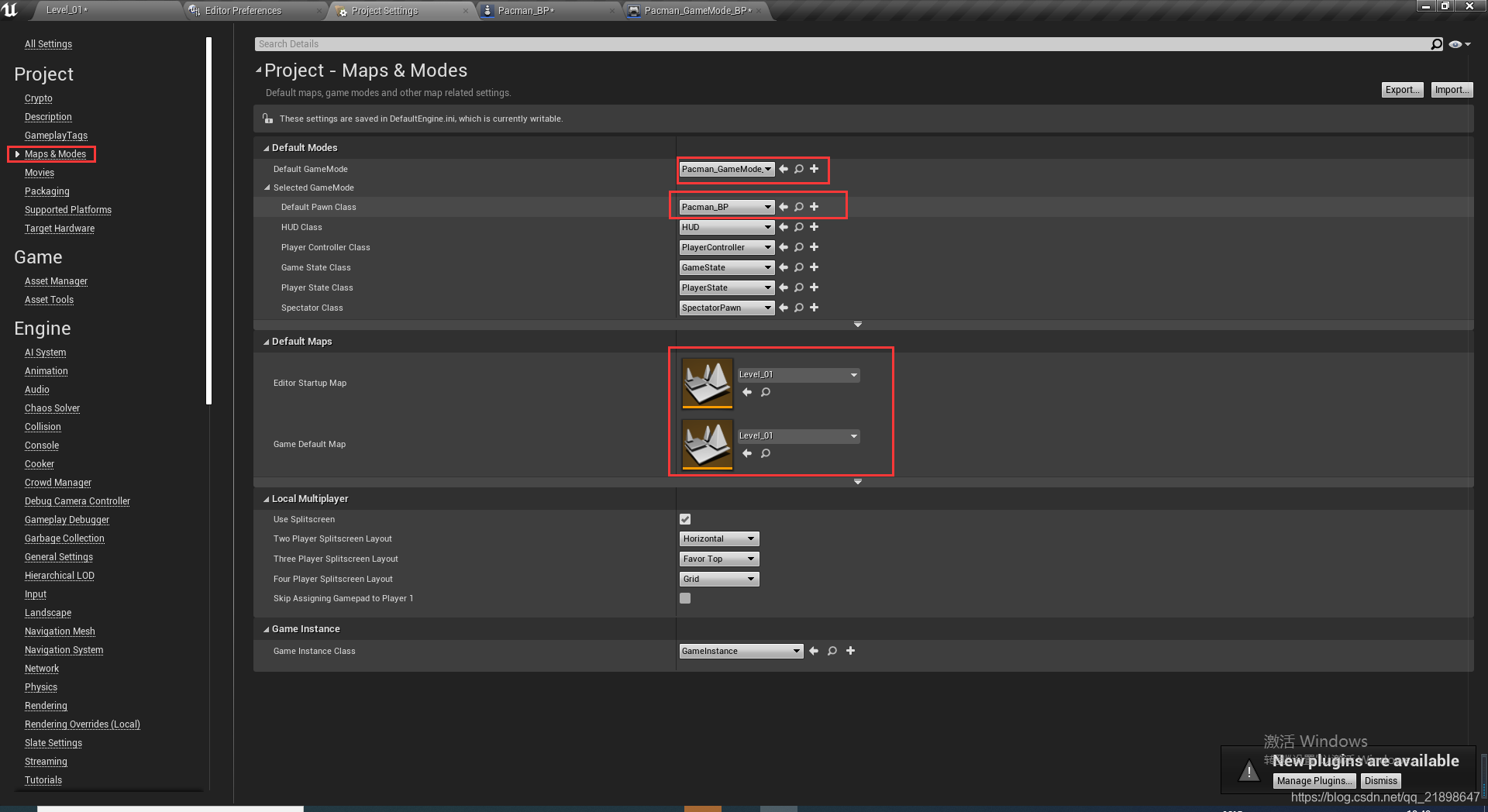
 设置游戏模式
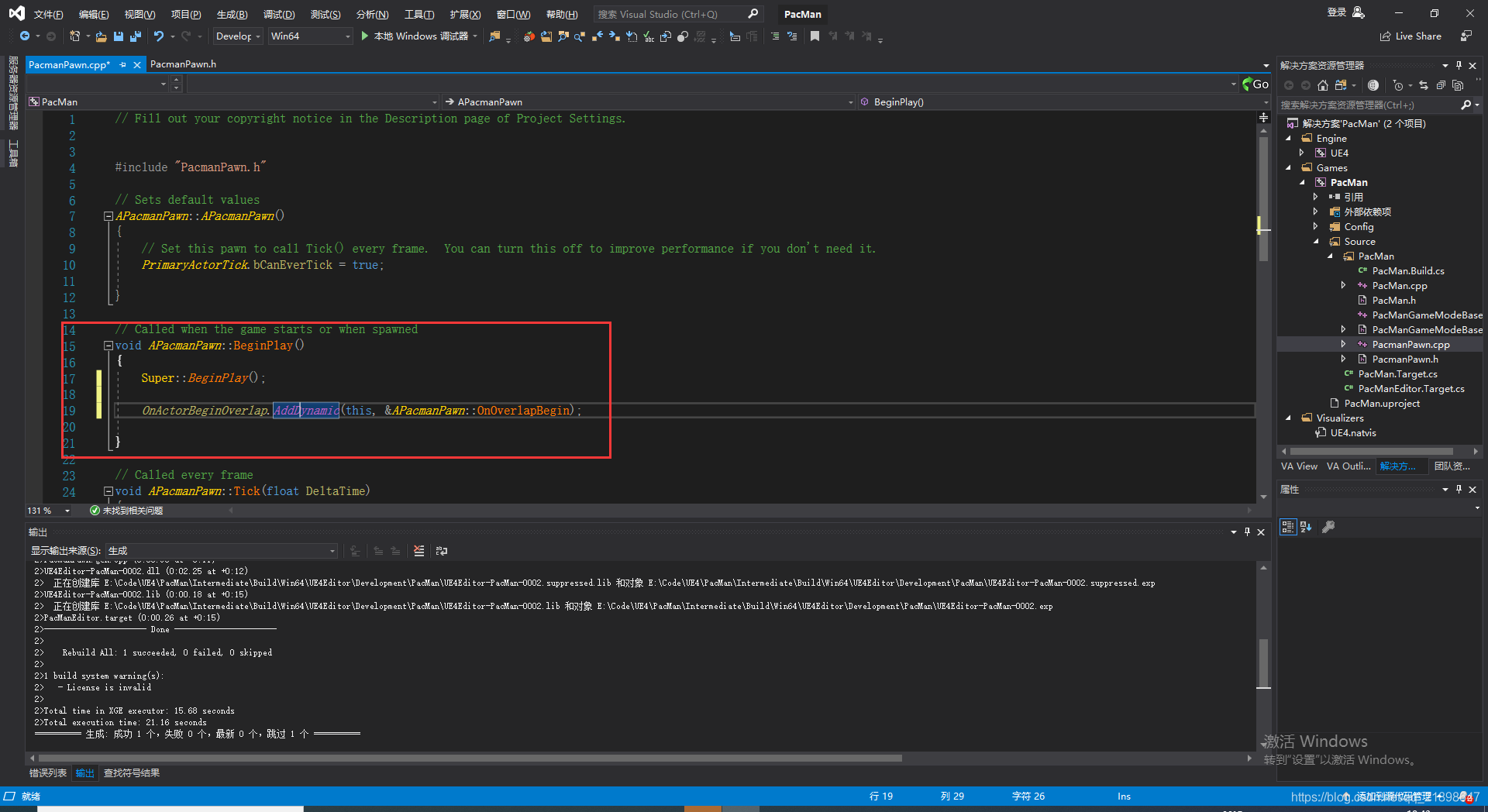
 绑定碰撞函数
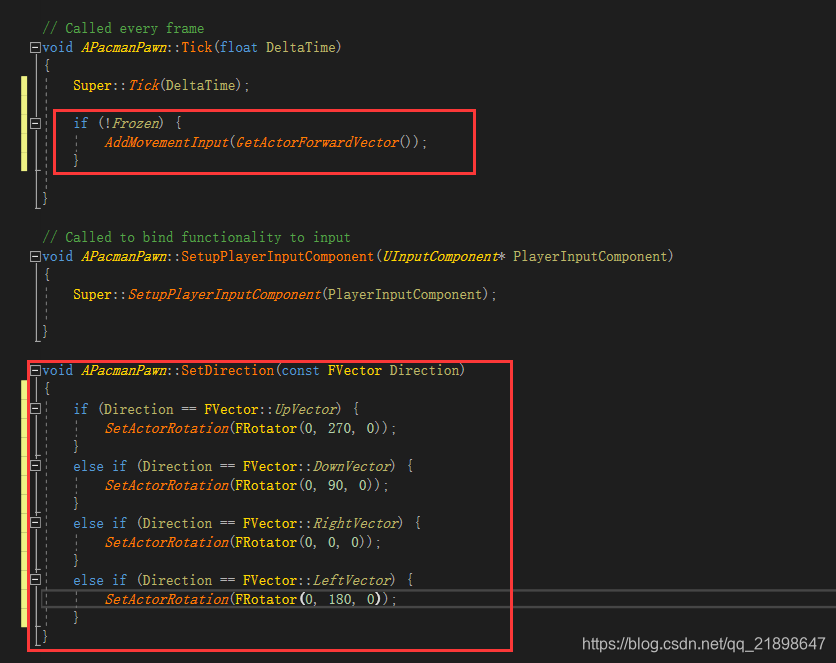
 实现Tick与SetDirection函数
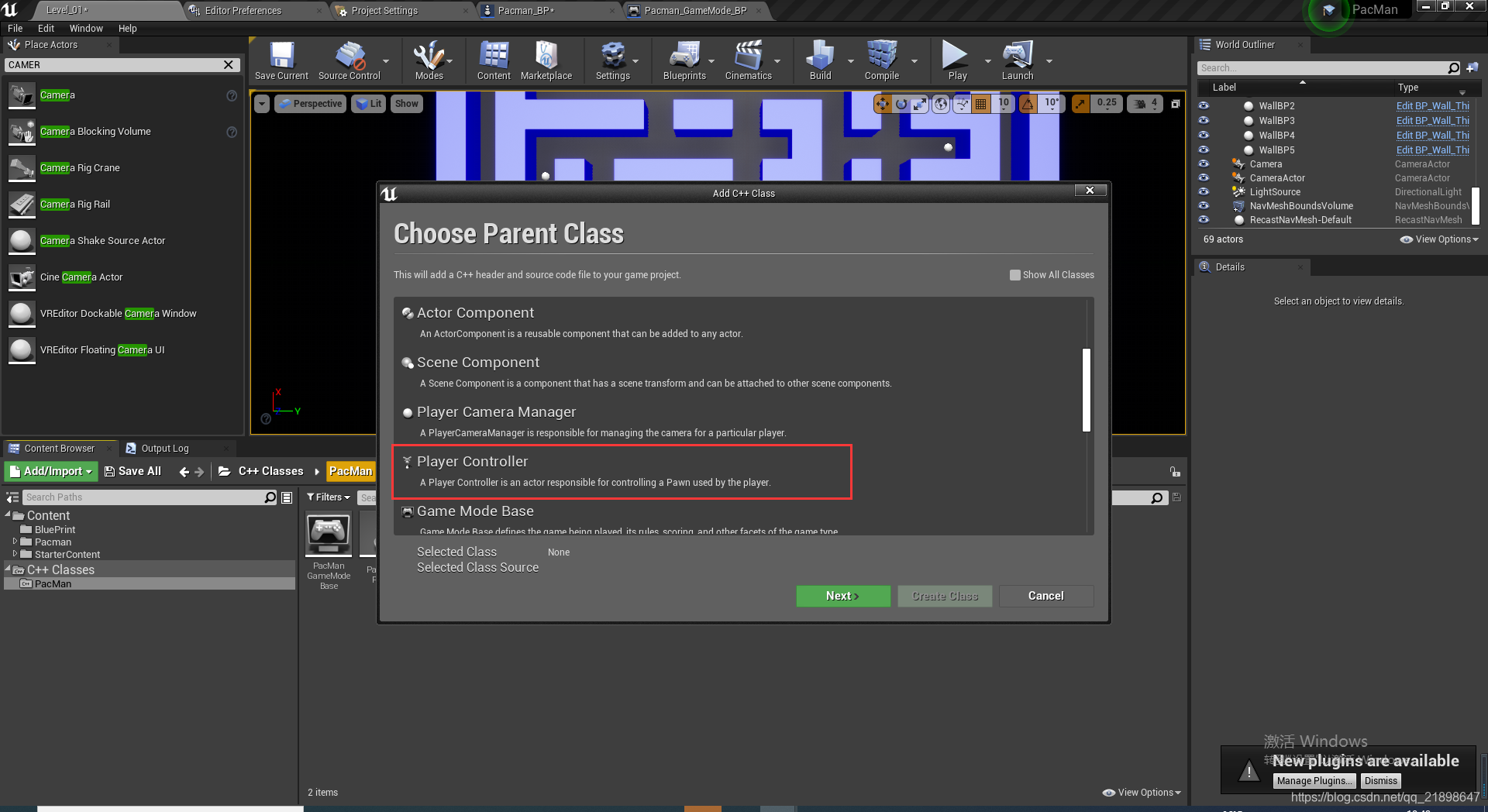
新建Player Controller C++类并取名为PacmanController.h
PacmanController.h中添加属性
// Fill out your copyright notice in the Description page of Project Settings.

#pragma once

#include "CoreMinimal.h"
#include "GameFramework/PlayerController.h"
#include "PacmanPawn.h"
#include "PacmanController.generated.h"

/**
 *
 */
UCLASS()
class PACMAN_API APacmanController : public APlayerController
{
	GENERATED_BODY()

protected:
	void SetupInputComponent() override;

	APacmanPawn* GetPacmanPawn() const;

public:
	void MoveUp();
	void MoveDown();
	void MoveLeft();
	void MoveRight();


};
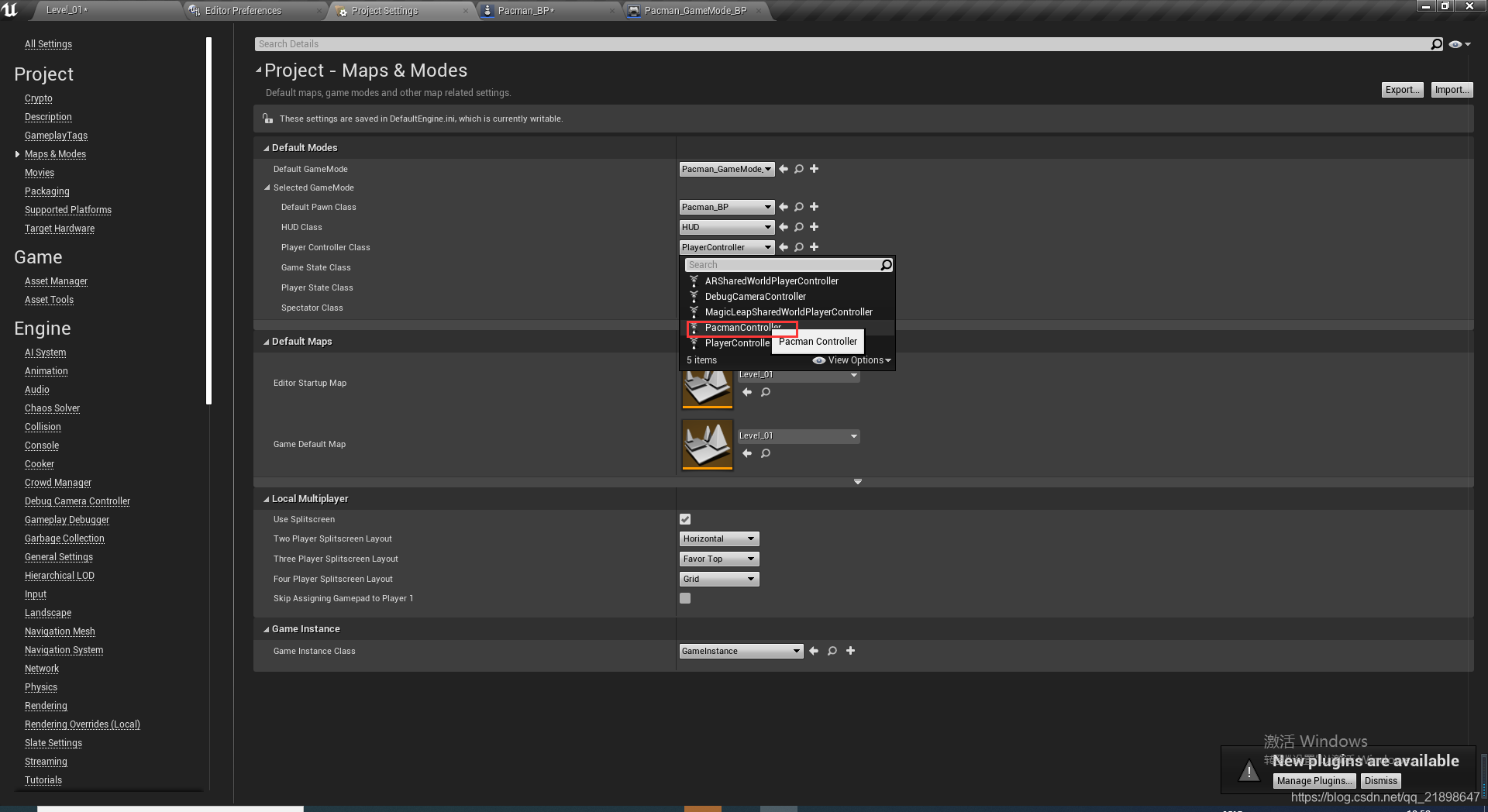
Player Controller Class设置为PacmanController,这样在C++类中就能获取到场景中Actor
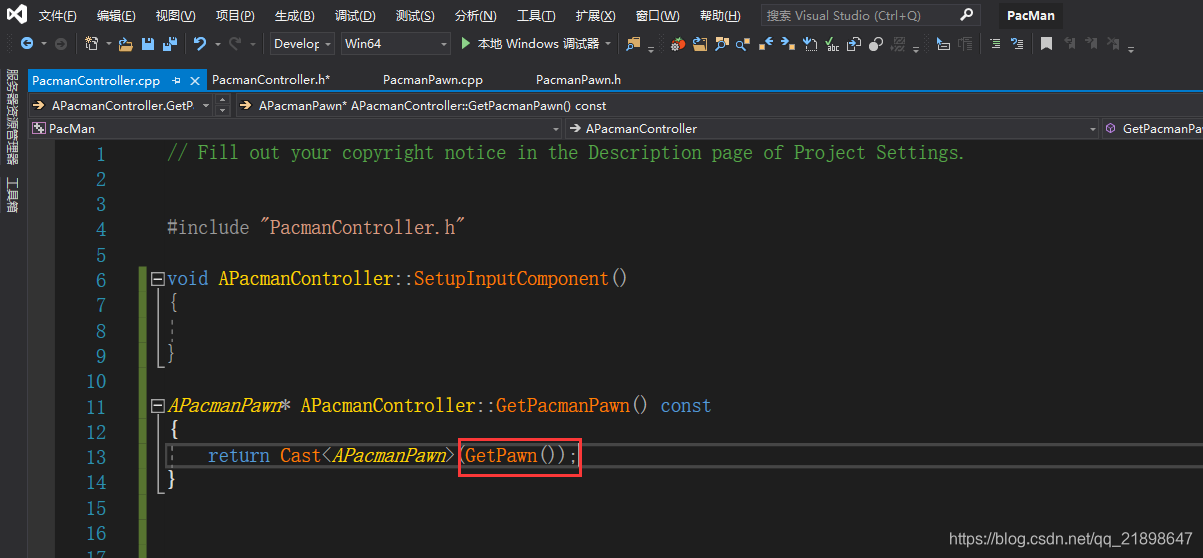
设置完以上后,在PacmanController.cpp中GetPawn就可以得到场景中的Pawn
添加输入
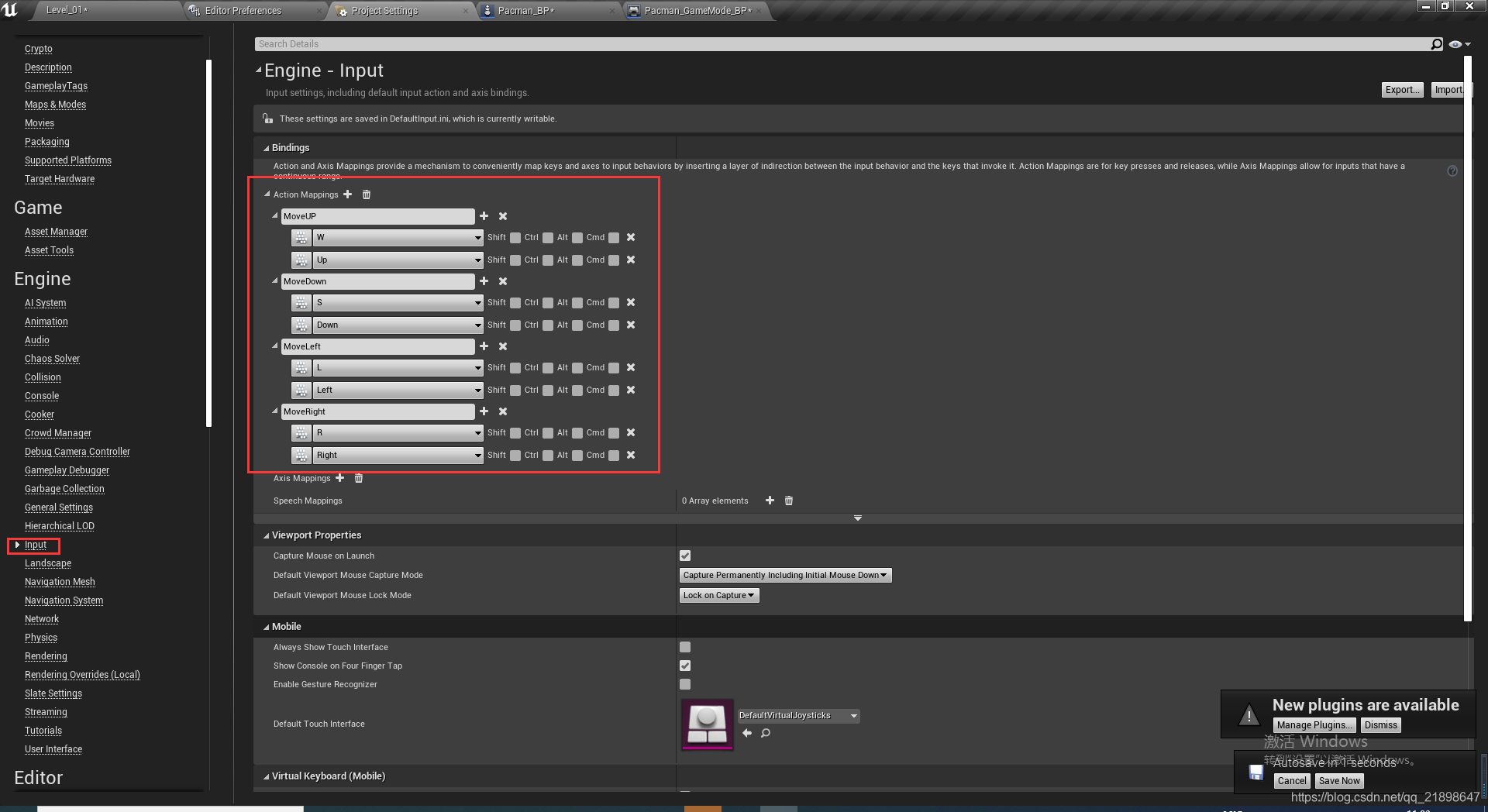
添加输入绑定
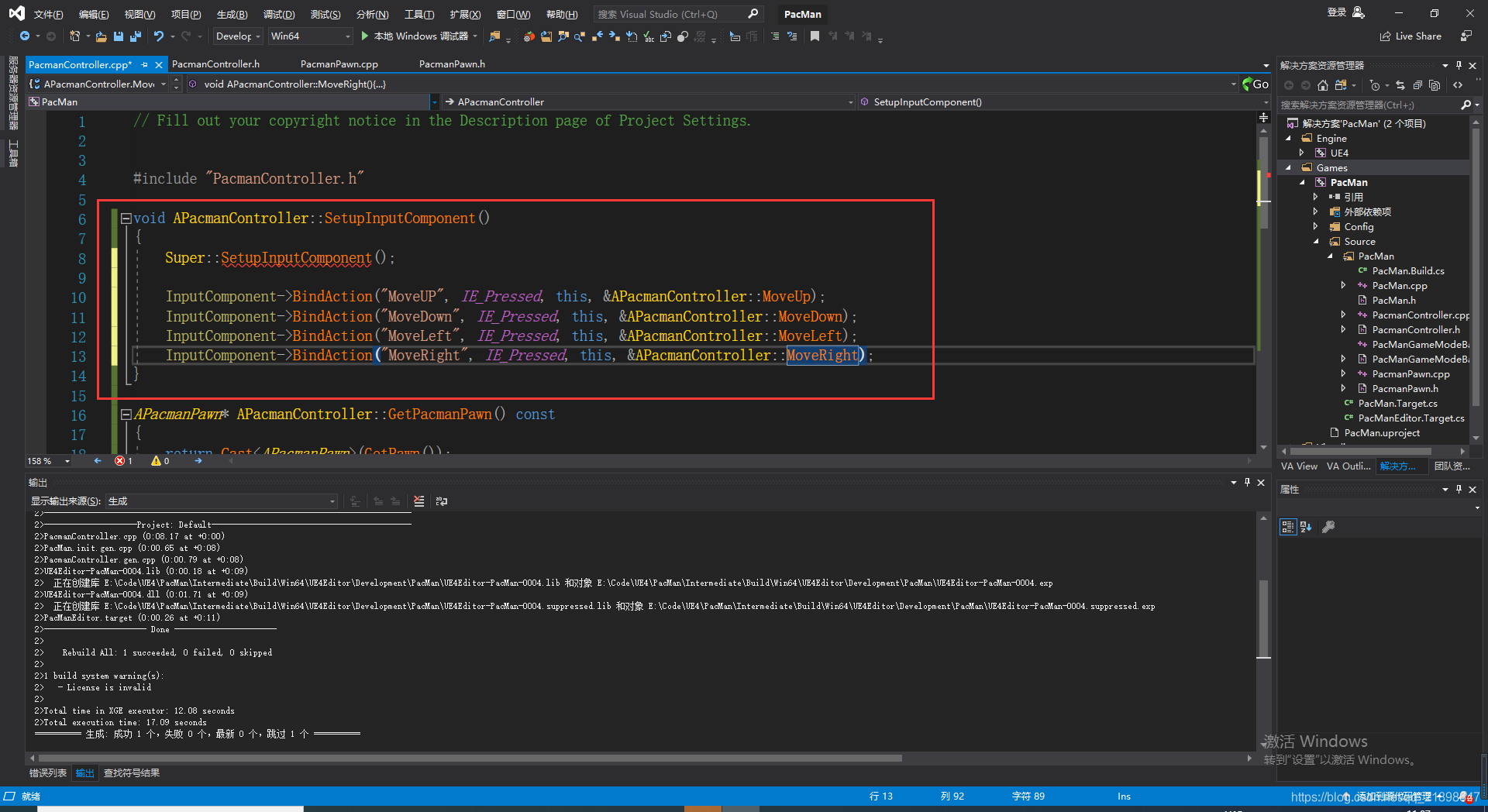
实现绑定的函数:
void APacmanController::MoveDown()
{
	if (GetPacmanPawn() != nullptr) {
		GetPacmanPawn()->SetDirection(FVector::DownVector);
	}
}

void APacmanController::MoveLeft()
{
	if (GetPacmanPawn() != nullptr) {
		GetPacmanPawn()->SetDirection(FVector::LeftVector);
	}
}

void APacmanController::MoveRight()
{
	if (GetPacmanPawn() != nullptr) {
		GetPacmanPawn()->SetDirection(FVector::RightVector);
	}
}
在游戏开始设置Frozen状态
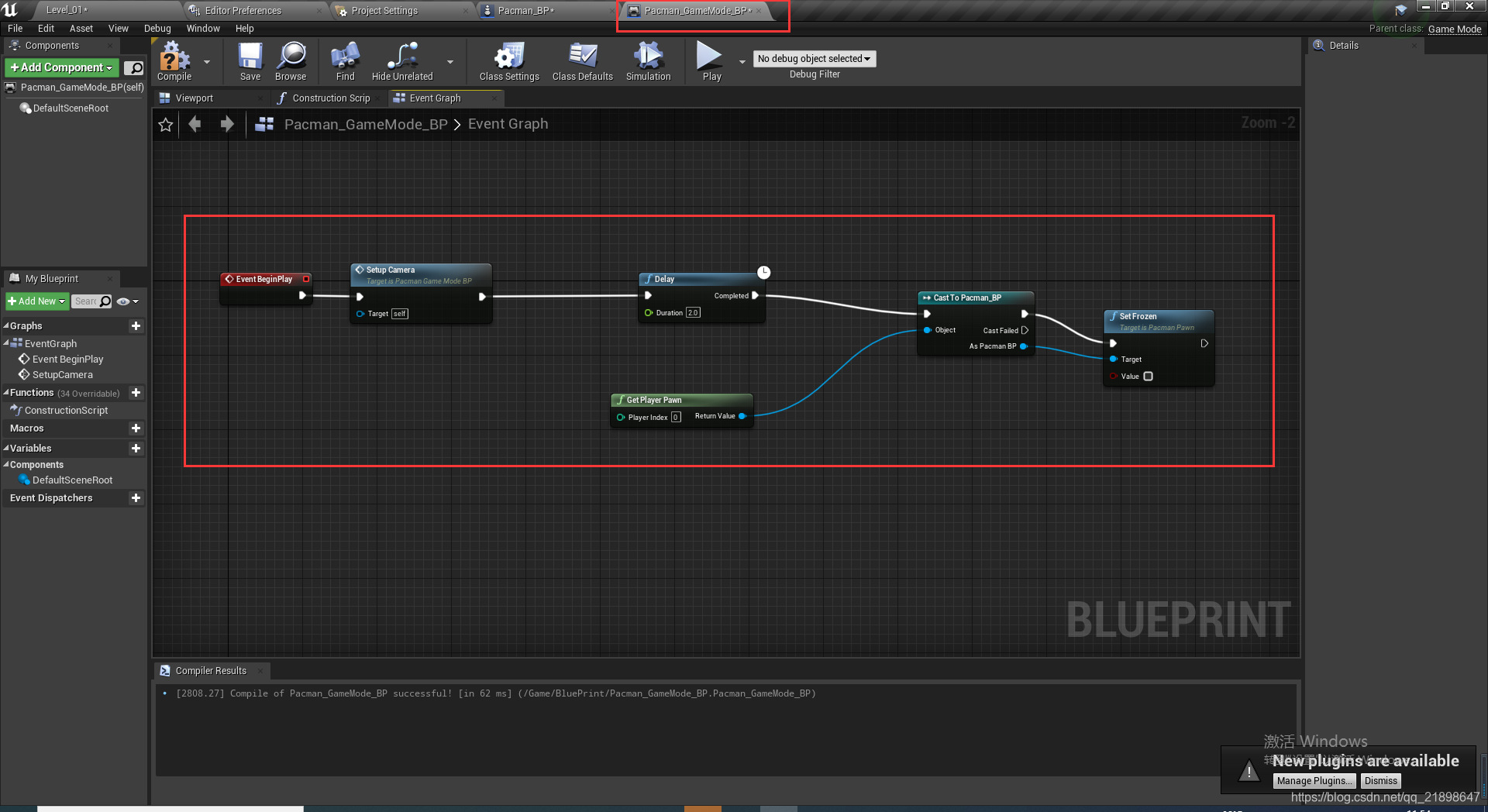
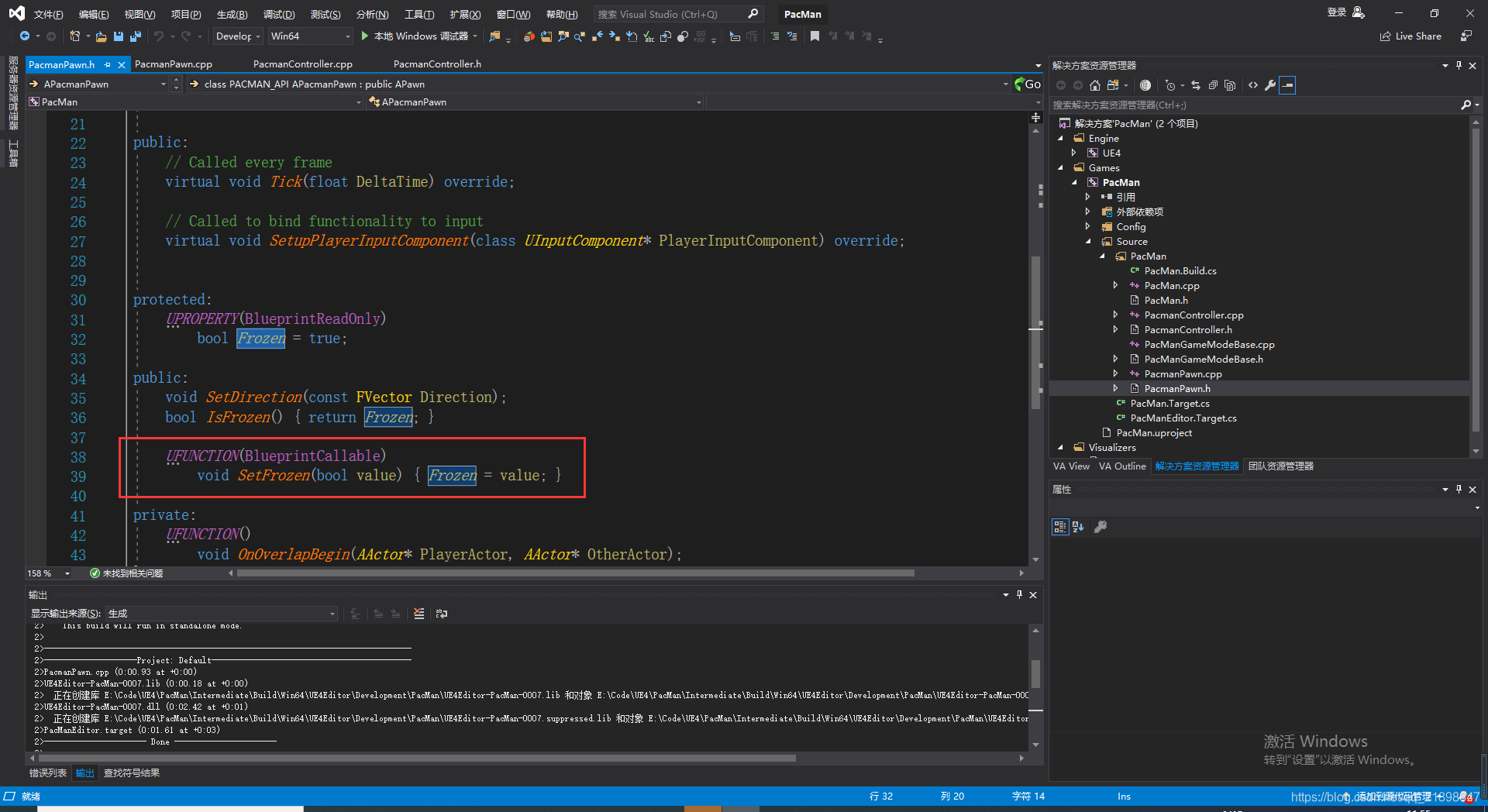
之所以能调用SetFrozen函数是因为:
添加继承自Actor的C++类Foodie
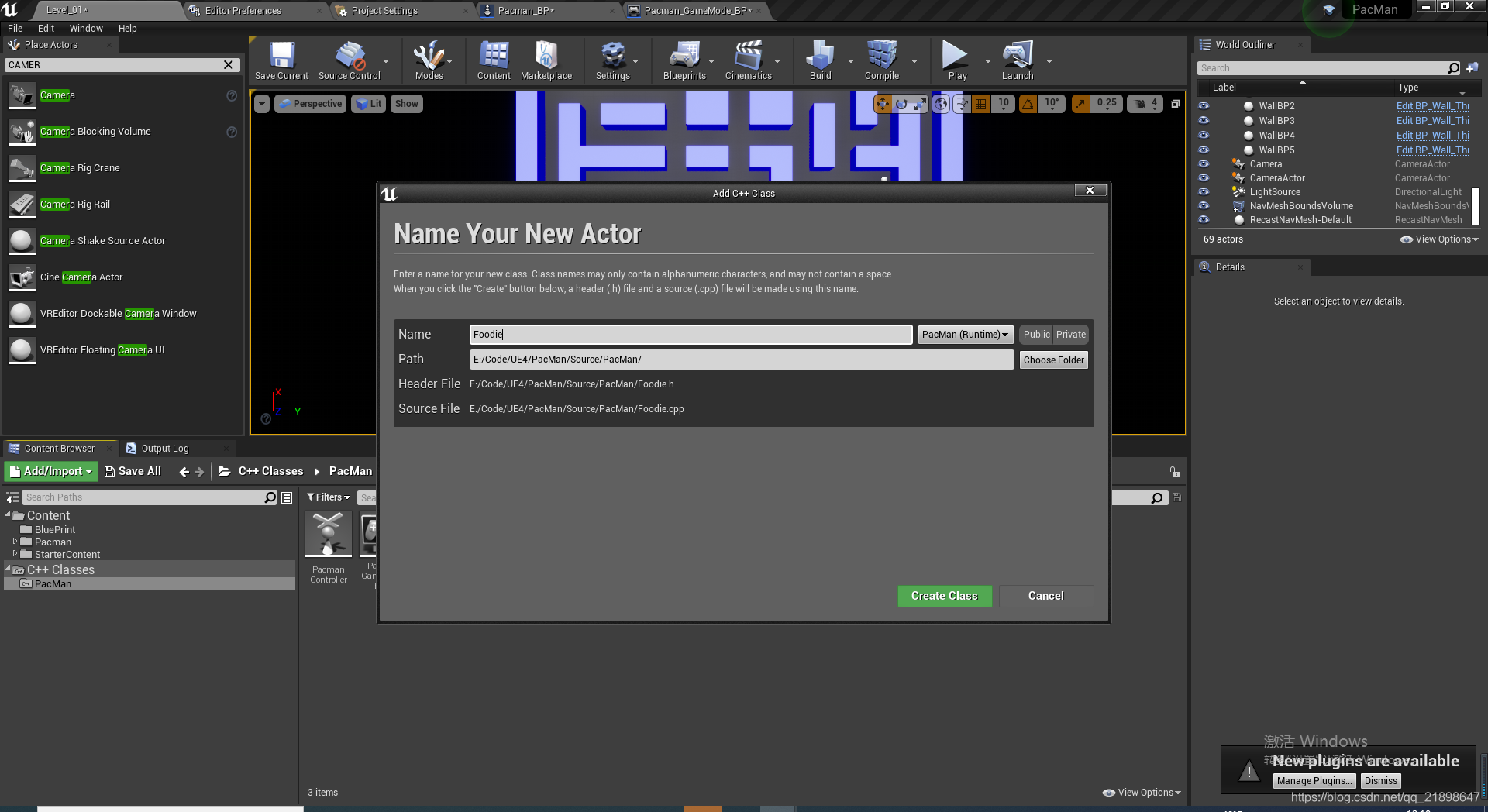
Foodie.h添加如下属性
// Fill out your copyright notice in the Description page of Project Settings.

#pragma once

#include "CoreMinimal.h"
#include "GameFramework/Actor.h"


#include "Kismet/GameplayStatics.h"
#include "Sound/SoundCue.h"

#include "Foodie.generated.h"

UENUM(BlueprintType)
enum class EFoodieType : uint8 {
	Regula,
	PowerUp
};


//创建委托,用于事件的触发
DECLARE_DYNAMIC_MULTICAST_DELEGATE_OneParam(FFoodieEatenEvent, EFoodieType, FoodieType);

UCLASS()
class PACMAN_API AFoodie : public AActor
{
	GENERATED_BODY()

public:
	// Sets default values for this actor's properties
	AFoodie();

protected:
	// Called when the game starts or when spawned
	virtual void BeginPlay() override;

public:
	// Called every frame
	virtual void Tick(float DeltaTime) override;


	void Consume();


	UPROPERTY(EditAnywhere)
		EFoodieType FoodieType = EFoodieType::Regula;

	UPROPERTY(BlueprintAssignable, BlueprintCallable)
		FFoodieEatenEvent FoodieEatenEvent;

private:
	UPROPERTY(EditAnywhere)
		USoundCue* ConsumptionSound;

};
编译并设置属性
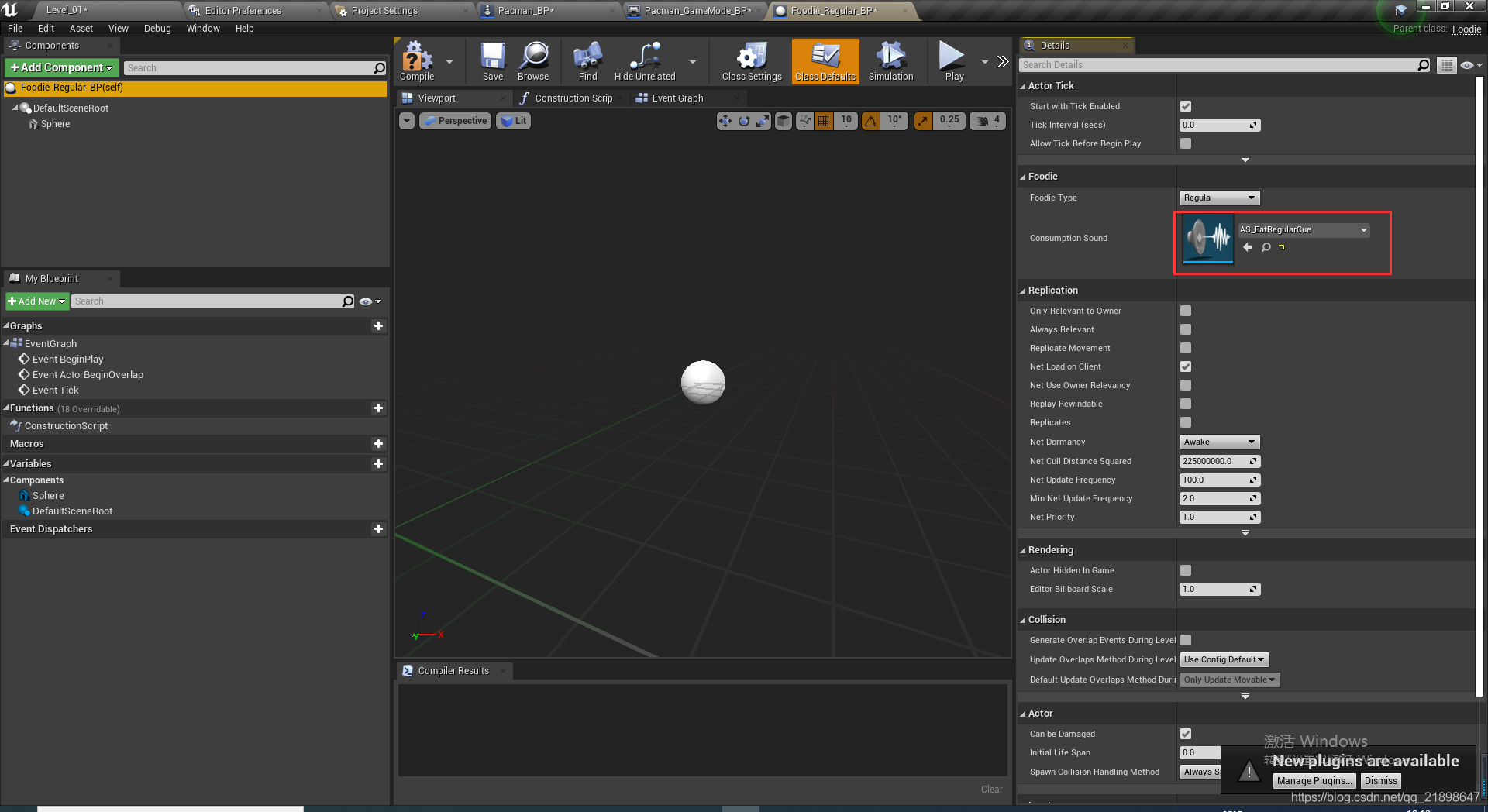
添加StaticMesh并设置属性
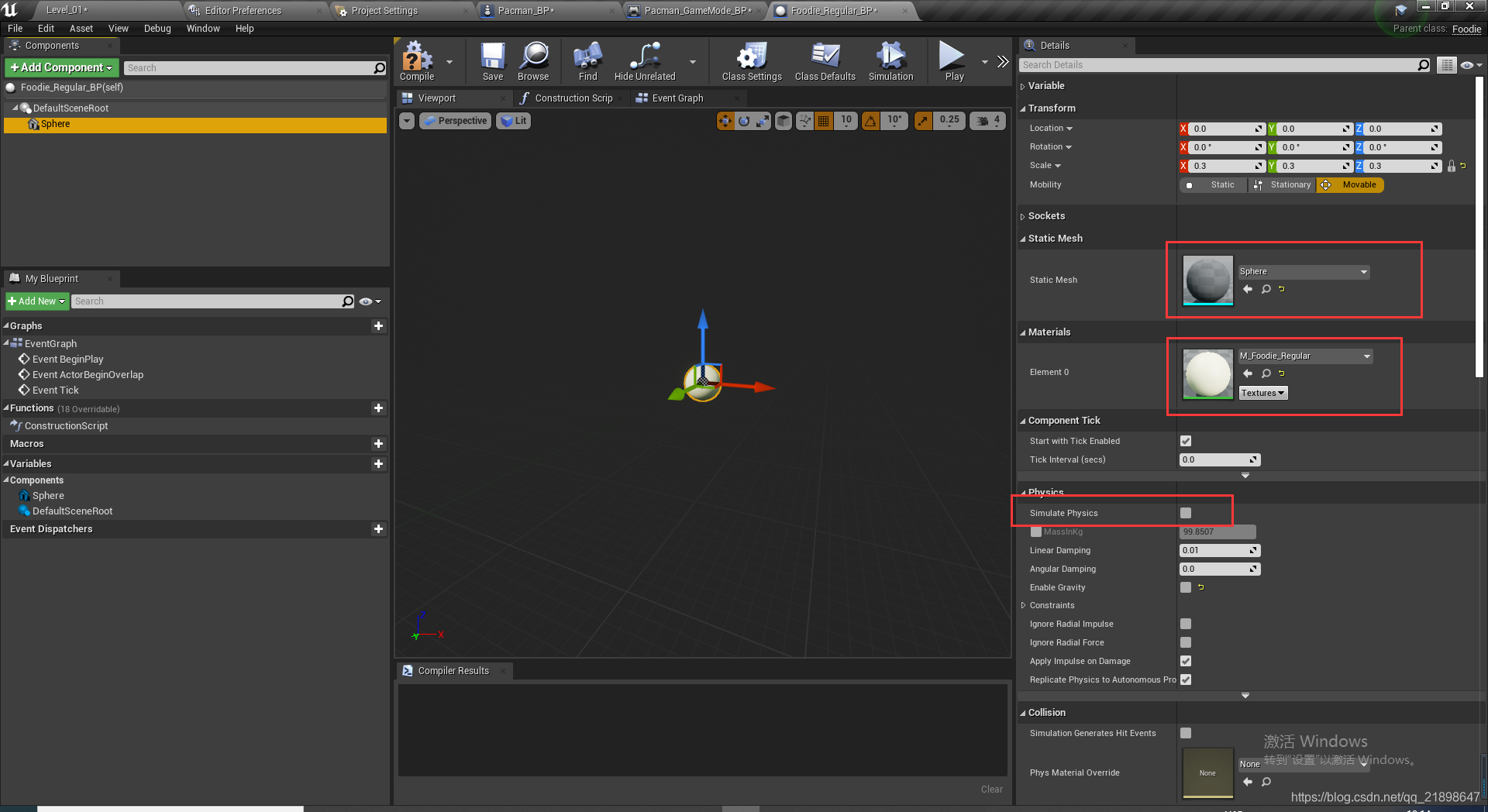
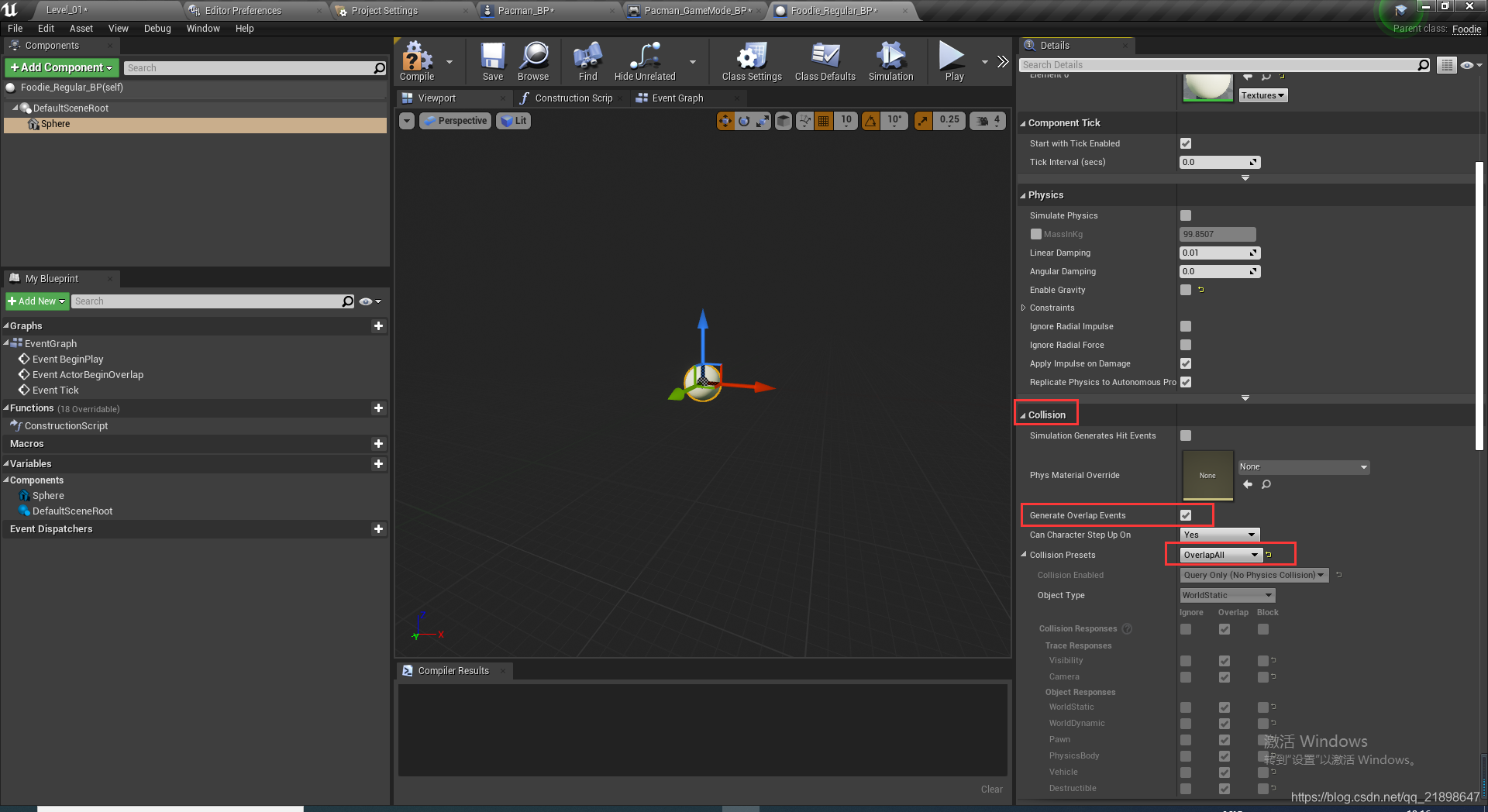
实现Foodie的Consume函数
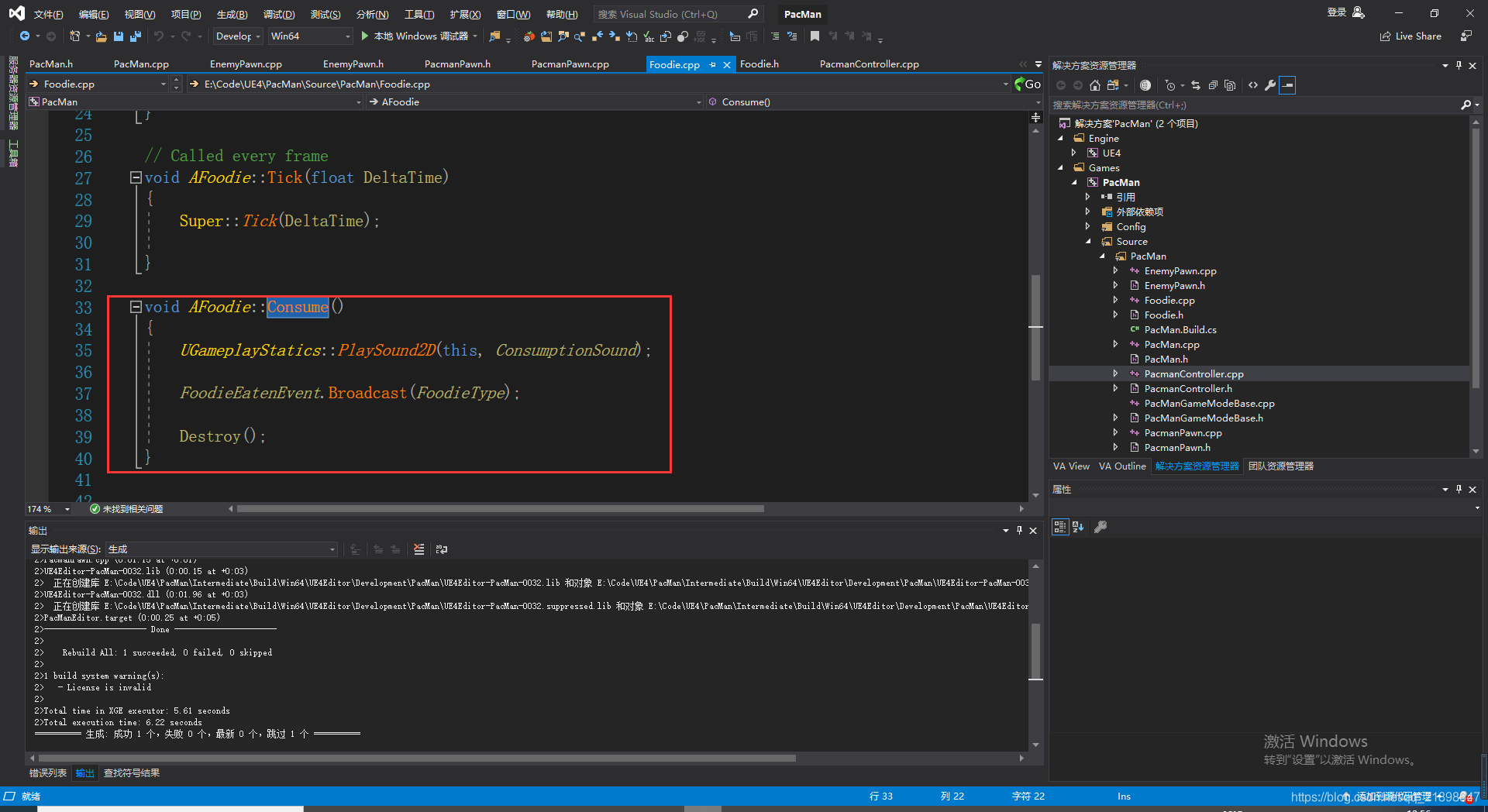
在PacmanPawn.cpp中实现碰撞函数
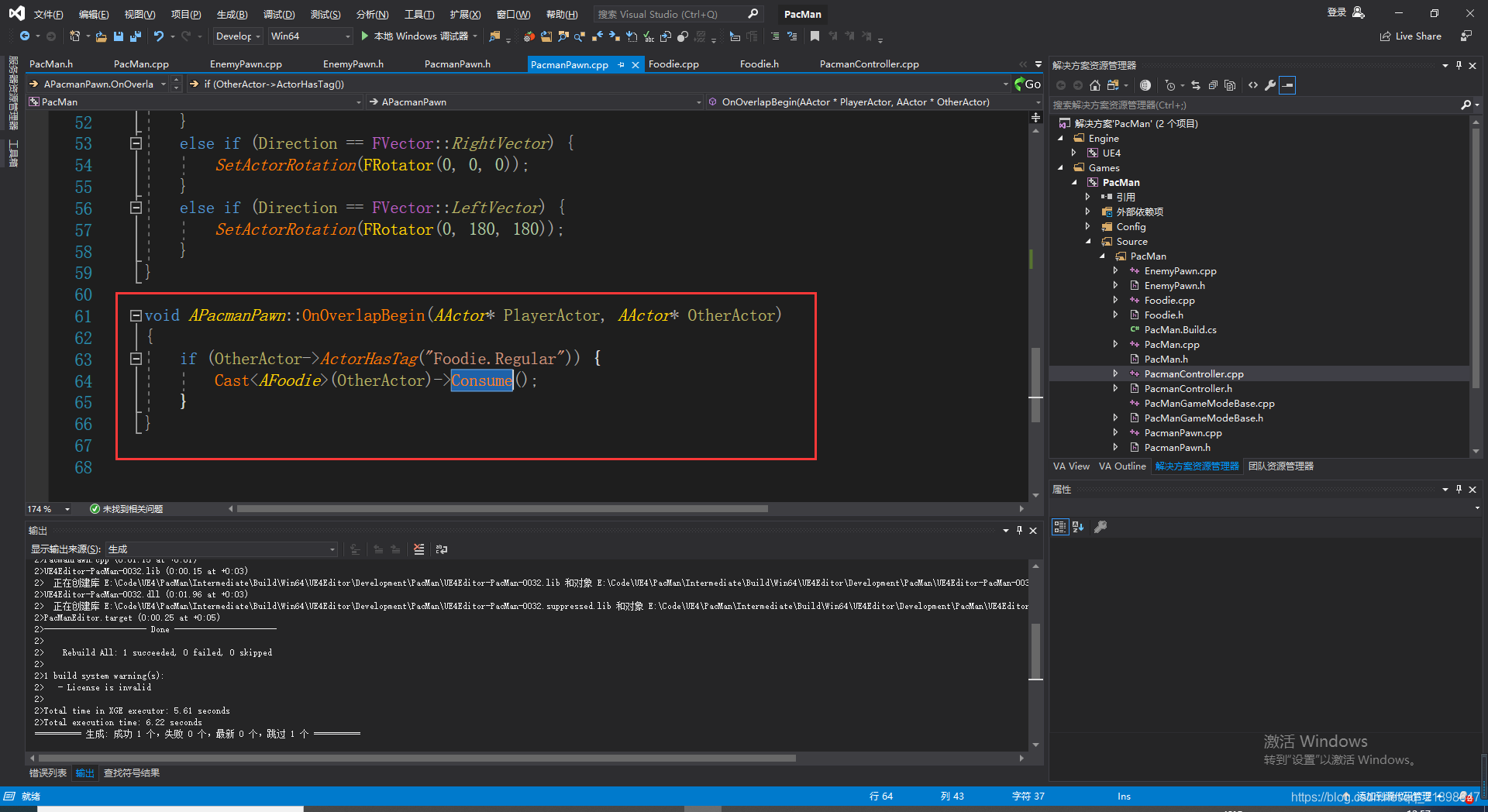
在Foodie_Regula_BP中添加Tag
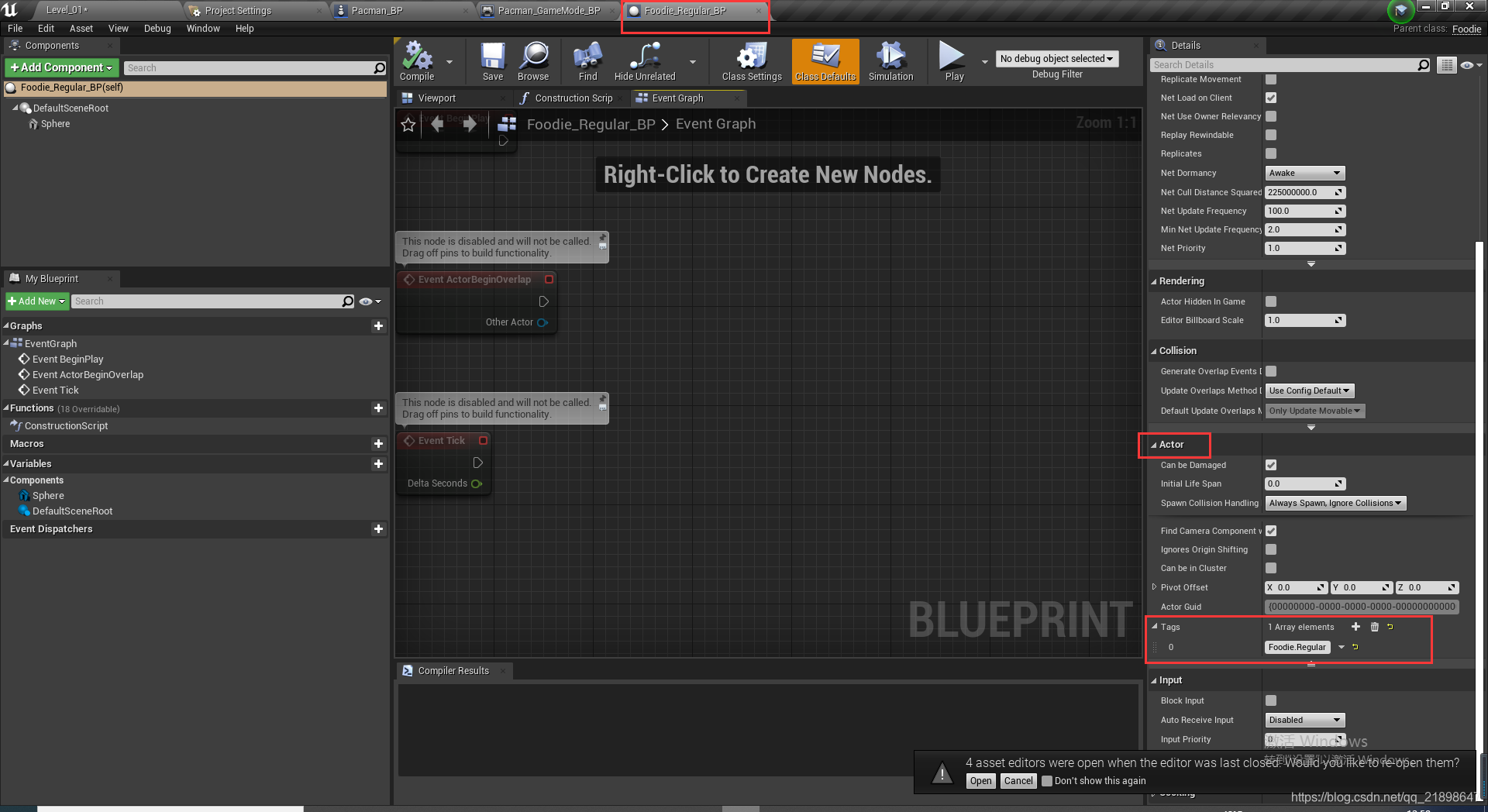
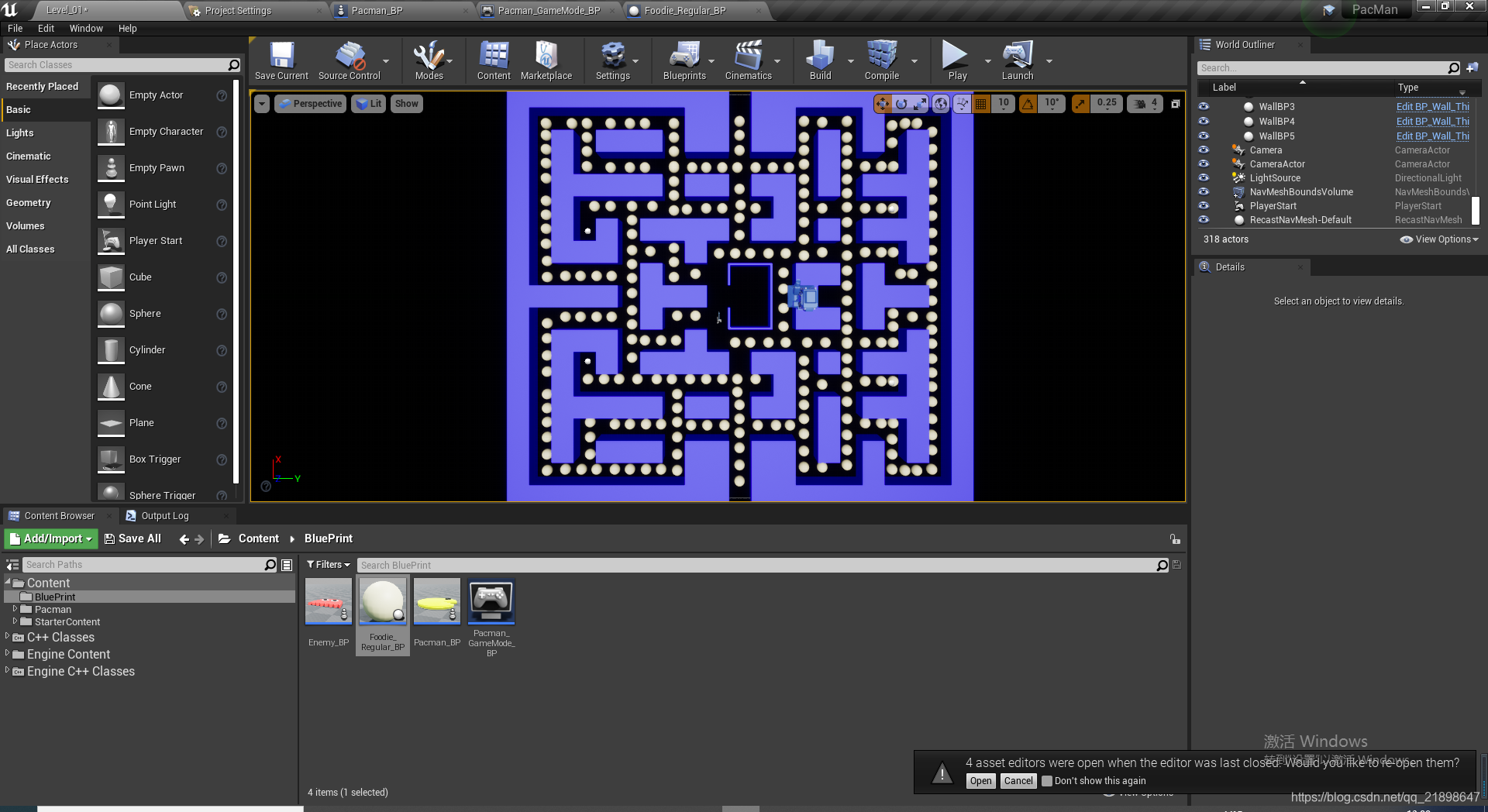
接下来把Foodie_Regular_BP放在地图上:
添加敌人Pawn C++类
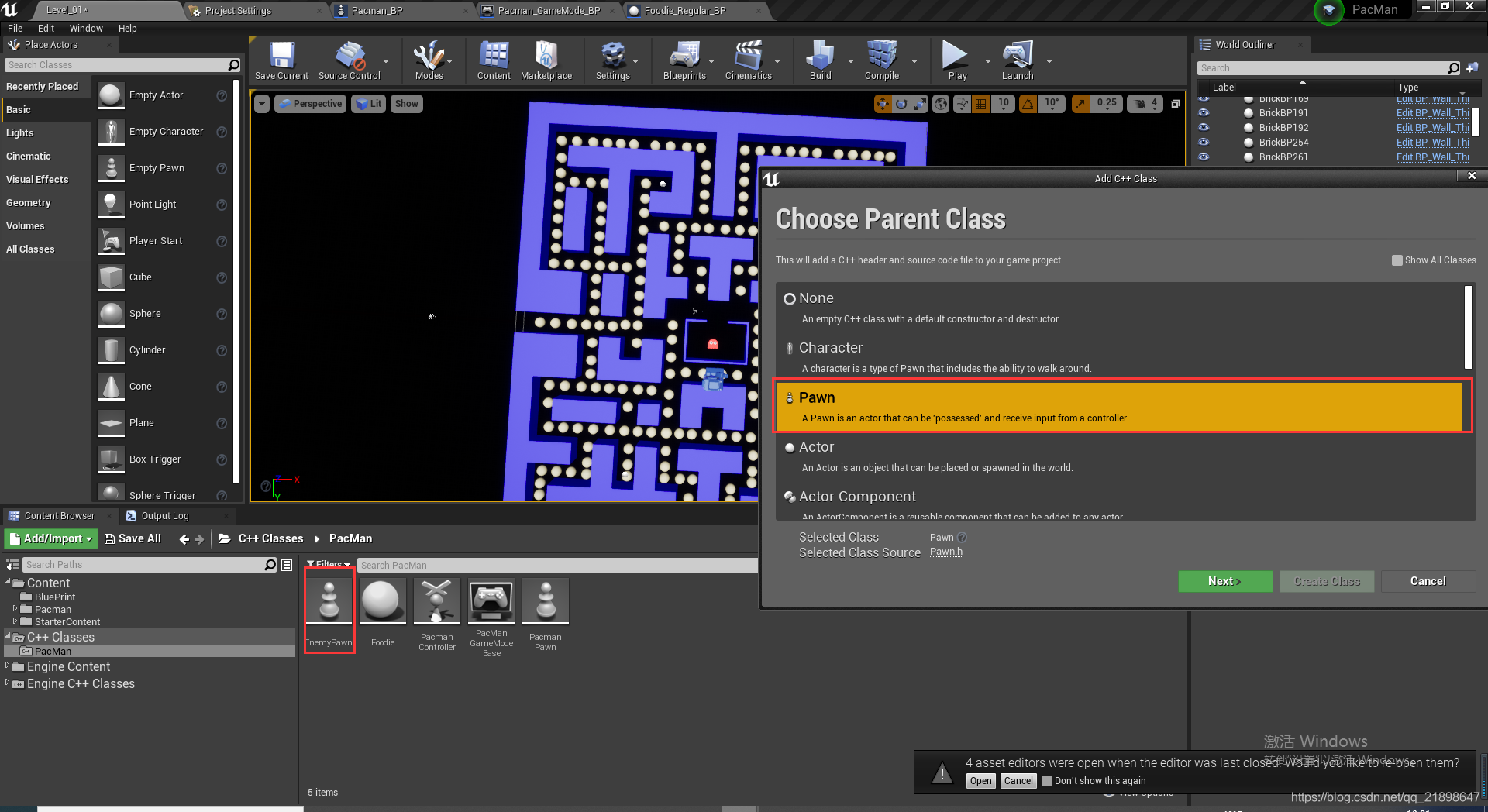
EnemyPawn.h中添加属性
// Fill out your copyright notice in the Description page of Project Settings.

#pragma once

#include "CoreMinimal.h"
#include "GameFramework/Pawn.h"
#include "EnemyPawn.generated.h"

UENUM(BlueprintType)
enum class EEnemyState : uint8 {
	Default,
	Idle
};

DECLARE_DYNAMIC_MULTICAST_DELEGATE_OneParam(FEnemyStateChangedEventIn, EEnemyState, NewStata);

UCLASS()
class PACMAN_API AEnemyPawn : public APawn
{
	GENERATED_BODY()

public:
	UPROPERTY(EditAnywhere, BlueprintReadWrite)
		EEnemyState State = EEnemyState::Default;

	UFUNCTION(BlueprintCallable)
		void Hunt();

	UFUNCTION(BlueprintCallable)
		void Idle();

	FEnemyStateChangedEventIn& OnStateChanged() { return StateChangedEventIn; }

private:
	UPROPERTY(BlueprintAssignable, BlueprintCallable)
		FEnemyStateChangedEventIn 	StateChangedEventIn;
	;


};
EnemyPawn.cpp中实现:
// Fill out your copyright notice in the Description page of Project Settings.


#include "EnemyPawn.h"

void AEnemyPawn::Hunt()
{
	State = EEnemyState::Default;

	StateChangedEventIn.Broadcast(State);
}

void AEnemyPawn::Idle()
{
	State = EEnemyState::Idle ;

	StateChangedEventIn.Broadcast(State);
}
添加该类的蓝图类
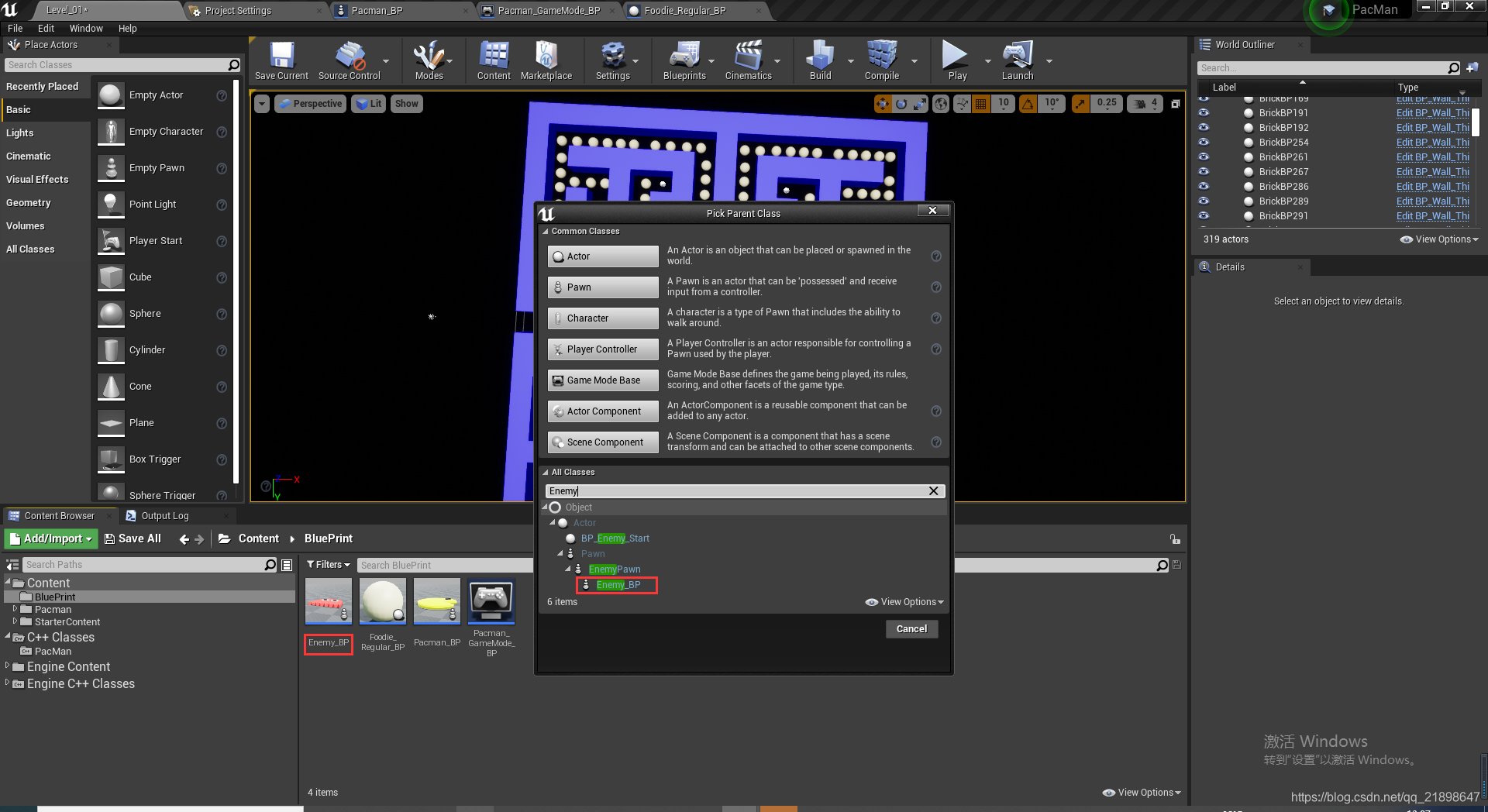
在蓝图类中进行设置
添加两个Static Mesh
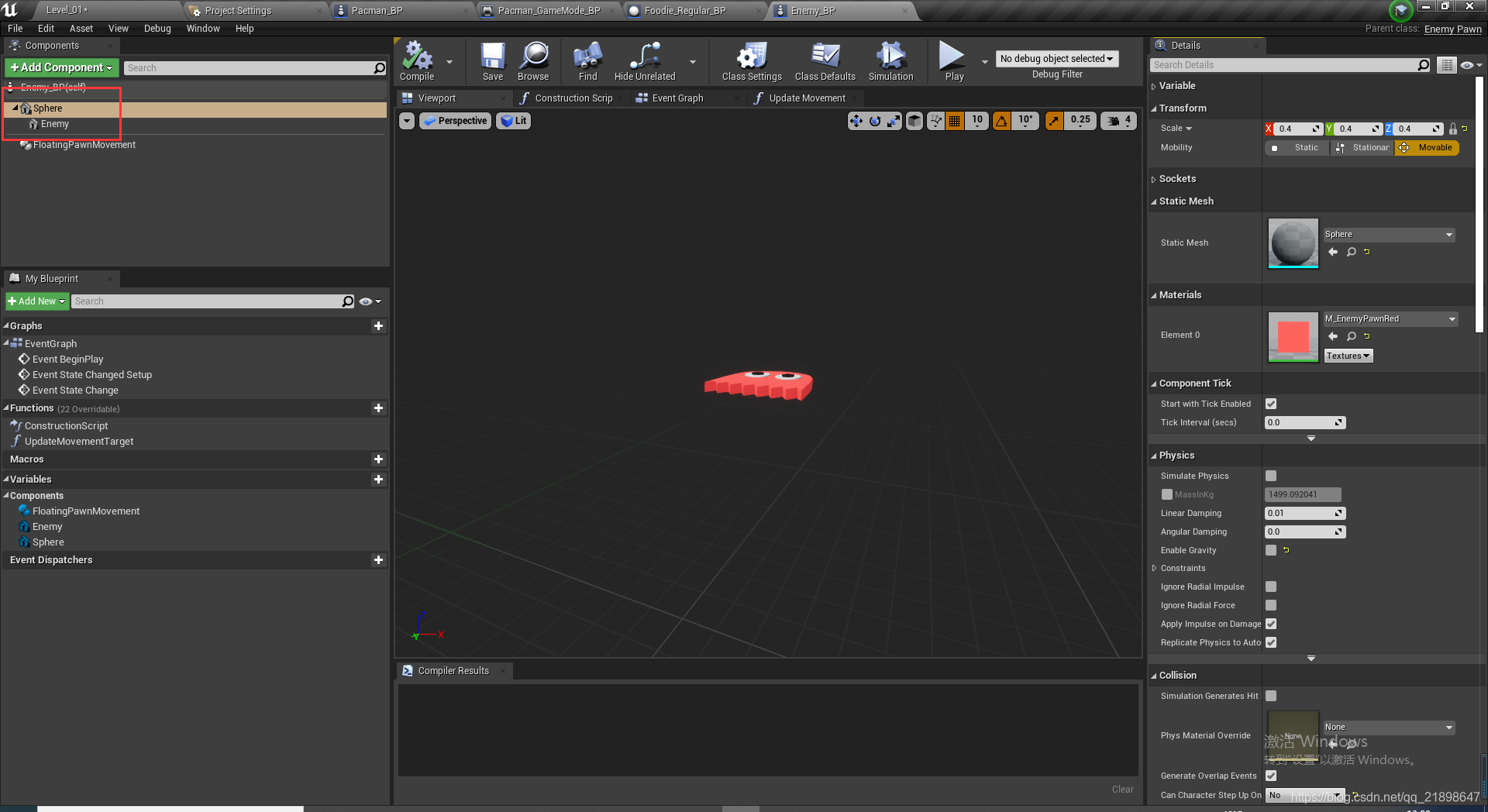
设置Mesh和Material
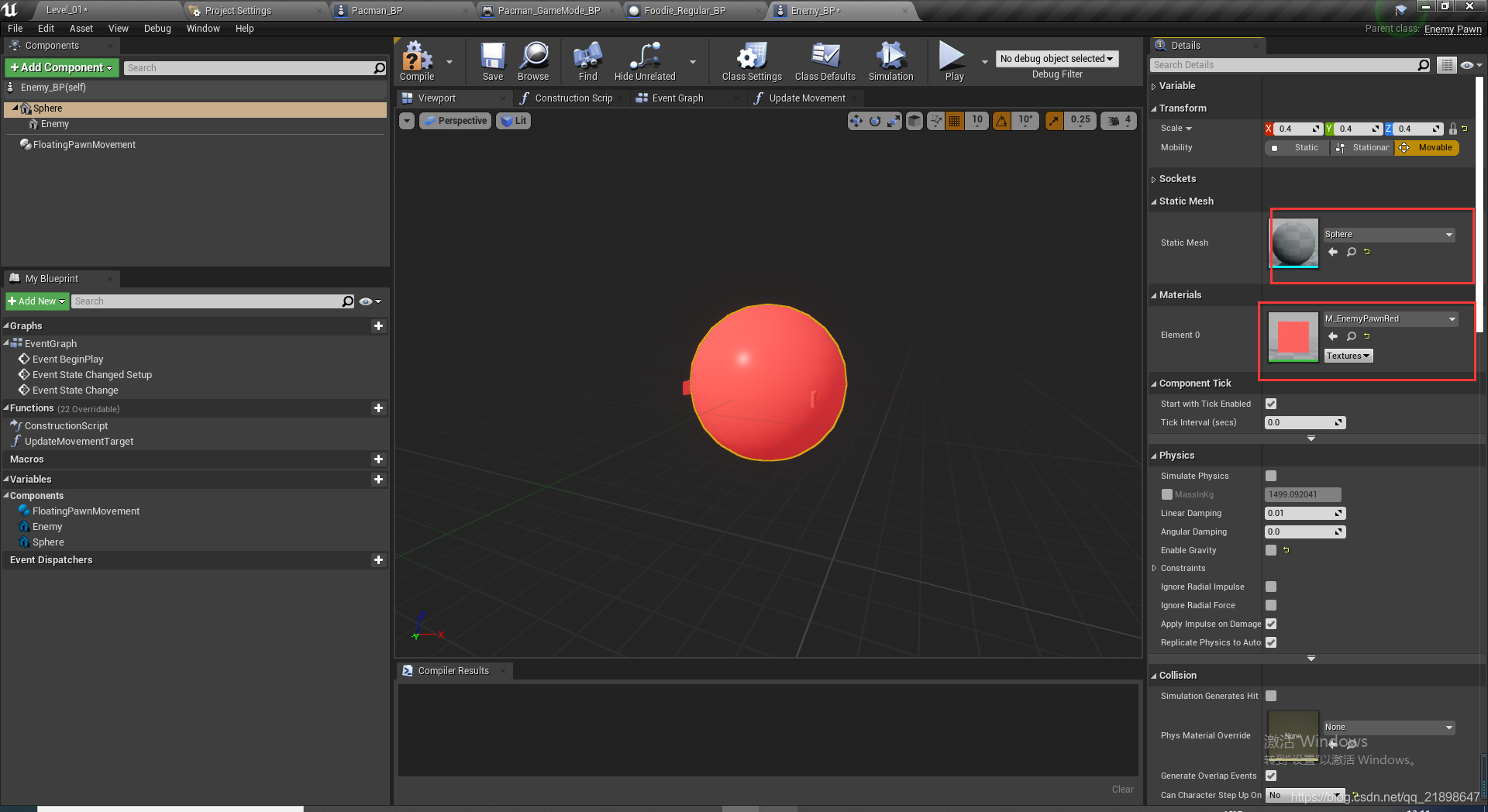
设置碰撞
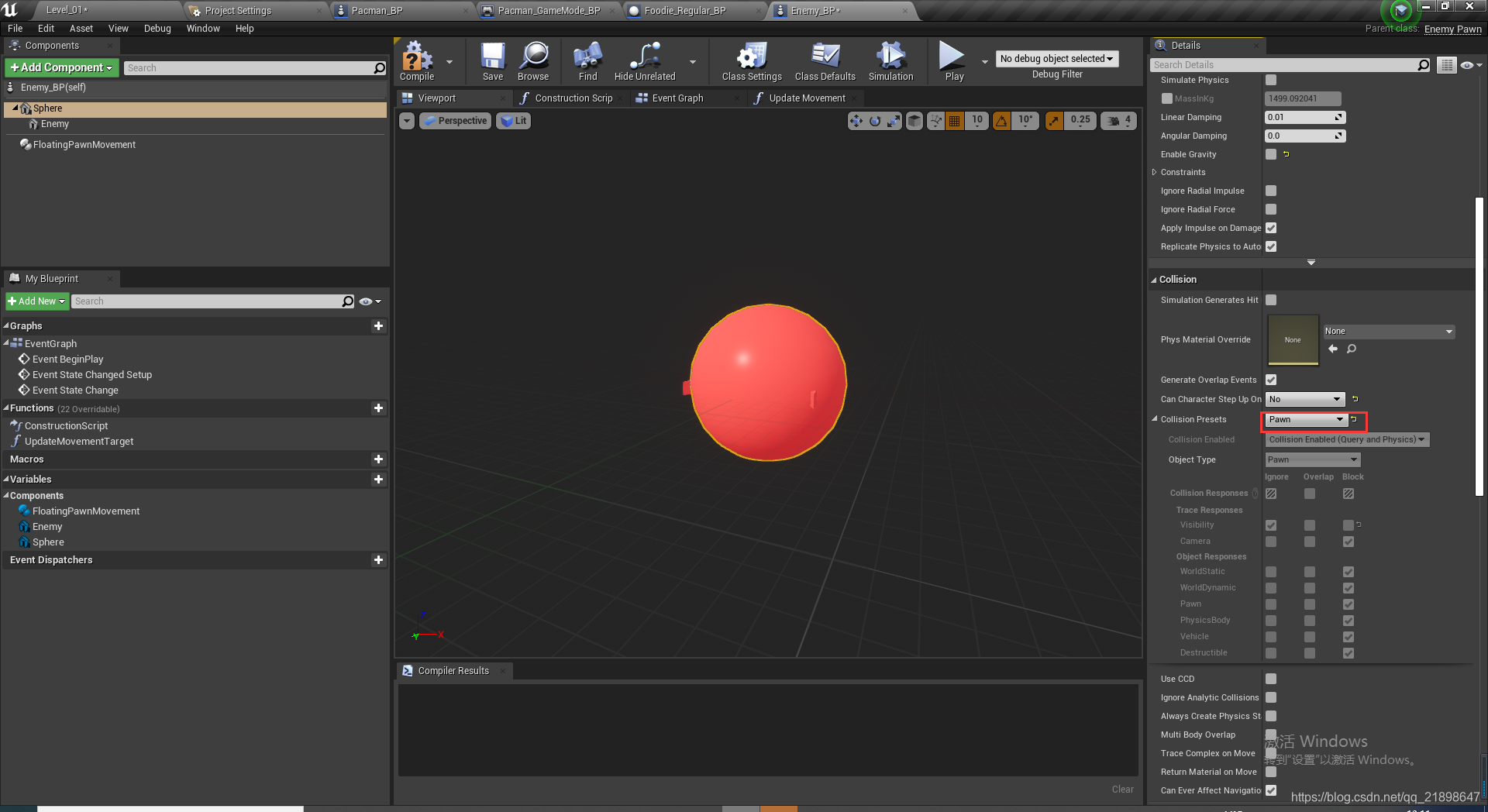
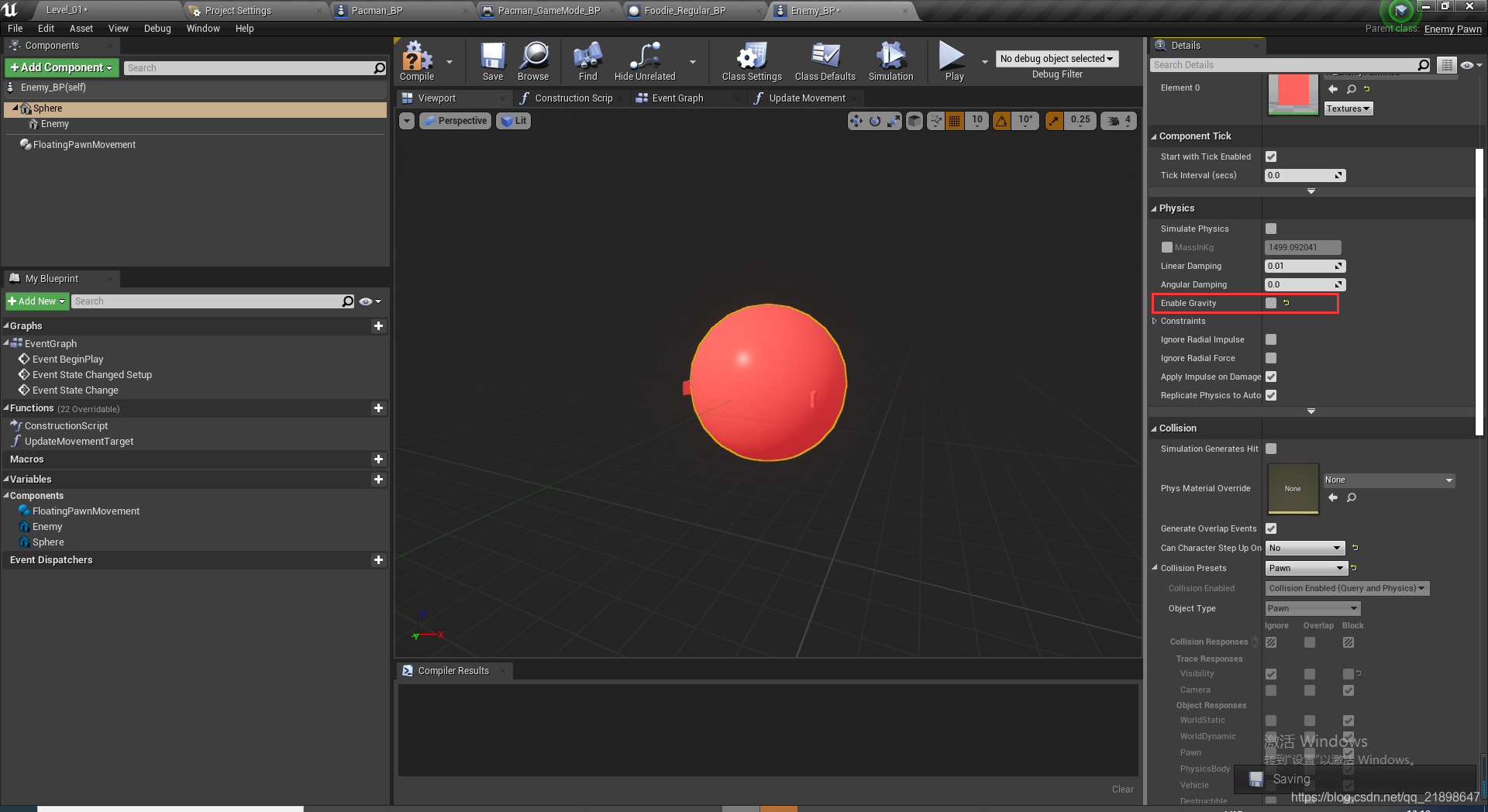
设置物理属性的Gravity属性
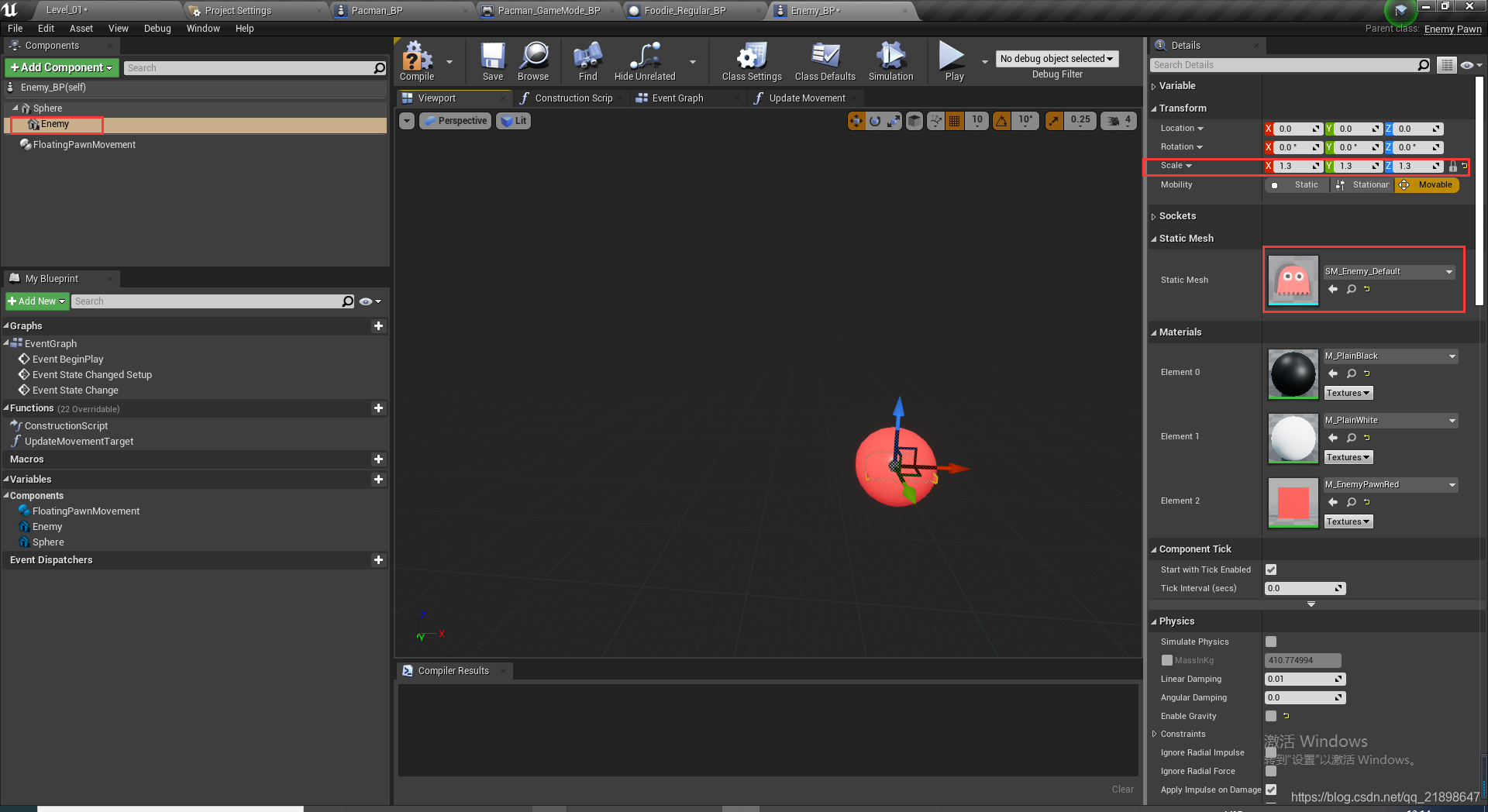
设置另外一个Static Mesh
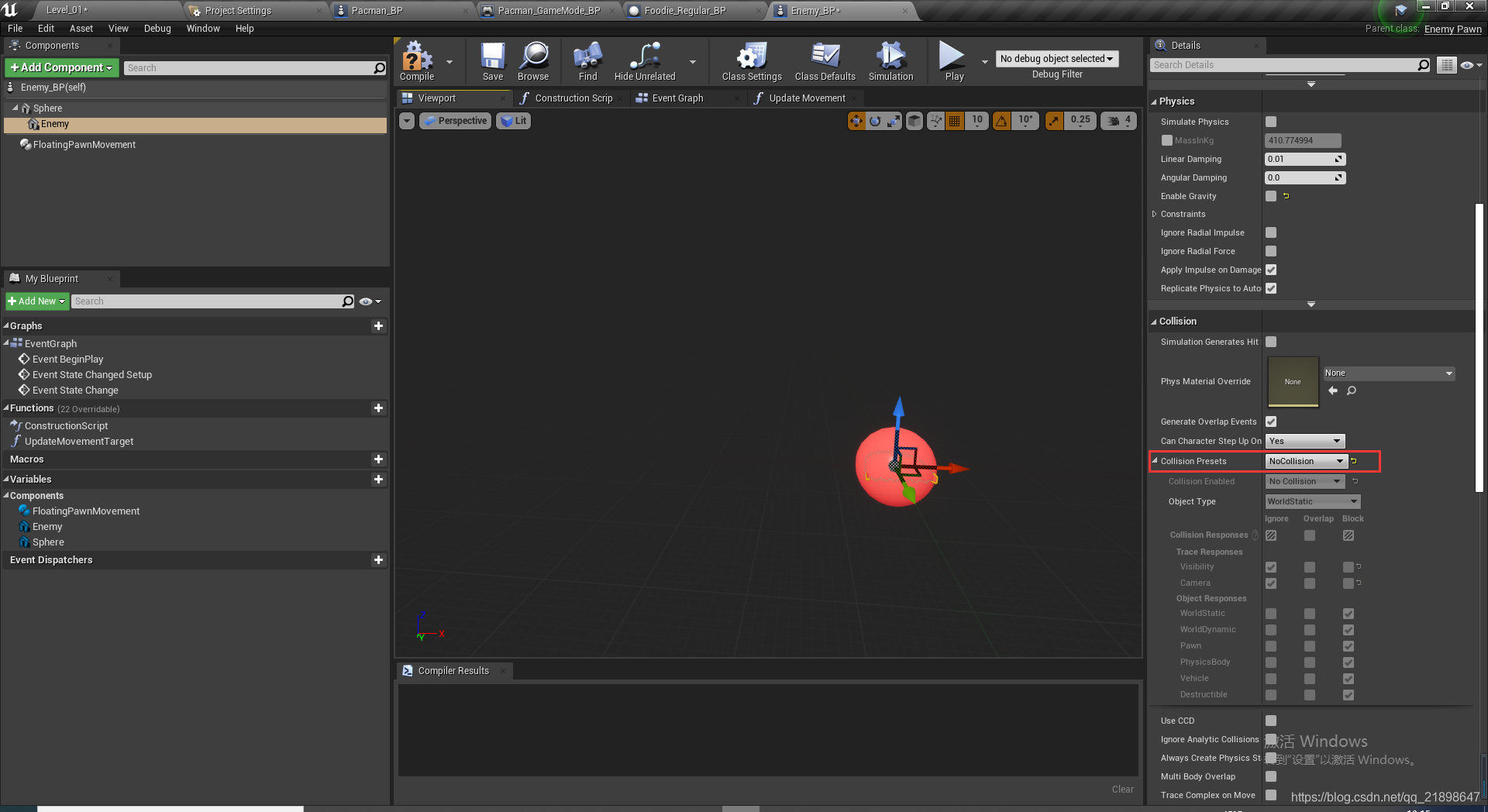
设置碰撞:
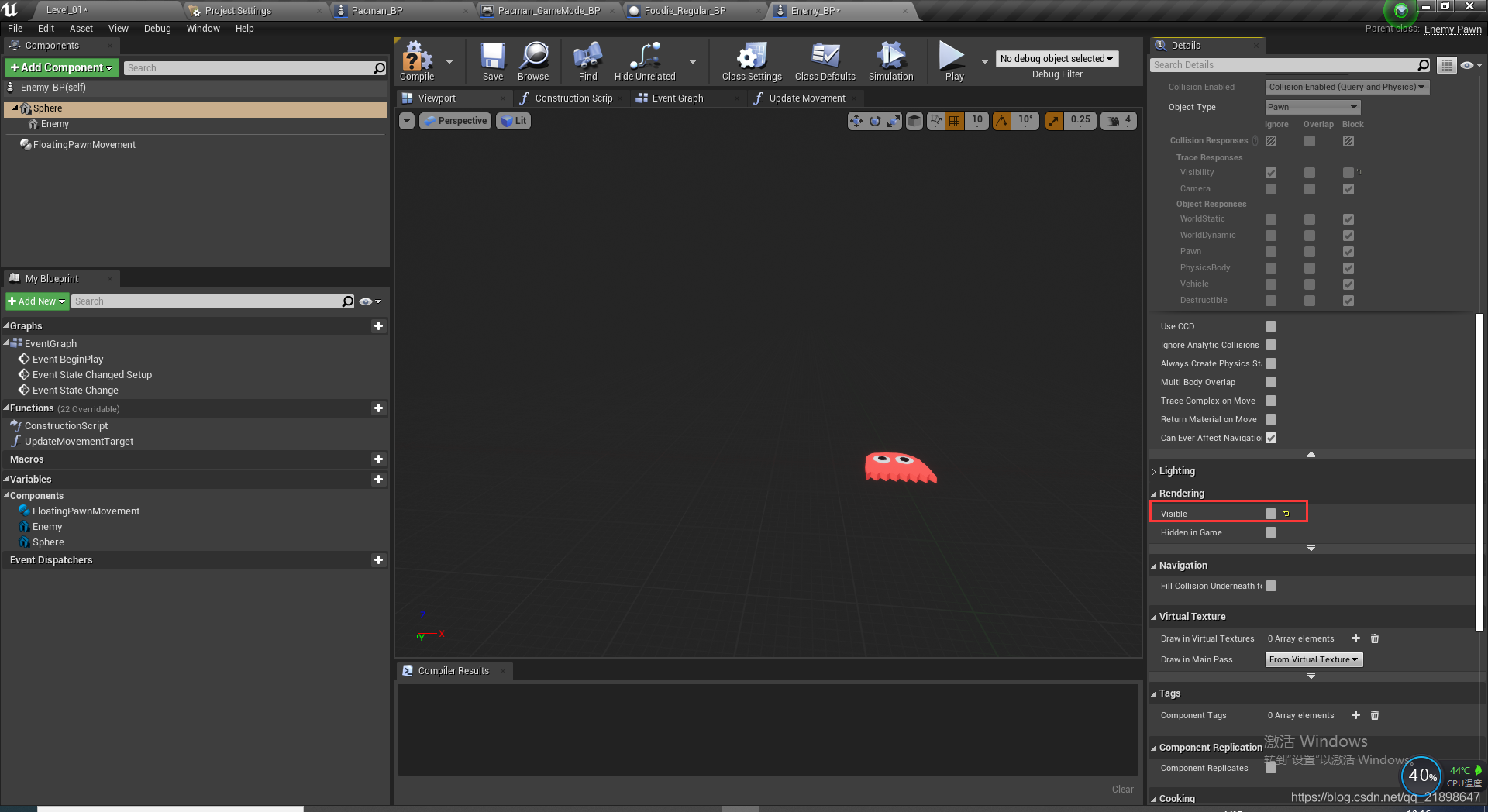
设置第一个StaticMesh visible为false
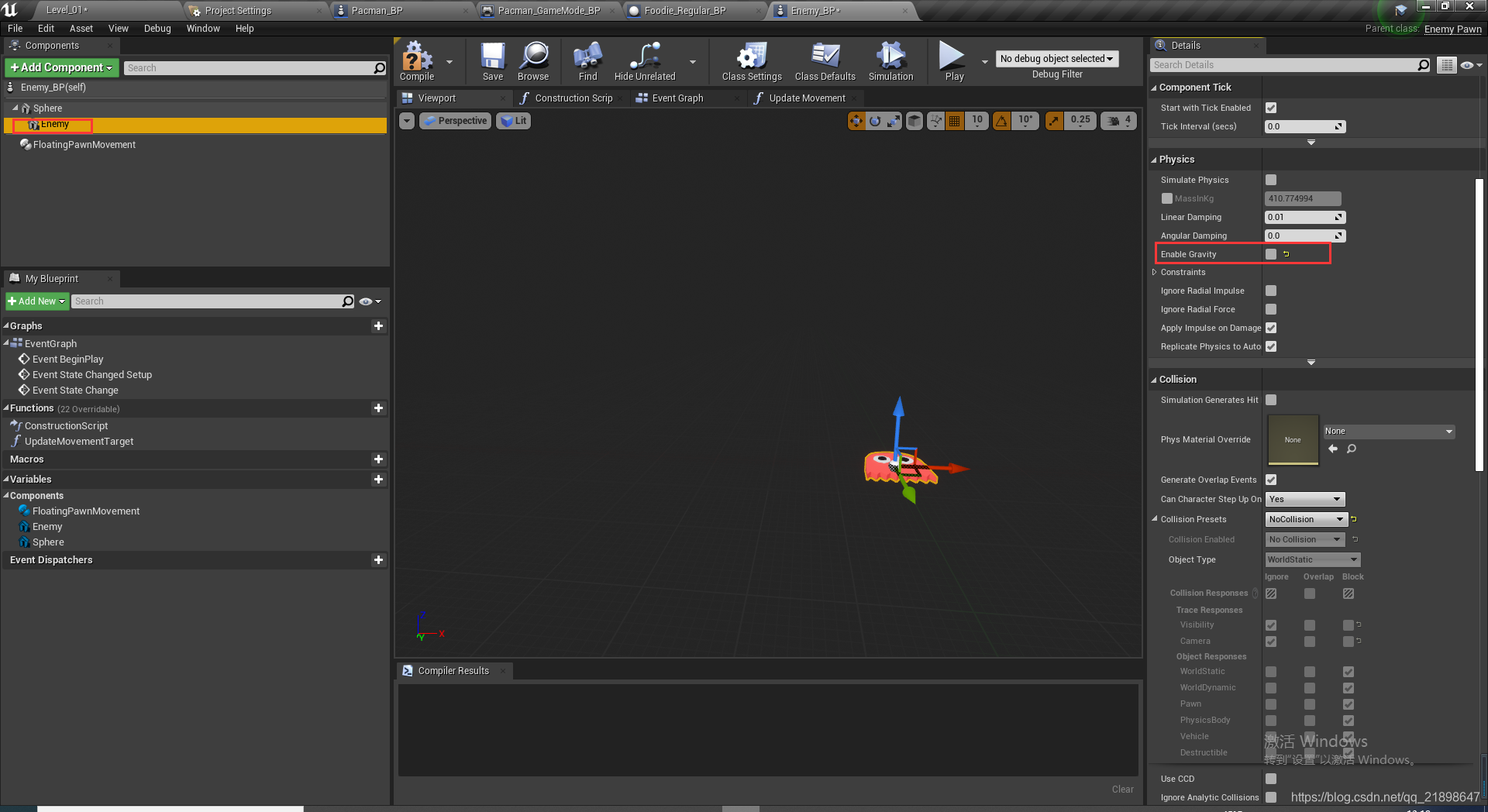
设置第二个StaticMesh的重力属性
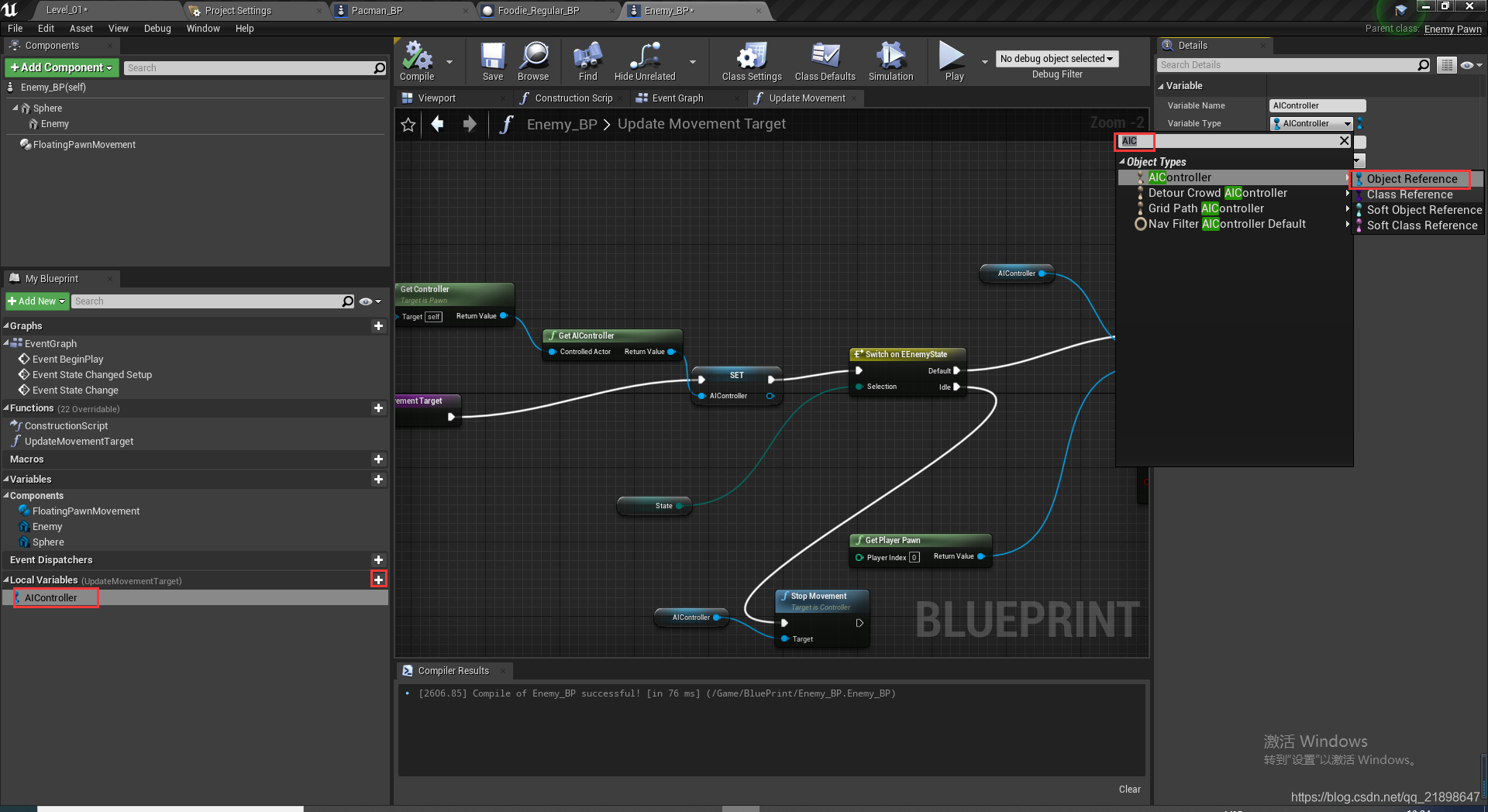
添加AIController变量:
在Enemy_BP中添加函数并实现:
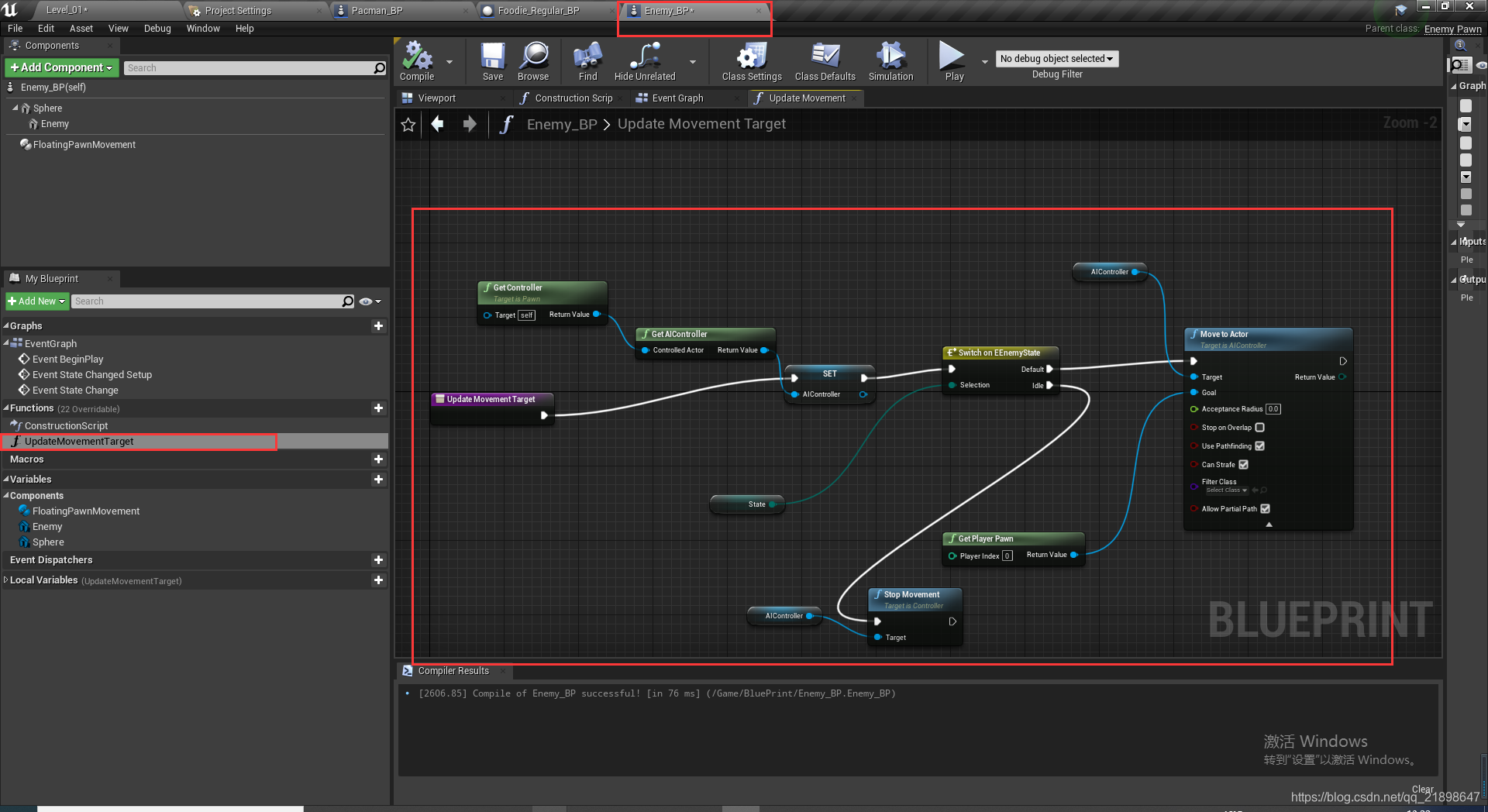
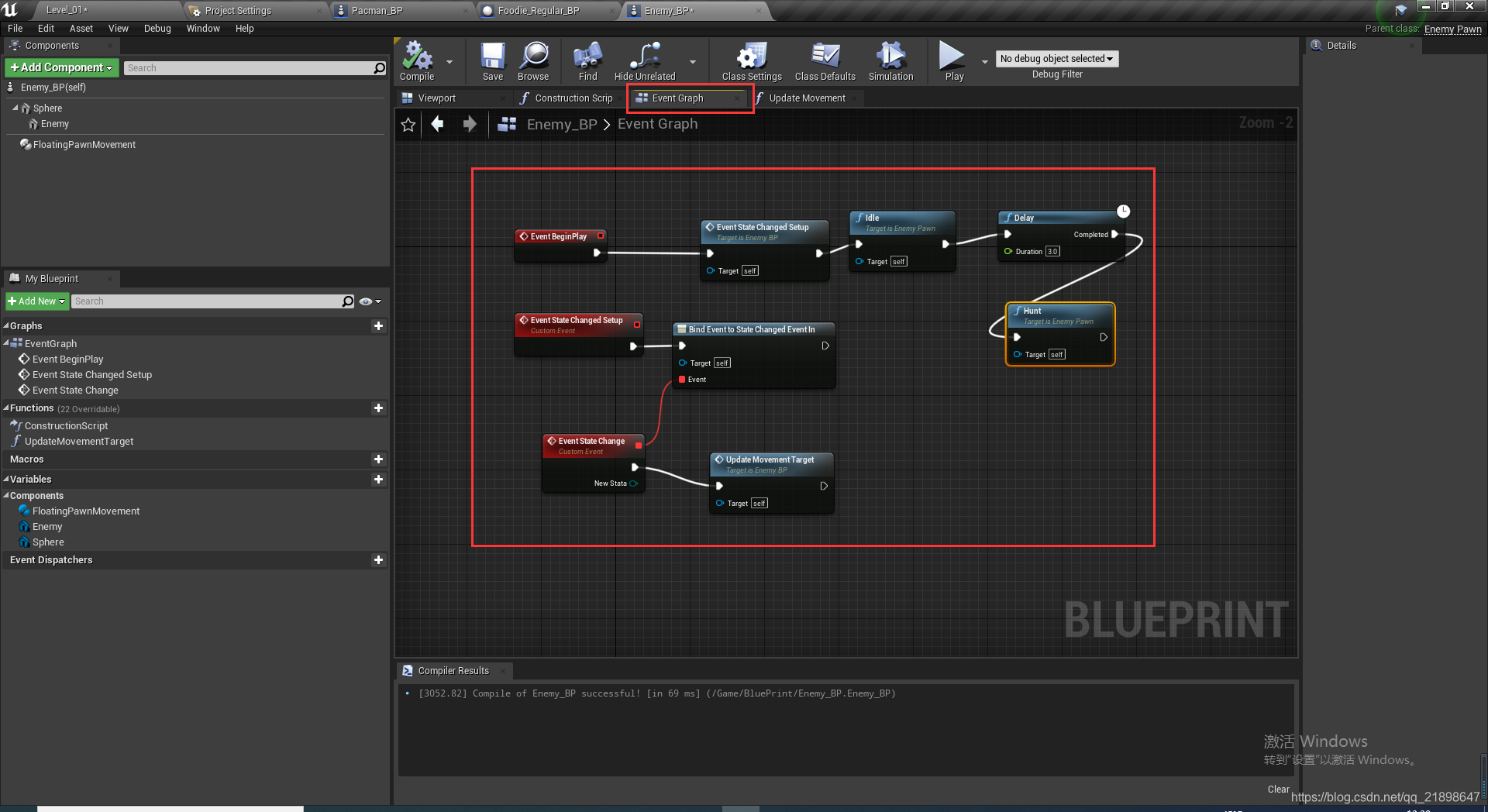
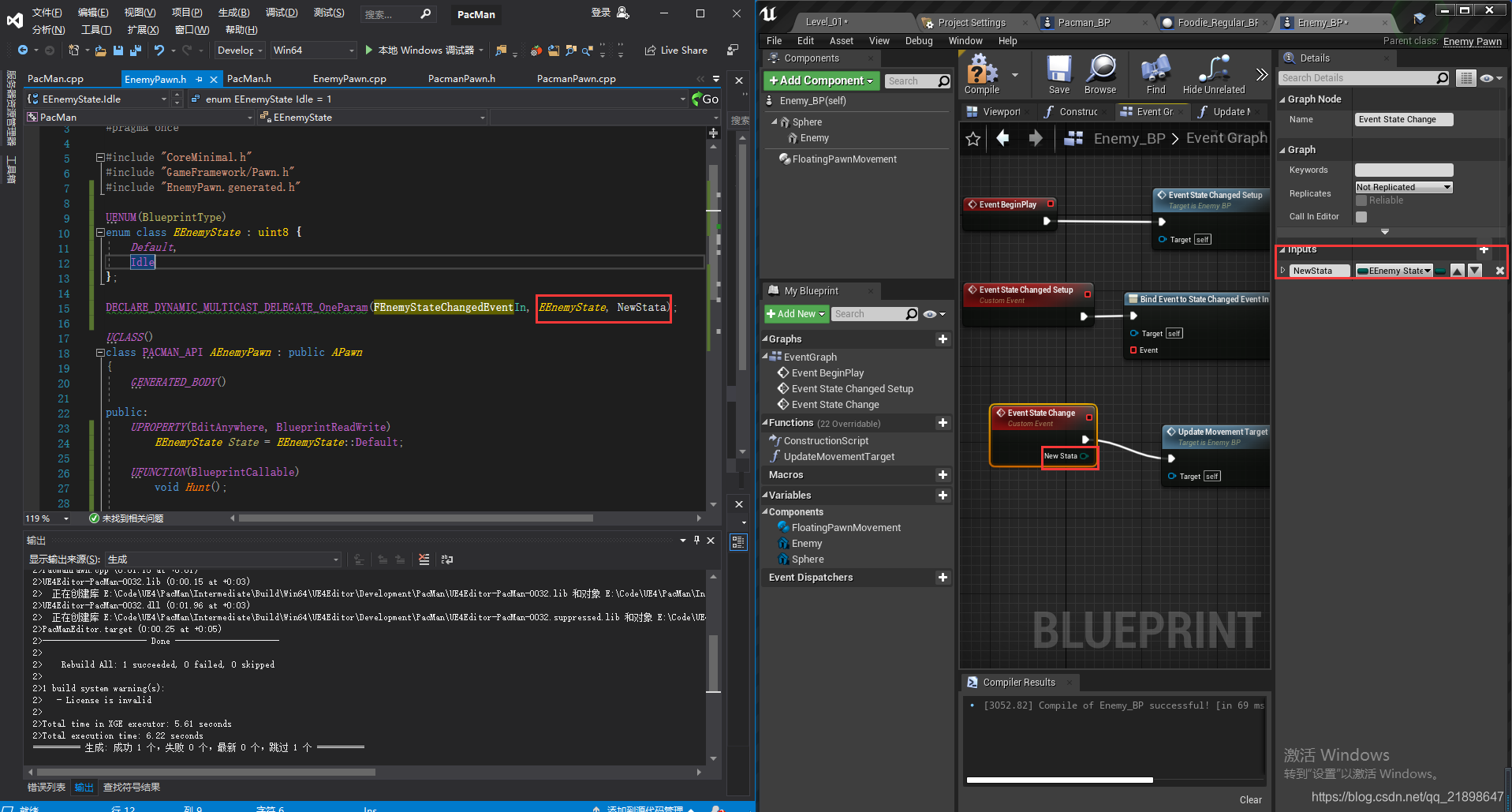
需要注意的是这个事件需要添加参数
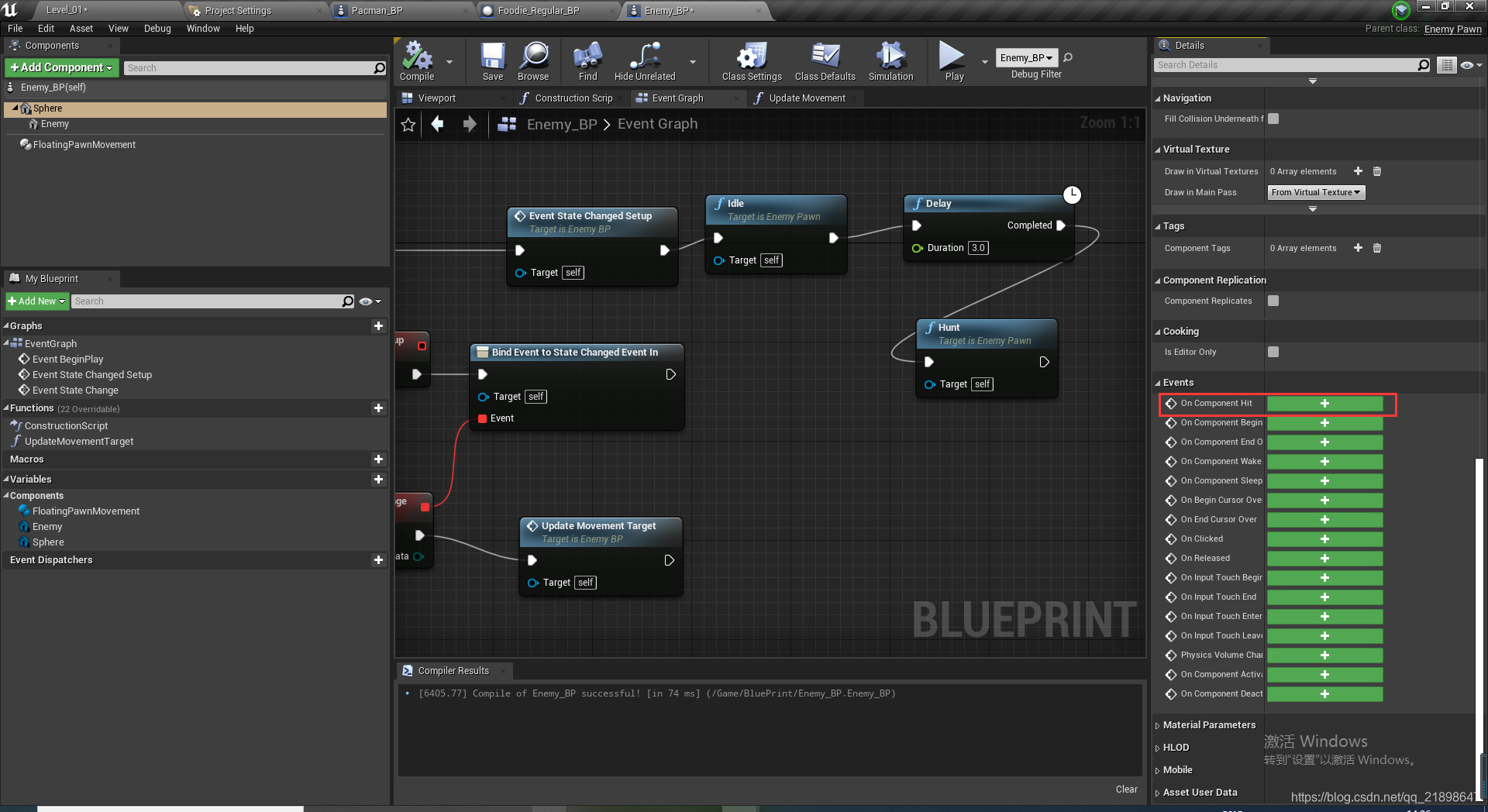
添加碰撞函数
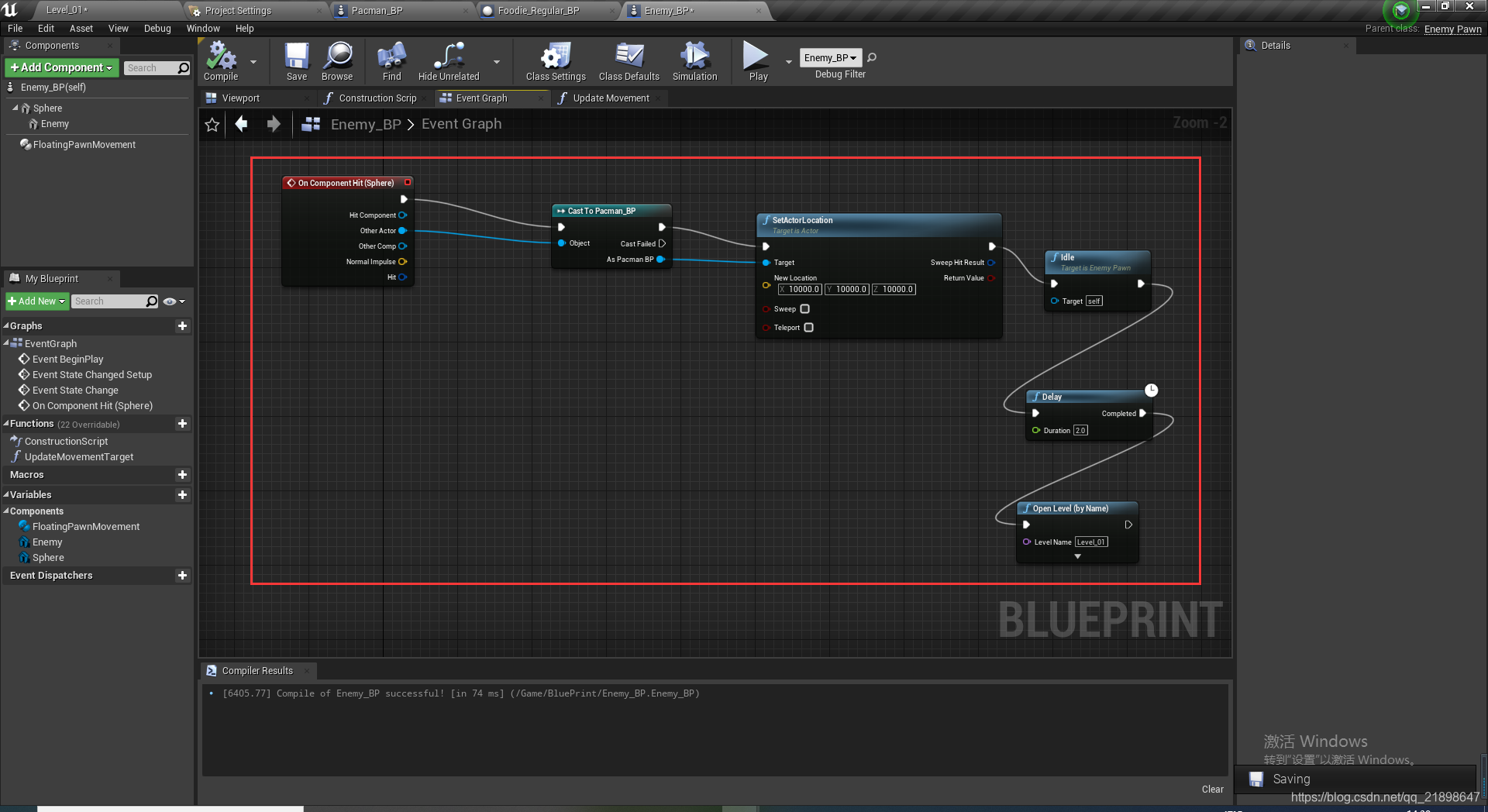
实现碰撞函数
新建Foodie蓝图类
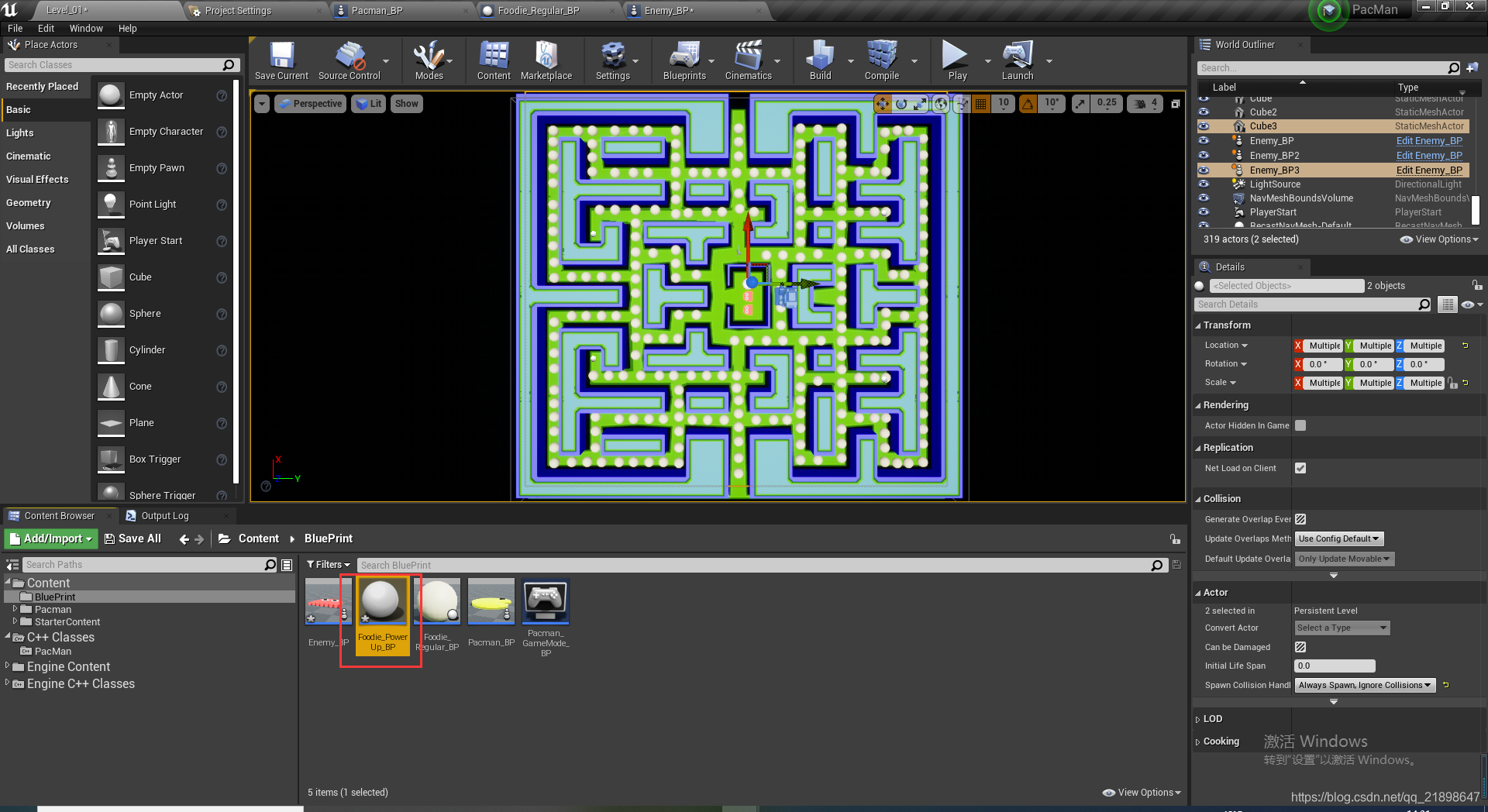
打开并设置属性
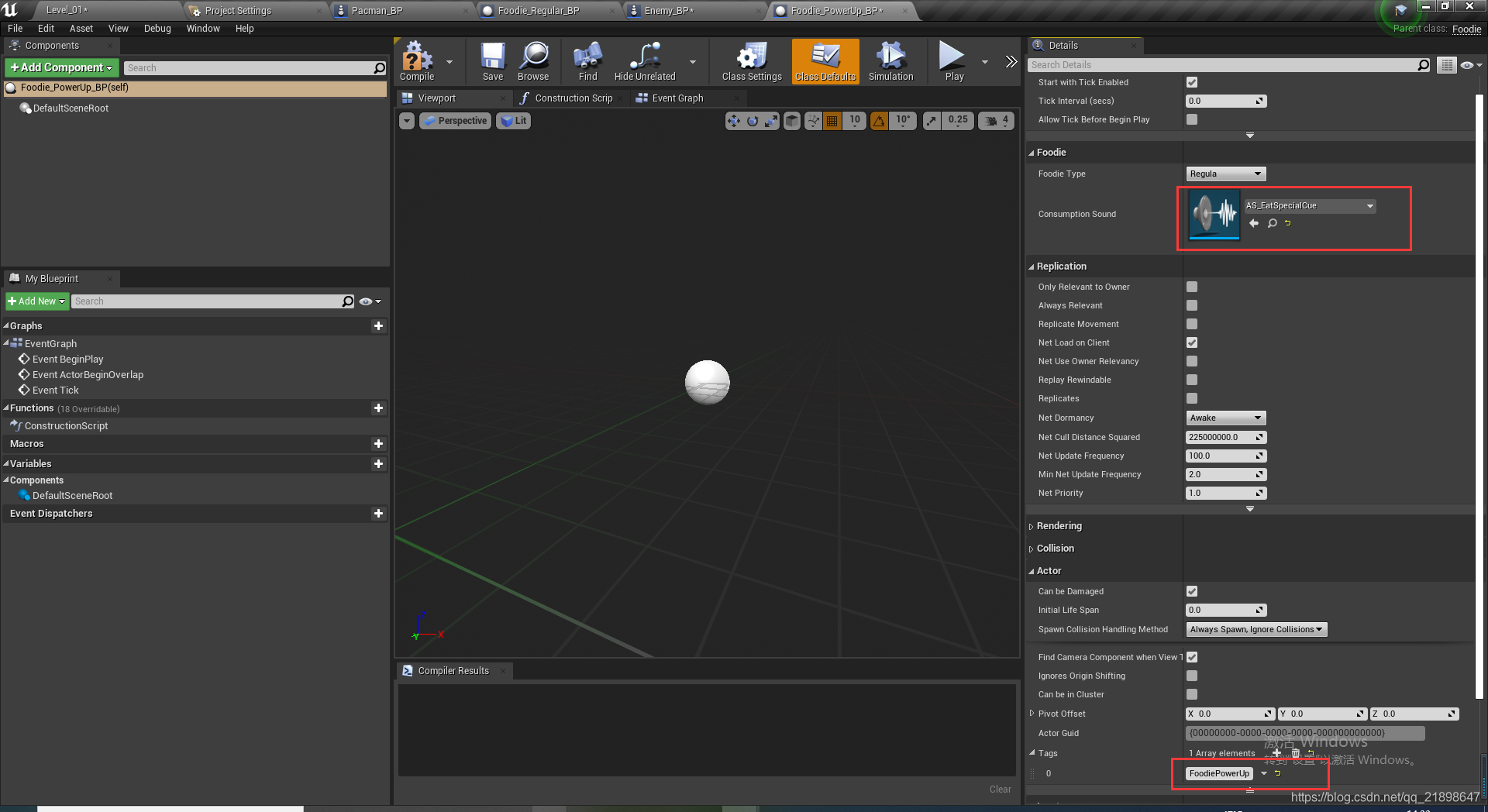
添加StaticMes并设置属性
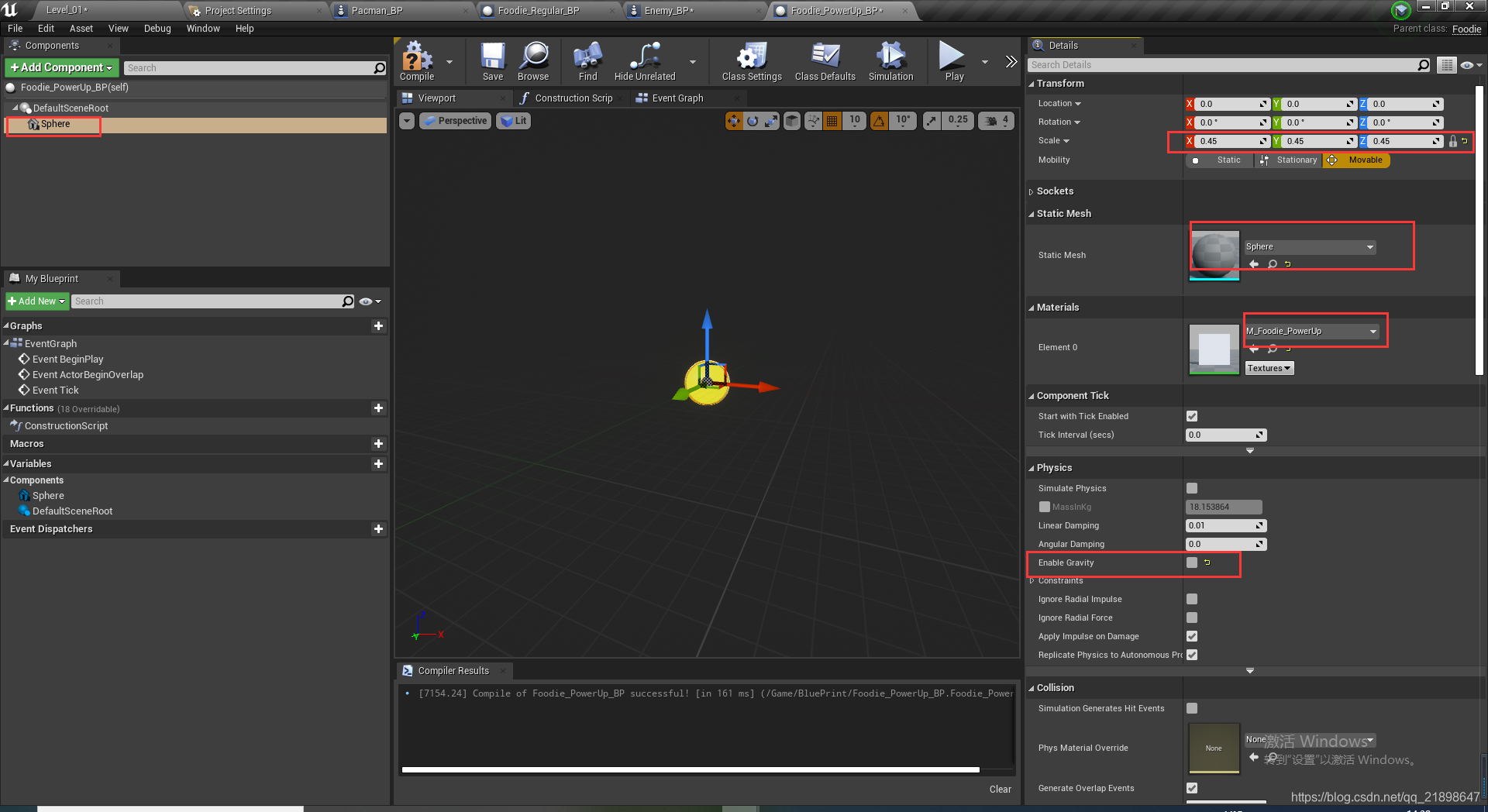
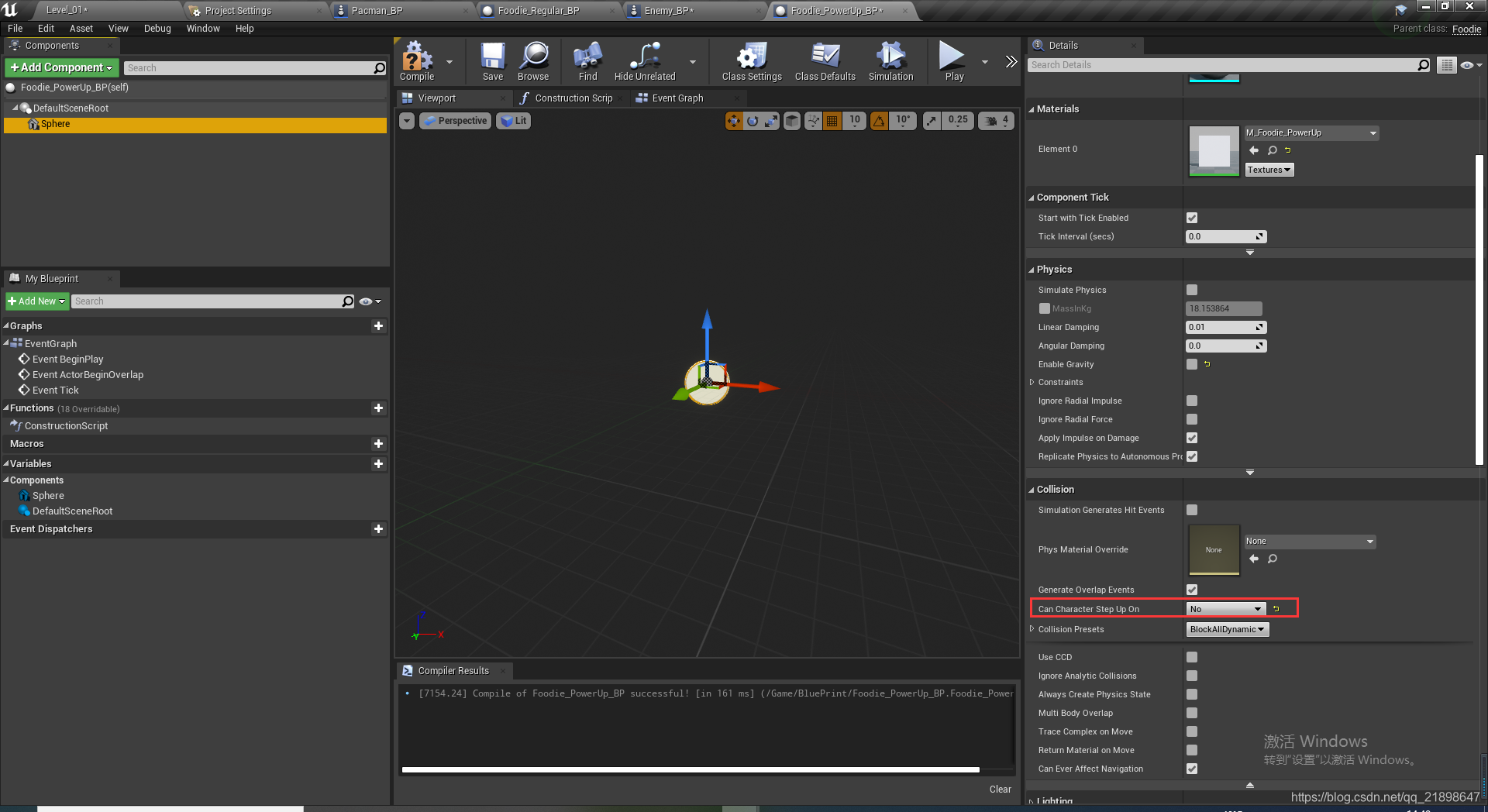
绑定事件并添加函数
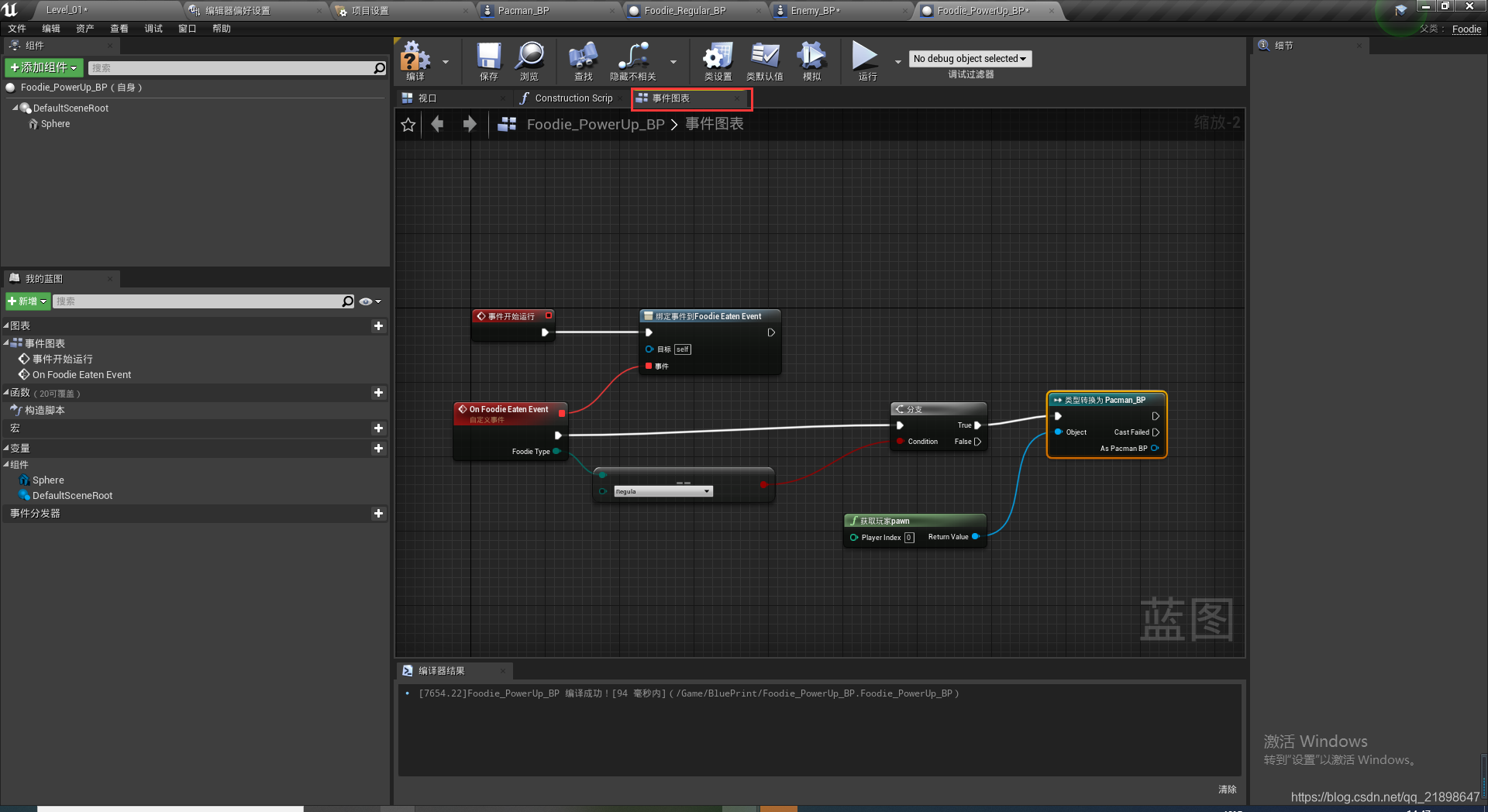
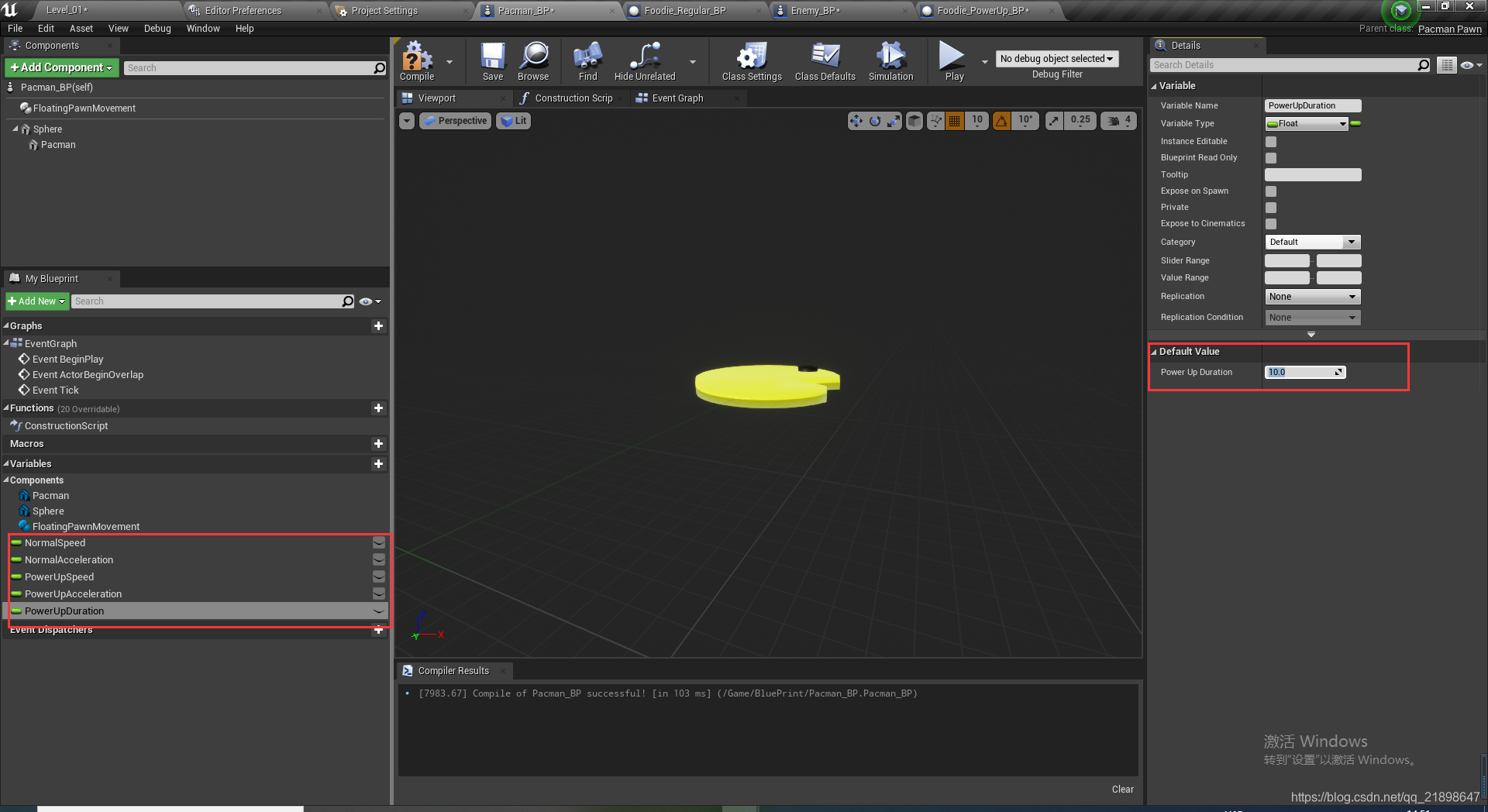
添加变量并分别设置速度大小
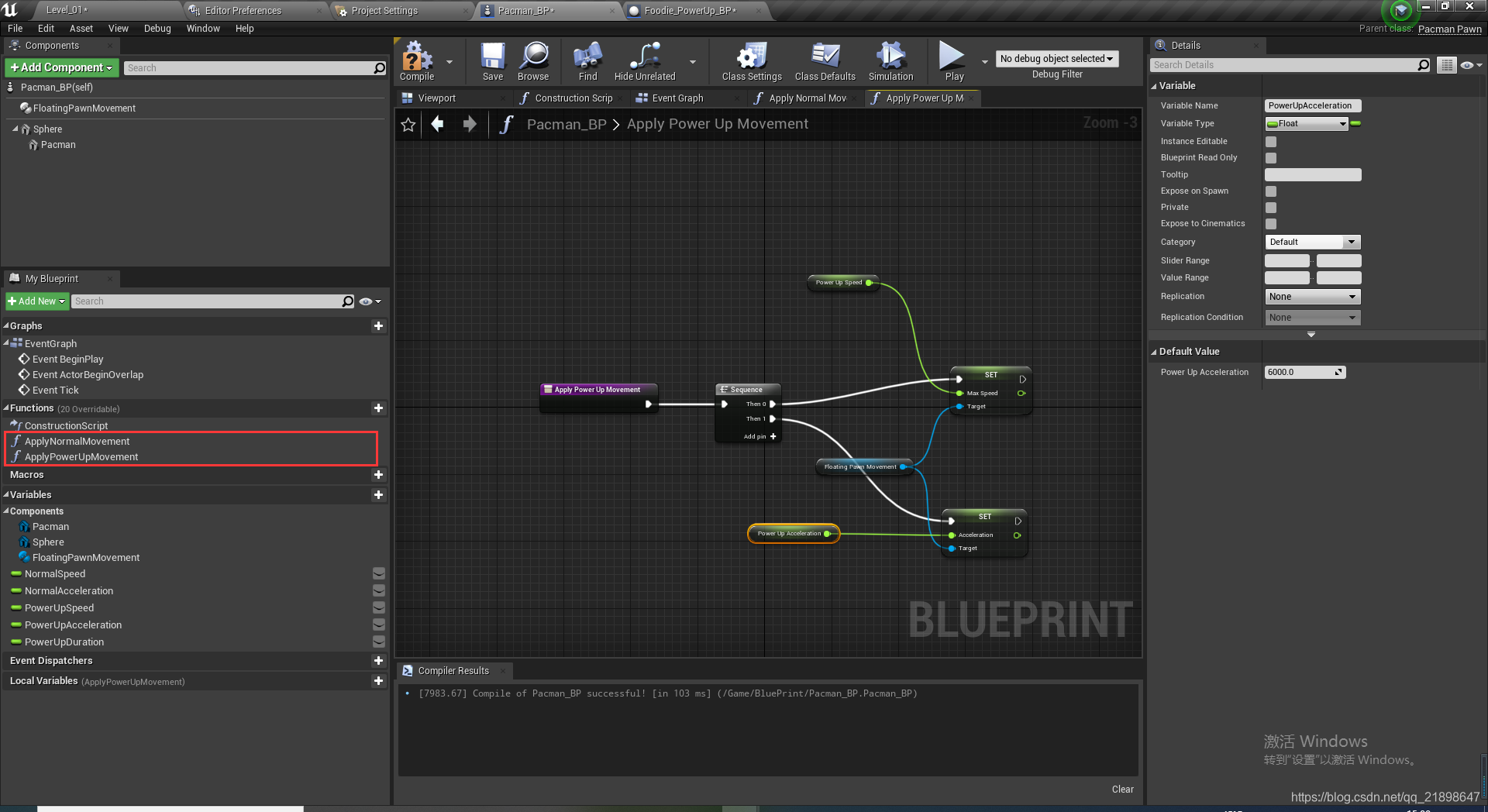
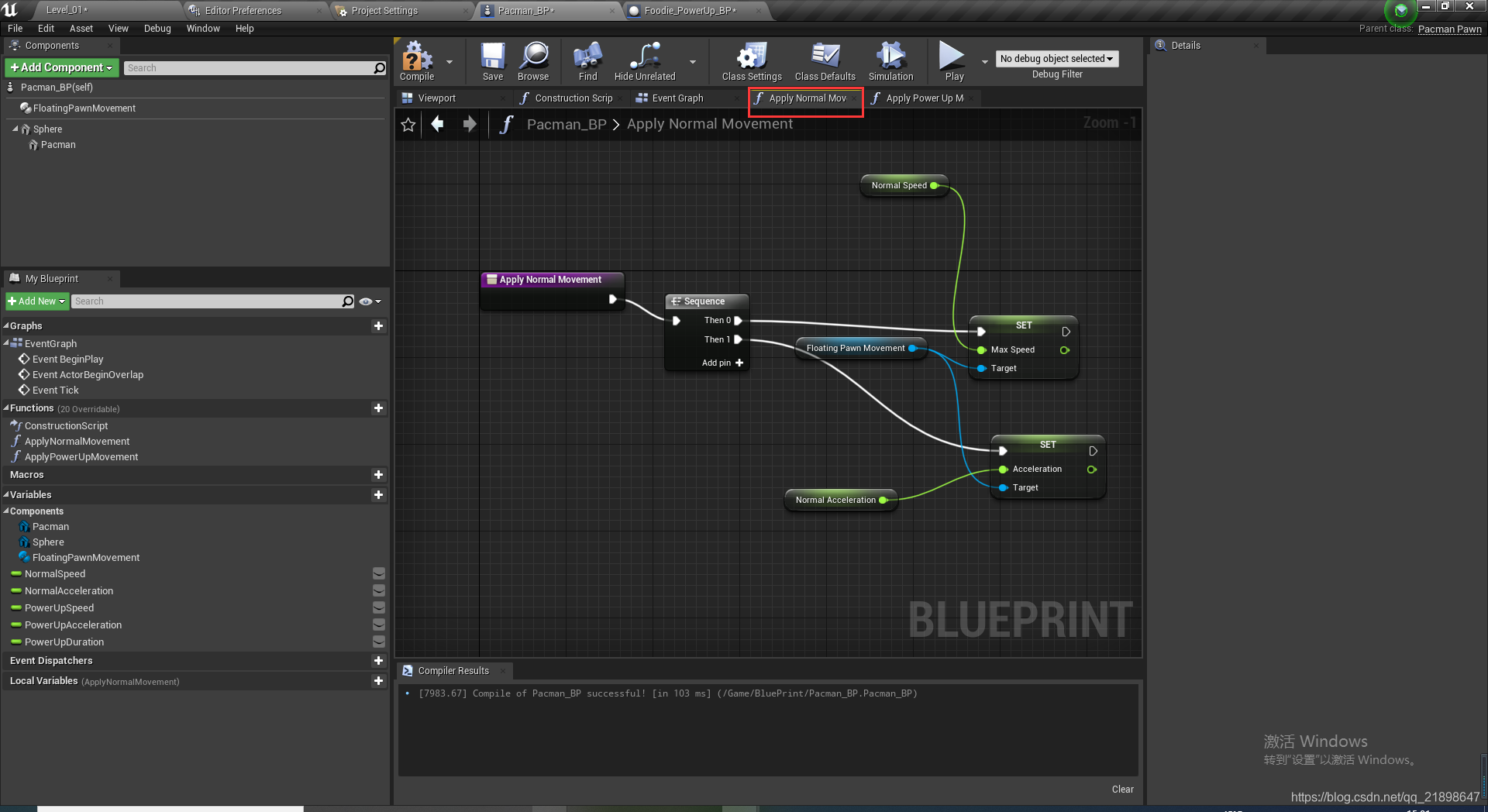
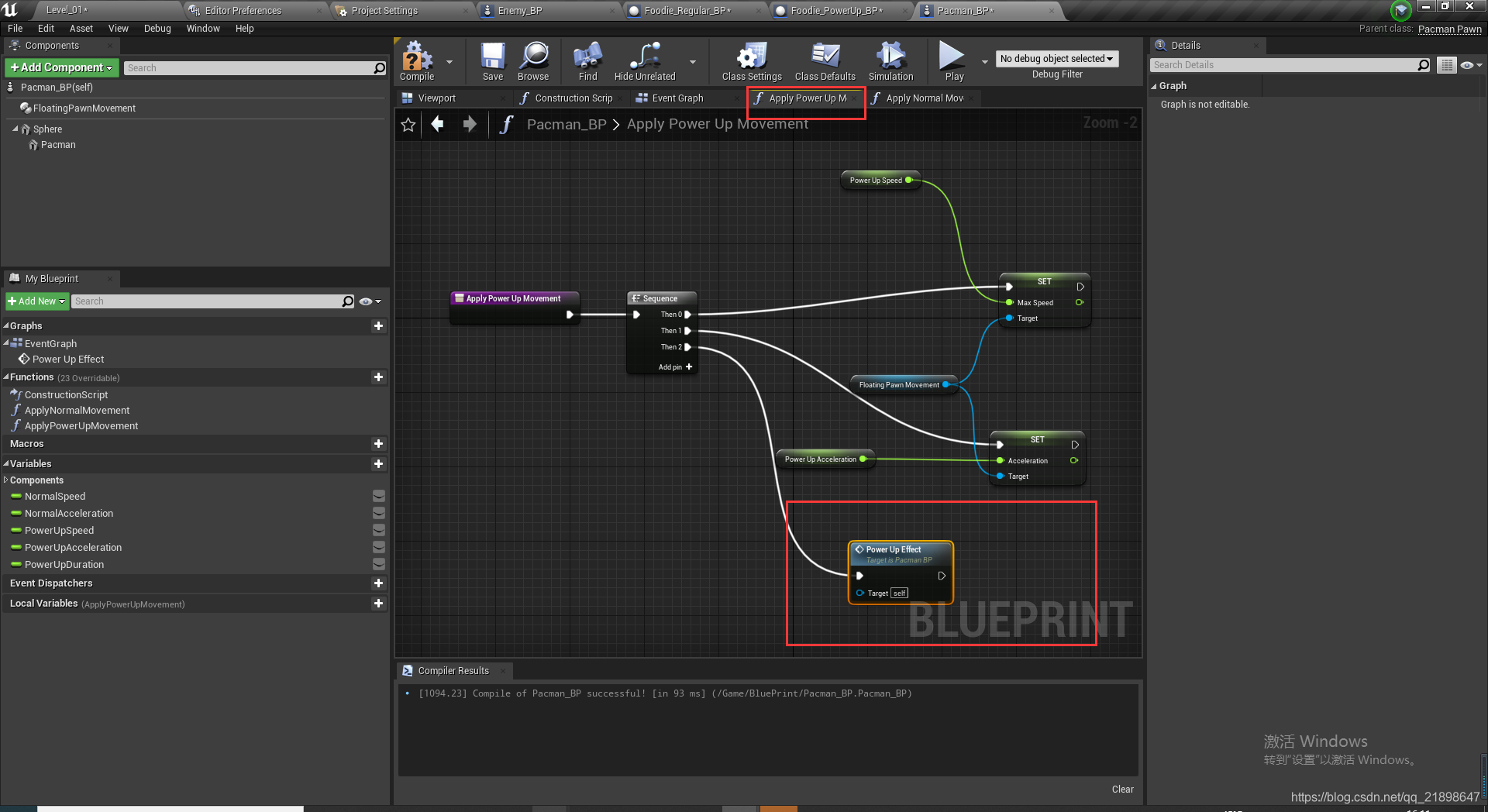
添加设置速度函数并实现:
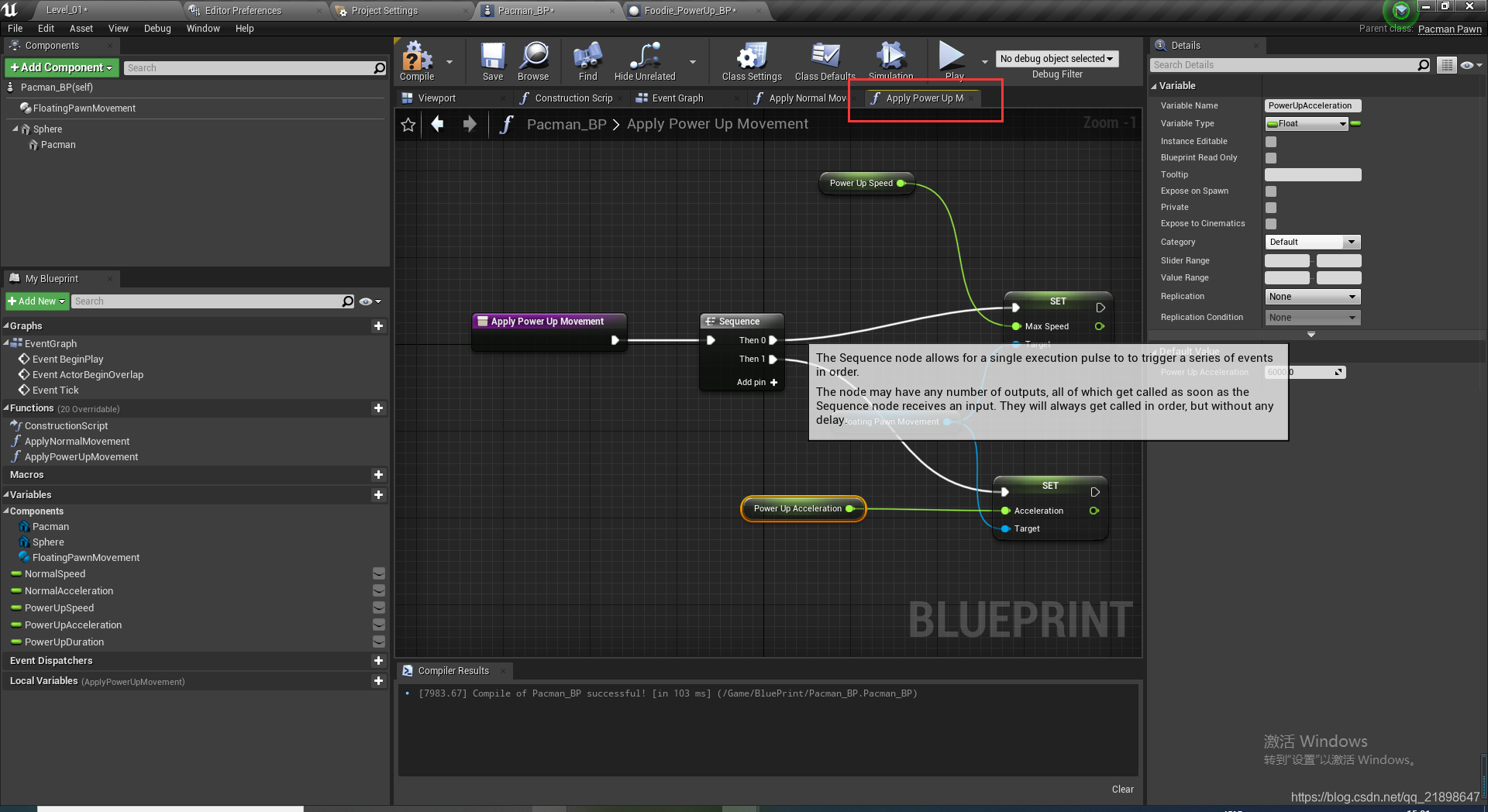
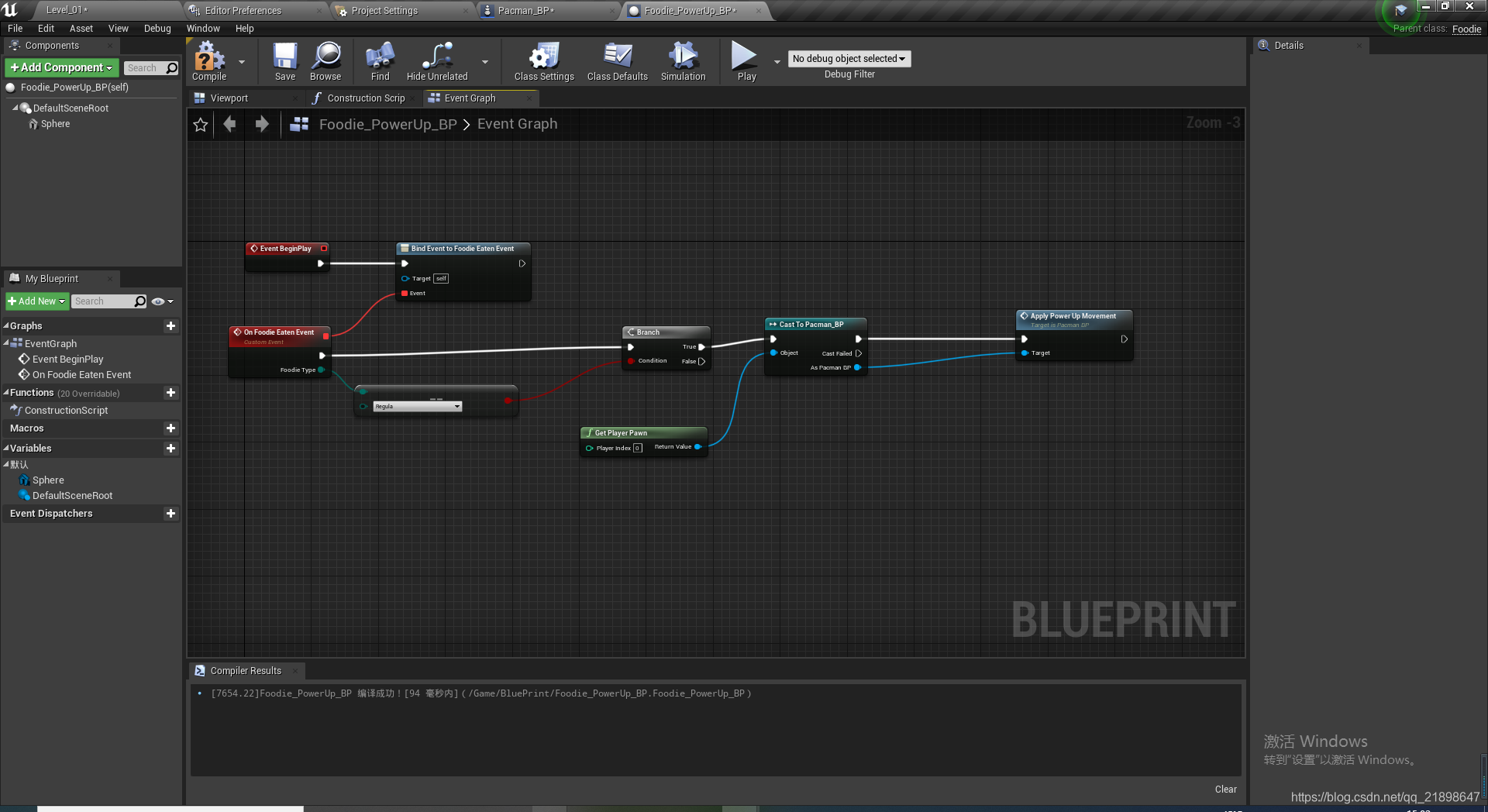
实现Eaten函数
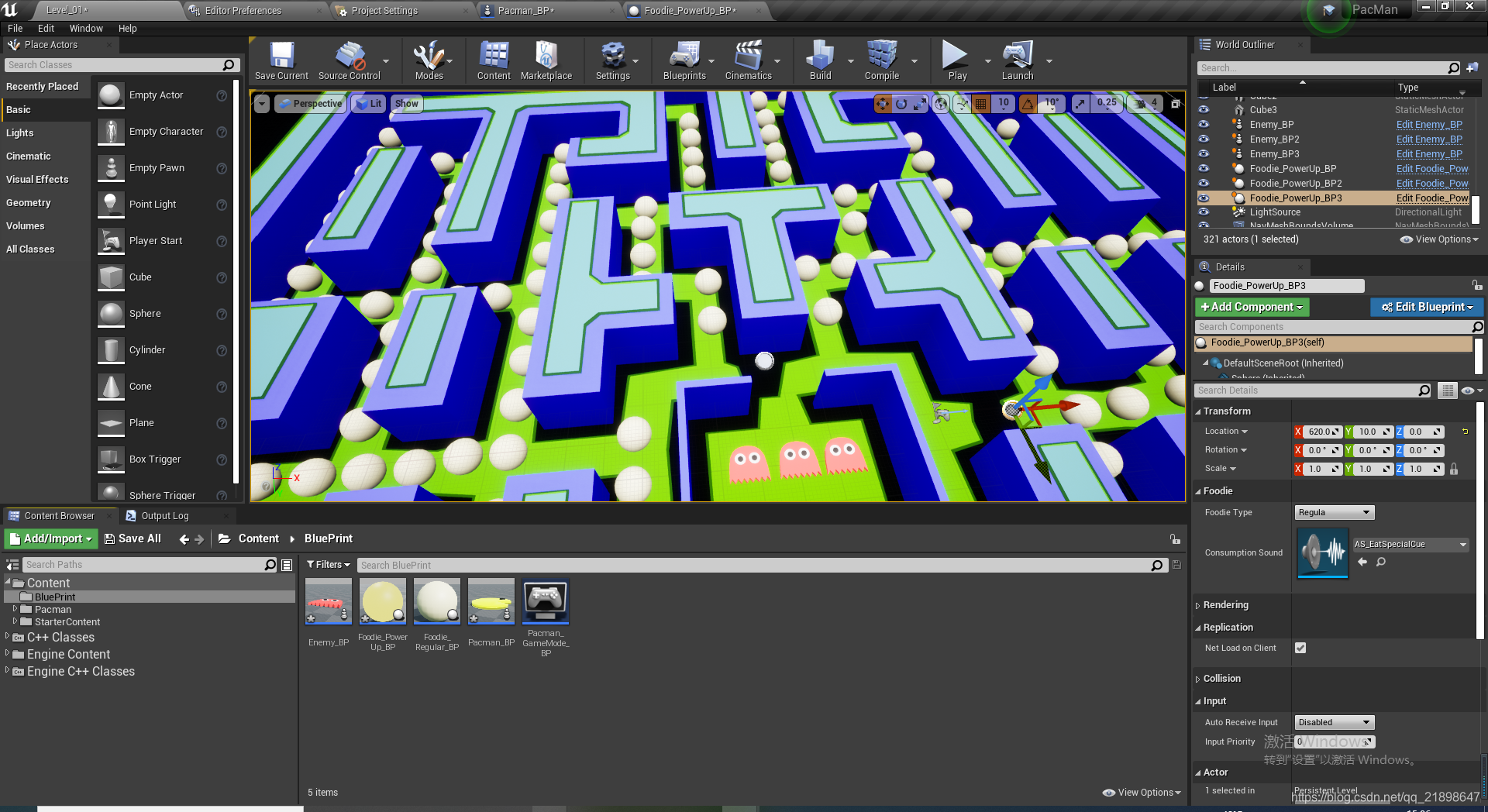
添加到地图中
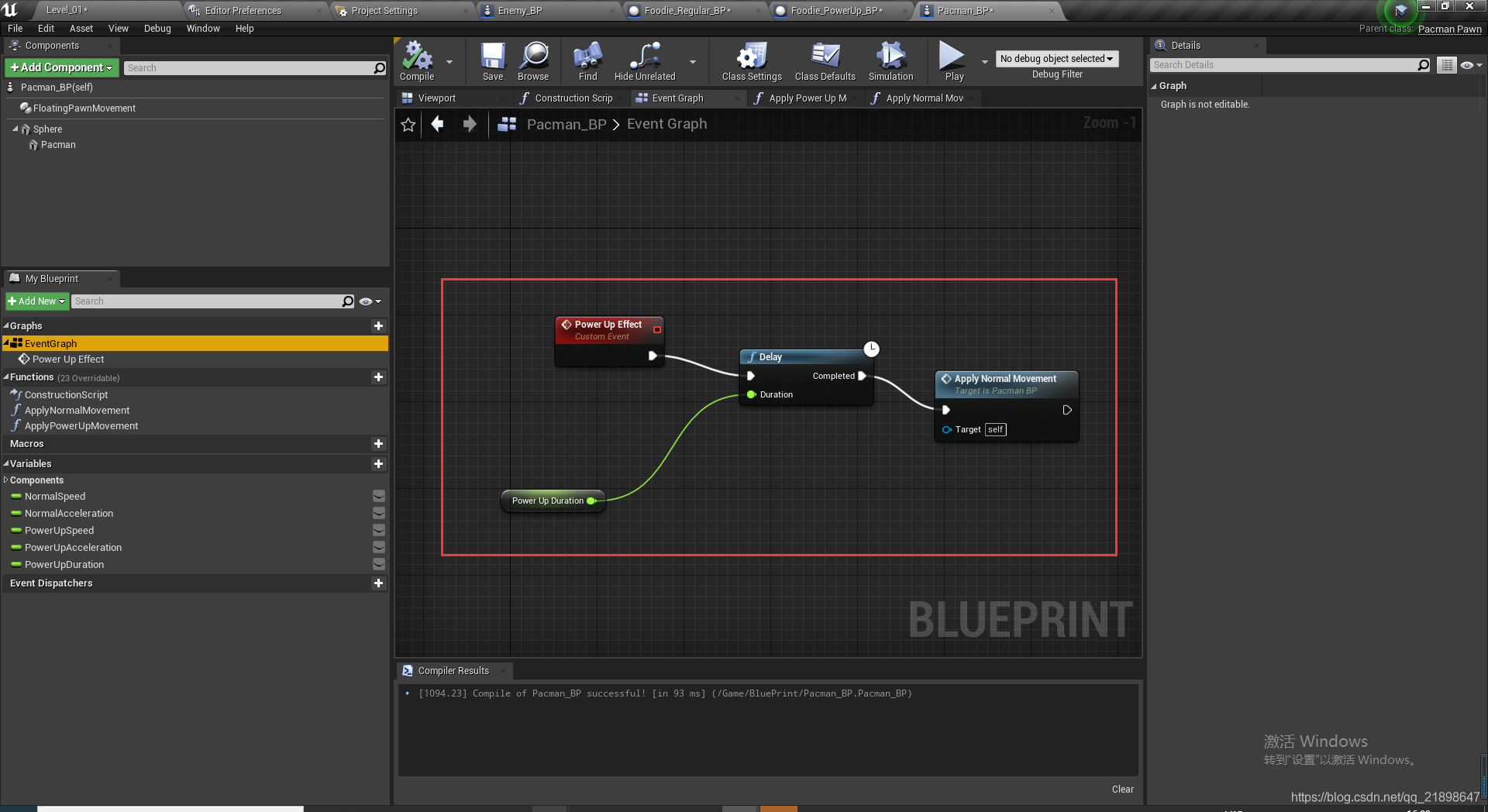
设置生效时间:
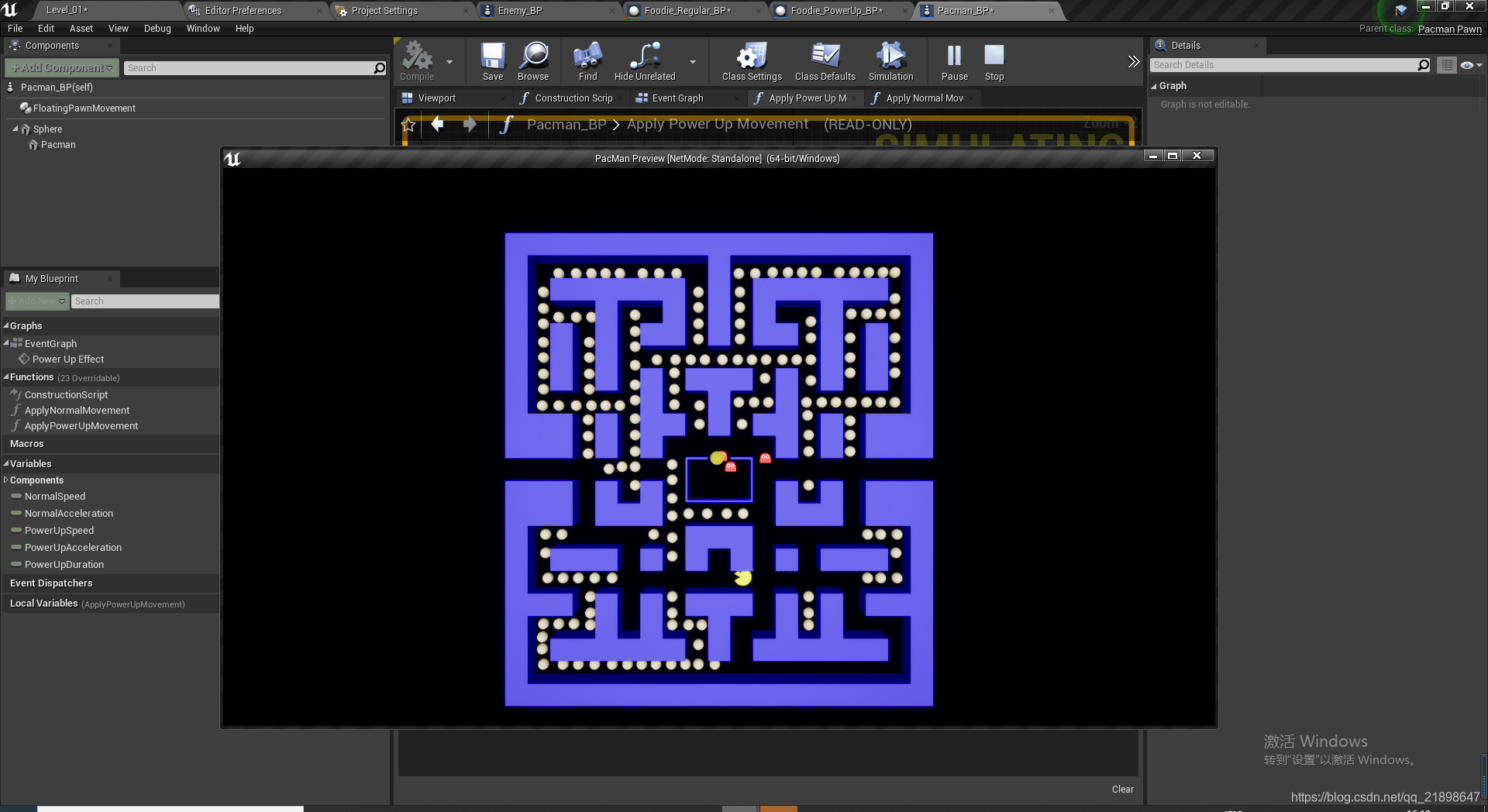
运行截图
完善功能,添加瞬移功能
添加基类为Actor的C++类,并取名为TeleporterActor
TeleporterActor.h
// Fill out your copyright notice in the Description page of Project Settings.

#pragma once

#include "CoreMinimal.h"
#include "GameFramework/Actor.h"
#include "TeleporterActor.generated.h"

class USoundCue;

UCLASS()
class PACMAN_API ATeleporterActor : public AActor
{
	GENERATED_BODY()

public:
	// Sets default values for this actor's properties
	ATeleporterActor();

protected:
	// Called when the game starts or when spawned
	virtual void BeginPlay() override;

public:
	// Called every frame
	virtual void Tick(float DeltaTime) override;

	void TeleportToTarget(AActor* Actor);

	UPROPERTY(EditAnywhere)
		ATeleporterActor* Target = nullptr;

	UPROPERTY(EditAnywhere)
		USoundCue* TeleportSound;

	UFUNCTION()
		void OnOverlapBegin(AActor* TeleporterActor, AActor* OtherActor);

};
TeleporterActor.cpp
// Fill out your copyright notice in the Description page of Project Settings.
#include "TeleporterActor.h"


#include "Engine/Public/TimerManager.h"
#include "Kismet/GameplayStatics.h"
#include "Sound/SoundCue.h"
#include "Components/SceneComponent.h"

// Sets default values
ATeleporterActor::ATeleporterActor()
{
 	// Set this actor to call Tick() every frame.  You can turn this off to improve performance if you don't need it.
	PrimaryActorTick.bCanEverTick = true;

}

// Called when the game starts or when spawned
void ATeleporterActor::BeginPlay()
{
	Super::BeginPlay();

	OnActorBeginOverlap.AddDynamic(this, &ATeleporterActor::OnOverlapBegin);
}

// Called every frame
void ATeleporterActor::Tick(float DeltaTime)
{
	Super::Tick(DeltaTime);

}

void ATeleporterActor::TeleportToTarget(AActor* Actor)
{
	UE_LOG(LogTemp, Warning, TEXT("cOLLISION"));
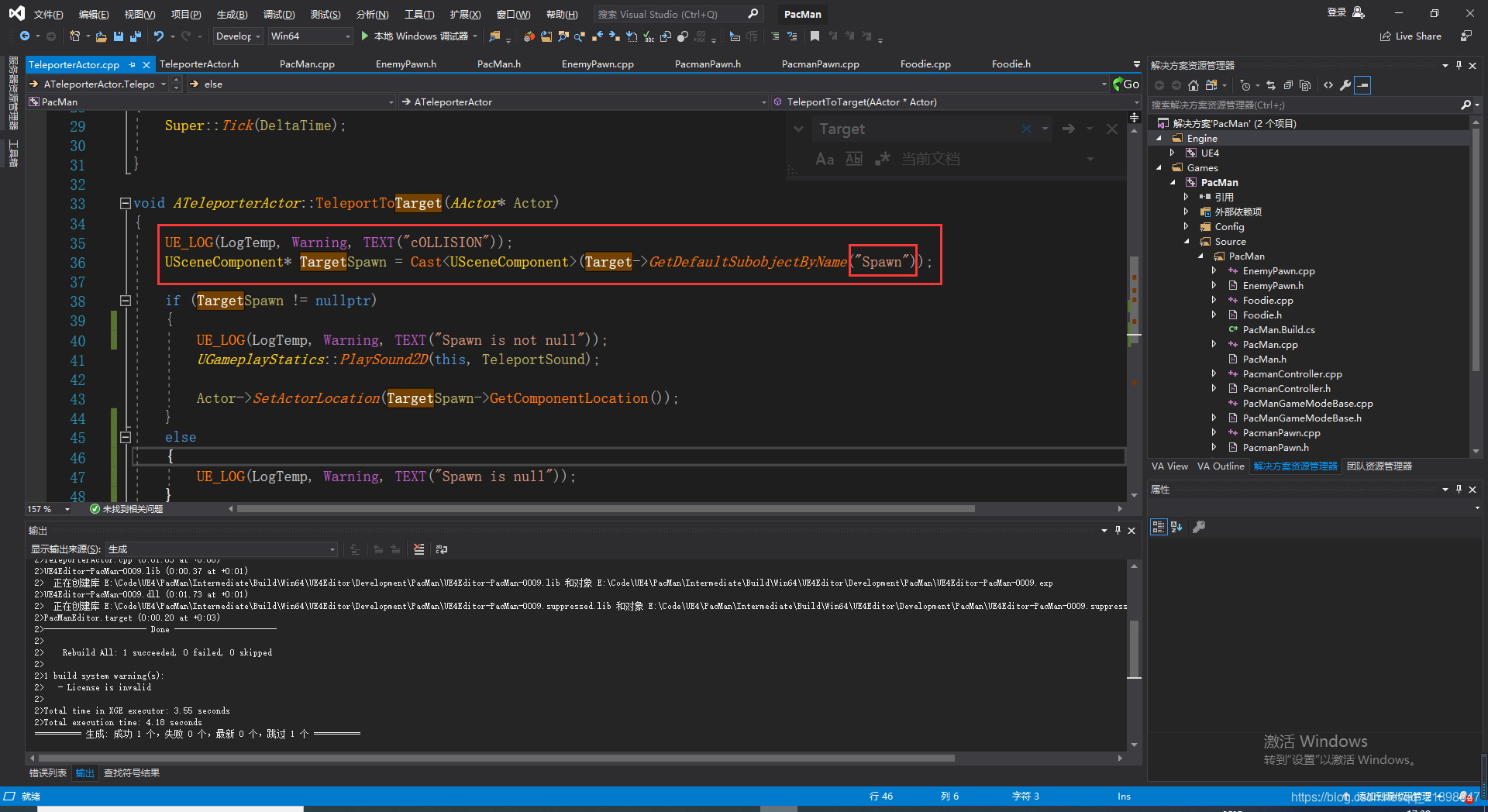
	USceneComponent* TargetSpawn = Cast<USceneComponent>(Target->GetDefaultSubobjectByName("Spawn"));

	if (TargetSpawn != nullptr)
	{
		UE_LOG(LogTemp, Warning, TEXT("Spawn is not null"));
		UGameplayStatics::PlaySound2D(this, TeleportSound);

		Actor->SetActorLocation(TargetSpawn->GetComponentLocation());
	}
	else
	{
		UE_LOG(LogTemp, Warning, TEXT("Spawn is null"));
	}

}

void ATeleporterActor::OnOverlapBegin(AActor* TeleporterActor, AActor* OtherActor)
{
	if (OtherActor->ActorHasTag("Pacman"))
	{
		//下一帧调用
		GetWorldTimerManager().SetTimerForNextTick([OtherActor, this]() {TeleportToTarget(OtherActor); });
	}
}
添加该类的蓝图类
做如下设置:
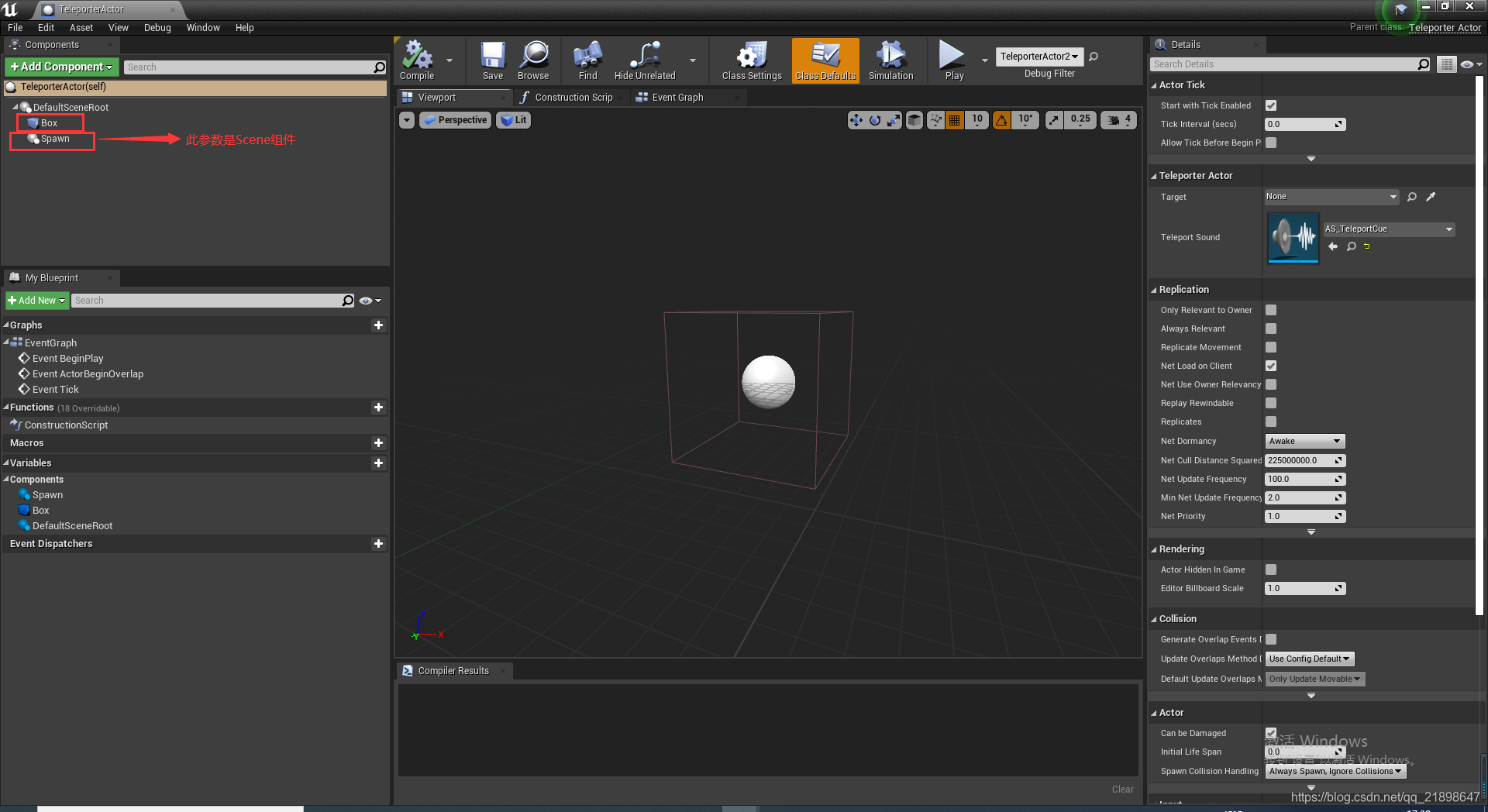
改名之后这里就可以得到这个组件:
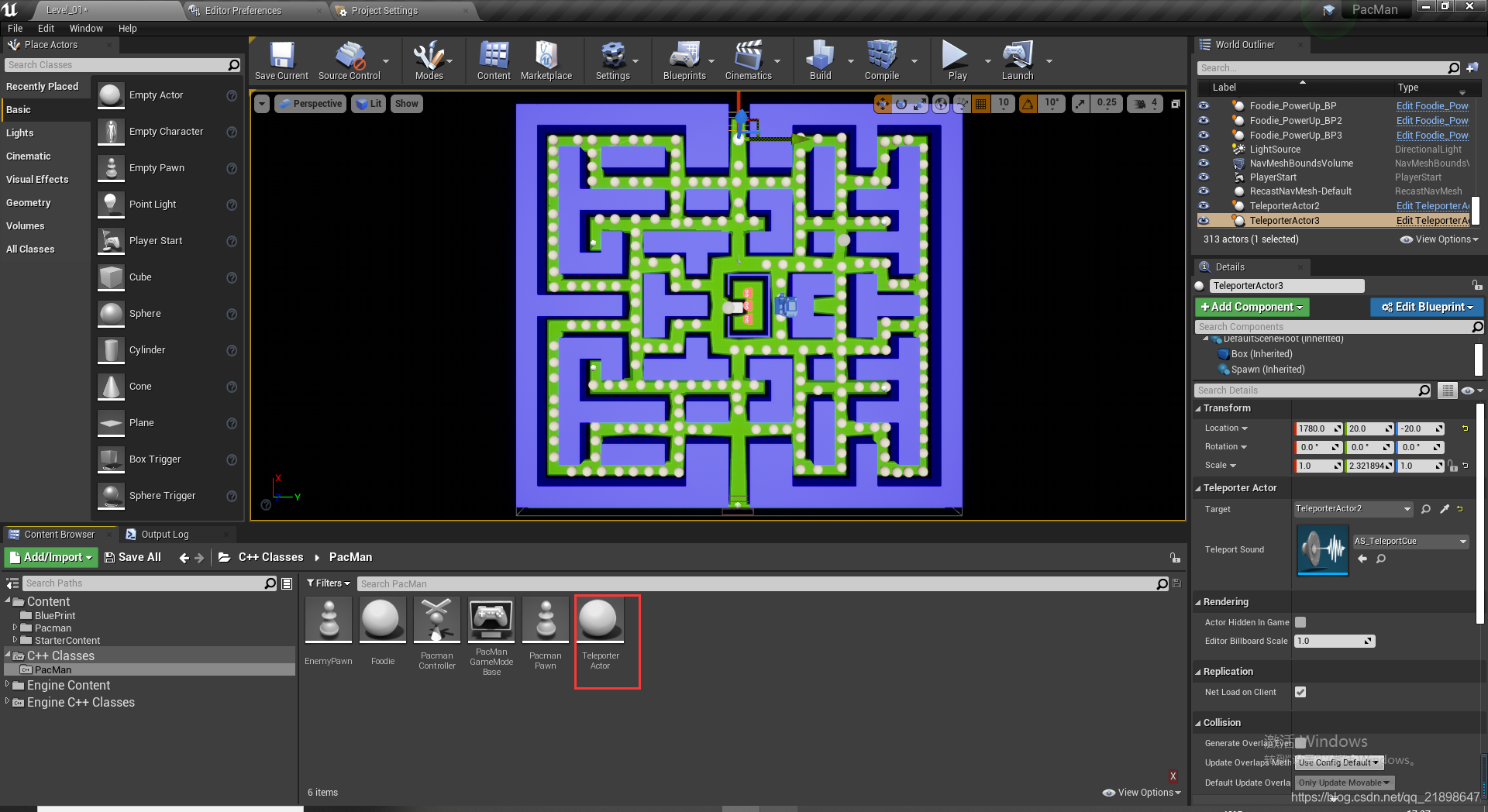
放入关卡中,并设置Target:
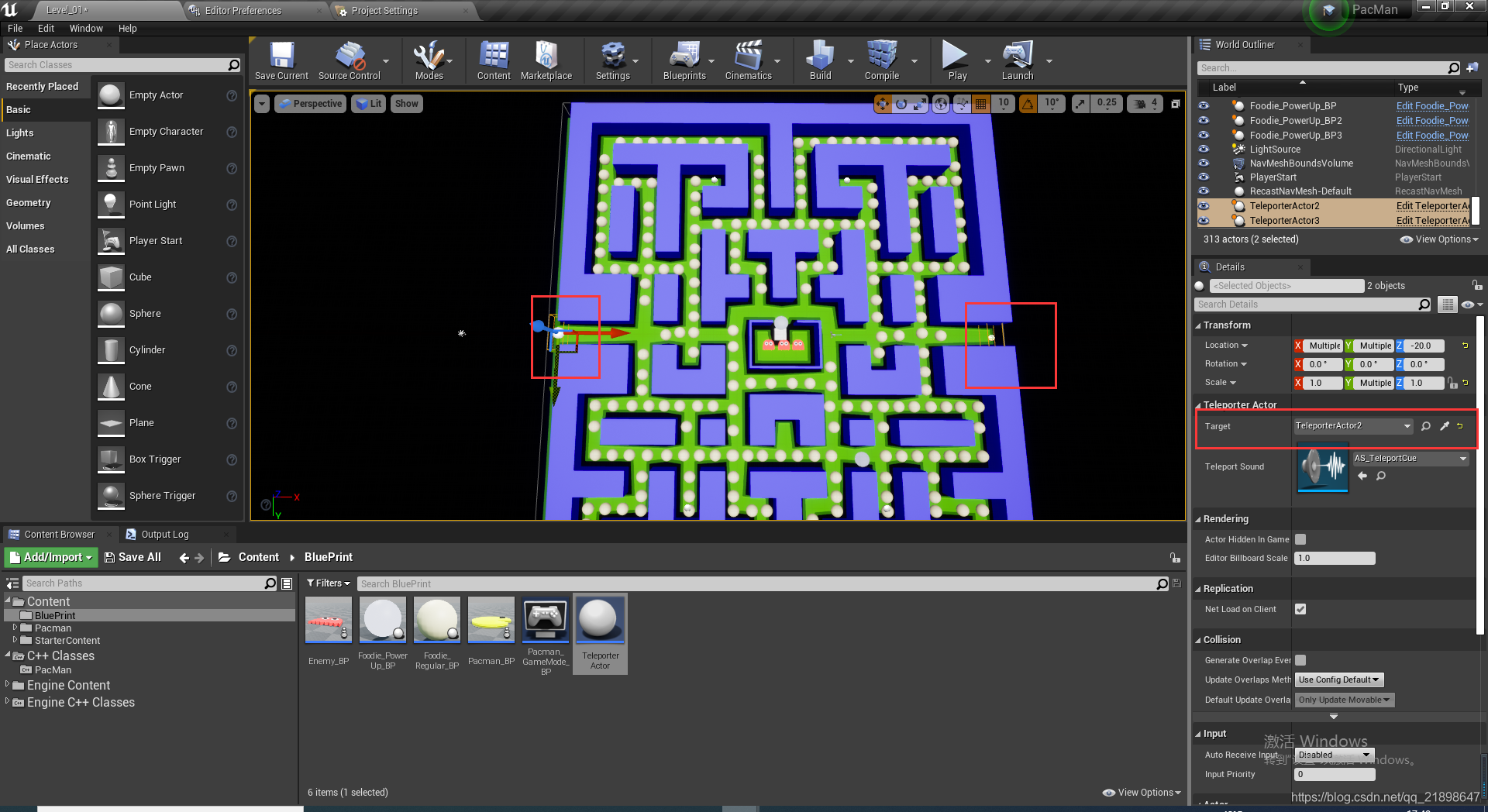
游戏已经完成,在以上两个位置可以实现穿越的功能。





 扫一扫
扫一扫


 1583
1583

 被折叠的 条评论
为什么被折叠?
被折叠的 条评论
为什么被折叠?
 到【灌水乐园】发言





