



 本文详细介绍了如何在VS2017环境下,使用QT5.11和QGLViewer2.7.1进行OpenGL绘图。从项目创建、配置到图像绘制全过程,包括解决XML模块缺失问题及实现螺旋图案绘制。
环境:vs2017 + qt5.11 + QGLViewer2.7.1
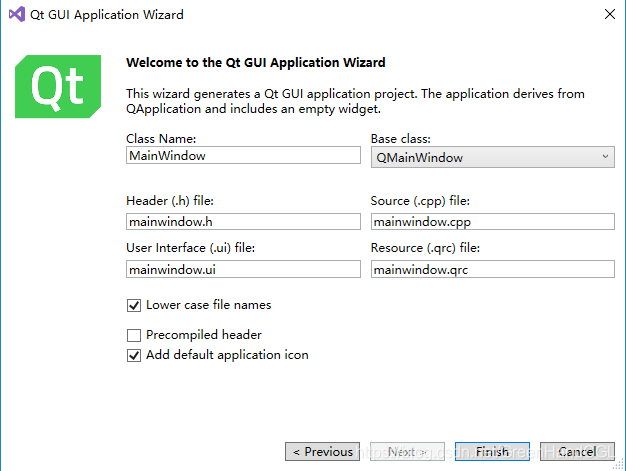
1、新建QtGUIApplication
新建一个QtGUIApplication(勾上opengl或者自己配置opengl32.lib,glu32.lib)
2、 配置QGLViewer
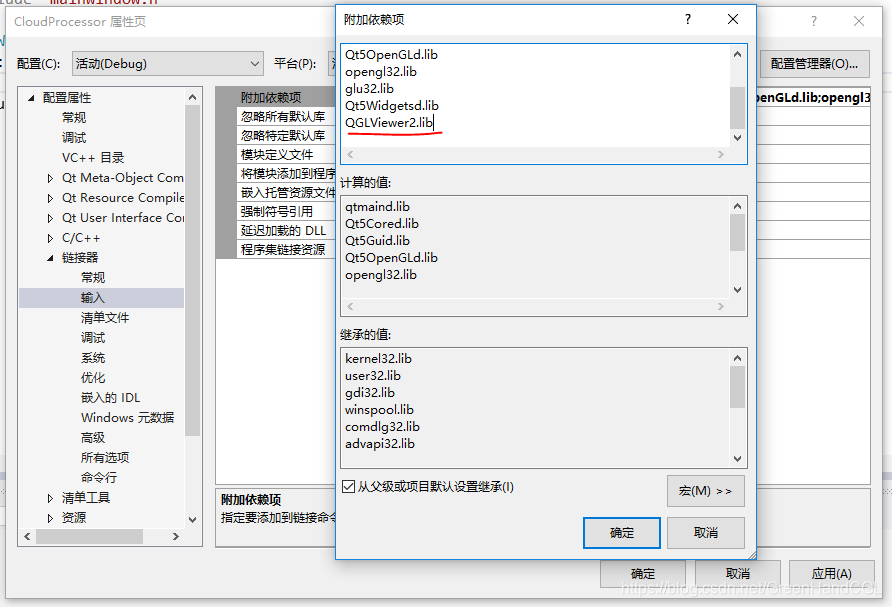
配置QGLViewer(包含目录、库目录、附加依赖项)
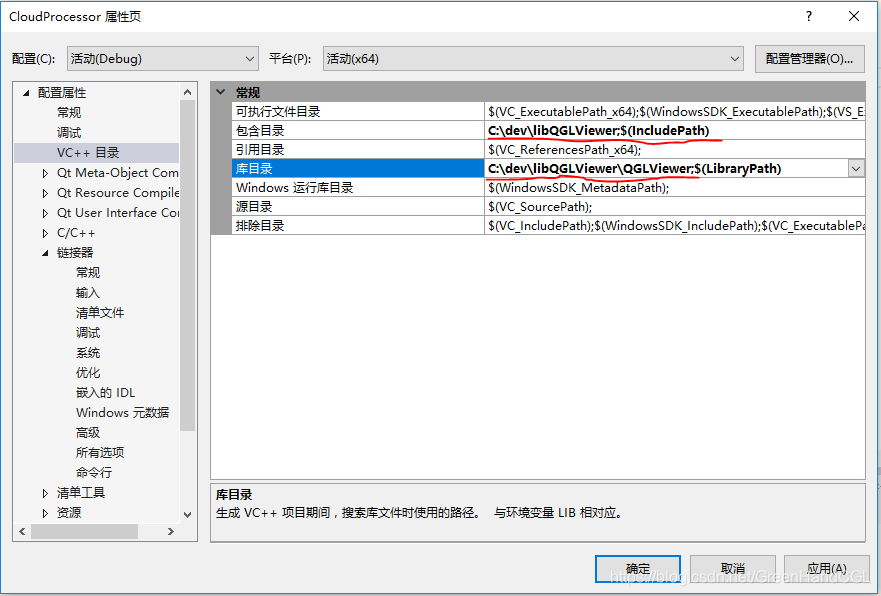
release模式QGLViewer2.lib(release模式QGLViewerd2.lib)
3、加入QGLViewer窗口
ui文件(Form Files/mainwindow.ui)
文件中填上头文件,运行报错

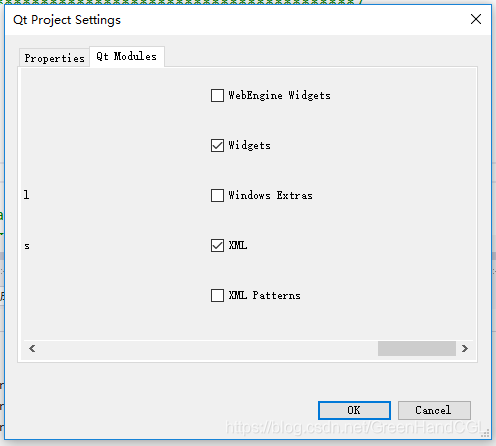
缺少XML module,Qt Project Settings->Qt Modules
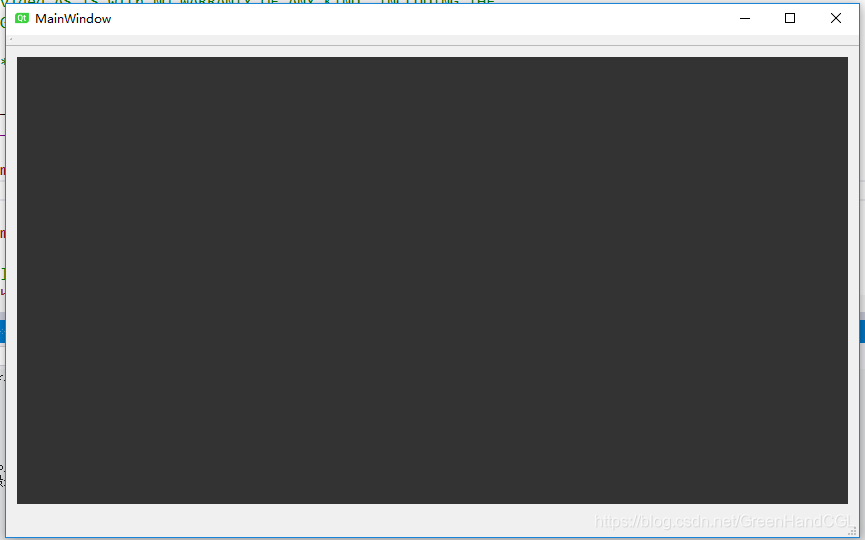
ok,跑起来了
4、绘制图像
头文件mainwindow.h中添加:
protected Q_SLOTS:
	void draw();
mainwindow.cpp文件中添加:
void MainWindow::draw() {
	//官方图像镇楼
	// Draws a spiral
	const float nbSteps = 200.0;
	glBegin(GL_QUAD_STRIP);
	for (float i = 0; i < nbSteps; ++i) {
		float ratio = i / nbSteps;
		float angle = 21.0 * ratio;
		float c = cos(angle);
		float s = sin(angle);
		float r1 = 1.0 - 0.8 * ratio;
		float r2 = 0.8 - 0.8 * ratio;
		float alt = ratio - 0.5;
		const float nor = .5;
		const float up = sqrt(1.0 - nor * nor);
		glColor3f(1.0 - ratio, 0.2f, ratio);
		glNormal3f(nor * c, up, nor * s);
		glVertex3f(r1 * c, alt, r1 * s);
		glVertex3f(r2 * c, alt + 0.05, r2 * s);
	}
	glEnd();
}
初始化时连接viewer和draw函数:
MainWindow::MainWindow(QWidget *parent)
	: QMainWindow(parent)
{
	ui.setupUi(this);
	connect(ui.viewer, SIGNAL(drawNeeded()), this, SLOT(draw()));
}
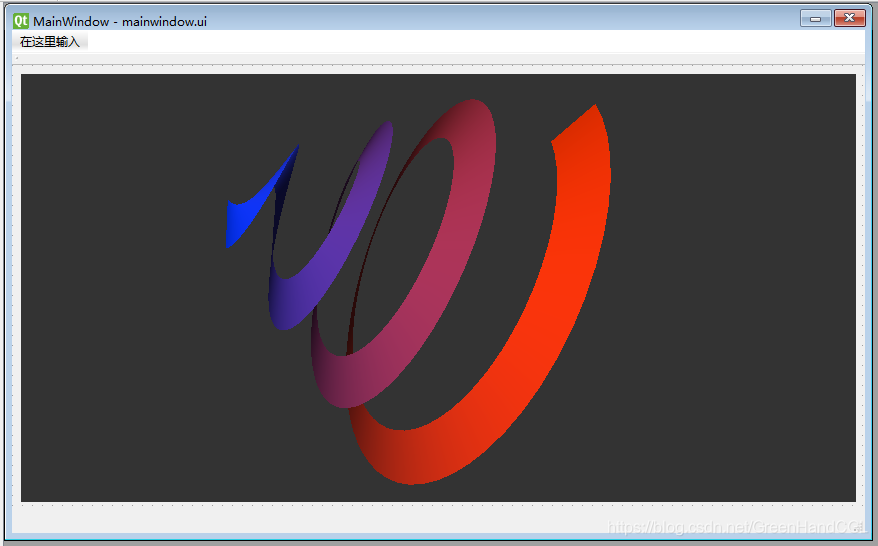
运行(官方图镇楼)
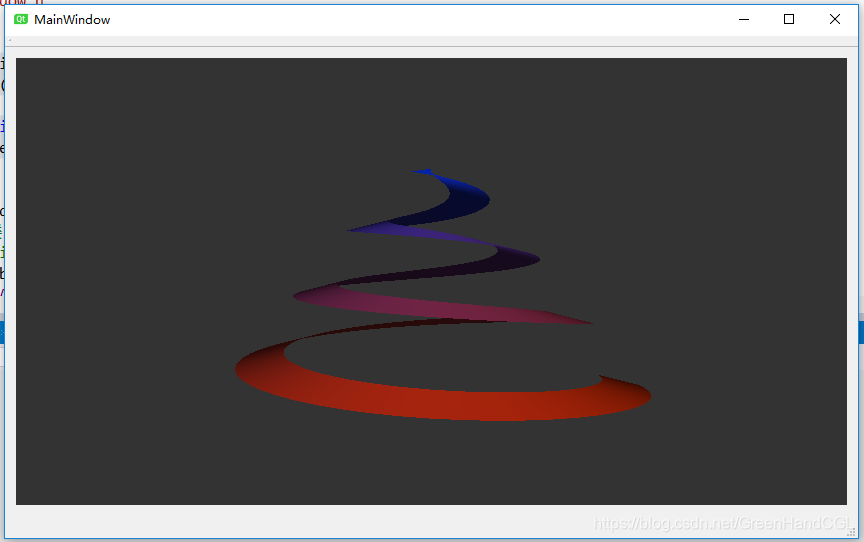
源码:





 扫一扫
扫一扫


 5964
5964

 被折叠的 条评论
为什么被折叠?
被折叠的 条评论
为什么被折叠?
 到【灌水乐园】发言





