 Egret粒子系统教程



 本文详细介绍如何在Egret引擎中使用粒子系统,包括下载并导入第三方粒子库,使用Feather软件生成粒子,以及通过实例展示如何在项目中添加和控制粒子效果。
引擎:5.2.28
一、下载第egret粒子三方库文件
https://github.com/egret-labs/egret-game-library
二、网络不好github无法下载时可使用码云克隆gibhub仓库
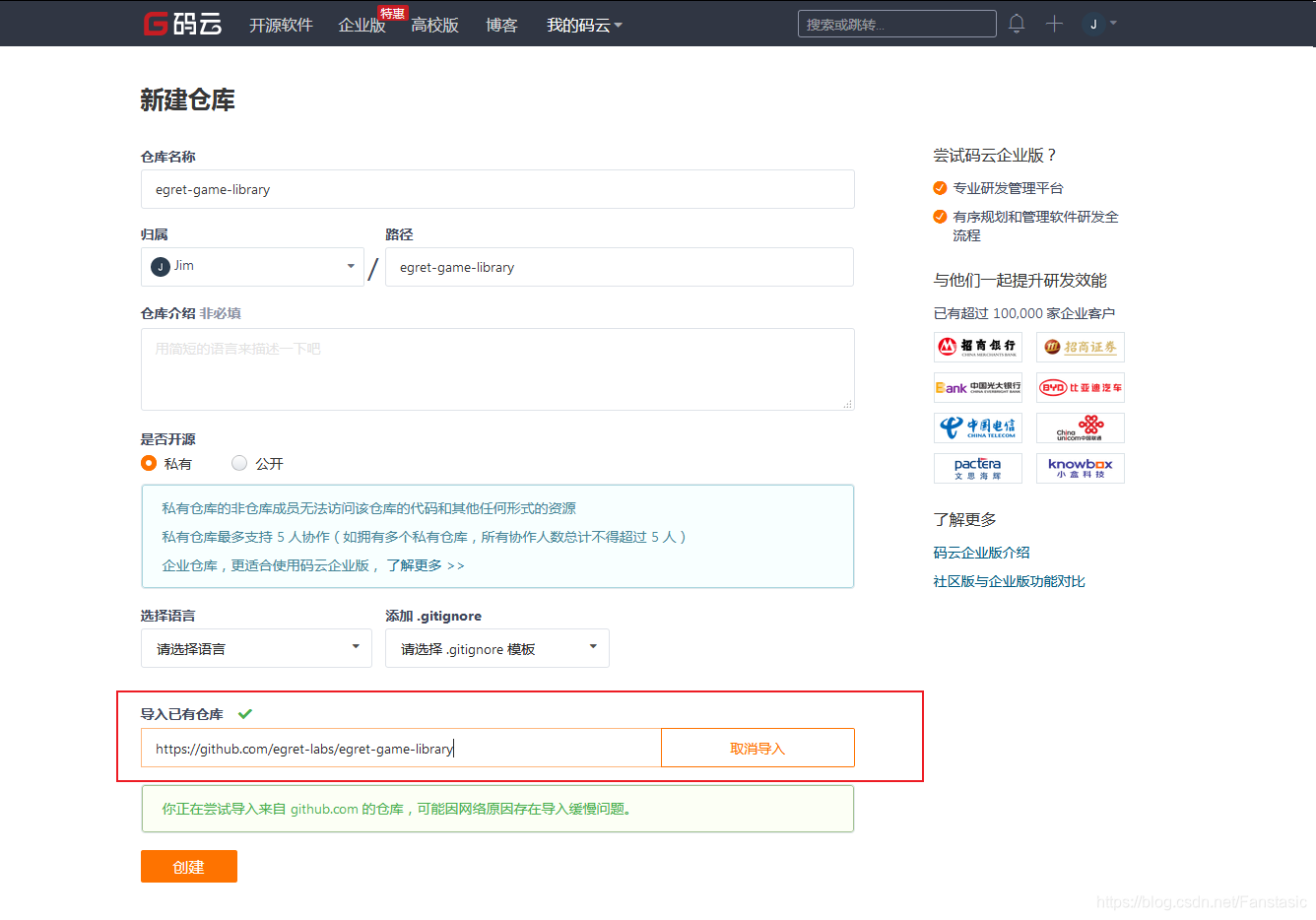
三、导入第三方粒子库
把下载好的demo文件中的粒子文件夹复制到自己项目的libs目录下
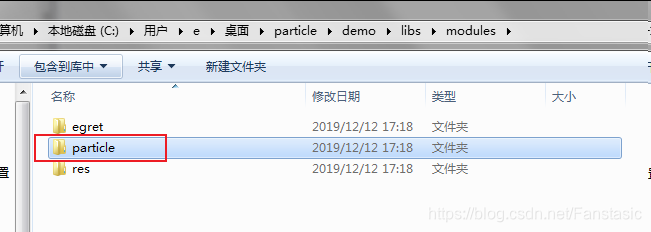
(注意:不要复制到自己项目的model中)
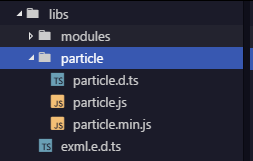
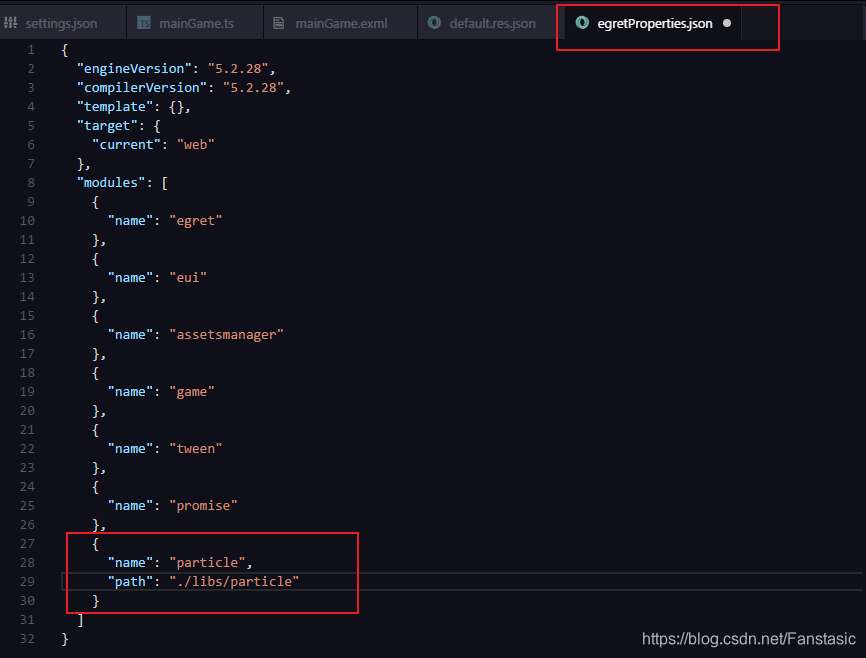
在egretProperties.json中加入粒子库的路径和名称
四、使用egret的Feather软件生成粒子
五、实例
		private particleTest() {
			var texture = RES.getRes("newParticle_png");
			var config = RES.getRes("newParticle_json");
			this.system = new particle.GravityParticleSystem(texture, config);
			this.addChild(this.system);
			this.system.start();
			this.system.y = 400;
			this.system.x = 300;
			var angle: number = 0;
			egret.startTick(function (timeStamp: number): boolean {
				angle += -2;
				this.system.emitterX = Math.sin(angle * Math.PI / 180) * 200;
				this.system.emitterY = Math.cos(angle * Math.PI / 180) * 200 / 2;
				return false;
			}, this);
		}





 扫一扫
扫一扫


 1202
1202

 被折叠的 条评论
为什么被折叠?
被折叠的 条评论
为什么被折叠?
 到【灌水乐园】发言





