


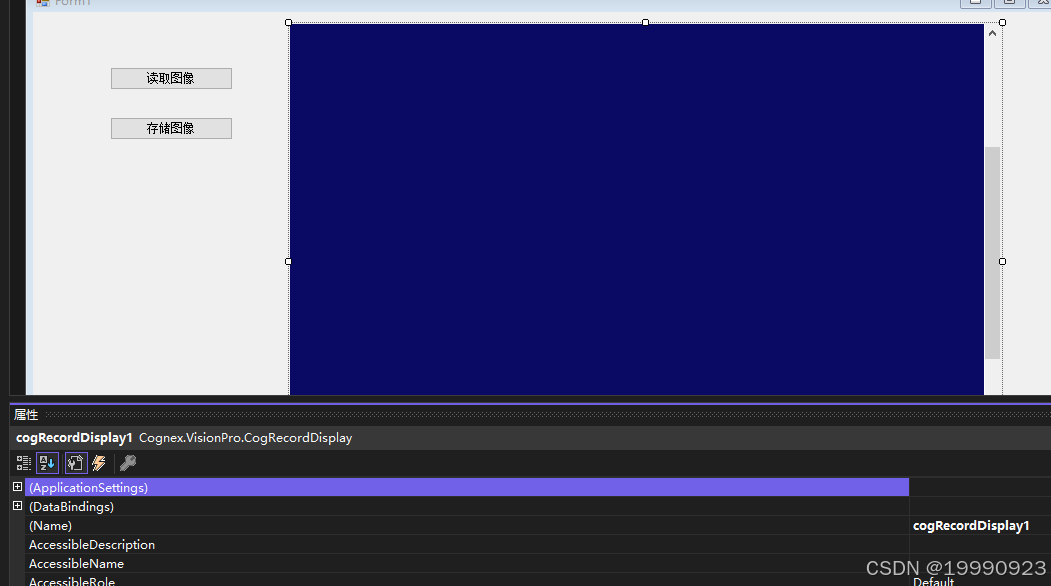
using Cognex.VisionPro.ImageFile;
using System;
using System.Collections.Generic;
using System.ComponentModel;
using System.Data;
using System.Drawing;
using System.IO;
using System.Linq;
using System.Text;
using System.Threading.Tasks;
using System.Windows.Forms;

namespace _2图片保存和读取
{
    public partial class Form1 : Form
    {
        public Form1()
        {
            InitializeComponent();
        }

        //读取
        //采用CogImageFileTool工具读取
        CogImageFileTool  fileTool = new CogImageFileTool();
        private void button1_Click(object sender, EventArgs e)
        {
            OpenFileDialog ofd = new OpenFileDialog();//打开文件对话框
            //设置过滤条件
            ofd.Filter = "All Image Files|*.bmp;*.ico;*.gif;*.jpeg;*.jpg;*.png;*.tif;*.tiff;*.idb|Windows Bitmap(*.bmp)|*.bmp|Windows Icon(*.ico)|*.ico|Graphics Interchange Format (*.gif)|(*.gif)|JPEG File Interchange Format (*.jpg)|*.jpg;*.jpeg|Portable Network Graphics (*.png)|*.png|Tag Image File Format (*.tif)|*.tif;*.tiff|Image DataBase (*.idb)|*.idb;";
            //设置弹框的标题
            ofd.Title = "选择图像";
            if(ofd.ShowDialog()==DialogResult.OK)// 点击了确定键
            {
                //Open() 打开一个路径上的资源
                //参数1 文件路径
                //参数2 资源以读取的形式进行操作
                //1 添加输入图
                fileTool.Operator.Open(ofd.FileName, CogImageFileModeConstants.Read);

                //2 运行工具
                fileTool.Run();

                //3 获取CogImageFileTool输出图   fileTool.OutputImage
                cogRecordDisplay1.Image = fileTool.OutputImage;

                //4 设置图片自适应
                cogRecordDisplay1.Fit();// 自适应大小
            }
        }

        //存储 采用CogImageFileTool工具存储
        private void button2_Click(object sender, EventArgs e)
        {
            string fileName = Directory.GetCurrentDirectory() + @"\image"; //文件路径
            if(!Directory.Exists(fileName)) // 是否有这个路径
            {
                Directory.CreateDirectory(fileName); // 创建image文件夹
            }
            string fileName1 = $"{fileName}\\{DateTime.Now.ToString("HH-mm-ss")}.png";
            //创建CogImageFileTool
            CogImageFileTool fileTool1 = new CogImageFileTool();
            fileTool1.InputImage = cogRecordDisplay1.Image; //把控件显示的图片作为CogImageFileTool输入图
            fileTool1.Operator.Open(fileName1, CogImageFileModeConstants.Write);// 写入CogImageFileTool工具里面
            // 运行工具
            fileTool1.Run();
        }
    }
}






 扫一扫
扫一扫


 被折叠的 条评论
为什么被折叠?
被折叠的 条评论
为什么被折叠?
 到【灌水乐园】发言





