



 本文介绍了在SpringBoot项目中如何自定义静态资源目录,并解决通过http://localhost:8888/static/访问Index.html报错的问题。首先通过WebMvcConfigurer添加静态资源路径,然后添加ViewController实现直接访问。当出现Thymeleaf找不到模板的错误时,调整了Thymeleaf的prefix配置并关闭缓存,最终成功访问静态页面。
一,本次项目需要自定义一个静态目录文件,而不是在classpath下面
代码如下
@Configuration
public class MyWebMvcConfig implements WebMvcConfigurer {

    @Override
    public void addResourceHandlers(ResourceHandlerRegistry registry) {
        registry.addResourceHandler("/static/**").addResourceLocations("file:E:/demo1/page/");
    }

}
这样的话静态页面可以直接请求了

二,现在要求通过http://localhost:8888/static/可以自动访问到该Index.html
直接访问
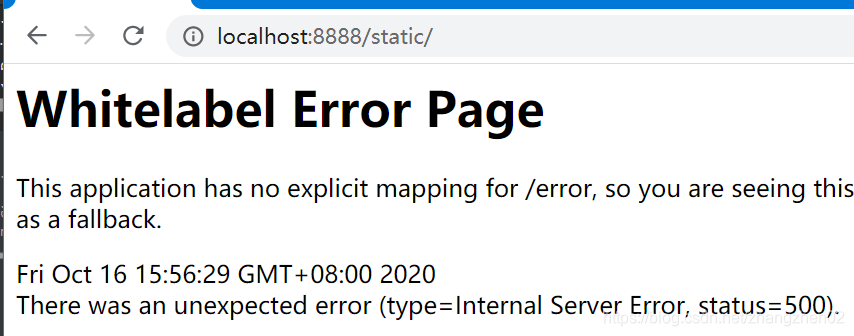
很显然是不可以的
这时需要增加一个viewController
在WebMvcConfigurer修改代码如下
@Configuration
public class MyWebMvcConfig implements WebMvcConfigurer {
    @Override
    public void addViewControllers(ViewControllerRegistry registry) {
        registry.addViewController("/static/").setViewName("file:E:/demo1/page/index.html");
    }
    @Override
    public void addResourceHandlers(ResourceHandlerRegistry registry) {
        registry.addResourceHandler("/static/**").addResourceLocations("file:E:/demo1/page/");
    }

}
理论上这样就可以请求到该页面了
试一下
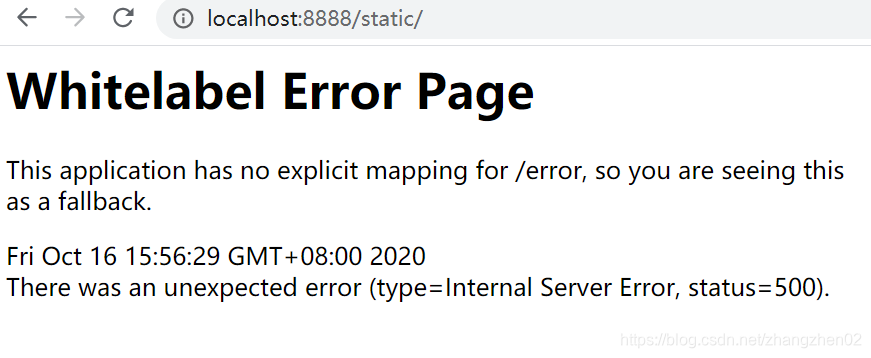
?!
看下springboot报错信息
org.thymeleaf.exceptions.TemplateInputException: Error resolving template [E:/demo1/page/index.html], template might not exist or might not be accessible by any of the configured Template Resolvers
说template找不到这个文件?可是我们的文件明明在这里啊。
追一下报错的代码:
private static TemplateResolution resolveTemplate(IEngineConfiguration configuration, String ownerTemplate, String template, Map<String, Object> templateResolutionAttributes, boolean failIfNotExists) {
        Iterator var5 = configuration.getTemplateResolvers().iterator();

        while(var5.hasNext()) {
            ITemplateResolver templateResolver = (ITemplateResolver)var5.next();
            TemplateResolution templateResolution = templateResolver.resolveTemplate(configuration, ownerTemplate, template, templateResolutionAttributes);
            if (templateResolution != null) {
                if (logger.isTraceEnabled()) {
                    logger.trace("[THYMELEAF][{}] Template resolver match! Resolver \"{}\" will resolve template \"{}\"", new Object[]{TemplateEngine.threadIndex(), templateResolver.getName(), LoggingUtils.loggifyTemplateName(template)});
                }

                return templateResolution;
            }

            if (logger.isTraceEnabled()) {
                logger.trace("[THYMELEAF][{}] Skipping template resolver \"{}\" for template \"{}\"", new Object[]{TemplateEngine.threadIndex(), templateResolver.getName(), LoggingUtils.loggifyTemplateName(template)});
            }
        }

        if (!failIfNotExists) {
            return null;
        } else {
            throw new TemplateInputException("Error resolving template [" + template + "], template might not exist or might not be accessible by any of the configured Template Resolvers");
        }
    }
debug可以看到
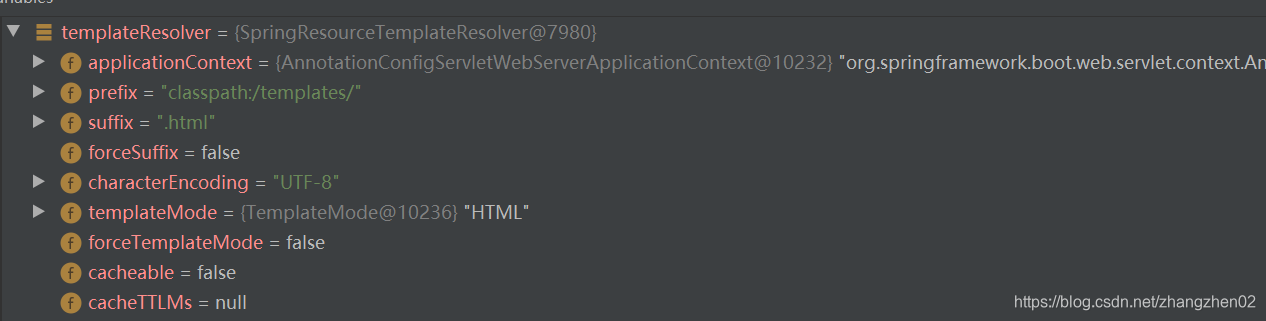
看到prefix没,默认前缀很显然不符合我们的要求
所以要在yaml中修改相应配置
  thymeleaf:
    prefix: "file:"
    cache: false
重启即可





 扫一扫
扫一扫


 21万+
21万+

 被折叠的 条评论
为什么被折叠?
被折叠的 条评论
为什么被折叠?
 到【灌水乐园】发言





