


 本文介绍了使用Hive进行微博数据分析的全过程,包括数据导入、数据库和表的创建、数据清洗、数据处理及统计分析,如用户和微博数量、设备使用情况、时间分布等,同时涉及UDF的使用和数据匹配。
内容:数据建表、数据处理、数据分析
一、数据准备工作
在进行项目实验之前,需要启动hadoop集群以及hive
具体操作步骤如下:
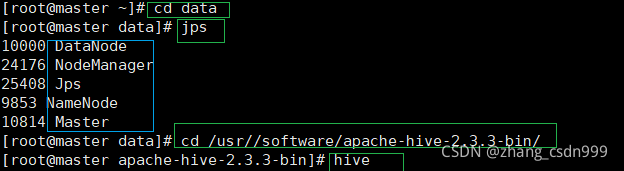
cd data——ll——jps(查看hadoop集群),
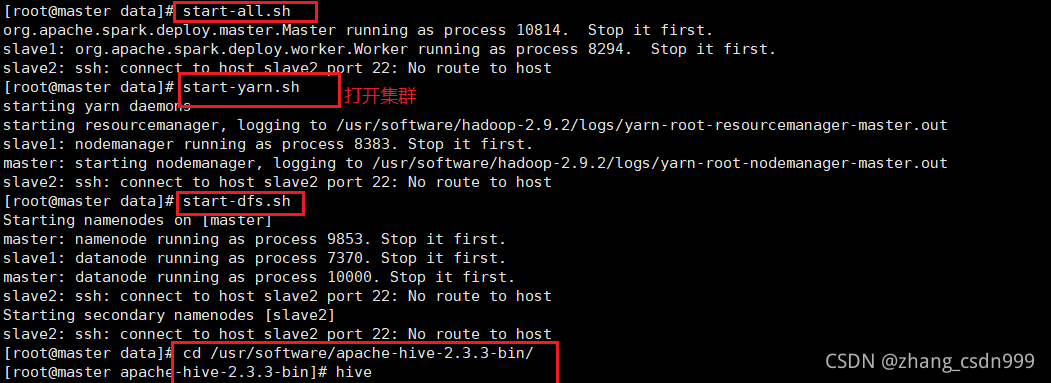
如果没有启动,操作如下步骤:
start-all.sh
start-yarn.sh
start-dfs.sh
下一步进入hive:
cd /usr/software/apache-hive-2.3.3-bin/cd /usr/software/apache-hive-2.3.3-bin/
hive
页面如下:
下一步:把项目所需数据导入虚拟机中(直接拖进去就好啦,嘿嘿)
二:创建数据库
经分析可以看出,小文件都是由138开头的文件。可以使用Linux命令,将小文件合并。
create database weibo3;
use weibo3;
三:创建表并加载数据
创建ods层表,并将json数据加载到表中
create table ods_weibo_original(data string);
load data local inpath '/root/data/weibo/weibo.json' into table ods_weibo_original;
create table ods_login_user(data string);
load data local inpath '/root/data/user/user_login_info.json' into table ods_login_user;
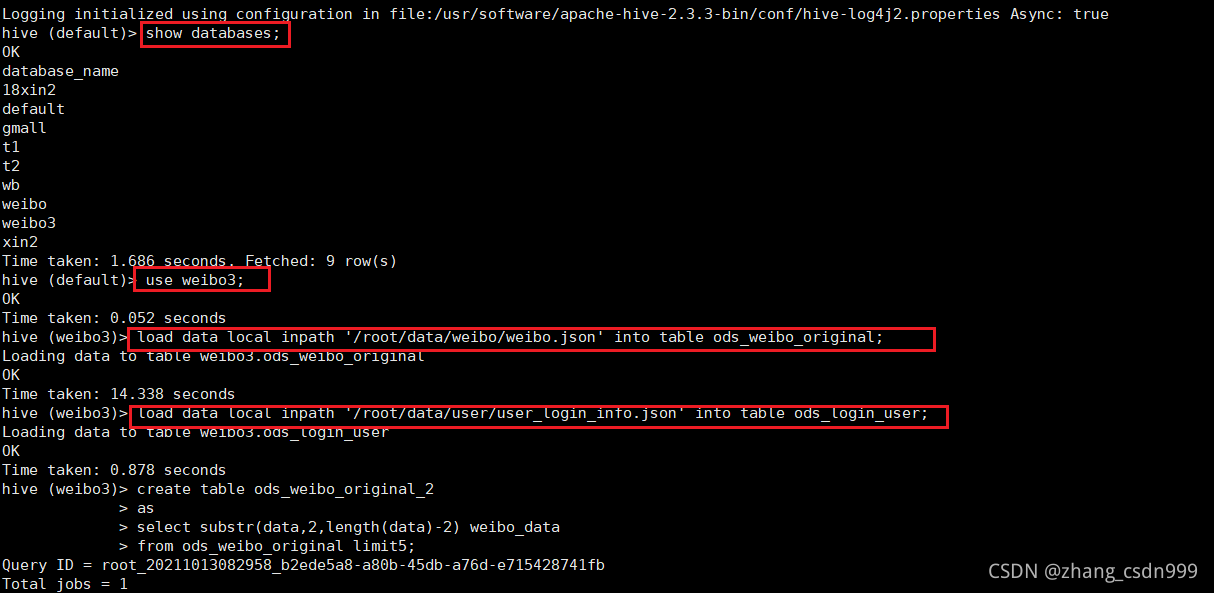
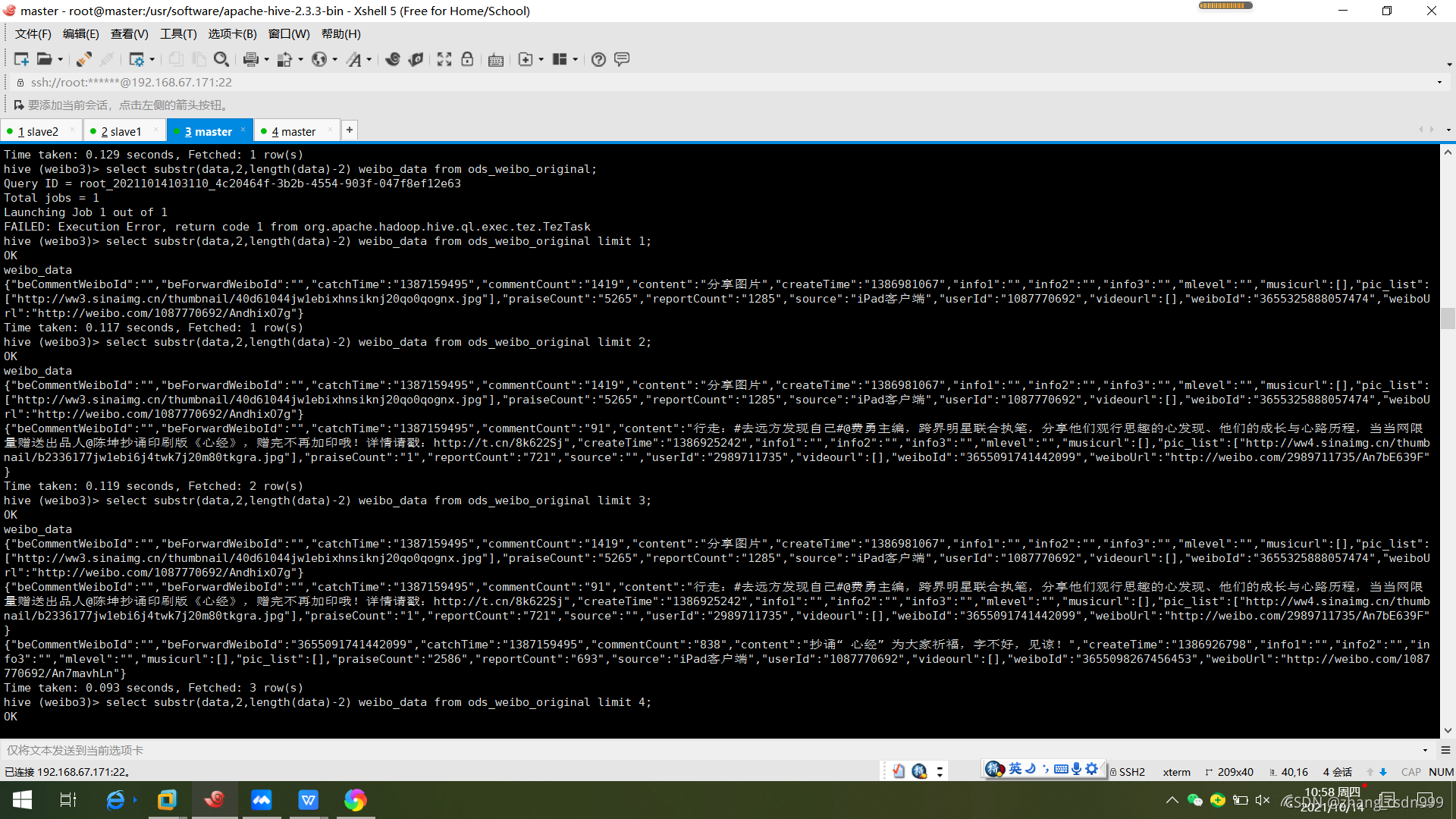
四、清洗数据:将数据中的中括号进行去除。
create table ods_weibo_original_2
as
select substr(data,2,length(data)-2) weibo_data
from ods_weibo_original;
五、数据处理
创建hive表,表中只有一个字段。
create table ods_weibo_data(data string);
上传数据。
load data local inpath "/root/data/weibo/weibo2.json" into table ods_weibo_data;
创建关于微博的表。
create table dwd_weibo_data as
select
get_json_object(data,'$.beCommentWeiboId') beCommentWeiboId,
get_json_object(data,'$.beForwardWeiboId') beForwardWeiboId,
get_json_object(data,'$.catchTime') catchTime,
get_json_object(data,'$.commentCount') commentCount,
get_json_object(data,'$.content') content,
get_json_object(data,'$.createTime') createTime,
get_json_object(data,'$.info1') info1,
get_json_object(data,'$.info2') info2,
get_json_object(data,'$.info3') info3,
get_json_object(data,'$.mlevel') mlevel,
get_json_object(data,'$.musicurl') musicurl,
get_json_object(data,'$.pic_list') pic_list,
get_json_object(data,'$.praiseCount') praiseCount,
get_json_object(data,'$.reportCount') reportCount,
get_json_object(data,'$.source') source,
get_json_object(data,'$.userId') userId,
get_json_object(data,'$.videourl') videourl,
get_json_object(data,'$.weiboId') weiboId,
get_json_object(data,'$.weiboUrl') weiboUrl
from ods_weibo_data;
- 统计用户数量。
select count(*)
from(
select userId
from dwd_weibo_data
group by userId
) temp;
结果78540
- 统计微博数量。
select count(*)
from(
select weiboId
from dwd_weibo_data
group by weiboId
) temp;
结果1329019
3.统计带图片的微博数量。
select count(*)
from dwd_weibo_data
where pic_list <> '[]'
结果750512
4.统计使用iphone发微博的用户数。(Source中出现iphone)
select count(*) from
(select userId
from dwd_weibo_data
where source regexp 'iPhone|iphone'
group by userId) tmp;
结果936
5.对时间戳进行转换,以“月”为维度,统计每月的用户数和微博数。
select month,count(distinct userId) user_counts,count(distinct weiboId) weibo_counts
from(
select
substr(from_unixtime(CAST(createTime as bigint), 'yyyy-MM-dd HH:mm:ss'),0,7) as month,
userId,weiboId
from dwd_weibo_data
) tmp
group by month
order by month;
举例
6.计算权重、等级。
点赞转发权重计算:统计每个用户点赞、转发权重,点赞一次分数加一,转发一次分数加二。
用户评论权重计算:统计每个用户的评论权重值。
合并多维度值。(点赞转发权重*30%+评论权重*70%)=最终权重。
当权重范围在<1000时用户为“一星级”;
当权重范围在1000-3000时用户为“二星级”;
当权重范围在3000-5000时用户为“三星级”;
当权重范围在5000-10000时用户为“四星级”;
当权重范围在>10000时用户为“五星级”;
根据“星级”为用户的mLevel添加值。
先分别计算出每个用户的点赞、转发、评论权重值。
create table dws_weibo_user_score
as
select
userId,
sum(praiseScore) praiseSumScore,
sum(reportScore) reportSumScore,
sum(commentScore) commentSumScore
from (
select
userId,
CAST(praiseCount as bigint)*1 as praiseScore,
CAST(reportCount as bigint)*2 as reportScore,
CAST(commentCount as bigint)*3 as commentScore
from dwd_weibo_data
) tmp
group by userId
计算最终权重值。
create table dws_weibo_user_totalScore
as
select
userId,(praiseSumScore+reportSumScore)*0.3 pra_rep_score,
commentSumScore*0.7 com_socre,
(praiseSumScore+reportSumScore)*0.3+commentSumScore*0.7 total_score
from dws_weibo_user_score
计算用户星级。
create table dws_weibo_user_level
as
select
userId,
case when total_score < 1000 then 'Level1'
when 1000 <= total_score and total_score < 3000 then 'Level2'
when 3000 <= total_score and total_score < 5000 then 'Level3'
when 5000 <= total_score and total_score < 10000 then 'Level4'
when 10000 <= total_score then 'Level5'
else 'Level0'
end as level
from dws_weibo_user_totalScore
- 通过UDF实现,统计微博内容中出现”iphone”次数最多TOP10的用户,最终结果输出用户id和次数(注意:该次数是”iphone”的出现次数,不是出现”iphone”的微博数目)。
实现UDF。
|
import org.apache.hadoop.hive.ql.exec.UDF; import java.util.regex.Matcher; import java.util.regex.Pattern; public class IPhoneNum extends UDF { public int evaluate(String field) { String line = field.toLowerCase(); int count = 0; Pattern p = Pattern.compile("iphone"); Matcher m = p.matcher(line); while (m.find()) { count++; } return count; } } |
添加jar包。
add JAR /root/data/com.aaa-1.0-SNAPSHOT.jar;
创建临时函数关联写的类。
create temporary function iphonenum as ;
统计出现”iphone”次数最多TOP10的用户。
create table dws_weibo_user_iphonenums
as
select userId,sum(iphonenums) total
from
(select userId,iphonenum(content) iphonenums
from dwd_weibo_data) tmp
group by userId
order by total desc
limit 10;
8.按照source分组,按时间的日期排序,统计不同source发微博的总数量,以及截至到当前时间的发微博数量。
create table dws_weibo_source
as
select source,day,count(weiboId) weibo_counts
from(
select
substr(from_unixtime(CAST(createTime as bigint), 'yyyy-MM-dd HH:mm:ss'),0,10) as day,
weiboId,source
from dwd_weibo_data
where source <> ""
) temp
group by source,day;
create table dwd_weobi_source_counts
as
select source,day,weibo_counts,
sum(weibo_counts) over (partition by source order by day rows between unbounded preceding and current row) as up_to_now_weibo_counts,
sum(weibo_counts) over (partition by source) as total_weibo_counts
from dws_weibo_source;
9.根据中间字典表,对数据中的用户进行手机号码和归属地信息的匹配。(中间字典表为用户注册时的数据)。
将用户的登录信息上传到hive中。
create table ods_login_data(data string);
load data local inpath '/usr/datadir/user_login_info.json' into table ods_login_data;
create table dwd_login_data as
select
get_json_object(data,'$.uid') uid,
get_json_object(data,'$.phone') phone,
get_json_object(data,'$.addr') addr
from ods_login_data;
select t1.*,t2.*
from dwd_weibo_data t1
left join dwd_login_data t2
on t1.userId = t2.uid
limit 10;
可能记录不够详细,我会在后面的博客中继续补充的,嘻嘻





 扫一扫
扫一扫


 1771
1771

 被折叠的 条评论
为什么被折叠?
被折叠的 条评论
为什么被折叠?
 到【灌水乐园】发言





