

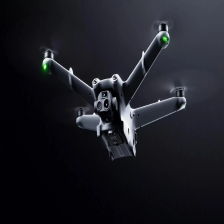


有一段时间没做无人机项目了,最近从新拉了最新的上云API-1.10.0的源码,在本地跑起来,有很多变化,今天新写一篇最新版本的本地启动文章,接下来一段时间,连载基于1.10.0这个版本做源码解析,敬请关注。上云API最新版本请关注 上云API文档地址
一、准备
上云API前端代码
上云API后端代码
本地安装Mysql、Redis、Emqx、Node.js等请自行安装。
注意: EMQX安装完毕,请安装如下插件,基于Redis做EMQX的ACL,
新版上云API使用了该功能做权限管理,请参照如下步骤配置。


二、服务的配置文件和前端配置文件说明
1、java的application.yml配置文件
配置如下:基于最简单的运行服务端代码,只需要配置mysql,redis,mqtt
注意:
1、修改gb28181下方对应的 serverPort和 localPort修改为任意数字就好,因为这两个字段代码使用的Integer类型不修改启动会报错。
2、整个livestream不配置启动时不会报错的,只会在使用到直播功能的时候才会出现业务报错,可根据业务选择的播放类型进行配置。
3、cloud-api配置请前往上云创建对应项目,添加项目对应的参数
server:
  port: 6789
spring:
  main:
    allow-bean-definition-overriding: true
  application:
    name: cloud-api-sample
  datasource:
    druid:
      type: com.alibaba.druid.pool.DruidDataSource
      driver-class-name: com.mysql.cj.jdbc.Driver
      url: jdbc:mysql://127.0.0.1:3306/cloud_sample?useSSL=false&allowPublicKeyRetrieval=true
      username: root
      password: 123456
      initial-size: 10
      min-idle: 10
      max-active: 20
      max-wait: 60000

  redis:
    host: 192.168.148.100
    port: 6379
    database: 0
    username: # if you enable
    password:
    lettuce:
      pool:
        max-active: 8
        max-idle: 8
        min-idle: 0

  servlet:
    multipart:
      max-file-size: 2GB
      max-request-size: 2GB

jwt:
  issuer: DJI
  subject: CloudApiSample
  secret: CloudApiSample
  age: 86400

mqtt:
  # @see com.dji.sample.component.mqtt.model.MqttUseEnum
  # BASIC parameters are required.
  BASIC:
    protocol: MQTT # @see com.dji.sample.component.mqtt.model.MqttProtocolEnum
    host: 192.168.148.100
    port: 1883
    username: JavaServer
    password: 123456
    client-id: 123456
    # If the protocol is ws/wss, this value is required.
    path:
  DRC:
    protocol: WS # @see com.dji.sample.component.mqtt.model.MqttProtocolEnum
    host: 192.168.148.100
    port: 8083
    path: /mqtt
    username: JavaServer
    password: 123456

cloud-sdk:
  mqtt:
    # Topics that need to be subscribed when initially connecting to mqtt, multiple topics are divided by ",".
    inbound-topic: sys/product/+/status,thing/product/+/requests

url:
  manage:
    prefix: manage
    version: /api/v1
  map:
    prefix: map
    version: /api/v1
  media:
    prefix: media
    version: /api/v1
  wayline:
    prefix: wayline
    version: /api/v1
  storage:
    prefix: storage
    version: /api/v1
  control:
    prefix: control
    version: /api/v1

# Tutorial: https://www.alibabacloud.com/help/en/object-storage-service/latest/use-a-temporary-credential-provided-by-sts-to-access-oss
oss:
  enable: false
  provider: ALIYUN # @see com.dji.sample.component.OssConfiguration.model.enums.OssTypeEnum
  endpoint: https://oss-cn-hangzhou.aliyuncs.com
  access-key: Please enter your access key.
  secret-key: Please enter your secret key.
  expire: 3600
  region: Please enter your oss region. # cn-hangzhou
  role-session-name: cloudApi
  role-arn: Please enter your role arn. # acs:ram::123456789:role/stsrole
  bucket: Please enter your bucket name.
  object-dir-prefix: Please enter a folder name.

#oss:
#  enable: true
#  provider: aws
#  endpoint: https://s3.us-east-1.amazonaws.com
#  access-key:
#  secret-key:
#  expire: 3600
#  region: us-east-1
#  role-session-name: cloudApi
#  role-arn:
#  bucket: cloudapi-bucket
#  object-dir-prefix: wayline

#oss:
#  enable: true
#  provider: minio
#  endpoint: http://192.168.1.1:9000
#  access-key: minioadmin
#  secret-key: minioadmin
#  bucket: cloud-bucket
#  expire: 3600
#  region: us-east-1
#  object-dir-prefix: wayline

logging:
  level:
    com.dji: debug
  file:
    name: logs/cloud-api-sample.log

ntp:
  server:
    host: Google.mzr.me

# To create a license for an application: https://developer.dji.com/user/apps/#all
cloud-api:
  app:
    id: xxxxx
    key: xxxxx
    license: xxxxx

livestream:
  url:
    # It is recommended to use a program to create Token. https://github.com/AgoraIO/Tools/blob/master/DynamicKey/AgoraDynamicKey/java/src/main/java/io/agora/media/RtcTokenBuilder2.java
    agora:
      channel: Please enter the agora channel.
      token: Please enter the agora temporary token.
      uid:  654321

    # RTMP  Note: This IP is the address of the streaming server. If you want to see livestream on web page, you need to convert the RTMP stream to WebRTC stream.
    rtmp:
      url: Please enter the rtmp access address.  # Example: 'rtmp://192.168.1.1/live/'
    rtsp:
      username: Please enter the username.
      password: Please enter the password.
      port: 8554

    # GB28181 Note:If you don't know what these parameters mean, you can go to Pilot2 and select the GB28181 page in the cloud platform. Where the parameters same as these parameters.
    gb28181:
      serverIP: Please enter the server ip.
      serverPort: 8889
      serverID: Please enter the server id.
      agentID: Please enter the agent id.
      agentPassword: Please enter the agent password.
      localPort: 8888
      channel: Please enter the channel.

    # Webrtc: Only supports using whip standard
    whip:
      url: Please enter the rtmp access address. #  Example:http://192.168.1.1:1985/rtc/v1/whip/?app=live&stream=
2、web端配置文件/src/api/http/config.ts
配置如下:license配置和服务的一致。http配置你的服务端ip和端口,我使用的是本机所以简单使用的127.0.0.1,如果部署服务器,请配置服务器地址,其他暂时可以不配置。
export const CURRENT_CONFIG = {

  // license
  appId: 'xxxxx', // You need to go to the development website to apply.
  appKey: 'xxxxx', // You need to go to the development website to apply.
  appLicense: 'xxxxx', // You need to go to the development website to apply.

  // http
  baseURL: 'http://127.0.0.1:6789/', // This url must end with "/". Example: 'http://192.168.1.1:6789/'
  websocketURL: 'ws://127.0.0.1:6789/api/v1/ws', // Example: 'ws://192.168.1.1:6789/api/v1/ws'

  // livestreaming
  // RTMP  Note: This IP is the address of the streaming server. If you want to see livestream on web page, you need to convert the RTMP stream to WebRTC stream.
  rtmpURL: 'rtmp://192.168.1.1/live/', // Example: 'rtmp://192.168.1.1/live/'
  // GB28181 Note:If you don't know what these parameters mean, you can go to Pilot2 and select the GB28181 page in the cloud platform. Where the parameters same as these parameters.
  gbServerIp: 'Please enter the server ip.',
  gbServerPort: 'Please enter the server port.',
  gbServerId: 'Please enter the server id.',
  gbAgentId: 'Please enter the agent id',
  gbPassword: 'Please enter the agent password',
  gbAgentPort: 'Please enter the local port.',
  gbAgentChannel: 'Please enter the channel.',
  // RTSP
  rtspUserName: 'Please enter the username.',
  rtspPassword: 'Please enter the password.',
  rtspPort: '8554',
  // Agora
  agoraAPPID: 'Please enter the agora app id.',
  agoraToken: 'Please enter the agora temporary token.',
  agoraChannel: 'Please enter the agora channel.',

  // map
  // You can apply on the AMap website.
  amapKey: 'Please enter the amap key.',

}
三、运行项目
1、在根目录下打开控制台,运行命令安装依赖。
npm install
2、安装完成可以在根目录下看到一个node_modules的目录。
3、运行命令启动服务。
npm run serve
4、服务端启动前,在mysql创建对应的数据库,运行代码中的cloud_sample.sql创建对应的表。
5、直接启动服务
四、测试
使用EMQX的WEB客户端使用websoket连接,发送设备上线指令sys/product/{遥控器sn或者机场sn}/status 如下:
{
	"tid": "11111",
	"bid": "222222",
	"method": "update_topo",
	"timestamp": 1234567890123,
	"data": {
		"domain": 2,
		"type": 119,
		"sub_type": 0,
		"device_secret": "secret",
		"nonce": "nonce",
		"version": "1",
		"sub_devices": [
			{
				"sn": "无人机sn",
				"domain": 0,
				"type": 60,
				"sub_type": 0,
				"index": "A",
				"device_secret": "secret",
				"nonce": "nonce",
				"version": "1"
			}
		]
	}
}


系统运行正常,数据库存储上报的数据

redis存储设备在线数据
五、设备上下线源码解析(中文注释)
上云API使用了spring-integration-mqtt这个组件,相关知识请自行学习。直接上代码:
1、第一步路由根据通道转发
package com.dji.sdk.mqtt;

import com.dji.sdk.common.SpringBeanUtils;
import org.slf4j.Logger;
import org.slf4j.LoggerFactory;
import org.springframework.integration.annotation.Router;
import org.springframework.integration.mqtt.support.MqttHeaders;
import org.springframework.integration.router.AbstractMessageRouter;
import org.springframework.messaging.Message;
import org.springframework.messaging.MessageChannel;
import org.springframework.messaging.MessageHeaders;
import org.springframework.stereotype.Component;

import java.util.Collection;
import java.util.Collections;

/**
 *
 * @author sean.zhou
 * @date 2021/11/10
 * @version 0.1
 */
@Component
public class InboundMessageRouter extends AbstractMessageRouter {

    private static final Logger log = LoggerFactory.getLogger(InboundMessageRouter.class);

    /**
     * 所有 mqtt broker 消息都会到达这里,然后再将它们分发到不同的通道。
     * @param message message from mqtt broker
     * @return channel
     */
    @Override
    @Router(inputChannel = ChannelName.INBOUND)
    protected Collection<MessageChannel> determineTargetChannels(Message<?> message) {
        MessageHeaders headers = message.getHeaders();
        String topic = headers.get(MqttHeaders.RECEIVED_TOPIC).toString();
        byte[] payload = (byte[])message.getPayload();

        log.debug("received topic: {} \t payload =>{}", topic, new String(payload));

        CloudApiTopicEnum topicEnum = CloudApiTopicEnum.find(topic);
        MessageChannel bean = (MessageChannel) SpringBeanUtils.getBean(topicEnum.getBeanName());

        return Collections.singleton(bean);
    }
}
2、第二次路由转发
package com.dji.sdk.mqtt.status;

import com.dji.sdk.cloudapi.device.UpdateTopo;
import com.dji.sdk.common.Common;
import com.dji.sdk.exception.CloudSDKException;
import com.dji.sdk.mqtt.ChannelName;
import com.dji.sdk.mqtt.MqttGatewayPublish;
import com.fasterxml.jackson.core.type.TypeReference;
import org.springframework.context.annotation.Bean;
import org.springframework.context.annotation.Configuration;
import org.springframework.integration.dsl.IntegrationFlow;
import org.springframework.integration.dsl.IntegrationFlows;
import org.springframework.integration.mqtt.support.MqttHeaders;
import org.springframework.messaging.Message;
import org.springframework.messaging.MessageHeaders;
import org.springframework.util.CollectionUtils;

import javax.annotation.Resource;
import java.io.IOException;
import java.util.Objects;
import java.util.Optional;

import static com.dji.sdk.mqtt.TopicConst.*;

/**
 *
 * @author sean.zhou
 * @date 2021/11/12
 * @version 0.1
 */
@Configuration
public class StatusRouter {

    @Resource
    private MqttGatewayPublish gatewayPublish;
    /**
     * 用于从INBOUND_STATUS通道接收MQTT消息,解析消息内容TopicStatusRequest<UpdateTopo>,并根据消息中的特定条件
     * (UpdateTopo对象的subDevices集合是否为空)将消息路由到不同的通道(INBOUND_STATUS_OFFLINE或INBOUND_STATUS_ONLINE)
     * @param
     * @return org.springframework.integration.dsl.IntegrationFlow
     * @author chenyuanyuan
     * @date 2024/8/14 10:11
     **/

    @Bean
    public IntegrationFlow statusRouterFlow() {
        return IntegrationFlows
                .from(ChannelName.INBOUND_STATUS)
                .transform(Message.class, source -> {
                    try {
                        TopicStatusRequest<UpdateTopo> response = Common.getObjectMapper().readValue((byte[]) source.getPayload(), new TypeReference<TopicStatusRequest<UpdateTopo>>() {});
                        String topic = String.valueOf(source.getHeaders().get(MqttHeaders.RECEIVED_TOPIC));
                        return response.setFrom(topic.substring((BASIC_PRE + PRODUCT).length(), topic.indexOf(STATUS_SUF)));
                    } catch (IOException e) {
                        throw new CloudSDKException(e);
                    }
                }, null)
                .<TopicStatusRequest<UpdateTopo>, Boolean>route(
                        response -> Optional.ofNullable(response.getData()).map(UpdateTopo::getSubDevices).map(CollectionUtils::isEmpty).orElse(true),
                        mapping -> mapping.channelMapping(true, ChannelName.INBOUND_STATUS_OFFLINE)
                                .channelMapping(false, ChannelName.INBOUND_STATUS_ONLINE))
                .get();
    }
    /**
     * 监听OUTBOUND_STATUS通道上的消息,对每条消息调用当前类的publish方法进行处理,然后丢弃这些消息
     * @param
     * @return org.springframework.integration.dsl.IntegrationFlow
     * @author chenyuanyuan
     * @date 2024/8/14 10:12
     **/
    @Bean
    public IntegrationFlow replySuccessStatus() {
        return IntegrationFlows
                .from(ChannelName.OUTBOUND_STATUS)
                .handle(this::publish)
                .nullChannel();

    }

    private TopicStatusResponse publish(TopicStatusResponse request, MessageHeaders headers) {
        if (Objects.isNull(request)) {
            return null;
        }
        gatewayPublish.publishReply(request, headers);
        return request;
    }
}
3、消息切入点
package com.dji.sdk.cloudapi.device.api;

import com.dji.sdk.annotations.CloudSDKVersion;
import com.dji.sdk.cloudapi.device.*;
import com.dji.sdk.cloudapi.property.DockDroneCommanderFlightHeight;
import com.dji.sdk.cloudapi.property.DockDroneCommanderModeLostAction;
import com.dji.sdk.cloudapi.property.DockDroneRthMode;
import com.dji.sdk.config.version.CloudSDKVersionEnum;
import com.dji.sdk.config.version.GatewayTypeEnum;
import com.dji.sdk.mqtt.ChannelName;
import com.dji.sdk.mqtt.MqttReply;
import com.dji.sdk.mqtt.osd.TopicOsdRequest;
import com.dji.sdk.mqtt.state.TopicStateRequest;
import com.dji.sdk.mqtt.state.TopicStateResponse;
import com.dji.sdk.mqtt.status.TopicStatusRequest;
import com.dji.sdk.mqtt.status.TopicStatusResponse;
import org.springframework.integration.annotation.ServiceActivator;
import org.springframework.messaging.Message;
import org.springframework.messaging.MessageHeaders;

/**
 * @author sean
 * @version 1.7
 * @date 2023/6/30
 */
public class AbstractDeviceService {

 /**
     * 网关设备+子设备上线   (遥控器+无人机)
     * @param request  data
     * @param headers   The headers for a {@link Message}.
     * @return status_reply
     */
    @ServiceActivator(inputChannel = ChannelName.INBOUND_STATUS_ONLINE, outputChannel = ChannelName.OUTBOUND_STATUS)
    public TopicStatusResponse<MqttReply> updateTopoOnline(TopicStatusRequest<UpdateTopo> request, MessageHeaders headers) {
        throw new UnsupportedOperationException("updateTopoOnline not implemented");
    }
 }
4、具体消息处理实现
package com.dji.sample.manage.service.impl;

import com.dji.sample.component.websocket.model.BizCodeEnum;
import com.dji.sample.component.websocket.service.IWebSocketMessageService;
import com.dji.sample.manage.model.dto.DeviceDTO;
import com.dji.sample.manage.model.dto.DevicePayloadReceiver;
import com.dji.sample.manage.model.enums.DeviceFirmwareStatusEnum;
import com.dji.sample.manage.model.param.DeviceQueryParam;
import com.dji.sample.manage.service.IDeviceDictionaryService;
import com.dji.sample.manage.service.IDevicePayloadService;
import com.dji.sample.manage.service.IDeviceRedisService;
import com.dji.sample.manage.service.IDeviceService;
import com.dji.sdk.cloudapi.device.*;
import com.dji.sdk.cloudapi.device.api.AbstractDeviceService;
import com.dji.sdk.cloudapi.tsa.DeviceIconUrl;
import com.dji.sdk.cloudapi.tsa.IconUrlEnum;
import com.dji.sdk.config.version.GatewayManager;
import com.dji.sdk.common.SDKManager;
import com.dji.sdk.mqtt.MqttReply;
import com.dji.sdk.mqtt.osd.TopicOsdRequest;
import com.dji.sdk.mqtt.state.TopicStateRequest;
import com.dji.sdk.mqtt.status.TopicStatusRequest;
import com.dji.sdk.mqtt.status.TopicStatusResponse;
import lombok.extern.slf4j.Slf4j;
import org.springframework.beans.factory.annotation.Autowired;
import org.springframework.messaging.MessageHeaders;
import org.springframework.stereotype.Service;
import org.springframework.util.StringUtils;

import java.time.LocalDateTime;
import java.util.List;
import java.util.Objects;
import java.util.Optional;
import java.util.stream.Collectors;

/**
 * @author sean
 * @version 1.7
 * @date 2023/7/4
 */
@Service
@Slf4j
public class SDKDeviceService extends AbstractDeviceService {


    @Autowired
    private IDeviceRedisService deviceRedisService;

    @Autowired
    private IDeviceService deviceService;

    @Autowired
    private IDeviceDictionaryService dictionaryService;

    @Autowired
    private IWebSocketMessageService webSocketMessageService;

    @Autowired
    private IDevicePayloadService devicePayloadService;
@Override
    public TopicStatusResponse<MqttReply> updateTopoOnline(TopicStatusRequest<UpdateTopo> request, MessageHeaders headers) {
        UpdateTopoSubDevice updateTopoSubDevice = request.getData().getSubDevices().get(0);
        String deviceSn = updateTopoSubDevice.getSn();
		//获取redis相关数据
        Optional<DeviceDTO> deviceOpt = deviceRedisService.getDeviceOnline(deviceSn);
        Optional<DeviceDTO> gatewayOpt = deviceRedisService.getDeviceOnline(request.getFrom());
        GatewayManager gatewayManager = SDKManager.registerDevice(request.getFrom(), deviceSn,
                request.getData().getDomain(), request.getData().getType(),
                request.getData().getSubType(), request.getData().getThingVersion(), updateTopoSubDevice.getThingVersion());
        //如果设备在线,再次上线返回结果
        if (deviceOpt.isPresent() && gatewayOpt.isPresent()) {
            deviceOnlineAgain(deviceOpt.get().getWorkspaceId(), request.getFrom(), deviceSn);
            return new TopicStatusResponse<MqttReply>().setData(MqttReply.success());
        }
		//修改遥控器和无人机配对信息,当无人机在数据库存储的对应遥控器与当前遥控器不一样 ,修改之前的遥控器无人机信息及下线
        changeSubDeviceParent(deviceSn, request.getFrom());

        DeviceDTO gateway = deviceGatewayConvertToDevice(request.getFrom(), request.getData());
        Optional<DeviceDTO> gatewayEntityOpt = onlineSaveDevice(gateway, deviceSn, null);
        if (gatewayEntityOpt.isEmpty()) {
            log.error("Failed to go online, please check the status data or code logic.");
            return null;
        }
        //对象转换
        DeviceDTO subDevice = subDeviceConvertToDevice(updateTopoSubDevice);
        //设备上下并保存
        Optional<DeviceDTO> subDeviceEntityOpt = onlineSaveDevice(subDevice, null, gateway.getDeviceSn());
        if (subDeviceEntityOpt.isEmpty()) {
            log.error("Failed to go online, please check the status data or code logic.");
            return null;
        }
        subDevice = subDeviceEntityOpt.get();
        gateway = gatewayEntityOpt.get();
        //机场上线操作
        dockGoOnline(gateway, subDevice);
        //订阅网关设备topic
        deviceService.gatewayOnlineSubscribeTopic(gatewayManager);

        if (!StringUtils.hasText(subDevice.getWorkspaceId())) {
            return new TopicStatusResponse<MqttReply>().setData(MqttReply.success());
        }

        // 订阅无人机设备相关话题。
        deviceService.subDeviceOnlineSubscribeTopic(gatewayManager);
        //发送设备上线的消息到PILOT
        deviceService.pushDeviceOnlineTopo(gateway.getWorkspaceId(), gateway.getDeviceSn(), subDevice.getDeviceSn());

        log.debug("{} online.", subDevice.getDeviceSn());
        return new TopicStatusResponse<MqttReply>().setData(MqttReply.success());
    }
}
重要的方法调用如下:
    //设备上线并保存数据库redis
    private Optional<DeviceDTO> onlineSaveDevice(DeviceDTO device, String childSn, String parentSn) {

        device.setChildDeviceSn(childSn);
        device.setLoginTime(LocalDateTime.now());

        Optional<DeviceDTO> deviceOpt = deviceService.getDeviceBySn(device.getDeviceSn());
        //首次上线创建设备在数据库
        if (deviceOpt.isEmpty()) {
            device.setIconUrl(new DeviceIconUrl());
            // 设置 TSA 模块中需要的飞行员地图中显示的网关设备的图标。
            device.getIconUrl().setNormalIconUrl(IconUrlEnum.NORMAL_PERSON.getUrl());
            // 设置 TSA 模块中需要的网关设备图标,当它被选中时,它会显示在飞行员的地图中。
            device.getIconUrl().setSelectIconUrl(IconUrlEnum.SELECT_PERSON.getUrl());
            device.setBoundStatus(false);

            // 查询该网关设备的型号信息。
            dictionaryService.getOneDictionaryInfoByTypeSubType(
                    device.getDomain().getDomain(), device.getType().getType(), device.getSubType().getSubType())
                    .ifPresent(entity -> {
                        device.setDeviceName(entity.getDeviceName());
                        device.setNickname(entity.getDeviceName());
                        device.setDeviceDesc(entity.getDeviceDesc());
                    });
        }
        boolean success = deviceService.saveOrUpdateDevice(device);
        if (!success) {
            return Optional.empty();
        }

        deviceOpt = deviceService.getDeviceBySn(device.getDeviceSn());
        DeviceDTO redisDevice = deviceOpt.get();
        redisDevice.setStatus(true);
        redisDevice.setParentSn(parentSn);
        //存储设备在线到redis
        deviceRedisService.setDeviceOnline(redisDevice);
        return deviceOpt;
    }
 //修改遥控器和无人机配对信息,当无人机在数据库存储的对应遥控器与当前遥控器不一样 ,修改之前的遥控器无人机信息及下线
    private void changeSubDeviceParent(String deviceSn, String gatewaySn) {
        List<DeviceDTO> gatewaysList = deviceService.getDevicesByParams(
                DeviceQueryParam.builder()
                        .childSn(deviceSn)
                        .build());
        gatewaysList.stream()
                .filter(gateway -> !gateway.getDeviceSn().equals(gatewaySn))
                .forEach(gateway -> {
                    gateway.setChildDeviceSn("");
                    deviceService.updateDevice(gateway);
                    deviceRedisService.getDeviceOnline(gateway.getDeviceSn())
                            .ifPresent(device -> {
                                device.setChildDeviceSn(null);
                                deviceRedisService.setDeviceOnline(device);
                            });
                });
    }

	private void dockGoOnline(DeviceDTO gateway, DeviceDTO subDevice) {
        if (DeviceDomainEnum.DOCK != gateway.getDomain()) {
            return;
        }
        if (!StringUtils.hasText(gateway.getWorkspaceId())) {
            log.error("The dock is not bound, please bind it first and then go online.");
            return;
        }
        if (!Objects.requireNonNullElse(subDevice.getBoundStatus(), false)) {
            //直接将 Dock 的无人机绑定到与 Dock 相同的工作空间。
            deviceService.bindDevice(DeviceDTO.builder().deviceSn(subDevice.getDeviceSn()).workspaceId(gateway.getWorkspaceId()).build());
            subDevice.setWorkspaceId(gateway.getWorkspaceId());
        }
        //保存到redis
        deviceRedisService.setDeviceOnline(subDevice);
    }
6、设备下线
发送设备下线指令sys/product/{遥控器sn或者机场sn}/status
{
    "tid": "1111",
    "bid": "2222",
    "method": "update_topo",
    "timestamp": 1234567890123,
    "data": {
        "domain": 2,
        "type": 119,
        "sub_type": 0,
        "device_secret":"secret",
        "nonce":"nonce",
        "version": "1",
        "sub_devices":[]
    }
}
消息切入点如下
 /**
     * 子设备离线
     * @param request  data
     * @param headers   The headers for a {@link Message}.
     * @return status_reply
     */
    @ServiceActivator(inputChannel = ChannelName.INBOUND_STATUS_OFFLINE, outputChannel = ChannelName.OUTBOUND_STATUS)
    public TopicStatusResponse<MqttReply> updateTopoOffline(TopicStatusRequest<UpdateTopo> request, MessageHeaders headers) {
        throw new UnsupportedOperationException("updateTopoOffline not implemented");
    }
实际实现如下
 @Override
    public TopicStatusResponse<MqttReply> updateTopoOffline(TopicStatusRequest<UpdateTopo> request, MessageHeaders headers) {
        GatewayManager gatewayManager = SDKManager.registerDevice(request.getFrom(), null,
                request.getData().getDomain(), request.getData().getType(),
                request.getData().getSubType(), request.getData().getThingVersion(), null);
        deviceService.gatewayOnlineSubscribeTopic(gatewayManager);
        // 只有遥控器登录,飞行器未连接。
        Optional<DeviceDTO> deviceOpt = deviceRedisService.getDeviceOnline(request.getFrom());
        if (deviceOpt.isEmpty()) {
            // 第一次设备连接时
            DeviceDTO gatewayDevice = deviceGatewayConvertToDevice(request.getFrom(), request.getData());
            Optional<DeviceDTO> gatewayDeviceOpt = onlineSaveDevice(gatewayDevice, null, null);
            if (gatewayDeviceOpt.isEmpty()) {
                return null;
            }
            //消息推送
            deviceService.pushDeviceOnlineTopo(gatewayDeviceOpt.get().getWorkspaceId(), request.getFrom(), null);
            return new TopicStatusResponse<MqttReply>().setData(MqttReply.success());
        }

        String deviceSn = deviceOpt.get().getChildDeviceSn();
        if (!StringUtils.hasText(deviceSn)) {
            return new TopicStatusResponse<MqttReply>().setData(MqttReply.success());
        }
        //设备离线操作,修改redis,数据库,取消订阅,删除载荷等
        deviceService.subDeviceOffline(deviceSn);
        return new TopicStatusResponse<MqttReply>().setData(MqttReply.success());
    }
结语
其实在我看来,整个上云的代码是不难的,只是代码提取的比较多。很多人急于求成,急于完成公司的任务,没有时间详细的去跟代码,今天就先写到这里,后期我会继续更新相关源码解析,如果有志同道合的朋友希望我解析对应的知识点的,请留言,我会提前解析对应的代码。
本文作者手打,请勿转载
 2万+


 扫一扫


 被折叠的 条评论
为什么被折叠?
 到【灌水乐园】发言


