



 这篇博客展示了如何使用C#客户端调用C++编译的DLL进行函数操作。C++代码定义了一个导出函数`add`,C#通过`DllImport`调用来实现跨语言交互,完成简单的加法运算并打印结果。
1.概要
1.1 dll c++
// 当使用预编译的头时,需要使用此源文件,编译才能成功。
extern "C" __declspec(dllexport) INT32 add(INT32 a, INT32 b)
{
    return (a + b);
}
1.2 客户端 c#
[DllImport("Dll1.dll")]
        public static extern int add(int a, int b);
        static void Main(string[] args)
        {
            int a = add(1, 2);
2.代码
2.1 dll c++
// dllmain.cpp : 定义 DLL 应用程序的入口点。
#include "pch.h"

BOOL APIENTRY DllMain( HMODULE hModule,
                       DWORD  ul_reason_for_call,
                       LPVOID lpReserved
                     )
{
    switch (ul_reason_for_call)
    {
    case DLL_PROCESS_ATTACH:
    case DLL_THREAD_ATTACH:
    case DLL_THREAD_DETACH:
    case DLL_PROCESS_DETACH:
        break;
    }
    return TRUE;
}
// pch.h: 这是预编译标头文件。
// 下方列出的文件仅编译一次,提高了将来生成的生成性能。
// 这还将影响 IntelliSense 性能,包括代码完成和许多代码浏览功能。
// 但是,如果此处列出的文件中的任何一个在生成之间有更新,它们全部都将被重新编译。
// 请勿在此处添加要频繁更新的文件,这将使得性能优势无效。

#ifndef PCH_H
#define PCH_H

// 添加要在此处预编译的标头
#include "framework.h"

#endif //PCH_H
#pragma once

#define WIN32_LEAN_AND_MEAN             // 从 Windows 头文件中排除极少使用的内容
// Windows 头文件
#include <windows.h>
// pch.cpp: 与预编译标头对应的源文件

#include "pch.h"

// 当使用预编译的头时,需要使用此源文件,编译才能成功。
extern "C" __declspec(dllexport) INT32 add(INT32 a, INT32 b)
{
    return (a + b);
}
2.2 客户端 c#
using System;
using System.Collections.Generic;
using System.Linq;
using System.Runtime.InteropServices;
using System.Text;
using System.Threading.Tasks;

namespace CSharp调用c加加dll
{
    class Program
    {
        [DllImport("Dll1.dll")]
        public static extern int add(int a, int b);
        static void Main(string[] args)
        {
            int a = add(1, 2);
            Console.WriteLine(a);
            Console.ReadKey();
        }
    }
}
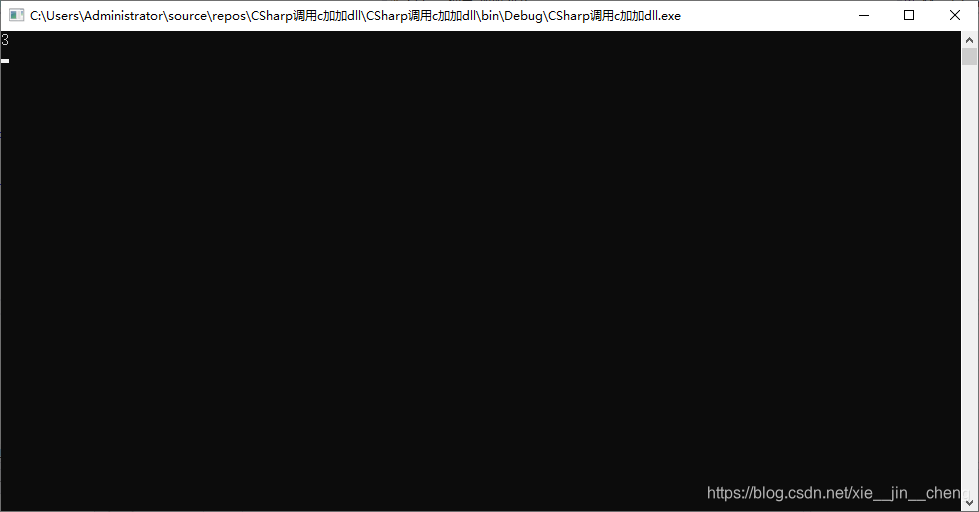
3.运行结果





 扫一扫
扫一扫


 3003
3003

 被折叠的 条评论
为什么被折叠?
被折叠的 条评论
为什么被折叠?
 到【灌水乐园】发言





