



 本文介绍了ASP.NET MVC项目中视图文件(_layout.cshtm, About.chtml等)与控制器(controller.cs)之间的关系,以及项目启动文件如BundleConfig.cs、FilterConfig.cs和RouteConfig.cs的作用。在项目启动配置中,详细展示了脚本和样式捆绑,路由设置以及全局错误处理。此外,还阐述了添加视图控制器的过程及其效果,分析了控制器和视图的相互作用。
1.视图文件关系
_layout.cshtm
About.chhtml
Contanct.cshtml
index.cshtml
controller.cs
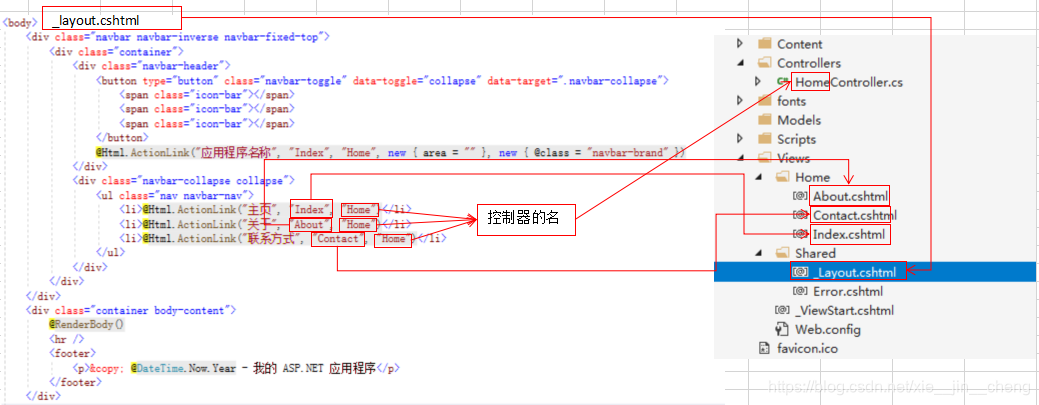
2.项目启动文件关系分项
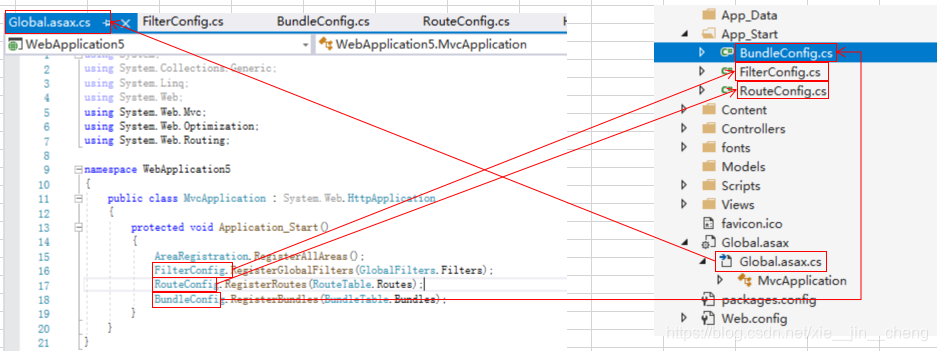
using System.Web;
using System.Web.Optimization;

namespace WebApplication5
{
    public class BundleConfig
    {
        // 有关捆绑的详细信息,请访问 https://go.microsoft.com/fwlink/?LinkId=301862
        public static void RegisterBundles(BundleCollection bundles)
        {
            bundles.Add(new ScriptBundle("~/bundles/jquery").Include(
                        "~/Scripts/jquery-{version}.js"));

            bundles.Add(new ScriptBundle("~/bundles/jqueryval").Include(
                        "~/Scripts/jquery.validate*"));

            // 使用要用于开发和学习的 Modernizr 的开发版本。然后,当你做好
            // 生产准备就绪,请使用 https://modernizr.com 上的生成工具仅选择所需的测试。
            bundles.Add(new ScriptBundle("~/bundles/modernizr").Include(
                        "~/Scripts/modernizr-*"));

            bundles.Add(new ScriptBundle("~/bundles/bootstrap").Include(
                      "~/Scripts/bootstrap.js"));

            bundles.Add(new StyleBundle("~/Content/css").Include(
                      "~/Content/bootstrap.css",
                      "~/Content/site.css"));
        }
    }
}
using System.Web;
using System.Web.Mvc;

namespace WebApplication5
{
    public class FilterConfig
    {
        public static void RegisterGlobalFilters(GlobalFilterCollection filters)
        {
            filters.Add(new HandleErrorAttribute());
        }
    }
}
using System;
using System.Collections.Generic;
using System.Linq;
using System.Web;
using System.Web.Mvc;
using System.Web.Routing;

namespace WebApplication5
{
    public class RouteConfig
    {
        public static void RegisterRoutes(RouteCollection routes)
        {
            routes.IgnoreRoute("{resource}.axd/{*pathInfo}");

            routes.MapRoute(
                name: "Default",
                url: "{controller}/{action}/{id}",
                defaults: new { controller = "Home", action = "Index", id = UrlParameter.Optional }
            );
        }
    }
}
3.工程创建步骤
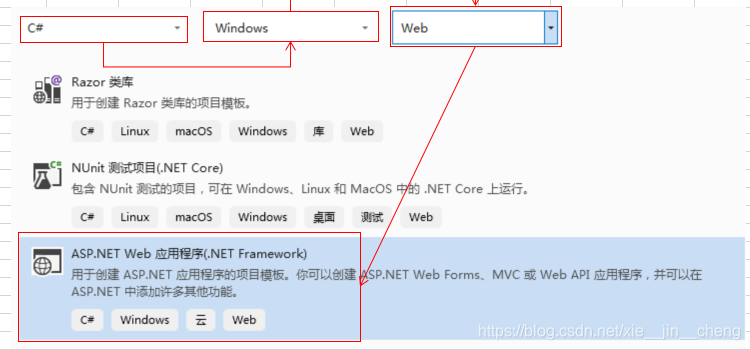
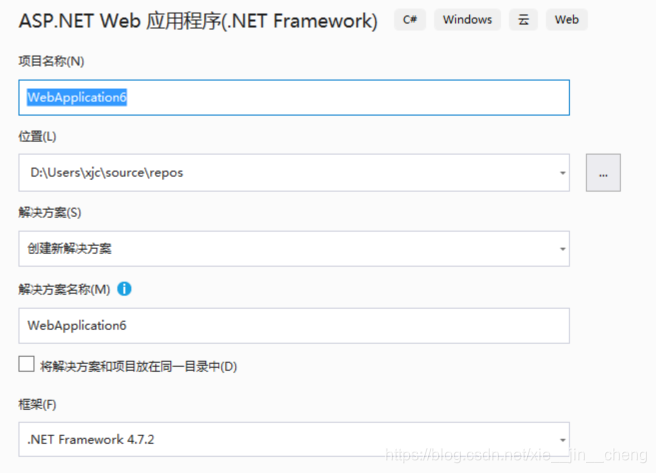
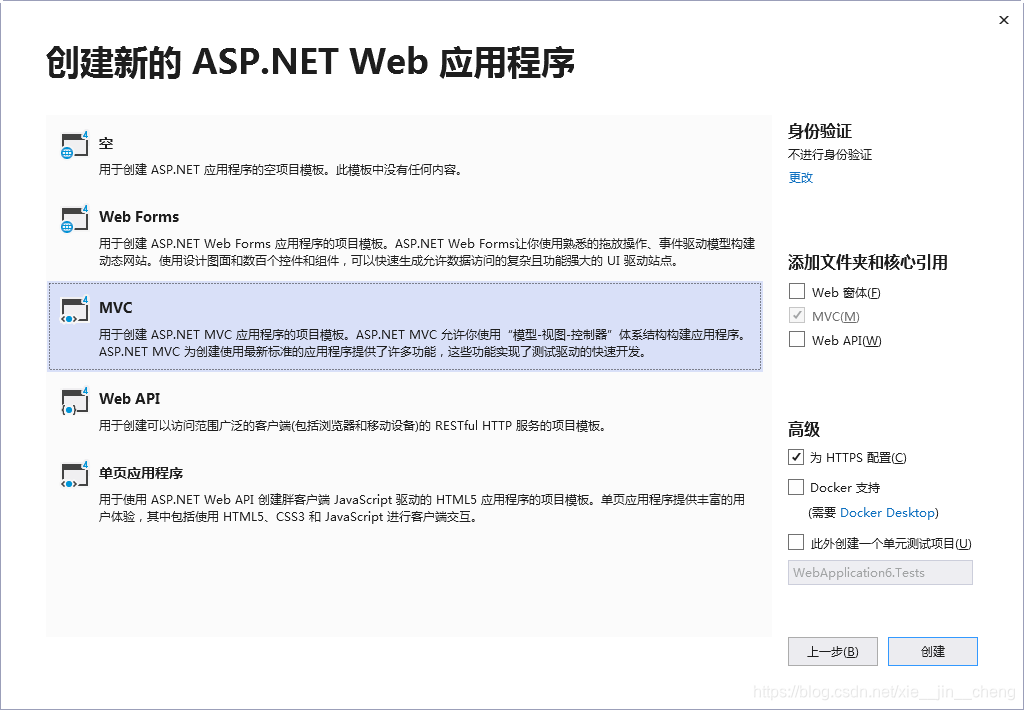
4 添加视图控制器
4.1 运行的效果
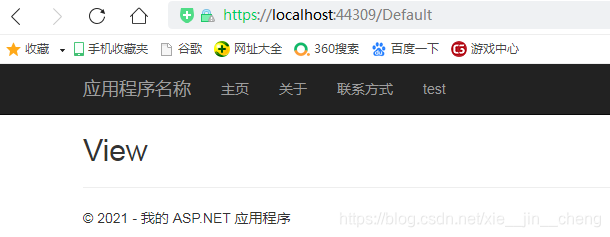
4.2 添加的控制器和视图的关系分析。
4.2.1 文件关系分析
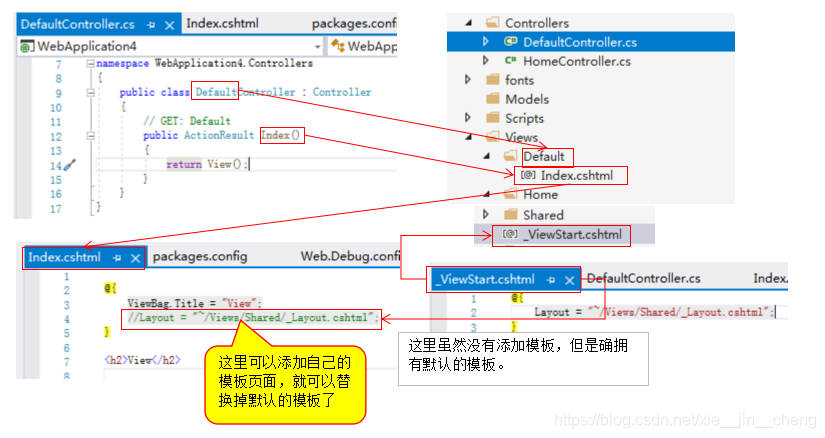
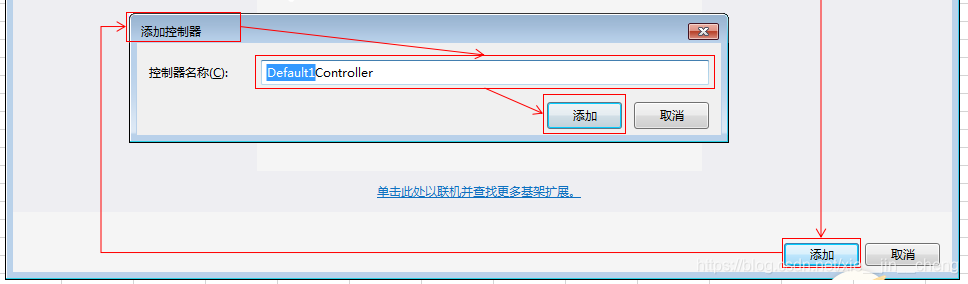
4.2.2 添加控制器
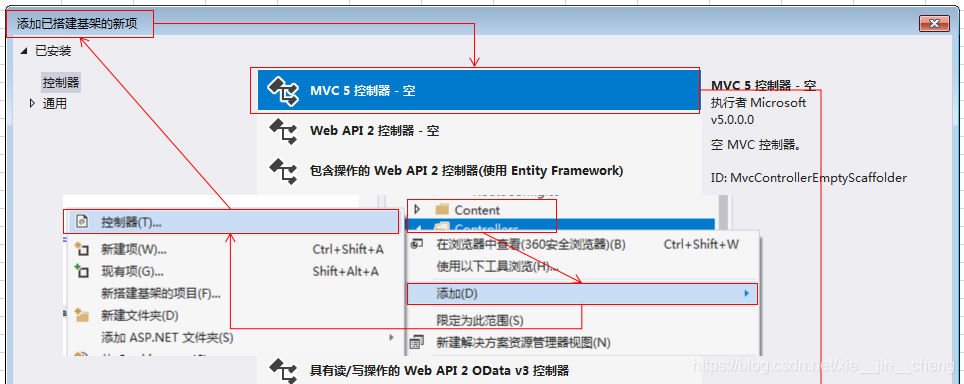
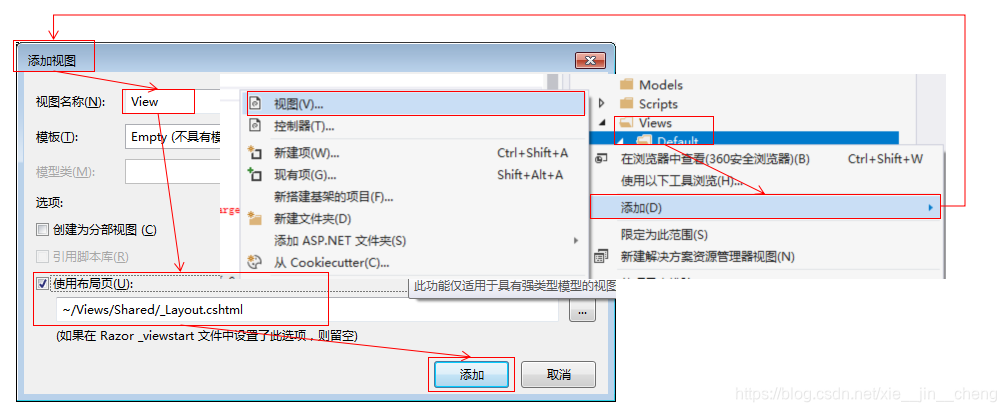
4.2.3 添加视图





 扫一扫
扫一扫


 188
188

 被折叠的 条评论
为什么被折叠?
被折叠的 条评论
为什么被折叠?
 到【灌水乐园】发言





