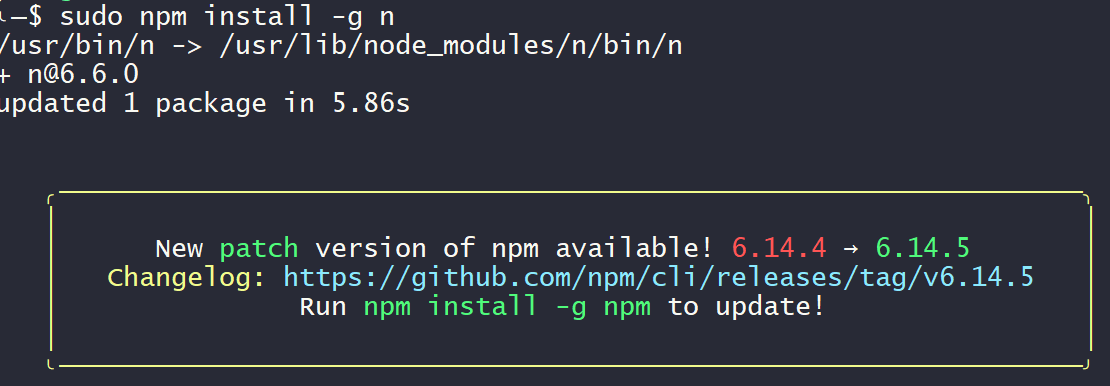
node更新报错:checkPermissions Missing write access to /usr/lib/node_modules/n

本文提供了解决Node和npm更新过程中的权限错误方法,包括使用sudo命令、配置淘宝镜像加速及安装n模块等步骤,帮助用户顺利升级。

原文地址:https://www.wjcms.net/archives/node%E6%9B%B4%E6%96%B0%E6%8A%A5%E9%94%99checkpermissionsmissingwriteaccesstousrlibnodemodulesn

node更新报错:checkPermissions Missing write access to /usr/lib/node_modules/n

昨天推送了,node和npm更新的文章,有的小伙伴私信我,更新过程中有报错,更新不成功。
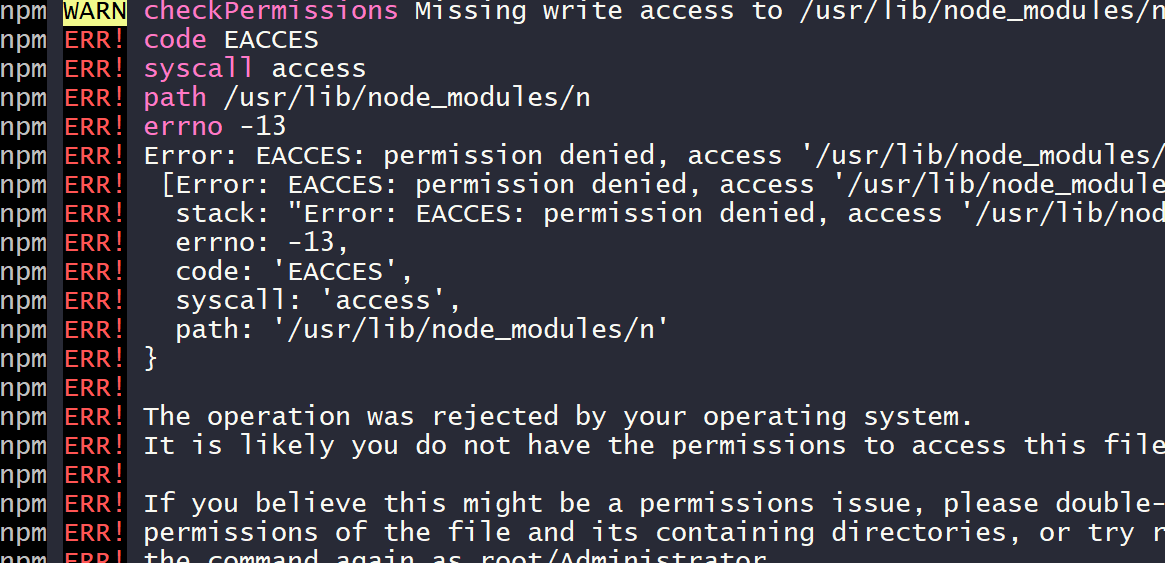
今天我再发一下,解决这个报错的方法。 出现上述错误,是因为没有权限所导致的,所以在命令前边加上sudo就可以了,或者切换到root用户进行操作。

这里附上命令:

更新npm

因为npm是国外的,所以速度慢,失败都是家常便饭,解决方法呢?配置淘宝镜像(推荐)

sudo npm config set registry https://registry.npm.taobao.org

先运行命令,安装n模块依赖包

sudo npm install n -g

这里运行安装完毕后,会提示npm更新,直接运行提示的命令即可

sudo npm install -g npm

更新node

更新 node 版本到最新版 n latest,更新到稳定版n stable

#最新版
sudo n latest
#稳定版
sudo n stable

关注我更多精彩

[gitlab-runner@c ~]$ npm install gitbook-cli -g npm WARN deprecated q@1.5.0: You or someone you depend on is using Q, the JavaScript Promise library that gave JavaScript developers strong feelings about promises. They can almost certainly migrate to the native JavaScript promise now. Thank you literally everyone for joining me in this bet against the odds. Be excellent to each other. npm WARN deprecated npm WARN deprecated (For a CapTP with native promises, see @endo/eventual-send and @endo/captp) [..................] - fetchMetadata: WARN deprecated q@1.5.0: You or someone you depend on is using Q, the JavaScript Promise library that gave JavaScript developers strong feelings about promises. They can almost certainly migrate to the native JavaScri [..................] | fetchMetadata: WARN deprecated q@1.5.0: You or someone you depend on is using Q, the JavaScript Promise library that gave JavaScript developers strong feelings about promises. They can almost certainly migrate to the native JavaScri [..................] \ fetchMetadata: WARN deprecated q@1.5.0: You or someone you depend on is using Q, the JavaScript Promise library that gave JavaScript developers strong feelings about promises. They can almost certainly migrate to the native JavaScri npm WARN checkPermissions Missing write access to /usr/local/node/lib/node_modules/gitbook-cli/node_modules/npmi/node_modules/npm/node_modules/ansistyles npm WARN checkPermissions Missing write access to /usr/local/node/lib/node_modules/gitbook-cli/node_modules/npmi/node_modules/npm/node_modules/path-is-inside npm WARN checkPermissions Missing write access to /usr/local/node/lib/node_modules/gitbook-cli npm WARN checkPermissions Missing write access to /usr/local/node/lib/node_modules/gitbook-cli/node_modules/npmi/node_modules/npm/node_modules npm WARN checkPermissions Missing write access to /usr/local/node/lib/node_modules npm ERR! code EACCES npm ERR! syscall access npm ERR! path /usr/local/node/lib/node_modules/gitbook-cli/node_modules/npmi/node_modules/npm/node_modules/ansistyles npm ERR! errno -13 npm ERR! Error: EACCES: permission denied, access '/usr/local/node/lib/node_modules/gitbook-cli/node_modules/npmi/node_modules/npm/node_modules/ansistyles' npm ERR! [Error: EACCES: permission denied, access '/usr/local/node/lib/node_modules/gitbook-cli/node_modules/npmi/node_modules/npm/node_modules/ansistyles'] { npm ERR! errno: -13, npm ERR! code: 'EACCES', npm ERR! syscall: 'access', npm ERR! path: '/usr/local/node/lib/node_modules/gitbook-cli/node_modules/npmi/node_modules/npm/node_modules/ansistyles' npm ERR! } npm ERR! npm ERR! The operation was rejected by your operating system. npm ERR! It is likely you do not have the permissions to access this file as the current user npm ERR! npm ERR! If you believe this might be a permissions issue, please double-check the npm ERR! permissions of the file and its containing directories, or try running npm ERR! the command again as root/Administrator. npm ERR! A complete log of this run can be found in: npm ERR! /home/gitlab-runner/.npm/_logs/2025-08-14T09_56_46_078Z-debug.log
最新发布
08-15
评论
成就一亿技术人!
拼手气红包6.0元
还能输入1000个字符
 
红包 添加红包
表情包 插入表情
 条评论被折叠 查看
添加红包

请填写红包祝福语或标题

红包个数最小为10个

红包金额最低5元

当前余额3.43前往充值 >
需支付:10.00
成就一亿技术人!
领取后你会自动成为博主和红包主的粉丝 规则
hope_wisdom
发出的红包
实付
使用余额支付
点击重新获取
扫码支付
钱包余额 0

抵扣说明:

1.余额是钱包充值的虚拟货币,按照1:1的比例进行支付金额的抵扣。
2.余额无法直接购买下载,可以购买VIP、付费专栏及课程。

余额充值