


- 在构建好的虚拟环境下,运行以下代码:
pip install -U ipykernel  # 为了新建kernel
pip install -U ipywidgets  # 为了这个kernel能更好地展示如tqdm进度条之类的东西
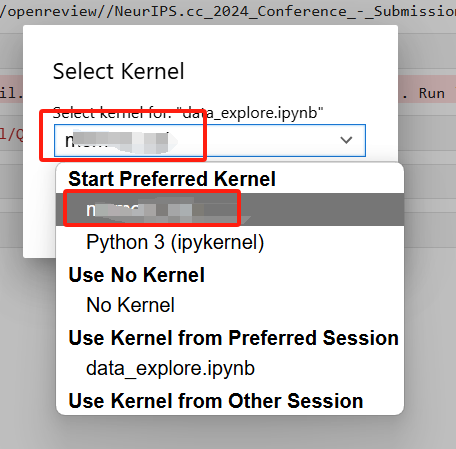
- 运行下列代码,为了让这个kernel在实际jupyter notebook中显示:
python -m ipykernel install --user --name <虚拟环境名> --display-name <展示在jupyter notebook中的虚拟环境名>
- 重启jupyter notebook后就能看到新增的kernel





 扫一扫
扫一扫


 6875
6875

 被折叠的 条评论
为什么被折叠?
被折叠的 条评论
为什么被折叠?
 到【灌水乐园】发言





