


主要参考链接:参考链接
环境:我的pycharm环境是2024.1.1版本
1. 远程安装jupyter
pip install -U jupyter
2. 配置jupyter参数
jupyter notebook --generate-config
# Overwrite /root/.jupyter/jupyter_notebook_config.py with default config? [y/N]y
Writing default config to: /root/.jupyter/jupyter_notebook_config.py
3. 修改jupyter参数
vim ~/.jupyter/jupyter_notebook_config.py

在文件里面新加一条:c.NotebookApp.token = 'venti'
4. linux开启jupyter server
该目录会变为jupyter notebook的pwd目录
请cd到工程目录下执行此命令
cd 工程目录
jupyter notebook --no-browser --allow-root --port 8900
如果想要挂起这个jupyter,可以用nohup指令,参照链接。这样就算把服务器关掉也能运行jupyter notebook了。
以下是我用的command (nohup版本):
# 1. nohup挂起jupyter
nohup jupyter notebook --no-browser --allow-root --port 8900 >/dev/null 2>&1 & # 不需要输出结果的保存
# 2. 找到这一进程
ps aux|grep jupyter
# 3. kill这一进程
kill pid
# 或者
kill -9 pid # (强制终止)
5. 映射本地与远程端口
在本地输入,实现端口映射:
ssh -N -L [远程端口]:[本地ip:本地端口] [用户名]@[远程ip] -p [远程ssh端口]
ssh -N -L 8900:localhost:8900 root@xxx.xx.xxx.xx -p xxxxx
6. pycharm配置Jupyter server
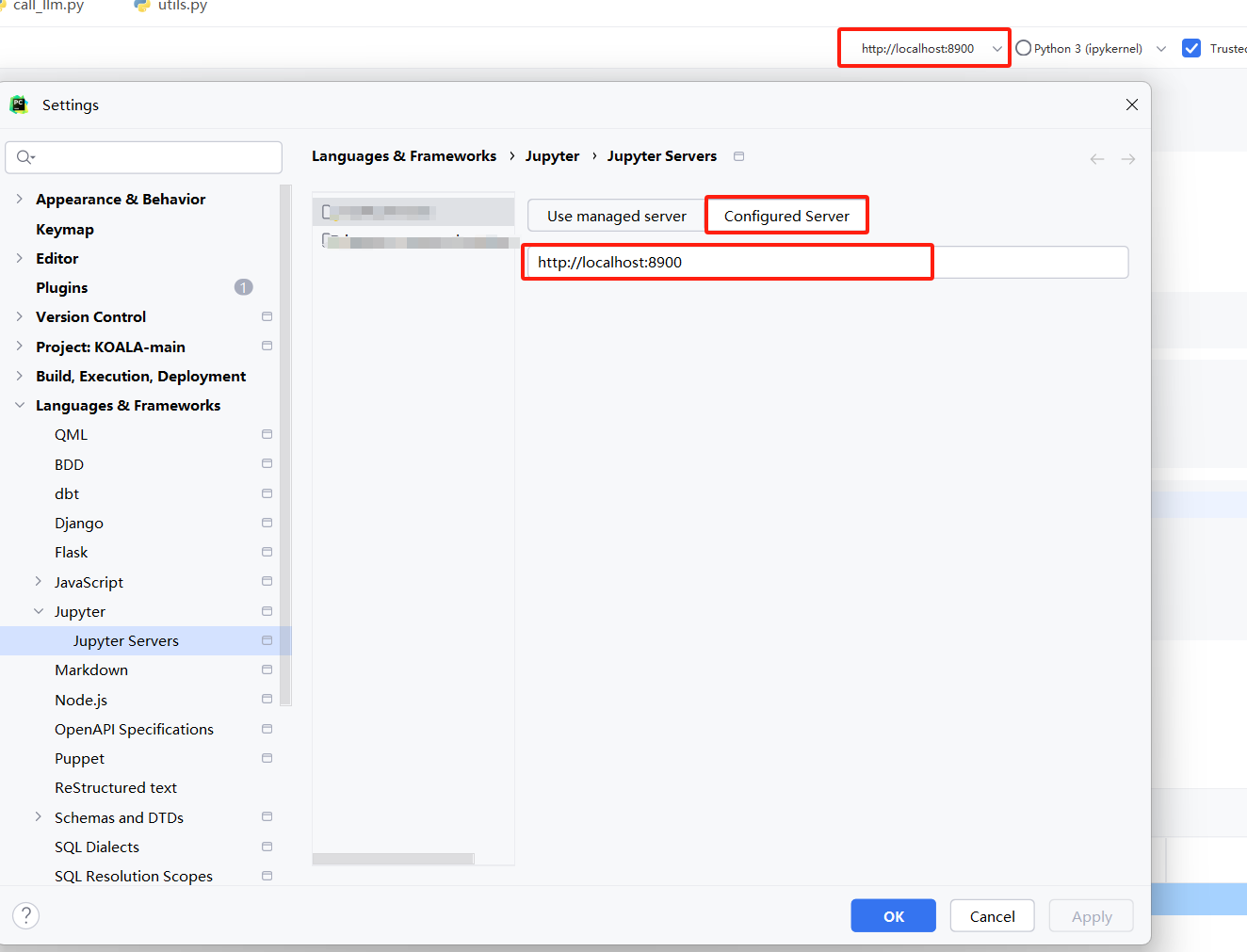
配置完了以后它会叫你输入密码和token,这个时候输入venti就行
7. restart the kernal并测试

(1)重启kernel。
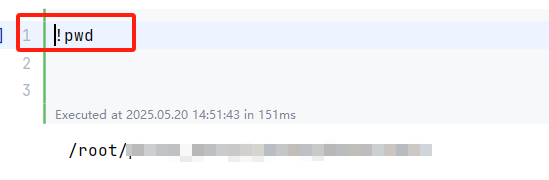
(2)输入!pwd测试,发现已经显示的是服务器目录了,成功。





 扫一扫
扫一扫


 1859
1859

 被折叠的 条评论
为什么被折叠?
被折叠的 条评论
为什么被折叠?
 到【灌水乐园】发言





