


- 🍨 本文为🔗365天深度学习训练营 中的学习记录博客
- 🍖 原作者:K同学啊
一、前期工作
- 设置GPU
from tensorflow       import keras
from tensorflow.keras import layers,models
import os, PIL, pathlib
import matplotlib.pyplot as plt
import tensorflow        as tf

gpus = tf.config.list_physical_devices("GPU")

if gpus:
    gpu0 = gpus[0]                                        #如果有多个GPU,仅使用第0个GPU
    tf.config.experimental.set_memory_growth(gpu0, True)  #设置GPU显存用量按需使用
    tf.config.set_visible_devices([gpu0],"GPU")

gpus
2. 导入数据
data_dir = "./45-data/"

data_dir = pathlib.Path(data_dir)
3. 查看数据
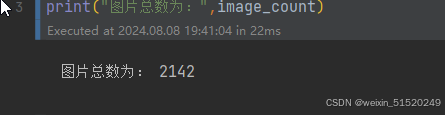
image_count = len(list(data_dir.glob('*/*.jpg')))

print("图片总数为:",image_count)
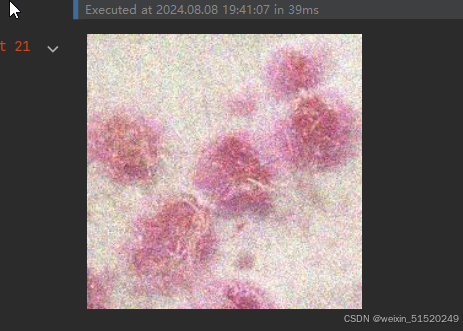
Monkeypox = list(data_dir.glob('Monkeypox/*.jpg'))
PIL.Image.open(str(Monkeypox[0]))
二、数据预处理
- 加载数据
batch_size = 32
img_height = 224
img_width = 224
"""
关于image_dataset_from_directory()的详细介绍可以参考文章:https://mtyjkh.blog.youkuaiyun.com/article/details/117018789
"""
train_ds = tf.keras.preprocessing.image_dataset_from_directory(
    data_dir,
    validation_split=0.2,
    subset="training",
    seed=123,
    image_size=(img_height, img_width),
    batch_size=batch_size)
"""
关于image_dataset_from_directory()的详细介绍可以参考文章:https://mtyjkh.blog.youkuaiyun.com/article/details/117018789
"""
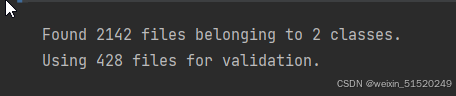
val_ds = tf.keras.preprocessing.image_dataset_from_directory(
    data_dir,
    validation_split=0.2,
    subset="validation",
    seed=123,
    image_size=(img_height, img_width),
    batch_size=batch_size)
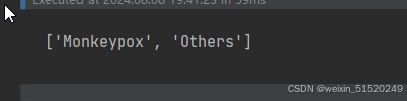
class_names = train_ds.class_names
print(class_names)
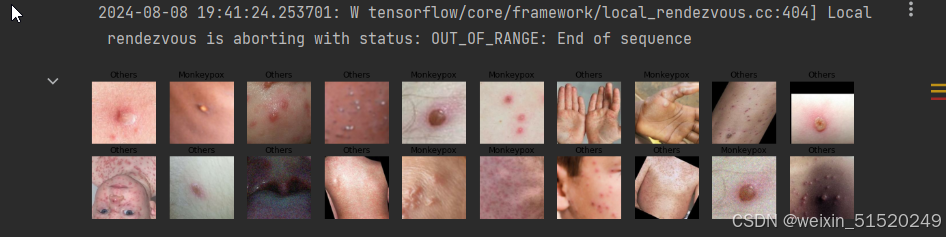
2. 可视化数据
plt.figure(figsize=(20, 10))

for images, labels in train_ds.take(1):
    for i in range(20):
        ax = plt.subplot(5, 10, i + 1)

        plt.imshow(images[i].numpy().astype("uint8"))
        plt.title(class_names[labels[i]])

        plt.axis("off")
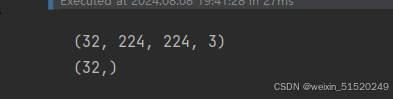
3. 再次检查数据
for image_batch, labels_batch in train_ds:
    print(image_batch.shape)
    print(labels_batch.shape)
    break
4. 配置数据集
AUTOTUNE = tf.data.AUTOTUNE

train_ds = train_ds.cache().shuffle(1000).prefetch(buffer_size=AUTOTUNE)
val_ds = val_ds.cache().prefetch(buffer_size=AUTOTUNE)
三、构建CNN网络
num_classes = 2

"""
关于卷积核的计算不懂的可以参考文章:https://blog.youkuaiyun.com/qq_38251616/article/details/114278995

layers.Dropout(0.4) 作用是防止过拟合,提高模型的泛化能力。
在上一篇文章花朵识别中,训练准确率与验证准确率相差巨大就是由于模型过拟合导致的

关于Dropout层的更多介绍可以参考文章:https://mtyjkh.blog.youkuaiyun.com/article/details/115826689
"""

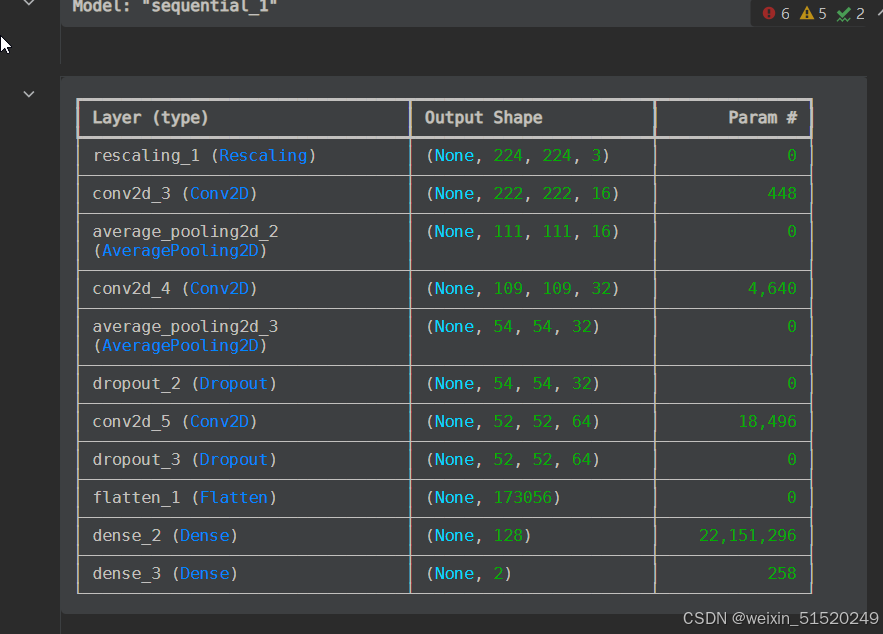
model = models.Sequential([
    layers.Rescaling(1./255, input_shape=(img_height, img_width, 3)),

    layers.Conv2D(16, (3, 3), activation='relu', input_shape=(img_height, img_width, 3)), # 卷积层1,卷积核3*3
    layers.AveragePooling2D((2, 2)),               # 池化层1,2*2采样
    layers.Conv2D(32, (3, 3), activation='relu'),  # 卷积层2,卷积核3*3
    layers.AveragePooling2D((2, 2)),               # 池化层2,2*2采样
    layers.Dropout(0.3),
    layers.Conv2D(64, (3, 3), activation='relu'),  # 卷积层3,卷积核3*3
    layers.Dropout(0.3),

    layers.Flatten(),                       # Flatten层,连接卷积层与全连接层
    layers.Dense(128, activation='relu'),   # 全连接层,特征进一步提取
    layers.Dense(num_classes)               # 输出层,输出预期结果
])

model.summary()  # 打印网络结构
四、编译
# 设置优化器
opt = tf.keras.optimizers.Adam(learning_rate=1e-4)

model.compile(optimizer=opt,
              loss=tf.keras.losses.SparseCategoricalCrossentropy(from_logits=True),
              metrics=['accuracy'])
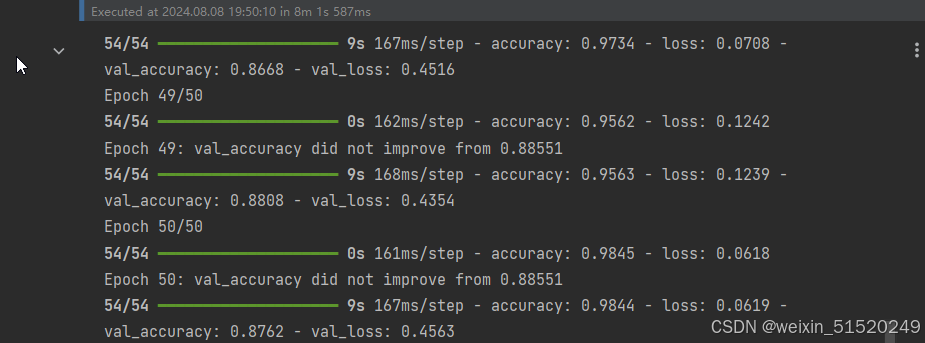
五、训练模型
from tensorflow.keras.callbacks import ModelCheckpoint

epochs = 50

checkpointer = ModelCheckpoint('best_model.weights.h5',
                                monitor='val_accuracy',
                                verbose=1,
                                save_best_only=True,
                                save_weights_only=True)

history = model.fit(train_ds,
                    validation_data=val_ds,
                    epochs=epochs,
                    callbacks=[checkpointer])
六、模型评估
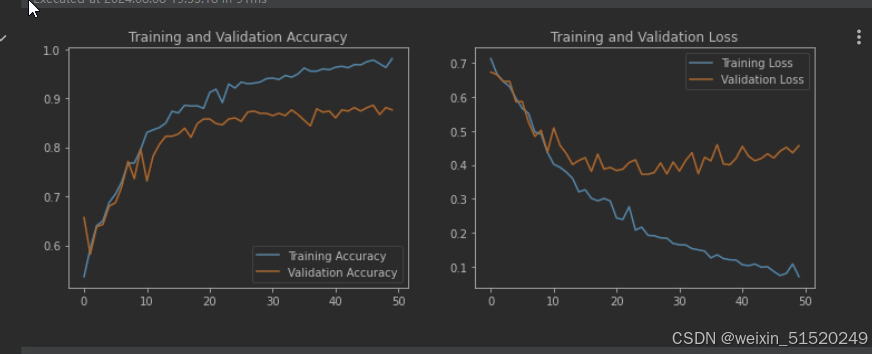
- Loss与Accuracy图
acc = history.history['accuracy']
val_acc = history.history['val_accuracy']

loss = history.history['loss']
val_loss = history.history['val_loss']

epochs_range = range(epochs)

plt.figure(figsize=(12, 4))
plt.subplot(1, 2, 1)
plt.plot(epochs_range, acc, label='Training Accuracy')
plt.plot(epochs_range, val_acc, label='Validation Accuracy')
plt.legend(loc='lower right')
plt.title('Training and Validation Accuracy')

plt.subplot(1, 2, 2)
plt.plot(epochs_range, loss, label='Training Loss')
plt.plot(epochs_range, val_loss, label='Validation Loss')
plt.legend(loc='upper right')
plt.title('Training and Validation Loss')
plt.show()
2. 指定图片进行预测
# 加载效果最好的模型权重
model.load_weights('best_model.weights.h5')
from PIL import Image
import numpy as np

# img = Image.open("./45-data/Monkeypox/M06_01_04.jpg")  #这里选择你需要预测的图片
img = Image.open("/home/aiusers/space_yjl/深度学习训练营/Tensorflow入门实战/第T4周:猴痘病识别/第4周/Others/NM01_01_00.jpg")  #这里选择你需要预测的图片
image = tf.image.resize(img, [img_height, img_width])

img_array = tf.expand_dims(image, 0)

predictions = model.predict(img_array) # 这里选用你已经训练好的模型
print("预测结果为:",class_names[np.argmax(predictions)])
七 结果展示



个人总结
编译模型 (model.compile)
1.optimizer (优化器):
选择了 Adam 优化器,并设置了学习率为 1e-4。Adam优化器是一种自适应学习率优化算法,结合了动量梯度下降和RMSProp的优点。它通常在许多深度学习任务中表现良好。
优化器的作用是根据计算出的梯度更新模型的权重,从而最小化损失函数。
2.loss (损失函数):
使用 tf.keras.losses.SparseCategoricalCrossentropy(from_logits=True) 作为损失函数。这个损失函数适用于多分类问题。
SparseCategoricalCrossentropy 与 CategoricalCrossentropy 类似,不同的是前者适用于稀疏标签(标签为整数)的情况,而后者适用于独热编码的标签。
from_logits=True 表示输出未经过Softmax层。换句话说,你的模型最后一层没有使用 softmax 激活函数,直接输出logits(即未经处理的神经网络输出值),损失函数会在内部应用Softmax处理。
3.metrics (评估指标):
设置为 [‘accuracy’],表示在训练和评估过程中,会计算并显示模型的准确率。
评估指标用于衡量模型的性能,但它们不会影响模型的训练过程(即不会影响梯度下降)。






 扫一扫
扫一扫


 2431
2431

 被折叠的 条评论
为什么被折叠?
被折叠的 条评论
为什么被折叠?
 到【灌水乐园】发言





